Overview
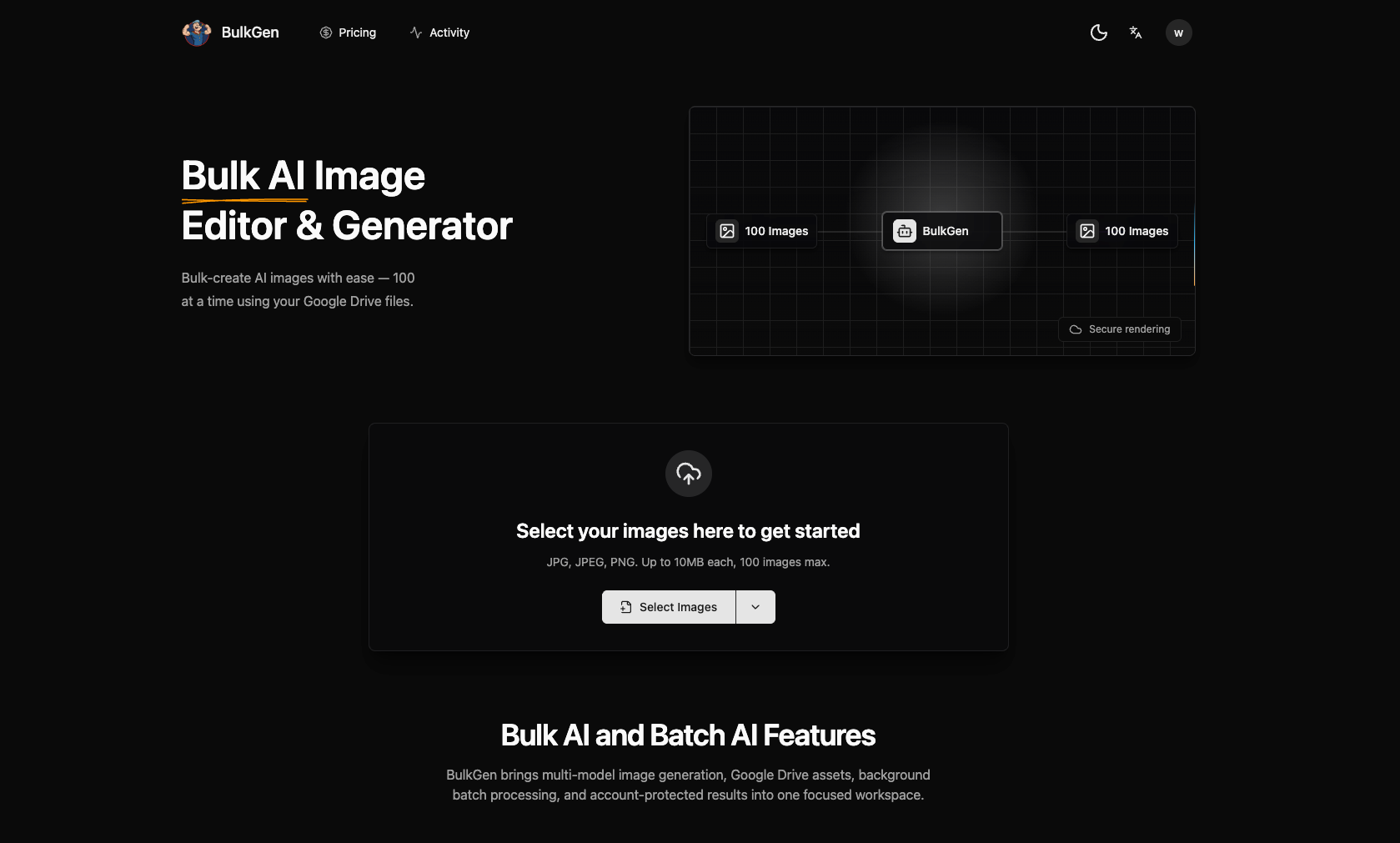
BulkGen AI is built for teams that need more than one-off image generation. It turns bulk image creation into a focused production workflow: upload images from your computer or choose files from Google Drive, add prompts and reference images, select an AI image model, configure output settings, and generate a full batch for review and download.
The platform supports batch workflows of up to 100 images, making it useful for ecommerce product visuals, ad creative variants, social media campaigns, brand asset production, localized marketing, and creative testing. Instead of repeating the same upload, prompt, generation, and download steps one image at a time, users can prepare a batch once and let BulkGen process the job in the background.
BulkGen AI supports multiple image models, including GPT image models and Gemini image models such as ChatGPT Image 2.0, Nano Banana 2, and Nano Banana Pro. Users can manage model-specific settings such as image size, quality, output format, background, aspect ratio, and input fidelity when available.
BulkGen also includes an account-protected workspace where users can track batch progress, retry or cancel tasks, review generated outputs, download results, and manage credits. Google Drive integration helps teams work with existing source images and brand assets without manually moving files between tools.
Featured Lovable Apps
MoClaw
MoClaw | Personal AI Assistant on Your Own Cloud Computer
MoClaw is an always-on personal AI assistant powered by its own cloud computer. It helps users automate repetitive work, browse websites, run deep research, manage files, generate images, edit PDFs, analyze data, monitor competitors, and create scheduled workflows. Unlike a traditional chatbot, MoClaw is built for task execution, not just conversation. You can talk to it from Web, Telegram, or Slack, then let it keep working in the background. With browser control, built-in skills, persistent storage, scheduled tasks, and cloud execution, MoClaw gives every user a practical AI computer for daily work.
Explore Appvein game
vein map
VEIN game is a post-apocalyptic survival multiplayer sandbox game. Gather supplies, explore abandoned buildings, combat bandits, defend your home, and rebuild society—whether alone or with friends. As seasons change, VEIN game world evolves with persistent, long-scale random events.
Explore AppThe Freak Circus
The Freak Circus
Step into a world where reality bends and nightmares come alive. The Freak Circus is an immersive psychological horror visual novel that will challenge your perception of truth and fiction. Experience the Day 2 update featuring darker narratives, new characters like the Jester and Doctor, and the tragic legend of Columbina that reveals the deep-seated animosity between Pierrot and Harlequin.
Explore App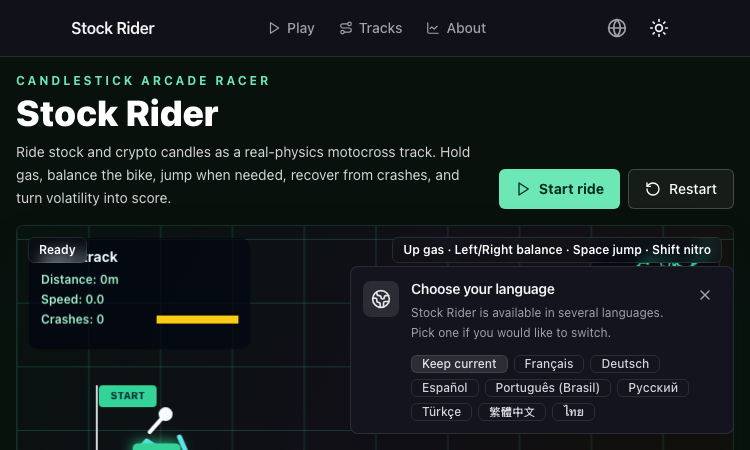
Stock Rider
Stock Rider turns real daily OHLCV charts for AAPL, TSLA, BTC and more into neon racing tracks in the browser.
Stock Rider Stock Rider is a browser-based racing game that turns financial history into a top-down arcade course. Instead of a made-up track, the road is generated from real daily OHLCV candlestick data for popular tickers like AAPL, AMZN, TSLA, NVDA, BTC, and ETH, so every race is a playable chart of an actual market regime — bull runs feel like smooth highways, crashes feel like jagged mountain passes, and sideways chop becomes a slalom of small bumps. The visual language leans into the financial origin story. Candle bodies are drawn as road segments, wicks become side rails, and the high-low range maps to lane width. A green day widens the road and gives the car a gentle downhill grade, a red day tightens the lanes and tilts everything into a downhill dive, and a long wick sends the player airborne for a brief second. The result feels like a neon dashboard that happens to be a driving game. Gameplay is built for short, replayable sessions. The player picks a ticker and a date range, the chart is sampled and pre-rendered as a track, and the car takes off at the open and finishes at the close. Controls are arrow keys or WASD on desktop, touch swipes on mobile, and a single tap on a button to fire a turbo boost that briefly ignores the roughest sections. The faster you finish a candle without crashing, the higher the score multiplier stacks, and chaining clean sections unlocks cosmetic upgrades for the car — new paint jobs, wheel skins, and trail effects inspired by candlestick patterns. Stock Rider also includes a per-ticker leaderboard, so friends can race the same chart and see who handled the volatility best. The product runs entirely in the browser, supports keyboard and touch input, and is built on a Next.js stack that feels snappy on both desktop and mobile. There is nothing to install, no logins required for casual play, and the entire game is free to try. For traders who want a playful way to revisit the moves that made their portfolio exciting, students learning candlestick patterns who want a tactile way to feel the difference between a hammer and a shooting star, and casual racers looking for a track generator that is a little more interesting than procedural noise, Stock Rider is a tiny, charming, and surprisingly memorable browser game.
Explore Appkepo - mac widgets
AI-powered Mac widgets that turn any webpage, RSS feed, or dashboard into a live desktop panel.
Kepo is an AI-powered Mac widget app that transforms any webpage, RSS feed, social media update, dashboard, or small tool into a live desktop widget. With a single keyboard shortcut, you can open a sleek panel and keep essential information always within reach — without leaving your workflow. Key Features Live Widgets: Turn any URL into a real-time widget that updates automatically. AI-Powered: Smart parsing extracts the most relevant content from any page. Works with Anything: Support for web pages, RSS feeds, social feeds (Twitter, LinkedIn), dashboards, and even custom tools. Shortcut-Accessible: Open the widget panel instantly with a custom hotkey. Minimal & Fast: Blazing fast performance with a beautiful, distraction-free interface. Use Cases Keep an eye on real-time analytics dashboards. Monitor social media feeds without switching apps. Follow live status pages or sports scores. Turn any tool or website into a productivity widget. Kepo is designed for Mac users who want to stay informed without context-switching. It's like having a second screen inside your main workflow. For more details, visit https://kepo.ai
Explore Applumentale wiki
lumentale
LumenTale Guides & Animon Dex for Memories of Trey Everything you need for your Talea playthrough — compare 149 Animon, pick the right starter, learn affinities and type matchups, track evolutions, and look up skills, items, and boss fights before you commit levels or rare materials.
Explore App