Overview
Flag Tone: How to Match Flag Band Colors (2026 Complete Guide)
Play now: Flag Tone — Flag color game
🎯 TL;DR
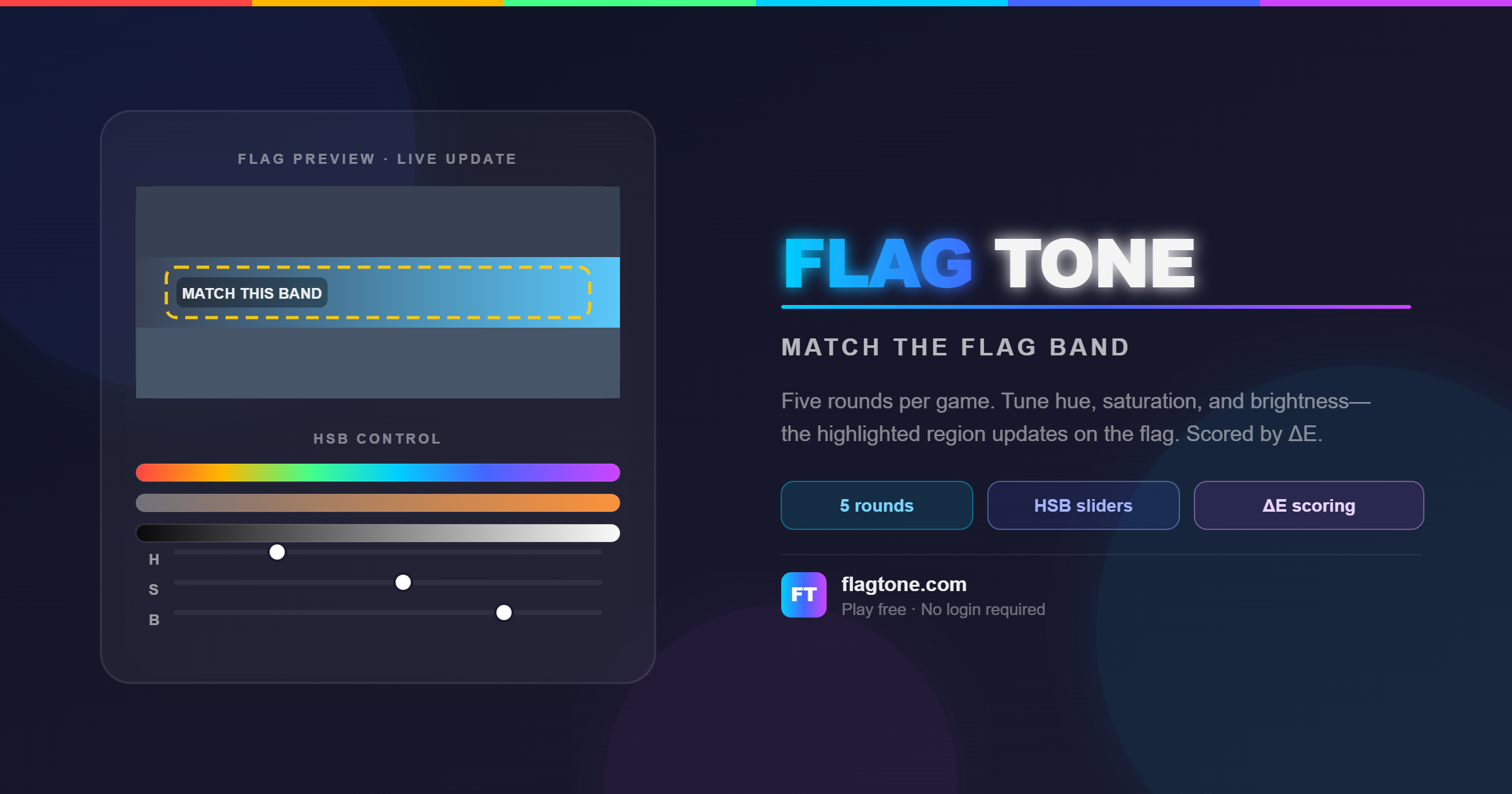
- Flag Tone is a free browser game where you match a random flag band’s true color using HSB sliders while the flag preview updates live.
- Each game runs 5 rounds with random world flags; scores use perceptual color distance (ΔE in CIELAB), mapped to 0–100 pts per round (max 500 pts per game).
- The challenge is visual: you study the target band on the flag, remember its color, and tune hue, saturation, and brightness—no hex codes required.
Table of Contents
- What Is Flag Tone?
- Why Flag Tone Feels Like a Memory Game
- How to Play Flag Tone
- Scoring: ΔE and Points
- HSB Sliders vs Hex Codes
- Who Flag Tone Is For
- FAQ
- Summary and Next Steps
What Is Flag Tone?
Flag Tone (flagtone.com) is an independent flag color game built for quick, repeatable practice. Every round:
- Picks a random flag and a target band on that flag.
- Shows the band you must match while other regions stay at their true colors.
- Lets you adjust Hue (H), Saturation (S), and Brightness (B) on the right; the highlighted region on the flag updates in real time.
- Scores your Submit guess using ΔE—how far your pick is from the target in a human-friendly color space.
One full game is 5 rounds. You can start a fresh set anytime with New game or Play again.
💡 Pro tip
Treat each round as a mini design exercise: warm or cool the hue first, then push saturation and brightness until the band “locks in” with the rest of the flag.
Suggested image placement (homepage hero):
Alt text: “Flag Tone game screen—left panel shows target flag band (e.g. Czech Republic), right panel shows HSB sliders and live color preview.”
Why Flag Tone Feels Like a Memory Game
Flag Tone does not ask you to type color codes. You look at a specific stripe or field on a flag, hold that color in mind, and recreate it with sliders after the preview changes. That loop trains:
| Skill | How Flag Tone practices it |
|---|---|
| Color memory | Remembering a band’s color while adjusting H, S, B |
| Perceptual matching | Comparing your pick to the flag context, not a number |
| Fine motor tuning | Small slider moves like in design tools |
Random flags each game also mean you cannot rely on one country’s palette—you build general color sense, not rote answers.
✅ Best practice
Before submitting, glance back at the target band on the left and ask: “Does my selection belong on this flag?” Context catches mistakes that look fine in isolation.
How to Play Flag Tone
Game flow
Step-by-step
- Study the flag — The left panel shows which band to match; other regions keep their true colors.
- Adjust H, S, and B — The right preview updates live. Hue is color angle, saturation is intensity, brightness is how light the color feels.
- Submit your guess — You see how far off you were (ΔE) and points for that round.
- Play all 5 rounds — The results screen compares every target next to your pick.
- Start over anytime — Use New game or Play again for a new random flag and band set.
⚠️ Note
Flag geometry and colors in Flag Tone are reference illustrations for the game, not certified government specs, Pantone values, or manufacturing standards. Displays and dark mode can shift appearance. For legally binding colors, follow authorities in your jurisdiction.
Scoring: ΔE and Points
What is ΔE in Flag Tone?
After you submit, ΔE (delta E) is one number for how different your color is from the target—like a distance score.
- Lower is better: small ΔE ≈ very similar colors; large ΔE ≈ far apart.
- Flag Tone converts both colors to CIELAB (D65), which aligns better with human vision than raw RGB pixels, then uses Euclidean distance in Lab (ΔE*_ab simplified).
Points (pts)
| Concept | Flag Tone rule |
|---|---|
| Per round max | 100 pts |
| Full game max | 500 pts (5 × 100) |
| Running total | Shown at top across finished rounds |
| Floor | Scores never go below 0 |
Formula:
pts for this turn = round( max(0, 100 − 2 × ΔE) )
ΔE → pts examples
| ΔE | Perception (rough) | Points |
|---|---|---|
| ≈ 0 | Near-perfect match | ~100 pts |
| 10 | Noticeable but decent | 80 pts |
| 25 | Far off | 50 pts |
| ≥ 50 | Very far | 0 pts |
Feedback bands (in-game)
| ΔE range | Message |
|---|---|
| < 2 | 🎯 Perfect! |
| < 6 | 😊 Very close! |
| < 15 | 🤔 Not bad. |
| ≥ 15 | 😅 Way off… |
💡 Pro tip
Aim for ΔE under 6 on hard bands; that usually keeps you above 88 pts for the round.
HSB Sliders vs Hex Codes
| Approach | Flag Tone choice | Why |
|---|---|---|
| HSB sliders | ✅ Used | Matches how designers “nudge” color: warmer/cooler, stronger/softer, darker/lighter |
| Hex input | ❌ Hidden from play | Keeps the challenge visual and tied to the flag preview |
If you already use Figma, Photoshop, or similar tools, Flag Tone should feel familiar—only the canvas is a flag instead of a layer.
Who Flag Tone Is For
| Audience | Benefit |
|---|---|
| Design students & juniors | Train HSB intuition without a full project |
| Developers & UI builders | Practice perceptual distance (ΔE) like accessibility and theme work |
| Trivia and geography fans | Learn flag palettes through play, not flashcards |
| Quick-break players | One game ≈ 5 rounds; playable in the browser, no install |
Flag Tone is not affiliated with any government, sports body, or standards agency.
FAQ
Q: What is Flag Tone?
A: Flag Tone is a free online flag color game at flagtone.com. You match random flag band colors with HSB sliders over 5 rounds per game, scored by ΔE.
Q: How many rounds are in one Flag Tone game?
A: 5 rounds. Each round uses a new random flag and target band. The best possible total score is 500 pts.
Q: What does ΔE mean in Flag Tone?
A: ΔE measures color difference after converting to CIELAB. Lower ΔE means a closer match to the target band.
Q: How are points calculated in Flag Tone?
A: pts = round(max(0, 100 − 2 × ΔE)) per round. Bigger ΔE means fewer points; near-zero ΔE is close to 100 pts.
Q: Why does Flag Tone use sliders instead of hex codes?
A: So you look at color and adjust it like in a design app. Hex stays in the background; the game stays visual and memory-driven.
Q: Are Flag Tone’s flag colors official?
A: No. They are reference illustrations for gameplay, not certified official specifications. Use proper authorities for print, uniforms, or public display.
Q: Can I play Flag Tone on mobile?
A: Flag Tone runs in the modern browser. Slider play works on touch devices; a larger screen can make comparing bands easier.
Featured Lovable Apps
Stock Rider
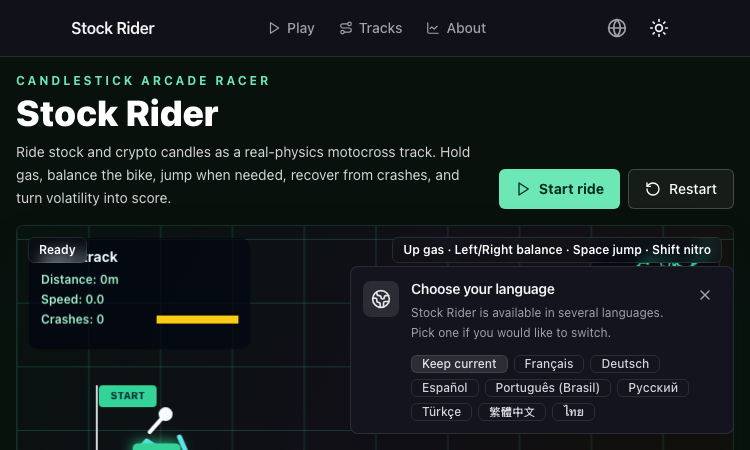
Stock Rider turns real daily OHLCV charts for AAPL, TSLA, BTC and more into neon racing tracks in the browser.
Stock Rider Stock Rider is a browser-based racing game that turns financial history into a top-down arcade course. Instead of a made-up track, the road is generated from real daily OHLCV candlestick data for popular tickers like AAPL, AMZN, TSLA, NVDA, BTC, and ETH, so every race is a playable chart of an actual market regime — bull runs feel like smooth highways, crashes feel like jagged mountain passes, and sideways chop becomes a slalom of small bumps. The visual language leans into the financial origin story. Candle bodies are drawn as road segments, wicks become side rails, and the high-low range maps to lane width. A green day widens the road and gives the car a gentle downhill grade, a red day tightens the lanes and tilts everything into a downhill dive, and a long wick sends the player airborne for a brief second. The result feels like a neon dashboard that happens to be a driving game. Gameplay is built for short, replayable sessions. The player picks a ticker and a date range, the chart is sampled and pre-rendered as a track, and the car takes off at the open and finishes at the close. Controls are arrow keys or WASD on desktop, touch swipes on mobile, and a single tap on a button to fire a turbo boost that briefly ignores the roughest sections. The faster you finish a candle without crashing, the higher the score multiplier stacks, and chaining clean sections unlocks cosmetic upgrades for the car — new paint jobs, wheel skins, and trail effects inspired by candlestick patterns. Stock Rider also includes a per-ticker leaderboard, so friends can race the same chart and see who handled the volatility best. The product runs entirely in the browser, supports keyboard and touch input, and is built on a Next.js stack that feels snappy on both desktop and mobile. There is nothing to install, no logins required for casual play, and the entire game is free to try. For traders who want a playful way to revisit the moves that made their portfolio exciting, students learning candlestick patterns who want a tactile way to feel the difference between a hammer and a shooting star, and casual racers looking for a track generator that is a little more interesting than procedural noise, Stock Rider is a tiny, charming, and surprisingly memorable browser game.
Explore Appkepo - mac widgets
AI-powered Mac widgets that turn any webpage, RSS feed, or dashboard into a live desktop panel.
Kepo is an AI-powered Mac widget app that transforms any webpage, RSS feed, social media update, dashboard, or small tool into a live desktop widget. With a single keyboard shortcut, you can open a sleek panel and keep essential information always within reach — without leaving your workflow. Key Features Live Widgets: Turn any URL into a real-time widget that updates automatically. AI-Powered: Smart parsing extracts the most relevant content from any page. Works with Anything: Support for web pages, RSS feeds, social feeds (Twitter, LinkedIn), dashboards, and even custom tools. Shortcut-Accessible: Open the widget panel instantly with a custom hotkey. Minimal & Fast: Blazing fast performance with a beautiful, distraction-free interface. Use Cases Keep an eye on real-time analytics dashboards. Monitor social media feeds without switching apps. Follow live status pages or sports scores. Turn any tool or website into a productivity widget. Kepo is designed for Mac users who want to stay informed without context-switching. It's like having a second screen inside your main workflow. For more details, visit https://kepo.ai
Explore Applumentale wiki
lumentale
LumenTale Guides & Animon Dex for Memories of Trey Everything you need for your Talea playthrough — compare 149 Animon, pick the right starter, learn affinities and type matchups, track evolutions, and look up skills, items, and boss fights before you commit levels or rare materials.
Explore Appburglin gnomes guide
Burglin' Gnomes Guide — Tasks, Items, Crafting & Co-op Tips
The definitive, database-driven Burglin' Gnomes wiki. Access patch-verified item spawn tables, co-op task routes, and survival mechanics.
Explore AppGothic 1 Remake Guide
Gothic 1 Remake Guide
Gothic 1 Remake guide: June 5, 2026 release date, beginner walkthroughs, three-camp builds, quest directory, wiki, and interactive map for the Mining Valley.
Explore Appescape the back rooms level guide
Escape the Backrooms: Levels, Maps, Codes & Walkthroughs
Escape the Backrooms is your ultimate guide to navigating through 30+ levels of terror. Find levels, maps, codes, entity guides, and puzzle solutions for Escape the Backrooms. Everything you need to escape the Backrooms and survive this horror adventure.
Explore App