

Overview
What is Image to Image AI?
AI Image to Image is a browser-based platform that transforms existing photographs using AI-powered text prompts. Unlike traditional text-to-image generators that create visuals from scratch, this tool takes your uploaded photo as the starting point. As an image to image ai generator, — preserving the original composition and subject while applying the exact modifications you describe.
How It Works
Upload any photo, type what you want to change in plain language, and the AI processes your request in seconds. Want to swap a background, change a hairstyle, or convert a photo into an oil painting? Just describe it and let the AI handle the rest.
Core Features
- AI Style Transfer — Convert photos into artistic styles including anime, watercolor, oil painting, pencil sketch, and more
- Background Removal & Replacement — Instantly isolate subjects and replace backgrounds with solid colors, gradients, or AI-generated scenes
- Image Extension — Intelligently expand canvas boundaries beyond the original frame with realistic AI-generated content
- Image Upscaling — Enhance low-resolution photos to high-quality outputs without losing detail
- AI Hairstyle Changer — Try over 90 different hairstyles on portrait photos with natural-looking results
- Face Swap — Exchange faces between images for creative projects
- AI Sticker Generator — Create custom stickers with transparent backgrounds from any image
Who Uses It
E-commerce teams standardize product catalogs across thousands of SKUs. Marketing departments generate personalized campaign visuals at scale. Real estate agents use virtual staging to transform property listings. Content creators produce social media visuals on tight deadlines. Batch processing handles thousands of images simultaneously with consistent results.
Technical Details
Powered by advanced AI models including Google Gemini 2.5 Flash. Supports JPEG, PNG, and WEBP formats up to 20MB. Works across desktop, tablet, and mobile browsers — no app downloads needed. Free daily credits with no signup required.
Looking for a way to edit real photos instead of generating images from scratch? Image to Image AI works as an ai image generator from photo — upload any existing picture, describe the changes you want in plain text, and get professional results in seconds. From background swaps to artistic style transfers, every edit starts from your original photo.
Why Use an AI Image Generator from Photo?
Traditional text-to-image tools create visuals from nothing, giving you little control over the final result. As an AI Image Generator from Image, Image to Image AI starts with your real picture — keeping the lighting, perspective, and subject intact while applying only the edits you specify. This makes it the ideal choice for product photography, portrait
retouching, and any workflow where accuracy matters more than randomness.
Featured Lovable Apps

MuseSpark AI
Harness True Model Potential Transform Every Spark of Inspiration into Reality
Welcome to musespark,Harness true model potential and transform every spark of inspiration into reality
Explore AppNext-Generation AI Video Generator
Create and refine high-quality videos fast with intuitive AI tools.
Lanta AI is an all-in-one AI video creation platform, offering a rich set of tools from text/image-to-video and video style transfer to virtual makeup and lip sync. There’s no steep learning curve — you can turn your ideas into high-quality videos in just a few steps. The platform supports multi-aspect-ratio export, camera motion controls, and stylized filters (including Ghibli-style), making it ideal for short-form content, product marketing, social media posts, and personal creative projects. Key features: AI video generation: Turn text or images into dynamic videos in one click, with camera motion and multiple aspect ratios supported. Video-to-video (style remastering): Transform existing footage into cinematic, vintage, anime, and many other styles. Video effects: A variety of creative filters and lighting effects to quickly enhance production quality. Lip sync: Make characters speak in sync with your audio, perfect for explainers, dubbing, and virtual avatars. Virtual makeup: AI-powered makeup and stylized beauty effects that you can tweak or revert at any time. Signature tools: AI Kissing Video Generator, Earth Zoom Out, character animation tools, and more.
Explore App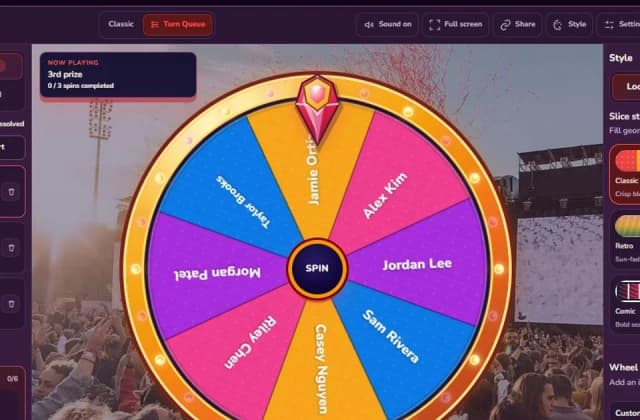
Spin the Wheel | Spinanywheel - Free
Spin the Wheel
Spinanywheel is the free online spinner that handles what normal wheels can't: multi-round draws. Use Turn Queue to set prize tiers (1st ×3, 2nd ×5, 3rd ×10, Lucky ×30), spin winners one by one, and every winner is removed automatically so nobody wins twice. No sign-up, no download, CSV export.
Explore App
Muse Code
1. Muse Code Guide: Meta’s AI Coding Agent and Spark 1.2
Muse Code is Meta’s beta terminal coding agent, powered by Muse Spark 1.2 and designed for long-horizon software engineering work. This independent guide explores persistent background agents, local event logging, crash-safe resume, isolated worktrees, installation, platforms, pricing, and evaluation claims, helping developers understand the fast-moving Muse Code release more clearly.
Explore App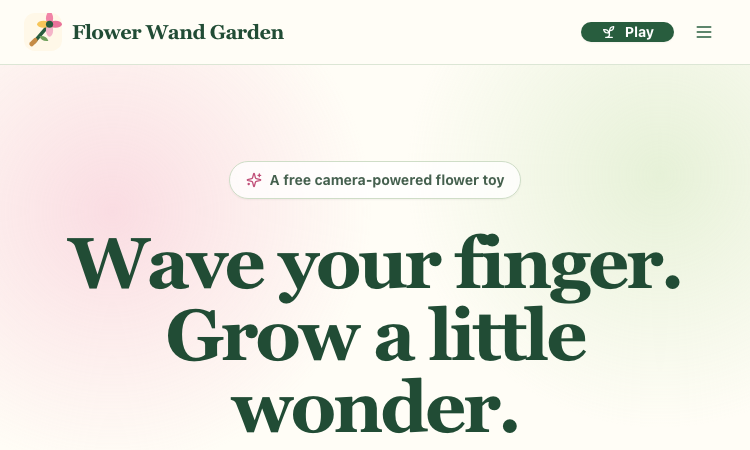
Flower Wand Garden
Flower Wand Garden - a free camera-powered flower toy that turns your fingertip into a magic wand for photos and videos
Flower Wand Garden Flower Wand Garden is a free, browser-based flower toy that turns any phone or computer camera into a magical planting ground. Flower Wand Garden detects your index fingertip in real time using MediaPipe hand landmark tracking and turns every gesture into blooming flowers that decorate the live camera view. There is no app to install, no account to create, and no video editor to learn. You simply allow the camera, hold your finger still for one second, and watch a flower blossom right on your screen. Key Takeaways (TL;DR) Flower Wand Garden requires zero setup: open the page, allow camera access, and start planting flowers immediately Every bloom is drawn with original art and soft animations, so results look playful and handcrafted rather than generic Users can capture the finished scene as a clean JPEG photo or a 15-second vertical video clip All hand tracking and media composition happen locally in the browser, which keeps camera data private by default The tool is completely free, with no accounts, subscriptions, or forced watermarks (an optional watermark can be toggled off) Table of Contents What is Flower Wand Garden? How flower wand garden works Camera tracking made simple Photo mode and video mode Privacy by design Who is Flower Wand Garden for? Pro tips for better results What is coming next Flower Wand Garden FAQ What is Flower Wand Garden? Flower Wand Garden is a camera-powered flower toy for people who want to make something beautiful in seconds. Instead of drawing on a blank canvas, you plant flowers directly into your own living space. The camera frames whatever is in front of you — a desk, a garden, a birthday table, or a child's face — and Flower Wand Garden grows animated flowers wherever you point your finger. The interaction is deliberately simple. A small progress ring appears at your fingertip. Hold still for one second and the ring fills, planting the first flower. Keep holding and more flowers appear every half second, letting you draw flower borders, clusters, and trails across the scene. Release, move to a new spot, and plant again. The whole experience feels like waving a magic wand, which is exactly what the name promises. How flower wand garden works The magic happens in three steps. First, you allow camera access — the site asks permission once and explains exactly why the camera is needed. Second, you point at the scene and pause; a progress ring shows that the gesture is being recognized. Third, you capture the moment as a photo or a short video clip. Because the experience is built for the browser, it works on phones, tablets, and laptops without any downloads. This makes it perfect for spontaneous creativity: at a party, in a classroom, or during a quiet afternoon at home, Flower Wand Garden is always one tab away. Camera tracking made simple Under the hood, Flower Wand Garden uses 21 hand landmarks to track the index fingertip precisely. The tracking is tuned to feel forgiving: you don't need perfect lighting or a steady hand to see results. A visible progress ring gives immediate feedback, so even young children can understand what to do within seconds. The tips section of the site covers practical improvements for tracking — good lighting, palm facing the camera, and a comfortable distance. These small adjustments make a noticeable difference, and the site explains them clearly for people who have never used camera apps before. Photo mode and video mode When your flower arrangement is ready, you can capture it in two ways. Photo mode produces a clean JPEG that combines the camera frame with the planted flowers, and it deliberately excludes the tracking skeleton so the final image looks natural. Video mode records up to 15 seconds of footage with a built-in timer and auto-stop, which is ideal for TikTok, Reels, and Shorts. Both outputs are easy to share. Where the device supports it, Flower Wand Garden opens the native share sheet; otherwise it downloads the file directly. No editor, no export settings, no watermark required. Privacy by design A camera tool carries a responsibility, and Flower Wand Garden takes privacy seriously. All hand detection and media composition are performed locally in the browser; nothing is uploaded to a server. The camera feed exists only on your device, and you choose exactly what to share and when. This local-first approach is a core reason why families and educators can trust the tool with children. Who is Flower Wand Garden for? The audience is wonderfully broad. Families use it as a playful activity for birthdays and parties, turning the camera into a flower-themed photo booth. Teachers use it in classrooms to teach patience, steady poses, symmetry, and even the basics of computer vision. Casual creators use it to produce vertical clips for social media without opening a video editor. Anyone who enjoys gentle, creative play can find joy in Flower Wand Garden. Pro tips for better results For the best blooms, sit near a window or a soft light source so the hand is well lit. Keep your palm facing the camera and hold your finger about an arm's length away. Move deliberately rather than quickly, and let the progress ring fill completely before changing position. These simple habits make tracking smoother and arrangements more precise. What is coming next The roadmap includes a moderated Public Garden where users can share their creations, seasonal flower collections, color themes, constellation drawing, and collaborative sessions. The first release focuses on getting the core gesture right, and the future features build on that foundation. Flower Wand Garden FAQ Q: Is Flower Wand Garden really free? A: Yes. There are no payments, tiers, or subscriptions anywhere on the site. Q: Does Flower Wand Garden upload my camera feed? A: No. All processing happens locally in the browser, and nothing is uploaded. Q: Which devices are supported? A: Any modern phone, tablet, or laptop with a camera and browser access. Q: Can I remove the watermark? A: The watermark is optional and can be toggled on or off at any time. Q: How do I record a video? A: Switch to video mode and Flower Wand Garden records up to 15 seconds with a timer and auto-stop. Summary and recommendations Flower Wand Garden turns a common phone feature — the camera — into a source of wonder. It is free, private, and fun for every age. Open the site, wave your finger, and grow a little wonder.
Explore App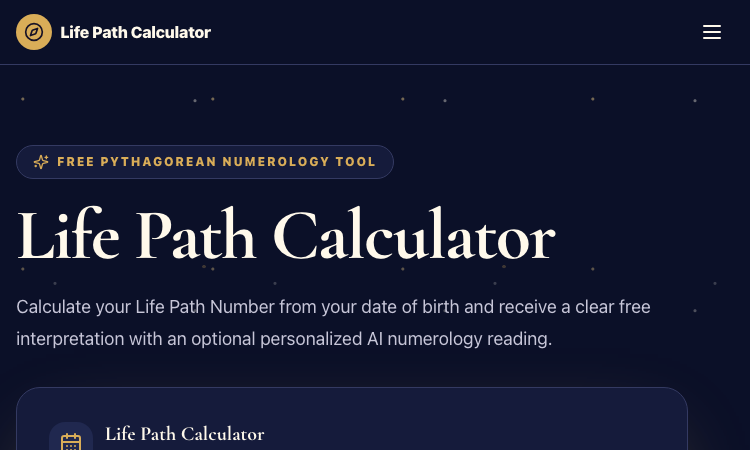
Life Path Calculator
Life Path Calculator - the fastest free numerology web app: instant results, no sign-up, and shareable reading cards.
Life Path Calculator 🎯 Key Takeaways (TL;DR) The Life Path Calculator is a free, no-sign-up web app that reveals your Life Path Number from your date of birth in seconds. The calculation engine is versioned pure code — deterministic, auditable, and never influenced by AI, so results are always repeatable. You receive a complete reading: number, strengths, challenges, life lesson, step-by-step math, a shareable PNG card, and a private result link. An optional AI reading (100 credits) adds personalized interpretation without ever changing the fixed number. Table of Contents Why This Life Path Calculator Stands Out The Calculation Engine Using the Tool in Three Steps The Free Reading in Detail AI Interpretation: Depth Without Distortion The Complete Numerology Toolkit Design and User Experience FAQ Final Thoughts Why This Life Path Calculator Stands Out There are dozens of Life Path Calculator websites, and most of them follow the same pattern: a slow page, a long form, an email gate, and a vague "your number is 7, you are wise" paragraph. The Life Path Calculator deliberately breaks that pattern. It opens directly on a clean form, calculates instantly, and gives you a genuinely complete reading with zero friction. What really separates this Life Path Calculator from the crowd is its commitment to verifiable results. The site states plainly that results come from "versioned pure code" — never from AI — and it displays the engine version right next to your number. In a niche filled with vague spiritual claims and random number generators dressed up as astrology, that transparency is refreshing. You can literally check the math on the page and trust that the engine is the same one that produced results yesterday and will produce tomorrow. The Calculation Engine The engine implements the standard Pythagorean reduction with full transparency: The month, day, and year are each reduced to single digits. The three digits are added together. The total is reduced again, unless it is 11, 22, or 33. For example, October 2, 1990 → 1 (10) + 2 + 1 (1990 → 1+9+9+0 = 19 → 1+9 = 10 → 1) = 4. The result is Life Path 4, The Builder. The Life Path Calculator displays every intermediate step, so nothing is hidden in a black box. This is a tool you can audit, which is rare in this space. Master Numbers are preserved rather than collapsed: 11, 22, and 33 are kept as themselves, framed as intensified versions of 2, 4, and 6. The site avoids the "you are special and evolved" cliché, which keeps the tone grounded and honest. Using the Tool in Three Steps Open the page. The form is immediately visible — no scrolling, no popups. Pick your birth date using the date picker. It works on desktop and mobile. Press "Calculate My Life Path." The result appears instantly, with the full calculation shown. That is the entire onboarding. No account creation, no email verification, no premium upsell blocking the result. This Life Path Calculator respects your time, and it works on any device with a browser. The Free Reading in Detail The free result is not a teaser. It includes: The Life Path Number itself, with its traditional name — The Pioneer (1), The Diplomat (2), The Creator (3), The Builder (4), The Explorer (5), The Nurturer (6), The Seeker (7), The Executive (8), The Humanitarian (9), The Intuitive (11), The Master Builder (22), or The Master Teacher (33). Natural strengths associated with the number. Potential challenges, written carefully as reflection prompts rather than verdicts. The site does not tell you what will happen to you; it offers questions worth reflecting on. A one-line life lesson, distilled and memorable. The step-by-step calculation, so you can follow along. A branded PNG card for sharing on social media or messaging apps. A private result link — public but unindexed, so sharing your reading does not leak your birth date into search results. Privacy is clearly a design priority: birth dates and private inputs are never exposed in indexed pages. AI Interpretation: Depth Without Distortion For users who want more, the optional AI reading costs 100 credits and covers core personality patterns, career direction, love and relationships, money and success tendencies, current inner conflict, and a personalized action plan with reflection questions and one low-risk next step. The crucial guarantee is separation of powers: the AI never touches the number itself. Your Life Path Number is computed by the fixed engine, and the AI only interprets that fixed result. If generation fails, credits are refunded automatically. You can think of the AI reading as a thoughtful friend commenting on a result you already verified — depth without distortion. The Complete Numerology Toolkit The same design philosophy powers a whole family of calculators on the site: | Calculator | What It Shows | |------------|---------------| | Compatibility | How two Life Path Numbers interact | | Personal Year | Yearly cycle from a date | | Full Numerology | Five core numbers in one report | | Soul Urge | Vowels of the name | | Expression | Full name derivation | | Birthday Number | Day of birth | | Lo Shu Grid | Chinese grid analysis | | AI Oracle | Fixed six-sign calculation | Each one shows its process and keeps fixed results free. If you enjoy your Life Path Calculator result, the site gives you a natural path to explore deeper. Design and User Experience The design is minimal, fast, and mobile-friendly. The page loads quickly, the form is a single field plus a button, and the result section is clearly laid out with the number, its name, and the supporting sections. The branded PNG card makes sharing pleasant instead of awkward. Nothing about this Life Path Calculator feels like a template spam site — it feels like a tool built by someone who actually uses numerology tools. FAQ Q: Do I need an account to use the Life Path Calculator? A: No. The calculator is completely free and requires no sign-up of any kind. Q: Why does the site show an engine version? A: Because the calculation is done by versioned pure code. Showing the version proves the result is deterministic and auditable — not a random or AI-generated number. Q: Does the AI reading change my number? A: Never. The AI only interprets the fixed number produced by the engine. Q: Is my birth date public? A: No. Private result links are unindexed, and the site does not expose birth dates in indexed pages. Final Thoughts The Life Path Calculator is the rare numerology tool that combines genuine speed, honest framing, and verifiable math. Whether you are a curious first-timer or a numerology regular, this Life Path Calculator gives you a complete, free reading in seconds and lets you share it beautifully. Try it once — the three-step flow takes less than a minute, and the reading is worth the detour.
Explore App