AI Apps
Discover beautiful apps crafted with vibe coding across different categories. Explore our curated collection of lovable applications.
Categories
Veo 4 AI Video Generator
ai video generator, ai image generator, google deepmind, ai image editor
Veo 4 AI Video Generator Create AI videos online with Veo 4. Built on Google DeepMind's Veo 4 model, this workflow turns text prompts and reference images into cinematic clips with better control, audio-ready scenes, and 4K-ready output. Generate Veo 4 Videos from Text Prompts Turn a written idea into a cinematic Veo 4 AI video draft with enough detail for the model to understand the scene. Describe the subject, action, camera movement, lighting, mood, audio direction, and target platform so the result feels closer to a production brief than a random text-to-video test. Turn Reference Images into Video Scenes Use product shots, character images, style frames, or visual references to guide composition, color, identity, and motion before turning a static concept into a video scene. This image to video workflow is useful for brand assets, ecommerce demos, creator content, and campaign storyboards that need visual continuity. Control Camera Motion, Style, and Audio Cues Shape the video with lens feel, shot size, camera movement, pacing, transitions, environment, dialogue intent, ambient sound, and music mood instead of relying on a generic one-line prompt. Veo 4 works best when the prompt explains how the clip should move, sound, and feel on the final channel. Create Social, Ad, and Product Video Drafts Online Build online AI video drafts for Reels, Shorts, TikTok, ecommerce demos, launch teasers, explainers, and pitch visuals without opening desktop editing software. The goal is fast creative validation: test the hook, motion, product story, and visual direction before committing to full production.
Banana AI Art
Free AI image and video generation platform. Transform photos, create cinematic videos, apply styles, background removal
Artistic Style Transfer Apply the look of any artwork or photo to your image — preserving subject structure while transferring style, colors, and brush strokes. Vintage Photo Restoration Bring old memories back to life with Banana AI's advanced restoration capabilities. Remove scratches, enhance faded colors, and add missing details to preserve family history. E-commerce Product Editing Create stunning product imagery for online stores with Banana AI. Change backgrounds, adjust lighting, and maintain perfect product consistency across your entire catalog. Travel Background Removal 1‑click automatic background removal for travel photos—cleanly remove tourists, crowds, and busy scenes while preserving subject details. Perfect for share‑ready images and professional cutouts. Virtual Hair Transformation Transform your look instantly with AI-powered hair styling. Change hair colors, experiment with different hairstyles, and preview new looks without commitment. Perfect for trying bold changes before visiting the salon.
Veo 4
Veo 4 AI Video Generator for Cinematic Video Creation
Veo 4 AI Video Generator Veo 4 AI is a next-generation AI video generation platform focused on cinematic text-to-video and image-to-video creation. Using advanced AI video models, Veo 4 helps creators generate realistic AI videos with smooth motion, cinematic visuals, detailed animation, and professional-quality rendering directly from prompts or images. Veo 4 AI Video Generator is designed for creators, filmmakers, marketers, designers, agencies, and social media users who want to create high-quality AI videos quickly and efficiently. The platform supports AI short films, storytelling videos, product advertisements, cinematic scenes, AI animations, creative marketing videos, and visual content production workflows. Features AI text-to-video generation AI image-to-video creation Cinematic AI rendering Realistic motion and animation Fast cloud-based video generation Professional visual quality Creative storytelling workflows Social media video production Why Choose Veo 4 AI Veo 4 Cinematic AI Videos focus on realistic visuals, smooth motion rendering, and advanced cinematic video generation workflows. Veo 4 enables creators to turn creative ideas into professional AI-generated videos without complicated editing software or expensive production pipelines. The platform combines modern AI video generation technology with creator-friendly workflows, making it suitable for AI filmmaking, storytelling, social media content, digital advertising, entertainment projects, and visual content creation.
Open Design Github
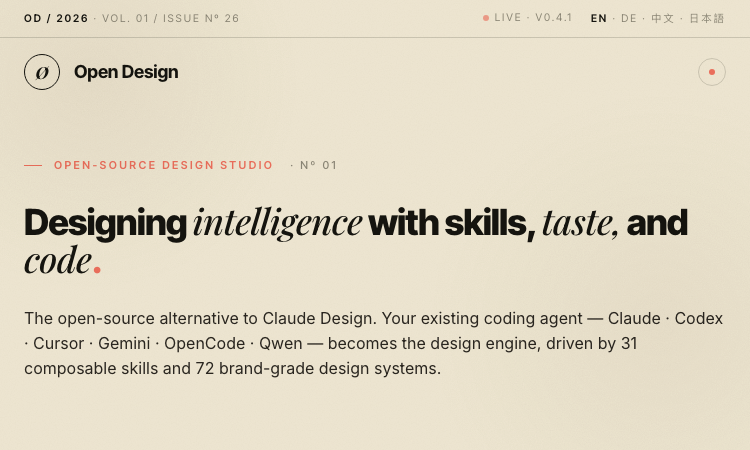
Open Design Github - Open-source design studio: your coding agent becomes a creative design engine with 31 composable skills and 72 brand-grade design systems
Open Design — The open-source alternative to Claude Design Open Design is a local-first, web-deployable, BYOK design studio. Your existing coding agent (Claude, Codex, Cursor, Gemini, OpenCode, Qwen, and more) becomes the design engine, driven by 31 composable Skills and 72 brand-grade Design Systems. Key Features 31 Composable Skills — File-based SKILL.md bundles for every design task 72 Brand-Grade Design Systems — Portable Markdown design systems (Linear, Vercel, Stripe, Apple, Cursor, Figma...) 12 Agent Adapters — Auto-detected on your $PATH (Claude, Codex, Gemini, Cursor, Copilot, OpenCode, Devin, Hermes, Pi, Kimi, Kiro, Qwen) BYOK at Every Layer — OpenAI-compatible proxy; use DeepSeek, Groq, OpenRouter, or self-hosted vLLM 4-Stage Design Loop — Detect, Discover, Direct, Deliver Desktop App Available — Download and run locally The Method Detect — Daemon scans $PATH, auto-loads skills + systems on boot Discover — 30-second question form to lock in context Direct — Pick from 5 deterministic visual directions (palette in OKLch, font stack, layout) Deliver — Export HTML, PDF, PPTX, ZIP, or Markdown 29.6K GitHub stars · Apache 2.0 licensed · Made with pnpm
AiVidMaker
All-in-One AI Multimedia Hub for Pro Video Generation & Fun Image Filters.
AiVidMaker is a powerful, multi-functional AI platform that brings professional video creation and creative image editing together in one place. What You Can Do: Elite Video Generation: Access top-tier models like Sora 2, Veo 3.1, and Wan 2.6 to create cinematic videos from text or images. Specialized Video Tools: Create emotional "AI Hug" and "AI Kiss" videos, or use "Reference to Video" for precise control. Creative Image Filters: Transform your photos with popular styles like PS2 Filter, Buzz Cut, Braces Filter, and the "Brat" aesthetic. AI Generators & Transformers: Create custom characters (Anime/Sonic OC), generate baby/pet portraits, or use the "Gender Swap" and "Face Merge" features. Outfit & Style Tools: Virtually try on clothes, change outfits, or generate unique Stardew Valley-style portraits. Whether you are a professional content creator looking for high-end AI video models or a casual user wanting to experiment with the latest viral image filters, AiVidMaker provides an intuitive and comprehensive toolkit to power your creativity.
21st dev - AI Agent & Component Library
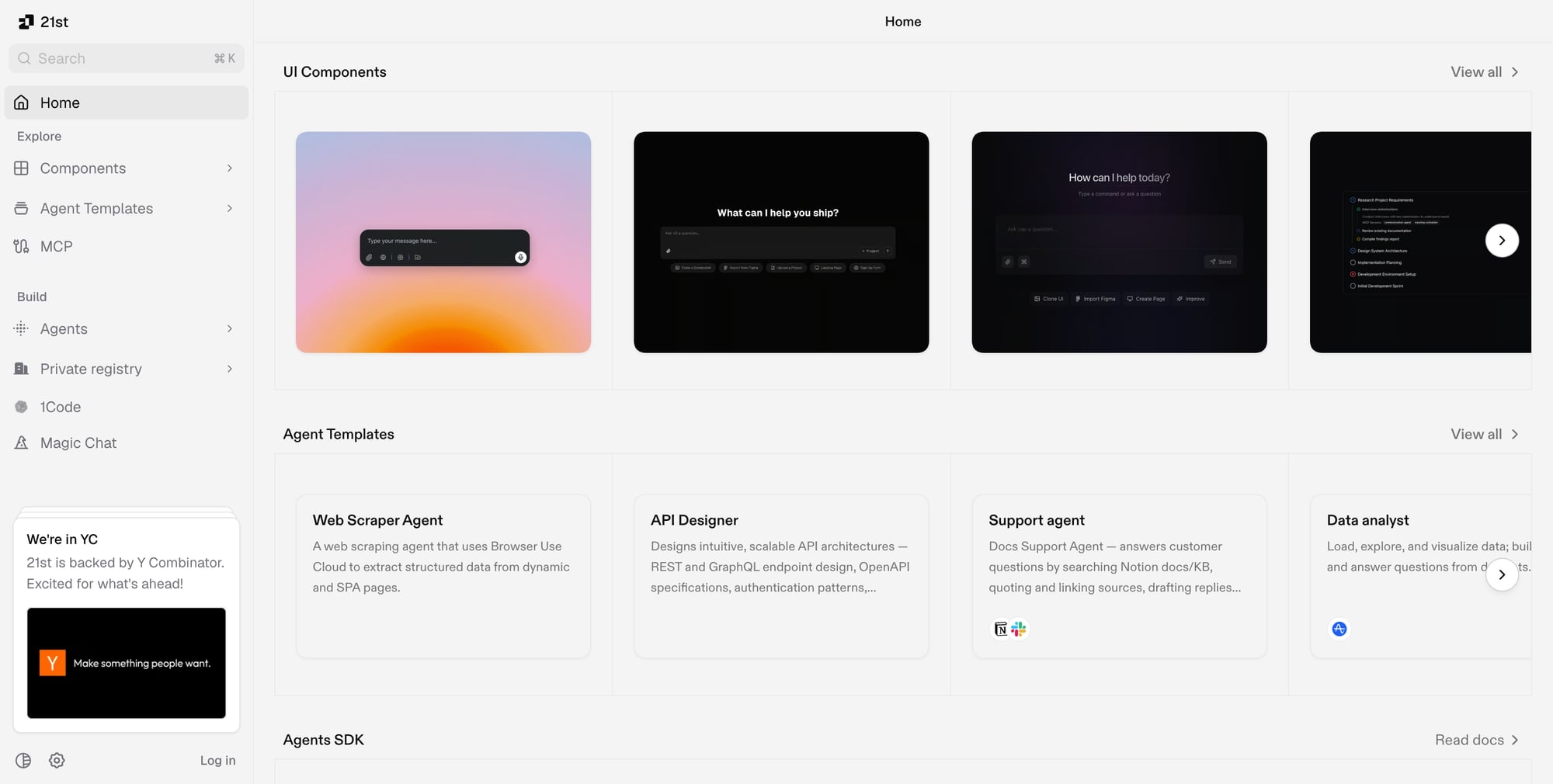
21st dev The fastest way to ship AI agents - components, agent templates, and SDK backed by Y Combinator
21st.dev is a community platform for AI UI components and agent templates, backed by Y Combinator.\n\n## Features\n- UI Components: Curated collection of AI-powered UI components (prompt boxes, AI chat interfaces, animated inputs)\n- Agent Templates: Ready-to-use AI agent templates for web scraping, API design, customer support, data analysis, lead research, and more\n- Agents SDK: Build agents with built-in UI, chat history, spend limits, E2B sandbox execution, and observability\n- MCP Support: Connect to Model Context Protocol servers\n- Private Registry: Host your own component library\n\n## Popular Agent Templates\n- Web Scraper Agent\n- Support Agent (Notion/Slack)\n- Data Analyst (Amplitude)\n- Deep Researcher\n- GitHub Agent\n- Lead Research Agent\n\nBuilt-in SDK features: E2B Sandboxes, token streaming, auth & rate limits, session replay & traces.

AI Inspo AI Creation Platform
- AI video creation made template-first.
AI Inspo is an all-in-one AI video and image generation platform designed for creators who want to produce high-quality visual content faster. Instead of switching between different AI video tools, prompt workflows, and model interfaces, users can create videos from text, animate images, generate motion effects, and explore viral templates from one browser-based workspace. The platform supports multiple AI creation workflows, including text-to-video, image-to-video, Auto Video, AI Motion, and AI Pose. Its text-to-video tool lets users describe an idea in natural language and turn it into a cinematic video with scenes, motion, and visual effects. Its Auto Video tool helps users generate complete videos from ideas or prompts, including motion, transitions, and structure. AI Motion is built for animating static images or portraits using motion templates, while AI Pose helps creators generate pose-based visual outputs for characters, portraits, and creative references. AI Inspo’s homepage and tool pages position these as core creation tools for fast, template-driven video production.

Zorq AI
The all-in-one AI creative workspace for professional video, image, and voice generation.
Zorq AI is a multimodal platform that helps creative teams streamline workflows across image generation, video production, and audio creation. It enables users to transform text descriptions into cinematic assets using advanced features like text-to-video, motion transfer, and voice cloning. By centralizing creative tools, Zorq AI eliminates the need for multiple subscriptions and complex software, allowing creators to produce high-quality virtual personas and professional media in minutes.
GPT Image 2 Ai
GPT Image 2 is built to understand complex prompts and deliver more accurate, higher-quality visual results.
Top-Tier AI Image Generation Performance Ranked No. 1 on Arena ELO, GPT Image 2 is built to understand complex prompts and deliver more accurate, higher-quality visual results. Advanced Text Rendering Example: GPT Image 2 text rendering example GPT Image 2 makes a clear leap in text generation, handling long phrases, multi-word labels, and consistent typography more reliably. Punctuation, spacing, and letter case are more accurate, reducing cleanup for UI mockups and multilingual product labels. Seamless Pixel-Level Image Editing Example: GPT Image 2 precise commercial image editing example GPT Image 2 provides more refined image editing and reduces the style drift often seen in older AI image models. Whether you add, replace, or modify elements with natural language, the edited content better matches the original lighting, shadows, and overall visual style. More Accurate Visual World Knowledge Example: GPT Image 2 structured visual knowledge example GPT Image 2 has stronger real-world knowledge, helping reduce common AI hallucination issues. For structured visuals such as anatomy diagrams and maps, it can often produce more accurate results, showing stronger understanding of factual structure and visual logic. High-Resolution 4K Output Example: GPT Image 2 high-fidelity commercial visual example GPT Image 2 supports up to 4096×4096 4K-level output with flexible aspect ratios up to 3:1. From print materials and large-format ads to premium digital content, it can meet production-ready visual needs. Stronger Instruction Following for Complex Images Example: GPT Image 2 high-precision prompt adherence example GPT Image 2 is better at understanding and following complex prompts with multiple constraints. You can specify several subjects, precise color values, and different outfit or appearance details in one image, with more accurate adherence to those requirements.
humaniz.app
Humaniz.app is a free AI humanizer that rewrites AI-generated text into natural, human-sounding content in seconds. Buil
Humaniz.app is an online AI Humanizer that transforms AI-written drafts into clear, human-like writing while preserving your intent and context. Whether you’re polishing a blog post, marketing copy, academic writing, or product descriptions, Humaniz helps you turn “AI-sounding” text into fluent language that reads as if it were written by a real person. Why choose Humaniz.app? AI to Human Text Converter: Paste your AI-generated text and instantly get a more natural rewrite. AI Detection Bypass (Designed to Help): Built to help your content aim to pass leading detectors (including GPTZero, Originality.ai, and Turnitin) by reducing common AI patterns. Plagiarism-Free Output: Produces original rewrites intended to be unique and safe to publish. SEO-Friendly Humanization: Maintains key topics and phrases so your content can stay aligned with your target keywords. Multiple Writing Styles: Switch tone and clarity with modes like Standard, Academic, Simple, Flowing, Informal, and Formal. Free & No Registration: Start humanizing immediately—no account needed. How it works Paste your AI-generated text into the editor. Click Humanize. Review and publish your human-like rewrite. Best for Content creators, marketers, students, researchers, bloggers, journalists, e-commerce teams, and professionals who want more natural writing—fast. Try Humaniz.app today to humanize AI text, improve authenticity, and create reader-friendly content in seconds.
Remover.video
AI video watermark, text & subtitle remover—clean videos online with blur-less results. Remove text from video.
Remover.video is an AI-powered online editor that helps you remove watermarks, logos, text overlays, and even hardcoded (burned-in) subtitles from videos—without installing any software. It’s built for fast repurposing workflows, so creators, marketers, agencies, and e-commerce teams can quickly turn one clip into multiple clean versions for different platforms. What you can remove Watermarks and corner logos On-screen text, labels, and overlays Hardcoded subtitles (burned-in captions) Why teams use Remover.video Blur-less removal approach designed to keep footage looking natural Simple 3-step workflow: upload → AI processing → download Batch-friendly processing for high-volume editing Works directly in your browser—ideal for quick social content turnarounds How it works Go to the online remover and upload your video Let the AI detect and remove the unwanted overlay Download the cleaned result and continue editing or publishing Pricing (credit-based) Remover.video uses a credit system where 1 second of video = 1 credit. You can review plan details and processing priority on the Pricing page. Standard: $8.99/month — 300 credits/month (~5 minutes) Pro: $19.99/month — 1000 credits/month (~16 minutes) Yearly plans are listed with 50% off If you’re looking for a quick way to remove a watermark from a video online, clean up on-screen text, or remove burned-in subtitles before reposting, start with Remover.video and scale up anytime via Pricing.
Melodycraft Ai
AI-powered music generator for creating professional royalty-free tracks in seconds.
🎵 What is Melodycraft AI? Melodycraft AI is an advanced music generation platform designed for content creators, musicians, and developers. It empowers you to create high-quality, royalty-free music instantly using state-of-the-art AI models. 🚀 Key Features: Text-to-Music: Simply describe your mood or genre, and let the AI compose a unique track for you. Pro Arrangements: Generate professional-grade melodies, harmonies, and rhythms in seconds. Royalty-Free: All generated tracks are safe for use in YouTube videos, podcasts, and commercial projects. Multi-Genre Support: From cinematic scores and lo-fi beats to high-energy electronic tracks. 💡 Why Choose Us? Whether you need a background score for a video or inspiration for your next song, Melodycraft AI provides an intuitive interface and granular control over tempo, mood, and style. Save hours on music production and focus on your creativity.