Developer-tool Apps
Discover beautiful apps crafted with vibe coding across different categories. Explore our curated collection of lovable applications.
Categories
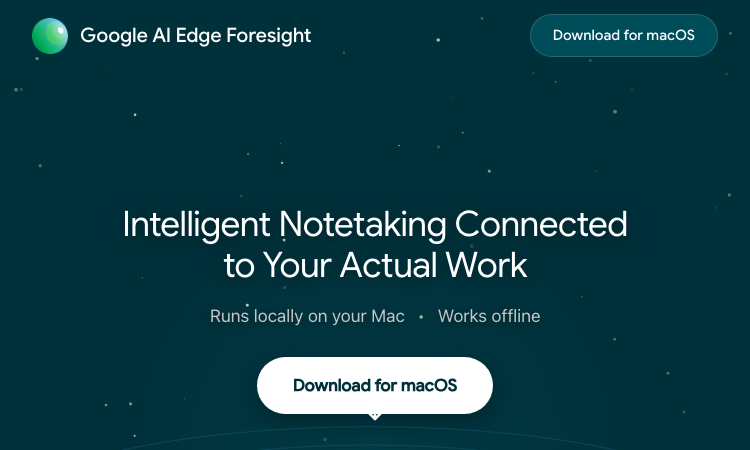
Google AI Edge Foresight
Google AI Edge Foresight — Start with the core task and use the guided workflow to evaluate fit.
Google AI Edge Foresight: a practical tool for your next project Google AI Edge Foresight is an experimental Mac meeting assistant designed to keep audio capture, note enrichment, indexing, and retrieval on the device. Google describes it as an offline-capable showcase for local AI rather than a cloud transcription service. The Google AI Edge Foresight works best when the goal and expected output are clear before work begins. Teams can use Google AI Edge Foresight to test the same task against their current process. Capture audio, jot shorthand, and enrich notes from the transcript. Index selected references to ask natural-language questions after a meeting. This can surface decisions scattered across conversations and project files while keeping work on the device. With Google AI Edge Foresight, a small representative task is a better first test than a complicated edge case. Google AI Edge Foresight Google says the app uses EmbeddingGemma 2 and Gemma 4 for local retrieval and note assistance. Download the Mac app, review audio permissions, and test a short meeting with a few reference files. Check language and source support before using it for recurring work. The Google AI Edge Foresight can be compared on the same example with another option when the choice is not obvious. Directory visitors need a quick route from task to first result. Start with the input and output, then use one guided action to judge fit. A useful listing keeps that path clear before asking readers to study implementation details. For this audience, Google AI Edge Foresight is easiest to judge in context rather than from a headline alone. It is experimental and Mac-specific, so treat its current behavior and source integrations as subject to change. Confirm consent and local recording policies before capturing a meeting. Check that Google AI Edge Foresight fits your requirements for privacy, rights, setup, and output quality before relying on it. Start with Google AI Edge Foresight, test one representative task, and use the official documentation to confirm current access. Try it on a non-sensitive meeting first, then check the official page for current downloads and supported features. The Google AI Edge Foresight page has its current controls and terms. Compare Google AI Edge Foresight with your existing workflow before adopting it.
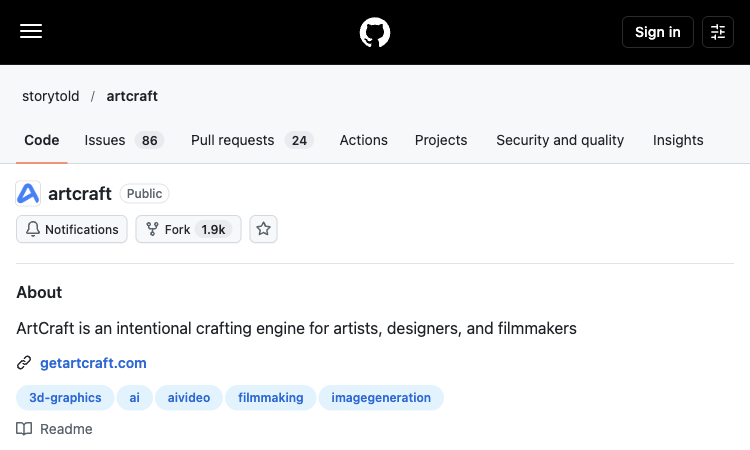
ArtCraft
ArtCraft — Explore the core workflow and practical use cases in one concise product listing.
ArtCraft: A Practical Overview ArtCraft is an open-source creative IDE for artists, designers, and filmmakers working with AI-generated images, video, and staged scenes. This listing on lovableapp.org looks at a broad discovery catalog and helps creators who want to understand a tool quickly and decide whether it fits a real task. Visit ArtCraft to inspect the current product page and see its available workflow for yourself. What the Product Helps You Do Instead of relying on prompts alone, ArtCraft provides a workspace for composing in 2D, arranging assets in 3D, posing characters, and controlling the camera before generating a shot. The repository includes source code, documentation, and release information for people who want to inspect or install the project. ArtCraft keeps the focus on a clear sequence: bring an idea or source asset, choose an appropriate action, review a result, and make a considered revision. A good first test is a small project with a clearly defined goal, since that makes it easier to judge output quality, control, and the time saved. Features and Everyday Use The project combines image compositing, background removal, scene blocking, image-to-3D workflows, character posing, and connections to multiple generation models. That mix is useful when a creator needs repeatable composition or visual continuity across more than one frame, rather than a single isolated output. For a first project, ArtCraft can be assessed with a concrete example rather than a broad prompt: describe the intended output, set the needed format, and compare the result with the original requirement. This makes the strengths and limitations of ArtCraft easier to see. Who May Find It Useful ArtCraft can fit a storyboard, a short film concept, a character scene, or a visual prototype. A user can block a scene, adjust foreground and background elements, test a camera position, and then select a generation workflow. Because it is open source, technical users can also review the code and development roadmap. The best use of ArtCraft depends on the user's starting material and the amount of control needed. Someone exploring ideas may value speed and variety, while a professional workflow may require consistent outputs, clear export settings, and terms that fit client work. Details to Check Before Adopting It Before installing ArtCraft, review the supported operating systems, current release status, provider accounts or credentials needed for generation, model availability, hardware requirements, and project license. The GitHub repository is the source of truth for releases, setup steps, supported workflows, and changes. Compare the current product information with your own requirements instead of assuming every feature is included in every plan. A short trial project can reveal how well ArtCraft handles your subject, whether its controls are understandable, and how much refinement is usually needed. Plan a Scene Before Generating It ArtCraft is designed as a creative IDE where image-making can begin with composition and staging. In ArtCraft, a creator can assemble a 2D layout, arrange visual assets, and use a 3D stage to work out blocking and camera placement. This matters when a scene needs a deliberate viewpoint instead of a lucky prompt result. ArtCraft gives the user a place to consider foreground, background, scale, and character position before generation. A practical ArtCraft test is to build a small scene with two or three elements, move the camera, and compare the resulting framing against a written storyboard or reference image. Use Composition as a Working Step The repository describes compositing tools and workflows for building a visual from separate elements. ArtCraft can therefore be evaluated by how comfortably a creator places, masks, and adjusts those elements while preserving the scene's main idea. With ArtCraft, try moving one subject, changing a background, and checking whether the composition still communicates the intended action. This makes ArtCraft relevant to concept frames, character scenes, and visual prototypes that need more structure than a single prompt provides. Keep the initial layout simple, label important assets, and save an intermediate version so the ArtCraft project can be revised without rebuilding the scene from scratch. Treat Camera and Blocking as Creative Controls A camera position changes what the audience notices, how large a character appears, and how a scene feels. ArtCraft's 3D staging approach can help a user test those choices before spending time on a final render. A creator can use ArtCraft to compare a wide view with a closer frame, adjust the placement of a character, or find a clearer relationship between foreground and background. In ArtCraft, these layout decisions can be treated as part of directing rather than as details left to chance. This is especially useful for a storyboard or short sequence where the same setting needs multiple views and recognizable visual continuity. Connect Tools to a Repeatable Process The project brings several creative steps into one workspace, including image compositing, background removal, scene blocking, character posing, and connections to image or video generation models. ArtCraft can be tested by tracing one asset through those steps and noting where a separate application is still needed. For a repeatable ArtCraft routine, keep the brief, references, scene layout, model choice, and exports together. ArtCraft is open source, so technically minded users can also examine how the project is built and how its workflows evolve. Check the repository documentation before assuming a provider, model, or integration is available in every release. Review the Setup and Technical Requirements An open-source project gives users more visibility, but setup may involve additional technical choices. Before installing ArtCraft, check the latest release, operating system support, installation steps, hardware requirements, and whether generation providers require separate accounts or credentials. ArtCraft's repository is the best place to confirm current status, licensing, and known limitations. Start with a small local project and follow the documented setup rather than relying on an old tutorial. When comparing ArtCraft with a hosted service, include maintenance and troubleshooting time in the cost of adoption. The code being available does not by itself mean every model or cloud feature is free to run. Decide Where ArtCraft Fits ArtCraft may suit artists, designers, and filmmakers who value scene control, iterative composition, and the ability to inspect an open-source codebase. It may be more than is needed for a one-click image edit or a simple prompt-only experiment. A sensible ArtCraft pilot is one storyboard frame: block the scene, adjust the camera, create or connect the visual assets, then review how much manual work remains. Compare that result with your current process and decide whether ArtCraft improves a recurring stage. Recheck the project's release notes and documentation before using ArtCraft for a larger production, since integrations and requirements can change. Product Link For an up-to-date overview, visit ArtCraft. ArtCraft is included in this a broad discovery catalog collection because its workflow offers a practical route for users exploring this category. Review the official page for the current feature set, supported formats, pricing, and usage conditions before building it into a longer-term process.
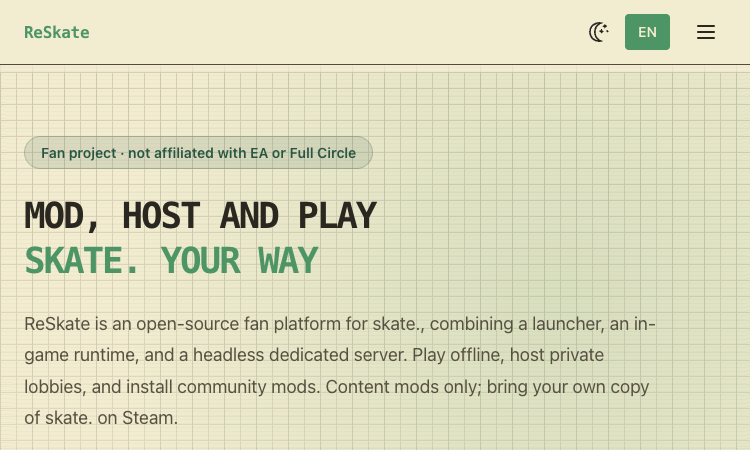
ReSkate Mod Platform
ReSkate skate modding platform — a practical overview and first steps for makers and curious users.
ReSkate Mod Platform ReSkate is a fan-made, open-source platform for skate., combining a launcher, an in-game runtime, and a dedicated server. The official project describes offline play, private lobbies, a mod browser, community content, and tools such as a park editor. ReSkate is not affiliated with EA or Full Circle and requires the player to bring a legitimate Steam copy of the game. The official product page is the best starting point for current availability, supported workflows, and release details: ReSkate skate modding platform. Main capabilities The ReSkate skate modding platform is organized into three components: a launcher that checks the supported game build, a runtime that adds in-game features and mod loading, and a headless server for hosting sessions. The separation helps players understand which part handles updates, game integration, or multiplayer hosting. ReSkate’s official feature list includes offline play, local progress, private or public lobbies for up to 32 players, dedicated servers, voice and text chat, parties, and selected throwdown modes. Availability can depend on the current release and supported build, so check release notes before organizing a session. The built-in mod browser and Mods directory support community content that can add maps, loading screens, cosmetics, and scripts. The project describes mods merging at launch and a park editor with free camera and snapping tools. Its community rules distinguish content mods from premium-content unlocks. The project is open source under GPL-3.0 and has a native Linux server build, while the game client workflow is tied to the Steam version of skate. A player needs their own game copy; ReSkate says its launcher verifies the build and obtains missing files through the user’s Steam account. ReSkate is a fan project and does not include game files. It is meant for community play and custom content rather than replacing or representing the official EA service. Read the current installation guide, release notes, and community content rules before installing files alongside a game. A practical workflow Step 1. Begin with the official project site and GitHub releases. Confirm that the current ReSkate release supports your installed game build, back up important data, and read the installation instructions before copying launcher or runtime files into the game folder. Step 2. After launching, let the verifier check the supported build and use the built-in mod browser or an approved source for content mods. Review each mod’s files, permissions, and compatibility, then test in a private session before inviting others. Step 3. For multiplayer, choose a private lobby or dedicated server configuration that matches the group. Tell participants which game build and content mods are required, avoid paid-content unlock mods, and keep a clean game install available for troubleshooting. Who it is for ReSkate is relevant to skate. players who want offline play, community-hosted sessions, custom parks, and content mods. It may also interest open-source contributors exploring game launchers, mod loaders, or community servers. A group of friends can use private lobbies for shared sessions, while a mod creator can publish content for the community. Administrators who host a server should learn the configuration and network requirements before inviting a larger group. Players who only want the official online experience, do not own the game on Steam, or are uncomfortable with third-party runtime modifications should not treat ReSkate as a required companion. The official game remains separate from this independent project. Fit and limitations The ReSkate site explicitly says the project is unofficial and warns that using it may conflict with skate.’s EULA or terms of service, with possible copyright and account-ban risks. Each player should review the current EA terms and make their own decision. Third-party launchers and in-game runtimes can be flagged by security software because modding techniques may resemble suspicious behavior. Download only from official project releases, inspect source and hashes when possible, and do not disable security protection without understanding the risk. ReSkate targets a supported game build that may change as Steam updates. Mods can become incompatible, and third-party forks may not be maintained or reviewed by the original project. Keep an unmodified copy and avoid content that unlocks paid items. Common questions Is ReSkate an official EA product? No. The official site calls ReSkate a fan project and says it is not affiliated with EA or Full Circle. Do I need to own skate.? Yes. The project says users need their own Steam copy. ReSkate does not include the game files. What does ReSkate add? The project lists offline play, private lobbies and dedicated servers, an in-game menu, a park editor, and support for community content mods. Could using ReSkate create account or security risks? The official site warns of possible terms-of-service and account risks. Security software may also flag modding behavior. Read current terms, use official releases, and assess the risks before installing. How to make a useful first evaluation Before adopting ReSkate skate modding platform, define what success looks like in terms that can be checked: a correctly opened or processed input, an output that meets the quality bar, compatibility with the next step, and a recovery path if something goes wrong. Choose representative material, preserve an untouched copy, and change only one or two settings during the first comparison. Record the exact product version and the choices you made. This creates evidence you can revisit rather than relying on a vague first impression. A useful first question is whether ReSkate skate modding platform removes friction from a task you already have. Begin with one small, recognizable example rather than trying to understand every option on the first visit. Notice what the product asks you to provide, what it returns, and which decisions remain in your hands. This first-session approach makes it easier to decide whether the product deserves a place in a regular workflow. Keep expectations grounded in the documented features and use the official site as the source of truth when capabilities change. For a second evaluation, repeat the task with a different input that tests one important boundary. Examples include a more complex document, a noisier clip, a less familiar location clue, or a multiplayer session with a small invited group. Compare the outcome, note the failure cases, and decide which limitations matter in your setting. That process makes ReSkate skate modding platform easier to compare fairly with tools you already use. A short adoption checklist Use the official product page and read the current documentation or terms. Start with a low-risk sample and keep the original input. Confirm platform, format, account, license, and compatibility requirements. Inspect the result before sharing it or passing it to another system. Reassess when the product or its supported features change. The goal is not to use every feature at once. ReSkate Mod Platform is easier to assess when one defined task is tested carefully, the result is reviewed by a person, and the decision is based on documented capabilities. Visit ReSkate skate modding platform for the current product information, then make the next step small enough to reverse if the result is not a fit. Learn more on the official site: ReSkate skate modding platform.

DeepSeek Harness
DeepSeek Harness — a practical overview and first steps for makers and curious users.
DeepSeek Harness DeepSeek Harness is an open-source agent harness from DeepSeek. It sits between a model and the tools, workspace, and runtime that let an agent carry out multi-step work. Its core idea is that capabilities are composed from plugins, so developers can inspect and replace parts of the runtime instead of treating the harness as a fixed monolith. The official product page is the best starting point for current availability, supported workflows, and release details: DeepSeek Harness. Main capabilities The project uses the Cordis plugin framework and applies an “everything is a plugin” design to models, tools, skills, sessions, sandboxes, storage, loops, scheduling, and interface components. This makes DeepSeek Harness a platform for building and experimenting with agent configurations as well as a ready-to-run workspace. The Standard experience brings together file and web search, planning, editing, shell work, workflows, and other agent capabilities. Code-oriented and Minimal modes support different execution styles, while Creator mode is aimed at inspecting the runtime and composing plugin-based presets. Check the current docs because these modes and APIs continue to change. Developers can launch the web interface through Node.js with npx @deepseek-ai/dsh web, or clone the public repository and build from source. The local web server is intended for a developer’s machine; teams should read the official setup and security guidance before exposing it to a network or granting it access to valuable data. A harness is distinct from the language model itself. DeepSeek Harness coordinates context, tools, execution, sessions, and user-facing controls, while a model provider supplies the model responses. The project supports configuration of model adapters and compatible providers; users need to configure the model credentials they intend to use. The open-source repository and developer-preview status make source inspection and experimentation possible. Compatibility-breaking changes are expected, so pin a version for repeatable work, read release notes before upgrading, and avoid assuming that a preview interface or plugin API will remain stable. A practical workflow Step 1. A first local trial can be kept small: install a supported Node.js release, launch the web UI, configure a model in the settings, select a disposable workspace, and ask the agent to perform a bounded task such as summarizing a few files. Review each tool action and output. Step 2. For plugin development, begin by reading the official architecture and plugin documentation. Identify one capability to add or replace, create a minimal plugin, test it in a development profile, and examine how it interacts with dependencies and runtime events before combining it with a larger workflow. Step 3. For benchmarking, use a controlled workspace and record the exact harness version, model, configuration, permissions, and task. The behavior of an agent is a product of the model and the harness together, so changing either side can alter results. Who it is for DeepSeek Harness is aimed at agent-framework developers, engineers evaluating agent runtimes, and technical users who want to build workflows around models and tools. It is particularly relevant when modularity, runtime inspection, or custom plugin behavior matters. A software team can use it to experiment with coding workflows, file operations, background scripts, or internal research tasks. A plugin author can focus on one integration without forking the whole project. In both cases, a test workspace and explicit permission boundaries reduce the cost of mistakes. A user who only wants a hosted chat assistant may not need an agent harness. Harness setup involves a local runtime, model configuration, tool permissions, and changing preview software. Evaluate whether those controls and extension points solve a real requirement before installing it. Fit and limitations DeepSeek Harness is in developer preview, and the official repository warns that compatibility-breaking changes may occur. Use version pinning, backups, and restricted workspaces when testing. Do not treat preview status as a production stability guarantee. Agent tools can read or modify files, run commands, and access external services depending on the configured plugins and permission policy. Understand each plugin, credential, and approval setting before connecting the harness to sensitive work. The harness does not remove the need to evaluate a model provider’s data policy, availability, and cost. Keep the model and runtime choices separate in your assessment, and use the official docs to confirm current provider support. Common questions What does DeepSeek Harness do? It provides a runtime for connecting a model with tools, skills, files, sessions, sandboxes, and workflows so an agent can operate in a real environment. Is DeepSeek Harness a language model? No. It is the orchestration layer around a model. Users configure a model provider separately and use the harness to connect that model to tools and an execution environment. How do I start the web UI? The official quick start uses npx @deepseek-ai/dsh web with Node.js installed. Review the current installation documentation and keep the first workspace disposable. Is it production-ready? The project is described as a developer preview and expects rapid iteration. Pin versions and assess security, reliability, and operational needs before production use. How to make a useful first evaluation Before adopting DeepSeek Harness, define what success looks like in terms that can be checked: a correctly opened or processed input, an output that meets the quality bar, compatibility with the next step, and a recovery path if something goes wrong. Choose representative material, preserve an untouched copy, and change only one or two settings during the first comparison. Record the exact product version and the choices you made. This creates evidence you can revisit rather than relying on a vague first impression. A useful first question is whether DeepSeek Harness removes friction from a task you already have. Begin with one small, recognizable example rather than trying to understand every option on the first visit. Notice what the product asks you to provide, what it returns, and which decisions remain in your hands. This first-session approach makes it easier to decide whether the product deserves a place in a regular workflow. Keep expectations grounded in the documented features and use the official site as the source of truth when capabilities change. For a second evaluation, repeat the task with a different input that tests one important boundary. Examples include a more complex document, a noisier clip, a less familiar location clue, or a multiplayer session with a small invited group. Compare the outcome, note the failure cases, and decide which limitations matter in your setting. That process makes DeepSeek Harness easier to compare fairly with tools you already use. A short adoption checklist Use the official product page and read the current documentation or terms. Start with a low-risk sample and keep the original input. Confirm platform, format, account, license, and compatibility requirements. Inspect the result before sharing it or passing it to another system. Reassess when the product or its supported features change. The goal is not to use every feature at once. DeepSeek Harness is easier to assess when one defined task is tested carefully, the result is reviewed by a person, and the decision is based on documented capabilities. Visit DeepSeek Harness for the current product information, then make the next step small enough to reverse if the result is not a fit. Learn more on the official site: DeepSeek Harness.
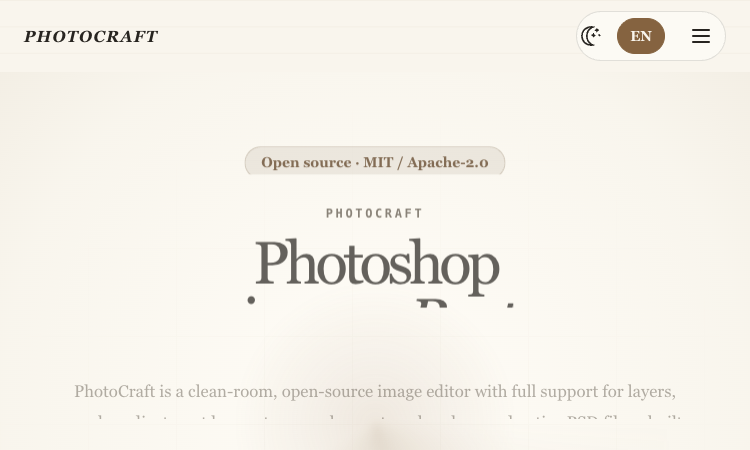
PhotoCraft Image Editor
PhotoCraft image editor — a practical overview and first steps for makers and curious users.
PhotoCraft Image Editor PhotoCraft is an open-source, clean-room image editor built in Rust for desktop and WebAssembly. It is designed for people who want a layered, offline editing workflow and a project they can inspect, run, and extend. It is independent of Adobe and should be evaluated as an early-alpha editor rather than a drop-in replacement for an established production suite. The official product page is the best starting point for current availability, supported workflows, and release details: PhotoCraft image editor. Main capabilities PhotoCraft works with familiar image-editing concepts: layers, groups, masks, clipping, blend modes, adjustment layers, layer styles, typography, vectors, and a brush engine. These tools make it possible to build an editable composition instead of flattening every change into a single bitmap. A central reason people look at the PhotoCraft image editor is layered PSD and PSB support. Users can open a Photoshop document, inspect and adjust its layers, and save a layered result. The project reports compatibility testing against public PSD files; as an early project, complex documents should still be checked after round-tripping. The editor includes raster and vector workflows, pixel and vector masks, selection tools, non-destructive adjustments, and a GPU-backed compositor using wgpu. The official site lists macOS, Windows, Linux, FreeBSD, and a WebAssembly version, so the same project can be explored across native and browser builds. PhotoCraft also exposes its document engine beyond the graphical interface. The project describes a command-line interface, a JSON control channel, and an MCP server, allowing repeatable edits and agent-oriented automation to use the same underlying commands as the UI. The published feature set includes 34 tools, 16 adjustment layers, and 27 blend modes. These counts are useful for understanding the project’s scope, but they do not mean it has feature parity with mature commercial software. The maintainers label it early alpha, so test important operations on copies of real files. A practical workflow Step 1. For an existing design, start by opening a copy of the layered PSD or PSB. Review the layer tree, visibility, blend modes, and masks before editing. Make a small adjustment, save a new file, and compare its appearance in a second viewer before committing to a larger migration. Step 2. For new artwork, build the composition with separate image, vector, type, and adjustment layers. Keep edits non-destructive where possible, use masks to isolate corrections, and save a native project or layered export so later revisions do not depend on a flattened image. Step 3. For repeatable work, identify an operation that can be described in the CLI or JSON channel and try it on a disposable copy. An MCP integration can make image-editing commands accessible to compatible agent clients, but users should review every generated change and keep a manual recovery path. Who it is for PhotoCraft is relevant to open-source contributors, digital artists, designers who exchange layered files, and developers interested in Rust graphics software. It is also useful to people who want to experiment with a local editor without sending artwork to a cloud service. A small design team may use PhotoCraft to inspect whether its files and routine adjustments fit the current feature set. A developer may instead care about the command engine, WebAssembly build, or MCP interface. These are different evaluation goals, so choose a sample project that reflects the job you actually need to complete. People who need mature color management, advanced retouching, complex plugins, or a guaranteed production workflow should compare the current release against their existing tools before switching. PhotoCraft’s open development model can be appealing, but early-alpha software carries compatibility and workflow gaps. Fit and limitations PhotoCraft is not affiliated with, sponsored by, or endorsed by Adobe. Names such as Photoshop describe compatible workflows and file formats, not a relationship with Adobe. Check the project license and trademark notices when redistributing builds or describing the software. Treat PSD support as a feature to verify against your own documents. Re-saving can rewrite file resources and layer records, and the project itself notes that an output file need not be byte-identical to the source. Keep originals and compare visual output for complex assets. The project is in early alpha and evolves quickly. Before relying on PhotoCraft for client delivery, inspect recent releases, supported platforms, known limitations, and the status of the specific tools your workflow depends on. Common questions What is PhotoCraft? PhotoCraft is a clean-room, open-source image editor written in Rust. It provides layers, masks, adjustment tools, typography, vectors, brushes, layered PSD and PSB workflows, and several automation interfaces. Can PhotoCraft replace Photoshop? It can be evaluated for selected layered-editing tasks, but the project is early alpha and does not claim complete feature parity. Test your real files and required operations before considering a switch. Does PhotoCraft send images to an AI service? The editor describes local selection tools and a local editing engine without cloud dependencies. It is an image editor, not an AI image generator; verify the current release and any integrations you enable. How should I try PhotoCraft safely? Download from the official project, work on copies, test opening and saving representative files, and compare exported results in another viewer. Review the license and release notes before team adoption. How to make a useful first evaluation Before adopting PhotoCraft image editor, define what success looks like in terms that can be checked: a correctly opened or processed input, an output that meets the quality bar, compatibility with the next step, and a recovery path if something goes wrong. Choose representative material, preserve an untouched copy, and change only one or two settings during the first comparison. Record the exact product version and the choices you made. This creates evidence you can revisit rather than relying on a vague first impression. A useful first question is whether PhotoCraft image editor removes friction from a task you already have. Begin with one small, recognizable example rather than trying to understand every option on the first visit. Notice what the product asks you to provide, what it returns, and which decisions remain in your hands. This first-session approach makes it easier to decide whether the product deserves a place in a regular workflow. Keep expectations grounded in the documented features and use the official site as the source of truth when capabilities change. For a second evaluation, repeat the task with a different input that tests one important boundary. Examples include a more complex document, a noisier clip, a less familiar location clue, or a multiplayer session with a small invited group. Compare the outcome, note the failure cases, and decide which limitations matter in your setting. That process makes PhotoCraft image editor easier to compare fairly with tools you already use. A short adoption checklist Use the official product page and read the current documentation or terms. Start with a low-risk sample and keep the original input. Confirm platform, format, account, license, and compatibility requirements. Inspect the result before sharing it or passing it to another system. Reassess when the product or its supported features change. The goal is not to use every feature at once. PhotoCraft Image Editor is easier to assess when one defined task is tested carefully, the result is reviewed by a person, and the decision is based on documented capabilities. Visit PhotoCraft image editor for the current product information, then make the next step small enough to reverse if the result is not a fit. Learn more on the official site: PhotoCraft image editor.
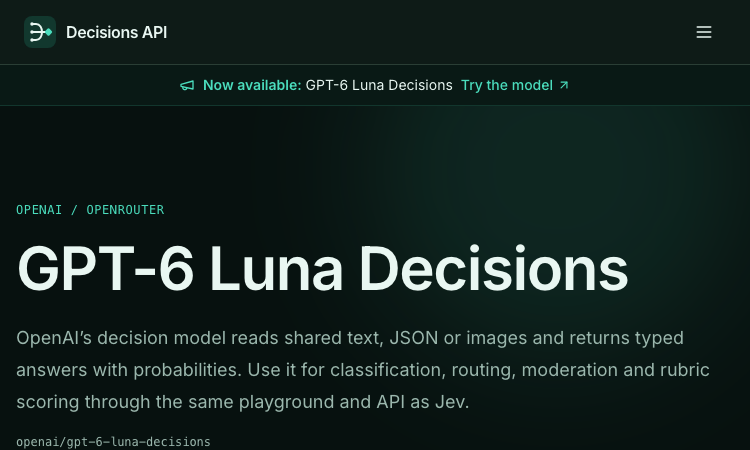
GPT-6 Luna Decisions
GPT-6 Luna Decisions gives your apps decision intelligence: Choice, Score, and yes/no answers with probabilities from text, JSON, or images.
GPT-6 Luna Decisions GPT-6 Luna Decisions brings decision intelligence to the apps you build, without asking you to run models or design prompts from scratch. Listed on Decisions API — an independent aggregator of decision models from multiple providers — this OpenAI model reads shared text, JSON, or images and returns typed answers with probabilities, ready to drop into any feature that needs a judgment call. Three structured answer types cover most product decisions. Choice picks a named option and returns a probability distribution across up to 255 options, which is ideal for routing a ticket, picking a category, or selecting the next best action. Score returns a value on an ordered 2-to-10-level scale for rubric scoring and quality gates. Noul answers yes/no questions with a probability, perfect for policy checks and guardrails. Builders interact with GPT-6 Luna Decisions through the Jev playground and the /v1/systemone endpoint. The playground supports A/B rule comparison: capture two rule sets, run up to 25 labeled cases against them, and see which set behaves better before anything ships. Answers arrive in data.result.answers, so wiring the API into a webhook, a cron job, or an internal tool is a one-afternoon job. The model is multimodal and generous with context — a 1,050,000-token context window handles long transcripts and big JSON payloads, and up to 4 images per request covers screenshot review and document checks. New accounts start with 100 welcome credits, and per the published contract, failed calls release their credit reservation. Use GPT-6 Luna Decisions for support routing, moderation, lead scoring, citation verification, and image classification — anywhere your app must decide, not just chat. Typed answers with probabilities mean your automation can act confidently and escalate when confidence drops.

Mistral Large 4: Try Online, Pricing, AP
Use the Mistral Large 4 playground for free. Explore coding, writing and images, compare plans, and connect through the API.
Mistral Large 4 — Online Playground & Mistral Large 4 API Mistral Large 4 brings an online AI playground, developer API, and practical model guides together in one place. Use it to work through code, improve writing, ask questions about supplied documents, and understand images. When a prompt becomes useful enough to repeat, connect the same service to your application through the Mistral Large 4 API. The playground gives individuals and teams a place to try real tasks without writing integration code. Developers can move into an OpenAI-compatible REST interface with streaming responses, structured JSON output, image inputs, and function calling. Documentation, model comparisons, and deployment guides help explain the choices involved in building a workflow. About this service: mistrallarge4.com is independently operated and is not affiliated with Mistral AI. Its accounts, API keys, endpoint, and credit plans belong to this service. The underlying model is developed by Mistral AI. What you can do | Capability | Put it to work | | --- | --- | | AI conversations | Ask questions, explore ideas, and refine an answer through follow-up messages. | | Coding assistance | Explain functions, investigate errors, review implementation choices, and propose focused changes. | | English and Chinese writing | Draft, rewrite, and summarize text with a specified audience, tone, and terminology. | | Document questions | Supply relevant passages and ask for summaries, comparisons, or answers supported by the supplied text. | | Image understanding | Attach a public image URL to ask about a screenshot, diagram, or other visual context. | | Adjustable reasoning | Choose direct answers or higher reasoning effort according to the task. | | Structured responses | Request JSON in the playground or use JSON objects and JSON Schema through the API. | | Streaming API | Receive incremental response content for conversational applications. | | Function calling | Let the model request defined functions that your application validates and executes. | The documentation describes the supported inputs, controls, and service limits for each workflow. Who it is for | Audience | Example workflows | | --- | --- | | Software developers | Review a function, explain an unfamiliar module, or investigate a bug using relevant code and error messages. | | Writers and content teams | Turn a brief into a draft, adjust tone for a specific audience, or refine Chinese and English copy. | | Researchers and analysts | Compare supplied passages, summarize findings, and extract information into a structured response. | | Product and operations teams | Review screenshots, organize written feedback, and draft plans from provided context. | | Independent makers | Explore a product idea in the playground, then add an AI feature to an application. | | AI agent builders | Connect approved lookup functions and application tools to a conversational workflow. | For example, a developer can paste a failing function and its error message, ask for an explanation, and request a small proposed patch. A content team can provide a Chinese passage and ask for a rewrite that preserves product names, dates, and technical terminology. An analyst can attach a diagram URL and ask for an explanation alongside questions that still need clarification. Start in the playground Open the playground and sign in. Use an account on this website to send requests. Describe a concrete task. Include the relevant text, code, or public image URL, together with the result you need. Choose the response settings. Adjust the system prompt, reasoning effort, temperature, maximum output tokens, and text or JSON output. Review the answer. Check the result against your source material and follow up with missing context or corrections. Move a repeatable workflow into your app. Create an account API key and use the documented chat endpoint. A useful coding prompt: Review the following TypeScript function. Explain its purpose, identify edge cases supported by the code, and suggest one small improvement. Return a short explanation followed by the proposed change. A useful document prompt: Summarize the supplied passage for a product manager. Preserve the original dates and numbers, separate decisions from open questions, and cite the relevant passage for each conclusion. If the text does not answer a question, say so. Conversation context remains available while the playground page is open. Refreshing the page starts a new conversation, so copy answers you want to keep before leaving. Build with the Mistral Large 4 API The Mistral Large 4 API connects the service to applications, internal tools, and AI agents through an OpenAI-compatible chat interface. Start with a small text request, then add streaming, image inputs, structured output, or tools as the workflow requires. | Setting | Value | | --- | --- | | Base URL | https://mistrallarge4.com/api/v1 | | Chat endpoint | POST https://mistrallarge4.com/api/v1/chat/completions | | Model ID | mistral-large-4-0 | | Authentication | Authorization: Bearer | | Request format | Content-Type: application/json | | Reasoning effort | none or high | Create a key under Account → API Keys, then set MODELAPIKEY in your server environment to that account key. A minimal request looks like this: For a standard non-streaming response, read the answer from choices[0].message.content and token usage from usage. Keep API keys in your server environment. The API also supports: Streaming: set stream to true to receive Server-Sent Events and process incremental content. Image questions: combine text with an image_url content part pointing to an accessible public image. Structured output: use responseformat with jsonobject or a named json_schema to shape the response. Tool workflows: define functions in tools, inspect returned tool_calls, execute approved functions in your application, and return their results for the next model response. Reasoning control: choose none or high; reasoning tokens share the output budget with the visible answer. See the API guide for complete request examples, limits, and error handling. Use this site's endpoint, model ID, and account key together. Working with inputs and results The service accepts text and public image URLs. For document questions, extract the relevant text from a PDF before submitting it. Direct PDF, audio, and video uploads are not supported by the documented playground and chat API. The playground currently accepts up to 24 messages, 24,000 characters per message, a 96 KiB request body, and up to 16,384 output tokens. API limits differ. The underlying model's advertised context window should not be treated as the playground's input allowance; consult the current service limits when sizing a request. For code tasks, run the proposed change in your own environment. For document and image tasks, check names, numbers, quotations, and small visual details against the supplied material. Validate structured responses before using them in another system. Free access and paid usage Mistral Large 4 uses a freemium model. Signed-in users receive 30 free playground requests per day, resetting at midnight UTC+8 / Asia/Singapore. Requests admitted for generation count toward that allowance, including requests that subsequently fail or are cancelled. After the daily allowance, completed playground answers use credits. One-time credit packs and monthly subscriptions are available for additional usage. The daily free allowance applies to the playground; it does not establish a free allowance for API calls. Compare current prices and included credits on the pricing page, and read the usage guide before integrating billing-sensitive workflows. This service's billing is separate from Mistral AI's official API billing. About the organization The organization behind mistrallarge4.com was founded on May 1, 2026, and is led by Mason King, Founder & CEO, in Seattle, United States. The team has 10 full-time employees and focuses on accessible AI experimentation and developer integrations. This profile introduces the independent web service and its developer entry points. For product questions, account help, or collaboration inquiries, email support@mistrallarge4.com. Explore the product Website — Product overview and model information. Playground — Try text, code, and image questions online. Documentation — Read API examples, controls, and service limits. Pricing — Compare credit packs and subscriptions. Model Comparison — Explore evaluation questions and model choices. Deployment Guide — Review weight availability and deployment considerations. Blog — Browse tutorials and model guides.
SeedRouter
SeedRouter: one API for every model your product needs
SeedRouter puts image, video, language and audio models behind a single key. Send one request, get the result, pay only for what was delivered. A request that fails costs nothing.

DecisionsApi
Text in. Decisions out.
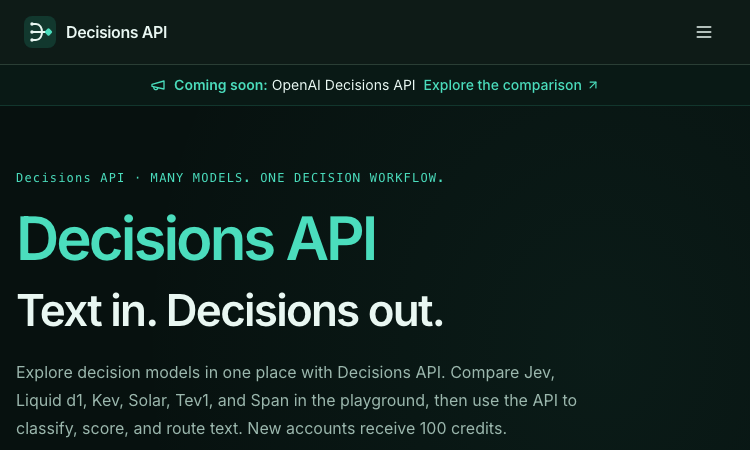
DecisionsApi is a developer-focused AI platform for testing decision models in an online playground and integrating them through an API. Developers provide text, JSON objects, or arrays of text as state, define typed Choice, Score, or Noul (yes/no) questions, and receive structured answers with probabilities, confidence, usage, and request details. The platform supports customer-request routing, agent next-step selection, evidence checks, safety gates, and human-review workflows, with API key management, usage history, and one shared credit balance across the playground and API.
Decisions API
Decisions API – Official Website, What It Is & How to Use
Decisions API (decisions-api.dev) is a developer platform that aggregates decision AI models — Jev, Laya, Kev, Solar Decide, Span, Liquid, D1 and more — behind one playground and one unified API for classifying, scoring, and routing text. Instead of prompting an LLM and parsing prose, you send a state (a ticket, message, or record) plus structured questions and get back typed answers with probability distributions: a label (Choice), a rating along your rubric (Score), or a yes/no judgment with probability (Noul). Use it for customer-request routing, agent next-step selection, and claim-versus-evidence checking. An evaluation workspace lets you A/B test two models or question phrasings on the same cases before wiring one into production, and a single endpoint (POST /v1/systemone, Bearer auth) keeps the integration identical across all models — switching is a one-string change. New accounts get 100 free credits; paid packs are one-time ($10/$100/$1,000), credits never expire. Note: this is an independent platform, not the OpenAI Decisions API preview — and it is the working home of the tool whose original decisions-api.org domain has had DNS problems; a sibling branding lives at decisionapi.org.
Speejax
Free Website Speed & Optimization Tools | SpeeJax
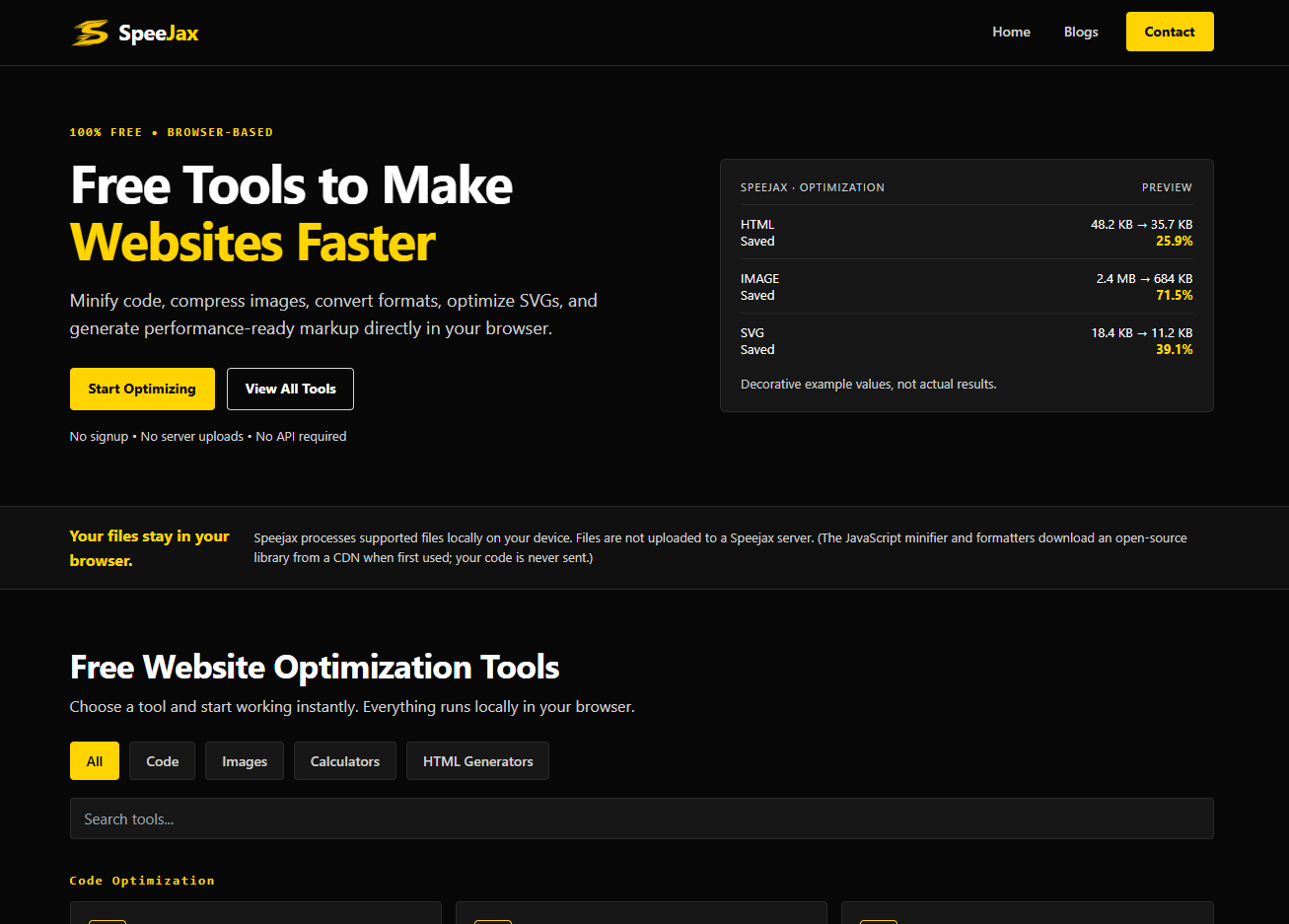
SpeeJax is a free collection of browser-based website speed and optimization tools built to help developers, website owners, and SEO professionals improve their websites faster. Minify HTML, CSS, and JavaScript, compress images, optimize code, clean markup, and prepare performance-friendly website resources without installing software or creating an account. Your tools run directly in the browser, making everyday optimization tasks simple and convenient. SpeeJax is designed for quick checks and practical improvements, whether you are working on a WordPress website, landing page, web application, or custom project. No signup, no unnecessary setup, and no server uploads for your files.
Pruna AI – Official Website
Pruna AI – Official Website, What It Is & How to Use
Pruna AI Official Website Pruna AI combines hosted performance models for image and video generation with an open-source Python toolkit for optimizing AI models. Developers can use its models through an API, deploy models in their own infrastructure, or use the Pruna package to apply model-compression and optimization methods. Official app: https://www.pruna.ai/ Creator: Pruna AI; the company’s legal pages identify Pruna AI GmbH. Price: Hosted API models are usage-priced; the open-source library is available as a Python package. Check current model pricing. Login required: An account and API key are required for hosted API use; local use of the open-source package requires your own compute environment. Platform: Web, API, and Python Main use: Run optimized generative models through an API or optimize and deploy your own models. Last checked: October 1, 2026 Visit Pruna AI We are not the official developer of Pruna AI. This page helps users find, understand, and use the product. What Is Pruna AI? Pruna AI is for teams that want to run generative models with an emphasis on inference performance, or improve the efficiency of models they already use. Its hosted catalog includes image and video models, with the website currently highlighting text-to-video and video editing or animation workflows. Developers can call hosted models through the Pruna API, while organizations that need more infrastructure control can explore self-hosting. Separately, the Pruna open-source library can be installed with pip install pruna and combines model-optimization methods such as pruning, quantization, and caching. This makes Pruna broader than a simple model directory: it offers both ready-to-call models and tools for optimizing models in a developer’s own environment. Model availability, performance, and per-use prices vary by model, so check the live catalog and documentation before integrating it. How to Use Pruna AI Open https://www.pruna.ai/ and choose Models or Sign Up for hosted performance models. Create an account, review the available models and their pricing, then create an API key in the developer portal. Follow the API documentation for the chosen model, send a request with your prompt or input media, and inspect the returned output and usage. For local optimization instead, follow the open-source guide, install the Python package, choose an optimization approach, and benchmark the result on your own hardware. Decide whether the hosted API or self-hosted route better fits your latency, cost, data-handling, and infrastructure needs. Is Pruna AI Safe? The public website and documentation can be read without signing in. Hosted API use requires an account and sends requests to Pruna’s service, so review its privacy notice and terms before sending sensitive prompts or files. API calls can incur usage charges; check each model’s current rate and monitor usage. The open-source toolkit can run in infrastructure you control, but your deployment still depends on the models, libraries, and hardware you choose. Performance descriptions on the site are product claims and should be validated against your own workload. Why Is Pruna AI Popular? Pruna AI serves two related developer needs: accessing ready-to-use performance models and optimizing models for faster or more efficient inference. Its site is currently featuring its P-Video model family alongside the open-source toolkit. There is no clear public source showing what triggered the latest search spike. Pruna AI Not Working? Confirm that your API key is valid and that your account has access to the selected model. Check the model’s required inputs, current status, and pricing in the developer documentation. Review usage and error details before retrying a request that might create additional charges. For local optimization, verify package and hardware requirements in the open-source documentation. If an endpoint is temporarily unavailable, retry later or contact Pruna through its official site. Pruna AI Alternatives Hugging Face Inference Providers — a unified API for models served by multiple inference providers. Replicate — hosted API access to a catalog of machine-learning models. Hugging Face Optimum — open-source tooling for optimizing and accelerating models in supported environments. Frequently Asked Questions What is the official Pruna AI website? The official company website is https://www.pruna.ai/. Developer API documentation is at https://docs.api.pruna.ai/. Is Pruna AI an API or an open-source project? Both. Pruna offers hosted performance models through an API and an open-source Python library for model optimization. Is Pruna AI free? The open-source package can be installed and used under its license, subject to your own infrastructure costs. Hosted API models are priced by usage; check the current model pricing before making requests. Do I need an account? Yes for hosted model API access and its API key. You can browse public docs without signing in; using the open-source package locally is a separate route. Who created Pruna AI? The product is developed by Pruna AI. Its legal pages identify the company as Pruna AI GmbH. Is Pruna AI still available? The official website, model pages, and developer documentation were reachable on October 1, 2026.