Entertainment Apps
Discover beautiful apps crafted with vibe coding across different categories. Explore our curated collection of lovable applications.
Categories

Freesoragenerator
Freesoragenerator – Official Website, What It Is & How to Use
Freesoragenerator Official Website Freesoragenerator (FSG AI) is a free online AI video generator built around Grok Imagine-style generation — text-to-video and image-to-video with synchronized audio, free starter credits, and a stable API for developers. Official app: https://freesoragenerator.com Creator: FSG AI team Price: Freemium — 50 free credits on signup, paid credits and API plans via Pricing Login required: No for browsing the showcase; Yes to claim free credits and generate Platform: Web (+ REST API for developers) Main use: Turning prompts or images into short AI videos with synced audio, plus AI image generation Last checked: 2026-09-18 Visit Freesoragenerator We are not the official developer of Freesoragenerator. This page helps users find, understand, and use the product. What Is Freesoragenerator? FSG AI positions itself as the free way to run Grok Imagine-style video generation on the web. You type a prompt or upload an image, generate a short clip with synchronized audio, and download the result from one clean workflow — no timeline editing required. Two things set it apart from a basic demo site. First, the showcase is genuinely instructive: every demo (camera push-pull replication from a reference video, a painting character reaching out of frame for a cola, five-outfit fashion walk) exposes its full prompt structure, duration (10–15s), and resolution (720x1280 or 1280x720), so you learn multi-shot, multi-reference prompting (@Image1, @Video1) by example. Second, it is developer-friendly: alongside video and image generation it sells a stable AI video/image API for teams wiring generation into their own products, which most free generator sites never offer. How to Use Freesoragenerator Open the official FSG AI website. Browse the Showcase to pick a demo whose structure fits your idea — open it to read the full prompt. Click Get 50 Credits for Free and sign in. Enter your prompt or upload images/references, generate the video (10–15s with synced audio), and download the clean result; developers can wire the same workflows through the API. Is Freesoragenerator Safe? The site runs on the freesoragenerator.com domain with standard HTTPS and publishes Pricing, Tools, Blog, and Sign In pages. Browsing the showcase needs no registration; claiming the 50 free credits requires an account. Generation can involve uploading reference images and videos, so treat anything you upload as data leaving your device. No deceptive redirects or forced third-party logins were observed during review. Note it is an independent service inspired by Grok Imagine — not the official xAI product. Last checked September 2026. Why Is Freesoragenerator Popular? Grok Imagine's video results spread widely on X (Twitter) in 2025–2026, but access required an X Premium subscription — which created real search demand for a free, web-based equivalent. FSG AI captures exactly that demand with its name and its free-credits offer, and its example-rich showcase gives newcomers copy-paste prompts that produce impressive results on the first try. Freesoragenerator Not Working? If Freesoragenerator fails to load: Refresh the page. Open it in another browser. Disable ad blockers temporarily. Check whether the original freesoragenerator.com deployment is still online. Try again later if the developer is updating the app. Freesoragenerator Alternatives Scenevio — free multi-model AI video generator (Seedance, Veo, Kling, and more) AIEnhancer — 27-model video/image workspace with guided controls Grok Imagine on X — the original xAI tool (requires X Premium) Frequently Asked Questions What is the official Freesoragenerator website? The official website is https://freesoragenerator.com. Is Freesoragenerator free? Yes — you get 50 free credits to test text-to-video and image-to-video; heavier use follows the plans on the Pricing page. Do I need an account to use Freesoragenerator? The showcase is open to everyone; generating videos and claiming free credits requires signing in. Who created Freesoragenerator? The FSG AI team. It is an independent Grok Imagine-style generator, not affiliated with xAI or X. Is Freesoragenerator still available? Yes, the site was live as of September 18, 2026.
AIEnhancer
AIEnhancer – Official Website, What It Is & How to Use
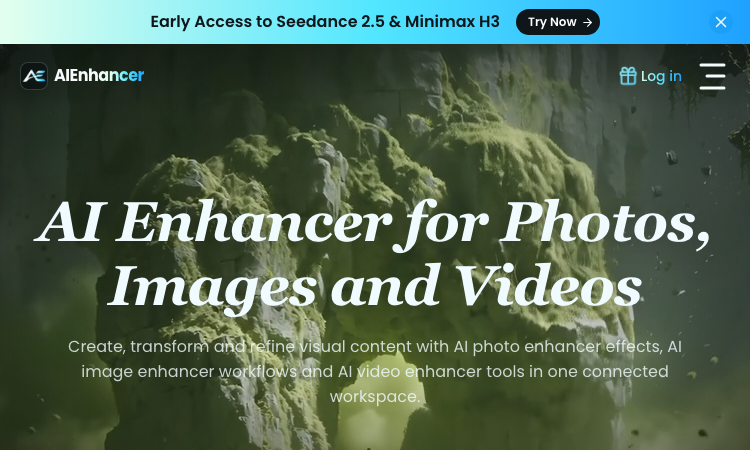
AIEnhancer Official Website AIEnhancer is an all-in-one AI workspace for enhancing and creating photos, images, and videos, with 27 production-ready models and guided creative controls. Official app: https://aienhancer.co Creator: AIEnhancer team Price: Freemium — Start Creating Free, paid plans via Pricing page Login required: Yes for generating; the model catalog and effects list are browsable without an account Platform: Web Main use: AI photo enhancer effects, image-to-video / text-to-video generation, and guided image restyling in one workspace Last checked: 2026-09-18 Visit AIEnhancer We are not the official developer of AIEnhancer. This page helps users find, understand, and use the product. What Is AIEnhancer? AIEnhancer targets people who bounce between five different AI tools to get one usable asset. It puts 27 video and image models — Seedance 2.5, Sora 2, Veo 3.1 Fast, Grok Imagine 1.5, Kling 3.0, Wan 2.7, MiniMax H3, Hailuo, Runway, PixVerse V6, Nano Banana 2 — behind one interface with four video entry points (text-to-video, image-to-video, reference-to-video, frames-to-video) plus text-to-image and image-to-image. Its differentiator is guided control: instead of raw prompt boxes, it matches mode, ratio, resolution, and model support for you, keeps a safe fallback model when your first choice cannot run, and validates every setting before the job starts. It also ships dozens of ready-made AI Effects — AI 2D to 3D, AI Action Figure, AI Aging & De-aging, AI ASMR, AI Baby Dance, AI Hairstyle, AI Movie Cameo, AI Shadow Clone — that turn trendy formats into repeatable templates your audience can recognize. Results land in a shared asset library instead of scattered downloads. How to Use AIEnhancer Open the official AIEnhancer website. Pick an entry point: Text to Video, Image to Video, Reference to Video, or an image workflow — or start from an AI Effect like AI Action Figure. Add your prompt or upload a reference image, then choose a model (each model card shows its vendor and strength, e.g. Seedance 2.5 for quality, Seedance 2.0 Mini for speed). Click Generate; refine and iterate in the same workspace, keeping useful outputs in the asset library. Is AIEnhancer Safe? The site runs on the aienhancer.co domain with standard HTTPS and publishes a Pricing page and login flow. Generation requires an account, and workflows like image-to-video mean you may upload personal photos — treat uploads as data leaving your device. No forced third-party login or deceptive redirects were observed during review; free creation is offered before payment. Last checked September 2026. Why Is AIEnhancer Popular? AIEnhancer rides the wave of short-form video effects (AI Baby Dance, AI ASMR, AI Gugugaga, AI Fighting Video) that spread on TikTok and Instagram, packaging them as one-click templates. Its early access to freshly released models like Seedance 2.5 and MiniMax H3 also pulls in creators who want to try new models without managing multiple subscriptions. AIEnhancer Not Working? If AIEnhancer fails to load: Refresh the page. Open it in another browser. Disable ad blockers temporarily. Check whether the original aienhancer.co deployment is still online. Try again later if the developer is updating the app. AIEnhancer Alternatives Scenevio — free multi-model AI video generator with prompt showcases Hailuo AI (MiniMax) — fast character-consistent video generation Pollo AI — multi-model video generation with template effects Frequently Asked Questions What is the official AIEnhancer website? The official website is https://aienhancer.co. Is AIEnhancer free? It offers free creation to start; ongoing generation and premium models follow the plans on its Pricing page. Do I need an account to use AIEnhancer? You can browse models and effects without an account, but generating and saving assets requires signing in. Who created AIEnhancer? The AIEnhancer team; the site lists model vendors (ByteDance, Google, OpenAI, Alibaba, Kuaishou, xAI, MiniMax, Runway, PixVerse) but is an independent aggregator, not those vendors. Is AIEnhancer still available? Yes, the site was live as of September 18, 2026.
Scenevio
Scenevio – Official Website, What It Is & How to Use
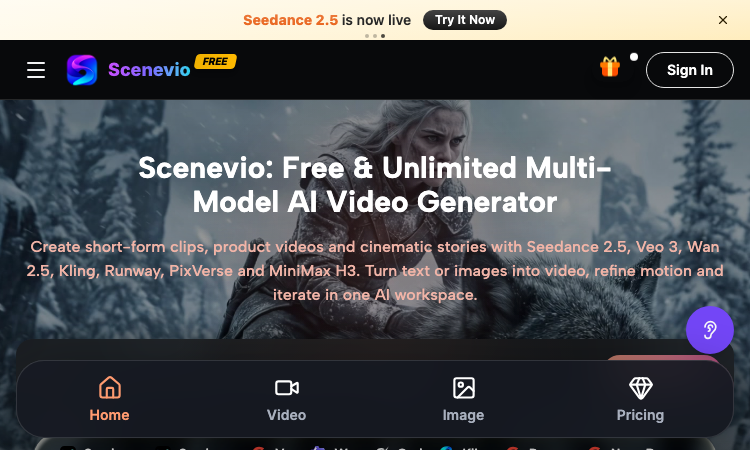
Scenevio Official Website Scenevio is a free multi-model AI video generator that turns text prompts and images into short-form clips, product videos, and cinematic story sequences. Official app: https://scenevio.com Creator: Scenevio team (support@scenevio.com) Price: Freemium — free starter credits plus paid plans from $14.99/month Login required: Yes, an account is needed to generate and save videos Platform: Web (works in any modern browser, 8 languages including English, Japanese, Korean, and Chinese) Main use: Text-to-video and image-to-video generation with 26+ AI models Last checked: 2026-09-18 Visit Scenevio We are not the official developer of Scenevio. This page helps users find, understand, and use the product. What Is Scenevio? Scenevio is a web-based AI video workspace that puts many of the leading video models — Seedance 2.5, Veo 3, Wan 2.5, Kling, Runway, PixVerse, and MiniMax H3 — behind a single interface, so you can compare outputs without juggling separate subscriptions. You type a prompt or upload a reference image, pick a model, and generate a clip; per-second billing means credits follow actual duration, resolution, and reference inputs rather than a flat per-video rate. Beyond video, it also bundles image models such as Seedream, Flux, Nano Banana, and GPT Image for concept frames. The homepage doubles as a prompt library: every showcased clip (macro food shots, mecha squads, golden-hour trains) can be opened directly in the workspace or copied as a starting prompt, which makes it easy to go from zero to a first render in minutes. How to Use Scenevio Open the official Scenevio website and click Generate. Sign in to create your workspace (free starter credits are included). Choose a mode — text-to-video or image-to-video — and select a model such as Seedance 2.5 or Veo 3. Type your prompt (or copy one from a homepage showcase) and generate; refine motion and iterate in the same workspace. Is Scenevio Safe? The site runs on the Scenevio.com domain with standard HTTPS and does not require third-party login such as Google or Discord beyond a regular account. Generation requires signing in, and uploads may include reference images, so treat anything you submit as data leaving your device. Payment is only needed for paid plans (Lite, Starter, Pro, Unlimited), which unlock private generation, no-watermark exports, and a commercial license — the free tier is ad-supported with watermarks. No deceptive redirects were observed during review; last checked September 2026. Why Is Scenevio Popular? Scenevio appears to be gaining attention through direct sharing and word-of-mouth around newly released models like Seedance 2.5, although there is no clear public source showing where the trend originated. Its positioning as a single place to try many premium video models at once — with free credits and per-second billing — gives it natural reach among short-form creators on TikTok and Instagram. Scenevio Not Working? If Scenevio fails to load: Refresh the page. Open it in another browser. Disable ad blockers temporarily. Check whether the original scenevio.com deployment is still online. Try again later if the developer is updating the app. Scenevio Alternatives Runway — the veteran AI video suite with strong editing tools Kling AI — high-motion video generation from Kuaishou Hailuo (MiniMax) — fast, character-consistent video generation Frequently Asked Questions What is the official Scenevio website? The official website is https://scenevio.com. Is Scenevio free? It is freemium: you get free starter credits to generate videos, but watermark-free exports, private generation, and a commercial license require a paid plan (from $14.99/month to $149.99/month for Unlimited). Do I need an account to use Scenevio? Browsing showcases is free, but generating and saving videos requires an account. Who created Scenevio? The Scenevio team; the site lists support@scenevio.com as its contact. Is Scenevio still available? Yes, the site was live and generating as of September 18, 2026.

Palm Reader
Get a free, personalized online palm reading from one photo with AI Palm Reader—in about a minute.
Palm Reader turns a clear photo of your hand into a personal, easy-to-understand palm reading. It looks at the major lines—including the life, head, heart, and fate lines—and brings them together in a thoughtful reading about your energy, emotions, mindset, relationships, and sense of direction. Getting started is simple: upload a well-lit photo of your open palm, add your first name and birthday, and receive your reading in about a minute. You can save the result, revisit it later, or share it with friends. Palm Reader is made for anyone curious about palmistry, looking for a fresh way to reflect on themselves, or simply wanting to try something fun and personal without studying complicated palm-reading guides. The reading is intended for curiosity and self-reflection rather than as a prediction or professional advice.

Carrier Pidge
Carrier Pidge turns every message into a charming journey, delivering it to friends at real pigeon flight speed.
Carrier Pidge is a playful way to send letters online without expecting an instant reply. Write a message to a friend, release your digital pigeon, and watch it travel at the speed of a real carrier pigeon. It brings anticipation back to staying in touch, making it perfect for thoughtful notes, surprises, and messages worth waiting for.

Once Song
Answer a few questions, and Once Song turns your story into a song made just for you.
Once Song makes it easy to turn a personal story into a custom song. Answer a few simple questions about the person, memory, or occasion, and the service creates a song shaped around the details you share. No songwriting or music experience is needed—just bring the story you want to celebrate. It’s ideal for anyone looking for a thoughtful gift or a memorable way to mark a birthday, anniversary, wedding, friendship, or other special moment.
xPomelo
AI search for 60M+ adult videos
xPomelo is a free conversational AI search interface for discovering adult videos across 60M+ results. Users describe what they want in natural language and receive matching videos from adult websites. No signup is required, and xPomelo does not generate or host adult content.

Mimic Party: Free Voice Imitation Game
Hear it, mimic it, survive it — no uploads.
Mimic Party Online is a free browser voice game where you hear a sound, record yourself mimicking it, and get scored on how closely your voice shape matches the original — not your pitch, but your melody, timing, and energy. How it works: Pick a themed pack — animal calls, meme clips, everyday noises, and more Listen to a short reference cue once Press record and give it your best one-take imitation Get a local score and see your voice waveform side by side with the reference Survival mode cranks it up: 50 references, 3 Mic lives, and rising pass targets (30 → 40 → 50 → 60). Build streaks, earn Party Points, and see how far you can go before your lives run out. 100% local-first. Nothing is uploaded. No accounts. No servers listening. Your recordings stay on your device and are released when you close the tab. Works on Chrome, Edge, Firefox, and Safari — desktop and mobile.

Wiggly Paint
Wiggly Paint – Official Website, What It Is & How to Use
Wiggly Paint Official Website Wiggly Paint is a free online animated drawing tool where every line you draw comes alive. Official app: https://wiggly-paint.com/ Creator: Wiggly Paint team Price: Free Login required: No Platform: Web (browser-based, fullscreen supported) Main use: Create animated, wiggling drawings and export them as looping GIFs Last checked: 2026-09-03 Visit Wiggly Paint We are not the official developer of Wiggly Paint. This page helps users find, understand, and use the product. What Is Wiggly Paint? Wiggly Paint is a browser-based drawing tool that turns static strokes into living, moving art. Instead of producing a flat image, each brushstroke keeps wobbling, bouncing, and swaying after you draw it, powered by the site's real-time animation engine. It offers 8 playful brush styles, each with its own motion signature, plus a frame-by-frame timeline for building longer animated stories. When you are happy with your creation, you can export it instantly as a smooth looping GIF to share on social media or in chats. There is nothing to download and no signup required — the tool runs directly on the website. How to Use Wiggly Paint Open the official Wiggly Paint website and click Run Tool (use the fullscreen button in the top right for a bigger canvas). Select one of the 8 wiggly brushes — each has unique wobble effects and colors. Draw and watch your lines dance in real time; add multiple frames on the timeline for more complex animations. Export your artwork as an animated GIF and share it anywhere. Is Wiggly Paint Safe? Yes, by what can be verified: no registration or third-party login is needed, there are no payments, and the site describes itself as an ad-free, kid-friendly creative space. It runs entirely in the browser on the wiggly-paint.com domain. Note the site cross-promotes a separate AI image tool (NanaBanana.pro), but using Wiggly Paint itself requires no personal data. Why Is Wiggly Paint Popular? Animated, "living" doodles are highly shareable — a wobbling GIF stands out in feeds far more than a static image. Wiggly Paint also serves the pixel-art and place-canvas community (see its related Wplace paint tool), and its zero-friction, no-signup design makes it easy to spread through direct sharing on social platforms and messaging apps. Wiggly Paint Not Working? If the tool fails to load, refresh the page, try another browser, or temporarily disable ad blockers. The drawing canvas is embedded in the page, so a slow connection can delay the "Run Tool" button — give it a moment, and try again later if the developers are deploying updates. Wiggly Paint Alternatives Bomomo and other generative art toys — expressive effects, but not animation-focused FlipAnim / frame-by-frame animators — more control over keyframes, but a steeper learning curve Standard GIF makers — animate existing images, but cannot draw wiggling strokes natively Frequently Asked Questions What is the official Wiggly Paint website? The official website is https://wiggly-paint.com/ Is Wiggly Paint free? Yes, the drawing tool and GIF export are free with no payment or subscription. Do I need an account to use Wiggly Paint? No. Open the site, click Run Tool, and start drawing immediately. Who created Wiggly Paint? An independent team building browser-based creative tools; the site also maintains a gallery and blog. Is Wiggly Paint still available? Yes, the site and its drawing tool were online and working as of 2026-09-03.
Stream4Fun
Stream4Fun – Official Website, What It Is & How to Use
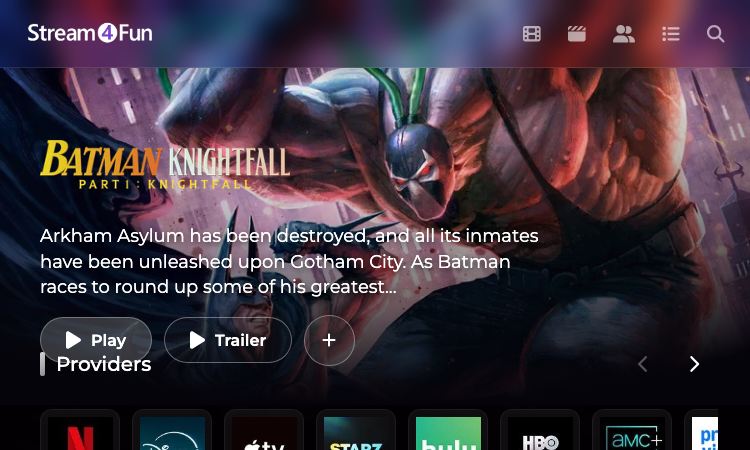
Stream4Fun Official Website Stream4Fun is a free browser-based streaming site for watching movies and TV series online, with no app download or account needed. Official app: https://stream4fun.net/ Creator: not publicly listed on the site Price: Free Login required: No Platform: Web (React single-page app) Main use: Watch movies and TV shows online in the browser Last checked: 2026-09-01 Visit Stream4Fun We are not the official developer of Stream4Fun. This page helps users find, understand, and use the product. What Is Stream4Fun? Stream4Fun is a free movie and TV show streaming website. People search for it when they want to watch films without signing up for a subscription service or installing an app. The core experience is simple: open the site and you land on a hero banner with the featured title, a Play button and a Trailer button, plus provider logo badges such as Netflix, Apple TV, Hulu and HBO. Below the hero, the homepage builds rows of curated content with a rating next to each poster: "Trending today", "Horror Movies", "Horror & Comedy", "Comedy Films" and more rows down the page. Every poster shows a clickable score (for example 8.2 or 6.4), letting visitors judge titles before opening them. The top menu gives quick access to Home, Movies, Series, Actors, My List and Search, and a "+" button adds a title to My List. The site is also available in French, Spanish and Italian, and the language can be changed from the preference menu on the bottom of the home page. How to Use Stream4Fun Open the official Stream4Fun website at https://stream4fun.net/. Use the top navigation (Home, Movies, Series, Actors) or the magnifying-glass icon to search for a title. Browse the "Trending today" row or the genre rows such as Horror Movies and Comedy Films. Click a poster to open the title page, then press Play to start watching or Trailer to preview it. Press the "+" button on the hero banner to add a title to My List. If a dialog asks about language, pick your preference or choose No to keep the default. Is Stream4Fun Safe? Based on what was observed when checking the homepage: Stream4Fun requires no registration, no third-party login such as Google or Discord, and no payment or personal information. The site is a React web app served from Stream4Fun.net, and the homepage is free of signup prompts. The only data collected appears to be a browsing preference for language. As with any free-streaming site, ads and redirects can change over time, so treat links and download buttons with caution. Nothing on the homepage requires uploading files or sharing personal data. Why Is Stream4Fun Popular? Stream4Fun appears to be gaining attention through direct sharing and word-of-mouth, although there is no clear public source showing where the trend originated. Free no-registration access to movies and TV shows is easy to forward to friends, which usually is enough to drive brand-name searches. Stream4Fun Not Working? If Stream4Fun will not load, try: Refresh the page. Open it in another browser. Disable ad blockers temporarily. Check whether the original web deployment is still online. Try again later if the developer is updating the app. Stream4Fun Alternatives Tubi — free, ad-supported movies and TV with a large catalog Crackle — free on-demand movies and original series Pluto TV — free live TV channels plus on-demand movies Frequently Asked Questions What is the official Stream4Fun website? The official website is https://stream4fun.net/. Is Stream4Fun free? Yes. The site is presented as a free streaming service and no payment is requested on the homepage. Do I need an account to use Stream4Fun? No. The homepage shows no registration or login screen; you can browse and play titles without an account. Who created Stream4Fun? The site does not publicly list a developer or team on its homepage. Is Stream4Fun still available? During the last check on 2026-09-01, the Stream4Fun homepage was online and loading normally.

República em Disputa
República em Disputa – Official Website, What It Is & How to Use
República em Disputa República em Disputa is a free browser-based Brazilian electoral strategy game where you build a presidential campaign, conquer pivotal states, and compete for the Presidency. It runs entirely in the browser at republicaemdisputa.tech, requires no account, and is presented as a satirical, parody take on Brazilian politics. Official app: https://republicaemdisputa.tech/ Creator: João Vitor Bachini (@bachinismo) Price: Free Login required: No Platform: Web (browser, Portuguese/pt-BR) Main use: Playing a turn-based simulated run for the Brazilian presidency Last checked: September 1, 2026 Play República em Disputa We are not the official developer of República em Disputa. This page helps users find, understand, and use the product. What Is República em Disputa? República em Disputa ("Republic in Dispute") is a turn-based political strategy game played on a national map of Brazil's 27 federative units (UFs). You pick a presidential candidate — the roster is inspired by the real 2026 Brazilian race (for example, a Lula/PT campaign built on Northeast and North regional strength) — and then manage a campaign week by week: capturing pivotal states, defending against rival attacks, winning debates, and tracking weekly polls until you assemble a national majority. The core loop is what separates it from casual browser games. Before the first round you choose your candidate and the campaign length — 10, 20, or 30 turns — and each turn represents a week of maneuvering. Longer games give you more weeks to engineer comebacks, but opponents also move, attack, and expand across the map. Survive the first round and you reach a deliberately short, harsher, more polarized second round. The site itself sets the tone honestly: on first visit it shows a disclaimer stating the game is a fictional, satirical, parody work created purely for entertainment, inspired by elements of the Brazilian political and journalistic landscape without representing real statements or positions of any real person, party, or institution. How to Use República em Disputa Open the official website https://republicaemdisputa.tech/ in any modern browser. Read and accept the satirical-content disclaimer (click "De acordo") on your first visit. From the main menu, choose "Novo jogo" (new game) or "Modo desafio" (challenge mode); "Continuar campanha" resumes a saved run. Pick your candidate, review their regional strongholds, attack points, and headline policy platform ("pautas em destaque"), and select a campaign length of 10, 20, or 30 turns. Click "Iniciar campanha" and play turn by turn — expand into pivotal states, respond to the news feed and weekly polls, win debates, and try to reach a majority by the end of the round. Everything happens on one screen: the national board, a sidebar with your campaign status, and popups for debates, polls, and endgame events. There is nothing to install and no tutorial gate — the menu and interface are in Portuguese, so some Portuguese reading ability helps. Is República em Disputa Safe? The game is playable with no registration, no email, and no third-party sign-in — you click and play. It does not ask for uploads or payment to play; the site includes an "Apoiar o projeto" (support the project) option for players who want to donate to the developer. The domain republicaemdisputa.tech serves a static Vite-built web app, and the landing page publishes an unusually detailed legal disclaimer about the fictional, satirical nature of the content, including a contact email (joaov.bachini@gmail.com) for reporting problematic material. As with any satire involving real political figures, the content reflects comedic caricature rather than factual reporting, and the developer explicitly states the game should not be used as a source of information about real people, parties, or events. Why Is República em Disputa Popular? The game taps into the massive attention around Brazil's 2026 presidential election and packages it as shareable, meme-friendly entertainment. Its polished art direction, national-map visuals, and recognizable political scenarios make it natural clip and link-sharing material on Brazilian social media. República em Disputa appears to be gaining attention through direct sharing and word-of-mouth — particularly among Brazilian political Twitter/X and TikTok audiences — although there is no clear public source showing where the trend originated. The fact that one shared link drops friends straight into a playable campaign with no signup removes the usual friction that kills viral browser games. República em Disputa Not Working? Refresh the page — the game is a single-page app and occasionally needs a reload after updates. Open it in another browser or an incognito window. Disable ad blockers or content filters temporarily for the domain. Check whether the deployment is still online (it is a self-published project on a .tech domain). Try again later if the developer is pushing an update. As of September 1, 2026, the official website was online and fully playable. República em Disputa Alternatives The Political Machine — a long-running commercial campaign-simulation series with US elections and deeper strategy systems. The Campaign Trail / campaign-trail style games — lightweight browser election games focused on question-driven alternate history. Democracy 3 / Democracy 4 — policy-driven government simulation rather than an electoral race, for players who prefer governing over campaigning. Frequently Asked Questions What is the official República em Disputa website? The official website is https://republicaemdisputa.tech/ — that is the only place the developer publishes the game. Is República em Disputa free? Yes. The game is completely free to play in the browser, with an optional donation ("Apoiar o projeto") to support the developer. Do I need an account to use República em Disputa? No. There is no registration, login, or email requirement — accepting the content disclaimer is all that stands between you and the main menu. Who created República em Disputa? The game was created by João Vitor Bachini, known on social media as @bachinismo, who is credited on the title screen ("República em Disputa — por João Vitor Bachini"). Is República em Disputa still available? Yes. The official site was checked on September 1, 2026, and the game loaded and played normally. Campaign progress is kept in the browser, so the "Continuar campanha" option resumes your last run on the same device.

Poople
Master the daily word ladder: change one letter at a time to reach POOP in this free, quick, and addictive puzzle.
Poople is the ultimate daily word ladder game designed for quick, clever brain-teasers that fit perfectly into your busy schedule. Your goal is simple: transform a starting 4-letter word into the target word "POOP" by changing only one letter at a time, ensuring every intermediate step is a valid word. Whether you are a fan of Wordle or Weaver, Poople offers a challenging, minimalist experience that rewards efficient vocabulary and strategic thinking. With a new puzzle released every day at 08:00 UTC, players around the world compete to reach the goal in the fewest steps possible. Perfect for word game enthusiasts looking for a bite-sized mental workout, Poople is entirely free, requires no sign-ups, and features a clean, ad-free interface that works seamlessly on desktop and mobile browsers. You can track your personal streaks and performance directly on your device, then share your success with friends using spoiler-free results.