The "see yourself in the 80s" trend is one of the biggest AI photo phenomena since the AI yearbook: you upload one selfie, and a few seconds later you're staring at what looks like a real photograph of you from 1985 — big hair, statement shoulders, direct flash, analog grain, and that unmistakable red-orange date stamp in the corner. This guide explains how an 80s Photo Generator works, gives you the exact 80s Photo Prompt you can paste into ChatGPT today, and shows the one-click way to get the same result without writing a single prompt — plus 10 real before/after examples so you know exactly what to expect.
🎯 Key Takeaways (TL;DR)
- What it is: An AI 80s Photo Generator turns a modern selfie into a convincing 1985 photograph while preserving your face, skin tone, and age — only your hair, outfit, accessories, and surroundings change.
- Two ways to do it: Paste our copy-ready 80s Photo Prompt into ChatGPT (GPT-Image) with your photo, or use the 80s Photo Generator on ImageLayered where the prompt is already locked in for you.
- Cost & speed: About 1 minute per photo. On ImageLayered it costs 3 credits (≈ $0.15), refunded automatically if generation fails.
- Best input: One clear, well-lit photo of one person, face toward the camera, JPG/PNG/WebP up to 10MB.
Table of Contents
- What Is an AI 80s Photo Generator?
- What Is an 80s Photo Prompt?
- The 80s Photo Prompt (Copy and Paste)
- Method 1: How to Use the 80s Photo Prompt in ChatGPT
- Method 2 (Simpler): The One-Click 80s Photo Generator
- 80s Photo Generator vs ChatGPT: Which Should You Use?
- 10 Real Before/After Examples
- Tips for the Best Result
- How Much Does an 80s Photo Cost?
- Frequently Asked Questions
What Is an AI 80s Photo Generator?
An AI 80s Photo Generator is a tool that transforms a photo taken today into a photograph that looks like it was shot around 1985. It belongs to the same family as the viral "glorious 80s trend" and the ChatGPT 80s photo trend that flooded Instagram and X: identity-preserving image models got good enough to keep you recognizable while completely restyling everything around your face.
A good 80s Photo Generator changes exactly two categories of things:
| What changes | What stays the same |
|---|---|
| Hairstyle (period-accurate silhouettes) | Facial features |
| Clothing, accessories, layers | Skin tone |
| Surroundings and props | Age |
| Film treatment: analog grain, faded color, direct flash, softness | Overall identity — it's still unmistakably you |
| Finishing touch: red-orange 1985 date stamp |
That last row matters more than people expect. The date stamp, the grain, and the slightly blown-out flash look are the details that make the result read as a photograph from the era rather than a modern photo with a retro filter slapped on. This is also where dedicated 80s photo filters fall short — a filter recolors your photo; a generator rebuilds it.
💡 Pro tip
The phrase to search for is "80s Photo Generator" or "what would I look like in the 80s." Both lead to the same class of tool — the difference is entirely in how well the underlying prompt preserves identity and era accuracy.
What Is an 80s Photo Prompt?
An 80s Photo Prompt is the text instruction you give an AI image model to produce the 1985 look. It's the difference between "make this photo 80s style" (results: random neon grid, synthwave sun, your face half-melted) and a genuinely convincing 1985 photo.
Every effective 80s Photo Prompt does four jobs:
- Identity lock — tells the model to preserve your facial features, skin tone, age, and recognizable appearance before it restyles anything. Without this, you get a generic 80s stranger.
- Era styling — directs the model to hair, clothing, accessories, and surroundings with specific 1985 vocabulary: expressive silhouettes, statement accessories, layered details, distinctive colors and textures.
- Film realism — requests analog grain, faded color, direct flash, and subtle softness, so the output reads as an analog photograph.
- Negative constraints — forbids modern objects and text, and adds the period-accurate red-orange date stamp that anchors the photo in time.
The 80s Photo Prompt (Copy and Paste)
Here is the exact prompt used by the ImageLayered 80s Photo Generator. It works in ChatGPT (GPT-Image), and you can paste it anywhere that accepts image prompts:
Using my uploaded photo, show me what I would have looked like around 1985. Preserve my identity, facial features, skin tone, age, and recognizable appearance. Reimagine my hair, clothing, accessories, and surroundings with bold, unmistakably mid-1980s styling—expressive silhouettes, statement accessories, layered details, distinctive colors, and textures. Make it feel like a genuine 1985 photograph with analog grain, faded color, direct flash, and subtle softness. Add a period-accurate 1980s red-orange date stamp in the lower corner. No modern objects or text.
Why this 80s Photo Prompt works, line by line:
| Prompt segment | What it does |
|---|---|
| "show me what I would have looked like around 1985" | Sets the era target explicitly — the model anchors styling to mid-80s, not a vague "retro" look |
| "Preserve my identity, facial features, skin tone, age" | The identity lock. This is the single most important sentence — it's what keeps the result you |
| "bold, unmistakably mid-1980s styling" | Pushes the model away from safe, generic outfits toward era-defining silhouettes and accessories |
| "analog grain, faded color, direct flash, subtle softness" | The four ingredients of an authentic point-and-shoot film photo |
| "period-accurate 1980s red-orange date stamp in the lower corner" | The timestamp detail that instantly sells the photo as real |
| "No modern objects or text" | Negative constraint — stops smartphones, modern logos, and added captions from leaking in |
Method 1: How to Use the 80s Photo Prompt in ChatGPT
If you already have a ChatGPT subscription with image generation, you can run the 80s Photo Prompt there right now:
- Open ChatGPT and start a new conversation (GPT-4o or newer with image generation enabled).
- Upload your photo — a clear selfie or portrait works best (see tips).
- Paste the 80s Photo Prompt from the section above, exactly as written.
- Wait for generation — usually 30–60 seconds.
- Review the result. If your face drifted, regenerate and make sure your photo is well-lit and unobstructed.
⚠️ Note
ChatGPT results vary run to run, and free-tier limits can cap how many times you can regenerate. If your first output doesn't preserve your identity well, refining the prompt helps less than uploading a better source photo.
Method 2 (Simpler): The One-Click 80s Photo Generator
The 80s Photo Generator on ImageLayered runs the same class of identity-preserving model with the tuned 1985 prompt above already baked in. No prompt writing, no regenerating to chase a good result:
- Upload your photo — drag and drop a JPG, PNG, or WebP up to 10MB.
- Click "Generate My 80s Photo." The 1985 look is locked in by default.
- Download your photo — a high-quality JPEG, ready in about a minute. Save it right away: generations aren't stored on your account, and download links expire.
The whole flow at a glance:
- Upload your selfie.
- Pick your method: paste the 80s Photo Prompt into ChatGPT, or open the 80s Photo Generator where the prompt is already locked in.
- Generate and review the result.
- Download your 1985 photo — and share it to join the trend.
💡 Pro tip
Want to use the engine for a different decade or style? The generator has an Advanced option where you can edit the 80s Photo Prompt directly — for example, shift the styling and date stamp to the 90s or Y2K.
80s Photo Generator vs ChatGPT: Which Should You Use?
| 80s Photo Generator (ImageLayered) | ChatGPT with the prompt | |
|---|---|---|
| Setup | None — prompt pre-configured | Paste the 80s Photo Prompt manually |
| Best for | Everyone, especially first-timers | Existing ChatGPT subscribers |
| Identity consistency | Tuned prompt, tuned pipeline | Varies between runs |
| Cost | 3 credits ≈ $0.15 per photo, refunded on failure | Included in ChatGPT plan, subject to usage limits |
| Speed | ~1 minute | ~30–60 seconds |
| Editing the style | Advanced prompt editor built in | Edit the prompt text yourself |
| Photo storage | Not stored; download links expire | Stays in your chat history |
Our take: if you just want your 1985 photo with zero friction, use the 80s Photo Generator. If you're already paying for ChatGPT and enjoy tinkering with prompts, running the 80s Photo Prompt there is a fine free-feeling alternative — just expect a bit more trial and error.
10 Real Before/After Examples
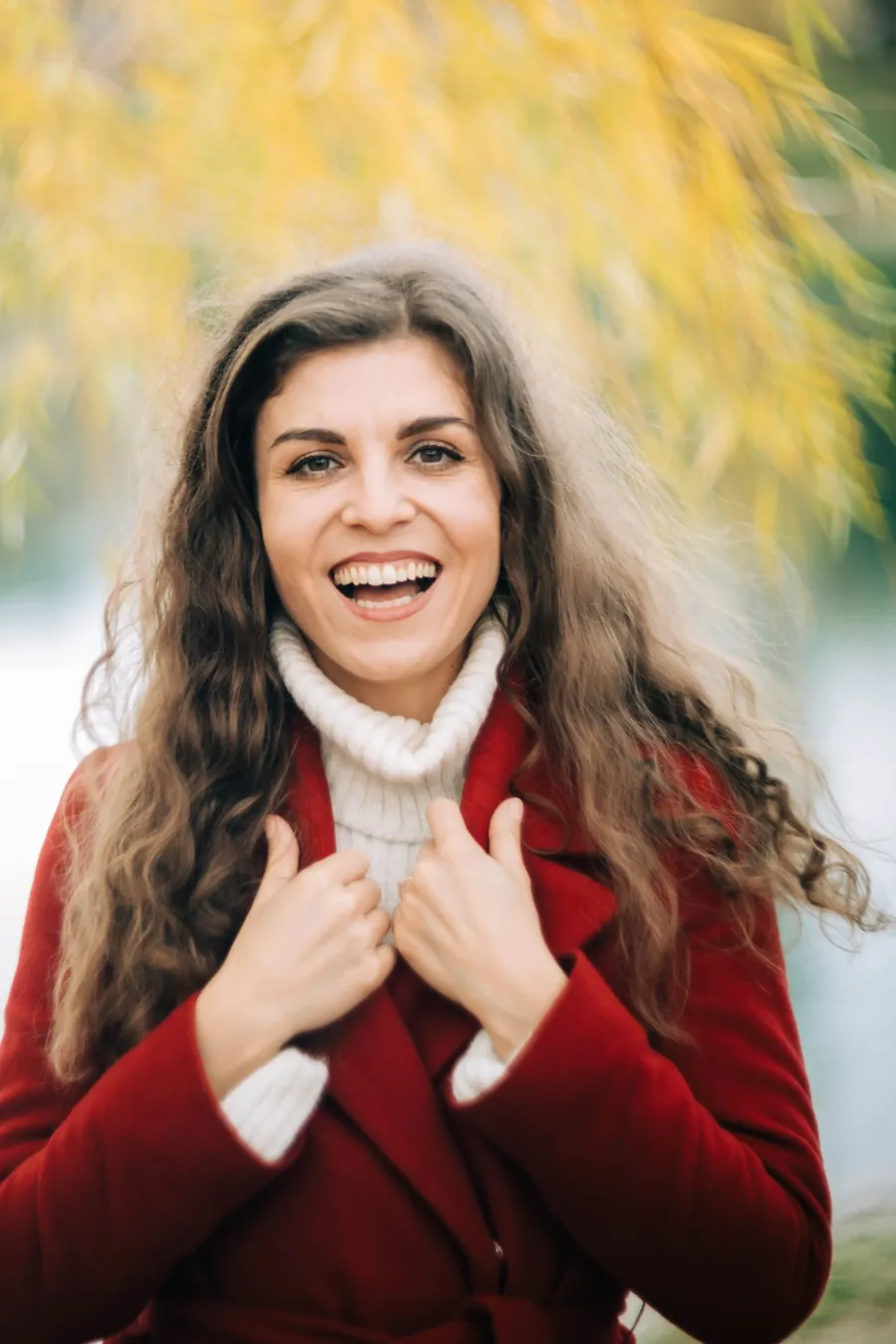
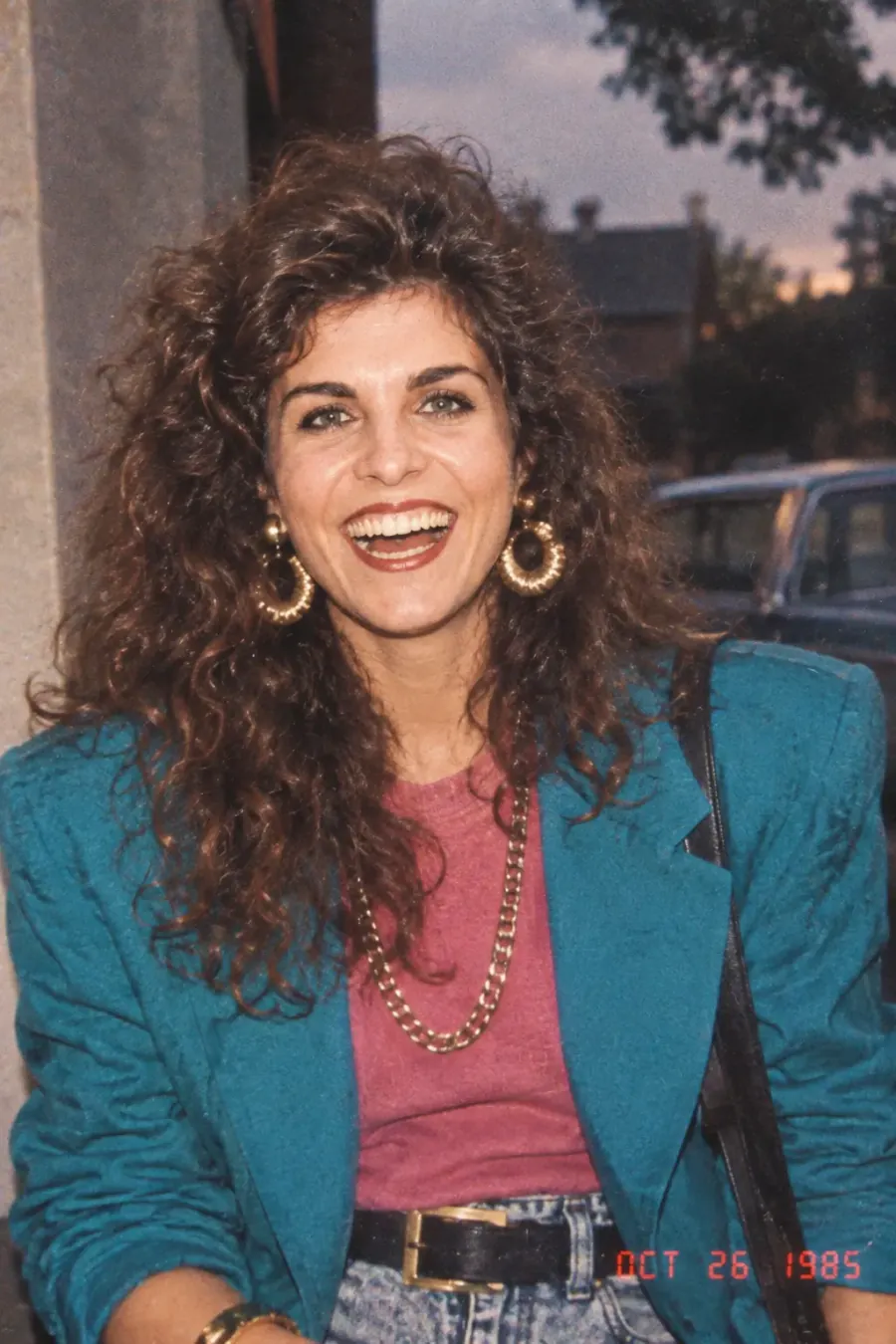
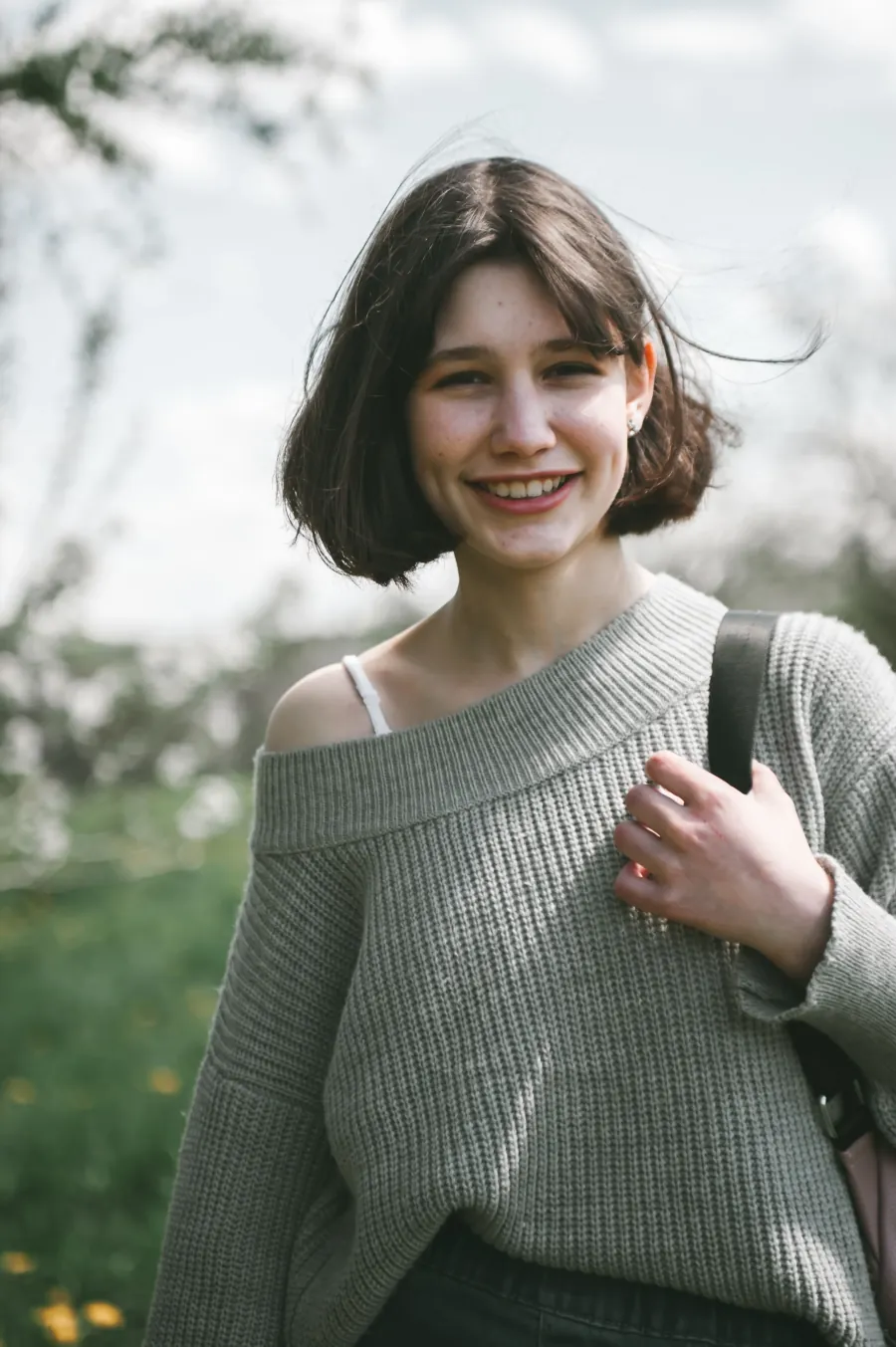
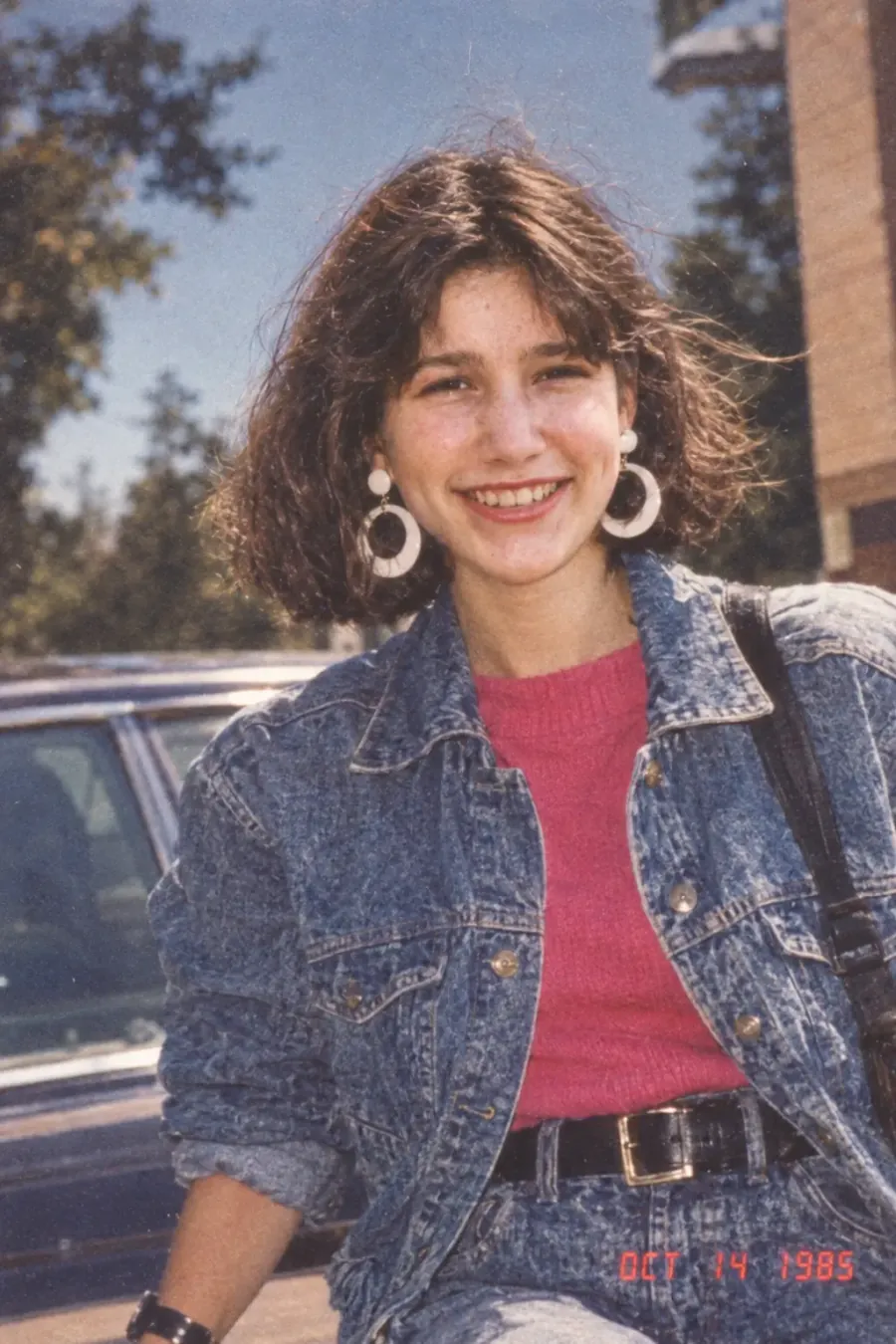
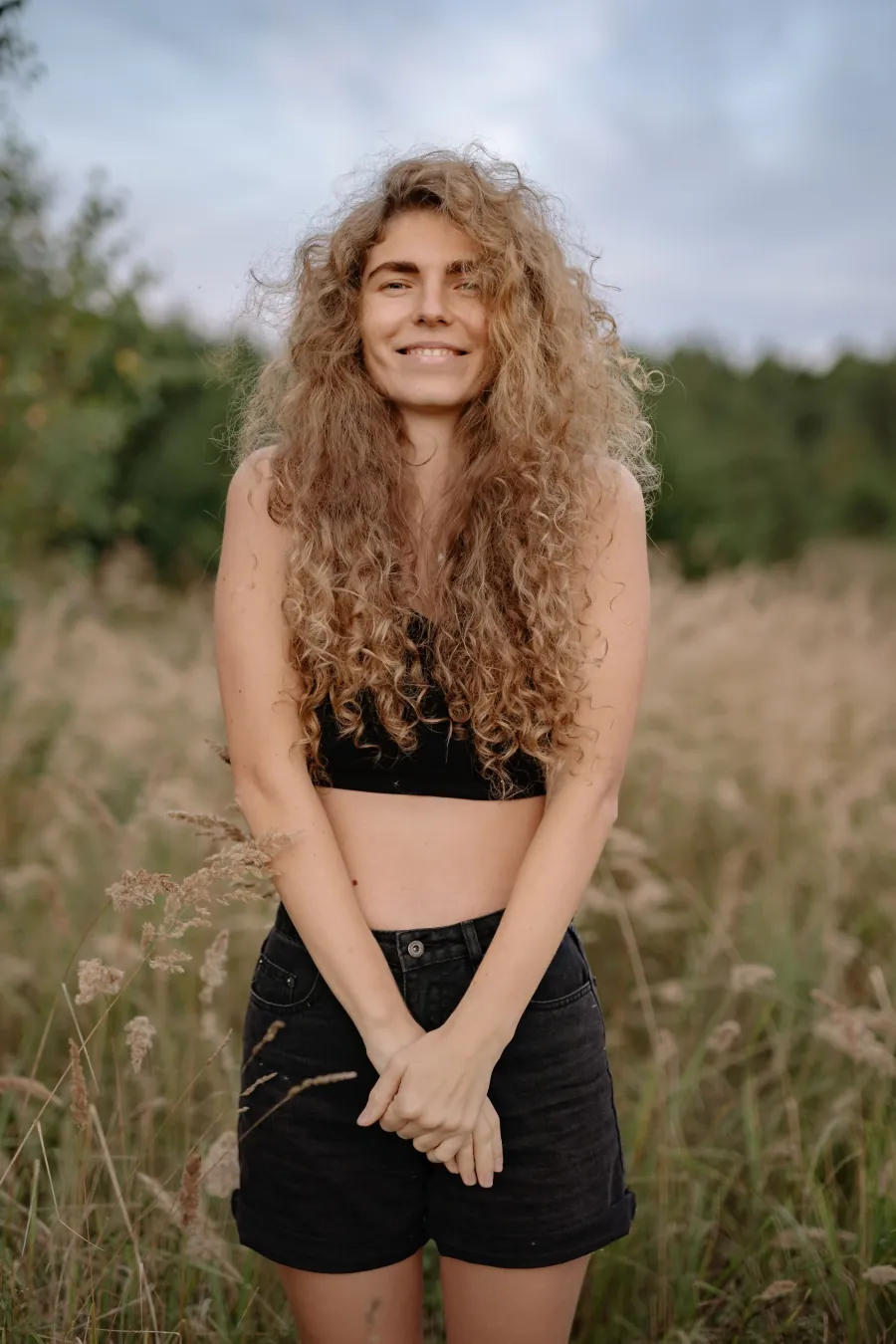
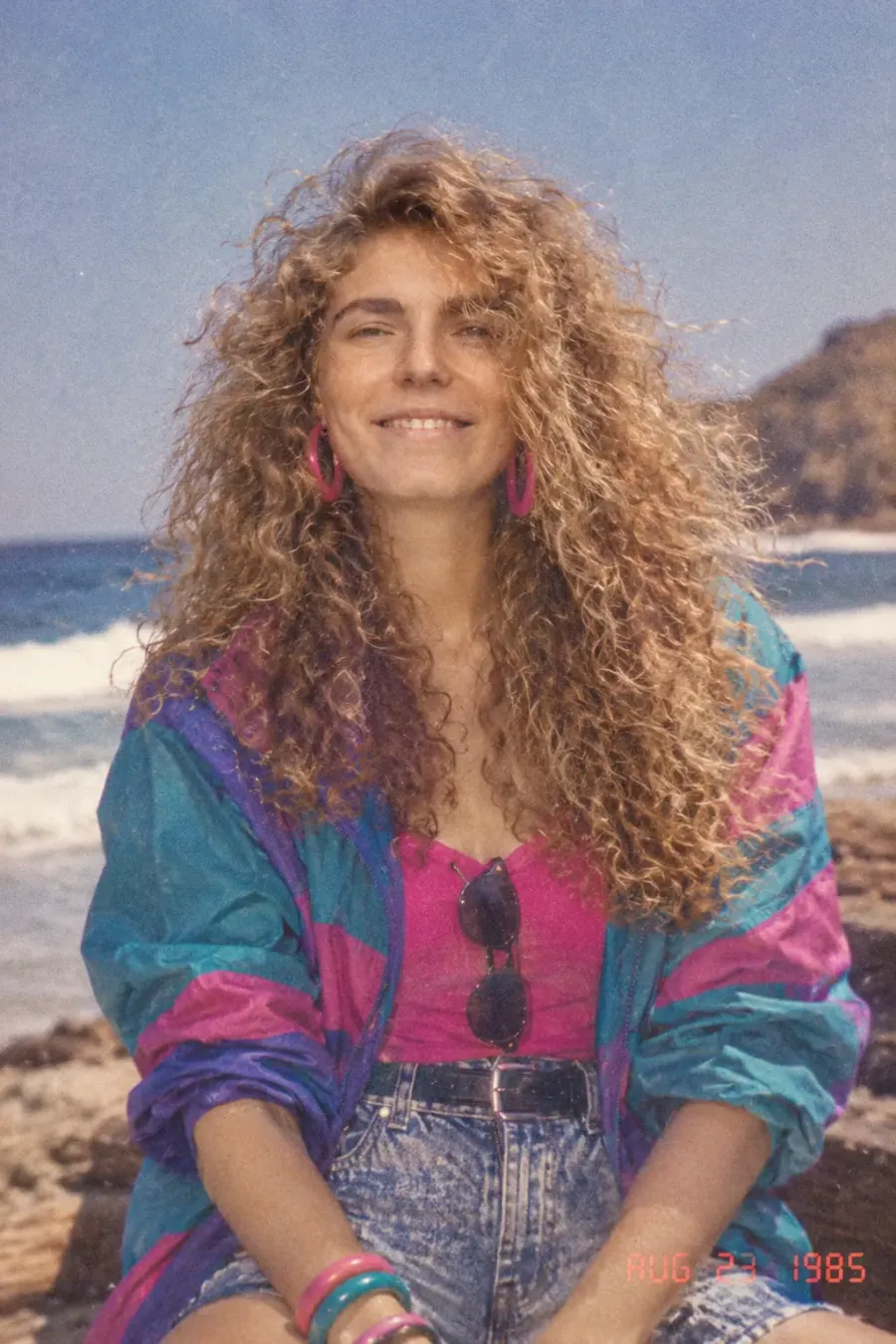
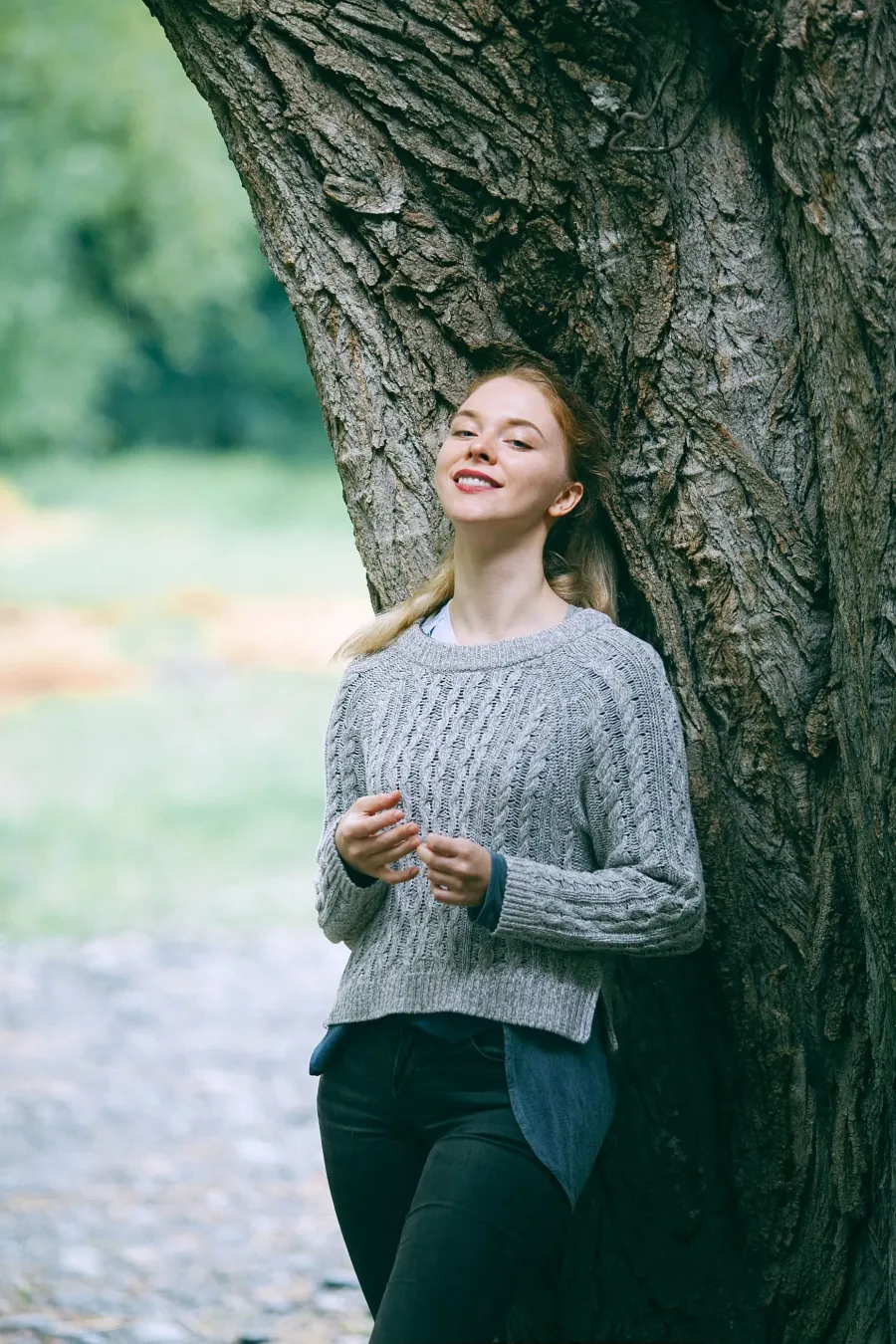
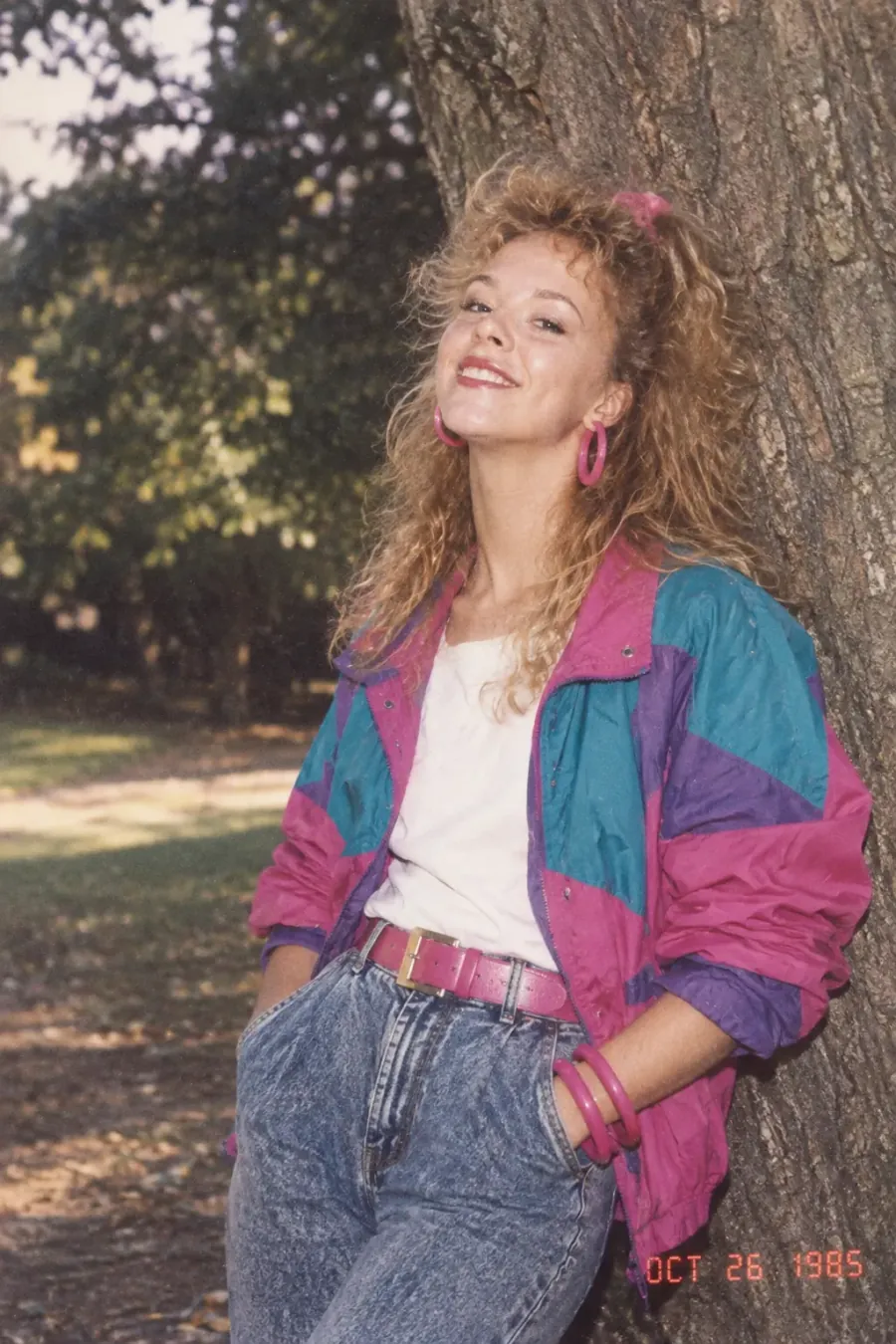
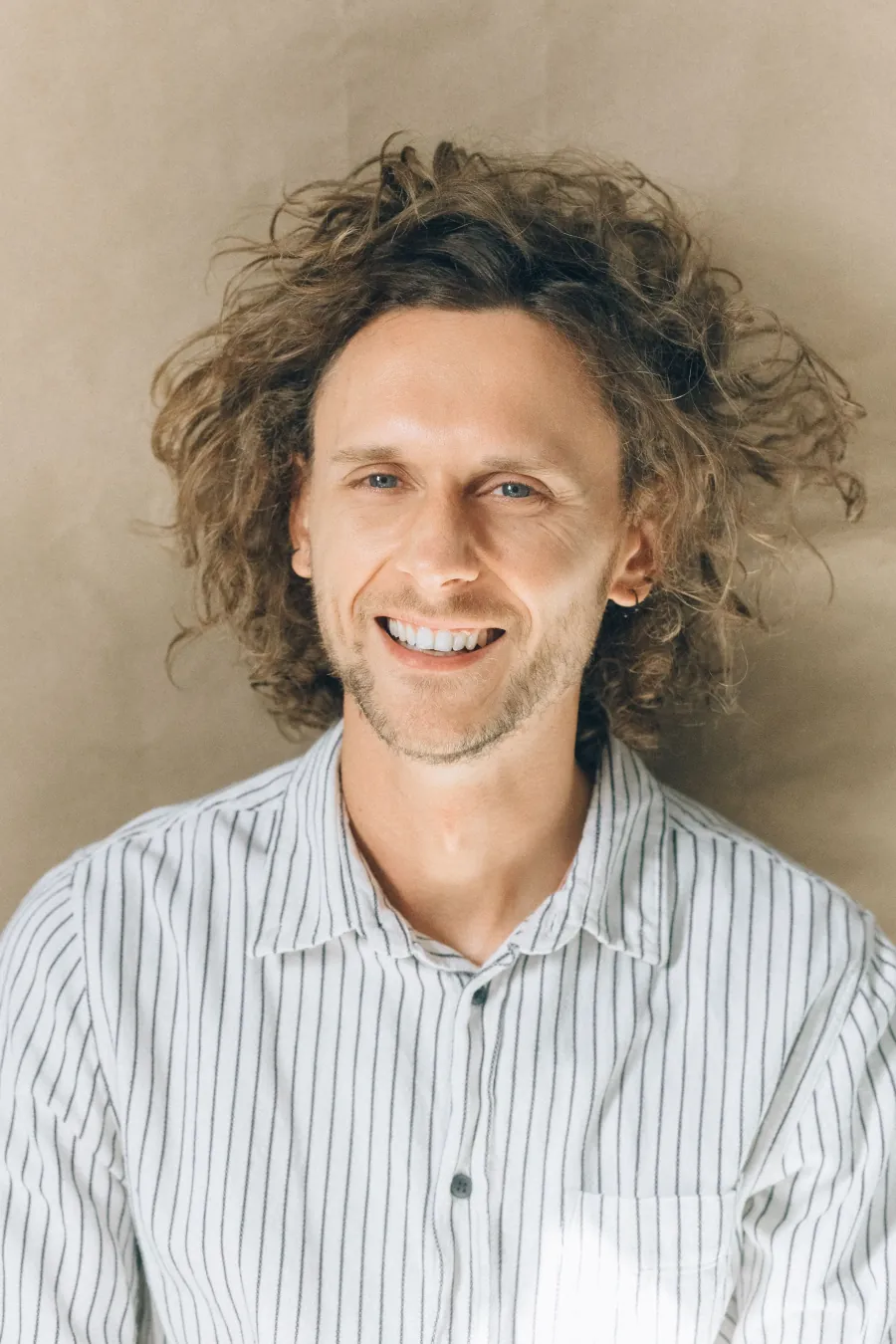
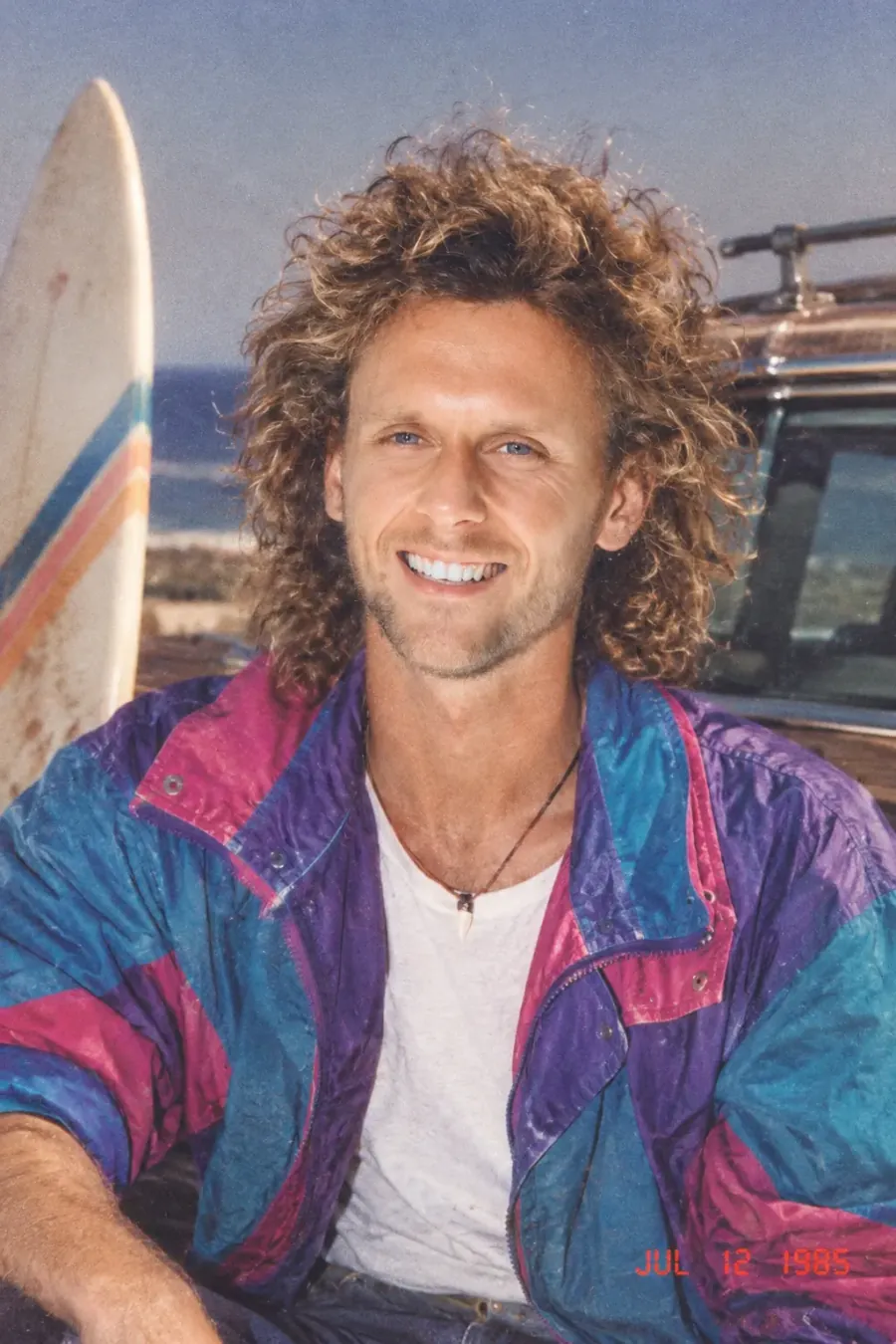
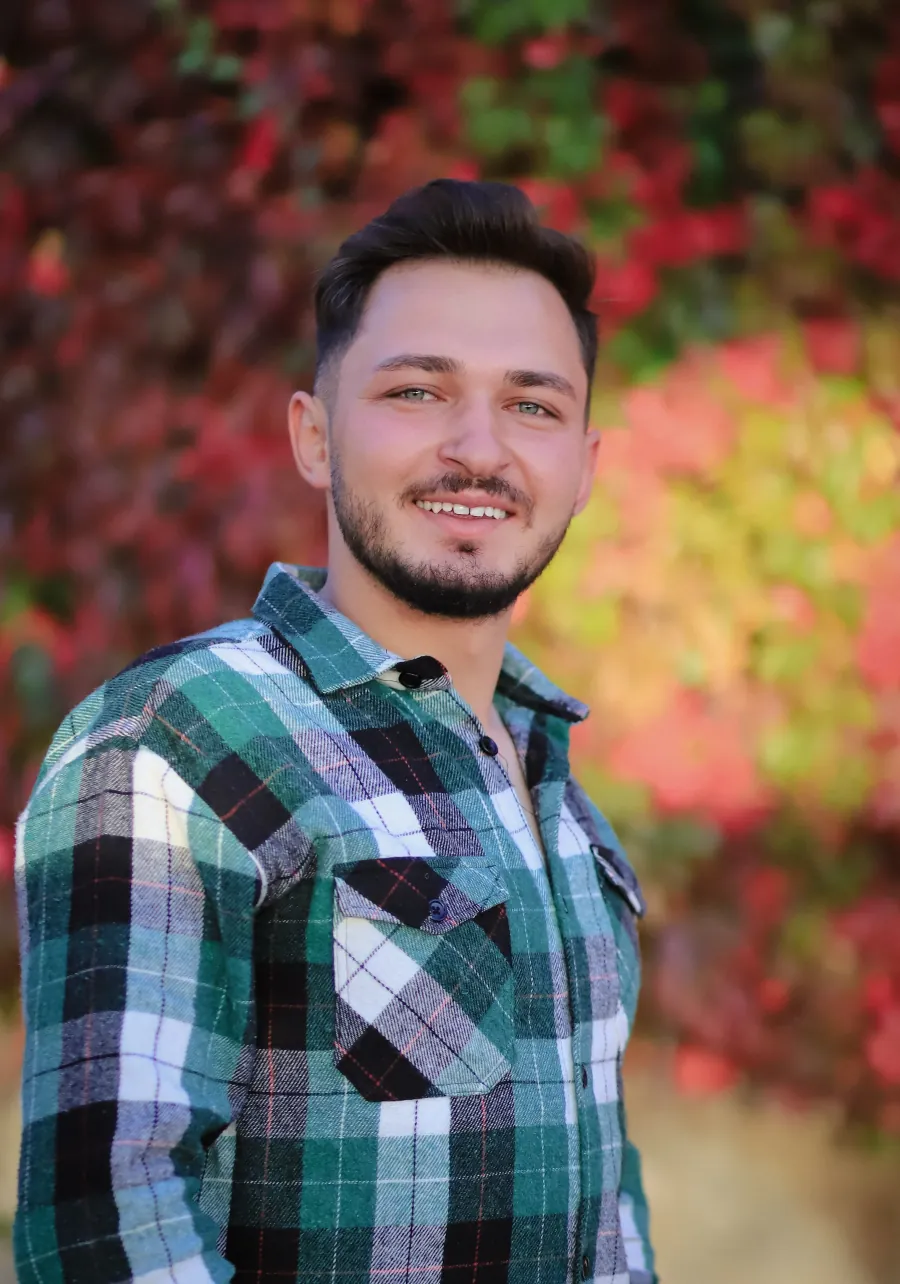
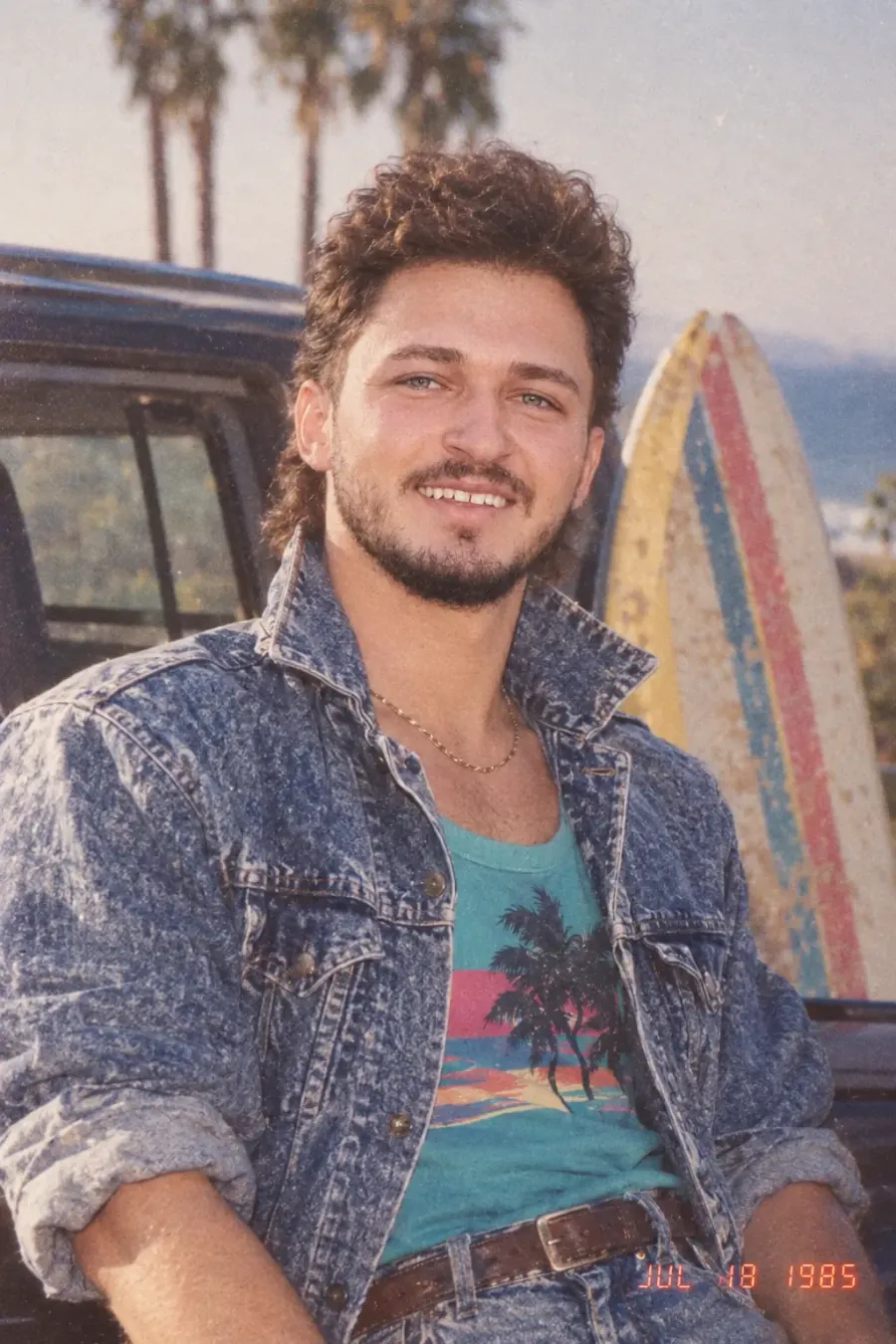
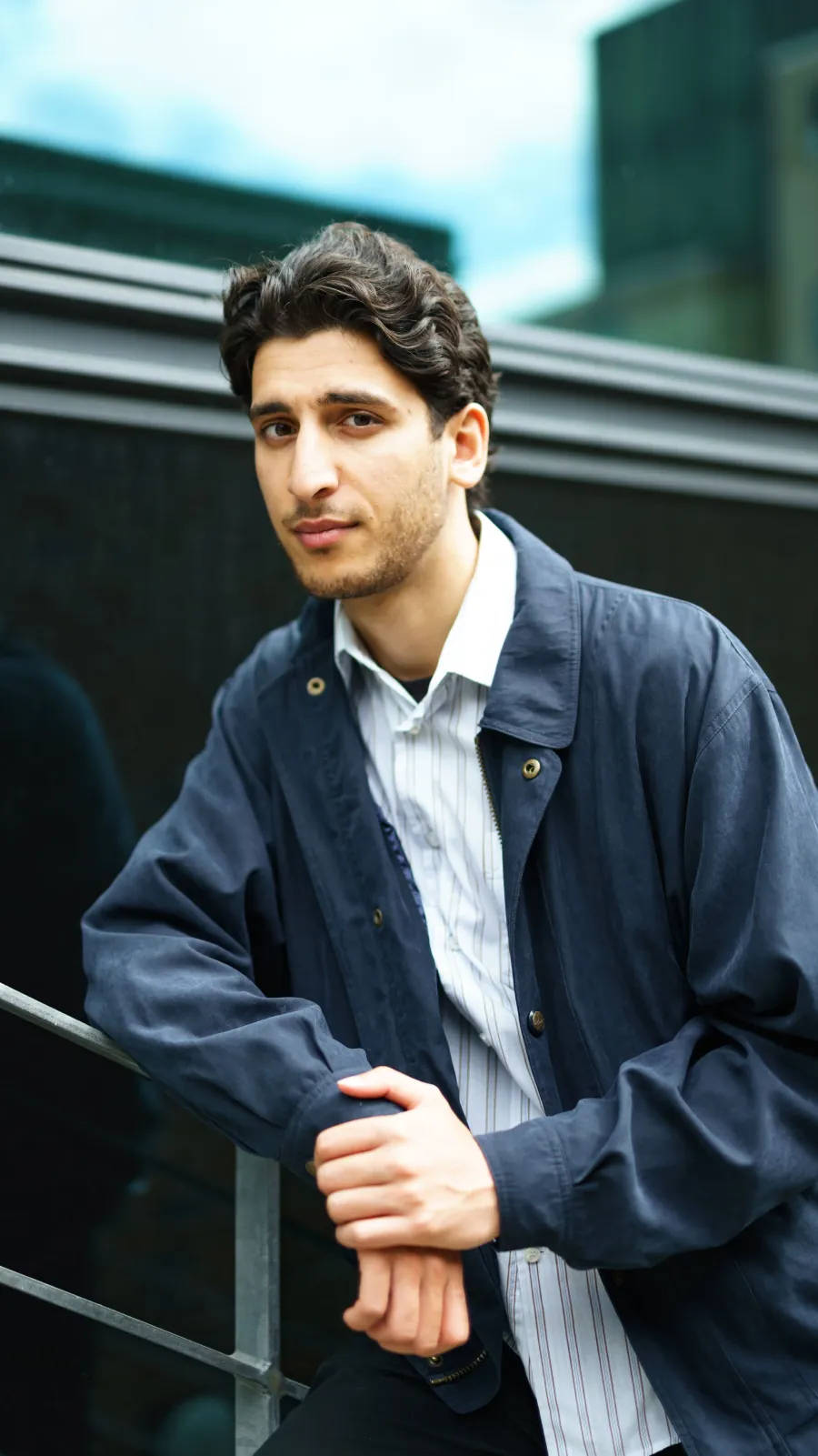
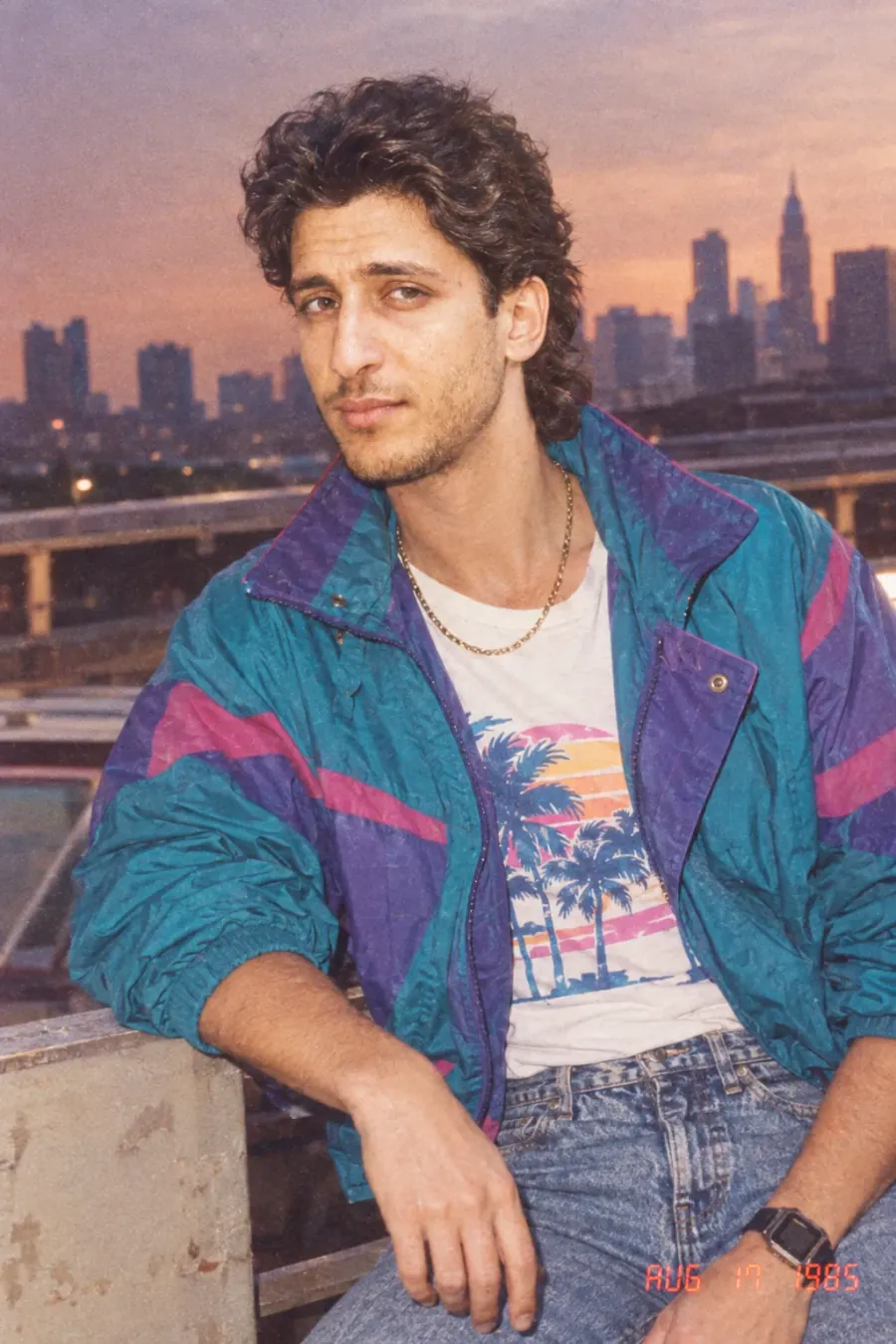
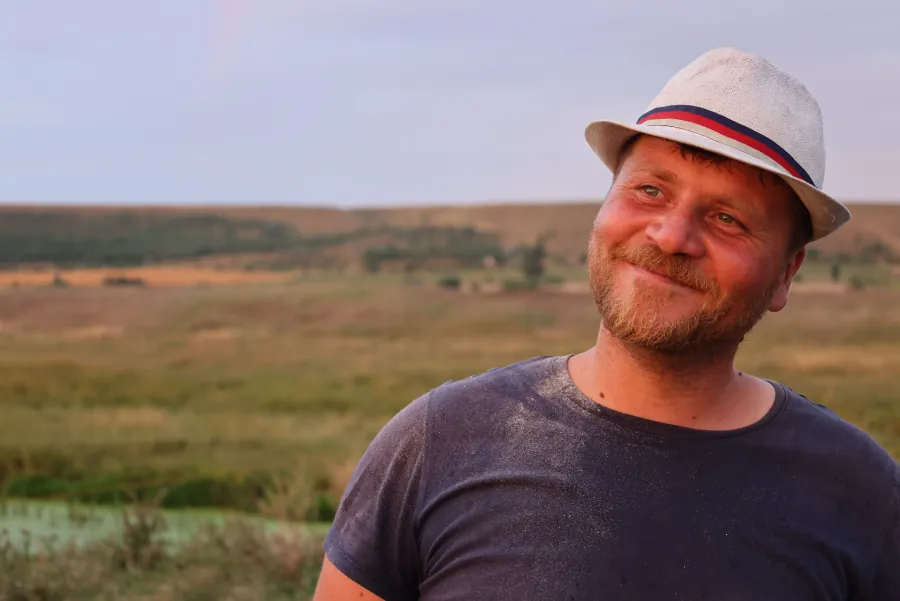
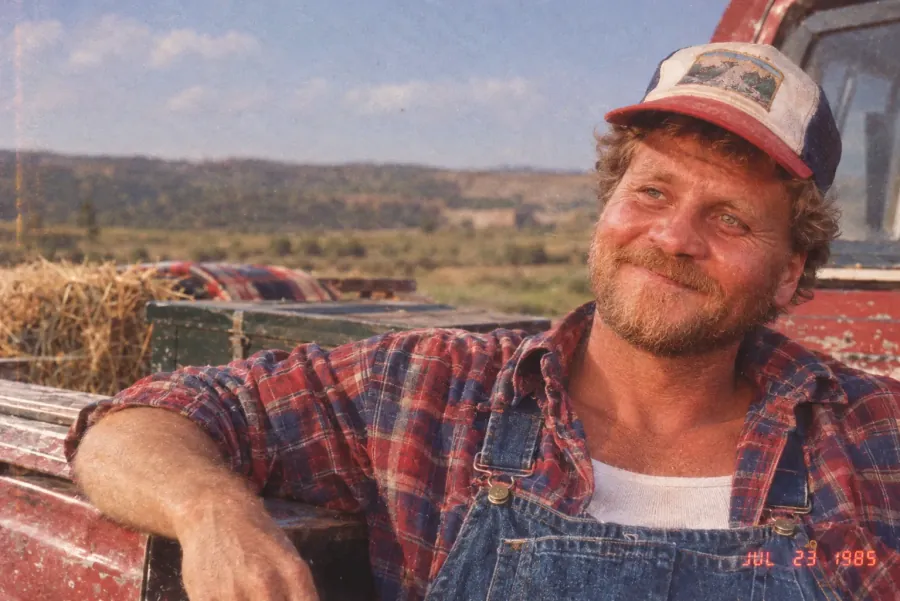
We prepared 10 before/after pairs so you can see the identity preservation and era styling for yourself. Each pair shows the original photo (left/before) next to its AI-generated 1985 version (right/after):
| Original photo (before) | 1985 photo (after) |
|---|---|
 |  |
 |  |
 |  |
 |  |
 |  |
 |  |
 |  |
 |  |
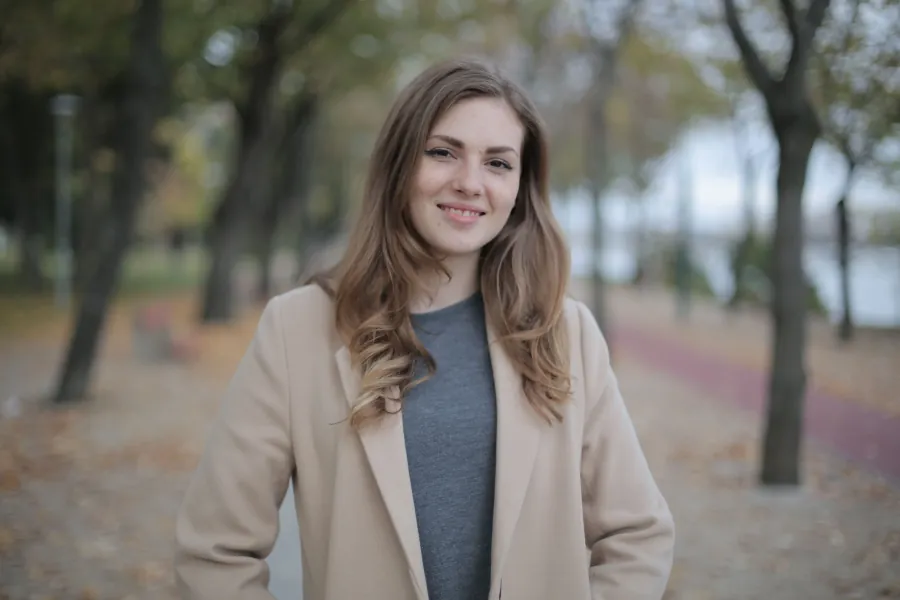 | 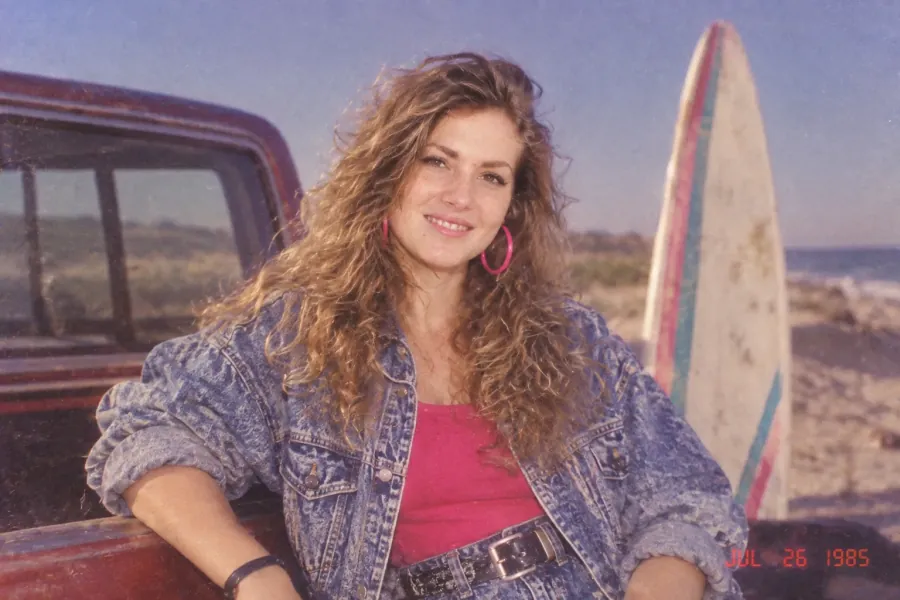 |
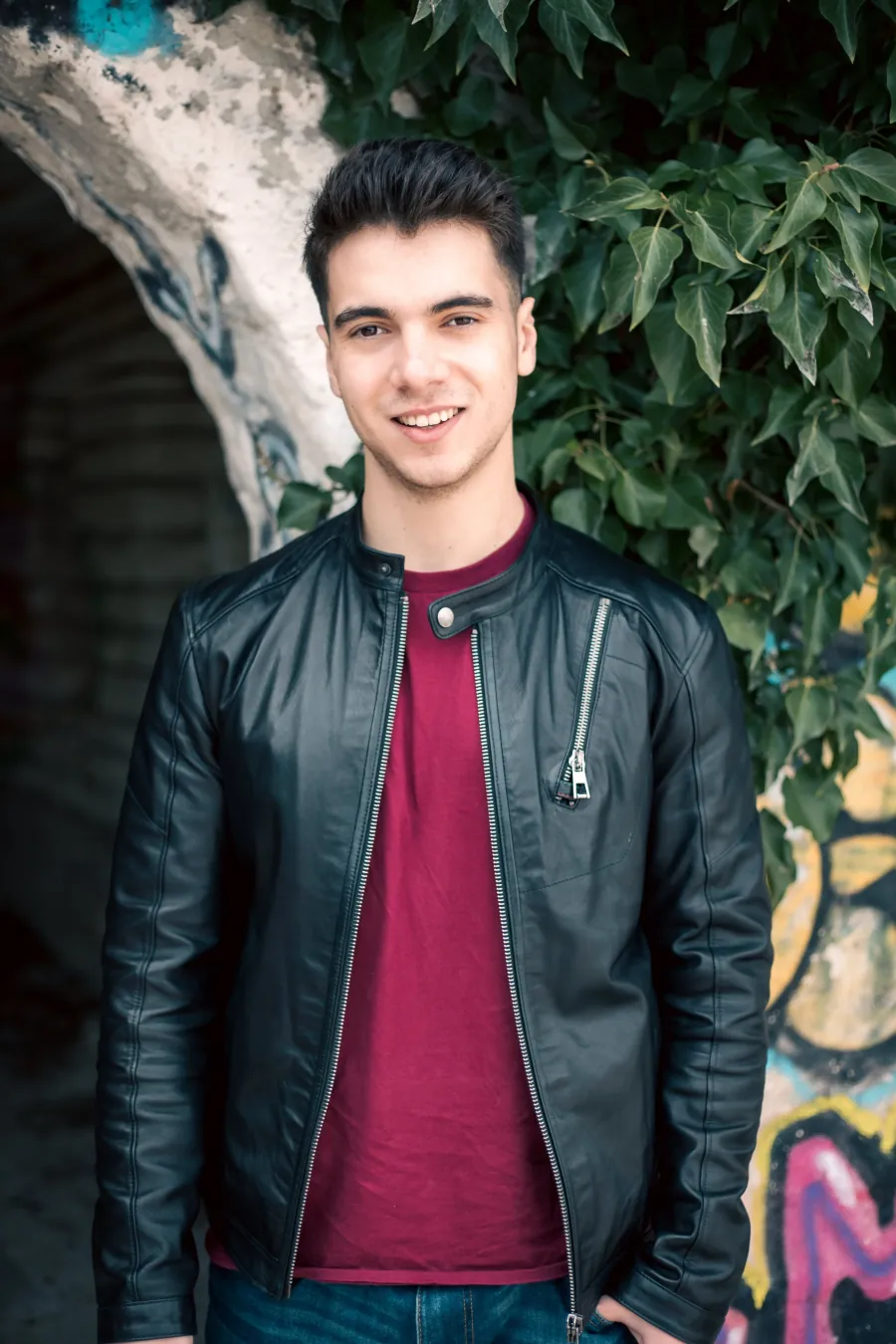 | 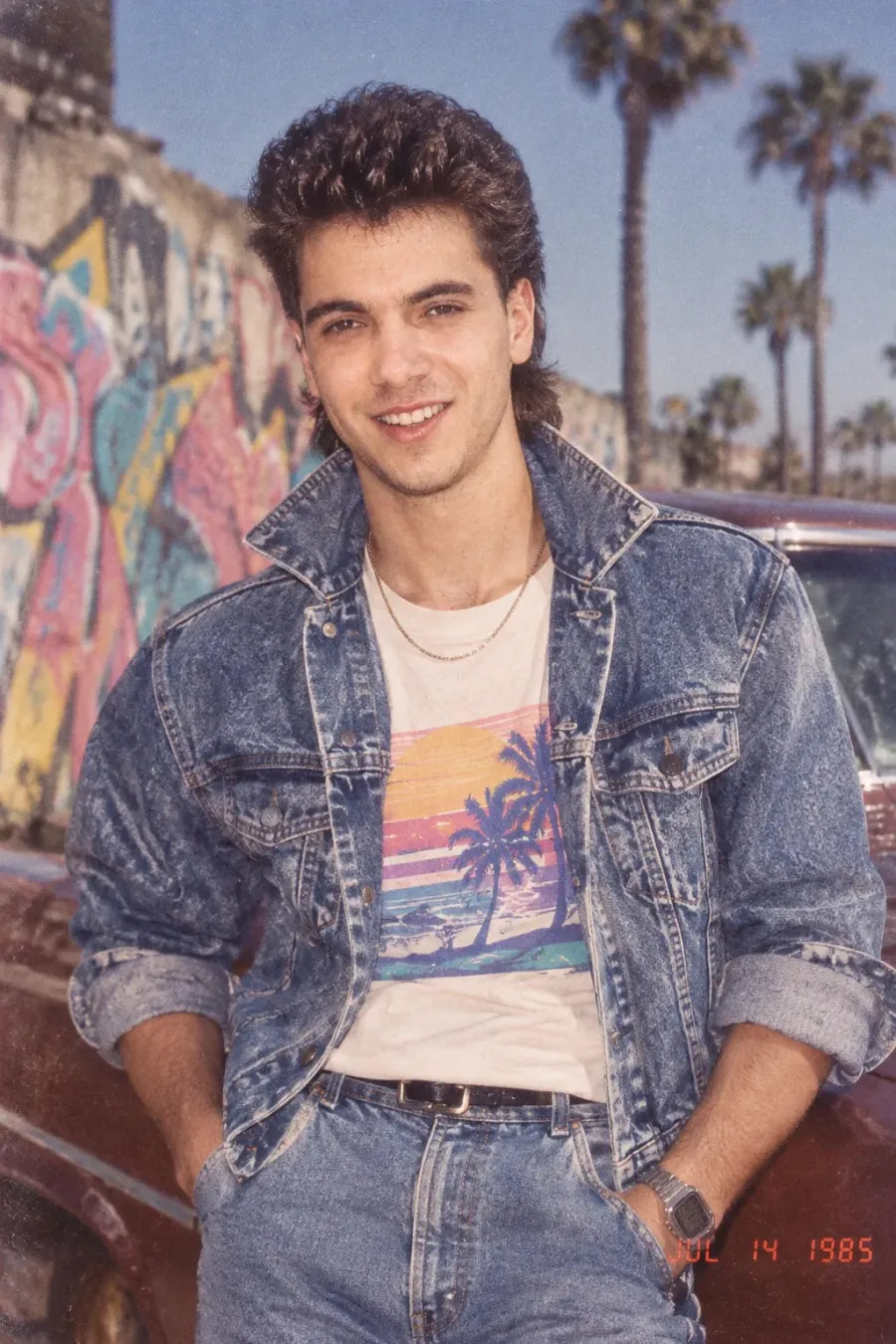 |
Two things to notice across the gallery:
- The face never changes. Different skin tones, ages, and face shapes — every "after" is recognizably the same person as the "before."
- The styling always commits. Volume-heavy hair, layered outfits, statement accessories, direct-flash falloff, and the red-orange date stamp. Nothing half-hearted.
✅ Best practice
Publishing this on your own site? Keep the before/after pairs side by side with descriptive alt text (e.g., "original selfie next to AI-generated 1985 photo, example 3") — before/after galleries are exactly what image search rewards for 80s photo queries.
Tips for the Best Result
Whichever method you choose, the source photo drives the outcome:
- One person per photo. Group photos confuse identity locking — crop to a single subject.
- Face the camera, eyes visible. Sunglasses, hands, or heavy shadows over the face degrade preservation.
- Good light beats good everything else. A well-lit phone selfie outperforms a dark studio portrait.
- Higher resolution helps but isn't required. Anything clear up to 10MB works.
- Don't pre-filter. Skip the retro filters before uploading — the 80s Photo Prompt applies the film treatment itself; stacking filters compounds artifacts.
⚠️ Note
Treat the output as a fun portrait, not a historical record. Like all generative AI, styling details (fabric patterns, background objects) are imagined and may not be period-perfect.
How Much Does an 80s Photo Cost?
On the ImageLayered 80s Photo Generator, each generation costs 3 credits (≈ $0.15). Credits work across every ImageLayered tool, and if a generation fails or times out, your credits are refunded automatically — you only pay for photos you actually receive.
Compare that to the alternatives: a vintage-style photoshoot runs into the hundreds, and most "80s photo filter" apps either watermark the result or hide the download behind a subscription.
🤔 Frequently Asked Questions
Q: What is an 80s Photo Generator?
A: An 80s Photo Generator is an AI tool that transforms a modern photo of you into a convincing 1985 photograph. It preserves your identity — facial features, skin tone, age — while restyling your hair, clothing, accessories, and surroundings with mid-1980s fashion, then finishes the image with analog grain, faded colors, direct flash, and a red-orange date stamp.
Q: What is an 80s Photo Prompt?
A: An 80s Photo Prompt is the text instruction that tells an AI image model to produce the 1985 look. A complete one includes four parts: an identity lock (preserve face, skin tone, age), era styling directions (hair, clothing, accessories), film realism cues (analog grain, faded color, direct flash), and negative constraints (no modern objects or text). The full prompt used by the ImageLayered generator is in this section.
Q: Is this the same as the ChatGPT 80s photo trend?
A: Same idea, same model class. The viral trend runs OpenAI's GPT-Image model with a reference photo to keep your identity; the ImageLayered 80s Photo Generator uses the same approach with a carefully tuned 1985 prompt — the difference is you don't have to write or paste the 80s Photo Prompt yourself.
Q: Does the 80s Photo Generator keep my face?
A: Yes. Identity preservation is built into the prompt itself: facial features, skin tone, age, and overall recognizable appearance stay yours. Only hair, clothing, accessories, surroundings, and the film treatment change.
Q: Can I use the 80s Photo Prompt for free?
A: If you have a ChatGPT plan that includes image generation, you can paste the 80s Photo Prompt there at no extra cost, subject to ChatGPT's usage limits. The ImageLayered generator costs 3 credits (≈ $0.15) per photo, with automatic refunds on failure.
Q: What photo should I upload?
A: A clear, well-lit photo of one person facing the camera, with the face unobstructed. Selfies, portraits, and casual snapshots all work. JPG, PNG, and WebP up to 10MB are supported.
Q: Are my photos stored?
A: No. On the ImageLayered generator there's no gallery and no history — your upload is used to generate the photo, and the result is delivered straight to you. Download it promptly, because links expire.
Q: Can I generate other decades, like the 90s or Y2K?
A: Yes. The default is locked to 1985, but the Advanced option lets you edit the 80s Photo Prompt — change the era, styling, and date stamp to create a different decade's look with the same engine.
Conclusion and Recommendations
The 80s photo trend is equal parts nostalgia and novelty — and it's never been easier to join. You have two solid paths:
- Fastest: Open the 80s Photo Generator, upload a selfie, click generate, download your 1985 photo for about $0.15.
- Hands-on: Copy the 80s Photo Prompt above into ChatGPT with your photo and tinker with the styling yourself.
Either way, the formula is the same: protect the identity, commit to the era styling, and finish with the film details — grain, faded color, direct flash, and that red-orange date stamp. Now go find out what you would have looked like in 1985.