AI Apps
Discover beautiful apps crafted with vibe coding across different categories. Explore our curated collection of lovable applications.
Categories
formind
A powerful AI image processing tool
SpringBrand — AI-Assisted Service Market
AI-Assisted Service Marketplace
Hire packaged services through an AI-assisted service marketplace for SEO services, e-commerce services, local business services, social media assets, scripts, content, email, and creator work.
PicText - Image Text Editor
AI-powered image text editor that detects and replaces text in photos, screenshots, and product Image
Image Text Editor is an AI-powered image text editor that seamlessly detects existing text in photos, screenshots, JPGs, product images, and social creatives, then replaces it while preserving the original layout, style, and font characteristics. Key Features Smart Text Detection: Automatically identifies text areas in any image. Font Matching: AI recognizes and matches the original font style, size, and color. Layout Preservation: Maintains the original design and background intact. Simple Workflow: Upload image → describe text change → get edited result. No Source Files Needed: Edit text without requiring PSDs or layered templates. How It Works Upload the source image: Add a screenshot, JPG, product image, poster, or any visual containing text. Describe the text change: Specify original text, enter new text, and add style instructions if needed. Generate the edited result: AI processes the image-to-image request and returns a revised version. Perfect For Marketing posters and social media creatives. Presentation screenshots. AI-generated visuals. Product images with text. Any static graphics needing text modifications. Edit text in images effortlessly with professional AI font matching and seamless background cleanup.
Ruvnet Github
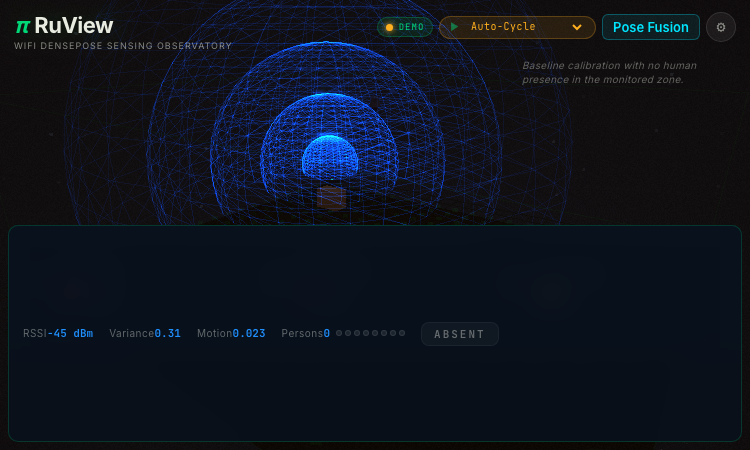
Ruvnet Github - an open RuView demo of WiFi-based human pose and vital-sign sensing.
Ruvnet Github Ruvnet Github is a compelling example of an open, demo-driven web project that makes a deep technical idea approachable. RuView, the project hosted there, is a WiFi DensePose observatory: it uses ordinary WiFi signals to estimate human pose, presence, and vital signs, with no camera in the loop, and it exposes that capability through a browser-based interface anyone can explore. From a builder's perspective, the project is fascinating. RuView visualizes metrics like RSSI, variance, and motion to reconstruct what is happening in a room, and it offers ready-made scenarios—empty room, vital signs (breathing), multi-person tracking, fall detection, sleep monitoring with apnea, and intrusion detection—rendered at up to sixty frames per second. Hosting it on GitHub Pages as an open project means the entire concept is inspectable, shareable, and free to study. The scope is intentionally demonstrative. Rather than shipping a closed commercial product, Ruvnet Github presents a research-flavored exploration that visitors can drive themselves, which is exactly the kind of well-scoped, curiosity-friendly project the open web is good at. The privacy angle is a quiet strength: because sensing is WiFi-based, it never captures an image. For makers browsing a showcase, Ruvnet Github shows how an ambitious, technical concept can become a polished, browser-based experience without a company behind it. It proves you do not need a platform or a budget to ship a genuinely impressive demo—just a clear idea, an open repository, and a clean front end.

Hoover Lovable App
Hoover Lovable App - a Lovable-built web app focused on relational intelligence and connections.
Hoover Lovable App Hoover Lovable App is a strong example of what the Lovable platform is for: turning a clear, human-centered idea into a real, working web application without months of engineering overhead. The product centers on "Inteligencia Relacional"—relational intelligence—and provides a signed-in workspace where users can tend to the relationships that drive their work and life. From a build perspective, the app leans on Lovable's strengths. It ships as a hosted web application with a polished login flow, registration for new users, and a password recovery path, all without the team behind it having to assemble that infrastructure from scratch. The automatic session timeout after inactivity is a small but telling detail: the app treats security as a first-class concern rather than an afterthought. The scope is intentionally focused. Rather than trying to be a generic CRM, Hoover is built around a specific thesis—that relationships are a form of intelligence worth cultivating deliberately. That clarity of purpose is exactly the kind of well-scoped product that the Lovable ecosystem is built to showcase. For makers browsing a showcase, Hoover Lovable App demonstrates how a single, well-defined idea can become a polished, secure application on Lovable. It proves that you do not need a sprawling platform to ship something meaningful—just a clear concept, a hosted build, and the discipline to keep the experience focused on the user's real goal.
Sam Tts
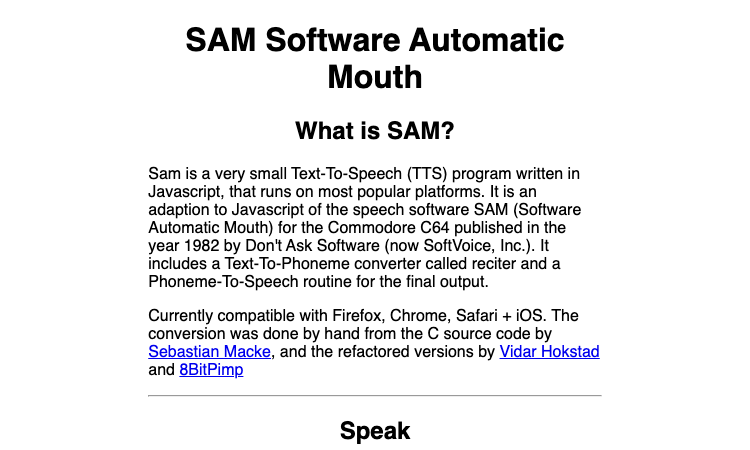
Sam Tts - a JavaScript port of SAM, the classic 1982 Commodore C64 speech synthesizer.
Sam Tts Sam Tts is a lovely example of taking a piece of computing history and shipping it as a clean, modern web app. The project is a JavaScript port of SAM, the Software Automatic Mouth, a speech synthesis program originally written in 1982 for the Commodore C64. The port was adapted from the original C source by Sebastian Macke, with refactored versions contributed by Vidar Hoklund and 8BitPimp. From a builder's perspective, the engineering is fascinating. SAM is not a modern neural voice; it is a classic formant synthesizer, built from a text-to-phoneme "reciter" followed by a phoneme-to-speech routine. Porting that into JavaScript means the entire synthesizer runs in the browser with no server, no API key, and no latency beyond the page load. For developers browsing a showcase, that self-contained, dependency-light approach is a pattern worth studying. The interface exposes the synthesizer's real parameters—pitch, speed, mouth, and throat—alongside playful presets like Little Robot, Elf, Stuffy Guy, and Extra-Terrestrial. Cross-browser support across Firefox, Chrome, and Safari plus iOS means it reaches users on nearly any device. For makers and curious visitors alike, Sam Tts shows how a focused port of a vintage engine can become a genuinely useful, portable tool. It proves you do not need a massive cloud model to deliver compelling speech synthesis—sometimes a forty-year-old algorithm, faithfully ported, is exactly the right tool for the job.

ADHD Test
ADHD Test - a research-backed ASRS v1.1 screener with an optional AI personalized report.
ADHD Test ADHD Test shows how a focused web tool can take a respected clinical instrument and make it approachable for everyday adults. The product is built around the ASRS v1.1 screener, a six-item questionnaire co-developed by the World Health Organization and a Harvard research team, which is one of the most widely used screening measures for adult ADHD in primary care settings. From a product perspective, the build is elegantly simple: a short questionnaire flows into an instant Low, Moderate, or Elevated result, and an optional upgrade path opens an AI-generated personalized report. That report layers on real value—an executive-function pattern map, an analysis of overlapping factors such as sleep, stress, anxiety, and burnout, tailored educational strategies, and a clinician discussion guide with PDF export. The design respects the user's time and intelligence. There is no sign-up wall before the basic result, and the educational framing is consistent throughout: the tool is explicitly a self-screening aid, not a diagnosis. This kind of clear, evidence-aligned positioning is what separates a responsible health utility from a clickbait quiz. For makers browsing a showcase, ADHD Test is a strong example of a single-purpose product done well. It pairs a validated instrument with modern AI assistance in a way that genuinely extends the screener's usefulness, proving that a tight scope and good source material can produce something far more valuable than a bloated all-in-one app.

Ommogle
Ommogle — a live 1v1 face-battle arena where each match is a decisive, AI-judged head-to-head. ELO ranked.
Ommogle Ommogle is a live competitive arena where the match is a 1v1 face battle. Two players snap into a head-to-head matchup, the AI judges who mogs, and the result is scored on the spot — which makes every match a discrete, win-or-lose event rather than an open-ended session. For anyone who likes the head-to-head format of a fighting game but applied to a different kind of matchup, that 1v1 structure is the core of the product. The live, head-to-head format is what gives the arena its energy. Because matches are 1v1 and judged in real time, a player is always facing one specific opponent in a single decisive round, which is a more focused competitive experience than a free-for-all or a team mode. The live element means the result lands immediately — you see who mogs right after the match, and your rank moves accordingly — so the feedback loop is short and the next match is always one snap away. The site surfaces how many players are online, which keeps the arena feeling populated and makes finding a match quick. Around the 1v1 battles, Ommogle provides an ELO-ranked ladder so the results of those head-to-head matches accumulate into a visible rank, and a leaderboard shows the top players so a competitor can see where the ceiling is. Onboarding is light: a camera check, an optional Solo PSL Scan to verify you mog, and then into the arena. Players can compete as a guest or claim their rank with Google, with standard Privacy Policy and Terms. For anyone who wants a live 1v1 face-battle arena where each match is a single decisive judgment, Ommogle is the head-to-head competitive space.

Infinite Worlds
Infinite Worlds — do whatever you want; the AI makes sense of any action and weaves it into a compelling story.
Infinite Worlds Infinite Worlds is an AI adventure game built around unlimited freedom. Most narrative games ask you to pick from a list of options the writers imagined in advance, which means the story can only go where someone already mapped it. Infinite Worlds throws that constraint out: when you are playing an adventure, you can do literally whatever you want, and the AI system underlying the game will make sense of whatever you attempt and build it into the unfolding story. For players who have been frustrated by the limits of branching narratives, that openness is the whole point. The freedom is genuine, not illusory. Because the AI interprets your action and decides how the world responds, your character can actually fail — you can try something and the AI can rule that it did not work, which gives choices real weight and makes the story feel like it has stakes. That is a meaningful difference from a game that simply accepts every input and calls it a win. The result is an adventure that feels like it is being co-written with you in real time, where the next beat is genuinely uncertain because it depends on what you do and how the AI reasons about it. Around that free-form play, Infinite Worlds uses cutting-edge AI to produce adventures and stories complete with illustrations, and it lets you build your own worlds in minutes and share them with friends — a rom-com in a zombie world, a detective story, or a familiar universe like Harry Potter or Star Wars. Built by Friendly Fox Games, with a community, FAQ, and Wiki, Infinite Worlds is the AI game for players who want the story to go wherever their imagination takes it, not wherever a script allowed.
Chub AI
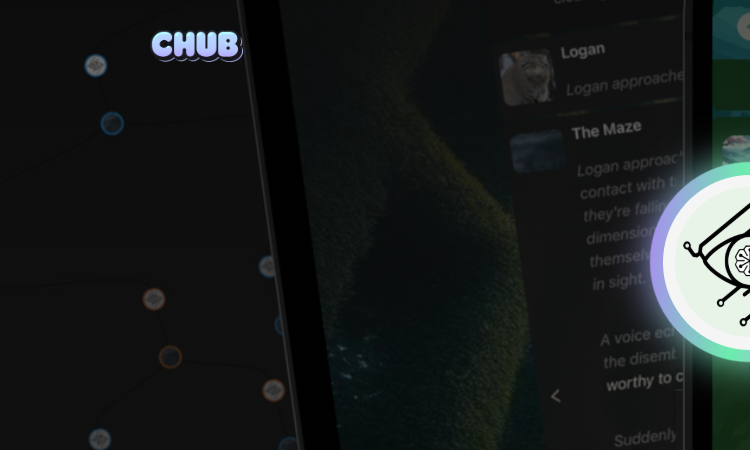
Chub AI — a community-built search hub for AI character cards, with tags, creators, and stats to browse and download.
Chub AI Chub AI is a search hub for AI characters, and its character catalog is the heart of the platform. The site hosts a large, community-built collection of character cards that roleplay users can browse, filter, and download, all searchable without logging in. For anyone who uses a roleplay client like SillyTavern or Tavo AI and wants a new character to import, Chub AI functions as the place to find one, and the breadth of its roster is what makes it the default starting point. Each character listing carries the details that matter to a roleplayer. Tags describe the character's genre and tone — romance, fantasy, comedy, horror, OC, and many more — and each card shows the creator behind it and the engagement it has received, so you can judge a character before you download it. The catalog spans a wide range: original characters with full backstories, figures built around specific scenarios, and creations that lean into every genre the community is interested in. Because the cards are created by a community of makers, the selection is far wider than any single team could produce, and it refreshes as new creators publish. Discovery is built for browsing. You can sort characters, filter by tags, and follow the creators whose work you enjoy, which turns the catalog into something you can navigate rather than just search once. The character card builder also lets users create and contribute their own characters to the hub, so the roster grows with the community. Around the character catalog, Chub AI also hosts lorebooks, presets, stages, and model listings, all under the same "GenAI for everyone" framing. For roleplayers looking for their next character, Chub AI's character search is the most direct way to find one worth talking to.
Tavo AI
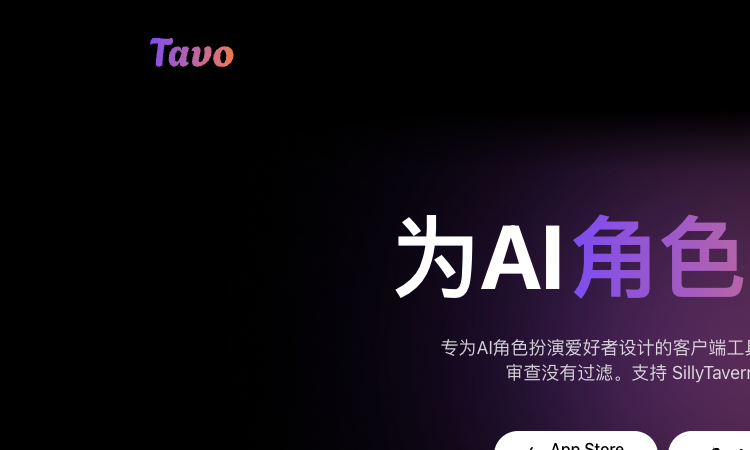
Tavo AI — SillyTavern-compatible presets, worldbooks, and regex in a native iOS, Mac, and Android roleplay client.
Tavo AI Tavo AI is a chat application for AI role-playing that is built around compatibility with the SillyTavern ecosystem. For roleplayers who have invested time in tuning SillyTavern presets, building worldbooks, and writing regex scripts, switching clients usually means leaving that work behind. Tavo AI is designed to prevent that loss: it supports SillyTavern-format presets, worldbooks, and regex directly, so the configurations you already trust move with you into a native mobile and desktop app. Presets are where the fine control lives. In Tavo AI, a preset lets you shape the AI's reply style and generation strategy in detail — tone, point of view, pacing, and safeguards against the model hijacking your character — so a persona can feel more like a real participant than a generic chatbot. Worldbooks, also called lorebooks, supply the world background and context that make a roleplay consistent, and they are token-aware: relevant knowledge is only injected when the conversation actually references it, which keeps long roleplays affordable as well as coherent. Regex rounds out the trio by automating fine-grained processing and filtering of the text the AI sends and receives. Because these three SillyTavern staples are first-class citizens in Tavo AI, the app functions as a portable, native home for an existing roleplay setup rather than a new tool to learn. Around them, Tavo AI adds character card support across the V1, V2, and V3 protocols, connections to state-of-the-art models from providers or self-hosted endpoints, long-term memory, text-to-speech, image sharing, and custom themes, with native apps for iPhone, iPad, Mac, and Android. For roleplayers who want to take their SillyTavern presets, worldbooks, and regex on the go without rebuilding them, Tavo AI is the client that keeps the ecosystem intact.
Tavo AI
Tavo AI — SillyTavern-compatible presets, worldbooks, and regex in a native iOS, Mac, and Android roleplay client.
Tavo AI Tavo AI is a chat application for AI role-playing that is built around compatibility with the SillyTavern ecosystem. For roleplayers who have invested time in tuning SillyTavern presets, building worldbooks, and writing regex scripts, switching clients usually means leaving that work behind. Tavo AI is designed to prevent that loss: it supports SillyTavern-format presets, worldbooks, and regex directly, so the configurations you already trust move with you into a native mobile and desktop app. Presets are where the fine control lives. In Tavo AI, a preset lets you shape the AI's reply style and generation strategy in detail — tone, point of view, pacing, and safeguards against the model hijacking your character — so a persona can feel more like a real participant than a generic chatbot. Worldbooks, also called lorebooks, supply the world background and context that make a roleplay consistent, and they are token-aware: relevant knowledge is only injected when the conversation actually references it, which keeps long roleplays affordable as well as coherent. Regex rounds out the trio by automating fine-grained processing and filtering of the text the AI sends and receives. Because these three SillyTavern staples are first-class citizens in Tavo AI, the app functions as a portable, native home for an existing roleplay setup rather than a new tool to learn. Around them, Tavo AI adds character card support across the V1, V2, and V3 protocols, connections to state-of-the-art models from providers or self-hosted endpoints, long-term memory, text-to-speech, image sharing, and custom themes, with native apps for iPhone, iPad, Mac, and Android. For roleplayers who want to take their SillyTavern presets, worldbooks, and regex on the go without rebuilding them, Tavo AI is the client that keeps the ecosystem intact.