AI Apps
Discover beautiful apps crafted with vibe coding across different categories. Explore our curated collection of lovable applications.
Categories
OPGG
OPGG — the trusted source for League of Legends champion builds, runes, counters, and tier lists, updated every patch.
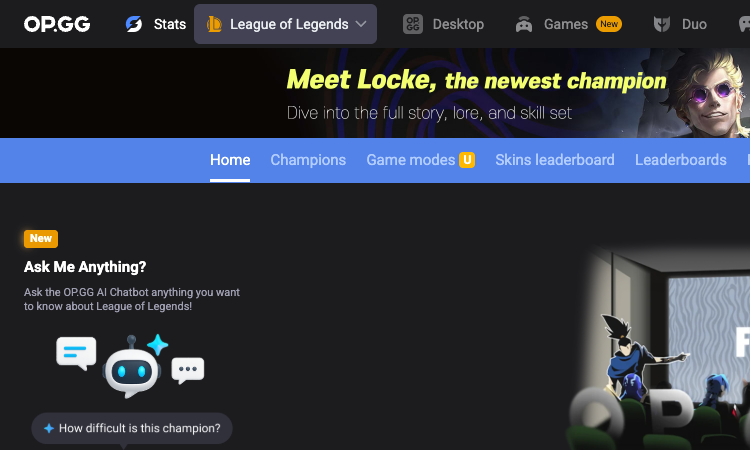
OPGG OPGG is the platform most League of Legends players trust for champion builds, runes, and counters. For over a decade it has been the reference site for anyone who wants to queue with a plan — the right items, the right rune setup, and a clear sense of which champions counter theirs and which they counter in return. That depth of build data, kept current with every patch, is what made OPGG the default companion for LoL players and what keeps it at the center of the game's ecosystem. The build coverage is comprehensive. For any champion, OPGG surfaces the strongest current builds, the rune pages that match the meta, and the skill orders and item paths that win games, all drawn from real high-level play rather than theory. Counters are mapped out so you know what to pick and what to avoid, and a tier list ranks the meta so you can see at a glance which champions are overperforming. Because the data updates with each patch, the builds you follow are never stale, which is the whole point of a stats companion. OPGG wraps the build data in features that make it usable in real time. You can search any summoner by Riot ID and tagline to see their stats and match history, watch pro spectate games to learn from the best, and ask the OP.GG AI chatbot anything you want to know about League of Legends — from how to play Kassadin in the middle role to how a pro is performing lately. The platform extends to a desktop app and mobile apps, covers Teamfight Tactics, Valorant, Overwatch 2, and many other titles, and supports more than twenty languages. For League of Legends players who want their builds, runes, and counters in one trusted place, OPGG remains the standard.
Studs GG
Studs GG — describe your Roblox game, AI builds it in-browser, publish to Roblox in one click. No code, no install.
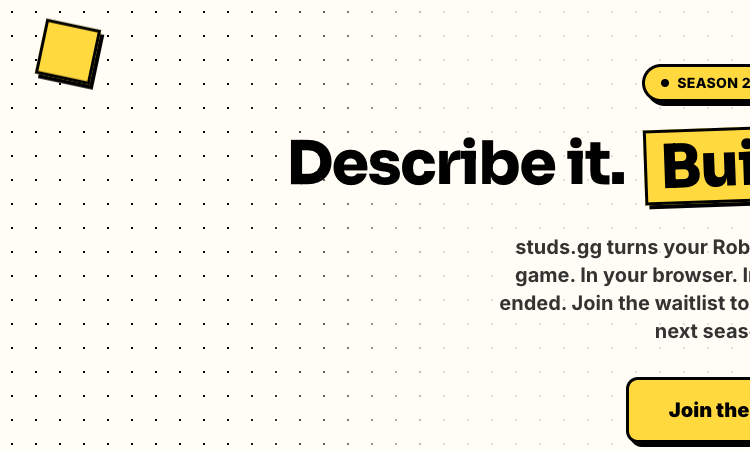
Studs GG Studs GG is a prompt-to-game builder for Roblox that compresses the entire creation workflow into three steps: describe it, build it, publish it. You type a description of the Roblox game you want, the AI builds it inside your browser, and you publish it to Roblox with one click. For creators who have spent hours in Roblox Studio only to abandon a project halfway through, that short loop is the appeal — an idea becomes a real game in minutes, with no coding and no downloads along the way. The workflow is deliberately browser-native. Because Studs GG runs entirely in the browser, there is no install step and no local environment to maintain, which means a creator can start a build from any device and pick up where they left off. The AI handles the construction that would normally demand Luau scripting and manual assembly, so the creator's job is to describe what they want and then react to what the AI produces, refining the description until the game matches the idea. When the result is ready, a single click publishes it to Roblox, turning a private prototype into a live title that other players can find and play. Studs GG is free to try and operates in seasons, with Season 2 having ended and a waitlist open for the next one, alongside an active Discord community. The product is built for the reality that most Roblox players are not developers, and it removes the technical wall that keeps them from becoming creators. For anyone who wants the shortest possible path from a game idea to a published Roblox title, Studs GG's describe-build-publish workflow is the route, and it runs entirely in a browser tab.
Wyvern Chat
Wyvern Chat — chat with 19,000+ AI characters across multiple models, with unlimited messages and no caps. Beta.
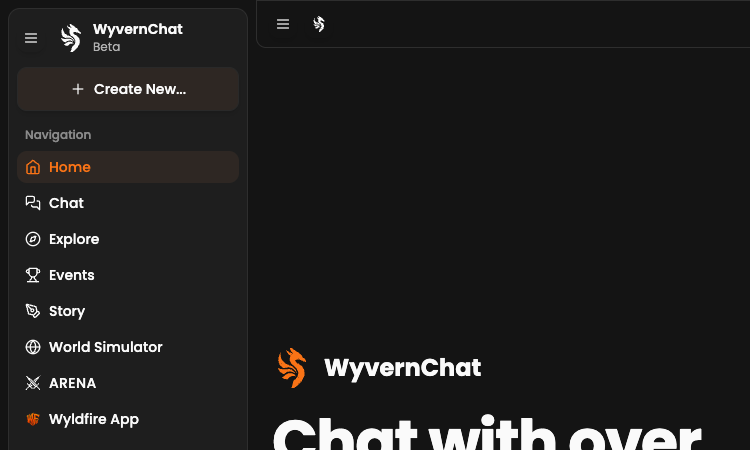
Wyvern Chat Wyvern Chat is an AI chat platform built around the experience of talking with AI characters. The product opens with a striking number — chat with over nineteen thousand AI characters — and backs it up with unlimited messages and support for multiple AI models, so conversations can be long, varied, and powered by the model that fits each persona. For users who want to spend time inside a chat rather than managing credits or hitting caps, that framing is the whole appeal. Every character on Wyvern Chat is a distinct persona with its own tags and tone, drawn from a community-built catalog that spans romance, drama, fluff, RPG, group scenarios, fantasy creatures, and figures inspired by comics, movies, and television. That breadth means a user can shift from a lighthearted slice-of-life chat to a tense drama to an epic roleplay without leaving the platform, and the multiple-model support lets each character respond in a way that suits its personality. Unlimited messages keep the story moving instead of cutting it off at a quota. Because the characters are community-created, the roster is always growing, and a discovery surface makes it easy to find someone new to talk to across trending, featured, and new listings. Wyvern Chat also gives users the ability to create their own unique characters, so the catalog is not just something you consume but something you can contribute to. The platform is in beta and rounds out the chat experience with Story, a World Simulator, an ARENA mode, Events, a companion Wyldfire App, a Wiki, and Help and Status resources. For anyone who wants a character-chat experience with depth and no message limits, Wyvern Chat is a platform worth exploring.

Shapes Inc
Shapes Inc — friends and AI in one shared thread, same table, no app switching. Shapes do real work.
Shapes Inc Shapes Inc is a collaboration platform that puts AI and your friends in the same thread. Most AI tools isolate the model inside a prompt box that only you can see, but Shapes Inc treats the conversation as a shared table where human friends and AI agents work side by side. The result is a chat experience in which there is no app switching, no disconnected prompts, and no lone user talking to a bot — everyone, human or AI, contributes their part in one place. That shared-thread model changes how work gets done. A Shape can search, code, design, and complete real tasks, so a group thread becomes a working session rather than a string of messages. You bring your own original characters or favorite characters into the conversation, or build new AIs from scratch, and the platform stays free throughout. Because the AI is present in the same space as your collaborators, it can pick up context the way a new teammate would, responding to what others say and picking up tasks as they arise. The collaboration extends to how Shapes behave over time. Give a Shape a goal and it runs an autonomous loop, executing, reporting, and improving with each cycle based on your feedback. The longer you work together, the sharper it gets, reading the room to decide when to nudge, when to ship, and when to hold back. For teams that have felt the friction of stitching a separate AI tool into their existing group chat, Shapes Inc removes the seam entirely — friends and AI, one thread, same table, working together.

Pocket AI
Pocket AI — a screen-free MagSafe AI device with 4-day battery that captures your mind in motion, snap, talk, done.
Pocket AI Pocket AI is a hardware-first AI companion designed to capture thought the moment it happens. It pairs a small, screen-free device with custom AI and software to build what its makers call the best note-taking experience for people who talk and move fast. Rather than asking you to open an app or find your phone, Pocket AI sits on you and starts recording before your brain forgets what it was trying to say — instant memory for your best moments. The industrial design is built around simplicity. Pocket AI attaches with MagSafe, runs for four days on a charge, and has no screen to distract you — the entire interaction is snap, talk, done. That hardware simplicity is paired with serious AI underneath: the device transcribes speech, summarizes conversations, generates action items and mind maps, and works in more than 120 languages. Everything syncs to a companion app where you can listen, tag, search, and share what you captured, so the raw recording becomes structured, usable knowledge without manual cleanup. Because it is always with you and always ready, Pocket AI fits the moments when note-taking apps fail — walking between meetings, commuting, mid-conversation, or deep in a project. It is used by more than 130,000 creators, founders, and thinkers, and protects every recording with enterprise-grade encryption in transit and at rest. With no subscription required, unlimited minutes for life, and free shipping, the device is a one-time investment in capturing the thinking that would otherwise slip away. For anyone whose work happens out loud, Pocket AI is the interface for thought they have been waiting for.
Portkey
Portkey — one AI Gateway to 1,600+ LLMs with caching, routing, and fallbacks for production-ready apps.
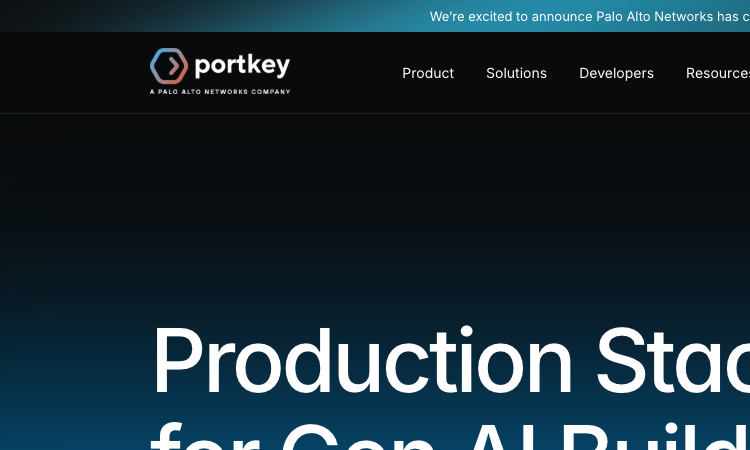
Portkey Portkey is an AI Gateway that gives teams unified access to more than 1,600 large language models through a single API. Instead of writing and maintaining bespoke integrations for every provider, developers point their application at Portkey once and can then route requests across OpenAI, Anthropic, open source models, and hundreds of others — swapping providers becomes a configuration change rather than a rewrite. That makes it the connective layer for any team serious about shipping generative AI to production. The gateway is built around the operational concerns that real applications face. Caching avoids re-running identical calls, which customers describe as a no-brainer that saves thousands of dollars, especially in test suites that would otherwise hit paid endpoints repeatedly. Routing and fallbacks let traffic move to a healthy provider the moment one degrades, and the unified API surface means a team can evaluate a new model against the same prompts without touching application code. For engineers who want clear ROI and easy setup, those mechanics translate directly into lower bills and fewer outages. Because Portkey is open source and already powers more than 3,000 GenAI teams, the gateway is battle-tested at scale, processing trillions of tokens daily across a wide variety of workloads. It integrates with familiar infrastructure — Microsoft Azure, MongoDB, GitHub, Docker, and Auth0 — so it drops into existing stacks rather than demanding a rebuild. For anyone using AI in their workflows, Portkey's gateway removes the integration tax and lets the team focus on building features instead of managing model connections, which is exactly why so many teams adopt it as their default LLM entry point.
Lemonade AI
Lemonade AI — prompt your Roblox game into existence and join 500K+ creators building today.
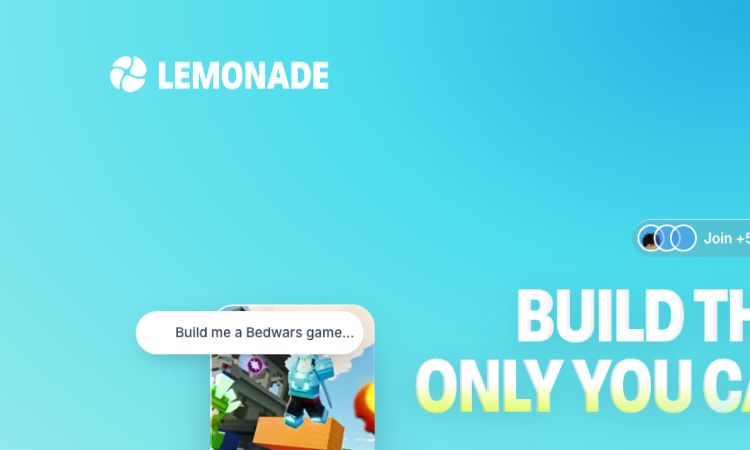
Lemonade AI Lemonade AI is a prompt-to-game agent for Roblox from Lemonade Labs. Instead of forcing creators to learn Luau scripting or wrestle with Roblox Studio's editor, it accepts a plain-language description of a game and generates a playable result. The workflow is deliberately minimal: you prompt, Lemonade AI generates, and you iterate — turning the vague idea in your head into something you can actually play and share. Type "Build me an escape game" and Lemonade AI assembles the rooms, mechanics, and progression that make an escape experience work. Ask for a Bedwars match or a racing game and the agent constructs the corresponding gameplay. This prompt-then-generate loop is designed for speed and experimentation, so a creator can test several concepts in an afternoon and keep the one that feels best. For the more than 500,000 creators already on the platform, that means the bottleneck shifts from execution to imagination. Beyond convenience, Lemonade AI lowers the barrier to entry for an entire generation of would-be developers. Players who have spent years inside Roblox but never touched a script can now ship a game of their own, and the product leans into that ambition with messaging that reminds creators their first game can also be their first business. By automating the technical lift and leaving the creative direction to the user, Lemonade AI makes game development feel less like engineering and more like directing — describe what you want, refine the output, and watch your Roblox game come to life.

Nous Portal
Nous Portal — manage API keys, usage, and account settings for Nous Research's Hermes models.
Nous Portal Nous Portal is a developer-first control panel for working with Nous Research's open source language models and the Hermes Agent. It brings every operational task — provisioning API keys, monitoring consumption, adjusting account preferences, and reading API documentation — into one clean, fast interface so that teams can spend more time building and less time wrangling infrastructure. The Portal is the official entry point for anyone who wants authenticated access to Nous Research's human-centric models and simulators. The API keys section is the heart of the experience: generate scoped credentials, rotate them on a schedule, and revoke compromised keys instantly, all without leaving the dashboard. A built-in usage panel surfaces token counts, request rates, and historical trends, giving engineers the visibility they need to debug a slow endpoint or forecast next month's spend. Account settings cover everything from billing contact details to organization preferences, while the integrated API Docs area keeps reference material one click away from the keys it describes. For teams evaluating the Hermes Agent, Nous Portal removes the usual friction of onboarding. You can move from a fresh account to your first authenticated request in minutes, then iterate on prompts inside the Hermes interface before committing to a production integration. Designed to mirror the open source values of Nous Research — transparency, portability, and freedom — the Portal gives builders a trustworthy home for their credentials and a reliable window into how their applications consume Nous Research's models over time.
Isekai Zero
Isekai Zero drops you into immersive visual-novel AI adventures alongside a memorable cast of characters.
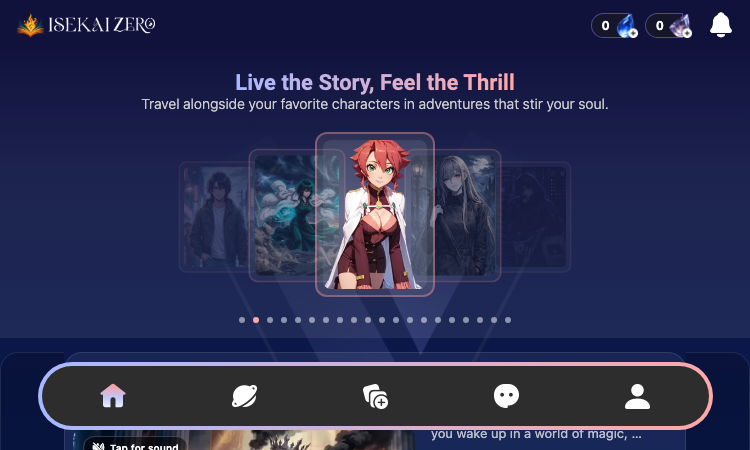
Isekai Zero Isekai Zero is an interactive AI storytelling platform that brings the beloved isekai genre to life through immersive visual-novel adventures. The tagline "Live the Story, Feel the Thrill" captures the heart of the experience: instead of merely reading or watching a story unfold, you travel alongside your favorite characters in adventures designed to stir your soul. At the core of Isekai Zero is a curated library of AI-assisted narratives spanning fantasy, action, and comedy. Standout adventures include "Crash Into Another World," where a routine drive ends in a crash and you wake up surrounded by magic, monsters, and deadly adventurers; "The Hopeless Adventure Party," a comedic tale of managing the Crimson Wings through ten million gold of debt; and "Power Guardians: VENGEANCE," a high-stakes showdown against villains who have gone too far. Each adventure features a vivid cast — Elara, Kaia, Raine, Liana, Alice, Claire, Luna, Sophia, Mimi, and Celia — brought to life with tap-to-play audio that deepens immersion. Stories are organized into categories such as Featured, Visual Novel, and DM Ready, making it easy to find the exact journey you crave. With visible engagement metrics across every title, Isekai Zero builds a community around shared adventures. Whether you are an anime enthusiast, a fan of interactive fiction, or simply seeking a fresh way to experience AI storytelling, Isekai Zero offers a uniquely captivating escape into another world.
Best Face Swap AI Online
AI face swap for photos and videos
Best Face Swap is an online tool that lets you replace faces in digital media using various AI models. It works for creators and developers who need to swap identities in photos, videos, or GIFs without losing the original expressions. The platform addresses the technical challenge of keeping a face consistent across moving frames and different camera angles. The site organizes its workflows by specific intent, including dedicated sections for group photos and uncensored content. While the interface and landing pages are live, the actual generation API is currently in a reserved state. This allows users to browse examples and prepare their workflows before the full processing engine opens for public use.
Quiz 30 Github Io
Quiz 30 Github Io - an unblocked browser games hub with 420+ free titles across genres.
Quiz 30 Github Io Quiz 30 Github Io is a free unblocked games portal hosted on GitHub Pages, built to give players instant access to hundreds of browser-based games without any downloads or installations. The platform curates a growing collection of more than 420 titles organized across multiple categories including action, strategy, casual, driving, and downloadable games, so there is always something suited to every mood and skill level. The user experience is designed around speed and simplicity. A clean homepage highlights New, Trending, and Recent additions, while robust category filters and sort options by name or genre help visitors navigate the large library effortlessly. The site also features an original in-house game called Atomic Clicker, alongside a settings page where players can fine-tune their experience. Reliability is a priority: Quiz 30 Github Io links to several backup and reserve domains as well as external unblocked game directories, ensuring players can keep playing even when access on primary networks is restricted. With its tagline Fun, redefined, the portal promises hundreds of games, countless features, and endless play, making it a go-to destination for quick browser entertainment, casual breaks, or longer strategy sessions all in one place.
Free PSL Rating
Free PSL Rating runs entirely in your browser for an instant, private AI PSL score with no signup.
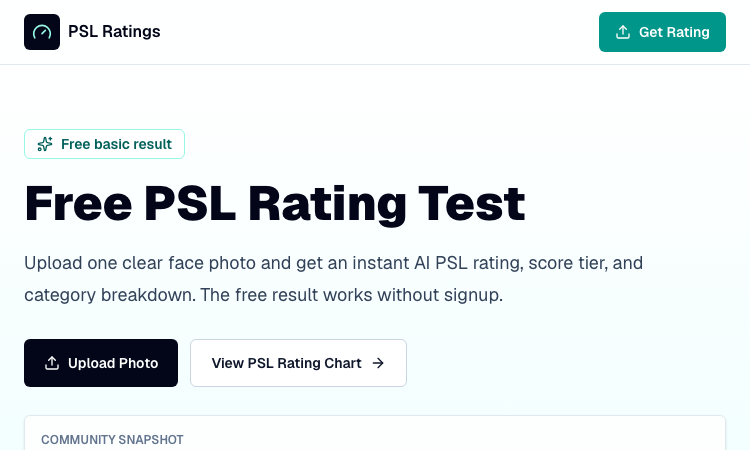
Free PSL Rating Free PSL Rating is a browser-based AI tool that analyzes a single uploaded face photo and returns an instant attractiveness estimate on the PSL 1-8 scale, with all processing happening directly in the user's browser. Unlike services that send images to a remote server, Free PSL Rating keeps everything client-side, which means no uploaded photo is ever stored, addressing one of the biggest concerns people have about face-rating tools. The result is a fast, private, and signup-free experience for anyone curious about the PSL framework. To use Free PSL Rating, a person uploads one clear, front-facing photo in JPG, PNG, or WebP format up to 10MB. AI models loaded in the browser then examine visible facial structure and photo quality, generating an overall PSL score, a tier label, and a plain-English explanation of what the number means. The tool also produces a photo confidence score that indicates how reliable the rating is based on image quality, helping users judge whether their result reflects their actual features or the limitations of the photo. Free PSL Rating stands out by breaking the single score into four meaningful categories: harmony, covering symmetry and proportions; dimorphism, reflecting sex-typical structural cues; angularity, capturing jawline, cheekbones, and facial edges; and presentation, accounting for lighting, sharpness, skin clarity, and grooming. Users also receive a shareable result card displaying their overall score, tier, and category scores. With more than 12,800 free ratings run and an average score of 5.4, the platform has built a steady community. A paid advanced report is available through PSL Scale for deeper analysis, but the free tier delivers a complete, private, and instant PSL assessment.