AI Apps
Discover beautiful apps crafted with vibe coding across different categories. Explore our curated collection of lovable applications.
Categories
Suivi Feu Medoc
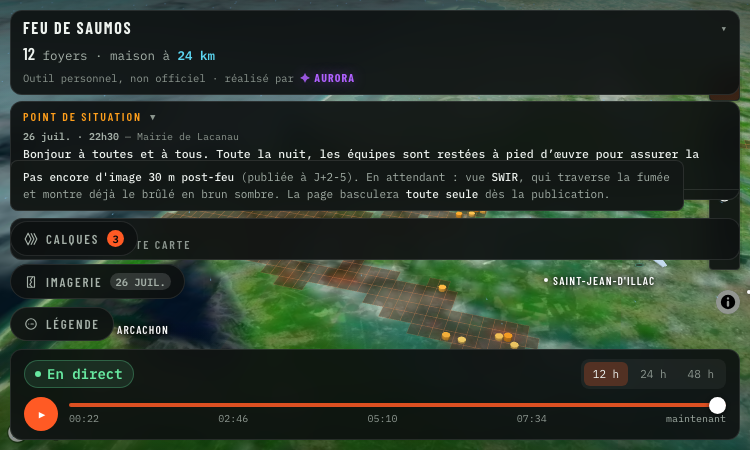
Suivi Feu Medoc - Real-time 3D satellite map of the Saumos forest fire in Gironde with NASA hotspots and aircraft.
Suivi Feu Medoc Suivi Feu Medoc is a real-time satellite map of the Saumos forest fire in Gironde, France. Hosted at https://suivi-feu-medoc.netlify.app/ and built by Aurora (Aurora Studio), the tool overlays NASA-detected hotspots, burned area, smoke plumes, water bomber aircraft tracks and wind forecasts onto a 3D Mapbox satellite view of the Médoc region between Lacanau, Le Porge, Le Temple, Sainte-Hélène, Marcheprime and Croix d'Hins. The fire dataset comes from the VIIRS instruments aboard three NASA satellites, part of the FIRMS program, which detect ground hotspots at 375-metre resolution. Smoke imagery is pulled from Meteosat, water bomber aircraft (Canadair, Dash and helicopters) are tracked via ADS-B transponders, and wind forecasts come from the ECMWF model. The result is a layered live map that updates on every satellite pass, roughly 13:30 and 01:30 local time, with clear messaging when only stale data is shown. Suivi Feu Medoc reads as a relief map: each 3D column is an active hotspot whose height and colour follow the radiated power in megawatts, the brown footprint is the cumulative burned area, smoke columns are draped over the imagery, and aircraft icons track the bombers in flight. Layers can be toggled individually — fire, footprint, aircraft, smoke, wind — and opacity is user-controlled. A small "my distance to the fire" widget gives residents a quick check on proximity. The tool is explicitly a personal project, not an official source. Suivi Feu Medoc points users to the préfecture de la Gironde and the mairie de Lacanau for evacuation orders and safety instructions, and lists the 112 emergency number plus a 09 70 80 90 40 information line. It is free, accessible without signup, and built in French for the local community around the fire.
Vercel App Mpp
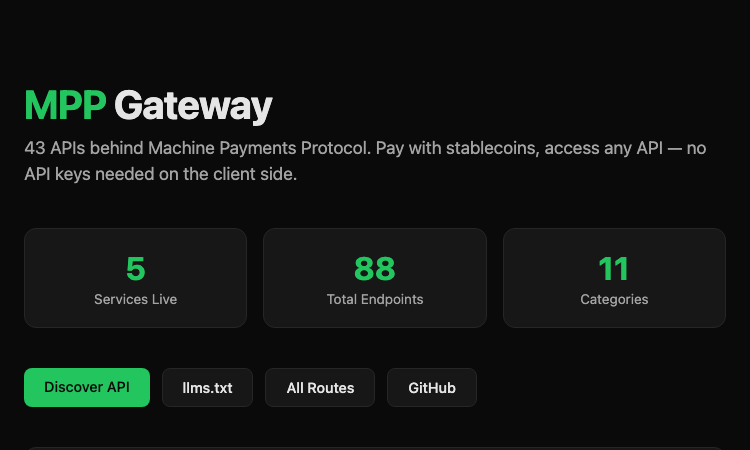
Vercel App Mpp - Stablecoin payment gateway behind 40+ APIs; AI agents pay per request, no API keys needed.
Vercel App Mpp Vercel App Mpp is the public gateway for the Machine Payments Protocol (MPP), a stablecoin-based payment layer for AI agents and other automated clients. Hosted at https://mpp-gateway.vercel.app/, the gateway sits in front of more than forty third-party APIs and lets a client pay per request with a Tempo stablecoin instead of holding an API key for each upstream service. The flow is built around HTTP 402 Payment Required. A client makes a normal HTTP request to an MPP endpoint; if payment is required the gateway returns a 402 with the price and payment instructions. A Tempo CLI running on the client then signs and settles the payment automatically, the gateway proxies the call to the upstream API, and the client receives the response together with a signed Payment-Receipt. The end result is that an AI agent can call Stripe, GitHub, Twilio, Plaid, Massive (stocks) and Stripe Climate without ever holding a secret API key. The gateway currently exposes 88 endpoints across 11 categories and 5 live services. Stock lookups, market status and tickers come from Massive; balance and payment data come from Stripe; SMS comes from Twilio; bank balances come from Plaid; carbon-removal orders come through Stripe Climate; repo and user data come from GitHub. Each endpoint lists its price in USD (often fractions of a cent for read calls, a cent or two for write calls). The site publishes an llms.txt and an All Routes page so AI agents can discover the available endpoints programmatically. Vercel App Mpp is positioned for AI agents, automation scripts, MCP servers and developer tooling that needs to reach paid third-party APIs without storing API keys. The gateway runs on Vercel's edge network, charges transparent per-request prices, and ships with a public GitHub repository. It is one of the first concrete implementations of machine-to-machine stablecoin payments for general API access.
Karpo — proactive AI assistant
Karpo — a proactive AI assistant that lives in iMessage4
Karpo is a proactive AI assistant that brings personalized city recommendations directly to iMessage. Tell Karpo what you feel like doing, from finding a dinner spot or local event to planning a date night, group hangout, weekend, or trip. It learns from what you love and skip, making every suggestion more relevant over time. Karpo can uncover hidden gems, suggest experiences, coordinate plans in group chats, provide booking links, and help with everyday life admin. Free to start and especially knowledgeable about New York City, San Francisco, and London, Karpo easily turns vague ideas into plans worth leaving home for.

Flux 3 video
Create AI videos from text, images, references, and keyframes with native audio—all in your browser
Create AI Videos in Your Browser flux 3 video is an independent, browser-based AI video generation platform for creators, marketers, designers, and production teams. Turn a written idea or existing visual asset into a video without installing software or configuring local hardware. Key Features Text to Video: Generate videos from written prompts. Image to Video: Animate photos, illustrations, and product images. Reference Generation: Use character, product, or location images to improve consistency. Keyframe Control: Define the first and last frames of a video. Multi-Shot Generation: Create connected shots from one structured prompt. Native Audio: Generate dialogue, ambience, music, and sound effects alongside the video. Multiple Aspect Ratios: Create landscape, portrait, or square videos for different platforms. The platform uses credit-based pricing, with the required credits displayed before each generation. Completed videos can be downloaded, extended, or reused in future projects. Try flux 3 for social media content, advertising concepts, product videos, creative storytelling, and rapid video prototyping. flux3-video.net is an independent platform and is not affiliated with, endorsed by, or sponsored by Black Forest Labs. “FLUX” and related trademarks belong to their respective owners.
Love Meter
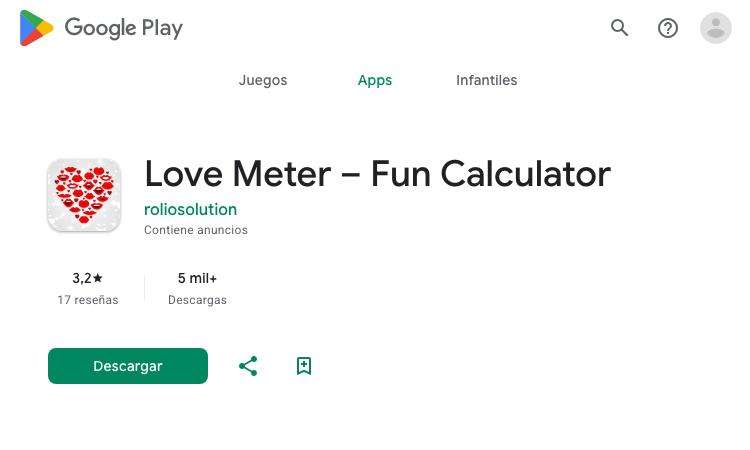
Love Meter - Spanish Android app that calculates a fun love-percentage score from two names, no signup needed.
Love Meter Love Meter is a Spanish-language Android app that turns name entry into a quick, shareable love-percentage calculator. Published by Rolio Solutions and listed on Google Play under the package id com.roliosolutions.lovemeter, the app is built purely for fun and entertainment — couples, friends, singles and pranksters type two names, tap a button, and immediately see a percentage score meant only to spark a laugh. The interface is intentionally minimal. The user enters their own name and the name of a partner, crush, friend or random target, taps the "Calcular Amor" button, and the app displays a percentage score along with a short result message. There is no signup, no account, no personal data collection, and no social graph integration. Love Meter runs offline, so the calculation happens entirely on the device and works without an internet connection. Love Meter is positioned as a light, low-stakes social app for casual moments. Typical use cases are testing compatibility with a partner or crush, sending a screenshot to a friend as a joke, breaking the ice in a chat, or adding a small game to a Valentine's Day celebration. The result is meant to be shared, so the app encourages users to send their score to friends and loved ones. Love Meter sits in the Lifestyle category on Google Play and is rated for general audiences. The app is small, fast and lightweight, and is one of several fun calculators published by Rolio Solutions. It is not a scientific compatibility tool — the score is deterministic but playful, intended to entertain rather than to make relationship decisions.
Golden Ratio Face
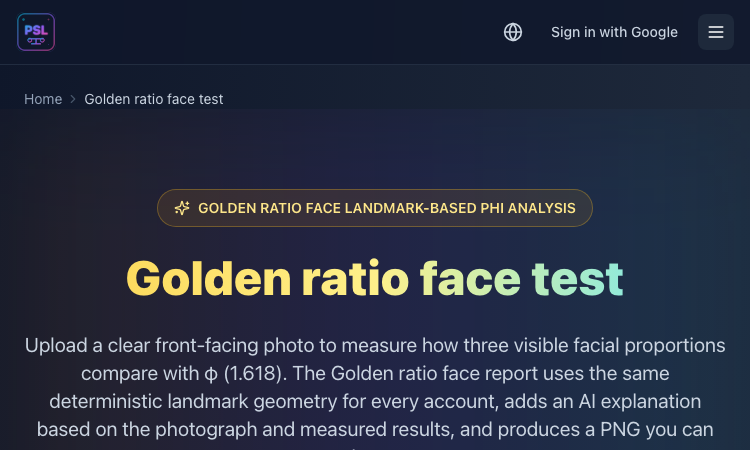
Golden Ratio Face - Browser facial analysis that scores three proportions against phi (1.618) and a harmony score.
Golden Ratio Face Golden Ratio Face is a browser-based facial analysis tool that compares three facial proportions against the golden ratio φ (approximately 1.618) and returns an overall harmony score. Hosted at https://pslscale.com/golden-ratio-face as part of the PSL Scale suite, the tool accepts a clear front-facing photograph (JPEG, PNG or WebP up to 10 MB) and reports each measurement as a percentage of closeness to phi, with annotated measurement lines drawn on the original image. The first measurement is the face height ratio, which compares the upper face (forehead to nose bridge) with the lower face (nose bridge to chin). The second is the eye-to-mouth ratio, comparing the span between the outer eye corners with the width of the mouth. The third is the philtrum-to-nose ratio, comparing total nose length with the philtrum from the nose base to the upper lip. Each ratio receives an individual score; the average of the three becomes the overall harmony score. Golden Ratio Face uses MediaPipe for landmark detection. The model runs in the browser, so the photo is processed locally and the original image is not stored on the server. The normalized landmark coordinates and image-quality numbers are then sent securely to a selected OpenRouter model that produces a written AI interpretation of the three measurements and their combined score. The result page shows the original photo next to the annotated version with three coloured measurement lines (gold, cyan, pink, purple and green) and a downloadable PNG report. A free preview shows the user what their report will contain before any credit is charged. Each completed report costs 10 credits on the PSL Scale credit system. The tool is positioned for anyone curious about facial proportions, including beauty enthusiasts, content creators, makeup artists, photographers, and people who want a structured way to discuss facial balance. Golden Ratio Face is clear that a higher score only means the measured ratios sit closer to phi in that photograph — it is not a verdict on attractiveness.

Ubt Test Kz Vercel App
Ubt Test Kz Vercel App - Kazakh platform for UNT prep: practice tests, grant calculator, career guidance, news.
Ubt Test Kz Vercel App Ubt Test Kz Vercel App is the official web platform of Ubttest.kz, a Kazakh-language preparation service for the Unified National Testing (ҰБТ) exam that determines university admission across Kazakhstan. Hosted at https://ubttestkz.vercel.app/, the site brings the entire UNT journey into one screen: practice tests, a grant (state scholarship) calculator, career guidance, university matching, and the latest admissions news. The core flow is the grant calculator. A student enters their name, phone number and current or expected UNT score, picks two profile subjects, and selects a quota if any apply (village, large family, single parent, Serpin, disability, orphan). The system returns a competitive-level rating, a recommended major, a list of attainable universities such as KazNU, ENU, Astana IT University, KBTU, Semey Medical University, Abai University, Satbayev University and MNU, and a historical score range for each. A paid deep-analysis tier (500 KZT) adds a tailored document list, the universities where the student has the highest chance, and the concrete next steps. Career guidance is bundled into the same paid analysis. A psychometric test assigns a personality type, ranks suitable fields (humanities, science, tech, business) and surfaces compatible majors. Test variants are aligned with the National Testing Centre specification, and there are subject-specific practice areas for Mathematics, Kazakhstan History, and Biology/Chemistry. A Telegram bot hosts additional practice tests, and a news module flags new grants, rule changes and deadlines. The platform uses Noto Sans and Noto Sans Display for typography, ships in Kazakh with a Russian toggle, and tracks usage through Yandex Metrika. It is positioned for grade-11 and grade-12 students across Kazakhstan, parents who want clarity on the admissions process, and career counsellors running workshops. Ubt Test Kz Vercel App combines a free calculator and news feed with a low-cost analysis tier so every student can start with no payment and graduate to a deeper plan when ready.
ImgVid
Turn any image into an AI video — one prompt, 12 models.
ImgVid is an AI image-to-video generator that runs in your browser. Upload a photo, write one prompt, and pick from 12 video models — Runway, Kling, Seedance, Veo, Wan, Hailuo and more — instead of being locked to whichever one the tool happens to license. It also does text-to-video and first-and-last-frame control. Free credits on signup, transparent credit pricing, no watermark.
RemoveVideoBG
Remove any video background — no green screen.
RemoveVideoBG is an AI video background remover that runs entirely in your browser. Upload any clip and get a clean, transparent cutout in minutes — no green screen, no manual rotoscoping, no watermark. Export to transparent WebM, MOV or a PNG sequence with real alpha, or drop your subject onto a brand-new background.
Pi Agent
Pi Agent - Terminal-based minimal coding agent harness with tree sessions, skills, and 15+ model providers.
Pi Agent Pi Agent is a minimal, terminal-based coding agent built around the idea that the harness should adapt to the developer instead of forcing the developer to adapt to the harness. Hosted at https://pi.dev/ and shipped by Earendil Inc., Pi Agent runs as a TUI in the terminal, exposes a tree-structured session history, supports skills, AGENTS.md and SYSTEM.md context files, and is unusually token-efficient thanks to a minimal default system prompt. The product's tagline is "There are many agent harnesses, but this one is yours." Pi Agent ships in four runtime modes. Interactive mode delivers the full terminal UI with rich keyboard shortcuts and a stylable interface. Print mode runs Pi Agent headlessly with a single query for use inside shell scripts. JSON mode streams structured events from a Pi Agent run for piping into other tools. RPC mode exposes Pi Agent over JSON over stdin/stdout so non-Node processes can drive it. An SDK lets developers embed Pi Agent directly into their own applications. The product documentation points to OpenClaw as a real-world example of that SDK being used. The model layer is provider-agnostic. Pi Agent works with Anthropic, OpenAI, Google, Azure, Bedrock, Mistral, Groq, Cerebras, xAI, Hugging Face, Kimi For Coding, MiniMax, NVIDIA, OpenRouter, Ollama and more than fifteen other providers in total. Authentication can be done with API keys or OAuth. The /model command and Ctrl+L shortcut switch models mid-session, while Ctrl+P cycles through favourites. Custom providers and models can be added through a models.json file or extensions. Context engineering is central to Pi Agent. The platform loads AGENTS.md project instructions from ~/.pi/agent, parent directories and the current directory, supports per-project SYSTEM.md overrides, auto-summarises older messages via compaction, and ships a skills system for capability packages loaded on demand. Prompt templates let developers reuse common prompts as Markdown files. Extensions, written in TypeScript, can inject context before each turn, filter message history, implement RAG or build long-term memory. Sessions can be branched, shared, exported to HTML, or pushed to a GitHub gist with /share to obtain a shareable URL. Pi Agent is built for developers who want to customise their coding workflow rather than accept whatever defaults a closed product provides.
PixMira AI
PixMira AI is an online AI image generator and photo editor.
PixMira AI AI Image Generator and Photo Editor for Modern Visual Creation PixMira AI is an online AI-powered visual creation platform that brings image generation, photo editing, image transformation, and creative AI tools together in one place. Users can generate original images from text prompts, transform existing photos, edit images with natural-language instructions, explore different visual styles, and complete a wide range of image creation tasks directly in their browser. PixMira AI is designed for both everyday users and professional creators. It simplifies advanced visual workflows so users can focus on their ideas instead of learning complicated traditional editing software. Overview PixMira AI combines multiple AI image models and task-specific creative tools within a unified online workspace. Whether you want to generate an image from scratch, modify part of an existing photo, create marketing graphics, prepare ecommerce visuals, experiment with a new artistic style, or turn an idea into a shareable image, PixMira AI provides a simple and flexible workflow. Users can describe the result they want through a prompt, upload reference images when needed, select suitable generation options, and let AI handle much of the creative and technical process. Key Features AI Image Generation Create original images from text descriptions for creative, commercial, and personal projects. PixMira AI can help generate: Marketing visuals Social media graphics Product concepts Posters and promotional images Profile pictures and avatars Illustrations Concept art Blog and website images Presentation graphics Creative inspiration AI Photo Editing Edit existing photos by describing the changes you want in natural language. Common editing tasks include: Adding or removing visual elements Replacing objects Changing backgrounds Adjusting image composition Restyling a photo Expanding an image Improving visual presentation Creating alternative versions Transforming ordinary photos into creative designs Image-to-Image Transformation Upload an existing image and use it as the foundation for a new visual result. This can be used to: Preserve the main subject while changing the style Create new compositions from reference images Transform portraits, products, pets, or scenes Generate multiple creative variations Adapt an image for different visual contexts Explore new colors, environments, or artistic directions Prompt-Based Visual Editing PixMira AI makes image editing more accessible through natural-language prompts. Instead of manually navigating complex editing menus, users can explain what they want to change. This workflow helps reduce repetitive work and makes advanced image editing easier for users without professional design experience. Specialized AI Tools In addition to general image generation and editing, PixMira AI provides dedicated tools for specific visual tasks. Depending on the selected tool, users can work with capabilities such as: AI image generation AI photo editing Portrait and composition conversion Image expansion Image combination Image-to-sticker creation Background editing Style transformation Product and marketing image creation Prompt-based object modification Visual content enhancement AI-assisted creative workflows These focused tools provide clearer workflows for users who want to complete a specific task without configuring a complex editing environment. Multiple AI Models PixMira AI offers access to different AI models for different creative requirements. Users can choose a model based on factors such as: Image quality Generation speed Editing capability Prompt understanding Style preferences Resolution requirements Creative flexibility Task complexity The availability of multiple models allows users to select a more suitable option instead of relying on a single model for every task. What You Can Create PixMira AI can support a broad range of visual projects, including: Social media posts Advertising creatives Ecommerce product images Website banners Blog illustrations Profile images Posters Thumbnails Brand concepts Campaign visuals Presentation graphics Concept art Character designs Lifestyle images Product scenes Personalized stickers Creative photo transformations Use Cases Content Creation Create original visual content for blogs, social media accounts, newsletters, websites, and online communities. Marketing and Advertising Generate promotional graphics, campaign concepts, advertising images, product scenes, and visual ideas for different audiences. Ecommerce Create or improve product visuals, explore alternative backgrounds, generate lifestyle scenes, and prepare images for online stores and product promotions. Social Media Produce engaging images for posts, covers, announcements, short-form content, and personal profiles. Design Exploration Test visual directions, compositions, styles, color ideas, and creative concepts before moving into a full production workflow. Personal Projects Transform personal photos, create avatars, design stickers, generate illustrations, and experiment with imaginative visual ideas. Professional Creative Work Designers, marketers, creators, and online sellers can use PixMira AI to accelerate ideation, create drafts, compare alternatives, and reduce time spent on repetitive production tasks. Who Is PixMira AI For? PixMira AI is suitable for: Content creators Social media managers Digital marketers Ecommerce sellers Small business owners Designers Bloggers Developers Startup teams Educators Students Creative professionals Casual users exploring AI image creation No advanced image editing experience is required for basic use. Users can begin with a simple prompt and gradually explore more advanced models, tools, and workflows. Why Choose PixMira AI? Easy to Use PixMira AI turns complex image generation and editing workflows into a more approachable prompt-based experience. Browser-Based The platform works online, allowing users to create and edit visual content without installing traditional desktop editing software. Flexible Creative Workflow Users can start with text, upload an existing image, use reference images, or combine prompts and visual inputs. Generation and Editing in One Platform PixMira AI supports both creating new images and modifying existing ones, reducing the need to switch between multiple tools. Tools for Specific Tasks Dedicated pages and focused workflows help users complete common visual tasks more efficiently. Multiple Creative Options Different models and tools allow users to experiment with alternative results, visual styles, and editing approaches. Suitable for Beginners and Professionals The platform is accessible to first-time users while still providing useful capabilities for experienced creators and professional workflows. How It Works Choose an AI image model or specialized visual tool. Enter a text prompt describing the desired result. Upload an image or reference image when required. Configure the available generation or editing options. Generate the image. Review the result and refine the prompt if needed. Download or continue editing the generated visual. Platform Focus PixMira AI focuses on making modern AI image technology practical, accessible, and useful for real visual creation tasks. Rather than presenting AI image generation as a technical experiment, the platform organizes its capabilities around the results users want to create. This includes generating new visuals, improving existing photos, adapting images for specific formats, creating marketing content, and exploring different creative directions. Summary PixMira AI is an online AI image generator and photo editor that helps users create, edit, and transform visual content through text prompts, uploaded images, multiple AI models, and specialized creative tools. It provides an accessible workspace for generating original images, modifying photos, exploring visual ideas, and producing content for social media, ecommerce, marketing, design, branding, and personal projects. Website: https://pixmira.ai/
12axes Vercel App
12axes Vercel App - Free twelve-axis political quiz in Portuguese mapping you across ideology axes.
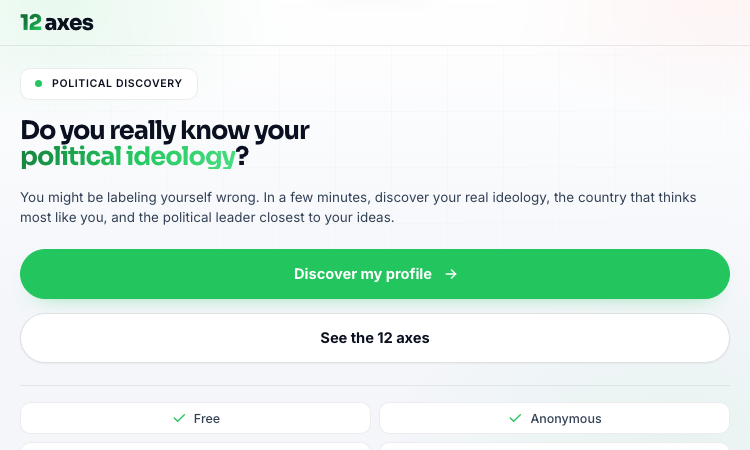
12axes Vercel App 12axes Vercel App is a free, web-based political quiz and ideological self-assessment tool that plots a respondent on twelve distinct political axes rather than a single left-right continuum. Built in Portuguese for a Brazilian audience and hosted on Vercel, the app takes roughly five minutes for the short version, nine minutes for the standard battery, and about half an hour for the extreme-length run of two hundred and forty items. Each answer nudges the respondent toward one pole of one axis, and the algorithm aggregates those nudges into percentage scores per axis, then compares the resulting vector against reference profiles for political movements, historical figures and countries. The twelve axes cover economic policy, immigration, religion in politics, civil liberties, form of government, federalism, international trade, diplomacy, intervention, capitalism versus socialism, progressivism versus conservatism, and libertarianism versus authoritarianism. The output page summarises each axis with a percentage, surfaces compatible ideologies, lists the closest national model and the closest historical personality, and gives a shareable summary card for social media. The interface is anonymous, runs entirely client-side, and asks for no email or signup. It is responsive on phone and desktop, supports both Portuguese and English, and lets users repeat the test at different depths to see whether their score stabilises. Beyond the quiz itself, the landing page offers explainer cards for each axis and answers ten common questions, ranging from reliability and privacy to whether the test is scientific, how long it takes and whether results can be retaken or shared. 12axes Vercel App is positioned for educators teaching civics, journalists seeking a conversational hook, students comparing political traditions, and curious adults who want a structured, low-stakes way to reflect on their own views before a debate, a vote or a classroom discussion.