Overview
Vibesim: Complete Platform Specification and Product Description
What is Vibesim?
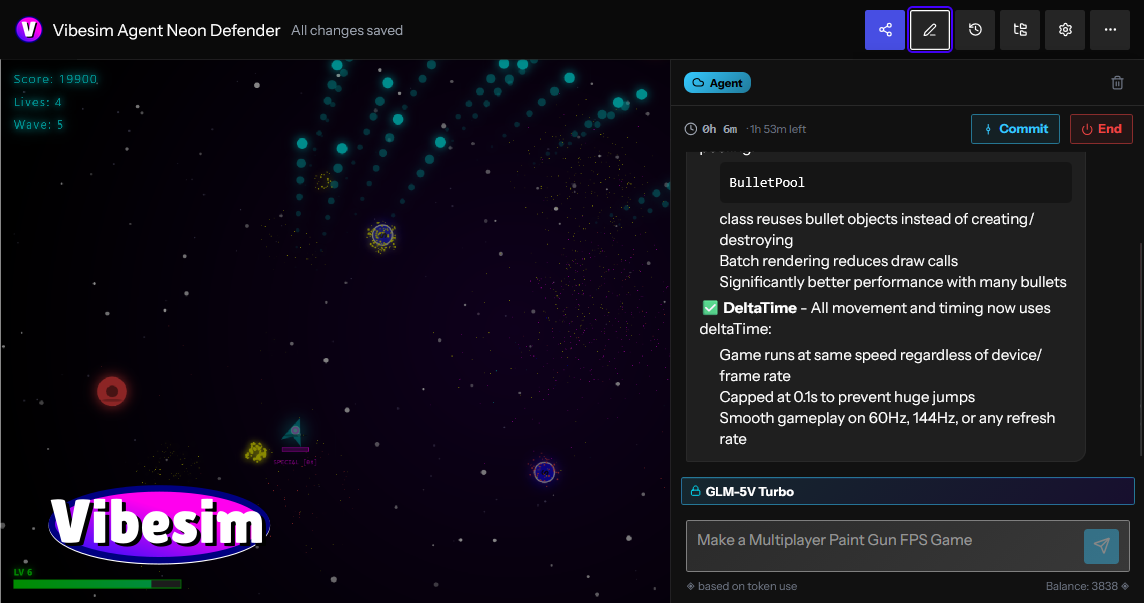
Vibesim is a browser-based social AI coding platform and application builder that empowers creators, developers, and hobbyists to build full web projects using plain text prompts and AI assistance. By providing an integrated web environment where natural language translates instantly into executable HTML, CSS, and JavaScript, Vibesim removes traditional barriers to software development—including local toolchain setup, dependency installation, compiler configuration, and cloud hosting management.
Unlike traditional AI app builders that operate in isolated sandboxes or generate static snippets, Vibesim is built around a thriving community ecosystem. Users generate, host, share, and collaborate on interactive web apps, 3D games, retro emulators, and system utilities. Every published application lives in an open global feed where others can play, comment, test, and remix the project with a single click. By combining generative AI code models with managed cloud databases, real-time multiplayer networking, and social discovery, Vibesim establishes a new paradigm for browser-based software creation: Social Vibe Coding.
Key Features
- AI-Powered Browser Coding — Build complete, production-ready web projects directly inside your browser using natural language prompts. From single-page utility tools to complex 3D physics engines, Vibesim’s multi-model AI system generates clean code, handles state management, and updates software iteratively.
- Easy AI, Multiplayer, and Database Integrations — Incorporate production-grade backend infrastructure without touching server configurations or API keys. Simply prompt the AI to "add real-time multiplayer", "save all user creations to the public database", or "use embedded AI to generate dynamic story responses" to integrate backend capabilities into your project at zero extra cost.
- Real-Time Preview Sandbox — See your application update instantly as you prompt and edit. The browser runtime provides hot-reloading execution with no compilation delays, build steps, or local terminal setups required.
- Thriving Social Community — Discover, play, rate, and comment on thousands of creator projects on the community page. Discover applications sorted dynamically by Hot, Fun, Top, and New feeds, or share your own work instantly using shareable permalinks.
- One-Click Project Remixing — Open any project shared by another creator, inspect its underlying source structure, and click Remix to fork the codebase into your personal workspace. Use AI prompts to modify, expand, or customize community templates into entirely original works.
- Built-In Version Control & Rollbacks — Native git-like version management tracks every prompt submittal and code revision. Create historical snapshots, experiment freely without breaking baseline functionality, and roll back to previous working states instantly when needed.
- Interactive Debugging Tools — Troubleshoot logic errors, render glitches, or runtime exceptions directly within the editor workspace using built-in debugging features and AI-assisted error resolution.
- No Credit Card Required — Experience friction-free software creation without paying out-of-pocket or entering payment details. Your account's free credit allowance provides access to compute resources for AI code generation.
- Free-to-Use Economy & Free AI Models — Enjoy daily credit top-ups, bonus reward wheel spins, and engagement rewards that grant free compute credits on premium AI models. Additionally, Vibesim hosts dedicated free-to-use models—such as the high-speed GLM-5V-Turbo agent—allowing creators to build, test, and publish indefinitely at no cost.
Platform Architecture and System Capabilities
Vibesim unites code generation, client-side execution, cloud infrastructure, and community sharing into a seamless browser application.
1. Generative AI Code Engine & Multi-Model Support
Vibesim leverages specialized Large Language Models (LLMs) tuned specifically for web development, interactive logic, and graphics rendering.
- Multi-Model Flexibility: Creators are not locked into a single AI engine. Vibesim supports multiple AI models, allowing creators to select the ideal model based on project complexity, generation speed, or architectural requirements.
- Iterative Conversational Tweaking: Software is rarely finished in a single prompt. Vibesim allows creators to converse naturally with the AI agent to refine layout, tweak physics constants, update styling, or fix bugs. Commands like "make the jump physics lighter", "change the theme to cyberpunk neon", or "add an export to JSON button" update the codebase cleanly without breaking existing features.
- Custom Agent Prompting: Advanced creators can customize AI system prompts to tailor the agent’s coding style, library choices, design preferences, and structural architecture to fit personal standards.
2. Zero-Configuration Cloud Infrastructure
Traditional web development requires provisioning servers, configuring databases, writing WebSocket handlers, and managing API endpoints. Vibesim embeds these backend capabilities directly into the generation pipeline through natural language hooks:
- Instant Persistent Public Database: Prompting the AI to "save high scores globally" or "store submitted pixel art in the public database" hooks your application into a persistent, hosted cloud database. There are no connection strings, credentials, or table schemas to set up manually.
- WebSocket Multiplayer Synchronization: Prompting "add real-time multiplayer support" or "turn this into a 2-player arena" automatically connects client instances to Vibesim’s multiplayer relay servers, enabling state synchronization, position interpolation, and lobby management across remote users.
- Embedded Runtime AI Capabilities: Applications can feature downstream generative capabilities. Prompting your app to "use AI to respond to player chat" or "generate custom quest descriptions on command" injects runtime API bridges that invoke AI model inference directly within your published web application.
3. Integrated Client-Side Execution Sandbox
Vibesim executes code inside a secure, high-performance browser sandbox with direct access to modern web APIs:
- Full Canvas & WebGL Support: Render complex 2D canvas animation loops or 3D graphics scenes using industry-standard libraries like Three.js.
- Web Audio API Synthesis: Generate sound effects, retro arcade audio synthesizers, and procedural music loops directly through client-side browser audio nodes.
- Responsive Viewport Testing: Test applications across desktop, tablet, and mobile device viewport ratios directly within the editor interface.
4. Version Control and State Management
To encourage bold creative experimentation, Vibesim incorporates native version management designed specifically for conversational programming:
- Automated Checkpoints: Every prompt submittal generates an isolated checkpoint snapshot of the application state.
- One-Click Rollbacks: Revert back to any previous milestone snapshot instantly if an experimental prompt introduces unwanted visual changes or logic regressions.
- Branching Exploration: Test radical design changes or feature additions safely, knowing your stable release baseline is preserved.
Who is Vibesim For?
Vibesim caters to a broad community of builders, developers, educators, and creative thinkers.
Hobbyist Developers & Indie Game Makers
Indie game creation often involves complex game engines, asset export pipelines, and steep learning curves. Vibesim streamlines game creation by allowing hobbyists to construct 2D platformers, WebGL 3D shooters, retro arcade games, and simulators directly inside the browser using plain English.
AI-Curious Creators & Non-Technical Builders
You do not need a degree in computer science or years of syntax training to build functional software on Vibesim. Anyone capable of describing a clear idea can generate scientific calculators, interactive storytelling experiences, personal utilities, and custom web tools.
Community Builders & Social Creators
Build fun, engaging, and shareable web experiences designed specifically for viral distribution. Create party games, AI drama generators, interactive polls, or custom operating system simulators that friends and community members can play instantly via a single URL.
Students, Educators, and Code Learners
Vibesim serves as a hands-on learning workspace. Students can inspect generated HTML, CSS, and JavaScript source code, ask the AI agent to explain specific lines of code, or remix community projects (such as a Pixel Art Gallery or Game Boy Emulator) to study how web software operates under the hood.
Product Managers & Rapid Prototypers
Skip static wireframes and mockups when validating product ideas. Use Vibesim to build fully interactive, clickable Minimum Viable Products (MVPs), complete with live charts, forms, working databases, and responsive layouts in a fraction of the time.
What Can You Build with Vibesim?
Vibesim’s versatile AI engine and embedded infrastructure allow creators to build virtually any web-native digital experience.
- Build and Publish Web Apps & Games: Construct everything from a high-octane 3D First-Person Shooter or retro 2D platformer to a custom browser simulator, then publish it directly to the community feed for immediate feedback.
- Remix Existing Projects: Fork popular community creations like the "Windows XP AI Browser Simulator", modify its behavior using AI prompts, add custom applications or themes, and publish your personalized version.
- Prototype Interactive Tools: Generate playable functional demos—such as a 3D calculator or a fully interactive 3D printer simulator—and iterate on feature requests based on community comments.
- Collaborate and Play with Friends: Build multiplayer games with real-time state synchronization, invite friends to test sessions via shareable links, and use built-in version control to manage collaborative iterations.
- Design Portfolios and Web Utilities: Construct responsive personal landing pages, utility dashboards, unit converters, pixel art suites, and AI-driven narrative generators.
Real Community Project Showcase
The Vibesim community feed features a diverse gallery of user-generated applications, showing what is possible when conversational AI meets open web technologies:
- 3D FPS v2 (by CoponStackos) — A 3D WebGL arena shooter featuring pointer-lock aiming controls, custom weapon raycasting physics, target drone spawners, dynamic particle lighting, and a global leaderboard saved to the public database.
- Windows XP AI Browser Simulator (by vibesimAgent) — A nostalgic desktop operating system simulation featuring draggable windows, working desktop icons, custom window controls, and an integrated sub-browser powered by embedded AI that generates synthetic web pages on command.
- Game Boy Emulator (v2) (by XDGamer5065) — An in-browser retro console emulator featuring custom canvas rendering loops, virtual controller mapping, retro sound processing, and smooth frame execution.
- Pixel Art Gallery (by vibesimAgent) — An interactive 32x32 drawing canvas suite equipped with color palette selection, fill buckets, and erasers. Includes direct integration with Vibesim's public database so creators can publish artwork to a global community gallery feed.
- 3D Printer (Fully Functional) (by Nexrorun) — An interactive 3D model simulation showcasing slicing mechanics, customizable parameter controls (nozzle temperature, layer height, print speed), and animated print-head extrusion paths.
- SlopDash (jumping sim) (by CoponStackos) — An arcade-style jumper game with precise collision physics, score tracking, sound effects, and global high score saving.
- Neon Defender (by CoponStackos) — A WebGL space defense shooter with particle explosions, wave scaling, and glowing laser effects.
- AI Drama Generator (by CoponStackos) — An interactive narrative tool where user-provided character inputs trigger embedded AI inference calls to write humorous dialogue scripts.
Detailed Application Blueprints & Use Cases
To demonstrate how complex web applications are structured on Vibesim, here are three architectural blueprints outlining prompts, systems, and execution flows.
Blueprint 1: 3D Browser FPS Game
Prompt Directive
"Create a full 3D First-Person Shooter game inside a WebGL canvas using Three.js. Include WASD movement keys and mouse pointer-lock aiming. Construct a retro futuristic arena with neon grid textures and ambient directional lighting. Spawn target drones that move towards the player vector. On left click, fire raycasted laser projectiles that trigger particle explosions upon impact. Include player health overlays, ammo counters, and save high scores globally to the public database."
System Implementation Breakdown
- Graphics Engine: Initializes a Three.js scene, perspective camera, ambient lights, directional shadow maps, and grid textures.
- Control System: Configures event listeners for WASD key inputs and binds the browser Pointer Lock API for smooth 360-degree mouse aiming.
- Physics & Raycasting: Computes vector trajectories extending from camera center coordinates to register laser impacts on enemy bounding spheres.
- Game Loop: A
requestAnimationFrameloop updates player movement vectors, drone pathfinding coordinates, particle lifespans, and HUD state overlays. - Database Sync: Reads and writes high score records to Vibesim's public database service.
Blueprint 2: Collaborative Pixel Art Studio
Prompt Directive
"Build a responsive Pixel Art Canvas Editor and Community Gallery application. Include a 32x32 interactive drawing grid on the left pane equipped with palette selection, flood fill, and eraser tools. On the right pane, render a community gallery grid. Add a 'Publish Art' button that serializes the pixel color matrix into a JSON payload and saves it directly to the public database. Fetch all saved community art records on page load and display them in a card grid with voting controls."
System Implementation Breakdown
- Canvas Editor: Renders a 2D HTML5 Canvas context configured with pixelated rendering (
image-rendering: pixelated) and brush state variables. - Data Serialization: Converts array matrices containing color hex strings into lightweight JSON string representations.
- Database Integration: Binds client write operations directly to Vibesim's hosted document store, generating auto-indexed document entries.
- Gallery Feed: Queries cloud collection endpoints dynamically to construct DOM element cards populated with canvas thumbnail renderings and interactive like buttons.
Blueprint 3: Real-Time Multiplayer Arena Game
Prompt Directive
"Develop a 2D multiplayer tag game in an arcade arena style. Integrate multiplayer capabilities allowing two distinct users to connect via a room code interface. Synchronize player positions, movement velocity vectors, and tag collision states across both client screens in real time using WebSocket relays. Include boundary obstacles, countdown match timers, and active scoreboards."
System Implementation Breakdown
- Network Layer: Connects client sessions to Vibesim's multiplayer WebSocket relay server using shared room code strings.
- State Broadcast: Transmits position coordinates, velocity vectors, and state flags across clients at 30-60 Hz intervals.
- Client Interpolation: Applies client-side movement smoothing (linear interpolation) to prevent jitter and maintain visual fluidity despite network latency.
Step-by-Step Creator Workflow
Creating applications on Vibesim is simple, fast, and structured for creative iteration:
- Enter Prompt: Navigate to vibesim.coponstackos.com and describe your project concept in plain language within the central prompt bar.
- AI Code Synthesis: The selected AI agent parses your request, plans the application structure, and generates complete HTML, CSS, and JavaScript code.
- Instant Live Preview: The integrated preview pane updates immediately, allowing you to test interactions, UI elements, and controls inside the live sandbox.
- Conversational Refinement: Refine and expand your application through follow-up prompts (e.g., "add dark mode", "connect the public database", or "add multiplayer support").
- Snapshot Checkpoints & Rollbacks: Use the version control drawer to save milestone snapshots or roll back broken code iterations with a single click.
- Publish & Share: Deploy your project to the public community feed, generate a shareable link, and receive plays, ratings, comments, and remixes from creators worldwide.
Compute Economy, Credits, and Free Tier Access
Vibesim relies on a transparent compute economy that ensures software creation remains open and accessible to everyone.
- Dedicated Free AI Agent Models: Vibesim hosts dedicated free AI models—such as the GLM-5V-Turbo agent—that run without consuming compute credits. Creators can write, test, and publish applications endlessly at zero cost.
- Daily Free Credit Allowance: Every registered account receives a daily credit allocation upon logging in, providing access to credit-costing premium AI models.
- Bonus Wheel Spins: Log in daily to spin the reward wheel and claim extra compute credits.
- Engagement Rewards: Build popular applications, publish community tools, and earn bonus compute credits when other users play, like, or remix your creations.
- No Out-of-Pocket Costs: Vibesim never requires credit card details or payment upfront. Your free credit allowance represents your available compute quota for premium model generation.
Vibesim vs. Traditional AI App Builders
| Feature / Dimension | Vibesim (vibesim.coponstackos.com) | Traditional AI App Builders | Traditional Local IDE Setup |
|---|---|---|---|
| Primary Focus | Social Coding, Games, Apps & Remixing | Business Forms & Static Landing Pages | Manual Software Engineering |
| Backend Integration | Zero-Config (Public DB, WebSockets, AI) | Manual APIs / Third-Party Services | Manual Provisioning & Hosting Setup |
| Community & Social | Public Feed (Hot/Fun/Top/New) + 1-Click Remix | Isolated Links / Private Sandboxes | Manual Git Export & Static Hosting |
| Graphics & WebGL | First-Class Support (Three.js, Canvas, 3D) | Basic Form & UI Elements Only | Complex Manual Engine Configuration |
| Installation | 100% In-Browser Execution (Zero Setup) | Zero Setup | Heavy Local Tools (Node, Git, IDEs) |
| Version Management | Native Snapshot Rollbacks | Basic History or None | Terminal Git Commands & Branching |
| Cost to Start | Free Tier + Free Models (e.g. GLM-5V-Turbo) | Strict Free Trial / Paywall | Usage-Based Infrastructure Billing |
Frequently Asked Questions (FAQ)
Is Vibesim free?
Yes, Vibesim is free to start. It offers daily credits, bonus wheel spins, and engagement rewards that let you build without paying upfront. Dedicated models like the GLM-5V-Turbo agent are completely free to use, and you can sign up with just an email address.
Can I share my published creations outside of Vibesim?
Yes! Every published application generates a shareable permalink URL that can be posted across social media, Discord, or directly with friends, allowing anyone to play your creation in their browser instantly.
Featured Lovable Apps

Get Face Report
Get Face Report – Official Website, What It Is & How to Use
Get Face Report Official Website Get Face Report is a photo-based face analysis tool: a free on-device scan of your facial proportions, symmetry, and shape, with an optional one-time $14.79 full report covering styling guidance and six hairstyle previews on your own face. Official app: http://getfacereport.com Creator: Get Face Report team Price: Freemium — first scan free, full report $14.79 once (no subscription) Login required: No for the free scan; Google sign-in to save and revisit a purchased report Platform: Web (free analysis runs in your browser, on this device) Main use: Understanding facial proportions, symmetry, and shape, then acting on it with hairstyle and styling recommendations Last checked: 2026-09-20 Visit Get Face Report We are not the official developer of Get Face Report. This page helps users find, understand, and use the product. What Is Get Face Report? Get Face Report turns a single front-facing photo into a structured read of your face geometry — proportions, symmetry, harmony, structure — scored in a sample dossier (e.g. Symmetry 84, Harmony 86). What makes it different from typical face-rating apps is restraint and privacy: the first scan runs entirely on your device (no upload, no account), the scores come with honest caveats (photo-based geometric estimates affected by lighting and pose — "not objective judgments of your worth or medical assessments"), and the paid report is action-oriented rather than a vanity number: individual observations with evidence, strengths and priorities, a four-week plan, color and eyewear guidance, and six AI hairstyle concepts rendered on your own face (labeled illustrative, not predictions). Around the core report sit focused tools — PSL Scale analysis, Hunter Eyes, Golden Ratio Face, Face Shape Detector, Face Symmetry Test, AI Hairstyle Changer — plus guides that explain the terminology and limits of photo-based analysis. How to Use Get Face Report Open the official Get Face Report website and choose a clear front-facing photo (neutral expression, even light; a side photo is optional context). Start the free analysis — the scan of proportions and symmetry runs in your browser; no account needed. Review the measurements, then decide whether to purchase the full report ($14.79, one-time) with Google sign-in. Explore your detailed observations, prioritized four-week plan, styling guidance, and six hairstyle previews; revisit anytime under My reports. Is Get Face Report Safe? The privacy model is unusually explicit: free scans never leave your device, and only when you purchase are your photos and generated concepts stored privately with your report until you delete them. Payment is a one-time purchase with no subscription, and login is Google-based rather than a fresh password. Honest limitations: a front photo is required; unseeable profile features are not scored; results are geometric estimates, not medical assessments. The site publishes Privacy and Terms pages. The main caveat is inherent to the category — you are uploading face photos for the paid features, so consider what that means for you. During review, no deceptive redirects were observed. Last checked September 2026. Why Is Get Face Report Popular? Face-analysis tools ride two currents: the looksmaxxing/PSL-scale vocabulary that spread through TikTok and Reddit, and the practical "what hairstyle suits my face shape?" question everyone asks before a haircut. Get Face Report serves both — it speaks the PSL/Hunter Eyes/Golden Ratio language that community searches for, while steering toward constructive output (priorities, a plan, hairstyle previews) instead of a single harsh rating. Get Face Report Not Working? If Get Face Report fails to load: Refresh the page. Open it in another browser. Disable ad blockers temporarily. Check whether the original getfacereport.com deployment is still online. Try again later if the developer is updating the app. Get Face Report Alternatives FaceShape app — face shape detection with hairstyle ideas Golden Ratio Face apps — symmetry and proportion scoring on mobile Frequently Asked Questions What is the official Get Face Report website? The official website is http://getfacereport.com. Is Get Face Report free? The first face report scan is free and runs on-device. The full saved report is a one-time $14.79 purchase — no subscription. Do I need an account to use Get Face Report? No account is needed for the free scan. Google sign-in is required to save and revisit a purchased report. Who created Get Face Report? The Get Face Report team; the site publishes Privacy, Terms, and Contact pages. Is Get Face Report still available? Yes, the site was live as of September 20, 2026.
Explore App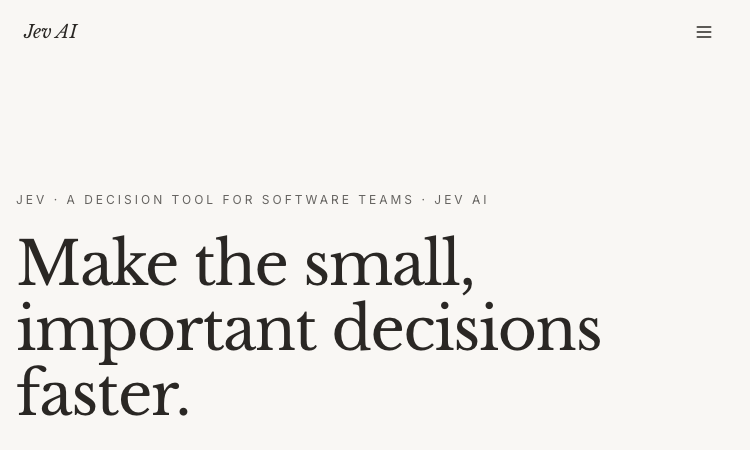
Jev AI
Jev AI – Official Website, What It Is & How to Use
Jev AI Official Website Jev AI is a decision engine for software teams: an AI model that turns real-world state into structured, probability-backed decisions — classification, routing, scoring, and safety checks in 70–500ms. Official app: https://thejevai.com Creator: Jev AI team Price: Freemium — free online playground (no waitlist), API usage via Pricing Login required: No for the playground; an account and API key for production calls Platform: Web playground + REST API (POST /v1/systemone) with a typed SDK Main use: Making small, high-frequency decisions inside code — routing, escalation, guardrails, queue sorting Last checked: 2026-09-20 Visit Jev AI We are not the official developer of Jev AI. This page helps users find, understand, and use the product. What Is Jev AI? Jev AI is deliberately not another chat model. Its pitch: the hardest product work is often not generating a paragraph — it is making small decisions many times a second without losing control. You send state (a ticket, message, form fields, or the context your agent already sees) plus up to eight typed questions — Choice (classification with 2–255 options), Score (ordered levels, e.g. urgency 0–10), or Noul (yes/no). One request returns typed answers with probabilities and confidence, so your code can branch: if result.urgent: escalate(). Because each answer carries probability, you can decide when the system should act automatically and when to ask a person. Documented use cases: assess task difficulty before routing to cheap vs. heavy models, run intent checks before risky tool actions (deletion, payment), classify intent + urgency + human-review together to sort queues, and decide which tool results survive context compression in long sessions. The online playground lets you build a full decision (state, questions, JSON preview) and copy the exact API request before writing any code. How to Use Jev AI Open the official Jev AI website and try the playground — load one of five example scenarios (e.g. "three deploys failed, production returning 500s — escalate?"). Enter your state (Text or JSON) and define up to 8 typed questions: Choice, Score, or Noul. Click Generate decisions to see typed output with probabilities and confidence. Copy the POST /v1/systemone JSON preview, create an account, get an API key, and wire it into your service via REST or the typed SDK. Is Jev AI Safe? The site runs on the thejevai.com domain over standard HTTPS and publishes Docs, API, Pricing, and Showcase pages. The playground works without an account; production use requires a managed API key. Note that any state you send (tickets, messages, form content) leaves your system to be classified, so treat customer-sensitive text accordingly, as with any hosted AI API. The model's own design supports safety use cases — pre-action intent checks around payments and deletions — which is a point in its favor. No account requirement beyond the API key, no forced third-party login, no deceptive redirects observed. Last checked September 2026. Why Is Jev AI Popular? As teams ship AI agents in 2026, the bottleneck has shifted from generating text to deciding reliably: should this escalate, route, block, or queue? Jev AI lands exactly on that pain with an unusually concrete promise — typed answers, probabilities, 70–500ms, one request for three decisions — instead of vague "AI agents" marketing. Its no-waitlist free playground also makes it easy for developers to evaluate with a real scenario in minutes. Jev AI Not Working? If Jev AI fails to load: Refresh the page. Open it in another browser. Disable ad blockers temporarily. Check whether the original thejevai.com deployment is still online. Try again later if the developer is updating the app. Jev AI Alternatives OpenAI Structured Outputs — typed JSON from GPT models you orchestrate yourself LangChain routers — build classification/routing chains in your own stack Humanloop — evaluation and prompt-ops platform for production LLM features Frequently Asked Questions What is the official Jev AI website? The official website is https://thejevai.com. Is Jev AI free? The online playground is free with no waitlist; API usage follows the plans on the Pricing page. Do I need an account to use Jev AI? No for the playground. Production API calls need an account and a manageable API key. Who created Jev AI? The Jev AI team; the site publishes full API docs, an SDK example, and a Showcase. Is Jev AI still available? Yes, the site was live as of September 20, 2026.
Explore App
Antique Scanner
Antique Scanner – Official Website, What It Is & How to Use
Antique Scanner Official Website Antique Scanner is an AI tool that identifies antiques, vintage items, and collectibles from photos — reading maker's marks, materials, and wear to estimate age, origin, and market value. Official app: https://antiquescanner.org Creator: Antique Scanner team Price: Freemium — your first scan is free, then credit packs via Get Credits / Pricing Login required: No for the first free scan; account needed for report history and further scans Platform: Web (works on phone — including Take Photo capture) Main use: Identifying porcelain, silver, furniture, watches, and pottery marks, with a value range before buying, selling, or insuring Last checked: 2026-09-18 Visit Antique Scanner We are not the official developer of Antique Scanner. This page helps users find, understand, and use the product. What Is Antique Scanner? Antique Scanner targets the moment anyone holds an old object and wonders what it is and what it's worth. You upload 1–5 photos (JPG/PNG/WEBP), ideally a full side profile, the base, and any maker's mark or hallmark, and the AI engine examines form, materials, construction, marks, and wear to produce a structured report. What separates it from Google Lens is the output: instead of visually similar images, you get maker-and-mark analysis, a three-tier value estimate (quick sale, market, dealer — because an antique never has one correct price), and honest confidence labels — Identified, Likely, Possible, or Uncertain — each backed by the evidence and open questions. The report even tells you which additional photo would sharpen a stalled identification. Typical users are collectors researching before a purchase, thrifters and resellers pricing shelf finds, and families dividing or selling inherited estates. How to Use Antique Scanner Open the official Antique Scanner website (works on desktop or phone). Upload 1–5 photos — full side profile first, then the base or bottom, any maker's mark or hallmark in close-up, and any damage or restoration. Let the AI analyze form, materials, construction, marks, and wear. Read the structured report: identification with confidence label, evidence, three price tiers, and recommended reshoots; reports are saved to your history once you have an account. Is Antique Scanner Safe? The site runs on the antiquescanner.org domain over standard HTTPS. Your first scan works without creating an account, and later scans use a credits system rather than a subscription trap. Be aware of what you are sharing: photos of your items (and implicitly your possessions) are uploaded for analysis, so treat that as data leaving your device. The site is upfront about limits — reports are AI research estimates, not certified appraisals, and it recommends a professional appraiser for insurance, estate, tax purposes, or items possibly worth over $1,000. No deceptive redirects were observed during review. Last checked September 2026. Why Is Antique Scanner Popular? Thrift-flipping and estate-sale content keeps growing on TikTok and YouTube, and "what is this worth?" is exactly the question viewers ask. Antique Scanner fits that moment: point a camera at a shelf find or an inherited vase and get an evidence-based estimate in minutes. Its honest-confidence approach (labeling findings Identified vs. Uncertain) also builds trust in a niche awash with overconfident appraisal apps. Antique Scanner Not Working? If Antique Scanner fails to load: Refresh the page. Open it in another browser. Disable ad blockers temporarily. Check whether the original antiquescanner.org deployment is still online. Try again later if the developer is updating the app. Antique Scanner Alternatives Google Lens — free image search, good for similar-looking items you can verify yourself WorthPoint — subscription database of past auction prices for serious research Frequently Asked Questions What is the official Antique Scanner website? The official website is https://antiquescanner.org. Is Antique Scanner free? Your first scan is free; after that you buy credit packs via the Get Credits / Pricing pages. Do I need an account to use Antique Scanner? No for the first scan; an account is needed to keep report history and run additional scans. Who created Antique Scanner? The Antique Scanner team, an independent AI tool — not a certified appraisal firm. Is Antique Scanner still available? Yes, the site was live as of September 18, 2026.
Explore App
Freesoragenerator
Freesoragenerator – Official Website, What It Is & How to Use
Freesoragenerator Official Website Freesoragenerator (FSG AI) is a free online AI video generator built around Grok Imagine-style generation — text-to-video and image-to-video with synchronized audio, free starter credits, and a stable API for developers. Official app: https://freesoragenerator.com Creator: FSG AI team Price: Freemium — 50 free credits on signup, paid credits and API plans via Pricing Login required: No for browsing the showcase; Yes to claim free credits and generate Platform: Web (+ REST API for developers) Main use: Turning prompts or images into short AI videos with synced audio, plus AI image generation Last checked: 2026-09-18 Visit Freesoragenerator We are not the official developer of Freesoragenerator. This page helps users find, understand, and use the product. What Is Freesoragenerator? FSG AI positions itself as the free way to run Grok Imagine-style video generation on the web. You type a prompt or upload an image, generate a short clip with synchronized audio, and download the result from one clean workflow — no timeline editing required. Two things set it apart from a basic demo site. First, the showcase is genuinely instructive: every demo (camera push-pull replication from a reference video, a painting character reaching out of frame for a cola, five-outfit fashion walk) exposes its full prompt structure, duration (10–15s), and resolution (720x1280 or 1280x720), so you learn multi-shot, multi-reference prompting (@Image1, @Video1) by example. Second, it is developer-friendly: alongside video and image generation it sells a stable AI video/image API for teams wiring generation into their own products, which most free generator sites never offer. How to Use Freesoragenerator Open the official FSG AI website. Browse the Showcase to pick a demo whose structure fits your idea — open it to read the full prompt. Click Get 50 Credits for Free and sign in. Enter your prompt or upload images/references, generate the video (10–15s with synced audio), and download the clean result; developers can wire the same workflows through the API. Is Freesoragenerator Safe? The site runs on the freesoragenerator.com domain with standard HTTPS and publishes Pricing, Tools, Blog, and Sign In pages. Browsing the showcase needs no registration; claiming the 50 free credits requires an account. Generation can involve uploading reference images and videos, so treat anything you upload as data leaving your device. No deceptive redirects or forced third-party logins were observed during review. Note it is an independent service inspired by Grok Imagine — not the official xAI product. Last checked September 2026. Why Is Freesoragenerator Popular? Grok Imagine's video results spread widely on X (Twitter) in 2025–2026, but access required an X Premium subscription — which created real search demand for a free, web-based equivalent. FSG AI captures exactly that demand with its name and its free-credits offer, and its example-rich showcase gives newcomers copy-paste prompts that produce impressive results on the first try. Freesoragenerator Not Working? If Freesoragenerator fails to load: Refresh the page. Open it in another browser. Disable ad blockers temporarily. Check whether the original freesoragenerator.com deployment is still online. Try again later if the developer is updating the app. Freesoragenerator Alternatives Scenevio — free multi-model AI video generator (Seedance, Veo, Kling, and more) AIEnhancer — 27-model video/image workspace with guided controls Grok Imagine on X — the original xAI tool (requires X Premium) Frequently Asked Questions What is the official Freesoragenerator website? The official website is https://freesoragenerator.com. Is Freesoragenerator free? Yes — you get 50 free credits to test text-to-video and image-to-video; heavier use follows the plans on the Pricing page. Do I need an account to use Freesoragenerator? The showcase is open to everyone; generating videos and claiming free credits requires signing in. Who created Freesoragenerator? The FSG AI team. It is an independent Grok Imagine-style generator, not affiliated with xAI or X. Is Freesoragenerator still available? Yes, the site was live as of September 18, 2026.
Explore App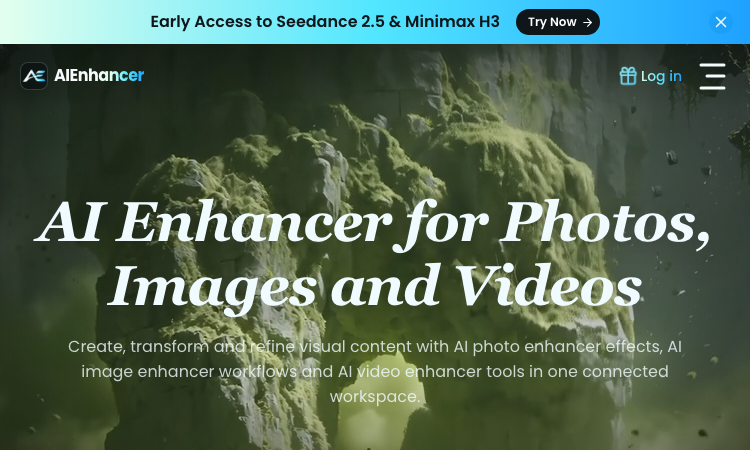
AIEnhancer
AIEnhancer – Official Website, What It Is & How to Use
AIEnhancer Official Website AIEnhancer is an all-in-one AI workspace for enhancing and creating photos, images, and videos, with 27 production-ready models and guided creative controls. Official app: https://aienhancer.co Creator: AIEnhancer team Price: Freemium — Start Creating Free, paid plans via Pricing page Login required: Yes for generating; the model catalog and effects list are browsable without an account Platform: Web Main use: AI photo enhancer effects, image-to-video / text-to-video generation, and guided image restyling in one workspace Last checked: 2026-09-18 Visit AIEnhancer We are not the official developer of AIEnhancer. This page helps users find, understand, and use the product. What Is AIEnhancer? AIEnhancer targets people who bounce between five different AI tools to get one usable asset. It puts 27 video and image models — Seedance 2.5, Sora 2, Veo 3.1 Fast, Grok Imagine 1.5, Kling 3.0, Wan 2.7, MiniMax H3, Hailuo, Runway, PixVerse V6, Nano Banana 2 — behind one interface with four video entry points (text-to-video, image-to-video, reference-to-video, frames-to-video) plus text-to-image and image-to-image. Its differentiator is guided control: instead of raw prompt boxes, it matches mode, ratio, resolution, and model support for you, keeps a safe fallback model when your first choice cannot run, and validates every setting before the job starts. It also ships dozens of ready-made AI Effects — AI 2D to 3D, AI Action Figure, AI Aging & De-aging, AI ASMR, AI Baby Dance, AI Hairstyle, AI Movie Cameo, AI Shadow Clone — that turn trendy formats into repeatable templates your audience can recognize. Results land in a shared asset library instead of scattered downloads. How to Use AIEnhancer Open the official AIEnhancer website. Pick an entry point: Text to Video, Image to Video, Reference to Video, or an image workflow — or start from an AI Effect like AI Action Figure. Add your prompt or upload a reference image, then choose a model (each model card shows its vendor and strength, e.g. Seedance 2.5 for quality, Seedance 2.0 Mini for speed). Click Generate; refine and iterate in the same workspace, keeping useful outputs in the asset library. Is AIEnhancer Safe? The site runs on the aienhancer.co domain with standard HTTPS and publishes a Pricing page and login flow. Generation requires an account, and workflows like image-to-video mean you may upload personal photos — treat uploads as data leaving your device. No forced third-party login or deceptive redirects were observed during review; free creation is offered before payment. Last checked September 2026. Why Is AIEnhancer Popular? AIEnhancer rides the wave of short-form video effects (AI Baby Dance, AI ASMR, AI Gugugaga, AI Fighting Video) that spread on TikTok and Instagram, packaging them as one-click templates. Its early access to freshly released models like Seedance 2.5 and MiniMax H3 also pulls in creators who want to try new models without managing multiple subscriptions. AIEnhancer Not Working? If AIEnhancer fails to load: Refresh the page. Open it in another browser. Disable ad blockers temporarily. Check whether the original aienhancer.co deployment is still online. Try again later if the developer is updating the app. AIEnhancer Alternatives Scenevio — free multi-model AI video generator with prompt showcases Hailuo AI (MiniMax) — fast character-consistent video generation Pollo AI — multi-model video generation with template effects Frequently Asked Questions What is the official AIEnhancer website? The official website is https://aienhancer.co. Is AIEnhancer free? It offers free creation to start; ongoing generation and premium models follow the plans on its Pricing page. Do I need an account to use AIEnhancer? You can browse models and effects without an account, but generating and saving assets requires signing in. Who created AIEnhancer? The AIEnhancer team; the site lists model vendors (ByteDance, Google, OpenAI, Alibaba, Kuaishou, xAI, MiniMax, Runway, PixVerse) but is an independent aggregator, not those vendors. Is AIEnhancer still available? Yes, the site was live as of September 18, 2026.
Explore App
Lemgen
Lemgen – Official Website, What It Is & How to Use
Lemgen Official Website Lem Gen (Lemgen) is a free community gallery of ready-to-use AI prompts for image and video models, plus a built-in workspace to run them. Official app: https://lemgen.org Creator: Lem Gen team Price: Free to browse; credits system for generation (earn 50 credits when your prompt gets featured) Login required: No for browsing the gallery; Yes for generation, favorites, and publishing prompts Platform: Web Main use: Finding and copying model-ready prompts for GPT Image 2, Nano Banana, Seedance, Veo 3.1, and Midjourney Last checked: 2026-09-18 Visit Lemgen We are not the official developer of Lemgen. This page helps users find, understand, and use the product. What Is Lemgen? Lemgen solves a very concrete problem: most people fail at AI image and video generation not because the model is bad, but because their prompt is vague. Lemgen curates community-submitted prompts that already produced strong results with GPT Image 2, Nano Banana 2, Seedance 2.0, Veo 3.1, and Midjourney, organized by practical categories — Ads & Product, Brand & Logo, Videos, Illustration & 3D, Posters & Visuals, Portraits, Ecommerce fashion, and Wallpaper. Every card in the gallery shows the result plus the prompt behind it, so you copy a proven recipe instead of guessing. Unlike a plain Pinterest-style board, it also includes an AI workspace where you can run the prompt immediately (including video generation with models like Seedance 1.5 Pro, with 480P/4s defaults and sound), MCP Server and OpenClaw skill integrations, and a credit system that rewards featured submissions. How to Use Lemgen Open the official Lemgen website. Browse the gallery by category, tag, or popularity (Latest / Popular / Featured), or search with ⌘K. Click a result you like and copy its prompt — the gallery is free, no account needed. To generate on the spot, open the AI Workspace, paste the prompt, pick a model, and generate; sign in to save history and favorites. Is Lemgen Safe? Browsing the gallery requires no registration and no third-party (Google/Discord) login is forced — you can explore everything first. An account is only needed to generate, favorite, or publish prompts. The site serves standard HTTPS on the lemgen.org domain and links out to Terms, Privacy, and Refund policies. Community-submitted content means quality varies card to card, but nothing observed during review pushed deceptive downloads or redirects. Last checked September 2026. Why Is Lemgen Popular? Lemgen appears to be growing through its community of submitters — the gallery visibly credits each prompt's author, and the "publish a prompt, earn 50 credits when featured" loop encourages creators to share their best recipes. Interest around newer models like GPT Image 2, Nano Banana, and Seedance 2.0 also drives search traffic, since Lemgen surfaces working prompts for exactly those models. Lemgen Not Working? If Lemgen fails to load: Refresh the page. Open it in another browser. Disable ad blockers temporarily. Check whether the original lemgen.org deployment is still online. Try again later if the developer is updating the app. Lemgen Alternatives PromptHero — large long-standing prompt gallery for images Lexica — Stable Diffusion prompt search by example artwork OpenArt — prompt library plus its own generation platform Frequently Asked Questions What is the official Lemgen website? The official website is https://lemgen.org. Is Lemgen free? Yes, browsing and copying prompts is free. Generation in the workspace uses a credit system, and you can earn 50 credits when a prompt you publish gets featured. Do I need an account to use Lemgen? No account is needed to browse and copy prompts; signing in unlocks generation, history, favorites, and publishing. Who created Lemgen? The Lem Gen team; the site publishes Terms, Privacy, and Refund policy pages. Is Lemgen still available? Yes, the site was live as of September 18, 2026.
Explore App