
Overview
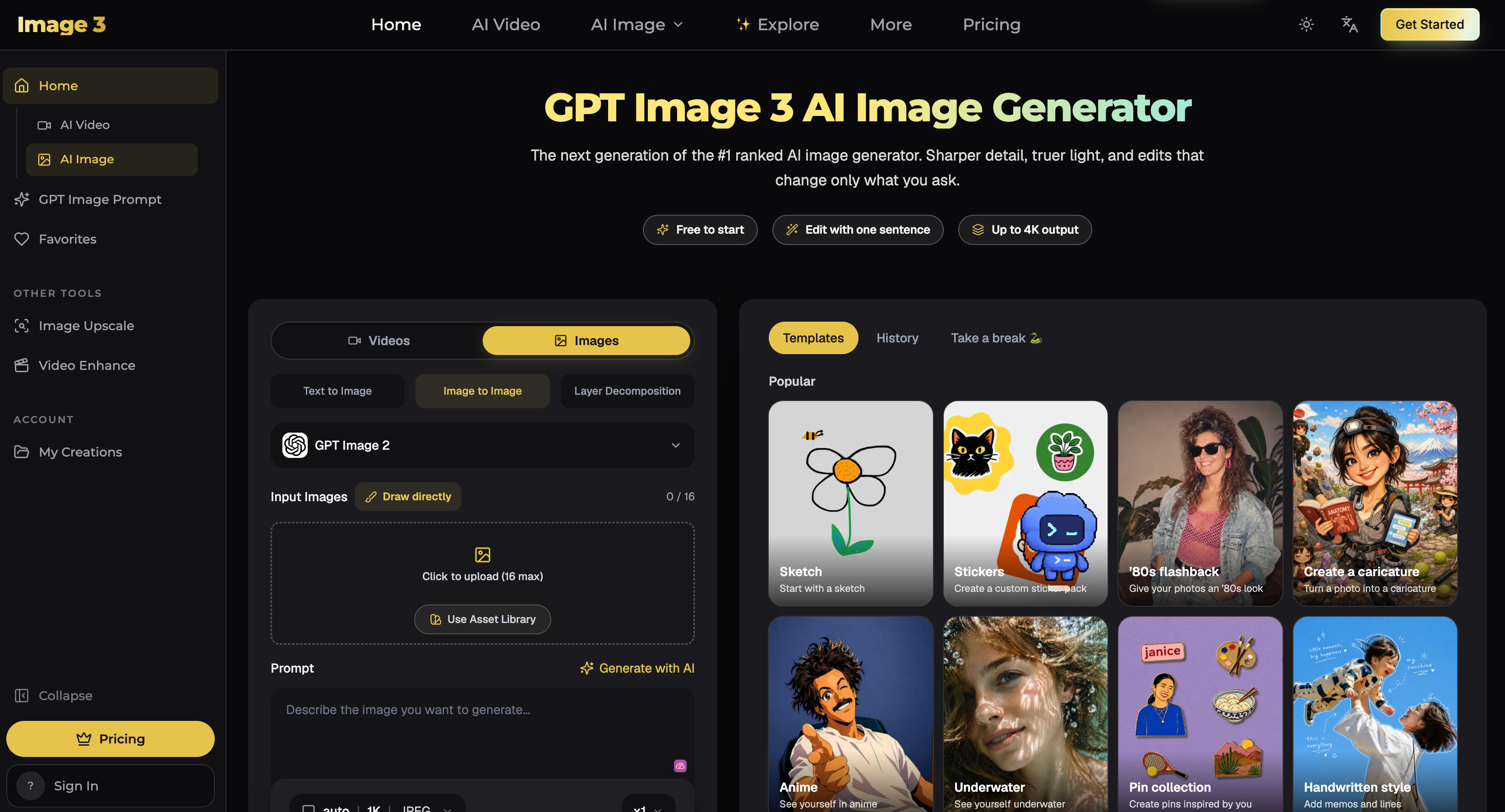
GPT Image 3 AI Image Generator
GPT Image 3 is an AI image generation and editing platform designed to make creating high-quality visuals simple and fast.
With GPT Image 3, users can turn text prompts into images, upload existing photos for editing, or combine multiple reference images to create new visuals while preserving important details such as characters, faces, products, logos, composition, and style.
Key Features
- Text to Image — Describe an idea in natural language and generate a finished image in seconds.
- Image to Image — Upload an existing image and transform its style, setting, lighting, or other visual elements.
- Precise Image Editing — Change specific parts of an image while keeping the rest of the composition consistent.
- Multiple Reference Images — Use reference images to maintain character, product, or visual consistency across generations.
- Up to 4K Output — Generate high-resolution images suitable for digital content, marketing materials, and creative projects.
- Readable Text in Images — Create posters, advertisements, menus, social graphics, and other designs that require text.
- Transparent Backgrounds — Generate clean cut-outs for products, logos, stickers, and design assets.
- Multiple Aspect Ratios — Create square, portrait, landscape, and wide-format images for different platforms and use cases.
- Prompt Gallery — Explore thousands of prompts and examples for inspiration and quickly adapt them to your own projects.
Image-3.ai can be used for product photography, advertising creatives, social media graphics, game characters, concept art, posters, thumbnails, illustrations, portraits, e-commerce assets, and other visual content.
The platform is built for both beginners and experienced creators. There is no complicated workflow to learn: describe what you want, optionally upload reference images, generate the result, and continue refining it using natural-language instructions.
Whether you are experimenting with AI-generated art, creating marketing assets, developing consistent characters, or editing existing photos, Image-3.ai provides a streamlined workspace for AI-powered image creation.
Try GPT Image 3: https://image-3.ai/
Featured Lovable Apps
Antique Scanner
Antique Scanner – Official Website, What It Is & How to Use
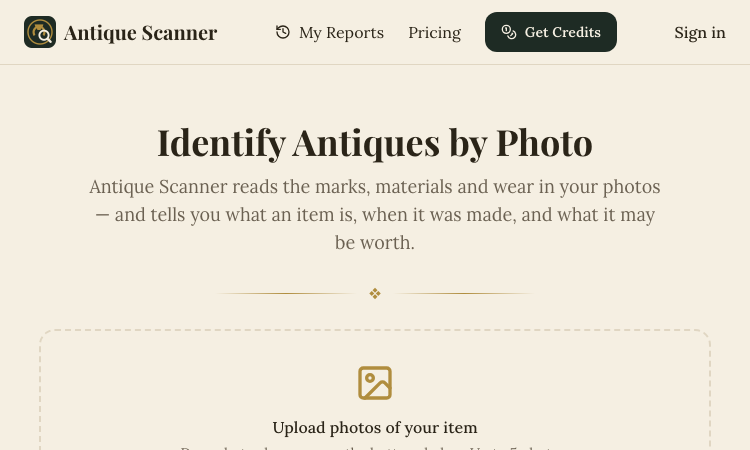
Antique Scanner Official Website Antique Scanner is an AI tool that identifies antiques, vintage items, and collectibles from photos — reading maker's marks, materials, and wear to estimate age, origin, and market value. Official app: https://antiquescanner.org Creator: Antique Scanner team Price: Freemium — your first scan is free, then credit packs via Get Credits / Pricing Login required: No for the first free scan; account needed for report history and further scans Platform: Web (works on phone — including Take Photo capture) Main use: Identifying porcelain, silver, furniture, watches, and pottery marks, with a value range before buying, selling, or insuring Last checked: 2026-09-18 Visit Antique Scanner We are not the official developer of Antique Scanner. This page helps users find, understand, and use the product. What Is Antique Scanner? Antique Scanner targets the moment anyone holds an old object and wonders what it is and what it's worth. You upload 1–5 photos (JPG/PNG/WEBP), ideally a full side profile, the base, and any maker's mark or hallmark, and the AI engine examines form, materials, construction, marks, and wear to produce a structured report. What separates it from Google Lens is the output: instead of visually similar images, you get maker-and-mark analysis, a three-tier value estimate (quick sale, market, dealer — because an antique never has one correct price), and honest confidence labels — Identified, Likely, Possible, or Uncertain — each backed by the evidence and open questions. The report even tells you which additional photo would sharpen a stalled identification. Typical users are collectors researching before a purchase, thrifters and resellers pricing shelf finds, and families dividing or selling inherited estates. How to Use Antique Scanner Open the official Antique Scanner website (works on desktop or phone). Upload 1–5 photos — full side profile first, then the base or bottom, any maker's mark or hallmark in close-up, and any damage or restoration. Let the AI analyze form, materials, construction, marks, and wear. Read the structured report: identification with confidence label, evidence, three price tiers, and recommended reshoots; reports are saved to your history once you have an account. Is Antique Scanner Safe? The site runs on the antiquescanner.org domain over standard HTTPS. Your first scan works without creating an account, and later scans use a credits system rather than a subscription trap. Be aware of what you are sharing: photos of your items (and implicitly your possessions) are uploaded for analysis, so treat that as data leaving your device. The site is upfront about limits — reports are AI research estimates, not certified appraisals, and it recommends a professional appraiser for insurance, estate, tax purposes, or items possibly worth over $1,000. No deceptive redirects were observed during review. Last checked September 2026. Why Is Antique Scanner Popular? Thrift-flipping and estate-sale content keeps growing on TikTok and YouTube, and "what is this worth?" is exactly the question viewers ask. Antique Scanner fits that moment: point a camera at a shelf find or an inherited vase and get an evidence-based estimate in minutes. Its honest-confidence approach (labeling findings Identified vs. Uncertain) also builds trust in a niche awash with overconfident appraisal apps. Antique Scanner Not Working? If Antique Scanner fails to load: Refresh the page. Open it in another browser. Disable ad blockers temporarily. Check whether the original antiquescanner.org deployment is still online. Try again later if the developer is updating the app. Antique Scanner Alternatives Google Lens — free image search, good for similar-looking items you can verify yourself WorthPoint — subscription database of past auction prices for serious research Frequently Asked Questions What is the official Antique Scanner website? The official website is https://antiquescanner.org. Is Antique Scanner free? Your first scan is free; after that you buy credit packs via the Get Credits / Pricing pages. Do I need an account to use Antique Scanner? No for the first scan; an account is needed to keep report history and run additional scans. Who created Antique Scanner? The Antique Scanner team, an independent AI tool — not a certified appraisal firm. Is Antique Scanner still available? Yes, the site was live as of September 18, 2026.
Explore App
Freesoragenerator
Freesoragenerator – Official Website, What It Is & How to Use
Freesoragenerator Official Website Freesoragenerator (FSG AI) is a free online AI video generator built around Grok Imagine-style generation — text-to-video and image-to-video with synchronized audio, free starter credits, and a stable API for developers. Official app: https://freesoragenerator.com Creator: FSG AI team Price: Freemium — 50 free credits on signup, paid credits and API plans via Pricing Login required: No for browsing the showcase; Yes to claim free credits and generate Platform: Web (+ REST API for developers) Main use: Turning prompts or images into short AI videos with synced audio, plus AI image generation Last checked: 2026-09-18 Visit Freesoragenerator We are not the official developer of Freesoragenerator. This page helps users find, understand, and use the product. What Is Freesoragenerator? FSG AI positions itself as the free way to run Grok Imagine-style video generation on the web. You type a prompt or upload an image, generate a short clip with synchronized audio, and download the result from one clean workflow — no timeline editing required. Two things set it apart from a basic demo site. First, the showcase is genuinely instructive: every demo (camera push-pull replication from a reference video, a painting character reaching out of frame for a cola, five-outfit fashion walk) exposes its full prompt structure, duration (10–15s), and resolution (720x1280 or 1280x720), so you learn multi-shot, multi-reference prompting (@Image1, @Video1) by example. Second, it is developer-friendly: alongside video and image generation it sells a stable AI video/image API for teams wiring generation into their own products, which most free generator sites never offer. How to Use Freesoragenerator Open the official FSG AI website. Browse the Showcase to pick a demo whose structure fits your idea — open it to read the full prompt. Click Get 50 Credits for Free and sign in. Enter your prompt or upload images/references, generate the video (10–15s with synced audio), and download the clean result; developers can wire the same workflows through the API. Is Freesoragenerator Safe? The site runs on the freesoragenerator.com domain with standard HTTPS and publishes Pricing, Tools, Blog, and Sign In pages. Browsing the showcase needs no registration; claiming the 50 free credits requires an account. Generation can involve uploading reference images and videos, so treat anything you upload as data leaving your device. No deceptive redirects or forced third-party logins were observed during review. Note it is an independent service inspired by Grok Imagine — not the official xAI product. Last checked September 2026. Why Is Freesoragenerator Popular? Grok Imagine's video results spread widely on X (Twitter) in 2025–2026, but access required an X Premium subscription — which created real search demand for a free, web-based equivalent. FSG AI captures exactly that demand with its name and its free-credits offer, and its example-rich showcase gives newcomers copy-paste prompts that produce impressive results on the first try. Freesoragenerator Not Working? If Freesoragenerator fails to load: Refresh the page. Open it in another browser. Disable ad blockers temporarily. Check whether the original freesoragenerator.com deployment is still online. Try again later if the developer is updating the app. Freesoragenerator Alternatives Scenevio — free multi-model AI video generator (Seedance, Veo, Kling, and more) AIEnhancer — 27-model video/image workspace with guided controls Grok Imagine on X — the original xAI tool (requires X Premium) Frequently Asked Questions What is the official Freesoragenerator website? The official website is https://freesoragenerator.com. Is Freesoragenerator free? Yes — you get 50 free credits to test text-to-video and image-to-video; heavier use follows the plans on the Pricing page. Do I need an account to use Freesoragenerator? The showcase is open to everyone; generating videos and claiming free credits requires signing in. Who created Freesoragenerator? The FSG AI team. It is an independent Grok Imagine-style generator, not affiliated with xAI or X. Is Freesoragenerator still available? Yes, the site was live as of September 18, 2026.
Explore App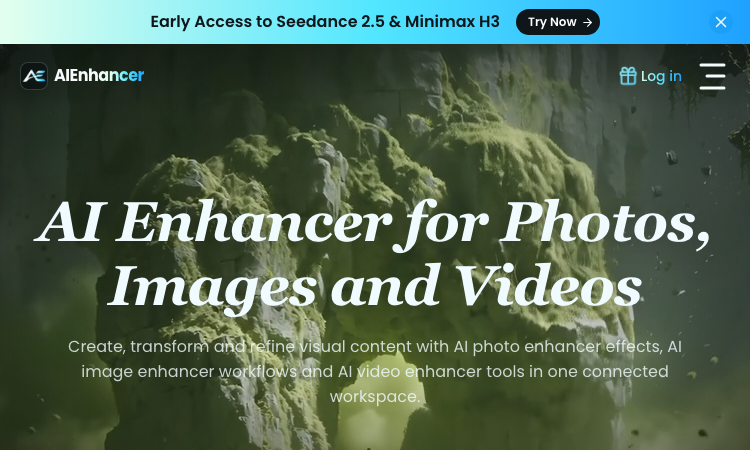
AIEnhancer
AIEnhancer – Official Website, What It Is & How to Use
AIEnhancer Official Website AIEnhancer is an all-in-one AI workspace for enhancing and creating photos, images, and videos, with 27 production-ready models and guided creative controls. Official app: https://aienhancer.co Creator: AIEnhancer team Price: Freemium — Start Creating Free, paid plans via Pricing page Login required: Yes for generating; the model catalog and effects list are browsable without an account Platform: Web Main use: AI photo enhancer effects, image-to-video / text-to-video generation, and guided image restyling in one workspace Last checked: 2026-09-18 Visit AIEnhancer We are not the official developer of AIEnhancer. This page helps users find, understand, and use the product. What Is AIEnhancer? AIEnhancer targets people who bounce between five different AI tools to get one usable asset. It puts 27 video and image models — Seedance 2.5, Sora 2, Veo 3.1 Fast, Grok Imagine 1.5, Kling 3.0, Wan 2.7, MiniMax H3, Hailuo, Runway, PixVerse V6, Nano Banana 2 — behind one interface with four video entry points (text-to-video, image-to-video, reference-to-video, frames-to-video) plus text-to-image and image-to-image. Its differentiator is guided control: instead of raw prompt boxes, it matches mode, ratio, resolution, and model support for you, keeps a safe fallback model when your first choice cannot run, and validates every setting before the job starts. It also ships dozens of ready-made AI Effects — AI 2D to 3D, AI Action Figure, AI Aging & De-aging, AI ASMR, AI Baby Dance, AI Hairstyle, AI Movie Cameo, AI Shadow Clone — that turn trendy formats into repeatable templates your audience can recognize. Results land in a shared asset library instead of scattered downloads. How to Use AIEnhancer Open the official AIEnhancer website. Pick an entry point: Text to Video, Image to Video, Reference to Video, or an image workflow — or start from an AI Effect like AI Action Figure. Add your prompt or upload a reference image, then choose a model (each model card shows its vendor and strength, e.g. Seedance 2.5 for quality, Seedance 2.0 Mini for speed). Click Generate; refine and iterate in the same workspace, keeping useful outputs in the asset library. Is AIEnhancer Safe? The site runs on the aienhancer.co domain with standard HTTPS and publishes a Pricing page and login flow. Generation requires an account, and workflows like image-to-video mean you may upload personal photos — treat uploads as data leaving your device. No forced third-party login or deceptive redirects were observed during review; free creation is offered before payment. Last checked September 2026. Why Is AIEnhancer Popular? AIEnhancer rides the wave of short-form video effects (AI Baby Dance, AI ASMR, AI Gugugaga, AI Fighting Video) that spread on TikTok and Instagram, packaging them as one-click templates. Its early access to freshly released models like Seedance 2.5 and MiniMax H3 also pulls in creators who want to try new models without managing multiple subscriptions. AIEnhancer Not Working? If AIEnhancer fails to load: Refresh the page. Open it in another browser. Disable ad blockers temporarily. Check whether the original aienhancer.co deployment is still online. Try again later if the developer is updating the app. AIEnhancer Alternatives Scenevio — free multi-model AI video generator with prompt showcases Hailuo AI (MiniMax) — fast character-consistent video generation Pollo AI — multi-model video generation with template effects Frequently Asked Questions What is the official AIEnhancer website? The official website is https://aienhancer.co. Is AIEnhancer free? It offers free creation to start; ongoing generation and premium models follow the plans on its Pricing page. Do I need an account to use AIEnhancer? You can browse models and effects without an account, but generating and saving assets requires signing in. Who created AIEnhancer? The AIEnhancer team; the site lists model vendors (ByteDance, Google, OpenAI, Alibaba, Kuaishou, xAI, MiniMax, Runway, PixVerse) but is an independent aggregator, not those vendors. Is AIEnhancer still available? Yes, the site was live as of September 18, 2026.
Explore App
Lemgen
Lemgen – Official Website, What It Is & How to Use
Lemgen Official Website Lem Gen (Lemgen) is a free community gallery of ready-to-use AI prompts for image and video models, plus a built-in workspace to run them. Official app: https://lemgen.org Creator: Lem Gen team Price: Free to browse; credits system for generation (earn 50 credits when your prompt gets featured) Login required: No for browsing the gallery; Yes for generation, favorites, and publishing prompts Platform: Web Main use: Finding and copying model-ready prompts for GPT Image 2, Nano Banana, Seedance, Veo 3.1, and Midjourney Last checked: 2026-09-18 Visit Lemgen We are not the official developer of Lemgen. This page helps users find, understand, and use the product. What Is Lemgen? Lemgen solves a very concrete problem: most people fail at AI image and video generation not because the model is bad, but because their prompt is vague. Lemgen curates community-submitted prompts that already produced strong results with GPT Image 2, Nano Banana 2, Seedance 2.0, Veo 3.1, and Midjourney, organized by practical categories — Ads & Product, Brand & Logo, Videos, Illustration & 3D, Posters & Visuals, Portraits, Ecommerce fashion, and Wallpaper. Every card in the gallery shows the result plus the prompt behind it, so you copy a proven recipe instead of guessing. Unlike a plain Pinterest-style board, it also includes an AI workspace where you can run the prompt immediately (including video generation with models like Seedance 1.5 Pro, with 480P/4s defaults and sound), MCP Server and OpenClaw skill integrations, and a credit system that rewards featured submissions. How to Use Lemgen Open the official Lemgen website. Browse the gallery by category, tag, or popularity (Latest / Popular / Featured), or search with ⌘K. Click a result you like and copy its prompt — the gallery is free, no account needed. To generate on the spot, open the AI Workspace, paste the prompt, pick a model, and generate; sign in to save history and favorites. Is Lemgen Safe? Browsing the gallery requires no registration and no third-party (Google/Discord) login is forced — you can explore everything first. An account is only needed to generate, favorite, or publish prompts. The site serves standard HTTPS on the lemgen.org domain and links out to Terms, Privacy, and Refund policies. Community-submitted content means quality varies card to card, but nothing observed during review pushed deceptive downloads or redirects. Last checked September 2026. Why Is Lemgen Popular? Lemgen appears to be growing through its community of submitters — the gallery visibly credits each prompt's author, and the "publish a prompt, earn 50 credits when featured" loop encourages creators to share their best recipes. Interest around newer models like GPT Image 2, Nano Banana, and Seedance 2.0 also drives search traffic, since Lemgen surfaces working prompts for exactly those models. Lemgen Not Working? If Lemgen fails to load: Refresh the page. Open it in another browser. Disable ad blockers temporarily. Check whether the original lemgen.org deployment is still online. Try again later if the developer is updating the app. Lemgen Alternatives PromptHero — large long-standing prompt gallery for images Lexica — Stable Diffusion prompt search by example artwork OpenArt — prompt library plus its own generation platform Frequently Asked Questions What is the official Lemgen website? The official website is https://lemgen.org. Is Lemgen free? Yes, browsing and copying prompts is free. Generation in the workspace uses a credit system, and you can earn 50 credits when a prompt you publish gets featured. Do I need an account to use Lemgen? No account is needed to browse and copy prompts; signing in unlocks generation, history, favorites, and publishing. Who created Lemgen? The Lem Gen team; the site publishes Terms, Privacy, and Refund policy pages. Is Lemgen still available? Yes, the site was live as of September 18, 2026.
Explore App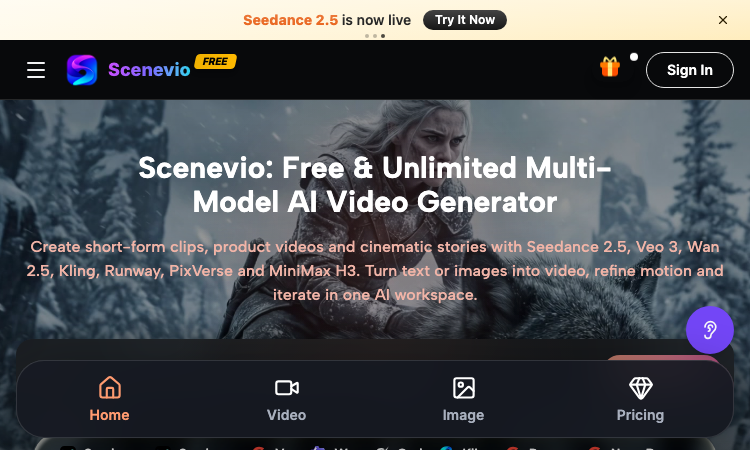
Scenevio
Scenevio – Official Website, What It Is & How to Use
Scenevio Official Website Scenevio is a free multi-model AI video generator that turns text prompts and images into short-form clips, product videos, and cinematic story sequences. Official app: https://scenevio.com Creator: Scenevio team (support@scenevio.com) Price: Freemium — free starter credits plus paid plans from $14.99/month Login required: Yes, an account is needed to generate and save videos Platform: Web (works in any modern browser, 8 languages including English, Japanese, Korean, and Chinese) Main use: Text-to-video and image-to-video generation with 26+ AI models Last checked: 2026-09-18 Visit Scenevio We are not the official developer of Scenevio. This page helps users find, understand, and use the product. What Is Scenevio? Scenevio is a web-based AI video workspace that puts many of the leading video models — Seedance 2.5, Veo 3, Wan 2.5, Kling, Runway, PixVerse, and MiniMax H3 — behind a single interface, so you can compare outputs without juggling separate subscriptions. You type a prompt or upload a reference image, pick a model, and generate a clip; per-second billing means credits follow actual duration, resolution, and reference inputs rather than a flat per-video rate. Beyond video, it also bundles image models such as Seedream, Flux, Nano Banana, and GPT Image for concept frames. The homepage doubles as a prompt library: every showcased clip (macro food shots, mecha squads, golden-hour trains) can be opened directly in the workspace or copied as a starting prompt, which makes it easy to go from zero to a first render in minutes. How to Use Scenevio Open the official Scenevio website and click Generate. Sign in to create your workspace (free starter credits are included). Choose a mode — text-to-video or image-to-video — and select a model such as Seedance 2.5 or Veo 3. Type your prompt (or copy one from a homepage showcase) and generate; refine motion and iterate in the same workspace. Is Scenevio Safe? The site runs on the Scenevio.com domain with standard HTTPS and does not require third-party login such as Google or Discord beyond a regular account. Generation requires signing in, and uploads may include reference images, so treat anything you submit as data leaving your device. Payment is only needed for paid plans (Lite, Starter, Pro, Unlimited), which unlock private generation, no-watermark exports, and a commercial license — the free tier is ad-supported with watermarks. No deceptive redirects were observed during review; last checked September 2026. Why Is Scenevio Popular? Scenevio appears to be gaining attention through direct sharing and word-of-mouth around newly released models like Seedance 2.5, although there is no clear public source showing where the trend originated. Its positioning as a single place to try many premium video models at once — with free credits and per-second billing — gives it natural reach among short-form creators on TikTok and Instagram. Scenevio Not Working? If Scenevio fails to load: Refresh the page. Open it in another browser. Disable ad blockers temporarily. Check whether the original scenevio.com deployment is still online. Try again later if the developer is updating the app. Scenevio Alternatives Runway — the veteran AI video suite with strong editing tools Kling AI — high-motion video generation from Kuaishou Hailuo (MiniMax) — fast, character-consistent video generation Frequently Asked Questions What is the official Scenevio website? The official website is https://scenevio.com. Is Scenevio free? It is freemium: you get free starter credits to generate videos, but watermark-free exports, private generation, and a commercial license require a paid plan (from $14.99/month to $149.99/month for Unlimited). Do I need an account to use Scenevio? Browsing showcases is free, but generating and saving videos requires an account. Who created Scenevio? The Scenevio team; the site lists support@scenevio.com as its contact. Is Scenevio still available? Yes, the site was live and generating as of September 18, 2026.
Explore App
Poople
Master the daily word ladder: change one letter at a time to reach POOP in this free, quick, and addictive puzzle.
Poople is the ultimate daily word ladder game designed for quick, clever brain-teasers that fit perfectly into your busy schedule. Your goal is simple: transform a starting 4-letter word into the target word "POOP" by changing only one letter at a time, ensuring every intermediate step is a valid word. Whether you are a fan of Wordle or Weaver, Poople offers a challenging, minimalist experience that rewards efficient vocabulary and strategic thinking. With a new puzzle released every day at 08:00 UTC, players around the world compete to reach the goal in the fewest steps possible. Perfect for word game enthusiasts looking for a bite-sized mental workout, Poople is entirely free, requires no sign-ups, and features a clean, ad-free interface that works seamlessly on desktop and mobile browsers. You can track your personal streaks and performance directly on your device, then share your success with friends using spoiler-free results.
Explore App