

Overview
IsThisAIImage is a free online AI image and deepfake detector built for the moment someone hesitates before trusting a photo. Modern generators can invent photoreal landscapes, product shots, portraits, and news-style scenes. Deepfake tools can alter a real capture—swapping faces, rewriting expressions, or placing someone into a scene they never visited. The product turns that uncertainty into a short, structured check: upload once, review clear scores in seconds, then decide whether to share, investigate further, or walk away.
How it works: users stay on one page, upload a single image, complete a brief security check, and wait while the service analyzes AI-generated patterns and deepfake / face-manipulation signals. Output is mapped into an easy result card with a verdict band (likely, uncertain, or not likely), separate AI-generated and deepfake meters, and optional generator hints when the model surfaces stylistic families. If content credentials metadata is present, the interface can note that as an extra provenance clue. The goal is an evidence panel people can scan quickly—not a complex forensic workstation.
Supported inputs typically include JPG, PNG, WebP, and GIF, with a file-size limit suitable for ordinary web uploads. Guests receive a limited number of free checks per IP each UTC day; signing in raises the daily allowance. Abuse controls such as captcha, rate limits, and file validation help keep the free tier available. There is no public gallery of user uploads. Users are advised not to submit identity documents, medical records, or other highly sensitive files they cannot share with a processor.
Pricing for the core experience is free. Daily quotas protect capacity; future paid features may appear later, but ordinary free detections do not require checkout today. The product runs in modern browsers on desktop and mobile—no desktop installer and no offline generation mode. An internet connection is required to process each check. Downloaded or screenshot results can be kept locally by the user.
Responsible use is part of the product story. A “likely” score is not permission to harass creators, and a “not likely” score is not a certificate of authenticity. Detection quality can shift as generators improve and as social platforms re-compress files. IsThisAIImage is therefore positioned as decision support for media literacy, scam caution, editorial sanity checks, and everyday trust—best paired with source context, reverse image search when needed, and specialized review when the outcome truly matters.
In short, IsThisAIImage packages a forensic-style answer to “is this AI image?” into a reliable free web tool: dual AI-generated and deepfake scores, a clear verdict band, optional generator hints, daily free quotas, and a simple upload-to-result flow for anyone who needs a fast second opinion before they believe a picture.
Featured Lovable Apps
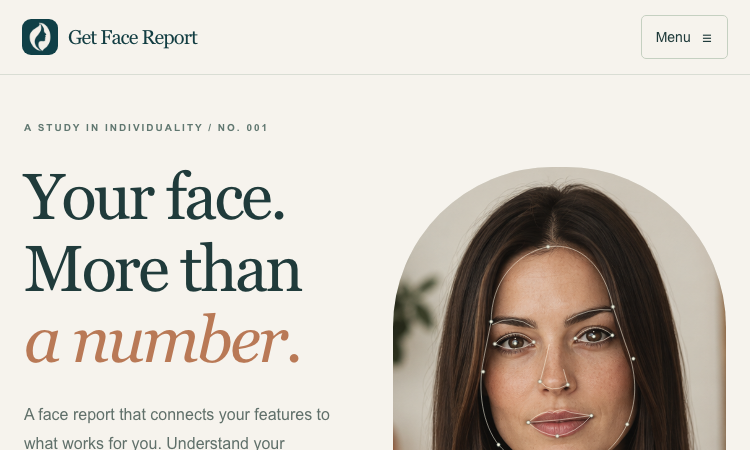
Get Face Report
Get Face Report – Official Website, What It Is & How to Use
Get Face Report Official Website Get Face Report is a photo-based face analysis tool: a free on-device scan of your facial proportions, symmetry, and shape, with an optional one-time $14.79 full report covering styling guidance and six hairstyle previews on your own face. Official app: http://getfacereport.com Creator: Get Face Report team Price: Freemium — first scan free, full report $14.79 once (no subscription) Login required: No for the free scan; Google sign-in to save and revisit a purchased report Platform: Web (free analysis runs in your browser, on this device) Main use: Understanding facial proportions, symmetry, and shape, then acting on it with hairstyle and styling recommendations Last checked: 2026-09-20 Visit Get Face Report We are not the official developer of Get Face Report. This page helps users find, understand, and use the product. What Is Get Face Report? Get Face Report turns a single front-facing photo into a structured read of your face geometry — proportions, symmetry, harmony, structure — scored in a sample dossier (e.g. Symmetry 84, Harmony 86). What makes it different from typical face-rating apps is restraint and privacy: the first scan runs entirely on your device (no upload, no account), the scores come with honest caveats (photo-based geometric estimates affected by lighting and pose — "not objective judgments of your worth or medical assessments"), and the paid report is action-oriented rather than a vanity number: individual observations with evidence, strengths and priorities, a four-week plan, color and eyewear guidance, and six AI hairstyle concepts rendered on your own face (labeled illustrative, not predictions). Around the core report sit focused tools — PSL Scale analysis, Hunter Eyes, Golden Ratio Face, Face Shape Detector, Face Symmetry Test, AI Hairstyle Changer — plus guides that explain the terminology and limits of photo-based analysis. How to Use Get Face Report Open the official Get Face Report website and choose a clear front-facing photo (neutral expression, even light; a side photo is optional context). Start the free analysis — the scan of proportions and symmetry runs in your browser; no account needed. Review the measurements, then decide whether to purchase the full report ($14.79, one-time) with Google sign-in. Explore your detailed observations, prioritized four-week plan, styling guidance, and six hairstyle previews; revisit anytime under My reports. Is Get Face Report Safe? The privacy model is unusually explicit: free scans never leave your device, and only when you purchase are your photos and generated concepts stored privately with your report until you delete them. Payment is a one-time purchase with no subscription, and login is Google-based rather than a fresh password. Honest limitations: a front photo is required; unseeable profile features are not scored; results are geometric estimates, not medical assessments. The site publishes Privacy and Terms pages. The main caveat is inherent to the category — you are uploading face photos for the paid features, so consider what that means for you. During review, no deceptive redirects were observed. Last checked September 2026. Why Is Get Face Report Popular? Face-analysis tools ride two currents: the looksmaxxing/PSL-scale vocabulary that spread through TikTok and Reddit, and the practical "what hairstyle suits my face shape?" question everyone asks before a haircut. Get Face Report serves both — it speaks the PSL/Hunter Eyes/Golden Ratio language that community searches for, while steering toward constructive output (priorities, a plan, hairstyle previews) instead of a single harsh rating. Get Face Report Not Working? If Get Face Report fails to load: Refresh the page. Open it in another browser. Disable ad blockers temporarily. Check whether the original getfacereport.com deployment is still online. Try again later if the developer is updating the app. Get Face Report Alternatives FaceShape app — face shape detection with hairstyle ideas Golden Ratio Face apps — symmetry and proportion scoring on mobile Frequently Asked Questions What is the official Get Face Report website? The official website is http://getfacereport.com. Is Get Face Report free? The first face report scan is free and runs on-device. The full saved report is a one-time $14.79 purchase — no subscription. Do I need an account to use Get Face Report? No account is needed for the free scan. Google sign-in is required to save and revisit a purchased report. Who created Get Face Report? The Get Face Report team; the site publishes Privacy, Terms, and Contact pages. Is Get Face Report still available? Yes, the site was live as of September 20, 2026.
Explore App
Jev AI
Jev AI – Official Website, What It Is & How to Use
Jev AI Official Website Jev AI is a decision engine for software teams: an AI model that turns real-world state into structured, probability-backed decisions — classification, routing, scoring, and safety checks in 70–500ms. Official app: https://thejevai.com Creator: Jev AI team Price: Freemium — free online playground (no waitlist), API usage via Pricing Login required: No for the playground; an account and API key for production calls Platform: Web playground + REST API (POST /v1/systemone) with a typed SDK Main use: Making small, high-frequency decisions inside code — routing, escalation, guardrails, queue sorting Last checked: 2026-09-20 Visit Jev AI We are not the official developer of Jev AI. This page helps users find, understand, and use the product. What Is Jev AI? Jev AI is deliberately not another chat model. Its pitch: the hardest product work is often not generating a paragraph — it is making small decisions many times a second without losing control. You send state (a ticket, message, form fields, or the context your agent already sees) plus up to eight typed questions — Choice (classification with 2–255 options), Score (ordered levels, e.g. urgency 0–10), or Noul (yes/no). One request returns typed answers with probabilities and confidence, so your code can branch: if result.urgent: escalate(). Because each answer carries probability, you can decide when the system should act automatically and when to ask a person. Documented use cases: assess task difficulty before routing to cheap vs. heavy models, run intent checks before risky tool actions (deletion, payment), classify intent + urgency + human-review together to sort queues, and decide which tool results survive context compression in long sessions. The online playground lets you build a full decision (state, questions, JSON preview) and copy the exact API request before writing any code. How to Use Jev AI Open the official Jev AI website and try the playground — load one of five example scenarios (e.g. "three deploys failed, production returning 500s — escalate?"). Enter your state (Text or JSON) and define up to 8 typed questions: Choice, Score, or Noul. Click Generate decisions to see typed output with probabilities and confidence. Copy the POST /v1/systemone JSON preview, create an account, get an API key, and wire it into your service via REST or the typed SDK. Is Jev AI Safe? The site runs on the thejevai.com domain over standard HTTPS and publishes Docs, API, Pricing, and Showcase pages. The playground works without an account; production use requires a managed API key. Note that any state you send (tickets, messages, form content) leaves your system to be classified, so treat customer-sensitive text accordingly, as with any hosted AI API. The model's own design supports safety use cases — pre-action intent checks around payments and deletions — which is a point in its favor. No account requirement beyond the API key, no forced third-party login, no deceptive redirects observed. Last checked September 2026. Why Is Jev AI Popular? As teams ship AI agents in 2026, the bottleneck has shifted from generating text to deciding reliably: should this escalate, route, block, or queue? Jev AI lands exactly on that pain with an unusually concrete promise — typed answers, probabilities, 70–500ms, one request for three decisions — instead of vague "AI agents" marketing. Its no-waitlist free playground also makes it easy for developers to evaluate with a real scenario in minutes. Jev AI Not Working? If Jev AI fails to load: Refresh the page. Open it in another browser. Disable ad blockers temporarily. Check whether the original thejevai.com deployment is still online. Try again later if the developer is updating the app. Jev AI Alternatives OpenAI Structured Outputs — typed JSON from GPT models you orchestrate yourself LangChain routers — build classification/routing chains in your own stack Humanloop — evaluation and prompt-ops platform for production LLM features Frequently Asked Questions What is the official Jev AI website? The official website is https://thejevai.com. Is Jev AI free? The online playground is free with no waitlist; API usage follows the plans on the Pricing page. Do I need an account to use Jev AI? No for the playground. Production API calls need an account and a manageable API key. Who created Jev AI? The Jev AI team; the site publishes full API docs, an SDK example, and a Showcase. Is Jev AI still available? Yes, the site was live as of September 20, 2026.
Explore App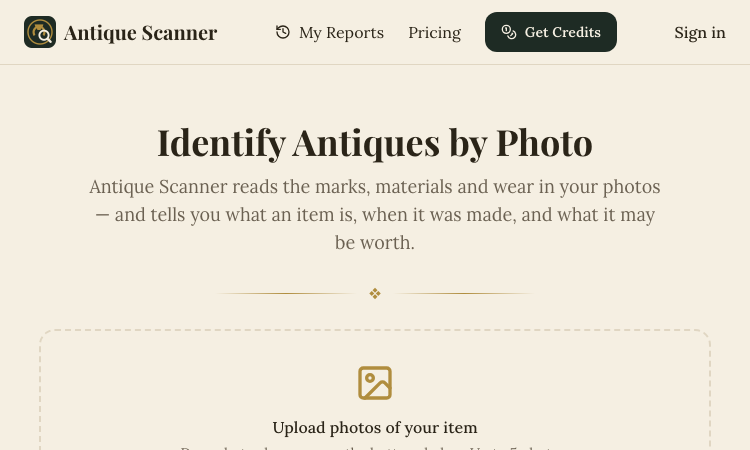
Antique Scanner
Antique Scanner – Official Website, What It Is & How to Use
Antique Scanner Official Website Antique Scanner is an AI tool that identifies antiques, vintage items, and collectibles from photos — reading maker's marks, materials, and wear to estimate age, origin, and market value. Official app: https://antiquescanner.org Creator: Antique Scanner team Price: Freemium — your first scan is free, then credit packs via Get Credits / Pricing Login required: No for the first free scan; account needed for report history and further scans Platform: Web (works on phone — including Take Photo capture) Main use: Identifying porcelain, silver, furniture, watches, and pottery marks, with a value range before buying, selling, or insuring Last checked: 2026-09-18 Visit Antique Scanner We are not the official developer of Antique Scanner. This page helps users find, understand, and use the product. What Is Antique Scanner? Antique Scanner targets the moment anyone holds an old object and wonders what it is and what it's worth. You upload 1–5 photos (JPG/PNG/WEBP), ideally a full side profile, the base, and any maker's mark or hallmark, and the AI engine examines form, materials, construction, marks, and wear to produce a structured report. What separates it from Google Lens is the output: instead of visually similar images, you get maker-and-mark analysis, a three-tier value estimate (quick sale, market, dealer — because an antique never has one correct price), and honest confidence labels — Identified, Likely, Possible, or Uncertain — each backed by the evidence and open questions. The report even tells you which additional photo would sharpen a stalled identification. Typical users are collectors researching before a purchase, thrifters and resellers pricing shelf finds, and families dividing or selling inherited estates. How to Use Antique Scanner Open the official Antique Scanner website (works on desktop or phone). Upload 1–5 photos — full side profile first, then the base or bottom, any maker's mark or hallmark in close-up, and any damage or restoration. Let the AI analyze form, materials, construction, marks, and wear. Read the structured report: identification with confidence label, evidence, three price tiers, and recommended reshoots; reports are saved to your history once you have an account. Is Antique Scanner Safe? The site runs on the antiquescanner.org domain over standard HTTPS. Your first scan works without creating an account, and later scans use a credits system rather than a subscription trap. Be aware of what you are sharing: photos of your items (and implicitly your possessions) are uploaded for analysis, so treat that as data leaving your device. The site is upfront about limits — reports are AI research estimates, not certified appraisals, and it recommends a professional appraiser for insurance, estate, tax purposes, or items possibly worth over $1,000. No deceptive redirects were observed during review. Last checked September 2026. Why Is Antique Scanner Popular? Thrift-flipping and estate-sale content keeps growing on TikTok and YouTube, and "what is this worth?" is exactly the question viewers ask. Antique Scanner fits that moment: point a camera at a shelf find or an inherited vase and get an evidence-based estimate in minutes. Its honest-confidence approach (labeling findings Identified vs. Uncertain) also builds trust in a niche awash with overconfident appraisal apps. Antique Scanner Not Working? If Antique Scanner fails to load: Refresh the page. Open it in another browser. Disable ad blockers temporarily. Check whether the original antiquescanner.org deployment is still online. Try again later if the developer is updating the app. Antique Scanner Alternatives Google Lens — free image search, good for similar-looking items you can verify yourself WorthPoint — subscription database of past auction prices for serious research Frequently Asked Questions What is the official Antique Scanner website? The official website is https://antiquescanner.org. Is Antique Scanner free? Your first scan is free; after that you buy credit packs via the Get Credits / Pricing pages. Do I need an account to use Antique Scanner? No for the first scan; an account is needed to keep report history and run additional scans. Who created Antique Scanner? The Antique Scanner team, an independent AI tool — not a certified appraisal firm. Is Antique Scanner still available? Yes, the site was live as of September 18, 2026.
Explore App
Freesoragenerator
Freesoragenerator – Official Website, What It Is & How to Use
Freesoragenerator Official Website Freesoragenerator (FSG AI) is a free online AI video generator built around Grok Imagine-style generation — text-to-video and image-to-video with synchronized audio, free starter credits, and a stable API for developers. Official app: https://freesoragenerator.com Creator: FSG AI team Price: Freemium — 50 free credits on signup, paid credits and API plans via Pricing Login required: No for browsing the showcase; Yes to claim free credits and generate Platform: Web (+ REST API for developers) Main use: Turning prompts or images into short AI videos with synced audio, plus AI image generation Last checked: 2026-09-18 Visit Freesoragenerator We are not the official developer of Freesoragenerator. This page helps users find, understand, and use the product. What Is Freesoragenerator? FSG AI positions itself as the free way to run Grok Imagine-style video generation on the web. You type a prompt or upload an image, generate a short clip with synchronized audio, and download the result from one clean workflow — no timeline editing required. Two things set it apart from a basic demo site. First, the showcase is genuinely instructive: every demo (camera push-pull replication from a reference video, a painting character reaching out of frame for a cola, five-outfit fashion walk) exposes its full prompt structure, duration (10–15s), and resolution (720x1280 or 1280x720), so you learn multi-shot, multi-reference prompting (@Image1, @Video1) by example. Second, it is developer-friendly: alongside video and image generation it sells a stable AI video/image API for teams wiring generation into their own products, which most free generator sites never offer. How to Use Freesoragenerator Open the official FSG AI website. Browse the Showcase to pick a demo whose structure fits your idea — open it to read the full prompt. Click Get 50 Credits for Free and sign in. Enter your prompt or upload images/references, generate the video (10–15s with synced audio), and download the clean result; developers can wire the same workflows through the API. Is Freesoragenerator Safe? The site runs on the freesoragenerator.com domain with standard HTTPS and publishes Pricing, Tools, Blog, and Sign In pages. Browsing the showcase needs no registration; claiming the 50 free credits requires an account. Generation can involve uploading reference images and videos, so treat anything you upload as data leaving your device. No deceptive redirects or forced third-party logins were observed during review. Note it is an independent service inspired by Grok Imagine — not the official xAI product. Last checked September 2026. Why Is Freesoragenerator Popular? Grok Imagine's video results spread widely on X (Twitter) in 2025–2026, but access required an X Premium subscription — which created real search demand for a free, web-based equivalent. FSG AI captures exactly that demand with its name and its free-credits offer, and its example-rich showcase gives newcomers copy-paste prompts that produce impressive results on the first try. Freesoragenerator Not Working? If Freesoragenerator fails to load: Refresh the page. Open it in another browser. Disable ad blockers temporarily. Check whether the original freesoragenerator.com deployment is still online. Try again later if the developer is updating the app. Freesoragenerator Alternatives Scenevio — free multi-model AI video generator (Seedance, Veo, Kling, and more) AIEnhancer — 27-model video/image workspace with guided controls Grok Imagine on X — the original xAI tool (requires X Premium) Frequently Asked Questions What is the official Freesoragenerator website? The official website is https://freesoragenerator.com. Is Freesoragenerator free? Yes — you get 50 free credits to test text-to-video and image-to-video; heavier use follows the plans on the Pricing page. Do I need an account to use Freesoragenerator? The showcase is open to everyone; generating videos and claiming free credits requires signing in. Who created Freesoragenerator? The FSG AI team. It is an independent Grok Imagine-style generator, not affiliated with xAI or X. Is Freesoragenerator still available? Yes, the site was live as of September 18, 2026.
Explore App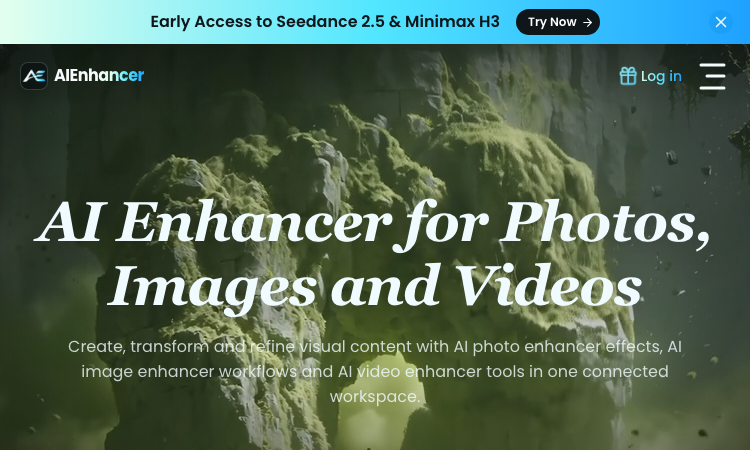
AIEnhancer
AIEnhancer – Official Website, What It Is & How to Use
AIEnhancer Official Website AIEnhancer is an all-in-one AI workspace for enhancing and creating photos, images, and videos, with 27 production-ready models and guided creative controls. Official app: https://aienhancer.co Creator: AIEnhancer team Price: Freemium — Start Creating Free, paid plans via Pricing page Login required: Yes for generating; the model catalog and effects list are browsable without an account Platform: Web Main use: AI photo enhancer effects, image-to-video / text-to-video generation, and guided image restyling in one workspace Last checked: 2026-09-18 Visit AIEnhancer We are not the official developer of AIEnhancer. This page helps users find, understand, and use the product. What Is AIEnhancer? AIEnhancer targets people who bounce between five different AI tools to get one usable asset. It puts 27 video and image models — Seedance 2.5, Sora 2, Veo 3.1 Fast, Grok Imagine 1.5, Kling 3.0, Wan 2.7, MiniMax H3, Hailuo, Runway, PixVerse V6, Nano Banana 2 — behind one interface with four video entry points (text-to-video, image-to-video, reference-to-video, frames-to-video) plus text-to-image and image-to-image. Its differentiator is guided control: instead of raw prompt boxes, it matches mode, ratio, resolution, and model support for you, keeps a safe fallback model when your first choice cannot run, and validates every setting before the job starts. It also ships dozens of ready-made AI Effects — AI 2D to 3D, AI Action Figure, AI Aging & De-aging, AI ASMR, AI Baby Dance, AI Hairstyle, AI Movie Cameo, AI Shadow Clone — that turn trendy formats into repeatable templates your audience can recognize. Results land in a shared asset library instead of scattered downloads. How to Use AIEnhancer Open the official AIEnhancer website. Pick an entry point: Text to Video, Image to Video, Reference to Video, or an image workflow — or start from an AI Effect like AI Action Figure. Add your prompt or upload a reference image, then choose a model (each model card shows its vendor and strength, e.g. Seedance 2.5 for quality, Seedance 2.0 Mini for speed). Click Generate; refine and iterate in the same workspace, keeping useful outputs in the asset library. Is AIEnhancer Safe? The site runs on the aienhancer.co domain with standard HTTPS and publishes a Pricing page and login flow. Generation requires an account, and workflows like image-to-video mean you may upload personal photos — treat uploads as data leaving your device. No forced third-party login or deceptive redirects were observed during review; free creation is offered before payment. Last checked September 2026. Why Is AIEnhancer Popular? AIEnhancer rides the wave of short-form video effects (AI Baby Dance, AI ASMR, AI Gugugaga, AI Fighting Video) that spread on TikTok and Instagram, packaging them as one-click templates. Its early access to freshly released models like Seedance 2.5 and MiniMax H3 also pulls in creators who want to try new models without managing multiple subscriptions. AIEnhancer Not Working? If AIEnhancer fails to load: Refresh the page. Open it in another browser. Disable ad blockers temporarily. Check whether the original aienhancer.co deployment is still online. Try again later if the developer is updating the app. AIEnhancer Alternatives Scenevio — free multi-model AI video generator with prompt showcases Hailuo AI (MiniMax) — fast character-consistent video generation Pollo AI — multi-model video generation with template effects Frequently Asked Questions What is the official AIEnhancer website? The official website is https://aienhancer.co. Is AIEnhancer free? It offers free creation to start; ongoing generation and premium models follow the plans on its Pricing page. Do I need an account to use AIEnhancer? You can browse models and effects without an account, but generating and saving assets requires signing in. Who created AIEnhancer? The AIEnhancer team; the site lists model vendors (ByteDance, Google, OpenAI, Alibaba, Kuaishou, xAI, MiniMax, Runway, PixVerse) but is an independent aggregator, not those vendors. Is AIEnhancer still available? Yes, the site was live as of September 18, 2026.
Explore App
Lemgen
Lemgen – Official Website, What It Is & How to Use
Lemgen Official Website Lem Gen (Lemgen) is a free community gallery of ready-to-use AI prompts for image and video models, plus a built-in workspace to run them. Official app: https://lemgen.org Creator: Lem Gen team Price: Free to browse; credits system for generation (earn 50 credits when your prompt gets featured) Login required: No for browsing the gallery; Yes for generation, favorites, and publishing prompts Platform: Web Main use: Finding and copying model-ready prompts for GPT Image 2, Nano Banana, Seedance, Veo 3.1, and Midjourney Last checked: 2026-09-18 Visit Lemgen We are not the official developer of Lemgen. This page helps users find, understand, and use the product. What Is Lemgen? Lemgen solves a very concrete problem: most people fail at AI image and video generation not because the model is bad, but because their prompt is vague. Lemgen curates community-submitted prompts that already produced strong results with GPT Image 2, Nano Banana 2, Seedance 2.0, Veo 3.1, and Midjourney, organized by practical categories — Ads & Product, Brand & Logo, Videos, Illustration & 3D, Posters & Visuals, Portraits, Ecommerce fashion, and Wallpaper. Every card in the gallery shows the result plus the prompt behind it, so you copy a proven recipe instead of guessing. Unlike a plain Pinterest-style board, it also includes an AI workspace where you can run the prompt immediately (including video generation with models like Seedance 1.5 Pro, with 480P/4s defaults and sound), MCP Server and OpenClaw skill integrations, and a credit system that rewards featured submissions. How to Use Lemgen Open the official Lemgen website. Browse the gallery by category, tag, or popularity (Latest / Popular / Featured), or search with ⌘K. Click a result you like and copy its prompt — the gallery is free, no account needed. To generate on the spot, open the AI Workspace, paste the prompt, pick a model, and generate; sign in to save history and favorites. Is Lemgen Safe? Browsing the gallery requires no registration and no third-party (Google/Discord) login is forced — you can explore everything first. An account is only needed to generate, favorite, or publish prompts. The site serves standard HTTPS on the lemgen.org domain and links out to Terms, Privacy, and Refund policies. Community-submitted content means quality varies card to card, but nothing observed during review pushed deceptive downloads or redirects. Last checked September 2026. Why Is Lemgen Popular? Lemgen appears to be growing through its community of submitters — the gallery visibly credits each prompt's author, and the "publish a prompt, earn 50 credits when featured" loop encourages creators to share their best recipes. Interest around newer models like GPT Image 2, Nano Banana, and Seedance 2.0 also drives search traffic, since Lemgen surfaces working prompts for exactly those models. Lemgen Not Working? If Lemgen fails to load: Refresh the page. Open it in another browser. Disable ad blockers temporarily. Check whether the original lemgen.org deployment is still online. Try again later if the developer is updating the app. Lemgen Alternatives PromptHero — large long-standing prompt gallery for images Lexica — Stable Diffusion prompt search by example artwork OpenArt — prompt library plus its own generation platform Frequently Asked Questions What is the official Lemgen website? The official website is https://lemgen.org. Is Lemgen free? Yes, browsing and copying prompts is free. Generation in the workspace uses a credit system, and you can earn 50 credits when a prompt you publish gets featured. Do I need an account to use Lemgen? No account is needed to browse and copy prompts; signing in unlocks generation, history, favorites, and publishing. Who created Lemgen? The Lem Gen team; the site publishes Terms, Privacy, and Refund policy pages. Is Lemgen still available? Yes, the site was live as of September 18, 2026.
Explore App