Overview
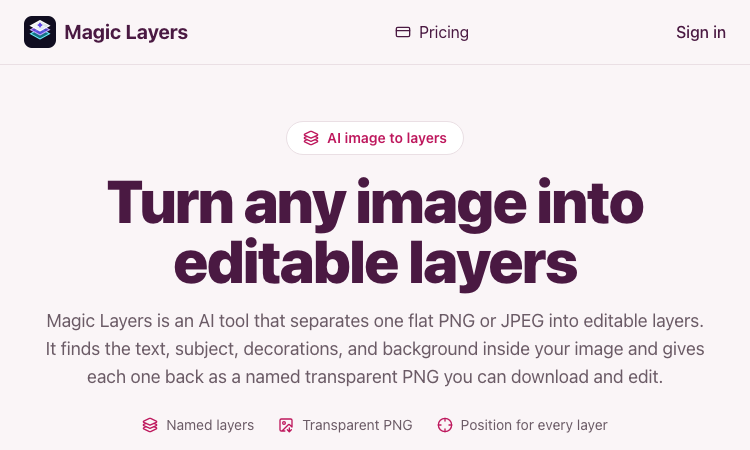
Magic Layers is an AI tool that takes one flat PNG or JPEG image and separates it back into its individual visual elements — background, subject, text, and decorations — as named transparent PNG layers you can download and edit.
- Official app: https://magiclayers.net/
- Creator: Magic Layers (contact@magiclayers.net)
- Price: Paid — monthly plans ($29 / $79 / $149) plus one-time credit packs; you are charged only for the layers you actually get
- Login required: Yes (sign in to your account to run jobs, track credits, and access your saved files)
- Platform: Web
- Main use: Image layer separation — turning a finished flat image back into editable parts
- Last checked: 2026-08-27
We are not the official developer of Magic Layers. This page helps users find, understand, and use the product.
What Is Magic Layers?
Magic Layers does image layer separation. Instead of just removing a background, it analyzes one already-rendered PNG or JPEG and splits it back into the elements it was built from: the background plate, the subject/product, the text (headlines, labels, captions), and decorations like shapes or badges. Each element comes back as its own transparent PNG with a name, a short description, and the position it occupied in the original image.
The separation is inferred from the pixels, so it works even on images where you no longer have the original project file. A background remover gives you one cutout and throws the rest away; Magic Layers gives you every major element independently, so you can move, replace, or restyle any part. This is the core reason someone searches for it: they have a finished visual and need it editable again.
How to Use Magic Layers
- Open the official Magic Layers website at https://magiclayers.net/.
- Drop a PNG or JPEG onto the upload area (or click to browse). Files must be at most 30 MB and at least 512×512 px.
- Use the slider to set how many layers you want — between 2 and 12. The credit cost is shown before the job starts, and that number is also your price ceiling.
- Click Separate into layers. The AI returns a base image plus one transparent PNG per detected element.
- Review the layers (click one to highlight where it was in the original), then download the ones you need.
Is Magic Layers Safe?
- Registration/login: Yes — you need an account to run jobs and access your saved files.
- Third-party login: No Google or Discord login is required; sign-in is account-based.
- Uploads: You upload images, but the site states files are stored privately and never published or shown to other users. Uploads and generated layers are kept for 7 days.
- Payment: Full usage requires credits (subscription or one-time packs). A failing job releases credits back to your balance.
- Ads/popups: No obvious advertising or forced redirects on the site.
- Domain/hosting: magiclayers.net; contact and legal pages (Terms, Privacy, Contact) are present, with a support email of contact@magiclayers.net.
Why Is Magic Layers Popular?
Magic Layers is a niche but genuinely useful tool for designers, marketers, and content creators who keep hitting the same problem: a finished campaign visual, thumbnail, slide, or mockup that needs to be edited again but has no source file. Rather than masking a subject out by hand, they can recover background, text, and decorations as separate layers and recompose for new sizes or placements. There is no single public source showing the trend's origin; it appears to spread through direct sharing and word-of-mouth among creative professionals.
Magic Layers Not Working?
- Refresh the page.
- Open it in another browser.
- Disable ad blockers temporarily.
- Check that you are signed in and have credits in your balance.
- Make sure your file meets the limits (PNG or JPEG, ≤30 MB, ≥512×512 px).
- Try again later if the developer is updating the app.
The original Magic Layers website was online as of 2026-08-27.
Magic Layers Alternatives
- Adobe Photoshop — recover and edit layers directly if you have the source PSD, or use generative tools for complex edits.
- remove.bg — the fastest choice when you only need one subject cut out on a transparent background.
- Photopea — a free browser-based editor for fine editing and manual layer work after separation.
Frequently Asked Questions
What is the official Magic Layers website?
The official website is https://magiclayers.net/.
Is Magic Layers free?
Not fully. There is a credit-based model where each layer costs 2 credits, and you only pay for the layers you get. Credits come from monthly plans ($29 / $79 / $149 per month) or one-time packs.
Do I need an account to use Magic Layers?
Yes, you need to sign in to run a job, track your credit balance, and access the files kept in your account.
Who created Magic Layers?
Magic Layers is built by the team behind magiclayers.net, reachable at contact@magiclayers.net. No individual developer is named on the site.
Is Magic Layers still available?
Yes — the site was live and functioning as of 2026-08-27.
Related apps
ZIGGLE.ART
Create your animated brand mascot 🦄
Most apps are boring and forgettable. Stand out from the sea of sameness. Your app deserves a PERSONALITY. Create your custom fully animated mascot in 10 minutes as easy as a…
Explore AppBanana AI
Banana AI: Create, edit, and enhance images online with AI tools, prompt inspiration, style ideas, and 4K-quality output
Banana AI is an online image creation and editing website built around AI-powered visual tools. In addition to basic image generation, the site also covers prompt resources,…
Explore App
Wowovid – Kling AI Video Generator
Turn photos or text into video with Kling AI. Free preview, HD export with no watermark.
What is Wowovid? Wowovid is a web-based video generation tool built on Kling AI, designed for people who want AI-powered video without dealing with a complicated setup. Upload a…
Explore App
Imagine Image
Imagine Image: the free AI generator people find when searching Grok Imagine Image, now running on Imagine Image 2.0 — n
If you searched Grok Imagine Image, here's what you found: Imagine Image, a free AI generator running on Imagine Image 2.0. What it does Text-to-image — describe a scene, get a…
Explore App
Ideogram Studio
Ideogram 4 AI workflows for text-perfect visual creation
Ideogram Studio is an independent browser-based creative platform centered on Ideogram and Ideogram 4 AI image generation. It supports text-to-image and image-to-image workflows…
Explore AppPixMira AI
PixMira AI is an online AI image generator and photo editor.
PixMira AI AI Image Generator and Photo Editor for Modern Visual Creation PixMira AI is an online AI-powered visual creation platform that brings image generation, photo editing,…
Explore App