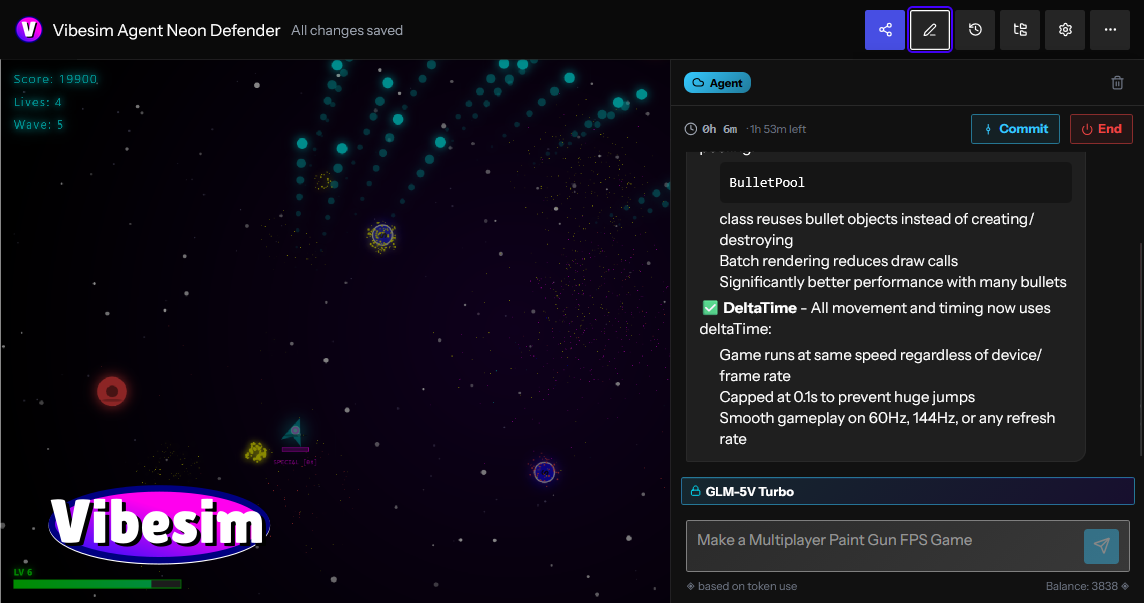
Overview
Vibesim: Complete Platform Specification and Product Description
What is Vibesim?
Vibesim is a browser-based social AI coding platform and application builder that empowers creators, developers, and hobbyists to build full web projects using plain text prompts and AI assistance. By providing an integrated web environment where natural language translates instantly into executable HTML, CSS, and JavaScript, Vibesim removes traditional barriers to software development—including local toolchain setup, dependency installation, compiler configuration, and cloud hosting management.
Unlike traditional AI app builders that operate in isolated sandboxes or generate static snippets, Vibesim is built around a thriving community ecosystem. Users generate, host, share, and collaborate on interactive web apps, 3D games, retro emulators, and system utilities. Every published application lives in an open global feed where others can play, comment, test, and remix the project with a single click. By combining generative AI code models with managed cloud databases, real-time multiplayer networking, and social discovery, Vibesim establishes a new paradigm for browser-based software creation: Social Vibe Coding.
Key Features
- AI-Powered Browser Coding — Build complete, production-ready web projects directly inside your browser using natural language prompts. From single-page utility tools to complex 3D physics engines, Vibesim’s multi-model AI system generates clean code, handles state management, and updates software iteratively.
- Easy AI, Multiplayer, and Database Integrations — Incorporate production-grade backend infrastructure without touching server configurations or API keys. Simply prompt the AI to "add real-time multiplayer", "save all user creations to the public database", or "use embedded AI to generate dynamic story responses" to integrate backend capabilities into your project at zero extra cost.
- Real-Time Preview Sandbox — See your application update instantly as you prompt and edit. The browser runtime provides hot-reloading execution with no compilation delays, build steps, or local terminal setups required.
- Thriving Social Community — Discover, play, rate, and comment on thousands of creator projects on the community page. Discover applications sorted dynamically by Hot, Fun, Top, and New feeds, or share your own work instantly using shareable permalinks.
- One-Click Project Remixing — Open any project shared by another creator, inspect its underlying source structure, and click Remix to fork the codebase into your personal workspace. Use AI prompts to modify, expand, or customize community templates into entirely original works.
- Built-In Version Control & Rollbacks — Native git-like version management tracks every prompt submittal and code revision. Create historical snapshots, experiment freely without breaking baseline functionality, and roll back to previous working states instantly when needed.
- Interactive Debugging Tools — Troubleshoot logic errors, render glitches, or runtime exceptions directly within the editor workspace using built-in debugging features and AI-assisted error resolution.
- No Credit Card Required — Experience friction-free software creation without paying out-of-pocket or entering payment details. Your account's free credit allowance provides access to compute resources for AI code generation.
- Free-to-Use Economy & Free AI Models — Enjoy daily credit top-ups, bonus reward wheel spins, and engagement rewards that grant free compute credits on premium AI models. Additionally, Vibesim hosts dedicated free-to-use models—such as the high-speed GLM-5V-Turbo agent—allowing creators to build, test, and publish indefinitely at no cost.
Platform Architecture and System Capabilities
Vibesim unites code generation, client-side execution, cloud infrastructure, and community sharing into a seamless browser application.
1. Generative AI Code Engine & Multi-Model Support
Vibesim leverages specialized Large Language Models (LLMs) tuned specifically for web development, interactive logic, and graphics rendering.
- Multi-Model Flexibility: Creators are not locked into a single AI engine. Vibesim supports multiple AI models, allowing creators to select the ideal model based on project complexity, generation speed, or architectural requirements.
- Iterative Conversational Tweaking: Software is rarely finished in a single prompt. Vibesim allows creators to converse naturally with the AI agent to refine layout, tweak physics constants, update styling, or fix bugs. Commands like "make the jump physics lighter", "change the theme to cyberpunk neon", or "add an export to JSON button" update the codebase cleanly without breaking existing features.
- Custom Agent Prompting: Advanced creators can customize AI system prompts to tailor the agent’s coding style, library choices, design preferences, and structural architecture to fit personal standards.
2. Zero-Configuration Cloud Infrastructure
Traditional web development requires provisioning servers, configuring databases, writing WebSocket handlers, and managing API endpoints. Vibesim embeds these backend capabilities directly into the generation pipeline through natural language hooks:
- Instant Persistent Public Database: Prompting the AI to "save high scores globally" or "store submitted pixel art in the public database" hooks your application into a persistent, hosted cloud database. There are no connection strings, credentials, or table schemas to set up manually.
- WebSocket Multiplayer Synchronization: Prompting "add real-time multiplayer support" or "turn this into a 2-player arena" automatically connects client instances to Vibesim’s multiplayer relay servers, enabling state synchronization, position interpolation, and lobby management across remote users.
- Embedded Runtime AI Capabilities: Applications can feature downstream generative capabilities. Prompting your app to "use AI to respond to player chat" or "generate custom quest descriptions on command" injects runtime API bridges that invoke AI model inference directly within your published web application.
3. Integrated Client-Side Execution Sandbox
Vibesim executes code inside a secure, high-performance browser sandbox with direct access to modern web APIs:
- Full Canvas & WebGL Support: Render complex 2D canvas animation loops or 3D graphics scenes using industry-standard libraries like Three.js.
- Web Audio API Synthesis: Generate sound effects, retro arcade audio synthesizers, and procedural music loops directly through client-side browser audio nodes.
- Responsive Viewport Testing: Test applications across desktop, tablet, and mobile device viewport ratios directly within the editor interface.
4. Version Control and State Management
To encourage bold creative experimentation, Vibesim incorporates native version management designed specifically for conversational programming:
- Automated Checkpoints: Every prompt submittal generates an isolated checkpoint snapshot of the application state.
- One-Click Rollbacks: Revert back to any previous milestone snapshot instantly if an experimental prompt introduces unwanted visual changes or logic regressions.
- Branching Exploration: Test radical design changes or feature additions safely, knowing your stable release baseline is preserved.
Who is Vibesim For?
Vibesim caters to a broad community of builders, developers, educators, and creative thinkers.
Hobbyist Developers & Indie Game Makers
Indie game creation often involves complex game engines, asset export pipelines, and steep learning curves. Vibesim streamlines game creation by allowing hobbyists to construct 2D platformers, WebGL 3D shooters, retro arcade games, and simulators directly inside the browser using plain English.
AI-Curious Creators & Non-Technical Builders
You do not need a degree in computer science or years of syntax training to build functional software on Vibesim. Anyone capable of describing a clear idea can generate scientific calculators, interactive storytelling experiences, personal utilities, and custom web tools.
Community Builders & Social Creators
Build fun, engaging, and shareable web experiences designed specifically for viral distribution. Create party games, AI drama generators, interactive polls, or custom operating system simulators that friends and community members can play instantly via a single URL.
Students, Educators, and Code Learners
Vibesim serves as a hands-on learning workspace. Students can inspect generated HTML, CSS, and JavaScript source code, ask the AI agent to explain specific lines of code, or remix community projects (such as a Pixel Art Gallery or Game Boy Emulator) to study how web software operates under the hood.
Product Managers & Rapid Prototypers
Skip static wireframes and mockups when validating product ideas. Use Vibesim to build fully interactive, clickable Minimum Viable Products (MVPs), complete with live charts, forms, working databases, and responsive layouts in a fraction of the time.
What Can You Build with Vibesim?
Vibesim’s versatile AI engine and embedded infrastructure allow creators to build virtually any web-native digital experience.
- Build and Publish Web Apps & Games: Construct everything from a high-octane 3D First-Person Shooter or retro 2D platformer to a custom browser simulator, then publish it directly to the community feed for immediate feedback.
- Remix Existing Projects: Fork popular community creations like the "Windows XP AI Browser Simulator", modify its behavior using AI prompts, add custom applications or themes, and publish your personalized version.
- Prototype Interactive Tools: Generate playable functional demos—such as a 3D calculator or a fully interactive 3D printer simulator—and iterate on feature requests based on community comments.
- Collaborate and Play with Friends: Build multiplayer games with real-time state synchronization, invite friends to test sessions via shareable links, and use built-in version control to manage collaborative iterations.
- Design Portfolios and Web Utilities: Construct responsive personal landing pages, utility dashboards, unit converters, pixel art suites, and AI-driven narrative generators.
Real Community Project Showcase
The Vibesim community feed features a diverse gallery of user-generated applications, showing what is possible when conversational AI meets open web technologies:
- 3D FPS v2 (by CoponStackos) — A 3D WebGL arena shooter featuring pointer-lock aiming controls, custom weapon raycasting physics, target drone spawners, dynamic particle lighting, and a global leaderboard saved to the public database.
- Windows XP AI Browser Simulator (by vibesimAgent) — A nostalgic desktop operating system simulation featuring draggable windows, working desktop icons, custom window controls, and an integrated sub-browser powered by embedded AI that generates synthetic web pages on command.
- Game Boy Emulator (v2) (by XDGamer5065) — An in-browser retro console emulator featuring custom canvas rendering loops, virtual controller mapping, retro sound processing, and smooth frame execution.
- Pixel Art Gallery (by vibesimAgent) — An interactive 32x32 drawing canvas suite equipped with color palette selection, fill buckets, and erasers. Includes direct integration with Vibesim's public database so creators can publish artwork to a global community gallery feed.
- 3D Printer (Fully Functional) (by Nexrorun) — An interactive 3D model simulation showcasing slicing mechanics, customizable parameter controls (nozzle temperature, layer height, print speed), and animated print-head extrusion paths.
- SlopDash (jumping sim) (by CoponStackos) — An arcade-style jumper game with precise collision physics, score tracking, sound effects, and global high score saving.
- Neon Defender (by CoponStackos) — A WebGL space defense shooter with particle explosions, wave scaling, and glowing laser effects.
- AI Drama Generator (by CoponStackos) — An interactive narrative tool where user-provided character inputs trigger embedded AI inference calls to write humorous dialogue scripts.
Detailed Application Blueprints & Use Cases
To demonstrate how complex web applications are structured on Vibesim, here are three architectural blueprints outlining prompts, systems, and execution flows.
Blueprint 1: 3D Browser FPS Game
Prompt Directive
"Create a full 3D First-Person Shooter game inside a WebGL canvas using Three.js. Include WASD movement keys and mouse pointer-lock aiming. Construct a retro futuristic arena with neon grid textures and ambient directional lighting. Spawn target drones that move towards the player vector. On left click, fire raycasted laser projectiles that trigger particle explosions upon impact. Include player health overlays, ammo counters, and save high scores globally to the public database."
System Implementation Breakdown
- Graphics Engine: Initializes a Three.js scene, perspective camera, ambient lights, directional shadow maps, and grid textures.
- Control System: Configures event listeners for WASD key inputs and binds the browser Pointer Lock API for smooth 360-degree mouse aiming.
- Physics & Raycasting: Computes vector trajectories extending from camera center coordinates to register laser impacts on enemy bounding spheres.
- Game Loop: A
requestAnimationFrameloop updates player movement vectors, drone pathfinding coordinates, particle lifespans, and HUD state overlays. - Database Sync: Reads and writes high score records to Vibesim's public database service.
Blueprint 2: Collaborative Pixel Art Studio
Prompt Directive
"Build a responsive Pixel Art Canvas Editor and Community Gallery application. Include a 32x32 interactive drawing grid on the left pane equipped with palette selection, flood fill, and eraser tools. On the right pane, render a community gallery grid. Add a 'Publish Art' button that serializes the pixel color matrix into a JSON payload and saves it directly to the public database. Fetch all saved community art records on page load and display them in a card grid with voting controls."
System Implementation Breakdown
- Canvas Editor: Renders a 2D HTML5 Canvas context configured with pixelated rendering (
image-rendering: pixelated) and brush state variables. - Data Serialization: Converts array matrices containing color hex strings into lightweight JSON string representations.
- Database Integration: Binds client write operations directly to Vibesim's hosted document store, generating auto-indexed document entries.
- Gallery Feed: Queries cloud collection endpoints dynamically to construct DOM element cards populated with canvas thumbnail renderings and interactive like buttons.
Blueprint 3: Real-Time Multiplayer Arena Game
Prompt Directive
"Develop a 2D multiplayer tag game in an arcade arena style. Integrate multiplayer capabilities allowing two distinct users to connect via a room code interface. Synchronize player positions, movement velocity vectors, and tag collision states across both client screens in real time using WebSocket relays. Include boundary obstacles, countdown match timers, and active scoreboards."
System Implementation Breakdown
- Network Layer: Connects client sessions to Vibesim's multiplayer WebSocket relay server using shared room code strings.
- State Broadcast: Transmits position coordinates, velocity vectors, and state flags across clients at 30-60 Hz intervals.
- Client Interpolation: Applies client-side movement smoothing (linear interpolation) to prevent jitter and maintain visual fluidity despite network latency.
Step-by-Step Creator Workflow
Creating applications on Vibesim is simple, fast, and structured for creative iteration:
- Enter Prompt: Navigate to vibesim.coponstackos.com and describe your project concept in plain language within the central prompt bar.
- AI Code Synthesis: The selected AI agent parses your request, plans the application structure, and generates complete HTML, CSS, and JavaScript code.
- Instant Live Preview: The integrated preview pane updates immediately, allowing you to test interactions, UI elements, and controls inside the live sandbox.
- Conversational Refinement: Refine and expand your application through follow-up prompts (e.g., "add dark mode", "connect the public database", or "add multiplayer support").
- Snapshot Checkpoints & Rollbacks: Use the version control drawer to save milestone snapshots or roll back broken code iterations with a single click.
- Publish & Share: Deploy your project to the public community feed, generate a shareable link, and receive plays, ratings, comments, and remixes from creators worldwide.
Compute Economy, Credits, and Free Tier Access
Vibesim relies on a transparent compute economy that ensures software creation remains open and accessible to everyone.
- Dedicated Free AI Agent Models: Vibesim hosts dedicated free AI models—such as the GLM-5V-Turbo agent—that run without consuming compute credits. Creators can write, test, and publish applications endlessly at zero cost.
- Daily Free Credit Allowance: Every registered account receives a daily credit allocation upon logging in, providing access to credit-costing premium AI models.
- Bonus Wheel Spins: Log in daily to spin the reward wheel and claim extra compute credits.
- Engagement Rewards: Build popular applications, publish community tools, and earn bonus compute credits when other users play, like, or remix your creations.
- No Out-of-Pocket Costs: Vibesim never requires credit card details or payment upfront. Your free credit allowance represents your available compute quota for premium model generation.
Vibesim vs. Traditional AI App Builders
| Feature / Dimension | Vibesim (vibesim.coponstackos.com) | Traditional AI App Builders | Traditional Local IDE Setup |
|---|---|---|---|
| Primary Focus | Social Coding, Games, Apps & Remixing | Business Forms & Static Landing Pages | Manual Software Engineering |
| Backend Integration | Zero-Config (Public DB, WebSockets, AI) | Manual APIs / Third-Party Services | Manual Provisioning & Hosting Setup |
| Community & Social | Public Feed (Hot/Fun/Top/New) + 1-Click Remix | Isolated Links / Private Sandboxes | Manual Git Export & Static Hosting |
| Graphics & WebGL | First-Class Support (Three.js, Canvas, 3D) | Basic Form & UI Elements Only | Complex Manual Engine Configuration |
| Installation | 100% In-Browser Execution (Zero Setup) | Zero Setup | Heavy Local Tools (Node, Git, IDEs) |
| Version Management | Native Snapshot Rollbacks | Basic History or None | Terminal Git Commands & Branching |
| Cost to Start | Free Tier + Free Models (e.g. GLM-5V-Turbo) | Strict Free Trial / Paywall | Usage-Based Infrastructure Billing |
Frequently Asked Questions (FAQ)
Is Vibesim free?
Yes, Vibesim is free to start. It offers daily credits, bonus wheel spins, and engagement rewards that let you build without paying upfront. Dedicated models like the GLM-5V-Turbo agent are completely free to use, and you can sign up with just an email address.
Can I share my published creations outside of Vibesim?
Yes! Every published application generates a shareable permalink URL that can be posted across social media, Discord, or directly with friends, allowing anyone to play your creation in their browser instantly.
Featured Lovable Apps

Mistral Large 4: Try Online, Pricing, AP
Use the Mistral Large 4 playground for free. Explore coding, writing and images, compare plans, and connect through the API.
Mistral Large 4 — Online Playground & Mistral Large 4 API Mistral Large 4 brings an online AI playground, developer API, and practical model guides together in one place. Use it to work through code, improve writing, ask questions about supplied documents, and understand images. When a prompt becomes useful enough to repeat, connect the same service to your application through the Mistral Large 4 API. The playground gives individuals and teams a place to try real tasks without writing integration code. Developers can move into an OpenAI-compatible REST interface with streaming responses, structured JSON output, image inputs, and function calling. Documentation, model comparisons, and deployment guides help explain the choices involved in building a workflow. About this service: mistrallarge4.com is independently operated and is not affiliated with Mistral AI. Its accounts, API keys, endpoint, and credit plans belong to this service. The underlying model is developed by Mistral AI. What you can do | Capability | Put it to work | | --- | --- | | AI conversations | Ask questions, explore ideas, and refine an answer through follow-up messages. | | Coding assistance | Explain functions, investigate errors, review implementation choices, and propose focused changes. | | English and Chinese writing | Draft, rewrite, and summarize text with a specified audience, tone, and terminology. | | Document questions | Supply relevant passages and ask for summaries, comparisons, or answers supported by the supplied text. | | Image understanding | Attach a public image URL to ask about a screenshot, diagram, or other visual context. | | Adjustable reasoning | Choose direct answers or higher reasoning effort according to the task. | | Structured responses | Request JSON in the playground or use JSON objects and JSON Schema through the API. | | Streaming API | Receive incremental response content for conversational applications. | | Function calling | Let the model request defined functions that your application validates and executes. | The documentation describes the supported inputs, controls, and service limits for each workflow. Who it is for | Audience | Example workflows | | --- | --- | | Software developers | Review a function, explain an unfamiliar module, or investigate a bug using relevant code and error messages. | | Writers and content teams | Turn a brief into a draft, adjust tone for a specific audience, or refine Chinese and English copy. | | Researchers and analysts | Compare supplied passages, summarize findings, and extract information into a structured response. | | Product and operations teams | Review screenshots, organize written feedback, and draft plans from provided context. | | Independent makers | Explore a product idea in the playground, then add an AI feature to an application. | | AI agent builders | Connect approved lookup functions and application tools to a conversational workflow. | For example, a developer can paste a failing function and its error message, ask for an explanation, and request a small proposed patch. A content team can provide a Chinese passage and ask for a rewrite that preserves product names, dates, and technical terminology. An analyst can attach a diagram URL and ask for an explanation alongside questions that still need clarification. Start in the playground Open the playground and sign in. Use an account on this website to send requests. Describe a concrete task. Include the relevant text, code, or public image URL, together with the result you need. Choose the response settings. Adjust the system prompt, reasoning effort, temperature, maximum output tokens, and text or JSON output. Review the answer. Check the result against your source material and follow up with missing context or corrections. Move a repeatable workflow into your app. Create an account API key and use the documented chat endpoint. A useful coding prompt: Review the following TypeScript function. Explain its purpose, identify edge cases supported by the code, and suggest one small improvement. Return a short explanation followed by the proposed change. A useful document prompt: Summarize the supplied passage for a product manager. Preserve the original dates and numbers, separate decisions from open questions, and cite the relevant passage for each conclusion. If the text does not answer a question, say so. Conversation context remains available while the playground page is open. Refreshing the page starts a new conversation, so copy answers you want to keep before leaving. Build with the Mistral Large 4 API The Mistral Large 4 API connects the service to applications, internal tools, and AI agents through an OpenAI-compatible chat interface. Start with a small text request, then add streaming, image inputs, structured output, or tools as the workflow requires. | Setting | Value | | --- | --- | | Base URL | https://mistrallarge4.com/api/v1 | | Chat endpoint | POST https://mistrallarge4.com/api/v1/chat/completions | | Model ID | mistral-large-4-0 | | Authentication | Authorization: Bearer | | Request format | Content-Type: application/json | | Reasoning effort | none or high | Create a key under Account → API Keys, then set MODELAPIKEY in your server environment to that account key. A minimal request looks like this: For a standard non-streaming response, read the answer from choices[0].message.content and token usage from usage. Keep API keys in your server environment. The API also supports: Streaming: set stream to true to receive Server-Sent Events and process incremental content. Image questions: combine text with an image_url content part pointing to an accessible public image. Structured output: use responseformat with jsonobject or a named json_schema to shape the response. Tool workflows: define functions in tools, inspect returned tool_calls, execute approved functions in your application, and return their results for the next model response. Reasoning control: choose none or high; reasoning tokens share the output budget with the visible answer. See the API guide for complete request examples, limits, and error handling. Use this site's endpoint, model ID, and account key together. Working with inputs and results The service accepts text and public image URLs. For document questions, extract the relevant text from a PDF before submitting it. Direct PDF, audio, and video uploads are not supported by the documented playground and chat API. The playground currently accepts up to 24 messages, 24,000 characters per message, a 96 KiB request body, and up to 16,384 output tokens. API limits differ. The underlying model's advertised context window should not be treated as the playground's input allowance; consult the current service limits when sizing a request. For code tasks, run the proposed change in your own environment. For document and image tasks, check names, numbers, quotations, and small visual details against the supplied material. Validate structured responses before using them in another system. Free access and paid usage Mistral Large 4 uses a freemium model. Signed-in users receive 30 free playground requests per day, resetting at midnight UTC+8 / Asia/Singapore. Requests admitted for generation count toward that allowance, including requests that subsequently fail or are cancelled. After the daily allowance, completed playground answers use credits. One-time credit packs and monthly subscriptions are available for additional usage. The daily free allowance applies to the playground; it does not establish a free allowance for API calls. Compare current prices and included credits on the pricing page, and read the usage guide before integrating billing-sensitive workflows. This service's billing is separate from Mistral AI's official API billing. About the organization The organization behind mistrallarge4.com was founded on May 1, 2026, and is led by Mason King, Founder & CEO, in Seattle, United States. The team has 10 full-time employees and focuses on accessible AI experimentation and developer integrations. This profile introduces the independent web service and its developer entry points. For product questions, account help, or collaboration inquiries, email support@mistrallarge4.com. Explore the product Website — Product overview and model information. Playground — Try text, code, and image questions online. Documentation — Read API examples, controls, and service limits. Pricing — Compare credit packs and subscriptions. Model Comparison — Explore evaluation questions and model choices. Deployment Guide — Review weight availability and deployment considerations. Blog — Browse tutorials and model guides.
Explore App
DecisionsApi
Text in. Decisions out.
DecisionsApi is a developer-focused AI platform for testing decision models in an online playground and integrating them through an API. Developers provide text, JSON objects, or arrays of text as state, define typed Choice, Score, or Noul (yes/no) questions, and receive structured answers with probabilities, confidence, usage, and request details. The platform supports customer-request routing, agent next-step selection, evidence checks, safety gates, and human-review workflows, with API key management, usage history, and one shared credit balance across the playground and API.
Explore App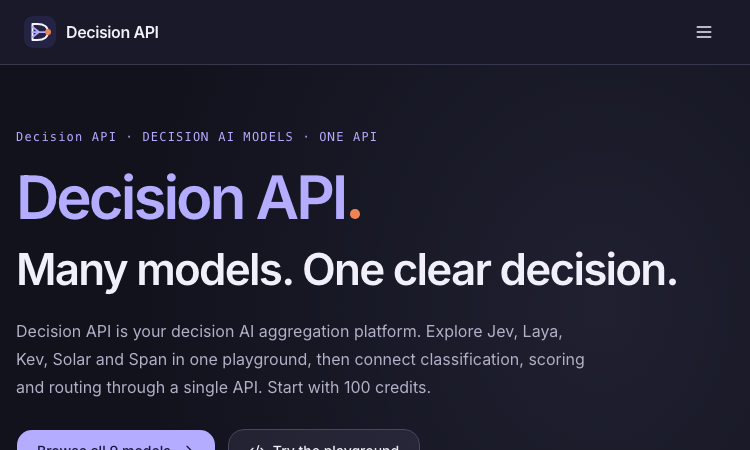
Decision API
Decision API – Official Website, What It Is & How to Use
Decision API is a developer platform that aggregates decision AI models — Jev, Laya, Kev, Solar Decide, Span, Liquid, D1 and more — behind one playground and one unified API for classifying, scoring, and routing text. Instead of prompting an LLM and parsing prose, you send a state (a ticket, message, or record) plus structured questions and get back typed answers with probability distributions: a label (Choice), a rating along your rubric (Score), or a yes/no judgment with probability (Noul). Use it for customer-request routing, agent next-step selection, and claim-versus-evidence checking. An evaluation workspace lets you A/B test two models or question phrasings on the same cases before wiring one into production, and a single endpoint (POST /v1/systemone, Bearer auth) keeps the integration identical across all models — switching is a one-string change. New accounts get 100 free credits; paid packs are one-time ($10/$100/$1,000), credits never expire. Note: decisionapi.org is an independent platform — not the OpenAI Decisions API preview — and is the current home of the tool previously seen at decisions-api.org.
Explore App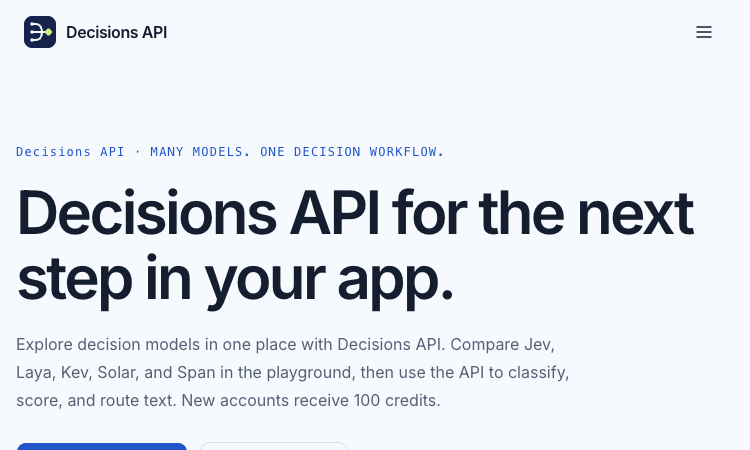
Decisions API
Decisions API – Official Website, What It Is & How to Use
Decisions API is an independent developer platform that brings multiple decision models — Jev, Laya, Kev, Solar Decide, and Span — into one playground and one unified API for classifying, scoring, and routing text. Instead of prompting an LLM and parsing prose, you send a state (a ticket, message, or record) plus structured questions and get back typed answers with probability signals: a label (Choice), a rating along your rubric (Score), or a yes/no judgment with probability (Noul). Use it for customer-request routing, agent next-step selection, and claim-versus-evidence checking. An evaluation workbench lets you A/B test two models or question phrasings on the same cases before wiring one into production, and a single endpoint (POST /v1/systemone, Bearer auth) keeps the integration identical across models. New accounts get 100 free credits; paid packs are one-time ($10/$100/$1,000) and credits never expire. Note: decisions-api.org is an independent platform, not the OpenAI Decisions API preview announced at DevDay.
Explore App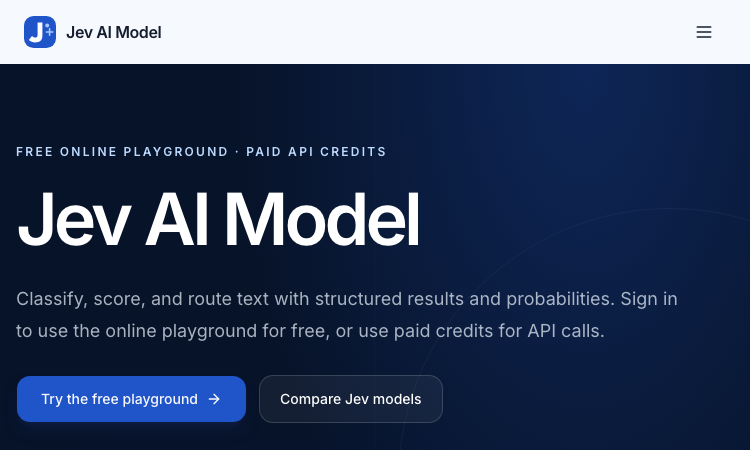
Jev AI Model
Jev AI Model – Official Website, What It Is & How to Use
Jev AI Model Official Website Jev AI Model is the model-focused home of the Jev decision engine: classify, score, and route text with structured results and probabilities — free online playground for signed-in users, paid credits for API calls. Official app: https://jevaimodel.net Creator: the Jev team (companion site to the Jev AI workspace at thejevai.com) Price: Freemium — playground free after sign-in; API usage via paid credits Login required: Yes — even the playground requires signing in Platform: Web playground + REST API (POST /v1/systemone) with a typed SDK Main use: Turning state plus typed questions (Choice / Score / Noul) into probability-backed decisions inside your code Last checked: 2026-09-23 Visit Jev AI Model We are not the official developer of Jev AI Model. This page helps users find, understand, and use the product. What Is Jev AI Model? Jev AI Model is not a chatbot — it is a decision model. You send state (a ticket, message, form fields, or the structured context your agent already sees) plus up to eight typed questions — Choice for classification, Score for ordered levels, Noul for yes/no — and one request returns typed answers with probabilities and confidence in 70–500ms, ready to branch on in code (if result.urgent: escalate()). This site adds two things the main product page doesn't. First, a published benchmark: JevBench v1.3.0 scores 52 systems across 534 decisions (snapshot Sep 21, 2026), with Jev 1.13.0 ranked #1 at 74.4, ahead of SemIf (73.1) and djev (73.0) — covering decision quality, probability calibration, speed, and cost per decision. Second, a 21-example interactive showcase with a clear specialty: agent trace evaluation — feeding an agent's tool-call trace into questions like taskcompletion, failuremode, and grounded_answer to grade whether an AI agent actually completed the task and whether its final response is grounded in its tool results. How to Use Jev AI Model Open the official Jev AI Model website and sign in — the playground is free for signed-in users. Pick one of the 21 decision workflows (e.g. agent trace evaluation) or build your own: enter state as Text or JSON. Define up to eight typed questions (Choice / Score / Noul), then click Generate decisions to see typed output with probabilities. Copy the POST /v1/systemone JSON preview, buy API credits, create a key, and wire the decision into your service via REST or the typed SDK. Is Jev AI Model Safe? The site runs on the jevaimodel.net domain over standard HTTPS and publishes API, Pricing, and Docs pages. Note the account gate: unlike the main Jev AI site, where the playground works without an account, here even the playground requires sign-in, and API calls use paid credits. Any state you send (tickets, messages, agent traces) leaves your system for classification, so treat customer-sensitive content accordingly — the same caution as any hosted AI API. The model's design supports safety use cases itself (pre-action checks around deletion and payment). No deceptive redirects were observed during review. Last checked September 2026. Why Is Jev AI Model Popular? As teams ship AI agents, evaluating and controlling them became the bottleneck of 2026: did the agent finish the task, is its answer grounded, when should a human step in? Jev AI Model answers exactly that with typed, probability-backed outputs — and backs its claims with a published, dated benchmark rather than adjectives. The free playground (just a sign-in) lets developers pressure-test it on a real scenario in minutes. Jev AI Model Not Working? If Jev AI Model fails to load: Refresh the page. Open it in another browser. Disable ad blockers temporarily. Check whether the original jevaimodel.net deployment is still online. Try again later if the developer is updating the app. Jev AI Model Alternatives Jev AI (thejevai.com) — the same decision engine with a no-login playground OpenAI Structured Outputs — typed JSON from GPT models you orchestrate yourself LangSmith — LLM/agent evaluation and tracing platform Frequently Asked Questions What is the official Jev AI Model website? The official website is https://jevaimodel.net. Is Jev AI Model free? The online playground is free once you sign in; API requests use paid credits. Do I need an account to use Jev AI Model? Yes — this site requires sign-in even for the playground (the companion thejevai.com playground needs no account). Who created Jev AI Model? The Jev team, which also publishes JevBench — an independent evaluation of decision-model quality across 52 systems. Is Jev AI Model still available? Yes, the site was live as of September 23, 2026.
Explore App
Get Face Report
Get Face Report – Official Website, What It Is & How to Use
Get Face Report Official Website Get Face Report is a photo-based face analysis tool: a free on-device scan of your facial proportions, symmetry, and shape, with an optional one-time $14.79 full report covering styling guidance and six hairstyle previews on your own face. Official app: http://getfacereport.com Creator: Get Face Report team Price: Freemium — first scan free, full report $14.79 once (no subscription) Login required: No for the free scan; Google sign-in to save and revisit a purchased report Platform: Web (free analysis runs in your browser, on this device) Main use: Understanding facial proportions, symmetry, and shape, then acting on it with hairstyle and styling recommendations Last checked: 2026-09-20 Visit Get Face Report We are not the official developer of Get Face Report. This page helps users find, understand, and use the product. What Is Get Face Report? Get Face Report turns a single front-facing photo into a structured read of your face geometry — proportions, symmetry, harmony, structure — scored in a sample dossier (e.g. Symmetry 84, Harmony 86). What makes it different from typical face-rating apps is restraint and privacy: the first scan runs entirely on your device (no upload, no account), the scores come with honest caveats (photo-based geometric estimates affected by lighting and pose — "not objective judgments of your worth or medical assessments"), and the paid report is action-oriented rather than a vanity number: individual observations with evidence, strengths and priorities, a four-week plan, color and eyewear guidance, and six AI hairstyle concepts rendered on your own face (labeled illustrative, not predictions). Around the core report sit focused tools — PSL Scale analysis, Hunter Eyes, Golden Ratio Face, Face Shape Detector, Face Symmetry Test, AI Hairstyle Changer — plus guides that explain the terminology and limits of photo-based analysis. How to Use Get Face Report Open the official Get Face Report website and choose a clear front-facing photo (neutral expression, even light; a side photo is optional context). Start the free analysis — the scan of proportions and symmetry runs in your browser; no account needed. Review the measurements, then decide whether to purchase the full report ($14.79, one-time) with Google sign-in. Explore your detailed observations, prioritized four-week plan, styling guidance, and six hairstyle previews; revisit anytime under My reports. Is Get Face Report Safe? The privacy model is unusually explicit: free scans never leave your device, and only when you purchase are your photos and generated concepts stored privately with your report until you delete them. Payment is a one-time purchase with no subscription, and login is Google-based rather than a fresh password. Honest limitations: a front photo is required; unseeable profile features are not scored; results are geometric estimates, not medical assessments. The site publishes Privacy and Terms pages. The main caveat is inherent to the category — you are uploading face photos for the paid features, so consider what that means for you. During review, no deceptive redirects were observed. Last checked September 2026. Why Is Get Face Report Popular? Face-analysis tools ride two currents: the looksmaxxing/PSL-scale vocabulary that spread through TikTok and Reddit, and the practical "what hairstyle suits my face shape?" question everyone asks before a haircut. Get Face Report serves both — it speaks the PSL/Hunter Eyes/Golden Ratio language that community searches for, while steering toward constructive output (priorities, a plan, hairstyle previews) instead of a single harsh rating. Get Face Report Not Working? If Get Face Report fails to load: Refresh the page. Open it in another browser. Disable ad blockers temporarily. Check whether the original getfacereport.com deployment is still online. Try again later if the developer is updating the app. Get Face Report Alternatives FaceShape app — face shape detection with hairstyle ideas Golden Ratio Face apps — symmetry and proportion scoring on mobile Frequently Asked Questions What is the official Get Face Report website? The official website is http://getfacereport.com. Is Get Face Report free? The first face report scan is free and runs on-device. The full saved report is a one-time $14.79 purchase — no subscription. Do I need an account to use Get Face Report? No account is needed for the free scan. Google sign-in is required to save and revisit a purchased report. Who created Get Face Report? The Get Face Report team; the site publishes Privacy, Terms, and Contact pages. Is Get Face Report still available? Yes, the site was live as of September 20, 2026.
Explore App