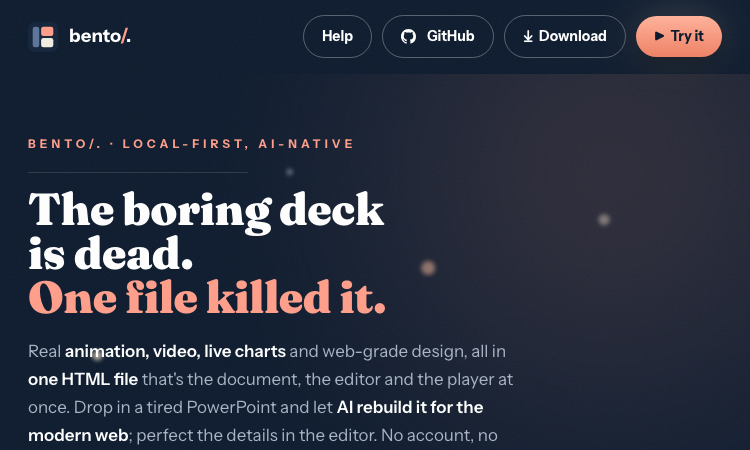
Bento Page

Bento Page

Bento Page uses a single-file model: every deck is one self-contained HTML with a JSON document inside.

Bento Page cover

Overview

Bento Page

The defining architectural choice of Bento Page is its single-file model. Every Bento Page deck is one self-contained HTML file that simultaneously serves as the document format, the visual editor, the runtime player, and the collaboration surface. There is no separate .pptx, no companion .json, no cloud workspace. The same file you email to a colleague is the same file they open in their browser, the same file they edit, and the same file they present from.

Inside that single Bento Page file lives a plain JSON document. The JSON describes every slide, every text block, every chart, every image, every embedded video, and every animation timeline. Because the format inside Bento Page is plain JSON, it is diffable in Git, editable in any text editor, parseable in any programming language, and convertible to other formats by simple scripts. The HTML wrapper around the JSON adds the rendering engine, the editor UI, the chart engine, and the collaboration runtime — all packed into roughly 640 KB.

The single-file model of Bento Page has cascading consequences that users feel immediately. A deck can be archived by saving one file. A deck can be shared by emailing one attachment. A deck can be embedded in a blog post by uploading one HTML file. A deck can be reconstructed from a partial backup by recovering one file. There is no database to migrate, no schema to upgrade, no cloud service to deprecate. Bento Page treats the file as the canonical artifact, and that single decision is what makes the product feel so different from the rest of the presentation-software market.

The future apps inside the Bento Page family — bento/spaces for notes, bento/dash for sheets and tables, bento/vault for secure storage — will all adopt the same single-file philosophy. For anyone who has ever lost a slide to a software migration or a vendor sunset, Bento Page is the radical bet that the file, not the platform, is the durable artifact.

Featured Lovable Apps

Featured
Scrap Mechanic

Scrap Mechanic

Scrap Mechanic - Guides, Builds, Wiki and 1.0 Help

Build, survive, and progress through Scrap Mechanic 1.0 with practical guides, current wiki entries, quests, builds, mods, updates, and tools.

Explore App
Featured
Copero

Copero

Play seven free browser football games: build careers, guess legends, create dream teams, and take on daily challenges.

Free football games, built for the browser Copero is a collection of seven interactive football games for fans who enjoy career simulations, football trivia, squad building, and quick daily challenges. Everything runs directly in the browser—there is nothing to download and no account is required. What you can play King of Cups:Create a footballer, draft attributes inspired by legendary players, choose clubs and transfers, win trophies, and guide a complete career from debut to retirement. Quick Career: Simulate an entire football career in under two minutes. Daily Career: Play the same seeded career challenge as everyone else each day. Guess the Footballer: Identify a legendary player using clues about country, position, era, and attributes. Which Football Star Are You?:** Answer a short personality quiz and discover your football archetype. Build Your Best XI:Assemble a balanced team of legends within a limited budget, then simulate its season. Higher or Lower: Compare football legends across pace, shooting, passing, dribbling, defending, and physicality. Why players use Copero Free to play with no registration or paywall Works on mobile, tablet, and desktop Available in Spanish, English, and Italian Progress and personal bests stay locally in the browser Fast sessions with replayable choices and shareable result cards Original editorial guides and footballer profiles for players who want to go deeper Copero is designed as a lightweight, privacy-friendly football playground: open the site, choose a game, and start playing immediately.

Explore App
Featured
Guildrun - Heroes, Builds, Wiki and Stra

Guildrun - Heroes, Builds, Wiki and Stra

Plan Guildrun runs with the local Demo 0.5.1 archive: compare heroes, inspect item and relic effects, read stage formati

Guildrun - Heroes, Builds, Wiki and Strategy Guide Plan Guildrun runs with the local Demo 0.5.1 archive: compare heroes, inspect item and relic effects, read stage formations, and turn each loss into a clearer next decision. This Guildrun guide and wiki covers the Demo 0.5.1 dataset. It helps players move from the opening draft to a stable formation by combining practical handbooks with searchable records for heroes, items, relics, enemies, stages, and events. Strategy pages emphasize decision frameworks—role coverage, targeting, economy, and rank order—rather than fixed tier lists. Database pages keep exact values, effects, and route connections so you can compare a shop offer or failed fight with the current Demo record. Start with the beginner guide, then the strategy guide, or open the player handbook. Compare the full hero roster, then use the Wiki and World directories when you need a specific record. Use site search to jump straight to a name, or visit the release status page for current availability and development plans.

Explore App
Featured
Karpo — proactive AI assistant

Karpo — proactive AI assistant

Karpo — a proactive AI assistant that lives in iMessage4

Karpo is a proactive AI assistant that brings personalized city recommendations directly to iMessage. Tell Karpo what you feel like doing, from finding a dinner spot or local event to planning a date night, group hangout, weekend, or trip. It learns from what you love and skip, making every suggestion more relevant over time. Karpo can uncover hidden gems, suggest experiences, coordinate plans in group chats, provide booking links, and help with everyday life admin. Free to start and especially knowledgeable about New York City, San Francisco, and London, Karpo easily turns vague ideas into plans worth leaving home for.

Explore App
Featured
Palworld Wiki Reference Hub

Palworld Wiki Reference Hub

Pals, breeding, map, database, and guides

Palworld Wiki helps players check Pal roles, breeding details, database entries, map information, updates, and guide material without jumping between scattered posts. It is built for new players, returning players, base planners, and completion-focused players who want quick answers while still leaving room to explore the game naturally.

Explore App
Featured
SpringBrand — AI-Assisted Service Market

SpringBrand — AI-Assisted Service Market

AI-Assisted Service Marketplace

Hire packaged services through an AI-assisted service marketplace for SEO services, e-commerce services, local business services, social media assets, scripts, content, email, and creator work.

Explore App
PSL Scale: Curious what AI thinks of your face?Try For Free