Overview
A study workspace that starts from your files
Every semester produces the same pile: slide decks exported as PDFs, lecture recordings nobody replays, a YouTube link the professor mentioned once, and notes scattered across three apps. The material exists. The work of turning it into something you can revise from is what eats the weekend. Most study tools start from a blank page and ask you to organize before you learn. Turbo AI starts from the pile.
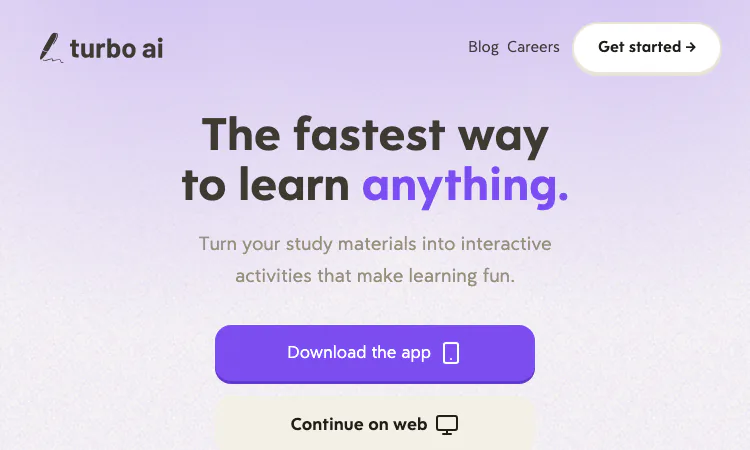
Turbo AI is a study platform built around one sentence on its homepage: turn your study materials into interactive activities that make learning fun. You feed it lectures, PDFs, YouTube videos, or your own notes. It returns lessons, notes, flashcards, quizzes, and podcasts generated from that specific material. The site calls itself the fastest way to learn anything and reports more than ten million learners. This profile covers what Turbo AI does, how the pieces connect, and where the honest limits sit.
From material to study session
The core loop inside Turbo AI has three stages: bring material in, generate study content, review in the format that suits you.
Input is deliberately broad. The Turbo AI homepage shows a drop zone that accepts PDFs, videos, and recordings, using a syllabus file and an Introduction to Calculus slide deck as its worked example. Turbo AI also accepts notes you paste or type yourself, which matters when your course lives in a battered paper notebook and the only digital artifact is your transcription of it.
Generation then converts each upload into structured study content. The same calculus deck can come back as a written lesson, a set of flashcards, a quiz, or a podcast for the commute. None of these formats is exotic alone. The convenience of Turbo AI is that every format comes from one source file, so the flashcard deck and the quiz cover the same definitions the lesson explains, instead of five tools drifting out of sync.
Review is where the interactive part lives. Instead of rereading a deck for the fourth time, you answer questions until the material sticks, flip through cards, or ask a chatbot about the paragraph you did not follow. Turbo AI frames this as making studying feel like less of a chore, and the shift from reading to answering is a real change in how attention behaves.
The chatbot covers the residue the formats leave behind: the paragraph that made sense in lecture and does not now, the term whose definition you cannot locate in forty slides. Because it answers against the uploaded material, the explanation arrives in your course's vocabulary rather than a generic one. Turbo AI lists the chatbot alongside flashcards and quizzes as a standard review option, and in practice it is where the confusing parts get unpicked.
The notetaker and the practice loop
Two Turbo AI features deserve separate attention because they carry the daily-use case.
The first is the AI Notetaker. Turbo AI listens to your lectures and writes the notes while the lecture happens. The value shows in the review section, where users describe professors who talk fast, drift into side conversations, and jump between topics, and the Turbo AI notes still coming out organized. Separating the aside from the substance is exactly the part of manual note-taking that collapses under time pressure, and it is the part users praise most.
The second is practice mode, summarized on the site as endless questions until you lock in understanding. The Turbo AI demo uses American history: naming the treaty that ended the Revolutionary War, identifying the Stamp Act of 1765, explaining the significance of the Boston Tea Party. The format mix includes fill-in-the-blank, multiple choice, and open explanation, which is closer to how a real exam asks questions than any single format would be.
STEM, sync, and collaboration
Two objections usually arrive at this point, and the Turbo AI FAQ answers both directly.
The first objection is that generated tools mangle technical content. The FAQ states that Turbo AI handles math formulas, chemical equations, physics diagrams, and code snippets, and preserves formatting for technical material. An engineering student among the reviewers describes accurate notes from long lectures, which is the population this claim matters most to.
The second objection is device lock-in. Turbo AI runs on web, tablet, and mobile, with notes syncing automatically across all three. There is a full editor in the Google Docs style for fixing whatever the generation got wrong, and documents support live editing and sharing, so a study group can maintain one set of notes instead of five forwarded copies. The Turbo AI library of premade AP study guides and books covers the standard courses where someone has already paid the generation cost.
Pricing without surprises
Turbo AI uses a freemium model with a clear line between tiers. The free tier includes note generation, flashcards, and quizzes, which is the functional core of the product. The paid upgrade unlocks unlimited usage and advanced AI capabilities. No prices appear on the homepage, and the call to action says only start for free.
For evaluating whether Turbo AI fits your courses, the free tier is enough. You only need to pay once your volume outgrows the limits, and by then you will know whether the notes are worth paying for.
An honest assessment
The strengths are specific. Turbo AI removes the blank-page problem at the moment motivation is lowest, converts one upload into several review formats, and handles technical formatting that similar tools often break. The public track record is substantial: 4.8 stars across more than 300,000 reviews on the Play Store and the App Store.
The limits deserve equal space. Generated notes are a first draft, not scripture, and the editor exists because you will need it. Practice questions are only as good as the material you upload, so a thin slide deck produces a thin quiz. And Turbo AI rewards people who already hold source material, not people hoping to learn a subject from nothing.
Used as intended, as a converter between the material you already own and the review formats you keep postponing, Turbo AI earns the spot in the folder next to the PDFs.
Related apps

StudyStride
Study smarter: AI flashcards, quizzes, and drills from your own notes.
StudyStride helps you study smarter by turning your own notes and PDFs into interactive learning tools. In minutes, our AI analyzes your materials and creates: 📚 Organized topics…
Explore App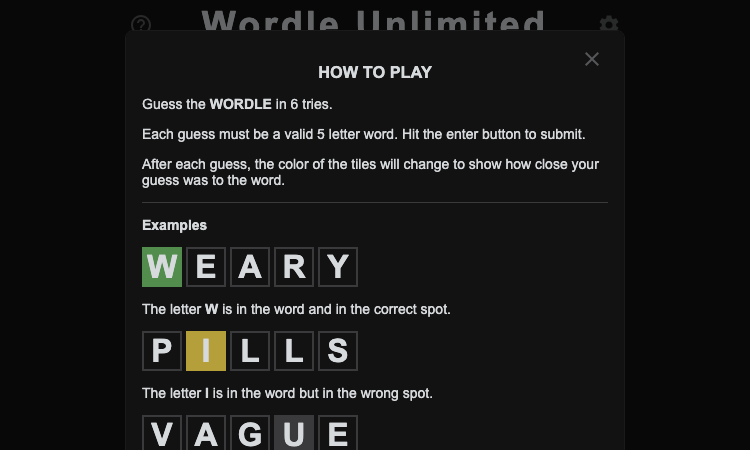
Wordle Unlimited Github Io
Wordle Unlimited Github Io — play endless Wordle puzzles online for free, without waiting for the next day.
Wordle Unlimited Github Io Wordle Unlimited Github Io is a free word puzzle game that lets you play endless rounds of Wordle without waiting for the next day. If you have ever…
Explore App
Gemi ChatPDF
Chat with your PDFs intelligently
Talk to your documents naturally with Gemi ChatPDF. Analyze, extract, and explore your PDF contents efficiently - completely free!
Explore App
LearnIQ
An Personalized AI powered Tutor for K-12
LearnIQ is an AI-powered tutoring app built for K-12 schools, designed to answer any questionIt helps students master complex topics, supports homework, and provides personalized…
Explore App
CodeVision
A Code Learning and Development app that makes you learn 10 languages at once
CodeVision is a learning app that helps you learn Java, Python, C++, c#, Lua, and more for Completely free! that's right, CV helps you learn all these languages all at one time,…
Explore App
Flower Wand Garden
Flower Wand Garden - a free camera-powered flower toy that turns your fingertip into a magic wand for photos and videos
Flower Wand Garden Flower Wand Garden is a free, browser-based flower toy that turns any phone or computer camera into a magical planting ground. Flower Wand Garden detects your…
Explore App