
Overview
Web Harmonium
A free, browser-based digital harmonium simulator that replicates the sound and feel of a traditional Indian harmonium. No download required — open and play instantly.
Features
- Browser-based: Works directly in your browser, no installation needed
- MIDI Keyboard Support: Connect your MIDI keyboard and play with realistic key-by-key interaction
- Volume Control: Adjustable master volume
- Reverb Effect: Built-in reverb for rich, ambient sound
- Transpose: Transpose keys to any musical key (C, D, E, etc.)
- Octave Adjustment: Control the octave range from -3 to +3
- Additional Reeds: Layer multiple reed sounds for a fuller tone
- Keyboard Playable: Play using your computer keyboard as an alternative to mouse clicks
Use Cases
- Music practice and learning
- Composing Indian classical or devotional music
- Performing live without carrying a physical instrument
- Music teachers demonstrating harmonium techniques
- Casual music exploration in the browser
Technical Details
Built with the Web Audio API for real-time audio synthesis. Fully responsive and works on desktop browsers. Free forever — no account needed.
Featured Lovable Apps

SdanceAI
Create short-form video with Seedance 2.5
SdanceAI is a browser-based Seedance 2.5 AI video generator and API service built for creators, marketers, developers, and production teams. Turn text prompts or reference images into short-form videos, adjust generation settings such as aspect ratio, duration, and resolution, track each task, and download completed videos as MP4 files. SdanceAI can support workflows for social media clips, advertisements, product launches, explainers, visual storytelling, and rapid creative testing. Developers can create an API key, submit generation tasks, monitor task status, and manage credit usage from the same platform. With a freemium, credit-based model and starter pricing from $9.90, SdanceAI makes Seedance 2.5 video creation accessible for individual experiments as well as automated application workflows. SdanceAI is an independent third-party product and is not affiliated with AI model providers.
Explore App
Twibird
Twitter bookmarks search made simple
Twibird is a Twitter bookmarks search tool designed for people who save valuable posts on Twitter/X and want an easier way to find them later. It turns a growing bookmark collection into a searchable personal knowledge library, helping users quickly rediscover useful threads, ideas, references, resources, and inspiration. Twibird reduces the time spent scrolling through old bookmarks and makes saved content easier to organize and revisit. It is useful for creators, researchers, marketers, founders, developers, and anyone who relies on Twitter/X for learning and discovery.
Explore App
GPT Image 2 API
Production-ready image generation and editing with GPT Image 2 API
GPT Image 2 API is a browser-based image generation and editing platform powered by GPT Image 2 for creators, designers, marketers, ecommerce teams, and developers. It turns detailed text prompts into polished images and supports targeted edits such as subject replacement, background changes, style updates, and local retouching. The platform is designed for practical creative work, including posters, product photography, advertisements, social media graphics, character sheets, comics, brand assets, and design mockups. GPT Image 2 API emphasizes readable text, stable composition, realistic materials, and consistent visual direction across multiple outputs. Users can export images in PNG or JPEG format, while developers can create API keys, submit image tasks, monitor task status, and manage credit-based usage from the dashboard. With freemium access and paid credits starting at $9.90, GPT Image 2 API gives both individuals and teams a flexible way to move from an initial concept to production-ready visual assets.
Explore App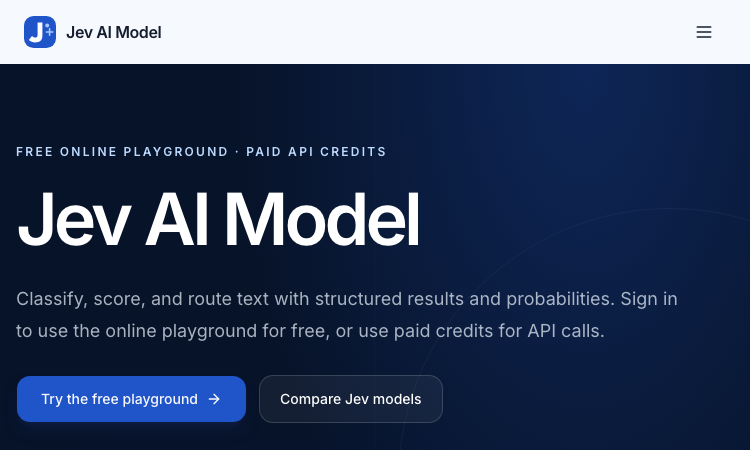
Jev AI Model
Jev AI Model – Official Website, What It Is & How to Use
Jev AI Model Official Website Jev AI Model is the model-focused home of the Jev decision engine: classify, score, and route text with structured results and probabilities — free online playground for signed-in users, paid credits for API calls. Official app: https://jevaimodel.net Creator: the Jev team (companion site to the Jev AI workspace at thejevai.com) Price: Freemium — playground free after sign-in; API usage via paid credits Login required: Yes — even the playground requires signing in Platform: Web playground + REST API (POST /v1/systemone) with a typed SDK Main use: Turning state plus typed questions (Choice / Score / Noul) into probability-backed decisions inside your code Last checked: 2026-09-23 Visit Jev AI Model We are not the official developer of Jev AI Model. This page helps users find, understand, and use the product. What Is Jev AI Model? Jev AI Model is not a chatbot — it is a decision model. You send state (a ticket, message, form fields, or the structured context your agent already sees) plus up to eight typed questions — Choice for classification, Score for ordered levels, Noul for yes/no — and one request returns typed answers with probabilities and confidence in 70–500ms, ready to branch on in code (if result.urgent: escalate()). This site adds two things the main product page doesn't. First, a published benchmark: JevBench v1.3.0 scores 52 systems across 534 decisions (snapshot Sep 21, 2026), with Jev 1.13.0 ranked #1 at 74.4, ahead of SemIf (73.1) and djev (73.0) — covering decision quality, probability calibration, speed, and cost per decision. Second, a 21-example interactive showcase with a clear specialty: agent trace evaluation — feeding an agent's tool-call trace into questions like taskcompletion, failuremode, and grounded_answer to grade whether an AI agent actually completed the task and whether its final response is grounded in its tool results. How to Use Jev AI Model Open the official Jev AI Model website and sign in — the playground is free for signed-in users. Pick one of the 21 decision workflows (e.g. agent trace evaluation) or build your own: enter state as Text or JSON. Define up to eight typed questions (Choice / Score / Noul), then click Generate decisions to see typed output with probabilities. Copy the POST /v1/systemone JSON preview, buy API credits, create a key, and wire the decision into your service via REST or the typed SDK. Is Jev AI Model Safe? The site runs on the jevaimodel.net domain over standard HTTPS and publishes API, Pricing, and Docs pages. Note the account gate: unlike the main Jev AI site, where the playground works without an account, here even the playground requires sign-in, and API calls use paid credits. Any state you send (tickets, messages, agent traces) leaves your system for classification, so treat customer-sensitive content accordingly — the same caution as any hosted AI API. The model's design supports safety use cases itself (pre-action checks around deletion and payment). No deceptive redirects were observed during review. Last checked September 2026. Why Is Jev AI Model Popular? As teams ship AI agents, evaluating and controlling them became the bottleneck of 2026: did the agent finish the task, is its answer grounded, when should a human step in? Jev AI Model answers exactly that with typed, probability-backed outputs — and backs its claims with a published, dated benchmark rather than adjectives. The free playground (just a sign-in) lets developers pressure-test it on a real scenario in minutes. Jev AI Model Not Working? If Jev AI Model fails to load: Refresh the page. Open it in another browser. Disable ad blockers temporarily. Check whether the original jevaimodel.net deployment is still online. Try again later if the developer is updating the app. Jev AI Model Alternatives Jev AI (thejevai.com) — the same decision engine with a no-login playground OpenAI Structured Outputs — typed JSON from GPT models you orchestrate yourself LangSmith — LLM/agent evaluation and tracing platform Frequently Asked Questions What is the official Jev AI Model website? The official website is https://jevaimodel.net. Is Jev AI Model free? The online playground is free once you sign in; API requests use paid credits. Do I need an account to use Jev AI Model? Yes — this site requires sign-in even for the playground (the companion thejevai.com playground needs no account). Who created Jev AI Model? The Jev team, which also publishes JevBench — an independent evaluation of decision-model quality across 52 systems. Is Jev AI Model still available? Yes, the site was live as of September 23, 2026.
Explore App
Get Face Report
Get Face Report – Official Website, What It Is & How to Use
Get Face Report Official Website Get Face Report is a photo-based face analysis tool: a free on-device scan of your facial proportions, symmetry, and shape, with an optional one-time $14.79 full report covering styling guidance and six hairstyle previews on your own face. Official app: http://getfacereport.com Creator: Get Face Report team Price: Freemium — first scan free, full report $14.79 once (no subscription) Login required: No for the free scan; Google sign-in to save and revisit a purchased report Platform: Web (free analysis runs in your browser, on this device) Main use: Understanding facial proportions, symmetry, and shape, then acting on it with hairstyle and styling recommendations Last checked: 2026-09-20 Visit Get Face Report We are not the official developer of Get Face Report. This page helps users find, understand, and use the product. What Is Get Face Report? Get Face Report turns a single front-facing photo into a structured read of your face geometry — proportions, symmetry, harmony, structure — scored in a sample dossier (e.g. Symmetry 84, Harmony 86). What makes it different from typical face-rating apps is restraint and privacy: the first scan runs entirely on your device (no upload, no account), the scores come with honest caveats (photo-based geometric estimates affected by lighting and pose — "not objective judgments of your worth or medical assessments"), and the paid report is action-oriented rather than a vanity number: individual observations with evidence, strengths and priorities, a four-week plan, color and eyewear guidance, and six AI hairstyle concepts rendered on your own face (labeled illustrative, not predictions). Around the core report sit focused tools — PSL Scale analysis, Hunter Eyes, Golden Ratio Face, Face Shape Detector, Face Symmetry Test, AI Hairstyle Changer — plus guides that explain the terminology and limits of photo-based analysis. How to Use Get Face Report Open the official Get Face Report website and choose a clear front-facing photo (neutral expression, even light; a side photo is optional context). Start the free analysis — the scan of proportions and symmetry runs in your browser; no account needed. Review the measurements, then decide whether to purchase the full report ($14.79, one-time) with Google sign-in. Explore your detailed observations, prioritized four-week plan, styling guidance, and six hairstyle previews; revisit anytime under My reports. Is Get Face Report Safe? The privacy model is unusually explicit: free scans never leave your device, and only when you purchase are your photos and generated concepts stored privately with your report until you delete them. Payment is a one-time purchase with no subscription, and login is Google-based rather than a fresh password. Honest limitations: a front photo is required; unseeable profile features are not scored; results are geometric estimates, not medical assessments. The site publishes Privacy and Terms pages. The main caveat is inherent to the category — you are uploading face photos for the paid features, so consider what that means for you. During review, no deceptive redirects were observed. Last checked September 2026. Why Is Get Face Report Popular? Face-analysis tools ride two currents: the looksmaxxing/PSL-scale vocabulary that spread through TikTok and Reddit, and the practical "what hairstyle suits my face shape?" question everyone asks before a haircut. Get Face Report serves both — it speaks the PSL/Hunter Eyes/Golden Ratio language that community searches for, while steering toward constructive output (priorities, a plan, hairstyle previews) instead of a single harsh rating. Get Face Report Not Working? If Get Face Report fails to load: Refresh the page. Open it in another browser. Disable ad blockers temporarily. Check whether the original getfacereport.com deployment is still online. Try again later if the developer is updating the app. Get Face Report Alternatives FaceShape app — face shape detection with hairstyle ideas Golden Ratio Face apps — symmetry and proportion scoring on mobile Frequently Asked Questions What is the official Get Face Report website? The official website is http://getfacereport.com. Is Get Face Report free? The first face report scan is free and runs on-device. The full saved report is a one-time $14.79 purchase — no subscription. Do I need an account to use Get Face Report? No account is needed for the free scan. Google sign-in is required to save and revisit a purchased report. Who created Get Face Report? The Get Face Report team; the site publishes Privacy, Terms, and Contact pages. Is Get Face Report still available? Yes, the site was live as of September 20, 2026.
Explore App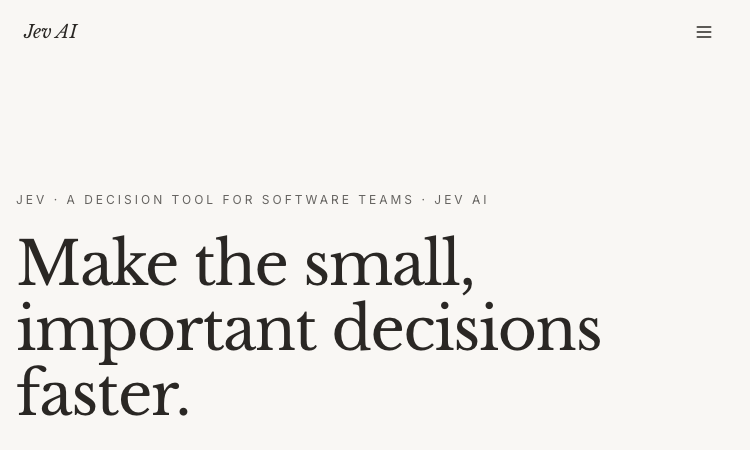
Jev AI
Jev AI – Official Website, What It Is & How to Use
Jev AI Official Website Jev AI is a decision engine for software teams: an AI model that turns real-world state into structured, probability-backed decisions — classification, routing, scoring, and safety checks in 70–500ms. Official app: https://thejevai.com Creator: Jev AI team Price: Freemium — free online playground (no waitlist), API usage via Pricing Login required: No for the playground; an account and API key for production calls Platform: Web playground + REST API (POST /v1/systemone) with a typed SDK Main use: Making small, high-frequency decisions inside code — routing, escalation, guardrails, queue sorting Last checked: 2026-09-20 Visit Jev AI We are not the official developer of Jev AI. This page helps users find, understand, and use the product. What Is Jev AI? Jev AI is deliberately not another chat model. Its pitch: the hardest product work is often not generating a paragraph — it is making small decisions many times a second without losing control. You send state (a ticket, message, form fields, or the context your agent already sees) plus up to eight typed questions — Choice (classification with 2–255 options), Score (ordered levels, e.g. urgency 0–10), or Noul (yes/no). One request returns typed answers with probabilities and confidence, so your code can branch: if result.urgent: escalate(). Because each answer carries probability, you can decide when the system should act automatically and when to ask a person. Documented use cases: assess task difficulty before routing to cheap vs. heavy models, run intent checks before risky tool actions (deletion, payment), classify intent + urgency + human-review together to sort queues, and decide which tool results survive context compression in long sessions. The online playground lets you build a full decision (state, questions, JSON preview) and copy the exact API request before writing any code. How to Use Jev AI Open the official Jev AI website and try the playground — load one of five example scenarios (e.g. "three deploys failed, production returning 500s — escalate?"). Enter your state (Text or JSON) and define up to 8 typed questions: Choice, Score, or Noul. Click Generate decisions to see typed output with probabilities and confidence. Copy the POST /v1/systemone JSON preview, create an account, get an API key, and wire it into your service via REST or the typed SDK. Is Jev AI Safe? The site runs on the thejevai.com domain over standard HTTPS and publishes Docs, API, Pricing, and Showcase pages. The playground works without an account; production use requires a managed API key. Note that any state you send (tickets, messages, form content) leaves your system to be classified, so treat customer-sensitive text accordingly, as with any hosted AI API. The model's own design supports safety use cases — pre-action intent checks around payments and deletions — which is a point in its favor. No account requirement beyond the API key, no forced third-party login, no deceptive redirects observed. Last checked September 2026. Why Is Jev AI Popular? As teams ship AI agents in 2026, the bottleneck has shifted from generating text to deciding reliably: should this escalate, route, block, or queue? Jev AI lands exactly on that pain with an unusually concrete promise — typed answers, probabilities, 70–500ms, one request for three decisions — instead of vague "AI agents" marketing. Its no-waitlist free playground also makes it easy for developers to evaluate with a real scenario in minutes. Jev AI Not Working? If Jev AI fails to load: Refresh the page. Open it in another browser. Disable ad blockers temporarily. Check whether the original thejevai.com deployment is still online. Try again later if the developer is updating the app. Jev AI Alternatives OpenAI Structured Outputs — typed JSON from GPT models you orchestrate yourself LangChain routers — build classification/routing chains in your own stack Humanloop — evaluation and prompt-ops platform for production LLM features Frequently Asked Questions What is the official Jev AI website? The official website is https://thejevai.com. Is Jev AI free? The online playground is free with no waitlist; API usage follows the plans on the Pricing page. Do I need an account to use Jev AI? No for the playground. Production API calls need an account and a manageable API key. Who created Jev AI? The Jev AI team; the site publishes full API docs, an SDK example, and a Showcase. Is Jev AI still available? Yes, the site was live as of September 20, 2026.
Explore App