Overview
Granola App
Granola App is built for the knowledge worker whose week is dominated by back-to-back meetings. Instead of forcing a choice between listening carefully and taking good notes, Granola lets the user stay fully present in the conversation while an AI notepad listens in the background, captures what is said, and structures the result into a clean, editable set of notes the moment the call ends.
The product is organized around three first-class surfaces. The first is the meeting notepad itself, which joins a call before it starts, follows along with the discussion, and pulls out action items, decisions, and key topics as the conversation unfolds. The second is a chat-style interface that lets the user ask follow-up questions of their past meetings, so a year of conversations becomes a queryable personal memory rather than a graveyard of transcripts. The third is a fully featured iOS companion that keeps notes, voice memos, and answers synced across devices, so capturing and reviewing meetings on the go feels just as natural as it does at the desk.
Granola App is opinionated about quality. Instead of dumping raw transcripts, the AI layers a structured summary on top of the words that were actually spoken, with clearly separated sections for takeaways, decisions, and next steps. The notepad stays editable, so the user can add private annotations, cross-link related meetings, and shape the document before sharing. Calendar and conferencing integrations let meetings show up in Granola automatically, and one-click exports keep the workflow connected to docs, email, and project trackers.
For founders, operators, investors, consultants, designers, and anyone whose calendar is a long sequence of conversations, Granola App is the memory layer the modern knowledge worker has been waiting for. It does not try to replace focus or judgment; it simply makes sure that the things that were said in the room do not disappear the moment the call ends.
Featured Lovable Apps

Poople
Master the daily word ladder: change one letter at a time to reach POOP in this free, quick, and addictive puzzle.
Poople is the ultimate daily word ladder game designed for quick, clever brain-teasers that fit perfectly into your busy schedule. Your goal is simple: transform a starting 4-letter word into the target word "POOP" by changing only one letter at a time, ensuring every intermediate step is a valid word. Whether you are a fan of Wordle or Weaver, Poople offers a challenging, minimalist experience that rewards efficient vocabulary and strategic thinking. With a new puzzle released every day at 08:00 UTC, players around the world compete to reach the goal in the fewest steps possible. Perfect for word game enthusiasts looking for a bite-sized mental workout, Poople is entirely free, requires no sign-ups, and features a clean, ad-free interface that works seamlessly on desktop and mobile browsers. You can track your personal streaks and performance directly on your device, then share your success with friends using spoiler-free results.
Explore App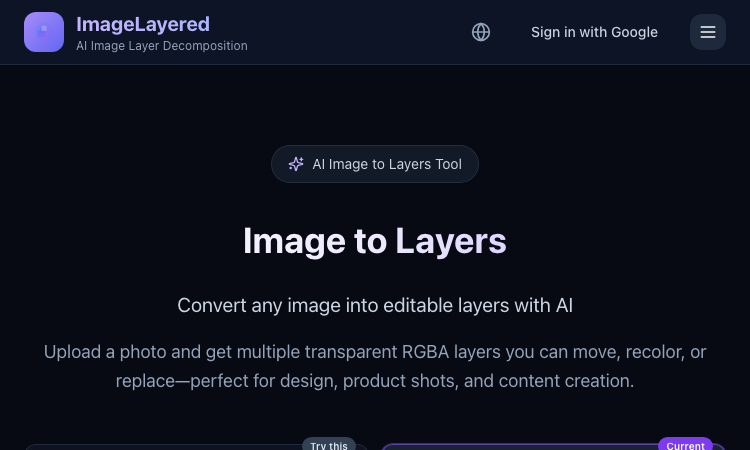
Image to Layers
Image to Layers – Official Website, What It Is & How to Use
Image to Layers Official Website Image to Layers is an AI image layer decomposition tool that turns one flat image into multiple editable transparent RGBA layers. Official app: https://imagelayered.com/image-to-layers Creator: ImageLayered Price: Credit-based — from $0.10 per output layer; charged only for the layers actually produced Login required: Yes for running jobs (Google sign-in) Platform: Web Main use: Converting flat images (JPEG, PNG, WebP, GIF) into editable transparent layer stacks Last checked: 2026-08-29 Visit Image to Layers We are not the official developer of Image to Layers. This page helps users find, understand, and use the product. What Is Image to Layers? Image to Layers does AI image layer decomposition. You upload one flat image and the AI splits it back into a stack of editable parts: a base image plus transparent RGBA layers for the subjects and supporting elements, each downloadable as its own PNG. Unlike a background remover, which gives you a single cutout and discards the rest, it also fills in hidden areas — when objects overlap, the reconstructed background behind them stays usable, so any layer can be moved, recolored, or replaced on its own. The page offers two modes: Quick (1 credit per layer — you just pick the layer count, best for a first split) and Precision (2 credits per layer — named layers with positions, plus an optional prompt describing what to isolate). You choose the layer count between 2 and 13, and you are charged for the actual number of outputs only. Results drop straight into Figma, Photoshop, or any editor that supports alpha channels. The core audience is anyone holding a finished visual with no source file: e-commerce teams reworking product shots, designers building mockups, and marketers adapting campaign stills to new sizes. How to Use Image to Layers Open the official Image to Layers page at https://imagelayered.com/image-to-layers. Upload an image by dragging it in or clicking the upload area. JPEG, PNG, WebP, and GIF are supported; Precision mode requires PNG or JPEG of at least 512×512 px. Pick how many layers you want (2–13, including the base image) and optionally add a prompt to guide grouping — e.g. "Output a layer for every person." Choose Quick or Precision mode and run the conversion. The AI separates elements and rebuilds occluded areas. Review the result (selecting a layer highlights where it sits in the original), then download the transparent PNG layers you need. Is Image to Layers Safe? Registration/login: Signing in with Google is required to run jobs; the header shows a "Sign in with Google" option rather than a separate password account. Uploads: You upload images for processing. The site carries Privacy Policy and Terms of Service links, and there are no visible third-party ads or forced redirects. Payment: Usage is credit-based at roughly $0.10 per output layer (Quick mode 1 credit, Precision mode 2 credits per layer), charged only for actual outputs. Expect a checkout step for buying credits. Ads/popups: None observed on the page itself, though the footer cross-promotes a sister tool (PSL Scale). Domain/hosting: imagelayered.com, served over HTTPS. Why Is Image to Layers Popular? Image to Layers rides a real workflow pain: more and more visuals are produced as final flat files — AI-generated art, screenshots, bought assets — with no layered project behind them, and "image to layers" searches spiked as AI layer-decomposition models (like the Qwen image-layered approach the site also references) made automatic splitting practical. Its practical appeal over manual masking is speed: a product photo that once needed careful selection work becomes a movable layer stack in one upload. There is no single public source showing where the trend originated; it appears to spread through direct sharing and word-of-mouth among designers and e-commerce sellers. Image to Layers Not Working? Refresh the page. Open it in another browser. Disable ad blockers temporarily. Make sure you are signed in and have credits in your balance. Check that your file meets the mode's limits (Precision needs PNG or JPEG, ≥512×512 px). Try again later if the developer is updating the app. The original Image to Layers website was online as of 2026-08-29. Image to Layers Alternatives Magic Layers (magiclayers.net) — similar layer separation with 2–12 named layers per image and monthly credit plans. remove.bg — faster and cheaper when you only need one subject cut out on a transparent background. Photopea — a free browser editor for manually building or refining layers after separation. Frequently Asked Questions What is the official Image to Layers website? The official page is https://imagelayered.com/image-to-layers, part of the ImageLayered site. Is Image to Layers free? It is credit-based: Quick mode costs 1 credit per layer and Precision mode 2 credits per layer (about $0.10 per output layer), and you are charged only for the layers actually produced. The site's footer also describes the underlying decomposition technology as free and open source. Do I need an account to use Image to Layers? Yes — running a conversion requires signing in with Google. What image formats does Image to Layers support? Uploads accept JPEG, PNG, WebP, and GIF; Precision mode requires PNG or JPEG of at least 512×512 pixels. Can I control how many layers I get? Yes. You pick a count between 2 and 13 (the count includes the base image), and in Precision mode you can add a prompt describing what to isolate — the prompt guides grouping but never changes the count. Is Image to Layers still available? Yes — the site was live and functioning as of 2026-08-29.
Explore App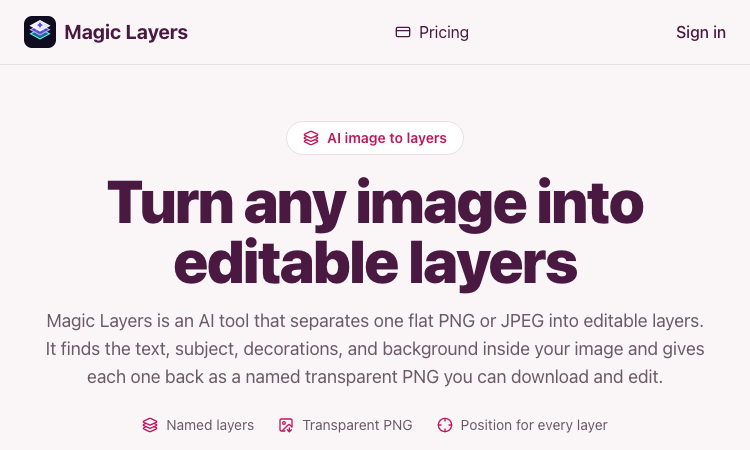
Magic Layers
Magic Layers – Official Website, What It Is & How to Use
Magic Layers is an AI tool that takes one flat PNG or JPEG image and separates it back into its individual visual elements — background, subject, text, and decorations — as named transparent PNG layers you can download and edit. Official app: https://magiclayers.net/ Creator: Magic Layers (contact@magiclayers.net) Price: Paid — monthly plans ($29 / $79 / $149) plus one-time credit packs; you are charged only for the layers you actually get Login required: Yes (sign in to your account to run jobs, track credits, and access your saved files) Platform: Web Main use: Image layer separation — turning a finished flat image back into editable parts Last checked: 2026-08-27 Visit Magic Layers We are not the official developer of Magic Layers. This page helps users find, understand, and use the product. What Is Magic Layers? Magic Layers does image layer separation. Instead of just removing a background, it analyzes one already-rendered PNG or JPEG and splits it back into the elements it was built from: the background plate, the subject/product, the text (headlines, labels, captions), and decorations like shapes or badges. Each element comes back as its own transparent PNG with a name, a short description, and the position it occupied in the original image. The separation is inferred from the pixels, so it works even on images where you no longer have the original project file. A background remover gives you one cutout and throws the rest away; Magic Layers gives you every major element independently, so you can move, replace, or restyle any part. This is the core reason someone searches for it: they have a finished visual and need it editable again. How to Use Magic Layers Open the official Magic Layers website at https://magiclayers.net/. Drop a PNG or JPEG onto the upload area (or click to browse). Files must be at most 30 MB and at least 512×512 px. Use the slider to set how many layers you want — between 2 and 12. The credit cost is shown before the job starts, and that number is also your price ceiling. Click Separate into layers. The AI returns a base image plus one transparent PNG per detected element. Review the layers (click one to highlight where it was in the original), then download the ones you need. Is Magic Layers Safe? Registration/login: Yes — you need an account to run jobs and access your saved files. Third-party login: No Google or Discord login is required; sign-in is account-based. Uploads: You upload images, but the site states files are stored privately and never published or shown to other users. Uploads and generated layers are kept for 7 days. Payment: Full usage requires credits (subscription or one-time packs). A failing job releases credits back to your balance. Ads/popups: No obvious advertising or forced redirects on the site. Domain/hosting: magiclayers.net; contact and legal pages (Terms, Privacy, Contact) are present, with a support email of contact@magiclayers.net. Why Is Magic Layers Popular? Magic Layers is a niche but genuinely useful tool for designers, marketers, and content creators who keep hitting the same problem: a finished campaign visual, thumbnail, slide, or mockup that needs to be edited again but has no source file. Rather than masking a subject out by hand, they can recover background, text, and decorations as separate layers and recompose for new sizes or placements. There is no single public source showing the trend's origin; it appears to spread through direct sharing and word-of-mouth among creative professionals. Magic Layers Not Working? Refresh the page. Open it in another browser. Disable ad blockers temporarily. Check that you are signed in and have credits in your balance. Make sure your file meets the limits (PNG or JPEG, ≤30 MB, ≥512×512 px). Try again later if the developer is updating the app. The original Magic Layers website was online as of 2026-08-27. Magic Layers Alternatives Adobe Photoshop — recover and edit layers directly if you have the source PSD, or use generative tools for complex edits. remove.bg — the fastest choice when you only need one subject cut out on a transparent background. Photopea — a free browser-based editor for fine editing and manual layer work after separation. Frequently Asked Questions What is the official Magic Layers website? The official website is https://magiclayers.net/. Is Magic Layers free? Not fully. There is a credit-based model where each layer costs 2 credits, and you only pay for the layers you get. Credits come from monthly plans ($29 / $79 / $149 per month) or one-time packs. Do I need an account to use Magic Layers? Yes, you need to sign in to run a job, track your credit balance, and access the files kept in your account. Who created Magic Layers? Magic Layers is built by the team behind magiclayers.net, reachable at contact@magiclayers.net. No individual developer is named on the site. Is Magic Layers still available? Yes — the site was live and functioning as of 2026-08-27.
Explore App
MuseSpark AI
Harness True Model Potential Transform Every Spark of Inspiration into Reality
Welcome to musespark,Harness true model potential and transform every spark of inspiration into reality
Explore AppNext-Generation AI Video Generator
Create and refine high-quality videos fast with intuitive AI tools.
Lanta AI is an all-in-one AI video creation platform, offering a rich set of tools from text/image-to-video and video style transfer to virtual makeup and lip sync. There’s no steep learning curve — you can turn your ideas into high-quality videos in just a few steps. The platform supports multi-aspect-ratio export, camera motion controls, and stylized filters (including Ghibli-style), making it ideal for short-form content, product marketing, social media posts, and personal creative projects. Key features: AI video generation: Turn text or images into dynamic videos in one click, with camera motion and multiple aspect ratios supported. Video-to-video (style remastering): Transform existing footage into cinematic, vintage, anime, and many other styles. Video effects: A variety of creative filters and lighting effects to quickly enhance production quality. Lip sync: Make characters speak in sync with your audio, perfect for explainers, dubbing, and virtual avatars. Virtual makeup: AI-powered makeup and stylized beauty effects that you can tweak or revert at any time. Signature tools: AI Kissing Video Generator, Earth Zoom Out, character animation tools, and more.
Explore App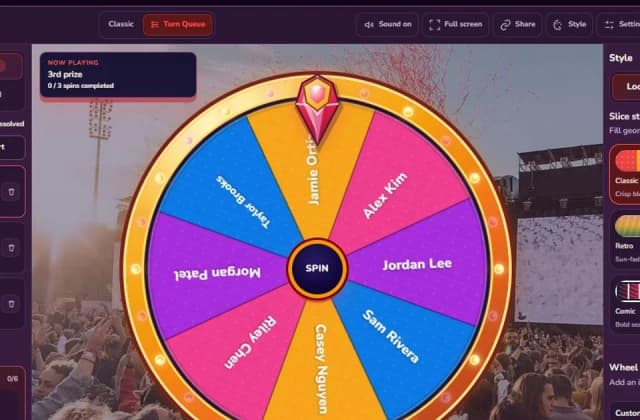
Spin the Wheel | Spinanywheel - Free
Spin the Wheel
Spinanywheel is the free online spinner that handles what normal wheels can't: multi-round draws. Use Turn Queue to set prize tiers (1st ×3, 2nd ×5, 3rd ×10, Lucky ×30), spin winners one by one, and every winner is removed automatically so nobody wins twice. No sign-up, no download, CSV export.
Explore App