Overview
A workspace built around one model
Most AI products try to be everything at once: dozens of model cards, a settings panel that looks like an airplane cockpit, and a pricing page that needs its own documentation. Kimi K3.1 Pro takes the opposite approach. The entire product is built around a single model, and every screen exists to help you use that model well. That narrowing is not a limitation. It is the design decision that makes the rest of the product easy to understand.
Kimi K3.1 Pro is the playground and API service at k31.pro for Moonshot AI's Kimi K3.1 Pro, routed through OpenRouter. It is an independent service, which means it is not operated by Moonshot AI itself. What it adds is a clean layer on top of a frontier model: a place to chat with text, images and audio, a place to grab an API key, and a billing system you can actually predict.
This profile walks through what the product does, how it is structured, and who it makes sense for.
The product in one sentence
Kimi K3.1 Pro is a multimodal workspace: one conversation thread where you can mix written prompts, images, video and spoken notes, then carry the same account into an OpenAI-compatible API when you are ready to build.
That sentence compresses three products that are usually sold separately. A playground for exploring the model. A multimodal chat interface. And an API gateway with keys, usage history and credit management. Here they share one account, one balance and one design language.
Why one model is a feature
A common failure mode of AI aggregators is choice paralysis. You open the app with a task, and before you start working you have to answer a modeling question: which of these forty models is right for summarizing a PDF with charts? Most people cannot answer that, so they guess, and half the time they guess wrong.
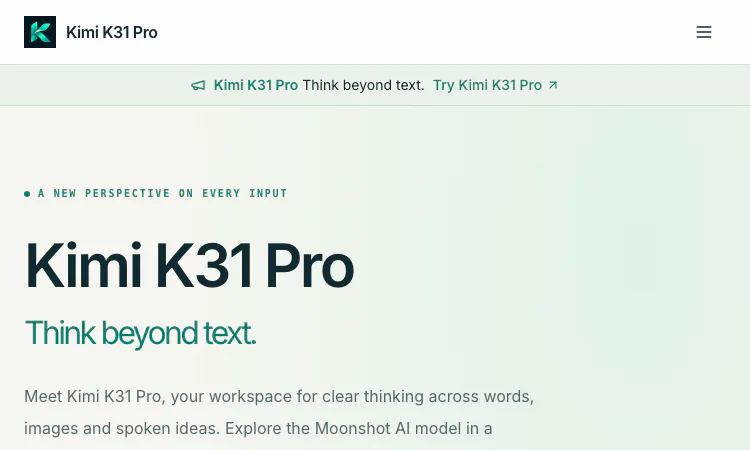
Kimi K3.1 Pro removes that decision entirely. The upstream model is Moonshot AI's flagship, a frontier system with a 1,048,576-token context window and native vision input. There is exactly one model, and it is strong enough that the interesting question becomes what you will do with it, not which one to pick. The site's own tagline, think beyond text, captures the positioning: Kimi K3.1 Pro handles words, images and spoken ideas in the same thread.
For a solo builder or a small team, this matters more than it sounds. Every minute spent comparing model cards is a minute not spent on the actual work.
Inside the playground
The playground is where most people will start, and the onboarding is deliberately short. You sign in with Google and receive 10 welcome credits, no payment required. From there the interface presents one conversation, and the input box accepts more than text.
The supported inputs deserve a closer look, because they define what the product is for:
- Text. Briefs, questions, drafts and code. Ask Kimi K3.1 Pro for an explanation, a rewrite or a structured plan.
- Images. PNG, JPEG and WebP files up to 4 MiB each. Screenshots, diagrams and photographs can be described, compared or explained.
- Audio. Upload a recording and the service transcribes the speech first, then Kimi K3.1 Pro reasons over the transcript alongside your prompt.
- Video. The upstream model accepts video input, which turns the thread into a place to discuss recorded material as well.
There are practical limits, and the site states them plainly: 4 MiB per embedded file, 8 MiB total and 8 files per conversation. Those numbers are generous enough for working sessions while keeping requests predictable.
One more control is worth noticing. Kimi K3.1 Pro exposes adjustable thinking levels, so you decide how much reasoning effort a request deserves. A quick rewrite does not need a deep chain of thought; a subtle architectural question does. Putting that dial in the user's hands is a small touch that changes daily usage.
From playground to product
The second half of the product is the API. The endpoint is OpenAI-compatible, which is the practical standard for LLM integration, so wiring Kimi K3.1 Pro into an existing application is usually a matter of changing a base URL and a key.
POST https://k31.pro/v1/chat/completions
model: moonshotai/kimi-k3.1-pro
The important property is continuity. The API uses the same account, the same API keys and the same credit balance as the playground. You can prototype a prompt by chatting with Kimi K3.1 Pro, then send the identical request from your server and get the same behavior. Anyone who has maintained a prompt that behaves differently in a console and in production knows why this continuity matters.
The site also recommends keeping your key on the server and inspecting usage after every response, which is standard hygiene, and the request usage and credit history screens make that inspection straightforward.
Pricing that starts at zero
The billing model is credits. New accounts get 10 welcome credits, and 1 USD buys 10,000 credits. Credit packs start at $10 for 100,000 credits and do not expire, so an occasional user of Kimi K3.1 Pro is not paying rent on an idle subscription.
Usage-based billing applies: Kimi usage is billed by actual input, cache and output usage, including audio transcription when used. Credits are reserved before a request and settled afterward, with a one-credit minimum per successful request. That structure means the bill tracks the work, not the calendar.
For regular use there is a Pro pack at $100 for 1,000,000 credits, and a Volume pack at $1,000 for 10,000,000 credits at the same unit rate. Every plan includes the online playground, API key management and the usage history.
Who Kimi K3.1 Pro is for
Three groups fit naturally. First, people who want to actually use a frontier multimodal model today without configuring anything: sign in, get credits, start a thread. Second, developers who want an OpenAI-compatible door to Kimi K3.1 Pro with predictable billing and a 1M-token context window for long-document work. Third, teams evaluating models who need the same prompt to behave identically in a playground and in production.
It is worth repeating the honest boundary: this is an independent service, not an official Moonshot AI website. The upstream model arrives through OpenRouter, and the site says so in its own FAQ. That transparency is a good sign for how the service is run.
The takeaway
The interesting thing about Kimi K3.1 Pro is not a flashy feature list. It is the discipline of the product: one model, one thread, one billing unit, one API shape. Everything else has been cut so that the path from an idea to a working prompt to a working integration stays short. For a frontier model wrapped in a focused interface, that discipline is the feature.
Related apps
Decisions API
Decisions API – Official Website, What It Is & How to Use
Decisions API is an independent developer platform that brings multiple decision models — Jev, Laya, Kev, Solar Decide, and Span — into one playground and one unified API for…
Explore App
Google AI Edge Foresight
Google AI Edge Foresight — Start with the core task and use the guided workflow to evaluate fit.
Google AI Edge Foresight: a practical tool for your next project Google AI Edge Foresight is an experimental Mac meeting assistant designed to keep audio capture, note…
Explore App
PDF to MD Converter
PDF to MD Converter- Turn PDFs into structured Markdown for publishing and AI analysis.
PDF to MD Converter PDF to MD Converter helps users convert static PDF documents into clean, structured Markdown that can be edited, searched, published, and passed into AI…
Explore App
Driveandlisten Herokuapp Com
Driveandlisten Herokuapp Com - Browser-based virtual drives through 100+ cities with live local radio streams.
Driveandlisten Herokuapp Com Driveandlisten Herokuapp Com is a browser-based ambient experience that lets visitors take a virtual drive through cities around the world while…
Explore App
Afroza Editor – Site Vitrine
« L’innovation et la créativité au service de l’Afrique »
Le site vitrine d’Afroza Editor présente nos services, projets et vision : innovation, créativité et expertise technologique au service de l’Afrique.
Explore App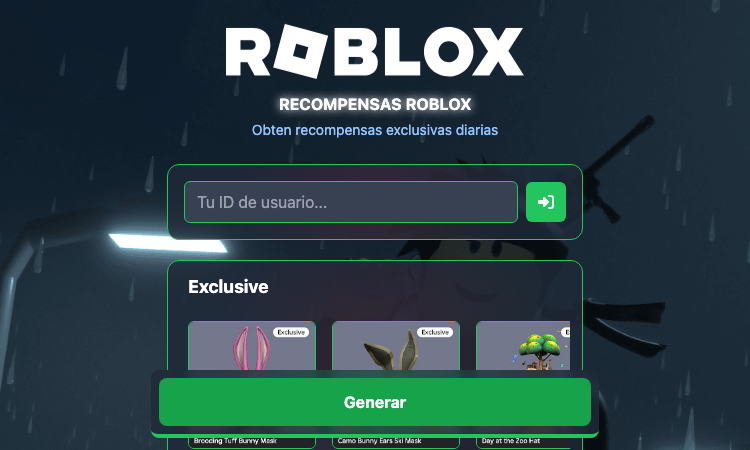
Roblox Vx V1 Vercel App
Roblox Vx V1 Vercel App - Vercel-deployed Roblox-themed web app built with React and Vite.
Roblox Vx V1 Vercel App Roblox Vx V1 Vercel App is a Vercel-hosted single-page web app aimed at the Roblox community. The project is built as a static React + Vite bundle and…
Explore App