Search Results for "Image Generation"
AI IMAGE GENERATOR EPIC
#Get best AI IMAGEs and Feed.
AI IMAGE GENERATOR, with 6 different styles and AI Content Feed.
Lora AI Image Generator for lora AI Imag
lora ai image generator, lora ai, lora AI Images, lora ai Videos generator, ai image generator, lora image generator, te
Lora AI Image Generator helps you create lora AI Images from text prompts or reference photos, with text-to-image, image-to-image, and lora ai Videos generator workflows.

Image Generator
Free AI Image Generator Online
Artificial intelligence is changing the way people create visual content. From designers and marketers to bloggers and everyday users, more people are turning to AI tools to transform their ideas into high-quality images. Image Generator is an online AI image creation platform that helps users generate original visuals from text descriptions, reference images, and creative concepts without requiring professional design skills. Image Generator allows users to create images through simple prompts. By describing an idea, scene, character, or object, users can let AI understand their creative direction and generate visuals based on their requirements. Whether creating digital artwork, social media graphics, wallpapers, illustrations, or concept designs, Image Generator provides an efficient way to bring ideas into reality. The platform supports different AI creation methods, including text-to-image generation and image transformation. Users can start with a simple description or upload an existing image to explore new possibilities. This makes Image Generator useful not only for creating new artwork but also for experimenting with different versions of existing photos and designs. One of the biggest advantages of Image Generator is its ability to support creative style exploration. AI image creation is no longer limited to realistic photos. Users can generate artwork in many different visual directions, including cartoon styles, 3D artwork, fantasy scenes, digital illustrations, and other artistic approaches. By changing the style and creative instructions, the same idea can become completely different visual experiences. For users who enjoy unique and playful designs, Image Generator also includes creative tools such as AI LEGO Generator. This feature allows users to transform ideas or images into LEGO-inspired artwork, creating brick-style characters, miniature worlds, and imaginative scenes. AI LEGO Generator brings a fun way to combine AI technology with the familiar visual language of LEGO-style creations, making it popular among creators who want to explore creative storytelling and personalized artwork. Image Generator also provides flexible customization options to improve the final results. Users can choose different image ratios and adjust generation settings according to their needs. Whether creating square images for social media, vertical visuals for mobile content, or wider images for websites and presentations, the platform helps users produce images that fit different purposes. The platform is suitable for a wide range of users. Designers can use Image Generator to quickly explore ideas before starting a project. Content creators can create original visuals for articles, videos, and social platforms. Businesses can generate marketing materials and promotional images, while casual users can simply experiment with creative concepts and turn imagination into artwork. With AI technology becoming more accessible, image creation is entering a new stage where creativity is no longer limited by technical skills. Image Generator makes it easier for anyone to explore visual ideas, experiment with different artistic styles, and create professional-looking images through AI. From original illustrations and photo transformations to specialized experiences like AI LEGO Generator, Image Generator provides a flexible creative environment for discovering new possibilities. Whether you are a professional creator or someone exploring AI for the first time, Image Generator offers a simple and powerful way to turn concepts into visual content.
GPT Image 2: AI Image Generator
The ultimate all-in-one AI image generator: flawless text, UI mockups, and true photorealism with zero post-editing.
Meet GPT Image 2: The Ultimate All-in-One AI Image Generator Say goodbye to switching between multiple AI tools. GPT Image 2) is a next-generation foundational vision model that handles everything from photorealistic product shots and pixel-perfect UI/UX mockups to marketing banners and complex typography—all in a single platform. 🧠 The Game Changer: "Thinking Mode" & Flawless Text Unlike traditional models, GPT Image 2 doesn't just draw; it thinks. It logically plans out the structure, layout, and physics of your request before rendering a single pixel. Most importantly, it completely eliminates the "AI gibberish" problem. GPT Image 2 is the first AI generator to achieve >99% text accuracy, rendering logos, labels, and long sentences perfectly across multiple languages. 🌟 Key Features Flawless Text Rendering: Get perfect spelling on posters, book covers, charts, and UI elements every single time. Pixel-Perfect UI Mockups: Instantly design realistic web and mobile interfaces with logically placed components, ready for your next presentation. Character Consistency: Built-in persistent embeddings keep your characters, mascots, and products looking identical across unlimited images. True Photorealism: Produce stunning, natural results indistinguishable from real photographs—no weird artifacts or "AI filters." Native Aspect Ratios: Generate 16:9 cinematic widescreen, 9:16 for Reels/Stories, or 1:1 for social posts natively, without any cropping or stretching. Zero Post-Editing: What you prompt is exactly what you get. Every image comes out polished and ready to publish. 🚀 Why GPT Image 2? It matches the highest standards of artistic quality while delivering unmatched prompt adherence and logical composition. Whether you are a designer, marketer, or developer, GPT Image 2) gives you the power to bring your exact vision to life in seconds. Try GPT Image 2 try it now https://gpt-image-2.me
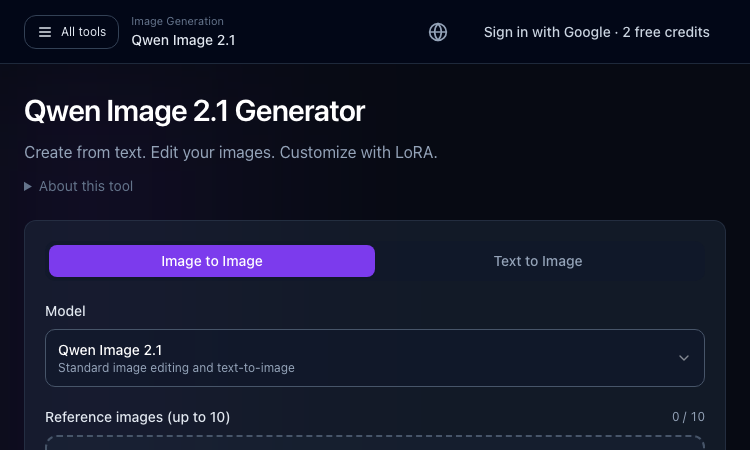
Qwen Image 2.1 Generator
Qwen Image 2.1 Generator — Start with the core task and use the guided workflow to evaluate fit.
Qwen Image 2.1 Generator: a practical tool for your next project Qwen Image 2.1 Generator is a browser-based image creation and editing workspace on ImageLayered, powered by Qwen Image 2.1. It offers text-to-image and image-to-image modes, allowing users to make a new visual or refine supplied reference material in one place. The Qwen Image 2.1 Generator works best when the goal and expected output are clear before work begins. Teams can use Qwen Image 2.1 Generator to test the same task against their current process. Choose text-to-image or editing, describe what should change and what to preserve, and add references if needed. The workspace supports up to ten images, LoRA customization, and 1K, 1.5K, or 2K outputs. Start with a clear prompt and adjust one constraint at a time. With Qwen Image 2.1 Generator, a small representative task is a better first test than a complicated edge case. Qwen Image 2.1 Generator This page lets users try Qwen Image 2.1 without first assembling a local ComfyUI workflow. Use it for mockups, concepts, background changes, or iterative edits. The open model is also available for local workflows when users prefer pipeline control and have compatible hardware. The Qwen Image 2.1 Generator can be compared on the same example with another option when the choice is not obvious. Directory visitors need a quick route from task to first result. Start with the input and output, then use one guided action to judge fit. A useful listing keeps that path clear before asking readers to study implementation details. For this audience, Qwen Image 2.1 Generator is easiest to judge in context rather than from a headline alone. Check current account requirements, remaining credits, model options, and file rules before uploading work. For confidential images, confirm the service terms and choose a local workflow if needed. Check that Qwen Image 2.1 Generator fits your requirements for privacy, rights, setup, and output quality before relying on it. Start with Qwen Image 2.1 Generator, test one representative task, and use the official documentation to confirm current access. Open the generator, select a mode, and begin with a small image edit or a short text prompt. The Qwen Image 2.1 Generator page has its current controls and terms. Compare Qwen Image 2.1 Generator with your existing workflow before adopting it.
Perchance AI Image Generator
Free Text to Image, No Sign-Up
Perchance AI Image Generator is a free, no-account AI image website that runs entirely in your browser. Write a text prompt and generate images with several free third-party model hosts (Perchance-based models), then download the results instantly. No accounts, no paid plans, no credit wallets - just open the homepage and start generating. Features multi-model support, instant downloads, and a simple prompt-driven workspace.
PixMira AI
PixMira AI is an online AI image generator and photo editor.
PixMira AI AI Image Generator and Photo Editor for Modern Visual Creation PixMira AI is an online AI-powered visual creation platform that brings image generation, photo editing, image transformation, and creative AI tools together in one place. Users can generate original images from text prompts, transform existing photos, edit images with natural-language instructions, explore different visual styles, and complete a wide range of image creation tasks directly in their browser. PixMira AI is designed for both everyday users and professional creators. It simplifies advanced visual workflows so users can focus on their ideas instead of learning complicated traditional editing software. Overview PixMira AI combines multiple AI image models and task-specific creative tools within a unified online workspace. Whether you want to generate an image from scratch, modify part of an existing photo, create marketing graphics, prepare ecommerce visuals, experiment with a new artistic style, or turn an idea into a shareable image, PixMira AI provides a simple and flexible workflow. Users can describe the result they want through a prompt, upload reference images when needed, select suitable generation options, and let AI handle much of the creative and technical process. Key Features AI Image Generation Create original images from text descriptions for creative, commercial, and personal projects. PixMira AI can help generate: Marketing visuals Social media graphics Product concepts Posters and promotional images Profile pictures and avatars Illustrations Concept art Blog and website images Presentation graphics Creative inspiration AI Photo Editing Edit existing photos by describing the changes you want in natural language. Common editing tasks include: Adding or removing visual elements Replacing objects Changing backgrounds Adjusting image composition Restyling a photo Expanding an image Improving visual presentation Creating alternative versions Transforming ordinary photos into creative designs Image-to-Image Transformation Upload an existing image and use it as the foundation for a new visual result. This can be used to: Preserve the main subject while changing the style Create new compositions from reference images Transform portraits, products, pets, or scenes Generate multiple creative variations Adapt an image for different visual contexts Explore new colors, environments, or artistic directions Prompt-Based Visual Editing PixMira AI makes image editing more accessible through natural-language prompts. Instead of manually navigating complex editing menus, users can explain what they want to change. This workflow helps reduce repetitive work and makes advanced image editing easier for users without professional design experience. Specialized AI Tools In addition to general image generation and editing, PixMira AI provides dedicated tools for specific visual tasks. Depending on the selected tool, users can work with capabilities such as: AI image generation AI photo editing Portrait and composition conversion Image expansion Image combination Image-to-sticker creation Background editing Style transformation Product and marketing image creation Prompt-based object modification Visual content enhancement AI-assisted creative workflows These focused tools provide clearer workflows for users who want to complete a specific task without configuring a complex editing environment. Multiple AI Models PixMira AI offers access to different AI models for different creative requirements. Users can choose a model based on factors such as: Image quality Generation speed Editing capability Prompt understanding Style preferences Resolution requirements Creative flexibility Task complexity The availability of multiple models allows users to select a more suitable option instead of relying on a single model for every task. What You Can Create PixMira AI can support a broad range of visual projects, including: Social media posts Advertising creatives Ecommerce product images Website banners Blog illustrations Profile images Posters Thumbnails Brand concepts Campaign visuals Presentation graphics Concept art Character designs Lifestyle images Product scenes Personalized stickers Creative photo transformations Use Cases Content Creation Create original visual content for blogs, social media accounts, newsletters, websites, and online communities. Marketing and Advertising Generate promotional graphics, campaign concepts, advertising images, product scenes, and visual ideas for different audiences. Ecommerce Create or improve product visuals, explore alternative backgrounds, generate lifestyle scenes, and prepare images for online stores and product promotions. Social Media Produce engaging images for posts, covers, announcements, short-form content, and personal profiles. Design Exploration Test visual directions, compositions, styles, color ideas, and creative concepts before moving into a full production workflow. Personal Projects Transform personal photos, create avatars, design stickers, generate illustrations, and experiment with imaginative visual ideas. Professional Creative Work Designers, marketers, creators, and online sellers can use PixMira AI to accelerate ideation, create drafts, compare alternatives, and reduce time spent on repetitive production tasks. Who Is PixMira AI For? PixMira AI is suitable for: Content creators Social media managers Digital marketers Ecommerce sellers Small business owners Designers Bloggers Developers Startup teams Educators Students Creative professionals Casual users exploring AI image creation No advanced image editing experience is required for basic use. Users can begin with a simple prompt and gradually explore more advanced models, tools, and workflows. Why Choose PixMira AI? Easy to Use PixMira AI turns complex image generation and editing workflows into a more approachable prompt-based experience. Browser-Based The platform works online, allowing users to create and edit visual content without installing traditional desktop editing software. Flexible Creative Workflow Users can start with text, upload an existing image, use reference images, or combine prompts and visual inputs. Generation and Editing in One Platform PixMira AI supports both creating new images and modifying existing ones, reducing the need to switch between multiple tools. Tools for Specific Tasks Dedicated pages and focused workflows help users complete common visual tasks more efficiently. Multiple Creative Options Different models and tools allow users to experiment with alternative results, visual styles, and editing approaches. Suitable for Beginners and Professionals The platform is accessible to first-time users while still providing useful capabilities for experienced creators and professional workflows. How It Works Choose an AI image model or specialized visual tool. Enter a text prompt describing the desired result. Upload an image or reference image when required. Configure the available generation or editing options. Generate the image. Review the result and refine the prompt if needed. Download or continue editing the generated visual. Platform Focus PixMira AI focuses on making modern AI image technology practical, accessible, and useful for real visual creation tasks. Rather than presenting AI image generation as a technical experiment, the platform organizes its capabilities around the results users want to create. This includes generating new visuals, improving existing photos, adapting images for specific formats, creating marketing content, and exploring different creative directions. Summary PixMira AI is an online AI image generator and photo editor that helps users create, edit, and transform visual content through text prompts, uploaded images, multiple AI models, and specialized creative tools. It provides an accessible workspace for generating original images, modifying photos, exploring visual ideas, and producing content for social media, ecommerce, marketing, design, branding, and personal projects. Website: https://pixmira.ai/

Image to Image AI
Transform any photo with images — style transfer, background removal, upscaling & more. No install needed.
What is Image to Image AI? AI Image to Image is a browser-based platform that transforms existing photographs using AI-powered text prompts. Unlike traditional text-to-image generators that create visuals from scratch, this tool takes your uploaded photo as the starting point. As an image to image ai generator, — preserving the original composition and subject while applying the exact modifications you describe. How It Works Upload any photo, type what you want to change in plain language, and the AI processes your request in seconds. Want to swap a background, change a hairstyle, or convert a photo into an oil painting? Just describe it and let the AI handle the rest. Core Features AI Style Transfer — Convert photos into artistic styles including anime, watercolor, oil painting, pencil sketch, and more Background Removal & Replacement — Instantly isolate subjects and replace backgrounds with solid colors, gradients, or AI-generated scenes Image Extension — Intelligently expand canvas boundaries beyond the original frame with realistic AI-generated content Image Upscaling — Enhance low-resolution photos to high-quality outputs without losing detail AI Hairstyle Changer — Try over 90 different hairstyles on portrait photos with natural-looking results Face Swap — Exchange faces between images for creative projects AI Sticker Generator — Create custom stickers with transparent backgrounds from any image Who Uses It E-commerce teams standardize product catalogs across thousands of SKUs. Marketing departments generate personalized campaign visuals at scale. Real estate agents use virtual staging to transform property listings. Content creators produce social media visuals on tight deadlines. Batch processing handles thousands of images simultaneously with consistent results. Technical Details Powered by advanced AI models including Google Gemini 2.5 Flash. Supports JPEG, PNG, and WEBP formats up to 20MB. Works across desktop, tablet, and mobile browsers — no app downloads needed. Free daily credits with no signup required. Looking for a way to edit real photos instead of generating images from scratch? Image to Image AI works as an ai image generator from photo — upload any existing picture, describe the changes you want in plain text, and get professional results in seconds. From background swaps to artistic style transfers, every edit starts from your original photo. Why Use an AI Image Generator from Photo? Traditional text-to-image tools create visuals from nothing, giving you little control over the final result. As an AI Image Generator from Image, Image to Image AI starts with your real picture — keeping the lighting, perspective, and subject intact while applying only the edits you specify. This makes it the ideal choice for product photography, portrait retouching, and any workflow where accuracy matters more than randomness.
bulkgen
AI Image Generator, AI Image Editor, Batch Image Generation, Marketing, Ecommerce, Productivity, Design Tools
BulkGen AI is built for teams that need more than one-off image generation. It turns bulk image creation into a focused production workflow: upload images from your computer or choose files from Google Drive, add prompts and reference images, select an AI image model, configure output settings, and generate a full batch for review and download. The platform supports batch workflows of up to 100 images, making it useful for ecommerce product visuals, ad creative variants, social media campaigns, brand asset production, localized marketing, and creative testing. Instead of repeating the same upload, prompt, generation, and download steps one image at a time, users can prepare a batch once and let BulkGen process the job in the background. BulkGen AI supports multiple image models, including GPT image models and Gemini image models such as ChatGPT Image 2.0, Nano Banana 2, and Nano Banana Pro. Users can manage model-specific settings such as image size, quality, output format, background, aspect ratio, and input fidelity when available. BulkGen also includes an account-protected workspace where users can track batch progress, retry or cancel tasks, review generated outputs, download results, and manage credits. Google Drive integration helps teams work with existing source images and brand assets without manually moving files between tools.
Veo 4 AI Video Generator
ai video generator, ai image generator, google deepmind, ai image editor
Veo 4 AI Video Generator Create AI videos online with Veo 4. Built on Google DeepMind's Veo 4 model, this workflow turns text prompts and reference images into cinematic clips with better control, audio-ready scenes, and 4K-ready output. Generate Veo 4 Videos from Text Prompts Turn a written idea into a cinematic Veo 4 AI video draft with enough detail for the model to understand the scene. Describe the subject, action, camera movement, lighting, mood, audio direction, and target platform so the result feels closer to a production brief than a random text-to-video test. Turn Reference Images into Video Scenes Use product shots, character images, style frames, or visual references to guide composition, color, identity, and motion before turning a static concept into a video scene. This image to video workflow is useful for brand assets, ecommerce demos, creator content, and campaign storyboards that need visual continuity. Control Camera Motion, Style, and Audio Cues Shape the video with lens feel, shot size, camera movement, pacing, transitions, environment, dialogue intent, ambient sound, and music mood instead of relying on a generic one-line prompt. Veo 4 works best when the prompt explains how the clip should move, sound, and feel on the final channel. Create Social, Ad, and Product Video Drafts Online Build online AI video drafts for Reels, Shorts, TikTok, ecommerce demos, launch teasers, explainers, and pitch visuals without opening desktop editing software. The goal is fast creative validation: test the hook, motion, product story, and visual direction before committing to full production.
Zorq AI
Free AI Video & Image Generator | Kling + Veo
Zorq AI is an AI video generator and AI image generator designed for creators, marketers, and businesses that want to produce high-quality visual content faster. With Zorq AI, users can create AI videos and AI images from text prompts, images, and reference footage in one place. The platform combines several popular AI creation workflows, including text-to-video, image-to-video, AI lip sync, motion control, and AI art generation, helping users turn ideas into ready-to-use content for social media, advertising, branding, education, and entertainment. Zorq AI is built for modern content production. Instead of relying on multiple separate tools, users can manage different creative tasks inside one platform, from generating concept images to producing short AI videos, animated characters, talking avatars, product visuals, and promotional clips. This makes it useful for content creators, agencies, e-commerce brands, AI influencer projects, and teams that need to test and publish visual assets at scale. Key features AI video generator for turning text and images into dynamic videos AI image generator for concepts, thumbnails, product visuals, and creative assets Text-to-video workflow for rapid video creation Image-to-video generation for bringing still images to life AI lip sync for talking portraits, avatars, and character videos Motion control tools for transferring movement from reference footage Fast workflow for social media videos, ad creatives, and marketing content High-quality output options for creators and commercial teams Private creation and commercial use options on supported plans Best for AI video creation AI image generation Social media content production Marketing and advertising creatives AI influencer and avatar videos Product promotion and brand storytelling Educational and explainer content Creative testing and visual prototyping Zorq AI helps simplify AI content creation by combining AI video generation and AI image generation into one workflow. It is a practical choice for anyone looking for an all-in-one AI creative tool to make visual content faster, easier, and more scalable.
GPT Image 2
GPT Image 2: The Most Powerful Image Generation Model to Date
Try GPT Image 2 free online, OpenAI’s next-generation AI image generation model for product images, posters, and creative visuals. Start creating now.