Karpo — a proactive AI assistant that lives in iMessage4
Karpo is a proactive AI assistant that brings personalized city recommendations directly to iMessage. Tell Karpo what you feel like doing, from finding a dinner spot or local event to planning a date night, group hangout, weekend, or trip. It learns from what you love and skip, making every suggestion more relevant over time. Karpo can uncover hidden gems, suggest experiences, coordinate plans in group chats, provide booking links, and help with everyday life admin. Free to start and especially knowledgeable about New York City, San Francisco, and London, Karpo easily turns vague ideas into plans worth leaving home for.
Palworld Wiki helps players check Pal roles, breeding details, database entries, map information, updates, and guide material without jumping between scattered posts. It is built for new players, returning players, base planners, and completion-focused players who want quick answers while still leaving room to explore the game naturally.
Hire packaged services through an AI-assisted service marketplace for SEO services, e-commerce services, local business services, social media assets, scripts, content, email, and creator work.
Echoes of Aincrad Characters, weapons, guides, and Death Game notes
A focused Echoes of Aincrad reference hub for players who want beginner routes, wiki notes, character pages, weapon details, updates, and Death Game Mode planning in one place.
ADHD Test - a research-backed ASRS v1.1 screener with an optional AI personalized report.
ADHD Test ADHD Test shows how a focused web tool can take a respected clinical instrument and make it approachable for everyday adults. The product is built around the ASRS v1.1 screener, a six-item questionnaire co-developed by the World Health Organization and a Harvard research team, which is one of the most widely used screening measures for adult ADHD in primary care settings. From a product perspective, the build is elegantly simple: a short questionnaire flows into an instant Low, Moderate, or Elevated result, and an optional upgrade path opens an AI-generated personalized report. That report layers on real value—an executive-function pattern map, an analysis of overlapping factors such as sleep, stress, anxiety, and burnout, tailored educational strategies, and a clinician discussion guide with PDF export. The design respects the user's time and intelligence. There is no sign-up wall before the basic result, and the educational framing is consistent throughout: the tool is explicitly a self-screening aid, not a diagnosis. This kind of clear, evidence-aligned positioning is what separates a responsible health utility from a clickbait quiz. For makers browsing a showcase, ADHD Test is a strong example of a single-purpose product done well. It pairs a validated instrument with modern AI assistance in a way that genuinely extends the screener's usefulness, proving that a tight scope and good source material can produce something far more valuable than a bloated all-in-one app.
MECCHA CHAMELEON Game, Beginner's, Wiki, Online & Camouflage Simulator Find map reading notes, the Paint Hide and Seek Simulator, multiplayer help, and verified patch notes — all organised around your next better round.
Karpo — a proactive AI assistant that lives in iMessage4
Karpo is a proactive AI assistant that brings personalized city recommendations directly to iMessage. Tell Karpo what you feel like doing, from finding a dinner spot or local event to planning a date night, group hangout, weekend, or trip. It learns from what you love and skip, making every suggestion more relevant over time. Karpo can uncover hidden gems, suggest experiences, coordinate plans in group chats, provide booking links, and help with everyday life admin. Free to start and especially knowledgeable about New York City, San Francisco, and London, Karpo easily turns vague ideas into plans worth leaving home for.
Create AI videos from text, images, references, and keyframes with native audio—all in your browser
Create AI Videos in Your Browser flux 3 video is an independent, browser-based AI video generation platform for creators, marketers, designers, and production teams. Turn a written idea or existing visual asset into a video without installing software or configuring local hardware. Key Features Text to Video: Generate videos from written prompts. Image to Video: Animate photos, illustrations, and product images. Reference Generation: Use character, product, or location images to improve consistency. Keyframe Control: Define the first and last frames of a video. Multi-Shot Generation: Create connected shots from one structured prompt. Native Audio: Generate dialogue, ambience, music, and sound effects alongside the video. Multiple Aspect Ratios: Create landscape, portrait, or square videos for different platforms. The platform uses credit-based pricing, with the required credits displayed before each generation. Completed videos can be downloaded, extended, or reused in future projects. Try flux 3 for social media content, advertising concepts, product videos, creative storytelling, and rapid video prototyping. flux3-video.net is an independent platform and is not affiliated with, endorsed by, or sponsored by Black Forest Labs. “FLUX” and related trademarks belong to their respective owners.
PixMira AI is an online AI image generator and photo editor.
PixMira AI AI Image Generator and Photo Editor for Modern Visual Creation PixMira AI is an online AI-powered visual creation platform that brings image generation, photo editing, image transformation, and creative AI tools together in one place. Users can generate original images from text prompts, transform existing photos, edit images with natural-language instructions, explore different visual styles, and complete a wide range of image creation tasks directly in their browser. PixMira AI is designed for both everyday users and professional creators. It simplifies advanced visual workflows so users can focus on their ideas instead of learning complicated traditional editing software. Overview PixMira AI combines multiple AI image models and task-specific creative tools within a unified online workspace. Whether you want to generate an image from scratch, modify part of an existing photo, create marketing graphics, prepare ecommerce visuals, experiment with a new artistic style, or turn an idea into a shareable image, PixMira AI provides a simple and flexible workflow. Users can describe the result they want through a prompt, upload reference images when needed, select suitable generation options, and let AI handle much of the creative and technical process. Key Features AI Image Generation Create original images from text descriptions for creative, commercial, and personal projects. PixMira AI can help generate: Marketing visuals Social media graphics Product concepts Posters and promotional images Profile pictures and avatars Illustrations Concept art Blog and website images Presentation graphics Creative inspiration AI Photo Editing Edit existing photos by describing the changes you want in natural language. Common editing tasks include: Adding or removing visual elements Replacing objects Changing backgrounds Adjusting image composition Restyling a photo Expanding an image Improving visual presentation Creating alternative versions Transforming ordinary photos into creative designs Image-to-Image Transformation Upload an existing image and use it as the foundation for a new visual result. This can be used to: Preserve the main subject while changing the style Create new compositions from reference images Transform portraits, products, pets, or scenes Generate multiple creative variations Adapt an image for different visual contexts Explore new colors, environments, or artistic directions Prompt-Based Visual Editing PixMira AI makes image editing more accessible through natural-language prompts. Instead of manually navigating complex editing menus, users can explain what they want to change. This workflow helps reduce repetitive work and makes advanced image editing easier for users without professional design experience. Specialized AI Tools In addition to general image generation and editing, PixMira AI provides dedicated tools for specific visual tasks. Depending on the selected tool, users can work with capabilities such as: AI image generation AI photo editing Portrait and composition conversion Image expansion Image combination Image-to-sticker creation Background editing Style transformation Product and marketing image creation Prompt-based object modification Visual content enhancement AI-assisted creative workflows These focused tools provide clearer workflows for users who want to complete a specific task without configuring a complex editing environment. Multiple AI Models PixMira AI offers access to different AI models for different creative requirements. Users can choose a model based on factors such as: Image quality Generation speed Editing capability Prompt understanding Style preferences Resolution requirements Creative flexibility Task complexity The availability of multiple models allows users to select a more suitable option instead of relying on a single model for every task. What You Can Create PixMira AI can support a broad range of visual projects, including: Social media posts Advertising creatives Ecommerce product images Website banners Blog illustrations Profile images Posters Thumbnails Brand concepts Campaign visuals Presentation graphics Concept art Character designs Lifestyle images Product scenes Personalized stickers Creative photo transformations Use Cases Content Creation Create original visual content for blogs, social media accounts, newsletters, websites, and online communities. Marketing and Advertising Generate promotional graphics, campaign concepts, advertising images, product scenes, and visual ideas for different audiences. Ecommerce Create or improve product visuals, explore alternative backgrounds, generate lifestyle scenes, and prepare images for online stores and product promotions. Social Media Produce engaging images for posts, covers, announcements, short-form content, and personal profiles. Design Exploration Test visual directions, compositions, styles, color ideas, and creative concepts before moving into a full production workflow. Personal Projects Transform personal photos, create avatars, design stickers, generate illustrations, and experiment with imaginative visual ideas. Professional Creative Work Designers, marketers, creators, and online sellers can use PixMira AI to accelerate ideation, create drafts, compare alternatives, and reduce time spent on repetitive production tasks. Who Is PixMira AI For? PixMira AI is suitable for: Content creators Social media managers Digital marketers Ecommerce sellers Small business owners Designers Bloggers Developers Startup teams Educators Students Creative professionals Casual users exploring AI image creation No advanced image editing experience is required for basic use. Users can begin with a simple prompt and gradually explore more advanced models, tools, and workflows. Why Choose PixMira AI? Easy to Use PixMira AI turns complex image generation and editing workflows into a more approachable prompt-based experience. Browser-Based The platform works online, allowing users to create and edit visual content without installing traditional desktop editing software. Flexible Creative Workflow Users can start with text, upload an existing image, use reference images, or combine prompts and visual inputs. Generation and Editing in One Platform PixMira AI supports both creating new images and modifying existing ones, reducing the need to switch between multiple tools. Tools for Specific Tasks Dedicated pages and focused workflows help users complete common visual tasks more efficiently. Multiple Creative Options Different models and tools allow users to experiment with alternative results, visual styles, and editing approaches. Suitable for Beginners and Professionals The platform is accessible to first-time users while still providing useful capabilities for experienced creators and professional workflows. How It Works Choose an AI image model or specialized visual tool. Enter a text prompt describing the desired result. Upload an image or reference image when required. Configure the available generation or editing options. Generate the image. Review the result and refine the prompt if needed. Download or continue editing the generated visual. Platform Focus PixMira AI focuses on making modern AI image technology practical, accessible, and useful for real visual creation tasks. Rather than presenting AI image generation as a technical experiment, the platform organizes its capabilities around the results users want to create. This includes generating new visuals, improving existing photos, adapting images for specific formats, creating marketing content, and exploring different creative directions. Summary PixMira AI is an online AI image generator and photo editor that helps users create, edit, and transform visual content through text prompts, uploaded images, multiple AI models, and specialized creative tools. It provides an accessible workspace for generating original images, modifying photos, exploring visual ideas, and producing content for social media, ecommerce, marketing, design, branding, and personal projects. Website: https://pixmira.ai/
Saparo is an AI-powered shopping agent that helps shoppers find the best overall value before checkout. It compares retailer prices, tests coupon codes, evaluates cashback offers, card rewards, and gift card discounts, and factors in shipping and tax. Saparo then presents the available savings as a clear checkout plan while keeping the final purchase and payment under the user’s control.
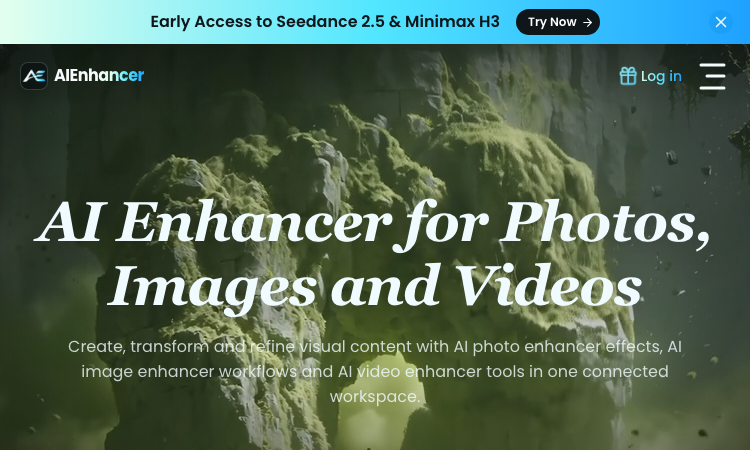
Edit photos with AI prompts—remove objects, replace backgrounds, restore old images, and enhance quality online.
Edit Any Photo by Describing What You Want Ai Picture Editor is a free, browser-based AI photo editor that turns plain-English instructions into polished image edits. Upload a picture, describe the change you want, and let AI handle the selections, masking, reconstruction, and enhancement. There is no software to install and no complicated layer-based workflow to learn. What You Can Do Remove backgrounds: Automatically isolate people, products, pets, and other subjects with clean edges. Replace backgrounds: Move a subject into a studio, office, beach, city, or any scene you describe. Erase unwanted objects: Remove photobombers, logos, clutter, or distracting items and reconstruct the missing area naturally. Restore old photos: Repair scratches, reduce noise, sharpen faces, and recover natural colors. Retouch portraits: Improve lighting, remove minor blemishes, preserve natural skin texture, and create professional headshots. Apply creative styles: Transform photos into anime, watercolor, cinematic, sketch, and other artistic looks. Enhance image quality: Sharpen blurry details, correct lighting, improve colors, and upscale low-resolution images. Create product images: Turn a simple product photo into polished imagery for stores, advertisements, and social media. How It Works Upload your image Add a JPG, PNG, or WEBP file up to 25 MB. Describe your edit Write a clear instruction such as “replace the background with a modern studio, but keep the product unchanged.” Preview and refine Compare the result with the original and adjust your prompt if you want another variation. Download your image Export a clean, watermark-free result ready for personal or commercial use. Prompt Templates Included Not sure what to write? Ai Picture Editor provides ready-to-use prompt templates for common tasks, including: Background removal and replacement Object removal Portrait retouching Old-photo restoration Image quality enhancement Artistic style transfer Choose a template, customize the details, and send it directly to the editor. Built for Real-World Workflows Ai Picture Editor is useful for: E-commerce sellers creating consistent product listings Social media creators producing platform-ready visuals Photographers speeding up repetitive post-processing Small businesses creating professional marketing assets Job seekers generating polished profile photos Families restoring old and damaged photographs Private, Accessible, and Easy to Use Your uploaded images are processed privately and automatically deleted after processing. They are not used to train AI models or shared with other users. The editor works directly in modern desktop and mobile browsers. You can start for free, download without a watermark, and use your edited images commercially without attribution. Upload a photo, describe the result, and create a polished image in seconds.
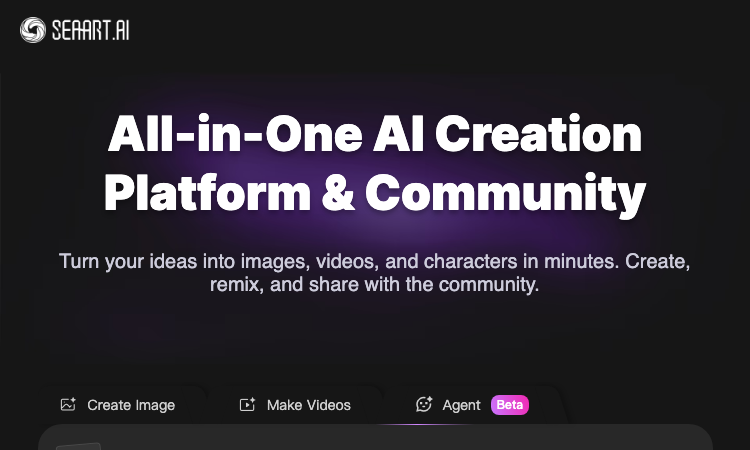
Creative AI studio for video and image Create cinematic Grok Imagine Video from prompts, images, or clips Grok Imagine
Built for creators, marketers, and small businesses, Grok Imagine makes professional visual content easier to produce. Users can quickly turn ideas into social-ready videos, promotional images, product visuals, and creative concepts without installing software or learning complicated editing tools.
Turn photos or text into video with Kling AI. Free preview, HD export with no watermark.
What is Wowovid? Wowovid is a web-based video generation tool built on Kling AI, designed for people who want AI-powered video without dealing with a complicated setup. Upload a photo or type a scene description, and the platform handles the rest. Core Features Image to Video — Turn any photo into a moving clip with natural camera motion and realistic physics (hair, fabric, water, crowds). Text to Video — Describe a scene in plain language and get a full video clip generated from scratch, no source image needed. Kling AI 3.0 support — Longer, more stable clips with sharper output and faster processing than earlier model versions. No design skills required — Just upload or type, then generate. How Pricing Works Wowovid runs on a credit system rather than a fixed subscription: Preview generations for free, no credit card required Purchase credits only when you want a clean, HD export with the watermark removed Kling AI is one of several models available on the platform, with more being added over time Who It's For Creators who want quick video drafts from photos or ideas Marketers producing short clips for social or ads Anyone curious about AI video who doesn't want to learn new software Disclaimer Wowovid is an independent platform and is not affiliated with, endorsed by, or sponsored by Kuaishou or Kling AI.
Palworld Wiki helps players check Pal roles, breeding details, database entries, map information, updates, and guide material without jumping between scattered posts. It is built for new players, returning players, base planners, and completion-focused players who want quick answers while still leaving room to explore the game naturally.
Suivi Feu Medoc - Real-time 3D satellite map of the Saumos forest fire in Gironde with NASA hotspots and aircraft.
Suivi Feu Medoc Suivi Feu Medoc is a real-time satellite map of the Saumos forest fire in Gironde, France. Hosted at https://suivi-feu-medoc.netlify.app/ and built by Aurora (Aurora Studio), the tool overlays NASA-detected hotspots, burned area, smoke plumes, water bomber aircraft tracks and wind forecasts onto a 3D Mapbox satellite view of the Médoc region between Lacanau, Le Porge, Le Temple, Sainte-Hélène, Marcheprime and Croix d'Hins. The fire dataset comes from the VIIRS instruments aboard three NASA satellites, part of the FIRMS program, which detect ground hotspots at 375-metre resolution. Smoke imagery is pulled from Meteosat, water bomber aircraft (Canadair, Dash and helicopters) are tracked via ADS-B transponders, and wind forecasts come from the ECMWF model. The result is a layered live map that updates on every satellite pass, roughly 13:30 and 01:30 local time, with clear messaging when only stale data is shown. Suivi Feu Medoc reads as a relief map: each 3D column is an active hotspot whose height and colour follow the radiated power in megawatts, the brown footprint is the cumulative burned area, smoke columns are draped over the imagery, and aircraft icons track the bombers in flight. Layers can be toggled individually — fire, footprint, aircraft, smoke, wind — and opacity is user-controlled. A small "my distance to the fire" widget gives residents a quick check on proximity. The tool is explicitly a personal project, not an official source. Suivi Feu Medoc points users to the préfecture de la Gironde and the mairie de Lacanau for evacuation orders and safety instructions, and lists the 112 emergency number plus a 09 70 80 90 40 information line. It is free, accessible without signup, and built in French for the local community around the fire.
Vercel App Mpp - Stablecoin payment gateway behind 40+ APIs; AI agents pay per request, no API keys needed.
Vercel App Mpp Vercel App Mpp is the public gateway for the Machine Payments Protocol (MPP), a stablecoin-based payment layer for AI agents and other automated clients. Hosted at https://mpp-gateway.vercel.app/, the gateway sits in front of more than forty third-party APIs and lets a client pay per request with a Tempo stablecoin instead of holding an API key for each upstream service. The flow is built around HTTP 402 Payment Required. A client makes a normal HTTP request to an MPP endpoint; if payment is required the gateway returns a 402 with the price and payment instructions. A Tempo CLI running on the client then signs and settles the payment automatically, the gateway proxies the call to the upstream API, and the client receives the response together with a signed Payment-Receipt. The end result is that an AI agent can call Stripe, GitHub, Twilio, Plaid, Massive (stocks) and Stripe Climate without ever holding a secret API key. The gateway currently exposes 88 endpoints across 11 categories and 5 live services. Stock lookups, market status and tickers come from Massive; balance and payment data come from Stripe; SMS comes from Twilio; bank balances come from Plaid; carbon-removal orders come through Stripe Climate; repo and user data come from GitHub. Each endpoint lists its price in USD (often fractions of a cent for read calls, a cent or two for write calls). The site publishes an llms.txt and an All Routes page so AI agents can discover the available endpoints programmatically. Vercel App Mpp is positioned for AI agents, automation scripts, MCP servers and developer tooling that needs to reach paid third-party APIs without storing API keys. The gateway runs on Vercel's edge network, charges transparent per-request prices, and ships with a public GitHub repository. It is one of the first concrete implementations of machine-to-machine stablecoin payments for general API access.
Karpo — a proactive AI assistant that lives in iMessage4
Karpo is a proactive AI assistant that brings personalized city recommendations directly to iMessage. Tell Karpo what you feel like doing, from finding a dinner spot or local event to planning a date night, group hangout, weekend, or trip. It learns from what you love and skip, making every suggestion more relevant over time. Karpo can uncover hidden gems, suggest experiences, coordinate plans in group chats, provide booking links, and help with everyday life admin. Free to start and especially knowledgeable about New York City, San Francisco, and London, Karpo easily turns vague ideas into plans worth leaving home for.
Love Calculator - Free online tool that scores name-pair compatibility with a playful verdict for fun.
Love Calculator Love Calculator is a free online entertainment tool that takes two names and returns a playful compatibility score with a short verdict. Hosted at https://calculatefy.netlify.app/love-calculator as part of the Calculatefy suite of more than sixty free calculators, the tool is positioned as a fun, lighthearted diversion rather than a scientific assessment of relationships. The flow is one screen. The user enters their name, enters a partner's, crush's or friend's name, clicks the heart button, and immediately receives a percentage score plus a short verdict such as "Made for each other!" or "Better as friends". The result is deterministic for the same name pair, which adds to the playful illusion of a real calculation. Behind the scenes, the engine counts shared letters, applies character-code math, or runs a hash function so the same two names always return the same score. Love Calculator is part of the Calculatefy site, which bundles finance, math, health, utility and converter tools. Each calculator ships with a long-form guide that explains the underlying logic, walks through practical examples, lists strengths and pitfalls, and answers common questions. The Love Calculator guide is explicit that the score is for entertainment only and should never be taken as genuine relationship advice. The intended audience is teenagers, college students, party hosts, content creators and anyone looking for a quick laugh or conversation starter. The result page offers one-tap sharing to Twitter and WhatsApp plus a copy-link button, so users can post the score back to friends in seconds. Love Calculator is free, runs entirely in the browser, requires no signup, and is a small but popular addition to the broader Calculatefy suite.
Create AI videos from text, images, references, and keyframes with native audio—all in your browser
Create AI Videos in Your Browser flux 3 video is an independent, browser-based AI video generation platform for creators, marketers, designers, and production teams. Turn a written idea or existing visual asset into a video without installing software or configuring local hardware. Key Features Text to Video: Generate videos from written prompts. Image to Video: Animate photos, illustrations, and product images. Reference Generation: Use character, product, or location images to improve consistency. Keyframe Control: Define the first and last frames of a video. Multi-Shot Generation: Create connected shots from one structured prompt. Native Audio: Generate dialogue, ambience, music, and sound effects alongside the video. Multiple Aspect Ratios: Create landscape, portrait, or square videos for different platforms. The platform uses credit-based pricing, with the required credits displayed before each generation. Completed videos can be downloaded, extended, or reused in future projects. Try flux 3 for social media content, advertising concepts, product videos, creative storytelling, and rapid video prototyping. flux3-video.net is an independent platform and is not affiliated with, endorsed by, or sponsored by Black Forest Labs. “FLUX” and related trademarks belong to their respective owners.
Love Meter - Spanish Android app that calculates a fun love-percentage score from two names, no signup needed.
Love Meter Love Meter is a Spanish-language Android app that turns name entry into a quick, shareable love-percentage calculator. Published by Rolio Solutions and listed on Google Play under the package id com.roliosolutions.lovemeter, the app is built purely for fun and entertainment — couples, friends, singles and pranksters type two names, tap a button, and immediately see a percentage score meant only to spark a laugh. The interface is intentionally minimal. The user enters their own name and the name of a partner, crush, friend or random target, taps the "Calcular Amor" button, and the app displays a percentage score along with a short result message. There is no signup, no account, no personal data collection, and no social graph integration. Love Meter runs offline, so the calculation happens entirely on the device and works without an internet connection. Love Meter is positioned as a light, low-stakes social app for casual moments. Typical use cases are testing compatibility with a partner or crush, sending a screenshot to a friend as a joke, breaking the ice in a chat, or adding a small game to a Valentine's Day celebration. The result is meant to be shared, so the app encourages users to send their score to friends and loved ones. Love Meter sits in the Lifestyle category on Google Play and is rated for general audiences. The app is small, fast and lightweight, and is one of several fun calculators published by Rolio Solutions. It is not a scientific compatibility tool — the score is deterministic but playful, intended to entertain rather than to make relationship decisions.
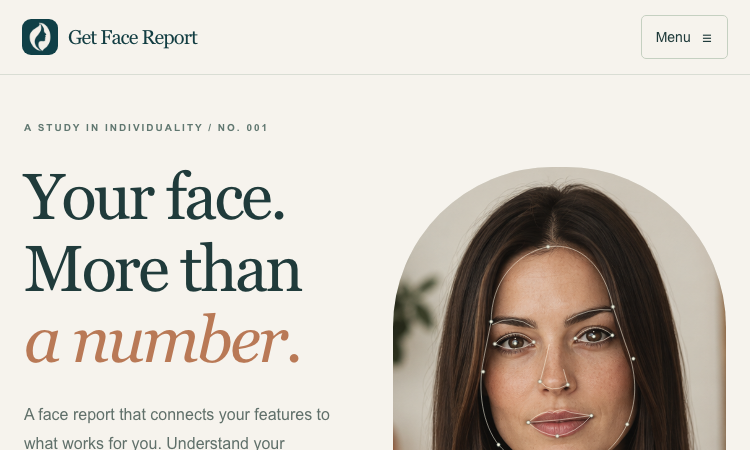
Golden Ratio Face - Browser facial analysis that scores three proportions against phi (1.618) and a harmony score.
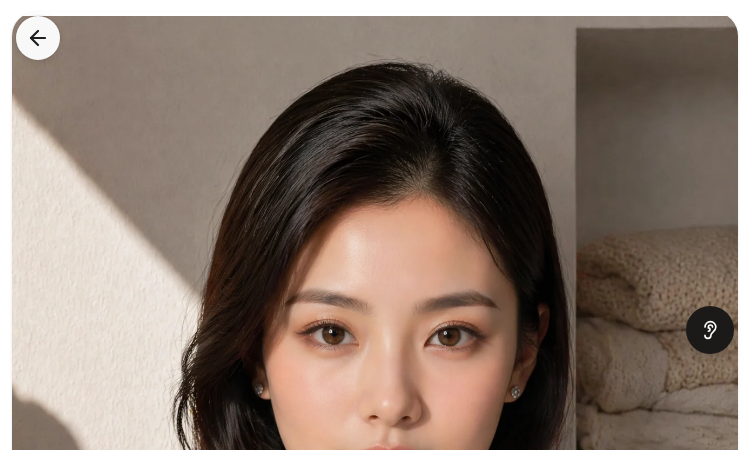
Golden Ratio Face Golden Ratio Face is a browser-based facial analysis tool that compares three facial proportions against the golden ratio φ (approximately 1.618) and returns an overall harmony score. Hosted at https://pslscale.com/golden-ratio-face as part of the PSL Scale suite, the tool accepts a clear front-facing photograph (JPEG, PNG or WebP up to 10 MB) and reports each measurement as a percentage of closeness to phi, with annotated measurement lines drawn on the original image. The first measurement is the face height ratio, which compares the upper face (forehead to nose bridge) with the lower face (nose bridge to chin). The second is the eye-to-mouth ratio, comparing the span between the outer eye corners with the width of the mouth. The third is the philtrum-to-nose ratio, comparing total nose length with the philtrum from the nose base to the upper lip. Each ratio receives an individual score; the average of the three becomes the overall harmony score. Golden Ratio Face uses MediaPipe for landmark detection. The model runs in the browser, so the photo is processed locally and the original image is not stored on the server. The normalized landmark coordinates and image-quality numbers are then sent securely to a selected OpenRouter model that produces a written AI interpretation of the three measurements and their combined score. The result page shows the original photo next to the annotated version with three coloured measurement lines (gold, cyan, pink, purple and green) and a downloadable PNG report. A free preview shows the user what their report will contain before any credit is charged. Each completed report costs 10 credits on the PSL Scale credit system. The tool is positioned for anyone curious about facial proportions, including beauty enthusiasts, content creators, makeup artists, photographers, and people who want a structured way to discuss facial balance. Golden Ratio Face is clear that a higher score only means the measured ratios sit closer to phi in that photograph — it is not a verdict on attractiveness.
Ubt Test Kz Vercel App - Kazakh platform for UNT prep: practice tests, grant calculator, career guidance, news.
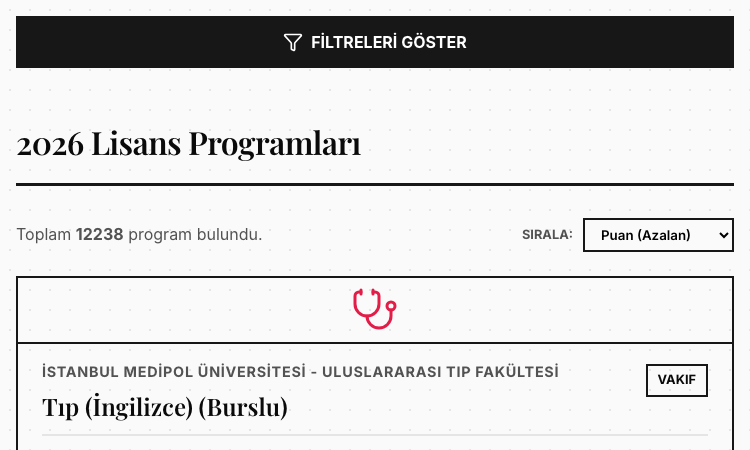
Ubt Test Kz Vercel App Ubt Test Kz Vercel App is the official web platform of Ubttest.kz, a Kazakh-language preparation service for the Unified National Testing (ҰБТ) exam that determines university admission across Kazakhstan. Hosted at https://ubttestkz.vercel.app/, the site brings the entire UNT journey into one screen: practice tests, a grant (state scholarship) calculator, career guidance, university matching, and the latest admissions news. The core flow is the grant calculator. A student enters their name, phone number and current or expected UNT score, picks two profile subjects, and selects a quota if any apply (village, large family, single parent, Serpin, disability, orphan). The system returns a competitive-level rating, a recommended major, a list of attainable universities such as KazNU, ENU, Astana IT University, KBTU, Semey Medical University, Abai University, Satbayev University and MNU, and a historical score range for each. A paid deep-analysis tier (500 KZT) adds a tailored document list, the universities where the student has the highest chance, and the concrete next steps. Career guidance is bundled into the same paid analysis. A psychometric test assigns a personality type, ranks suitable fields (humanities, science, tech, business) and surfaces compatible majors. Test variants are aligned with the National Testing Centre specification, and there are subject-specific practice areas for Mathematics, Kazakhstan History, and Biology/Chemistry. A Telegram bot hosts additional practice tests, and a news module flags new grants, rule changes and deadlines. The platform uses Noto Sans and Noto Sans Display for typography, ships in Kazakh with a Russian toggle, and tracks usage through Yandex Metrika. It is positioned for grade-11 and grade-12 students across Kazakhstan, parents who want clarity on the admissions process, and career counsellors running workshops. Ubt Test Kz Vercel App combines a free calculator and news feed with a low-cost analysis tier so every student can start with no payment and graduate to a deeper plan when ready.
Aov Theme Vercel - Dark Vietnamese AOV creator hub linking YouTube, TikTok, Discord and Zalo from one page.
Aov Theme Verce Aov Theme Verce is a Vietnamese gaming creator landing page themed around AOV (Arena of Valor), built as a one-page "link in bio" experience hosted on Vercel. The site introduces its author as a Creator, Developer and Builder and centralises the social channels of the Anura Gaming brand, including YouTube, TikTok, two Discord communities, a Zalo group and a companion workers.dev deployment. Visually, the page uses a dark canvas with floating colour blobs, a dot-grid background, a particle canvas that animates falling particles, and a spotlight effect that follows the mouse on desktop. A translucent card with backdrop blur sits at the centre, holding the Anura Gaming wordmark in a serif display face alongside a rainbow gradient tagline. Buttons link out to YouTube, TikTok, the Zalo group and the Meow Community and Anura Community Discord servers. The site is mobile-first, with viewport locked to the device width, no zooming, and Inter for body copy plus Fraunces for the display title. Font Awesome powers the social icons. Animations are CSS-driven: a fade-in on the card, gentle floating motion on the colour blobs, and a custom @property angle gradient on the rainbow line. The page is fully static, requires no backend, and is shipped as a Vercel static deployment with no tracking scripts or analytics. Aov Theme Verce targets Vietnamese AOV players who want a single tap to reach the creator's content, join the Discord, or open the Zalo group. The footer credits the developer NHẬT ANH DEV. The site works as a personal brand hub for a Vietnamese gaming community and as a small reference implementation of a styled, animated link-in-bio page.
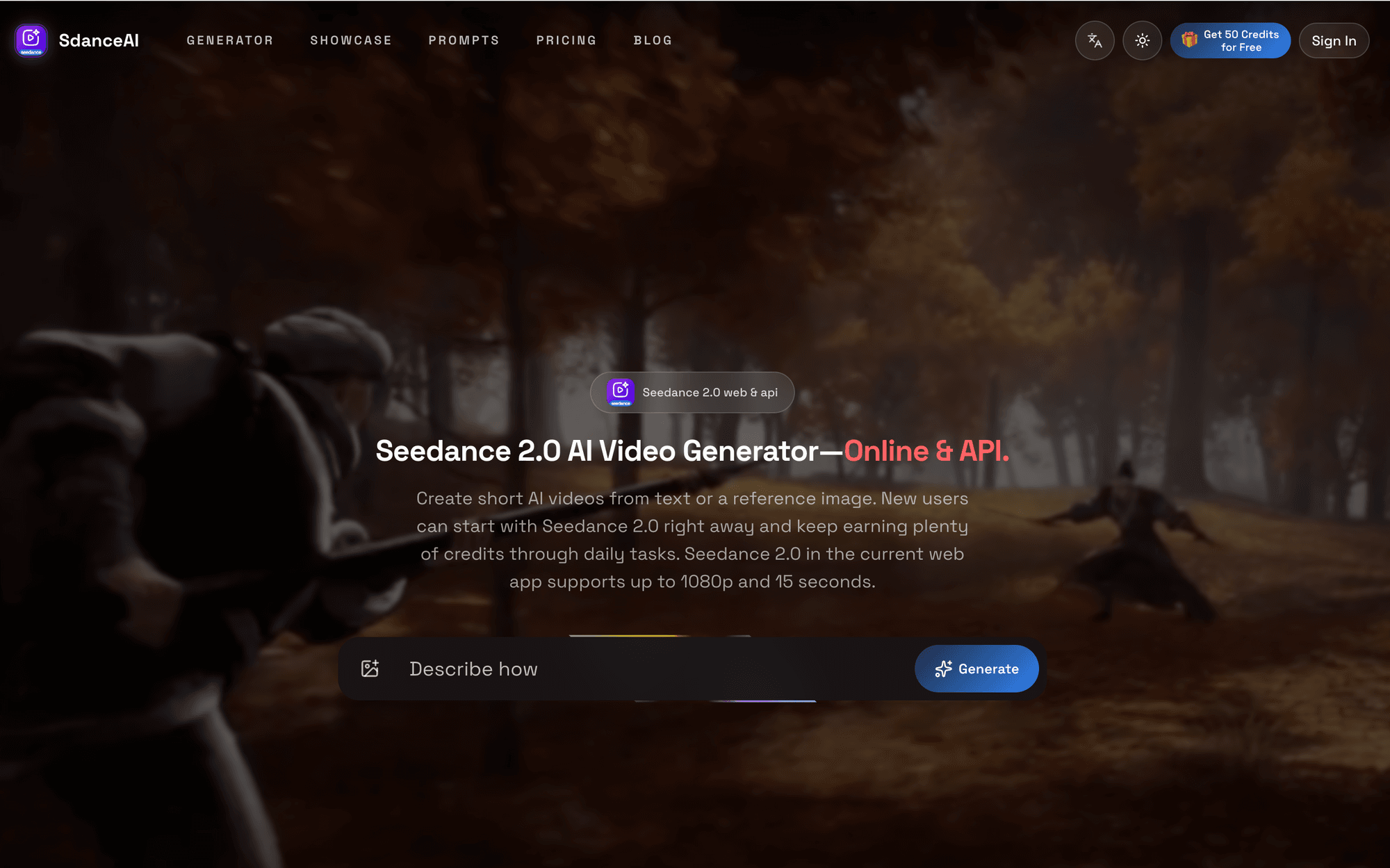
Turn any image into an AI video — one prompt, 12 models.
ImgVid is an AI image-to-video generator that runs in your browser. Upload a photo, write one prompt, and pick from 12 video models — Runway, Kling, Seedance, Veo, Wan, Hailuo and more — instead of being locked to whichever one the tool happens to license. It also does text-to-video and first-and-last-frame control. Free credits on signup, transparent credit pricing, no watermark.
RemoveVideoBG is an AI video background remover that runs entirely in your browser. Upload any clip and get a clean, transparent cutout in minutes — no green screen, no manual rotoscoping, no watermark. Export to transparent WebM, MOV or a PNG sequence with real alpha, or drop your subject onto a brand-new background.
Pi Agent - Terminal-based minimal coding agent harness with tree sessions, skills, and 15+ model providers.
Pi Agent Pi Agent is a minimal, terminal-based coding agent built around the idea that the harness should adapt to the developer instead of forcing the developer to adapt to the harness. Hosted at https://pi.dev/ and shipped by Earendil Inc., Pi Agent runs as a TUI in the terminal, exposes a tree-structured session history, supports skills, AGENTS.md and SYSTEM.md context files, and is unusually token-efficient thanks to a minimal default system prompt. The product's tagline is "There are many agent harnesses, but this one is yours." Pi Agent ships in four runtime modes. Interactive mode delivers the full terminal UI with rich keyboard shortcuts and a stylable interface. Print mode runs Pi Agent headlessly with a single query for use inside shell scripts. JSON mode streams structured events from a Pi Agent run for piping into other tools. RPC mode exposes Pi Agent over JSON over stdin/stdout so non-Node processes can drive it. An SDK lets developers embed Pi Agent directly into their own applications. The product documentation points to OpenClaw as a real-world example of that SDK being used. The model layer is provider-agnostic. Pi Agent works with Anthropic, OpenAI, Google, Azure, Bedrock, Mistral, Groq, Cerebras, xAI, Hugging Face, Kimi For Coding, MiniMax, NVIDIA, OpenRouter, Ollama and more than fifteen other providers in total. Authentication can be done with API keys or OAuth. The /model command and Ctrl+L shortcut switch models mid-session, while Ctrl+P cycles through favourites. Custom providers and models can be added through a models.json file or extensions. Context engineering is central to Pi Agent. The platform loads AGENTS.md project instructions from ~/.pi/agent, parent directories and the current directory, supports per-project SYSTEM.md overrides, auto-summarises older messages via compaction, and ships a skills system for capability packages loaded on demand. Prompt templates let developers reuse common prompts as Markdown files. Extensions, written in TypeScript, can inject context before each turn, filter message history, implement RAG or build long-term memory. Sessions can be branched, shared, exported to HTML, or pushed to a GitHub gist with /share to obtain a shareable URL. Pi Agent is built for developers who want to customise their coding workflow rather than accept whatever defaults a closed product provides.
Unlimited OCR is Baidu's open-source end-to-end OCR model that parses dozens of pages in a single forward pass. This 2026 guide explains how Reference Sliding Window Attention (R-SWA) works, why it tops OmniDocBench, and how to run unlimited ocr locally with Transformers or SGLang.
By CurateClick Team
Article
Jul 19, 2026
Kimi K3 vs GLM 5.2 (2026): The Definitive Comparison of China's Two Flagship Open-Source LLMs
Kimi K3 vs GLM 5.2 — a head-to-head 2026 comparison covering 2.8T vs 744B parameters, 1M context, benchmarks, pricing, multimodal support, and which model wins for coding, agents, and knowledge work.
By CurateClick Team
ADHD
Jul 8, 2026
Free ADHD Test for Adults: 2026 Complete Guide to Self-Screening and AI Reports
A free adult ADHD self-screening tool built on the ASRS v1.1 6-question screener, with an optional $6.99 AI personalized report. Private, 3 minutes, no sign-up — educational only, not a diagnosis.
By CurateClick Team
PSL
Jun 27, 2026
How Free PSL Rating Works in 2026: Complete Face Score Test Guide
A complete 2026 guide to Free PSL Rating: how the no-login photo-based PSL score test works, what the 0-8 tier list means, photo requirements, the free vs advanced comparison, and how to read your result.
By CurateClick Team
Article
Jun 21, 2026
How to Stop App Tracking on iPhone in 2026: Complete Privacy Settings Guide
A complete step-by-step guide to stop app tracking on iPhone. Covers App Tracking Transparency, Location Services, Safari privacy, App Privacy Report, and layered anti-tracking setup.
By CurateClick Team
Article
Jun 2, 2026
How PDF to MD Converter Turns Complex PDFs into Clean Markdown: 2026 Complete Guide
Learn how PDF to MD Converter uses AI layout detection and vision language models to turn complex PDFs — including long documents, tables, images, and mixed Chinese-English content — into clean, editable Markdown for research, documentation, and AI workflows.
By CurateClick Team
AI
May 31, 2026
How to Use Garden Letters in 2026: A Complete Guide to Creating Floral Letters with AI, Music, and Private Sharing
A complete 2026 guide to Garden Letters: what it is, how floral letter creation works, when to use AI backgrounds or music, and how private sharing works.
Fast-thinking multilingual translation models from Tencent. Hy-MT2-1.8B, 7B, and 30B-A3B (MoE) support 33 languages.
By CurateClick Team
Article
May 20, 2026
Flag Tone: How to Match Flag Band Colors (2026 Complete Guide)
Flag Tone is a free browser game where you match flag band colors using HSB sliders. Learn scoring, gameplay, and tips for mastering color perception.
By CurateClick Team
About Lovable App
Discovering beautiful apps crafted with vibe coding - where innovation meets aesthetic excellence
Our Mission
To celebrate and showcase beautiful lovable apps built with vibe coding. Lovable App connects vibe coders with users who appreciate craftsmanship, creating an ecosystem where every lovable app finds its perfect audience. We believe in the power of vibe coding to create truly lovable experiences that elevate digital taste and discover beauty through innovative lovable app development.
Our Vision
To elevate digital taste and discover beauty through vibe coding. Lovable App envisions a world where every app is a lovable app - beautifully crafted with vibe coding, intuitively designed, and joyfully used. We're building the definitive destination for vibe coding excellence and lovable app discovery, where vibe coders can showcase their lovable creations and users can find the perfect lovable app for their needs.
Why Choose Lovable App?
We're more than a directory - we're a celebration of vibe coding and lovable app craftsmanship, connecting vibe coders with users who appreciate beautiful, well-crafted lovable apps
Vibe Coding Excellence
Every lovable app is crafted with vibe coding methodology, ensuring beautiful, intuitive experiences that delight users.
Curated Lovable Apps
Discover 5000+ small, beautiful apps built with vibe coding - each lovable app handpicked for quality and innovation.
Intelligent Discovery
Find your perfect lovable app with our vibe-powered search that understands aesthetic appeal and functional beauty.
10,000+
AI Tools
350+
Categories
1M+
Monthly Users
24/7
Updates
Built for Vibe Coders & App Lovers
Whether you're a vibe coder creating lovable apps or someone who appreciates beautiful craftsmanship, Lovable App connects creators with users who value vibe coding excellence
For Vibe Coders
Showcase your creations
Showcase your vibe-coded lovable apps
Connect with users who appreciate craftsmanship
Get feedback and grow your creative community
As a vibe coder, Lovable App provides the perfect platform to showcase your beautifully crafted applications. Share your lovable apps with an audience that truly appreciates the art of vibe coding.
Connect with fellow creators, receive valuable feedback, and build a community around your innovative projects. Your vibe coding journey deserves to be seen and celebrated.
For Individuals
Discover beautiful apps
Discover Creative Lovable Apps
Find Productivity Solutions
Explore Beautiful User Experiences
Discover beautifully crafted lovable apps built with vibe coding methodology. Whether you're looking for creative tools, productivity apps, or innovative solutions, find applications that delight and inspire.
From design inspiration to development tools, explore resources that help you discover and use the perfect lovable apps for your personal needs and creative projects.
Your Lovable App Journey Starts Here
We're committed to providing the best lovable app discovery experience built on vibe coding principles. Here's what you can always expect from Lovable App.
Always Free
Lovable App will always remain free. We believe access to beautiful, vibe-coded lovable apps should be available to everyone, regardless of budget.
Daily Updates
Our team works around the clock to ensure Lovable App reflects the latest vibe coding innovations. New lovable apps are added every single day.
Quality First
We prioritize quality over quantity. Every lovable app undergoes rigorous evaluation to meet our high standards for vibe coding excellence and user experience.
Ready to Discover Your Next Lovable App?
Join millions of users who trust Lovable App to find beautiful, vibe-coded applications that delight and inspire.
Get Answers
Frequently Asked Questions
Everything you need to know about Lovable APP and our curated collection of vibe-coded lovable apps