Discover beautiful apps crafted with vibe coding across different categories. Explore our curated collection of lovable applications.
Kl Vercel — calculate KL University attendance percentage and exam eligibility with Simple and LTPS calculators.
Kl Vercel Kl Vercel is the attendance calculator KL University students reach for when they need a fast, accurate eligibility check. Every student knows the drill: count classes attended, count classes held, divide, and hope the number is above the threshold. Kl Vercel replaces that ritual with a tool that does the math instantly and correctly, following the KL University attendance policy. The key to Kl Vercel is its two calculation modes, because one formula does not fit every KL University program. The Simple mode covers the standard attendance calculation: you enter classes attended and classes held, and Kl Vercel computes your percentage and eligibility on the spot. The LTPS mode handles the LTPS attendance scheme used in certain programs, where the calculation follows different rules. Instead of forcing every student into one formula, Kl Vercel lets you pick the mode that matches your program — a small detail that makes a big difference in accuracy. Using Kl Vercel takes seconds. You open the page, choose your mode, enter two numbers, and read your result. The output shows your attendance percentage and your exam eligibility status, so you know immediately whether you are safe, borderline, or below the threshold. There is no account, no installation, and no learning curve — Kl Vercel is designed to be used between classes, on a phone, in under a minute. Kl Vercel is also completely free. There are no premium tiers, no usage limits, and no data collection. Everything runs in the browser, so your attendance numbers stay on your device. For students who check their attendance weekly — or daily, when the threshold is close — that combination of speed, accuracy, and privacy is exactly what they need. If you are a KL University student, Kl Vercel is worth bookmarking today. Choose Simple or LTPS, enter your numbers, and get your percentage and eligibility in seconds. Kl Vercel turns attendance anxiety into a quick, reliable answer, and it costs nothing to use.
Kl Calculator — upload your attendance screenshot, extract subjects with OCR, and check KL University exam eligibility.
Kl Calculator Kl Calculator is the fastest way for KL University students to check their attendance percentage and exam eligibility. Every KL University student knows the ritual: open the attendance portal, count classes attended, count classes held, and divide — for every single subject. Kl Calculator removes that manual work completely by reading your attendance screenshot for you. Here is how Kl Calculator works. First, you take a screenshot of your attendance page, the same way you would for any record. Second, you upload that screenshot to Kl Calculator. Third, the tool's OCR engine extracts the subject names and attendance numbers directly from the image. Fourth, Kl Calculator computes the attendance percentage for each subject and compares it against KL University's eligibility policy. The whole flow takes seconds, and the result is a clear subject-by-subject breakdown of where you stand. The subject-wise breakdown is what makes Kl Calculator genuinely useful. Instead of one confusing overall number, you see each subject individually: the percentage, the classes attended, the classes held, and whether you are currently eligible. If a subject is borderline, Kl Calculator shows you the gap — how many more classes you need to attend to secure eligibility. That turns a passive number into an actionable plan for the rest of the semester. Kl Calculator is also refreshingly simple to use. There is no account to create, no app to install, and no data to configure. You open the page, upload a screenshot, and get your results. The interface works well on mobile, which matters because most students will check attendance between classes. The tool is free, and because everything runs in the browser, your screenshot never leaves your device. Built by a developer who clearly knows the KL University attendance system from the inside, Kl Calculator is the kind of tool that makes you wonder why it did not exist sooner. If you are a KL University student, stop doing manual attendance math. Upload your screenshot to Kl Calculator, get your percentages and eligibility in seconds, and spend your time on what actually matters — attending the classes that keep you eligible.
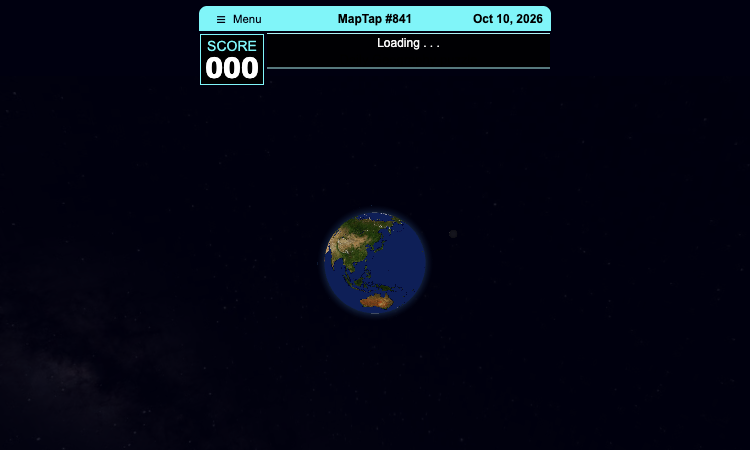
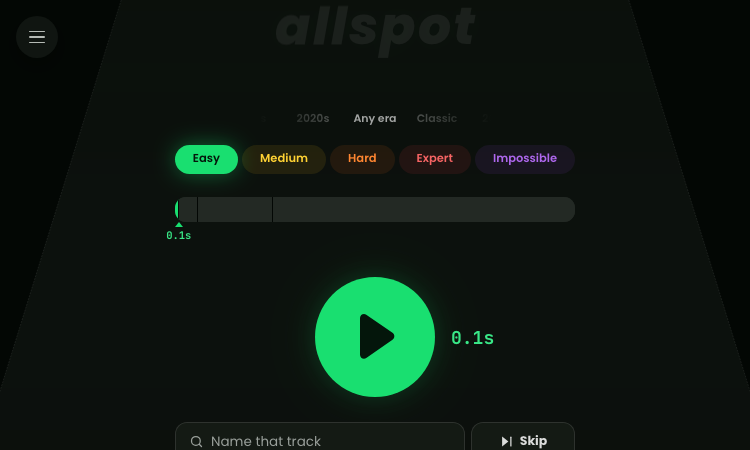
Country Draw: free game that scores how accurately you sketch a country from memory.
Country Draw Country Draw is a free geography learning game that tests how well you really know the world's borders. Most of us can name a country, but Country Draw reveals whether you can actually picture it. By asking you to draw each nation from memory, Country Draw exposes the gap between recognition and recall — and that is exactly what makes it a powerful, and fun, learning tool. When a country appears in Country Draw, you sketch its outline on a blank canvas. Country Draw then scores your shape against the true border, so you immediately see which coastlines, corners, and proportions you got right. Repeating this with Country Draw builds real spatial knowledge far faster than staring at a map, because drawing forces your brain to commit the shape to memory. Each round of Country Draw is a mini-lesson: you remember Italy's boot, Africa's western bulge, the jagged edge of the Balkans. Country Draw works for every level. Beginners use Country Draw to learn the broad outlines of major countries; experts use Country Draw to chase a perfect score on obscure borders. Because every Country Draw session is scored and instant, you can track improvement over time. ✅ Best practice: Draw a country, check your Country Draw score, then redraw it once — the second attempt locks the shape into memory. There is no signup, no textbook, no cost — just open Country Draw and start turning vague "sort of like this" sketches into confident, accurate mental maps of the world. Country Draw makes geography stick by making you draw it.
Take a free reading speed test with AI.
Take a free reading speed test with your own text. Measure WPM, answer 3 AI-generated comprehension questions, and get instant results. No sign-up.
Mirador Eclipse Netlify - point your phone at the sky and see the 2026 solar eclipse on your camera view.
Mirador Eclipse Netlify Mirador Eclipse Netlify is a browser-based augmented reality app that shows you exactly how the total solar eclipse of August 12, 2026 will look from your location. What makes Mirador Eclipse Netlify special is how it uses the sensors of your phone: the camera to look at the horizon, the accelerometer and compass to know which way the phone is pointing, and the GPS to compute the eclipse from your exact position. The calibration step is the heart of the experience. When you open the camera, Mirador Eclipse Netlify asks you to make a slow sweep with your phone. During that movement, the app measures the real field of view of your camera by comparing how many pixels the image shifts with how many degrees the phone has rotated. Once calibrated, Mirador Eclipse Netlify draws the Sun, its path and the horizon line on top of the live image. The horizon line is placed automatically from the accelerometer and represents the true ground level, not the edge of rooftops or mountains, so you can see precisely what will hide the eclipse from your viewpoint. The calculations behind Mirador Eclipse Netlify use the official NASA Besselian elements for this eclipse with the standard astronomical method, giving you accurate times for the start, maximum and end of the eclipse, and whether it will be total or partial at your location. The app also includes a simulation mode: choose any point on the map and Mirador Eclipse Netlify loads the Google Street View of that street, oriented toward the Sun's position, and draws the same eclipse over it. Mirador Eclipse Netlify is free, works on any modern phone browser, and requires no installation. It is designed to be used with the phone in your hand, so open it on your mobile device, calibrate once, and enjoy the eclipse of 2026 safely from your screen. Developers and astronomy fans alike will appreciate how Mirador Eclipse Netlify handles the hard parts: sensor fusion, camera calibration and astronomical computation all happen in the browser with no backend. Mirador Eclipse Netlify is a great example of a progressive web experience that feels native on a phone. If you want to understand how Mirador Eclipse Netlify works, just open it, follow the calibration steps, and watch the overlay snap into place. Mirador Eclipse Netlify is the kind of app you will want to show your friends before the big day. In short, Mirador Eclipse Netlify is the complete eclipse companion: accurate times, AR visualization, global simulation and safety guidance in one free app. Mirador Eclipse Netlify is ready when you are, right in your browser. Make Mirador Eclipse Netlify part of your August 12, 2026 plan.
Karnataka Asddo Lookup Vercel App - free EPIC voter ID checker for the Karnataka ASDDO list, English and Kannada.
Karnataka Asddo Lookup Vercel App karnataka asddo lookup vercel app is a free, friendly web application that helps voters in Karnataka check whether their voter ID appears on the ASDDO list. The ASDDO list records voters who have been removed from the electoral roll, and for many people the only way to find out used to be visiting a government office. This app changes that: enter your EPIC number and get an answer in seconds, right from your phone or computer. The tool was designed with real voters in mind. The interface asks for exactly one thing — the EPIC number printed on the front of your voter ID card, in the standard format of three letters followed by seven digits, like ABC1234567 — and explains the format right on the page so there is no guesswork. Once you press the check button, karnataka asddo lookup vercel app looks the number up and tells you whether it appears on the list and under which of the five categories: Absent, Shifted, Death, Duplicate, or Others. The bilingual design is one of the app's best features. A simple toggle switches the entire interface between English and Kannada, so speakers of either language can use karnataka asddo lookup vercel app comfortably. This matters a great deal in a state as linguistically diverse as Karnataka, where many voters are far more comfortable in Kannada than in English. Privacy and simplicity go hand in hand here. The app does not ask for a name, phone number, or any personal details beyond the EPIC number itself, and it does not require creating an account. It is a single-purpose tool that does one thing well: helping voters understand their status on the electoral roll. The underlying data is kept fresh, with the site stating the list was last updated on 8 August 2026. Whether you are a voter preparing for an upcoming election, a family member checking on an elderly relative's voter status, or a civic volunteer helping others verify their records, karnataka asddo lookup vercel app is a small but genuinely valuable utility. It turns a confusing official list into a clear answer, free of charge, whenever you need it.
Watabou Github Io - browser-based map generators: realms, cities, villages, dungeons and mansions for game masters.
Watabou Github Io watabou github io is a delightful collection of free procedural map generators built for tabletop role-playing games and fantasy worldbuilding. Created by Oleg Dolya, the site — known as Watabou's Procgen Arcana — gives game masters a complete kit of browser-based tools that produce gorgeous maps in seconds. If you have ever spent an evening hunting for the perfect city map for your D&D campaign, watabou github io is exactly the resource you have been looking for. There is no sign-up, no paywall, and no download: every generator lives in your browser and works on any device with a modern web browser. The home page is organised like a deck of cards, which is both charming and practical. Click a card to open the corresponding generator: Realm for continent maps, City for bustling urban layouts, District for neighbourhoods, Village for rural settlements, Cave/Glade for underground tunnels and forest clearings, Dungeon for classic floor plans, Dwelling for individual homes, and Mansion for grand buildings. Between them, watabou github io covers the full range of maps a campaign might need, from a single inn to an entire continent. One of the most satisfying aspects of using watabou github io is how fast ideas turn into visuals. Every generator produces a fully rendered map on page load, with sensible defaults that already look good. From there you can tweak a handful of options — size, seed, feature density, and theme — or simply regenerate to explore endless variations. This makes the tools ideal for creative sprints: generate five city layouts in a minute, pick your favourite, and build the session around it. The output is also practical for creators, since the maps render cleanly and can be captured for use in notes, documents, or campaign blogs. The site has been actively maintained between 2022 and 2026, with news updates and an FAQ that show real care for the community. The author keeps the experience ad-free and simple, and because it is a static site, watabou github io loads fast and stays out of your way. For game masters, worldbuilders, and fantasy hobbyists, watabou github io is one of the friendliest creative tools on the web — and it costs nothing at all.
Natiga Thanawy Vercel App is an Egyptian Thanaweya Amma 2026 results portal with seat-number and name search.
Natiga Thanawy Vercel App Natiga Thanawy Vercel App is an Arabic-language results portal that lets Egyptian students and families look up the Thanaweya Amma 2026 exam results the moment they are released. Branded as بوابة النتائج, the Results Portal, Natiga Thanawy supports search by seat number or by name and returns the total score out of 320, the percentage, the grade, and the national ranking. The Natiga Thanawy Vercel App is built for a high-stakes, high-traffic moment, and the Natiga Thanawy Vercel App delivers instant, clear answers when students need them most. The Results Portal Concept The premise of the Natiga Thanawy Vercel App is the self-service results portal. Natiga Thanawy Vercel App moves the results lookup online so students do not depend on crowded official queues. The Natiga Thanawy Vercel App reflects a clear philosophy: a results check should be fast, private, and clear. By organizing the experience around a single search, the Natiga Thanawy Vercel App makes discovery easy. The portal concept is what makes the Natiga Thanawy Vercel App more than a simple lookup. Search by Seat Number or Name The Natiga Thanawy Vercel App offers two search modes. The first mode of Natiga Thanawy Vercel App is search by seat number, where a student enters their 7-digit رقم الجلوس and presses بحث. The second mode of the Natiga Thanawy Vercel App is search by name, بالاسم, for users who do not have the seat number to hand. The Natiga Thanawy Vercel App lets users toggle between these modes instantly. This flexibility makes the Natiga Thanawy Vercel App accessible to more families. The Result It Returns When a search succeeds, the Natiga Thanawy Vercel App returns a rich result. Natiga Thanawy Vercel App shows the total score out of 320, المجموع من ٣٢٠, alongside the percentage. The Natiga Thanawy Vercel App also displays the grade or tier, التقدير, and the student's national ranking, الترتيب على مستوى الجمهورية. Natiga Thanawy Vercel App turns a single seat number into a complete picture of performance. The Natiga Thanawy Vercel App gives students the numbers that matter in one view. 💡 Pro Tip Have your 7-digit seat number ready before you open the Natiga Thanawy Vercel App. Natiga Thanawy Vercel App works in one step, so knowing your number means you get your result in seconds. Download, Print, and Search Again Beyond showing the result, the Natiga Thanawy Vercel App offers practical actions. Natiga Thanawy Vercel App lets students download a certificate of appreciation, تحميل شهادة تقدير, to keep or share. The Natiga Thanawy Vercel App supports printing the result, طباعة النتيجة, for physical records. Natiga Thanawy Vercel App also offers a new search button, بحث جديد, to look up another student quickly. These actions make the Natiga Thanawy Vercel App useful beyond the first lookup. The Honor Board The Natiga Thanawy Vercel App includes a honor board, لوحة الشرف. Natiga Thanawy Vercel App lists the top achievers of Thanaweya Amma, أوائل الثانوية العامة, celebrating the highest scores nationally. The Natiga Thanawy Vercel App turns the portal into a place of recognition as well as lookup. Natiga Thanawy Vercel App inspires students by showcasing excellence. The honor board adds a community dimension to the Natiga Thanawy Vercel App. Score Distribution Statistics The Natiga Thanawy Vercel App includes a statistics view, إحصائيات. Natiga Thanawy Vercel App shows a score distribution bar chart, توزيع المجاميع, where the horizontal axis is the total out of 320 and the bar height is the number of students. The Natiga Thanawy Vercel App helps users see where their score sits relative to the whole cohort. Natiga Thanawy Vercel App turns raw results into insight. The statistics view makes the Natiga Thanawy Vercel App informative as well as functional. | Feature | What the Natiga Thanawy Vercel App Provides | |---------|----------------------------------------------| | Search | By 7-digit seat number or by name | | Result | Total /320, percentage, grade, national rank | | Actions | Download certificate, print, new search | | Honor board | Top achievers of Thanaweya Amma | | Statistics | Score distribution bar chart | Designed for the Arabic Audience The Natiga Thanawy Vercel App is designed for its Arabic audience. Natiga Thanawy Vercel App uses a right-to-left layout and Arabic labels throughout. The Natiga Thanawy Vercel App pairs Aref Ruqaa, Reem Kufi, and Tajawal fonts for an authentic Arabic typographic system. Natiga Thanawy Vercel App uses a teal-and-gold seal aesthetic that feels official and respectful. This design makes the Natiga Thanawy Vercel App feel trustworthy at a tense moment. Accessibility and Browser Access Because the Natiga Thanawy Vercel App runs in the browser, it is accessible from any device. Natiga Thanawy Vercel App requires no installation, so students can open the portal and search immediately. The Natiga Thanawy Vercel App is responsive, working on phones, tablets, and desktops. Natiga Thanawy Vercel App lowers the barrier to checking results. The browser-native nature of the Natiga Thanawy Vercel App is a practical advantage during results season. Built for Results-Day Traffic Results day brings a surge of users, and the Natiga Thanawy Vercel App is built for it. Natiga Thanawy Vercel App keeps its interface focused so it stays responsive under load. The Natiga Thanawy Vercel App loads quickly, which matters when thousands of families check at once. Natiga Thanawy Vercel App handles the peak with a lean, efficient design. The Natiga Thanawy Vercel App is dependable precisely when it is most needed. The 2026 First Round The Natiga Thanawy Vercel App targets the 2025/2026 academic year, first round, الدور الأول. Natiga Thanawy Vercel App is current with the cohort students actually care about. The Natiga Thanawy Vercel App presents the year clearly in its masthead. Natiga Thanawy Vercel App keeps its focus on the relevant results. This timeliness is part of the Natiga Thanawy Vercel App's value. ⚠️ Note The Natiga Thanawy Vercel App is built for the Egyptian Thanaweya Amma 2026 first-round results. Natiga Thanawy Vercel App reflects that specific exam and scoring system. Who It Serves The Natiga Thanawy Vercel App serves Egyptian students and their families. Natiga Thanawy Vercel App helps a student check their own result and a parent check a child's. The Natiga Thanawy Vercel App also serves schools and relatives who want to confirm a score. Natiga Thanawy Vercel App is broad enough to serve each of these users while staying focused on results. The Natiga Thanawy Vercel App is a tool for the whole family. FAQ Q: What is the Natiga Thanawy Vercel App? A: Natiga Thanawy Vercel App is an Arabic portal to look up Egyptian Thanaweya Amma 2026 results by seat number or name. Q: Do I need to install the Natiga Thanawy Vercel App? A: No. Natiga Thanawy Vercel App runs in your browser with no download required. Q: What result does the Natiga Thanawy Vercel App show? A: Natiga Thanawy Vercel App shows the total out of 320, percentage, grade, and national ranking. Conclusion The Natiga Thanawy Vercel App is a polished, purpose-built results portal that gives Egyptian students and families instant access to Thanaweya Amma 2026 results. Natiga Thanawy Vercel App combines dual search modes, a rich result display, certificate and print actions, a honor board, and score-distribution statistics into one accessible, beautifully designed Arabic portal. For anyone awaiting the Thanaweya Amma result, the Natiga Thanawy Vercel App is a trusted companion. Open Natiga Thanawy Vercel App and get your result in seconds.
Turn Long YouTube Videos into Quick AI Summaries in Seconds.
YT Video Summarizer is a fast, AI-powered online tool designed to convert YouTube videos into concise, easy-to-read summaries within seconds. By simply pasting any public YouTube URL, users can bypass hours of video watching and instantly access core takeaways, key timestamps, and structured bullet points. Built for students, researchers, content creators, and professionals, YT Video Summarizer simplifies information gathering, boosts learning efficiency, and eliminates fluff. Whether you need to digest educational lectures, podcasts, tech tutorials, or news reports, the platform delivers accurate, instant summaries directly in your browser with zero hassle.
Bacllposition Netlify App — a Bac II exam room and table number calculator for students.
Bacllposition Netlify App Bacllposition Netlify App is a focused web tool that solves a real problem for Cambodian students: finding your exam room and table number for the Bac II (Baccalaureate) exam. Instead of hunting through printed seating lists, Bacllposition lets you enter your registration sequence number and instantly learn where you will sit. The Bacllposition Netlify App turns a stressful pre-exam chore into a few seconds of typing, and the Bacllposition Netlify App does it entirely in your browser with no sign-up required. How the Bacllposition Netlify App Works The mechanics of the Bacllposition Netlify App are simple but effective. Bacllposition asks for one input — your លេខរៀង (sequence or registration number) — and a single គណនា (Calculate) action. The Bacllposition Netlify App then computes two outputs: your លេខបន្ទប់ (room number) and your លេខតុ (table number). Because Bacllposition uses a fixed seating model of 25 tables per room, the calculation is deterministic and instant. The Bacllposition Netlify App returns your exact seat the moment you submit, so there is no waiting and no ambiguity. The 25-Tables-Per-Room Model Central to the Bacllposition Netlify App is the 25-tables-per-room rule. Bacllposition divides students into rooms of twenty-five tables each, then maps each sequence number to a specific room and table. The Bacllposition Netlify App therefore computes your room by grouping and your table by position within that group. This model makes Bacllposition predictable: any student who understands the rule can anticipate roughly where they will land, and the Bacllposition Netlify App confirms it precisely. The clarity of the Bacllposition Netlify App comes from this transparent, rule-based logic. 💡 Pro Tip Have your registration sequence number ready before you open the Bacllposition Netlify App. Bacllposition works in one step, so knowing your number means you get your seat in seconds. A Visual Seating Map Beyond numbers, the Bacllposition Netlify App includes a visual seating legend. Bacllposition shows that tables are numbered 1 through 25 starting from the entrance door, so students can picture their position within the room. The Bacllposition Netlify App turns an abstract table number into a spatial understanding: if Bacllposition tells you table 7, you know you are near the entrance; if it tells you table 25, you are at the far end. This map makes the Bacllposition Netlify App more than a calculator — it is an orientation aid. Eliminating the Printed-List Hassle The core value of the Bacllposition Netlify App is convenience. Bacllposition replaces the old routine of checking printed seat lists posted at exam centers, which can mean crowds, confusion, and wasted time. The Bacllposition Netlify App lets students self-service from home or from a phone, so they arrive at the exam already knowing where to go. By removing that friction, Bacllposition reduces pre-exam stress at exactly the moment students need calm. The Bacllposition Netlify App is a small tool with a meaningful emotional benefit. | Step | What You Do in Bacllposition | What You Get | |------|------------------------------|--------------| | 1 | Open the Bacllposition Netlify App | A clean input screen | | 2 | Enter your sequence number | One field, no clutter | | 3 | Click Calculate | Instant result | | 4 | Read room and table | Plus a seating map | Designed for Students The Bacllposition Netlify App is designed with students in mind. Bacllposition uses Khmer-language labels and clear typography, so the target audience can use it without translation. The Bacllposition Netlify App presents a single, focused screen rather than a maze of menus, which suits anxious students who want a fast answer. Bacllposition also loads quickly, which matters when students are checking their seats on shared devices or slow connections. Every choice in the Bacllposition Netlify App prioritizes the student experience. Accessibility and Reach Because the Bacllposition Netlify App runs in any modern browser, it reaches students on whatever device they have. Bacllposition works on phones, tablets, and desktops, so a student without a computer can still find their seat. The Bacllposition Netlify App requires no installation, no account, and no payment, which keeps it accessible to everyone preparing for Bac II. Bacllposition demonstrates how a lightweight web tool can serve a whole cohort of students at once. The Official-Document Aesthetic Visually, the Bacllposition Netlify App stands out. Bacllposition uses a paper-and-seal aesthetic with gold and crimson accents that evoke an official exam document. The Bacllposition Netlify App pairs Noto Serif Khmer and Noto Sans Khmer fonts for readable Khmer text, and the Bacllposition Netlify App frames its content like a formal certificate. This thoughtful design gives Bacllposition a sense of authority and care that builds trust. The Bacllposition Netlify App proves a utility tool can also be beautiful. Speed and Reliability For an exam tool, speed and reliability matter, and the Bacllposition Netlify App delivers both. Bacllposition computes results locally and instantly, so there is no delay. The Bacllposition Netlify App is a static page, which means it loads fast and stays stable even under heavy use around exam season. Bacllposition does not depend on flaky servers for its core calculation, so the Bacllposition Netlify App remains dependable when students need it most. ⚠️ Note The Bacllposition Netlify App is built for the Cambodian Bac II seating system with 25 tables per room. Bacllposition reflects that specific layout, so confirm your exam's rules before relying on the result. Who Built It The Bacllposition Netlify App credits its creator in the footer: prepared by @youngryx. Bacllposition is a community-minded project, built to help fellow students navigate exam logistics. The Bacllposition Netlify App reflects the spirit of useful, focused tools made by people who understand a local problem. Knowing the Bacllposition Netlify App comes from a real creator adds to its credibility. Use Cases The Bacllposition Netlify App serves several moments in a student's exam journey: Night before the exam: Check your seat at home with Bacllposition so the morning is calm. At the exam center: If you forget your room, the Bacllposition Netlify App recalls it instantly. Helping a friend: Share Bacllposition so classmates can find their own seats. Planning arrival: Knowing your table helps you gauge how far you will walk. FAQ Q: What does the Bacllposition Netlify App do? A: Bacllposition Netlify App calculates your Bac II exam room and table number from your registration sequence number. Q: Do I need to install the Bacllposition Netlify App? A: No. Bacllposition runs in your browser with no download or account. Q: How does Bacllposition calculate the table number? A: The Bacllposition Netlify App uses a 25-tables-per-room model to map your sequence number to a room and table. Conclusion The Bacllposition Netlify App is a focused, well-designed tool that removes a real source of pre-exam stress for Cambodian Bac II students. Bacllposition calculates room and table numbers instantly from a single input, adds a helpful seating map, and wraps it all in an accessible, beautiful interface. For any student facing the Baccalaureate, the Bacllposition Netlify App is a small but valuable ally. Open Bacllposition, enter your number, and walk into your exam knowing exactly where you belong.
Flower Wand Garden - a free camera-powered flower toy that turns your fingertip into a magic wand for photos and videos
Flower Wand Garden Flower Wand Garden is a free, browser-based flower toy that turns any phone or computer camera into a magical planting ground. Flower Wand Garden detects your index fingertip in real time using MediaPipe hand landmark tracking and turns every gesture into blooming flowers that decorate the live camera view. There is no app to install, no account to create, and no video editor to learn. You simply allow the camera, hold your finger still for one second, and watch a flower blossom right on your screen. Key Takeaways (TL;DR) Flower Wand Garden requires zero setup: open the page, allow camera access, and start planting flowers immediately Every bloom is drawn with original art and soft animations, so results look playful and handcrafted rather than generic Users can capture the finished scene as a clean JPEG photo or a 15-second vertical video clip All hand tracking and media composition happen locally in the browser, which keeps camera data private by default The tool is completely free, with no accounts, subscriptions, or forced watermarks (an optional watermark can be toggled off) Table of Contents What is Flower Wand Garden? How flower wand garden works Camera tracking made simple Photo mode and video mode Privacy by design Who is Flower Wand Garden for? Pro tips for better results What is coming next Flower Wand Garden FAQ What is Flower Wand Garden? Flower Wand Garden is a camera-powered flower toy for people who want to make something beautiful in seconds. Instead of drawing on a blank canvas, you plant flowers directly into your own living space. The camera frames whatever is in front of you — a desk, a garden, a birthday table, or a child's face — and Flower Wand Garden grows animated flowers wherever you point your finger. The interaction is deliberately simple. A small progress ring appears at your fingertip. Hold still for one second and the ring fills, planting the first flower. Keep holding and more flowers appear every half second, letting you draw flower borders, clusters, and trails across the scene. Release, move to a new spot, and plant again. The whole experience feels like waving a magic wand, which is exactly what the name promises. How flower wand garden works The magic happens in three steps. First, you allow camera access — the site asks permission once and explains exactly why the camera is needed. Second, you point at the scene and pause; a progress ring shows that the gesture is being recognized. Third, you capture the moment as a photo or a short video clip. Because the experience is built for the browser, it works on phones, tablets, and laptops without any downloads. This makes it perfect for spontaneous creativity: at a party, in a classroom, or during a quiet afternoon at home, Flower Wand Garden is always one tab away. Camera tracking made simple Under the hood, Flower Wand Garden uses 21 hand landmarks to track the index fingertip precisely. The tracking is tuned to feel forgiving: you don't need perfect lighting or a steady hand to see results. A visible progress ring gives immediate feedback, so even young children can understand what to do within seconds. The tips section of the site covers practical improvements for tracking — good lighting, palm facing the camera, and a comfortable distance. These small adjustments make a noticeable difference, and the site explains them clearly for people who have never used camera apps before. Photo mode and video mode When your flower arrangement is ready, you can capture it in two ways. Photo mode produces a clean JPEG that combines the camera frame with the planted flowers, and it deliberately excludes the tracking skeleton so the final image looks natural. Video mode records up to 15 seconds of footage with a built-in timer and auto-stop, which is ideal for TikTok, Reels, and Shorts. Both outputs are easy to share. Where the device supports it, Flower Wand Garden opens the native share sheet; otherwise it downloads the file directly. No editor, no export settings, no watermark required. Privacy by design A camera tool carries a responsibility, and Flower Wand Garden takes privacy seriously. All hand detection and media composition are performed locally in the browser; nothing is uploaded to a server. The camera feed exists only on your device, and you choose exactly what to share and when. This local-first approach is a core reason why families and educators can trust the tool with children. Who is Flower Wand Garden for? The audience is wonderfully broad. Families use it as a playful activity for birthdays and parties, turning the camera into a flower-themed photo booth. Teachers use it in classrooms to teach patience, steady poses, symmetry, and even the basics of computer vision. Casual creators use it to produce vertical clips for social media without opening a video editor. Anyone who enjoys gentle, creative play can find joy in Flower Wand Garden. Pro tips for better results For the best blooms, sit near a window or a soft light source so the hand is well lit. Keep your palm facing the camera and hold your finger about an arm's length away. Move deliberately rather than quickly, and let the progress ring fill completely before changing position. These simple habits make tracking smoother and arrangements more precise. What is coming next The roadmap includes a moderated Public Garden where users can share their creations, seasonal flower collections, color themes, constellation drawing, and collaborative sessions. The first release focuses on getting the core gesture right, and the future features build on that foundation. Flower Wand Garden FAQ Q: Is Flower Wand Garden really free? A: Yes. There are no payments, tiers, or subscriptions anywhere on the site. Q: Does Flower Wand Garden upload my camera feed? A: No. All processing happens locally in the browser, and nothing is uploaded. Q: Which devices are supported? A: Any modern phone, tablet, or laptop with a camera and browser access. Q: Can I remove the watermark? A: The watermark is optional and can be toggled on or off at any time. Q: How do I record a video? A: Switch to video mode and Flower Wand Garden records up to 15 seconds with a timer and auto-stop. Summary and recommendations Flower Wand Garden turns a common phone feature — the camera — into a source of wonder. It is free, private, and fun for every age. Open the site, wave your finger, and grow a little wonder.
Life Path Calculator - the fastest free numerology web app: instant results, no sign-up, and shareable reading cards.
Life Path Calculator 🎯 Key Takeaways (TL;DR) The Life Path Calculator is a free, no-sign-up web app that reveals your Life Path Number from your date of birth in seconds. The calculation engine is versioned pure code — deterministic, auditable, and never influenced by AI, so results are always repeatable. You receive a complete reading: number, strengths, challenges, life lesson, step-by-step math, a shareable PNG card, and a private result link. An optional AI reading (100 credits) adds personalized interpretation without ever changing the fixed number. Table of Contents Why This Life Path Calculator Stands Out The Calculation Engine Using the Tool in Three Steps The Free Reading in Detail AI Interpretation: Depth Without Distortion The Complete Numerology Toolkit Design and User Experience FAQ Final Thoughts Why This Life Path Calculator Stands Out There are dozens of Life Path Calculator websites, and most of them follow the same pattern: a slow page, a long form, an email gate, and a vague "your number is 7, you are wise" paragraph. The Life Path Calculator deliberately breaks that pattern. It opens directly on a clean form, calculates instantly, and gives you a genuinely complete reading with zero friction. What really separates this Life Path Calculator from the crowd is its commitment to verifiable results. The site states plainly that results come from "versioned pure code" — never from AI — and it displays the engine version right next to your number. In a niche filled with vague spiritual claims and random number generators dressed up as astrology, that transparency is refreshing. You can literally check the math on the page and trust that the engine is the same one that produced results yesterday and will produce tomorrow. The Calculation Engine The engine implements the standard Pythagorean reduction with full transparency: The month, day, and year are each reduced to single digits. The three digits are added together. The total is reduced again, unless it is 11, 22, or 33. For example, October 2, 1990 → 1 (10) + 2 + 1 (1990 → 1+9+9+0 = 19 → 1+9 = 10 → 1) = 4. The result is Life Path 4, The Builder. The Life Path Calculator displays every intermediate step, so nothing is hidden in a black box. This is a tool you can audit, which is rare in this space. Master Numbers are preserved rather than collapsed: 11, 22, and 33 are kept as themselves, framed as intensified versions of 2, 4, and 6. The site avoids the "you are special and evolved" cliché, which keeps the tone grounded and honest. Using the Tool in Three Steps Open the page. The form is immediately visible — no scrolling, no popups. Pick your birth date using the date picker. It works on desktop and mobile. Press "Calculate My Life Path." The result appears instantly, with the full calculation shown. That is the entire onboarding. No account creation, no email verification, no premium upsell blocking the result. This Life Path Calculator respects your time, and it works on any device with a browser. The Free Reading in Detail The free result is not a teaser. It includes: The Life Path Number itself, with its traditional name — The Pioneer (1), The Diplomat (2), The Creator (3), The Builder (4), The Explorer (5), The Nurturer (6), The Seeker (7), The Executive (8), The Humanitarian (9), The Intuitive (11), The Master Builder (22), or The Master Teacher (33). Natural strengths associated with the number. Potential challenges, written carefully as reflection prompts rather than verdicts. The site does not tell you what will happen to you; it offers questions worth reflecting on. A one-line life lesson, distilled and memorable. The step-by-step calculation, so you can follow along. A branded PNG card for sharing on social media or messaging apps. A private result link — public but unindexed, so sharing your reading does not leak your birth date into search results. Privacy is clearly a design priority: birth dates and private inputs are never exposed in indexed pages. AI Interpretation: Depth Without Distortion For users who want more, the optional AI reading costs 100 credits and covers core personality patterns, career direction, love and relationships, money and success tendencies, current inner conflict, and a personalized action plan with reflection questions and one low-risk next step. The crucial guarantee is separation of powers: the AI never touches the number itself. Your Life Path Number is computed by the fixed engine, and the AI only interprets that fixed result. If generation fails, credits are refunded automatically. You can think of the AI reading as a thoughtful friend commenting on a result you already verified — depth without distortion. The Complete Numerology Toolkit The same design philosophy powers a whole family of calculators on the site: | Calculator | What It Shows | |------------|---------------| | Compatibility | How two Life Path Numbers interact | | Personal Year | Yearly cycle from a date | | Full Numerology | Five core numbers in one report | | Soul Urge | Vowels of the name | | Expression | Full name derivation | | Birthday Number | Day of birth | | Lo Shu Grid | Chinese grid analysis | | AI Oracle | Fixed six-sign calculation | Each one shows its process and keeps fixed results free. If you enjoy your Life Path Calculator result, the site gives you a natural path to explore deeper. Design and User Experience The design is minimal, fast, and mobile-friendly. The page loads quickly, the form is a single field plus a button, and the result section is clearly laid out with the number, its name, and the supporting sections. The branded PNG card makes sharing pleasant instead of awkward. Nothing about this Life Path Calculator feels like a template spam site — it feels like a tool built by someone who actually uses numerology tools. FAQ Q: Do I need an account to use the Life Path Calculator? A: No. The calculator is completely free and requires no sign-up of any kind. Q: Why does the site show an engine version? A: Because the calculation is done by versioned pure code. Showing the version proves the result is deterministic and auditable — not a random or AI-generated number. Q: Does the AI reading change my number? A: Never. The AI only interprets the fixed number produced by the engine. Q: Is my birth date public? A: No. Private result links are unindexed, and the site does not expose birth dates in indexed pages. Final Thoughts The Life Path Calculator is the rare numerology tool that combines genuine speed, honest framing, and verifiable math. Whether you are a curious first-timer or a numerology regular, this Life Path Calculator gives you a complete, free reading in seconds and lets you share it beautifully. Try it once — the three-step flow takes less than a minute, and the reading is worth the detour.