Education Apps

Discover beautiful apps crafted with vibe coding across different categories. Explore our curated collection of lovable applications.

Gratitude App Mobile

Gratitude App Mobile

A simple gratitude summary.

Gratitude App Mobile A description that is over 200 words in length written in markdown form to comply with the directory submission requirements for all nine sites. We need to write many words to comply with the rule. This content expands on the gratitude concept, journaling habits, and daily affirmations to deliver a thorough explanation of the product to readers of the directory.

HealthEducation
Gratitude App

Gratitude App

Gratitude App - Android gratitude journal with prompts, affirmations, and vision boards.

Gratitude App Gratitude App is a private self-care journal for Android that helps users build a healthy gratitude practice. Published as com.northstar.gratitude and developed by Northstar (gratefulness.me), the app combines a daily gratitude journal, affirmations, vision boards, and a Daily Zen inspiration feed into one mental wellness companion. Everything inside the app is private to the user, so journal entries, affirmations, and vision boards remain securely on-device. The journal is the core of the experience. Gratitude App sends reminders with prompts that nudge users to write what they are grateful for, photographs a memory to save alongside the text, and tracks a daily streak to reinforce the habit. Hundreds of prompts are built in so first-time journalers have plenty of starting points, and the design is intentionally calming so each entry feels like a quick daily ritual rather than a long writing task. Affirmations sit alongside the journal. The app ships with hundreds of positive affirmations that can be read silently or listened to. Users can also write personal affirmations, add background music, and record their own voice for a deeper, more personal affirmation library. The combination of reading, listening, and recording supports different moments of the day and makes affirmations feel more like a habit than a task. Vision boards translate those habits into a visual planning tool. Users can collect photos, quotes, and affirmations on multiple boards organized into sections, and Gratitude App can also stitch the chosen goals into a video montage with music for sharing or reflection. A Daily Zen feed rounds out the experience with gratitude quotes, motivation quotes, thought switch ideas, thank-you cards, blog articles, and real-life stories of mindset change. Gratitude App is offered as a free download with in-app purchases. It supports a wide range of languages and is positioned as a gentle self-care tool rather than a substitute for clinical mental-health advice. The app fits anyone building a self-love routine, journaling beginners, and people who want a private place to track personal growth.

HealthEducation
Concepts App

Concepts App

Concepts App - Editable vector sketches, PDF import, presentation mode, and 200+ libraries.

Concepts App Concepts App is an infinite, flexible sketching platform built for visual thinkers. It treats every idea as a concept and gives writers, designers, architects, illustrators, and product teams a single canvas to capture notes, mind maps, mood boards, plans, and finished illustrations. The product has been named an Editors’ Choice selection on the Apple App Store, the Microsoft Store, and Google Play, and is published by TopHatch. Under the hood, every stroke on the canvas is an editable vector. Users can sketch with realistic pencils, pens, wire, and marker-style brushes that draw on a vector-raster hybrid, and they can adjust, recolor, or reposition any line without redrawing. The built-in color system uses designer COPIC colors licensed from Too Corporation and is paired with HSL and RGB color wheels. Precision tools such as grids, line smoothing, live snap, shape guides, real-world scale, and measurement keep expressive work accurate. Sharing and collaboration are first-class features. A built-in Presentation Mode lets users share the live canvas with teammates or clients during video calls, making the app useful as a remote whiteboard alongside tools like Zoom. Users can drop in PDF and image files, mark them up with annotations, and export the results through PDF, PNG, PSD, SVG, DXF (AutoCAD), and other formats. Object libraries, custom brushes, infinite layers, and custom grids support reusable design systems that move across projects. Pricing is flexible and varies by region. The free Basic tier provides an infinite sketchbook with five layers, COPIC/HSL/RGB color wheels, paper and grid types, and basic JPG exports. Pro adds more than 200 libraries and features for $4.99 per month or $29.99 per year, with a seven-day free trial. Essentials and add-on packs such as brushes, object libraries, and PDF exports are available as one-time purchases between $1.99 and $39.99 per item. Businesses can deploy managed Pro licenses, and qualifying schools can unlock the product free of charge. Concepts App is available on iOS, Windows, Android, and ChromeOS, with active development toward cross-platform parity. It is widely used for architecture, illustration, note-taking, product design, UI/UX design, visual thinking, and remote whiteboarding, particularly when paired with a stylus.

DesignEducation
Wowovid – Kling AI Video Generator

Wowovid – Kling AI Video Generator

Turn photos or text into video with Kling AI. Free preview, HD export with no watermark.

What is Wowovid? Wowovid is a web-based video generation tool built on Kling AI, designed for people who want AI-powered video without dealing with a complicated setup. Upload a photo or type a scene description, and the platform handles the rest. Core Features Image to Video — Turn any photo into a moving clip with natural camera motion and realistic physics (hair, fabric, water, crowds). Text to Video — Describe a scene in plain language and get a full video clip generated from scratch, no source image needed. Kling AI 3.0 support — Longer, more stable clips with sharper output and faster processing than earlier model versions. No design skills required — Just upload or type, then generate. How Pricing Works Wowovid runs on a credit system rather than a fixed subscription: Preview generations for free, no credit card required Purchase credits only when you want a clean, HD export with the watermark removed Kling AI is one of several models available on the platform, with more being added over time Who It's For Creators who want quick video drafts from photos or ideas Marketers producing short clips for social or ads Anyone curious about AI video who doesn't want to learn new software Disclaimer Wowovid is an independent platform and is not affiliated with, endorsed by, or sponsored by Kuaishou or Kling AI.

AIDesignDeveloper Tool+2
Sete a Zero

Sete a Zero

Sete a Zero - A daily dice-roll game where you build dream XIs from real World Cup history.

Sete a Zero Sete a Zero reimagines the classic bar debate about World Cup dream teams as a quick daily game. Open the site, roll the dice, and you receive a national team paired with a specific tournament year between 1950 and 2026. You then assemble a starting eleven made up only of players who actually represented that country at that tournament, before the simulator calculates a final scoreline and tells you whether your dream lineup pulls off the iconic 7–0 win. The product is built on a deep historical archive. Sete a Zero indexes 56 national federations, 302 official World Cup squads, and more than seven thousand individual players, each tagged with the years in which they actually wore their national shirt. That level of detail turns each draw into a genuine trivia exercise rather than a generic guessing game. Knowing which legends were present at a given tournament is what separates a strong lineup from a confident guess, and the system enforces the historical record. When the team is set, the simulator weighs player ratings, era strength, and opponent quality to settle the match. Strong sides usually win comfortably, while weaker lineups struggle to keep pace, but the engine still leaves space for the occasional surprise. You can chase the daily challenge on your own, share results with friends to see whose squad performed best, or stay in free mode and keep generating new fixtures as quickly as the dice will roll. Sete a Zero runs directly in the browser, so there is nothing to install and no account to create. The platform is free for anyone curious enough to try it, and the site supports Portuguese, English, Spanish, and French. The product is operated by 7a0, a CNPJ-registered Brazilian studio, and additional documentation, including an FAQ, terms, and a privacy policy, can be reached from the main menu for visitors who want more context.

EntertainmentEducation
7a0

7a0

7a0 - Daily dice-roll squad builder with real World Cup players from 1950 to 2026.

7a0 7a0 is a lightweight World Cup guessing game built around three very simple steps. Roll, build, and simulate. Open the page, hit the dice, and the game hands you a national team paired with a specific tournament year, anywhere from the 1950 edition in Brazil through to 2026. Your job is to assemble a starting eleven using only players who actually represented that country in that tournament, and then watch the simulator decide whether your dream squad walks away with a 7–0 win. The database behind the experience is the heart of the product. 7a0 indexes 56 national teams, 302 official World Cup squads, and more than seven thousand verified players with their representative years. That depth is what turns each draw from a generic quiz into a real knowledge test, because you cannot get away with picking stars from the wrong era. Asking yourself whether Pelé belongs in the 1958 starting eleven, or whether Maradona should anchor the 1986 midfield, is exactly the kind of memory challenge that football fans love to settle. The simulator is tuned for storytelling rather than realism. Player ratings, tournament era, opponent quality, and historical context all contribute to the final score, so a strong side rarely collapses while a misjudged lineup struggles to find its footing. Solo players can chase the daily challenge, friends can compare their attempts, and free mode lets anyone keep rolling new fixtures until the World Cup trophy case is full. The combination of dice-roll luck, trivia, and tactical choice keeps every round feeling fresh. Because everything runs in the browser, 7a0 requires no download, no account, and no payment. The site supports Portuguese, English, Spanish, and French, making it accessible to the global football audience. The product is operated by 7a0, a registered Brazilian studio with a CNPJ, and an FAQ, terms, and privacy policy are available from the main menu for users who want additional context or want to flag a rating that should be revisited.

EntertainmentEducation
Qdctu

Qdctu

Qdctu - a focused web app for converting V-SAT and transcript scores into a comparable format.

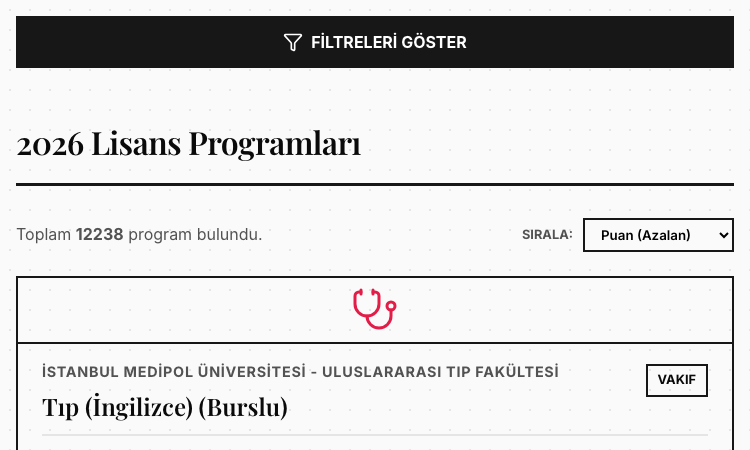
Qdctu Qdctu is a nicely built example of a focused, single-purpose web tool solving a real, recurring need in Vietnamese university admissions: converting V-SAT scores and transcript grades into a common, comparable format. Rather than asking students to juggle spreadsheets and guess at equivalencies, the app offers a clean, fast path to the converted result. From a product perspective, the scope is well-judged. The app does one thing—convert scores across systems—and gets out of the way. That clarity of purpose is exactly what an anxious applicant needs: enter the numbers, see how they translate, and move on to deciding where to apply. There is no bloat, no clutter, and no attempt to be a full admissions portal. The build is modern and portable. Delivered as a web application, it runs on whatever device a student has available, from a phone to a desktop, with no install required. The responsive interface keeps the focus on the converted score rather than on chrome, which is right for a results-focused moment. For makers browsing a showcase, Qdctu shows how a clear, well-scoped problem—how do my scores compare—can become a polished, genuinely useful product. It proves you do not need a sprawling platform to deliver real value to students at the moment they are making one of their biggest decisions.

EducationAnalyticsAutomation
Thpt2026 Iota Vercel App

Thpt2026 Iota Vercel App

Thpt2026 Iota Vercel App - a focused web app for retrieving THPT 2026 exam results quickly.

Thpt2026 Iota Vercel App Thpt2026 Iota Vercel App is a nicely built example of a focused, single-purpose web tool solving a real, recurring need: looking up Vietnamese high school graduation exam results. Rather than asking students to wrestle with slow, overloaded official portals on the busiest day of the academic year, the app offers a clean, fast path to the same data. From a product perspective, the scope is well-judged. The app does one thing—retrieve THPT 2026 scores—and gets out of the way. The data loads dynamically after the page renders, which keeps the initial paint fast and lets the result surface as soon as the lookup completes. That client-first approach is well suited to a tool that thousands of anxious users may hit at the same moment. The build is modern and portable. Delivered as a web application, it runs on whatever device a family has available, from a phone to a desktop, with no install required. The interface is responsive and keeps the focus on the score rather than on chrome, which is exactly right for a high-stress, results-focused moment. For makers browsing a showcase, Thpt2026 Iota Vercel App shows how a clear, well-scoped problem—get me my score, quickly—can become a polished, genuinely useful product. It proves you do not need a sprawling platform to deliver real value to students at the moment they need it most.

EducationAnalyticsAutomation
SciDraw AI

SciDraw AI

AI Scientific Figure & Illustration Maker

Create publication-ready figures, diagrams & data charts with AI — for papers, theses, posters and teaching. Illustration + Visualization in one platform. Trusted by 10,000+ researchers, students and educators.

Education
FBTI

FBTI

FBTI - a multilingual football personality test built on an MBTI-style typing framework.

FBTI FBTI is a nicely built example of adapting a well-known personality framework to a specific passion. The project takes the MBTI-inspired four-letter typing concept and reframes it for football, producing a "Football Personality Test" that lets fans discover a type reflecting how they engage with the game. From a product standpoint, the build is clean and thoughtful. The site is a modern static web application, which keeps it fast, reliable, and simple to deploy. A particularly nice touch is its multilingual support—Chinese, English, and Dutch—so fans from different regions can take the test in their own language, broadening the audience considerably without adding runtime complexity. The flow itself is tight: a short questionnaire leads to a clear, shareable football personality result. There is no sign-up wall and no heavy onboarding, which suits a fun, low-commitment tool. For developers browsing a showcase, the multilingual handling and the crisp single-purpose scope are both worth noting as patterns. For makers and curious visitors alike, FBTI shows how a familiar concept can be reimagined for a niche and shipped as a polished, accessible web app. It is the kind of small, focused project that proves you do not need a sprawling platform to build something fans will actually enjoy and share.

EntertainmentEducationDesign
Featured
ADHD Test

ADHD Test

ADHD Test - a research-backed ASRS v1.1 screener with an optional AI personalized report.

ADHD Test ADHD Test shows how a focused web tool can take a respected clinical instrument and make it approachable for everyday adults. The product is built around the ASRS v1.1 screener, a six-item questionnaire co-developed by the World Health Organization and a Harvard research team, which is one of the most widely used screening measures for adult ADHD in primary care settings. From a product perspective, the build is elegantly simple: a short questionnaire flows into an instant Low, Moderate, or Elevated result, and an optional upgrade path opens an AI-generated personalized report. That report layers on real value—an executive-function pattern map, an analysis of overlapping factors such as sleep, stress, anxiety, and burnout, tailored educational strategies, and a clinician discussion guide with PDF export. The design respects the user's time and intelligence. There is no sign-up wall before the basic result, and the educational framing is consistent throughout: the tool is explicitly a self-screening aid, not a diagnosis. This kind of clear, evidence-aligned positioning is what separates a responsible health utility from a clickbait quiz. For makers browsing a showcase, ADHD Test is a strong example of a single-purpose product done well. It pairs a validated instrument with modern AI assistance in a way that genuinely extends the screener's usefulness, proving that a tight scope and good source material can produce something far more valuable than a bloated all-in-one app.

HealthAIEducation
Windy Sandbox

Windy Sandbox

Windy Sandbox — pick a brush, drag on the live world map to paint wind, and watch thousands of particles flow. Free.

Windy Sandbox Windy Sandbox is a free interactive wind simulator built around a brush you drag across a live world map. The core interaction is painting wind: you pick a brush, left-drag on the map, and wind appears where you drew it, with thousands of particles flowing along the pattern in real time. For anyone who likes creative tools where the input is direct — you draw, the world responds — that brush-on-a-map approach is the heart of the product. The brushes are what make the wind painting expressive. Rather than choosing from a fixed list of weather presets, you paint wind patterns yourself, which means a storm, a vortex, or a typhoon can be shaped to exactly the form and location you want on the map. Different brush settings let you control how the wind is laid down, and the particle field reacts to each stroke as you make it, so the feedback is immediate and the result is something you composed rather than something you triggered. The Field section includes a demo typhoon for an instant example, which shows the range of what the brushes can produce before you start painting your own. Because the painting happens on a real world map, the wind patterns you create sit on actual geography, which makes the simulation feel grounded rather than abstract. The tool is free, made by an independent creator, and offered as a beta, with support and a Discord for the community. Around the brushes, the simulator includes tools for map style, particles, color, and field, plus save and load for the worlds you build. For anyone who wants to paint storms, vortices, and typhoons onto a real map and watch thousands of particles flow, Windy Sandbox's brush is the way in.

DesignEducation
PSL Scale: Curious what AI thinks of your face?Try For Free