Ai Apps
Discover beautiful apps crafted with vibe coding across different categories. Explore our curated collection of lovable applications.
Categories
MotionVideo AI
Powerful Motion Control AI Video Generator
MotionVideo AI is a powerful motion control AI video generator that helps users create controllable AI videos from a reference image and motion reference video. Instead of relying only on text prompts, users can upload an image of a character, avatar, mascot, or AI influencer and pair it with a motion video to generate a new AI video with similar movement. The tool is designed for creators, marketers, social media teams, and AI video users who want to animate characters from reference videos, create avatar motion videos, generate mascot animations, or produce motion-controlled social media clips. MotionVideo AI is especially useful for AI influencer videos, brand mascot videos, character animation, short-form video content, and marketing visuals. With a simple online workflow, users can upload their reference image, add a motion reference video, choose output quality, and generate AI videos directly in the browser. Key Features Create motion-controlled AI videos from reference images and motion videos Animate characters, avatars, mascots, and AI influencers online Use reference videos to guide character movement Generate AI videos directly in the browser Support 720p and 1080p output quality Designed for social media, marketing, and creative video content
bulkgen
AI Image Generator, AI Image Editor, Batch Image Generation, Marketing, Ecommerce, Productivity, Design Tools
BulkGen AI is built for teams that need more than one-off image generation. It turns bulk image creation into a focused production workflow: upload images from your computer or choose files from Google Drive, add prompts and reference images, select an AI image model, configure output settings, and generate a full batch for review and download. The platform supports batch workflows of up to 100 images, making it useful for ecommerce product visuals, ad creative variants, social media campaigns, brand asset production, localized marketing, and creative testing. Instead of repeating the same upload, prompt, generation, and download steps one image at a time, users can prepare a batch once and let BulkGen process the job in the background. BulkGen AI supports multiple image models, including GPT image models and Gemini image models such as ChatGPT Image 2.0, Nano Banana 2, and Nano Banana Pro. Users can manage model-specific settings such as image size, quality, output format, background, aspect ratio, and input fidelity when available. BulkGen also includes an account-protected workspace where users can track batch progress, retry or cancel tasks, review generated outputs, download results, and manage credits. Google Drive integration helps teams work with existing source images and brand assets without manually moving files between tools.
Couple Goals AI
Generate beautiful couple photos with AI. Upload two photos, choose a romantic template, and create memories together.
Couple Goals AI helps couples create beautiful, photorealistic photos together — even when they can't be in the same room. Upload two individual photos (one of you, one of your partner), pick a romantic scene template or describe your own moment in plain words, and AI generates a couple photo that looks like you were standing side by side. No prompt engineering, no design skills, no expensive photoshoot required. What You Can Create Long-distance couple photos — Upload separate selfies and get a shared moment that feels real Anniversary & wedding memories — Fill in the photos you never got to take Social media content — Unique couple photos in styles no filter can match Print-ready keepsakes — High-resolution output suitable for framing or photo albums How It Works Upload two clear photos (smartphone pictures work great) Choose a template or describe your scene in plain words Generate and download your couple photo in moments Couple Goals AI was built by an indie maker who wanted to give his partner a birthday photo album of their whole story — including the moments they never photographed. When she opened it, she cried. Now it's a tool for anyone who has ever thought, "I wish we'd taken a photo of that."
AI Image to Video
AI Image to Video is a free image to video AI generator for creating cinematic AI videos from photos online.
AI Image to Video is a free online image to video AI generator designed to help users create AI videos from images. It turns photos, product shots, portraits, anime artwork, pet pictures, and creative scenes into cinematic AI videos with natural motion, vivid detail, and consistent visual quality. The platform works as a simple photo to video AI tool for creators, marketers, e-commerce sellers, designers, and everyday users. It can be used for product photo to video, anime image to video, portrait animation, pet photo to video, social media clips, ads, storytelling, and visual marketing content without complex video editing software.
SwapAnything.io
AI Platform to Swap Faces, Clothes, and More
SwapAnything.io is an online platform combining AI-powered visual editing tools with browser-based file format converters. The AI tools use deep learning to detect facial landmarks and clothing regions to generate realistic swaps. Converters run locally in the user's browser — no file uploads to servers. No software installation is required for any feature.
Mog Omegle - PSL rating compare with AI
PSL rating compare with AI
🎯 Core takeaways (TL;DR) Mog Omegle at https://mogomegle.com is an AI-powered PSL rating compare: upload two clear face photos, get 0–8 scores, an eight-dimension radar, a head-to-head verdict, and a downloadable PNG—ideal for structured “mog” debates without random video roulette. Each full compare costs 20 credits; commentary can be Scientific (straight analysis) or Roast (same scoring, sharper tone)—good for screenshots and group chats. Privacy framing: photos are processed for the request—not positioned as a permanent public gallery; treat exported cards like anything you share socially. Table of contents What is Mog Omegle? What does “mog omegle” mean in search? How Mog Omegle works (step by step) The eight PSL dimensions (with weights) How to read overall PSL bands Mog Omegle vs “vibes-only” comparisons FAQ Conclusion & next steps What is Mog Omegle? Mog Omegle is a focused product for paired face evaluation: you pick Person A and Person B, and the system returns a consistent rubric-based breakdown—overall PSL, per-person explanation, comparison line, radar overlay, and an exportable card. The name nods to “mogging” culture (who “mogs” whom) and Omegle-style surprise energy, but the experience is deliberately not random video chat—it’s a scoreboarded mog battle built for sharing. Primary CTA: https://mogomegle.com 💡 Pro tip For the most stable scores, use clear, front-facing photos; heavy filters, extreme angles, or poor lighting increase variance. ⚠️ Note PSL-style scores are discourse shorthand, not medical, legal, or relationship advice. Results are photo- and model-dependent. What does “mog omegle” mean in search? People typing “mog omegle” typically want one of three things: | Intent | What they expect | How Mog Omegle maps | |--------|------------------|---------------------| | Compare two faces | A structured winner/loser narrative with visuals | Side-by-side scoring + verdict + radar | | Meme / roast energy | Funny copy they can screenshot | Roast mode (same math, different tone) | | Explain PSL / radar | Definitions + how to read outputs | Eight weighted dimensions + band guide | How Mog Omegle works (step by step) 📊 Flow
How Old Do I Look
How Old Do You Really Look
How Old Do I Look is a free AI-powered visual age estimator. Upload your photo and let How Old Do I Look analyze your skin, features, and vibe to guess your visual age — brutally honest, backed by research. What Is How Old Do I Look? How Old Do I Look is an AI feature on Pretty Scale that estimates your visual age from a single photo. Instead of returning just one number, How Old Do I Look breaks down eight key aging-related signals so you can understand exactly what drives your age impression — from skin smoothness to styling and vibe. Optionally enter your real age, and How Old Do I Look will show a visual age vs. real age badge so you can see how young — or old — you really look. Key Features of How Old Do I Look 🤖 AI Age Engine How Old Do I Look analyzes multiple facial aging signals to estimate your visual age with confidence scoring. 📊 8-Dimension Age Breakdown How Old Do I Look reports skin, eye, jawline, tone, and styling cues in one structured, easy-to-read result. ⚡ Instant Age Result How Old Do I Look returns your estimated age, confidence level, and practical interpretation in seconds. 📤 Downloadable Result Card How Old Do I Look lets you export your result card for sharing and progress tracking over time. 🔒 Privacy First How Old Do I Look processes your image for analysis only and does not build a long-term archive of your raw uploads. 🆓 Free to Use How Old Do I Look is currently free and does not consume any credits. Two Evaluation Modes in How Old Do I Look | Mode | Description | |---|---| | Scientific Evaluation | Objective, evidence-based visual age estimation | | Roast Mode | Same accurate scoring, delivered in a funny and satirical tone | Curious how old you really look? Try How Old Do I Look for free — upload your photo and get your visual age in seconds.
TextifyALL
Turn any audio or video into accurate text instantly.
TextifyALL is your ultimate AI transcription co-pilot, designed to seamlessly convert any audio or video file into highly accurate text, editable documents, and perfectly synced subtitles. Whether you are a video editor needing SRT files, a journalist transcribing interviews, or a student saving lecture notes, TextifyALL handles the heavy lifting for you in seconds. ✨ Key Features ♾️ Zero File Size or Duration Limits: Upload massive, multi-hour video podcasts or uncompressed audio archives freely. We don't cap your creativity. 🎯 Ultra-Precise AI Engine: Powered by state-of-the-art speech recognition to deliver word-level accuracy, even with background noise. 🛠️ Native Format Support: No need to waste time converting files to MP3/MP4 first! We natively decode 32+ heavy and legacy formats including WAV, FLAC, OGG, WMA, MKV, AVI, and WebM. 🌍 Truly Global: Support for transcription and subtitle generation in over 90 languages. 🔒 Privacy-First Processing: We perform initial audio extraction locally right in your browser, meaning your heavy video files are processed securely without unnecessary uploads. 📥 Flexible Export Options For Reading & Archiving: Plain Text (.txt) and formatted Microsoft Word (.docx). For Video Editing & Web: Time-stamped subtitles (.srt) and WebVTT (.vtt), ready to drop into Premiere Pro, Final Cut, CapCut, or HTML5 web players. 🎯 Who is it for? Content Creators & Video Editors: Instantly generate SRT files to boost YouTube SEO and accessibility. Professionals & Teams: Turn hours of Zoom or Google Meet recordings into searchable, editable meeting minutes. Journalists & Researchers: Transcribe high-fidelity voice recorder files (WAV/FLAC) with pristine accuracy. Skip the manual typing and tedious format converters. Let TextifyALL's AI do the hard work for you!
Veo 4 AI Video Generator
ai video generator, ai image generator, google deepmind, ai image editor
Veo 4 AI Video Generator Create AI videos online with Veo 4. Built on Google DeepMind's Veo 4 model, this workflow turns text prompts and reference images into cinematic clips with better control, audio-ready scenes, and 4K-ready output. Generate Veo 4 Videos from Text Prompts Turn a written idea into a cinematic Veo 4 AI video draft with enough detail for the model to understand the scene. Describe the subject, action, camera movement, lighting, mood, audio direction, and target platform so the result feels closer to a production brief than a random text-to-video test. Turn Reference Images into Video Scenes Use product shots, character images, style frames, or visual references to guide composition, color, identity, and motion before turning a static concept into a video scene. This image to video workflow is useful for brand assets, ecommerce demos, creator content, and campaign storyboards that need visual continuity. Control Camera Motion, Style, and Audio Cues Shape the video with lens feel, shot size, camera movement, pacing, transitions, environment, dialogue intent, ambient sound, and music mood instead of relying on a generic one-line prompt. Veo 4 works best when the prompt explains how the clip should move, sound, and feel on the final channel. Create Social, Ad, and Product Video Drafts Online Build online AI video drafts for Reels, Shorts, TikTok, ecommerce demos, launch teasers, explainers, and pitch visuals without opening desktop editing software. The goal is fast creative validation: test the hook, motion, product story, and visual direction before committing to full production.
Banana AI Art
Free AI image and video generation platform. Transform photos, create cinematic videos, apply styles, background removal
Artistic Style Transfer Apply the look of any artwork or photo to your image — preserving subject structure while transferring style, colors, and brush strokes. Vintage Photo Restoration Bring old memories back to life with Banana AI's advanced restoration capabilities. Remove scratches, enhance faded colors, and add missing details to preserve family history. E-commerce Product Editing Create stunning product imagery for online stores with Banana AI. Change backgrounds, adjust lighting, and maintain perfect product consistency across your entire catalog. Travel Background Removal 1‑click automatic background removal for travel photos—cleanly remove tourists, crowds, and busy scenes while preserving subject details. Perfect for share‑ready images and professional cutouts. Virtual Hair Transformation Transform your look instantly with AI-powered hair styling. Change hair colors, experiment with different hairstyles, and preview new looks without commitment. Perfect for trying bold changes before visiting the salon.
Veo 4
Veo 4 AI Video Generator for Cinematic Video Creation
Veo 4 AI Video Generator Veo 4 AI is a next-generation AI video generation platform focused on cinematic text-to-video and image-to-video creation. Using advanced AI video models, Veo 4 helps creators generate realistic AI videos with smooth motion, cinematic visuals, detailed animation, and professional-quality rendering directly from prompts or images. Veo 4 AI Video Generator is designed for creators, filmmakers, marketers, designers, agencies, and social media users who want to create high-quality AI videos quickly and efficiently. The platform supports AI short films, storytelling videos, product advertisements, cinematic scenes, AI animations, creative marketing videos, and visual content production workflows. Features AI text-to-video generation AI image-to-video creation Cinematic AI rendering Realistic motion and animation Fast cloud-based video generation Professional visual quality Creative storytelling workflows Social media video production Why Choose Veo 4 AI Veo 4 Cinematic AI Videos focus on realistic visuals, smooth motion rendering, and advanced cinematic video generation workflows. Veo 4 enables creators to turn creative ideas into professional AI-generated videos without complicated editing software or expensive production pipelines. The platform combines modern AI video generation technology with creator-friendly workflows, making it suitable for AI filmmaking, storytelling, social media content, digital advertising, entertainment projects, and visual content creation.
Open Design Github
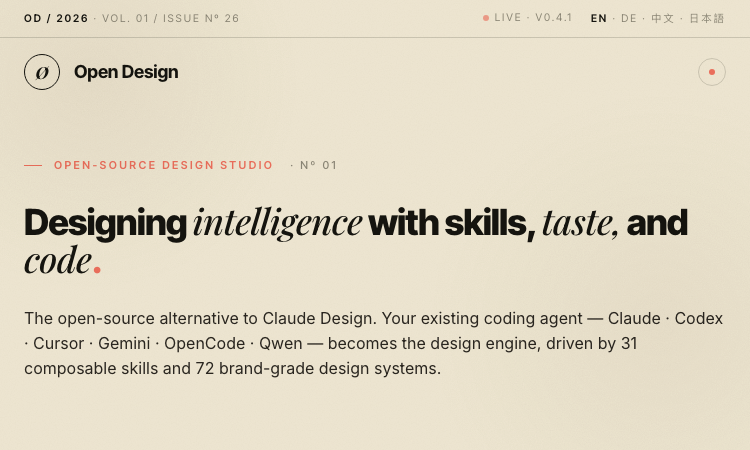
Open Design Github - Open-source design studio: your coding agent becomes a creative design engine with 31 composable skills and 72 brand-grade design systems
Open Design — The open-source alternative to Claude Design Open Design is a local-first, web-deployable, BYOK design studio. Your existing coding agent (Claude, Codex, Cursor, Gemini, OpenCode, Qwen, and more) becomes the design engine, driven by 31 composable Skills and 72 brand-grade Design Systems. Key Features 31 Composable Skills — File-based SKILL.md bundles for every design task 72 Brand-Grade Design Systems — Portable Markdown design systems (Linear, Vercel, Stripe, Apple, Cursor, Figma...) 12 Agent Adapters — Auto-detected on your $PATH (Claude, Codex, Gemini, Cursor, Copilot, OpenCode, Devin, Hermes, Pi, Kimi, Kiro, Qwen) BYOK at Every Layer — OpenAI-compatible proxy; use DeepSeek, Groq, OpenRouter, or self-hosted vLLM 4-Stage Design Loop — Detect, Discover, Direct, Deliver Desktop App Available — Download and run locally The Method Detect — Daemon scans $PATH, auto-loads skills + systems on boot Discover — 30-second question form to lock in context Direct — Pick from 5 deterministic visual directions (palette in OKLch, font stack, layout) Deliver — Export HTML, PDF, PPTX, ZIP, or Markdown 29.6K GitHub stars · Apache 2.0 licensed · Made with pnpm