Design Apps
Discover beautiful apps crafted with vibe coding across different categories. Explore our curated collection of lovable applications.
Categories
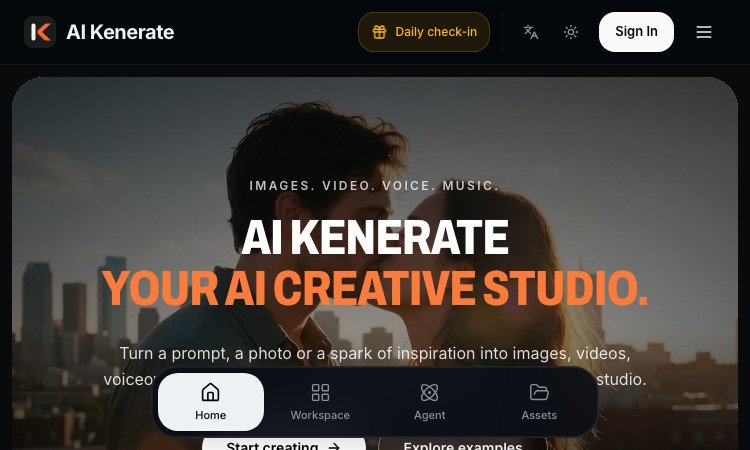
AI Kenerate
AI Kenerate is an all-in-one AI creative studio — images, video, voice, and music from text prompts or photos, powered by one shared credit balance.
AI Kenerate Most AI tools hand you a model and wish you luck. AI Kenerate hands you a studio — and an agent. This all-in-one creative platform generates images, videos, voiceovers, and music from text prompts or photos, and its conversational AI Agent plans the work and operates the tools for you, turning a sentence like 'make a 15-second vertical headphone ad' into a finished cut. The workspace is organized around what you want to make, not which model to pick. Nine tool families cover the pipeline: Text to Video, Image to Video, Reference to Video, Text to Image, Image to Image, Image to Prompt, Transparent PNG Maker, Text to Music, and AI Voice & Audio. Under the hood sit name-brand models — Seedance 2.5, Kling 3.0 Turbo, Veo 3.1, FLUX, GPT Image 2.5, Nano Banana Pro, Suno v6 — all billed from one shared credit balance, so a creator can storyboard with images, animate them, score the result, and narrate it without leaving the tab. For marketing and e-commerce work, AI Kenerate ships templates that encode real production patterns: Product Close-up, Commercial, Brand Story, Virtual Try-On, Product Launch, UGC Ads, Unboxing, Tutorial, and Selling Points. A daily check-in keeps credits trickling in between projects. Pricing scales with output rather than seats-and-spirit: Lite at $9.99 per month carries roughly 61 short videos or 750 images; Pro at $24.99 raises that to about 204 videos; Ultra at $79.99 covers studio-scale volume with 30,000 credits. Every plan includes commercial use rights and the Agent chat. If your creative process lives across four tabs today, AI Kenerate is the consolidation play worth testing — one prompt, four media, one bill.

AI Room Makeover
Preview a room change in your own photo before you make it.
AI Room Makeover helps you preview changes in a photo of your real room before buying furniture, painting or remodeling. Upload a room photo, describe the change, and optionally add product or material reference images. Generate a visual preview of new furniture, wall colors, flooring or a room style while keeping the original space as close to the source photo as possible. A free tier is available, with optional one-time credit packs.
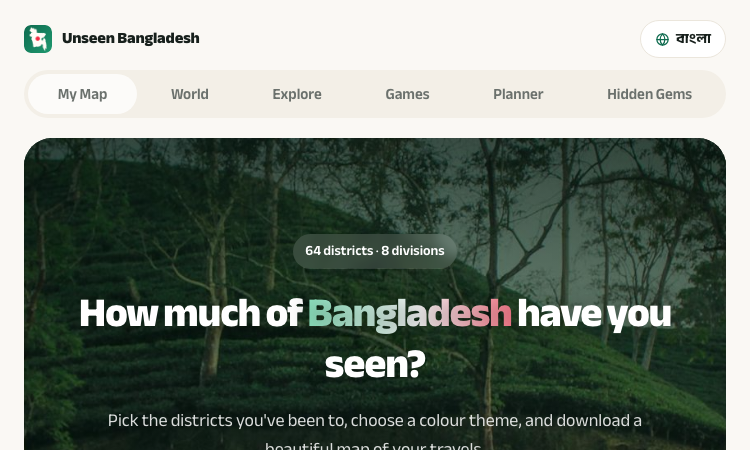
Bd Maps Vercel App
Bd Maps Vercel App helps track Bangladesh travels with 64 selectable districts and PNG, JPG, or PDF exports.
Bd Maps Vercel App A focused browser experience A strong web product makes its core action visible and supporting choices easy to understand. Bd Maps Vercel App follows that pattern with a district list, a travel map, visual options, and familiar download formats. Visitors can see what the tool is for before spending time in setup. It keeps the interaction centered on a travel record rather than a dense dashboard. For people browsing thoughtfully made web applications, Bd Maps Vercel App shows how a clear prompt and a few useful controls can turn personal information into a polished artifact. Keep the map current After another trip, Bd Maps Vercel App can be used to select new districts. Open Bd Maps Vercel App to review the map, then adjust choices in Bd Maps Vercel App when another destination becomes part of the journey. Save a fresh image from Bd Maps Vercel App or choose a PDF through Bd Maps Vercel App. The themes in Bd Maps Vercel App can fit the latest travel story. Optional labels from Bd Maps Vercel App help clarify the districts shown. With Bd Maps Vercel App, visitors can create a current snapshot; Bd Maps Vercel App keeps the map process easy to return to. Bd Maps Vercel App is a simple companion for recording travel. A simple three-step flow The main experience in Bd Maps Vercel App follows a clear sequence: pick districts, choose a theme, and download the finished map. This order helps visitors focus on their travel story instead of learning a complicated editor or setting up an account. District choices remain visible beside the map, so Bd Maps Vercel App makes it practical to review selections while building a record. When plans or memories change, districts can be added or cleared, and Bd Maps Vercel App responds to the updated selection. Map a journey At its heart, Bd Maps Vercel App answers a practical question: which parts of Bangladesh have you personally explored and want to remember? Rather than relying on a scattered note or spreadsheet, Bd Maps Vercel App turns those travel memories into a visible map organized by district. Each selected place becomes part of one personal picture, helping travelers understand the shape of a journey at a glance. For anyone seeking a meaningful record, Bd Maps Vercel App makes the result tangible without requiring a complicated mapping workflow. Bangladesh's 64 districts The map groups all 64 districts across Bangladesh's eight divisions, giving Bd Maps Vercel App a clear structure for a countrywide travel record. Visitors can work division by division, review earlier visits, or select a broader set when representing a longer journey. From Dhaka and Cox's Bazar to Sylhet, Bandarban, and Rajshahi, Bd Maps Vercel App helps show travel across many distinct regions. The organized district list also helps people notice places they have not explored, without reducing a trip to a checklist. A broad view makes Bd Maps Vercel App useful both for looking back and noticing what might come next. Find places in English or Bangla A district search helps travelers locate a place without scanning the full list, making Bd Maps Vercel App useful for quick lookups. The search supports district names in English or Bangla, which helps when spelling conventions vary or names are remembered in another script. Search works alongside division groups, so Bd Maps Vercel App serves visitors who want a direct lookup as well as those who browse by region. This bilingual choice makes the interface approachable for a wider set of Bangladesh travelers using Bd Maps Vercel App in their preferred language. Add personal details People can add an optional name or photo to make Bd Maps Vercel App feel more like their own travel keepsake. A district-name display option helps when the exported map needs to remain understandable outside the interactive website. These choices are optional, so Bd Maps Vercel App works for a quick map and for a more customized result. Travelers can keep the design clean or add a few personal details without turning Bd Maps Vercel App into a long configuration project. The controls support individual preferences while keeping attention on the map itself. Choose a visual theme A travel map is easier to revisit when its appearance feels personal, and Bd Maps Vercel App offers five color themes for that choice. Travelers can pick Emerald, Midnight, Sunset, Ocean, or Green Night before saving a view that suits their journey. The theme selection gives Bd Maps Vercel App a distinct visual character without asking users to learn design software or adjust many settings. One person may prefer a calm ocean palette for coastal memories, while another can choose a brighter look for a family trip. Bd Maps Vercel App keeps this decision simple and easy to change. Export a portable result When a selection is ready, Bd Maps Vercel App can export the map as PNG, JPG, or PDF for familiar ways of keeping a file. An image can be saved in a photo library, attached to a digital journal, or shared in a message after a trip. A PDF can suit printing or document storage, giving Bd Maps Vercel App a format for people who prefer a more formal keepsake. The download options appear directly after map creation, so users can take the result away without searching for another export tool. Bd Maps Vercel App makes a travel record portable. Discover the next destination The site connects the map with a travel guide covering 64 districts and 244 places, adding ideas beyond earlier visits. Visitors can use Bd Maps Vercel App to look back at explored areas, then browse the guide when considering a future destination. The guide includes practical context such as how to get to places, when to visit, estimated costs, and where to stay. Those details can change, so travelers should confirm current conditions before a trip; Bd Maps Vercel App remains a useful starting point for discovery. The connection gives the product a role in both reflection and exploration. Explore a wider travel site Alongside the district map, the site links to a world map, exploration pages, games, a trip planner, and hidden gems. Bd Maps Vercel App offers a simple starting point within that broader set of travel resources, centered on a personal Bangladesh map. A user can save a map and continue browsing for ideas or planning pages when another journey is taking shape. The map is understandable on its own, while surrounding sections give Bd Maps Vercel App a natural place in a wider travel experience. Visitors can return to Bd Maps Vercel App as their travel history grows. A map to keep revisiting Solo travelers can use Bd Maps Vercel App to remember a route, and families can create a visual account of places visited together. Friends may compare travel histories, while students or travel writers can use the district map as a visual project starting point. The same district structure gives each visitor a clear framework, while personal selections make every Bd Maps Vercel App result distinct. The site states that sign-up is not required, so a traveler can open Bd Maps Vercel App directly, record a trip, and save a result. That simplicity makes the map useful as a private keepsake, a planning aid, or a conversation starter.
Photocraft
Photocraft – Official Website, What It Is & How to Use
Photocraft is an AI product-photography app on the ArtCraft platform that turns one casual product photo into studio-quality shots, lifestyle scenes, ad creatives, and infographic product cards. Upload a single product image and generate clean studio shots with believable lighting and reflections, place the product into 30+ photorealistic lifestyle scenes organized by category, build trend-style ad creatives, or produce marketplace-ready infographic cards with bullet-point callouts. Its most differentiated feature, Shoot-in-a-Box, meets sellers where they actually are: shoot the product inside a cheap lightbox tent with any camera, and Photocraft handles background removal, retouching, and AI staging — the even light guarantees clean cutouts that generic AI photo tools gloss over. A fine-tune feature trains a custom model on your own product photos so every generation keeps the same product identity (label, shape, material) across hundreds of scenes. Try it free without signing up; an account is needed to save your library.

EditTextInImage
Edit text in image online — replace wording while keeping font, color, and background.
EditTextInImage is an online AI tool that changes text inside finished images without Photoshop. Upload PNG/JPEG/WebP, enter original + replacement text, auto-locate matches, optional area select. Freemium credits.
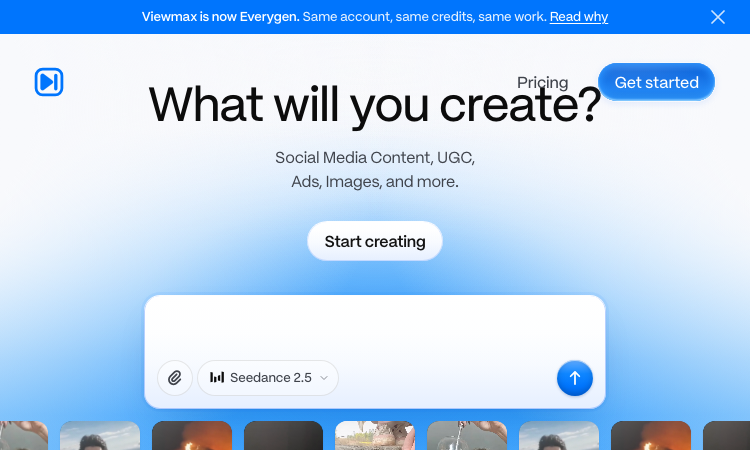
Everygen AI – Official Website
Everygen AI – Official Website, What It Is & How to Use
Everygen AI Official Website Everygen is a browser-based creative suite for making short-form videos, social content, UGC-style clips, and ads. It is the current name of Viewmax: the official site says the account, subscription, credits, projects, and files continue across the rebrand. Official app: https://everygen.ai/ Creator: Viewmax LLC is named in the site footer. Price: Credit-based plans; check the live Everygen pricing page because plan and generation costs can change. Login required: Yes for creating; the marketing pages can be browsed publicly. Platform: Web Main use: Generate and edit short videos, social posts, and marketing creatives with a choice of AI models. Last checked: October 1, 2026 Visit Everygen AI We are not the official developer of Everygen. This page helps users find, understand, and use the product. What Is Everygen AI? Everygen brings several creative workflows together in one web studio. The AI Video Generator is for prompt-led clips, Shorts Studio offers short-form video workflows, and Marketing Studio is aimed at creating or adapting ads. The homepage also presents tools for captions, voiceovers, images, and importing a creator’s own media. Users can choose from a changing catalog of models, including video and image models such as Seedance, Kling, Veo, and Nano Banana. That model catalog is one useful distinction from a single-model generator, though available models and credit costs can change. If you arrived through an older Viewmax link, the rebrand notice confirms that Everygen is the same product and that existing projects and credits carry over. See the official rebrand note. How to Use Everygen AI Open https://everygen.ai/ and select Get started. Sign in, then choose the AI Video Generator, Shorts Studio, or Marketing Studio based on the result you want. Describe the video or campaign, select an available model, and add your own media if the workflow calls for it. Generate a draft, review the result, adjust voiceover or captions where available, and export it for your channel. Check the credit cost before trying multiple generations; different models and tools may use credits at different rates. Is Everygen AI Safe? The public marketing site is viewable without an account, while creating content is routed through its sign-up flow. Creation can involve prompts and, if you choose, uploaded images, video, or audio. Review the current pricing and privacy terms before uploading sensitive material or purchasing credits. The homepage identifies several underlying generation models, so users should also check the relevant model and platform terms and make sure they have permission to use any media they upload. This page does not make a blanket safety guarantee. Why Is Everygen AI Popular? Everygen packages short-video creation, ad workflows, and several media-generation models under one brand. The recent name change from Viewmax may also lead people with old links or tutorials to search for the new name. There is no clear public source showing where the latest search spike originated. Everygen AI Not Working? Refresh the site and confirm that you are signed in before opening a creation workflow. Check your remaining credits and the current pricing page if a generation cannot start. Try another available model if one workflow is temporarily unavailable. If you used an old Viewmax bookmark, open https://everygen.ai/ and follow the current sign-in route; the official note says the account and projects continue across the rebrand. Retry later if the studio is being updated. Everygen AI Alternatives Runway — a separate platform for generative video tools. CapCut — useful for editing and packaging short-form social videos. Creatify — focused on AI-assisted product and advertising videos. Frequently Asked Questions What is the official Everygen AI website? The official website is https://everygen.ai/. Is Everygen the same product as Viewmax? Yes. The official rebrand note says Everygen is the new name for Viewmax and that accounts, subscriptions, credits, projects, and files continue. Is Everygen AI free? The product uses credits and publishes its current plans on https://everygen.ai/pricing. Check that page for the latest free access, plan limits, and prices. Do I need an account to use Everygen? You can browse the marketing site without signing in. Creating content is accessed through the sign-up flow, so an account is needed for the studio. Who created Everygen? The site footer identifies Viewmax LLC. The product currently uses the Everygen name. Is Everygen AI still available? The official website was online on October 1, 2026. The site was branded Everygen and still carried a Viewmax rebrand notice at that time.
QuickAI Headshots – Official Website
QuickAI Headshots – Official Website, What It Is & How to Use
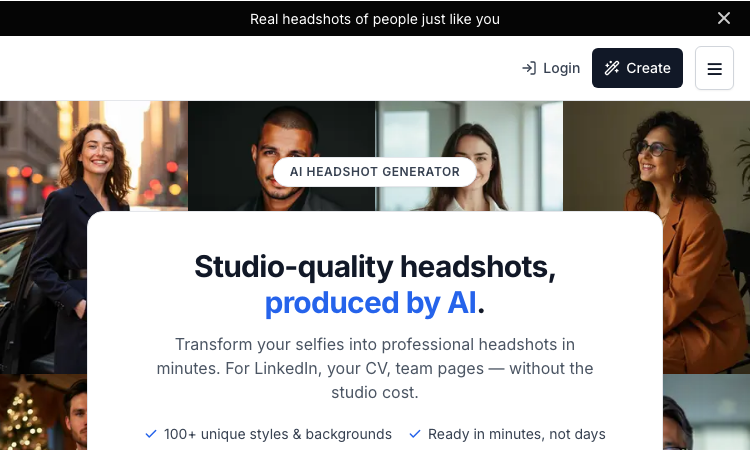
QuickAI Headshots Official Website QuickAI Headshots turns everyday selfies into professional-looking portraits for LinkedIn, resumes, team pages, and websites. Its site offers free previews before charging a one-time fee to unlock a selected package. Official app: https://www.quickaiheadshots.com/ Creator: QuickAI Headshots (the homepage identifies the brand but not an individual founder) Price: Free previews; one-time paid packages were shown from $29 on the site checked today. Confirm the current price at checkout. Login required: Yes. Users can sign in with Google or request a one-time code by email; password sign-in is also available. Platform: Web Main use: Create a set of professional headshots in different outfits, backgrounds, and styles from uploaded selfies. Last checked: September 29, 2026 Visit QuickAI Headshots We are not the official developer of QuickAI Headshots. This page helps users find, understand, and use the product. What Is QuickAI Headshots? QuickAI Headshots is an AI portrait service focused on professional profile photos rather than general-purpose image generation. The workflow starts with a few clear selfies, then lets users choose styles and preview sample results. The page checked today advertised free previews across five styles, with paid one-time packages offering 40 to 200 or more high-resolution images. The site also describes outfit and backdrop variations, team options, and commercial-use rights for paid packages. How to Use QuickAI Headshots Open the official website and create an account or sign in. Upload clear photos of yourself; avoid group shots and heavily filtered images. Choose the available portrait styles and review the free previews. If the results suit your needs, select a package and pay once to unlock the full-resolution set. Is QuickAI Headshots Safe? The product requires personal photos to generate portraits. Its homepage says uploaded source photos are automatically deleted after seven days and generated headshots after 30 days; it also says users can request earlier deletion. Treat these as the service’s published claims and read its current Privacy Policy and Security Policy before uploading. Do not upload someone else’s photos without permission. Why Is QuickAI Headshots Popular? The service promises professional-looking profile images without booking a studio session and allows users to preview results before paying. Those practical benefits likely explain the brand searches, although we found no reliable public source identifying a single viral post that started the current interest. QuickAI Headshots Not Working? Check that the account sign-in code has not expired, upload clear face photos, and use the site’s support page if a generation or payment does not complete. Confirm the current package and refund terms before checking out. Alternatives A professional photographer is a good alternative if you want a fully directed shoot or prefer not to upload selfies. Other AI headshot services can be compared by likeness quality, photo-retention periods, commercial rights, and refund terms. Frequently Asked Questions What is the official QuickAI Headshots website? The official website is https://www.quickaiheadshots.com/. Is QuickAI Headshots free? You can view free previews. The site showed one-time packages starting at $29 when checked; the final price may change. Do I need an account? Yes. The site offers Google sign-in, email one-time codes, and password sign-in. Who created QuickAI Headshots? The site identifies the product under the QuickAI Headshots brand but does not name an individual creator on its homepage. Is QuickAI Headshots still available? The official site and sign-in page loaded on September 29, 2026.
SeaArt AI – Official Website
SeaArt AI – Official Website, What It Is & How to Use
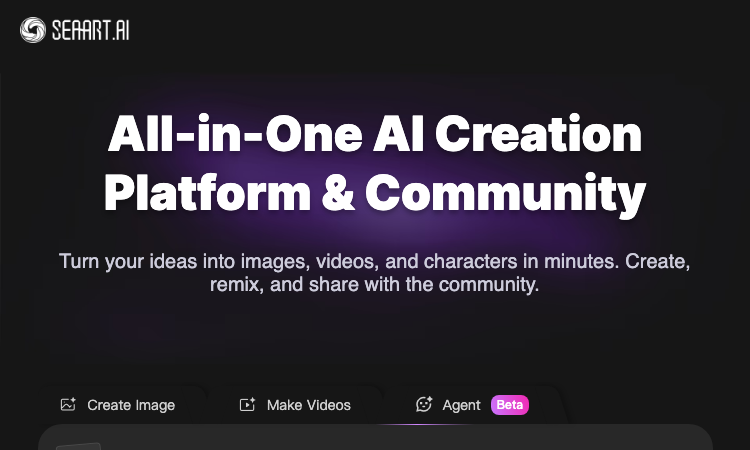
SeaArt AI Official Website SeaArt AI is a web-based creation platform and community for generating and editing images, making videos, exploring models, and sharing work. The home page brings prompts, templates, model choices, and community creations together in one place. Official app: https://seaart.ai/ Creator: SeaArt, Inc. (identified in the site footer) Price: The site advertises daily free creation energy and has a separate pricing page. Credits and paid options can vary by model and plan. Login required: The home page shows a Login action; expect to sign in before creating or saving work. Platform: Web, with iOS and Android apps linked from the site. Main use: Generate or edit images and videos using prompts, models, templates, and community workflows. Last checked: September 29, 2026 Visit SeaArt AI We are not the official developer of SeaArt AI. This page helps users find, understand, and use the product. What Is SeaArt AI? SeaArt AI combines hosted image and video generation with a community gallery and a catalog of models and effects. The current homepage offers separate image and video creation flows, prompt entry, community examples, and tools such as image editing and background removal. It also lists models including Seedream, Qwen Image, and other providers. A daily reward panel advertised 130 creation energy on the page checked today; the exact credit rules and paid options can change. How to Use SeaArt AI Open the official website and choose Create Image or Make Videos. Enter a prompt or add a reference image when the selected workflow supports it. Choose a model, template, or effect and check the credit cost shown in the interface. Sign in, generate the result, then save it or share it with the community. Is SeaArt AI Safe? SeaArt’s site links to its Terms and Privacy Policy. The platform accepts prompts and may accept uploaded reference material, so avoid uploading sensitive personal images or confidential content unless you have reviewed the current policy and understand how the material is handled. We have not independently audited its storage or moderation practices. Why Is SeaArt AI Popular? The platform groups many creation models, including Seedream, with image and video tools and community examples. The recent search interest may be connected to people discovering those models through SeaArt; that connection is an inference from the current product catalog and the trend wording. SeaArt AI Not Working? Check the site’s status and pricing or help pages, confirm that you are signed in, and verify that your account has enough creation energy for the selected model. If generation fails, try a simpler prompt or another available model. Alternatives If you prefer local control, a ComfyUI workflow with supported models is an alternative. For a hosted workflow, compare other AI image or video platforms by model selection, credit limits, privacy terms, and commercial-use rules. Frequently Asked Questions What is the official SeaArt AI website? The official website is https://seaart.ai/. Is SeaArt AI free? The site advertises daily free creation energy. Some models and workflows may use additional credits or paid plans; check the current pricing page before generating. Do I need an account? The homepage displays a Login action. Sign-in may be required to generate, save, or publish creations. Who created SeaArt AI? The site footer identifies SeaArt, Inc. Is SeaArt AI only an image generator? No. Its current homepage includes image creation, video generation, editing tools, model discovery, and a community gallery.
Music Visualizer
Turn your music into stunning visuals
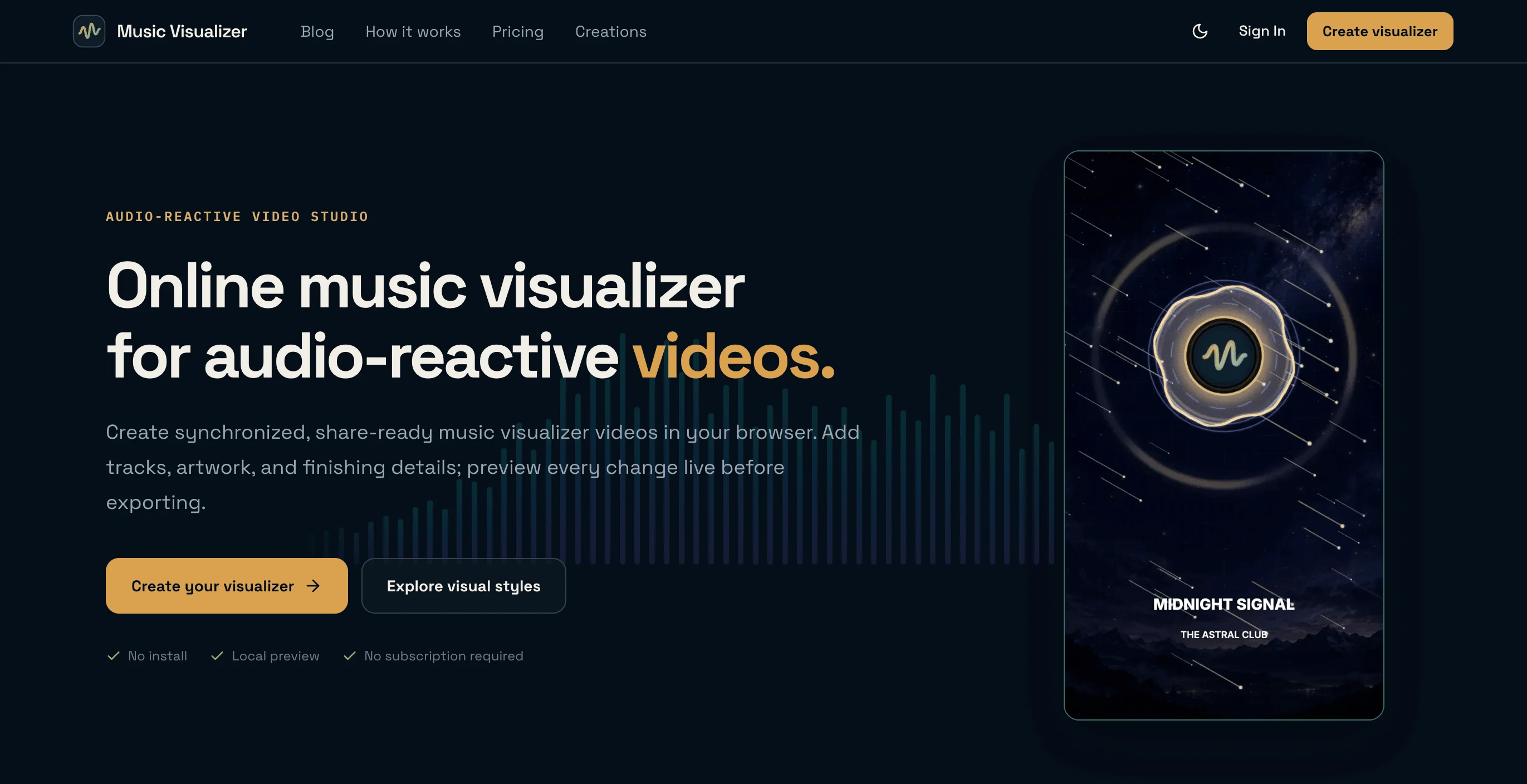
Great music deserves more than a static image—but creating promotional videos for every release can be time-consuming, expensive, and technically demanding. Independent musicians, producers, DJs, and podcasters often need content for YouTube, TikTok, Instagram, Reels, Shorts, and other platforms without having the time or experience to master professional video-editing software. MusicVisualizer solves this problem by turning audio and artwork into polished, audio-reactive videos directly in the browser. Every bar, pulse, and animation responds naturally to the rhythm and frequencies of the track, giving music a visual identity that feels alive and synchronized. Creators can choose from 19 professionally designed visual styles and customize the artwork, logo, title, colors, composition, and motion intensity. Videos can be adapted to square, vertical, or widescreen formats, making them suitable for official audio releases, music premieres, promotional clips, DJ mixes, podcasts, radio shows, and social media campaigns. MusicVisualizer combines instant local previews with reliable cloud rendering, supporting H.264 video exports in up to 2K resolution and 60 FPS. Audio and images remain on the creator’s device while editing and are uploaded only when the final video is exported. There is no software to install and no subscription is required. Every account also receives one free export per day, while flexible one-time credits are available for longer, higher-quality, watermark-free videos. Our goal is simple: help creators make their music visible, reach more listeners, and publish professional visual content without becoming video editors.

Cursive Generators
Cursive Generators is a free online cursive text generator that helps users create beautiful cursive fonts, signatures,.
Cursive Generators is a free online cursive text and font generator designed for users who want to turn plain text into beautiful handwriting-style designs instantly. Users can enter any name, word, quote, brand phrase, classroom label, or personal message, then preview it in multiple cursive, handwritten, calligraphy, elegant, decorative, and signature-style fonts. Unlike basic cursive copy-paste tools, Cursive Generators supports both Unicode cursive text and real-font image generation. Users can copy cursive text for Instagram bios, TikTok captions, Discord names, profile text, messages, and social media posts. They can also generate high-quality cursive font images and download them as transparent PNG or scalable SVG files, making the tool useful for real design workflows such as email signatures, tattoo previews, wedding invitations, classroom worksheets, name tracing practice, printable materials, Canva designs, Figma projects, slides, and personal branding assets. The website also covers different cursive-related needs, including cursive font generation, cursive signature creation, tattoo lettering previews, cursive name styles, cursive worksheets, alphabet charts, name tracing, and handwriting practice. It is especially useful for designers, teachers, parents, students, tattoo idea seekers, content creators, and anyone who wants elegant cursive text without installing fonts or using complex design software. Cursive Generators is browser-based, mobile-friendly, free to use, and does not require sign-up. Users can simply type their text, compare styles, copy the result, or download a clean PNG/SVG file in seconds.
AutoAE
AutoAE – Official Website, What It Is & How to Use
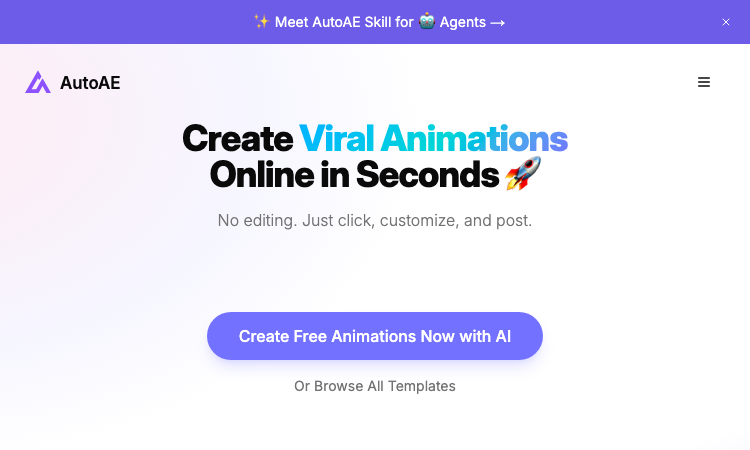
AutoAE Official Website AutoAE is an AI motion graphic designer for creators: turn a script or idea into ready-to-post viral animations — text animations, product mockups, 3D transformations, search animations — without After Effects or a timeline. Official app: https://autoae.online Creator: AutoAE team (animations designed with top creator-editors like Erfan Talebizadeh and Moeinedits) Price: Freemium — free tier to start; Pro subscription unlocks pro designs (affiliate program pays 20% forever) Login required: No to browse; an account to generate and save Platform: Web, plus an "AutoAE Skill" for AI agents and an AutoAE Agent (beta) Main use: Making hooks, B-roll, and motion graphics for YouTube, TikTok, and product-launch videos in minutes Last checked: 2026-09-23 Visit AutoAE We are not the official developer of AutoAE. This page helps users find, understand, and use the product. What Is AutoAE? AutoAE's premise: what makes top creators' videos look pro isn't the camera — it's the motion design, and After Effects is too slow and too complex for people who post daily. You type a script or describe what you need, and the AI matches it to a ready-made motion graphic. Everything is then customized with clicks instead of keyframes: replace text, change colors, drop in your own images, and watch a live preview — no timeline. The library covers the formats that actually hook viewers: dynamic text animations, engagement mockups (your product in a realistic setting), 3D transformations, realistic web-search animations, and video flowcharts for explaining systems. New creator-designed animations ship weekly (the changelog shows batches of 9–22 added at a time), so the templates track current social trends. It is trusted by 120K+ creators and also ships something unusual: a Skill for AI agents, letting an agent assemble animations for you. Typical uses: SaaS product-launch videos, viral reels, course and tutorial content. How to Use AutoAE Open the official AutoAE website and click Try for free. Type your script or describe the animation you need — the AI matches you with a motion graphic (or browse all templates directly). Customize in a few clicks: swap text, recolor, add your own images, with instant live preview. Download and post, or drop the clip into your editor for a pro-level finish; subscribe to Pro to unlock the full design library. Is AutoAE Safe? The site runs on the autoae.online domain over standard HTTPS and publishes Pricing, License, Privacy, and Terms pages. Browsing templates needs no account; generating and saving requires sign-up, and paid features follow the published pricing. Workflows can involve uploading your own product images, so treat brand assets as data leaving your device. Testimonials are presented as "100% real feedback, zero paid promotions," and the affiliate program (20% recurring) is disclosed openly rather than hidden. No deceptive redirects were observed during review. Last checked September 2026. Why Is AutoAE Popular? The first three seconds of a video decide whether it gets watched, and editors who can make those viral hooks (animated text, search-bar reveals, phone mockups) are expensive. AutoAE sells exactly that gap: creator-designed hook animations, customizable without After Effects. Weekly template drops keep pace with trend cycles, and the 120K+ creator count plus public endorsements from YouTubers give it credibility in the community that drives its spread. AutoAE Not Working? If AutoAE fails to load: Refresh the page. Open it in another browser. Disable ad blockers temporarily. Check whether the original autoae.online deployment is still online. Try again later if the developer is updating the app. AutoAE Alternatives Canva — general template-based design with basic animations CapCut — free video editor with template trends Jitter — browser motion graphics for teams (closer to AE-style workflows) Frequently Asked Questions What is the official AutoAE website? The official website is https://autoae.online. Is AutoAE free? You can create free animations to start; a Pro subscription unlocks the full pro design library. Do I need an account to use AutoAE? Browsing is open; generating and saving animations requires an account. Who created AutoAE? The AutoAE team, collaborating with well-known creator-editors who design the template packs. Is AutoAE still available? Yes, the site was live as of September 23, 2026.
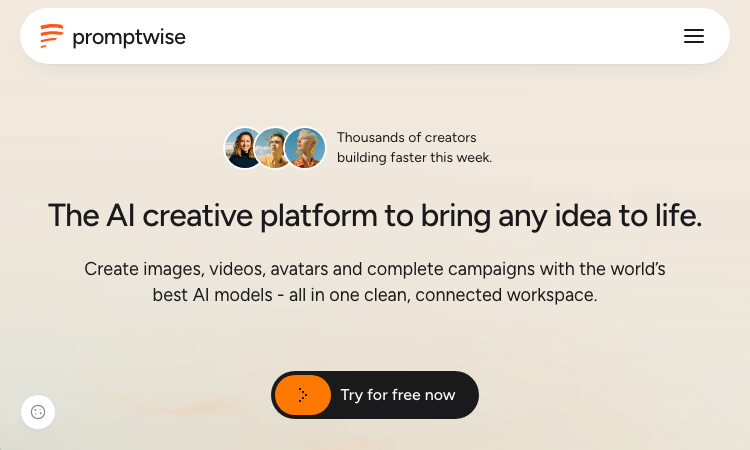
PromptWise
PromptWise – Official Website, What It Is & How to Use
PromptWise Official Website PromptWise is an all-in-one AI creative studio: images, video, audio, AI avatars, and full UGC ad campaigns powered by leading models — Nano Banana Pro, GPT Image 2, Kling 3.0, Seedance 2.5, Veo 3.1, Flux.2 Pro, and ElevenLabs v3 — in one connected workspace. Official app: https://promptwise.com Creator: PromptWise team Price: 7-day free trial (50 credits), then $19/$39/$79 per month (yearly saves up to 45%) Login required: Yes for the studio; the site tour and pricing are public Platform: Web Main use: Generating images, cinematic video, voiceovers and music, plus ready-to-use UGC ads with realistic AI creators Last checked: 2026-09-23 Visit PromptWise We are not the official developer of PromptWise. This page helps users find, understand, and use the product. What Is PromptWise? PromptWise targets creators and marketers who currently stitch together four subscriptions — one for images, one for video, one for voice, one for avatar ads — into one workspace. All three media types are covered: images (every top model, with character and brand consistency across outputs), video (built for cinematic work, ads, and visual storytelling), and audio (voiceovers, music, and sound effects via ElevenLabs v3). Its differentiators are workflow-shaped rather than model-shaped: UGC Factory turns out realistic AI-creator UGC ads in a few clicks, Influencer Studio maintains consistent AI influencers for on-brand content, Wise is an unlimited AI assistant that plans ideas and writes prompts in context, and Flows is an in-house creative canvas that chains prompts, images, videos, and models into reusable, scalable workflows. Pricing is credit-based and legible: 275 credits/month at Starter ($19, ≈137 Nano Banana Pro images or 36 Kling 3.0 videos), 800 at Plus ($39, 29% lower credit cost), 1,800 at Pro ($79, 35% lower), with parallel generation increasing by tier (2/4+ at once). How to Use PromptWise Open the official PromptWise website and start the free trial (50 credits, 7 days). Pick your surface: direct generation (image/video/audio), a Flow on the creative canvas, or a template-driven path like UGC Factory. Choose a model — e.g. Nano Banana Pro for images, Kling 3.0 or Seedance 2.5 for video, ElevenLabs v3 for voice — and enter or Wise-generate the prompt. Generate in parallel, organize results in the Studio hub, and iterate; campaigns chain outputs from one tool into the next. Is PromptWise Safe? The site runs on the promptwise.com domain over standard HTTPS and publishes Features, Pricing, and FAQ pages alongside sign-in. The 7-day trial converts to a paid subscription, so set a reminder if you only want the trial — though it advertises cancel-anytime. Generation involves uploading references for brand consistency, so treat any brand assets you upload as data leaving your device. No forced third-party login or deceptive redirects were observed during review. Last checked September 2026. Why Is PromptWise Popular? UGC-style ads with AI creators became one of the highest-ROI formats in 2025–2026 performance marketing, and PromptWise packages exactly that (UGC Factory, Influencer Studio) alongside the models everyone wants to try — Nano Banana Pro, Kling 3.0, Veo 3.1 — without their separate subscriptions. "Cheaper than competitors" positioning plus legible credit math (this many images or videos per tier) appeals to creators comparing escalating AI tool bills. PromptWise Not Working? If PromptWise fails to load: Refresh the page. Open it in another browser. Disable ad blockers temporarily. Check whether the original promptwise.com deployment is still online. Try again later if the developer is updating the app. PromptWise Alternatives Scenevio — free multi-model AI video generator AIEnhancer — 27-model video/image workspace with guided controls Creatify — AI UGC video ads from product links Frequently Asked Questions What is the official PromptWise website? The official website is https://promptwise.com. Is PromptWise free? It offers a 7-day free trial with 50 credits; after that plans start at $19/month (billed annually) with cancel-anytime. Do I need an account to use PromptWise? Yes — sign in is required to use the studio; only the marketing pages and pricing are public. Who created PromptWise? The PromptWise team; the platform aggregates models from Google, OpenAI, Kling, ByteDance (Seedance), Black Forest (Flux), and ElevenLabs. Is PromptWise still available? Yes, the site was live as of September 23, 2026.