Design Apps
Discover beautiful apps crafted with vibe coding across different categories. Explore our curated collection of lovable applications.
Categories

Void Magic AI
Void Magic AI – Official Website, What It Is & How to Use
Void Magic AI Official Website VoidMagic AI is a creative toolkit for face swaps and voice creation: swap faces in photos, videos, and GIFs, or build reusable AI voices — in one browser-based workspace. Official app: https://voidmagic.ai Creator: VoidMagic AI team Price: Registration required; paid usage implied by a published Refund Policy (no visible free tier during review) Login required: Yes — Sign In / Sign Up before running workflows Platform: Web (browser-based workflows, site available in 9 languages) Main use: Face replacement in photos, videos, and GIFs, plus AI voice cloning and celebrity-style voice generation Last checked: 2026-09-23 Visit Void Magic AI We are not the official developer of Void Magic AI. This page helps users find, understand, and use the product. What Is VoidMagic AI? VoidMagic bundles three visual face-swap workflows and two voice tools behind one consistent interface. On the visual side: Image Face Swap (single or multiple faces in still photos, preserving original lighting and composition), Video Face Swap (tracks each selected face frame to frame across moving footage, with single- and multiple-face workflows, trim controls to process only the part you need, and optional HD face enhancement), and GIF Face Swap aimed at reaction GIFs and short loops. On the audio side: an AI Voice Cloner that builds a reusable voice from a sample for narration and characters, plus a celebrity-style voice generator library. Each tool opens as a focused workflow rather than one overloaded editor, and results stay connected so you can move from a swapped video into voice work without exporting and re-uploading. A notable operational detail: uploaded face-swap media and generated results are automatically deleted after two hours, so you download your finished files promptly. How to Use VoidMagic AI Open the official VoidMagic AI website and create an account (Sign Up). Choose the workflow matching your media: Image Face Swap for photos, Video Face Swap for footage, GIF Face Swap for loops — or a voice tool. Upload your media; for video, select which faces to replace, trim to the segment you want, and optionally enable HD face enhancement. Generate, then download the result — files are auto-deleted two hours after creation, so save them immediately. Is VoidMagic AI Safe? The site runs on the voidmagic.ai domain over standard HTTPS and publishes a full legal set: Terms of Service, Privacy Policy, Cookie Policy, Acceptable Use Policy, and Refund Policy. Data handling is unusually specific: uploaded face-swap media and results are deleted automatically after two hours. An account is required, and by nature these tools involve uploading photos, videos, and voice samples of real people — treat consent seriously and check the Acceptable Use Policy, since impersonation and non-consensual media are standard prohibited uses for this category. No deceptive redirects were observed during review. Last checked September 2026. Why Is VoidMagic AI Popular? Face-swap memes and celebrity-voice clips are proven viral formats on TikTok, YouTube Shorts, and Discord, and searches for "face swap video" and "AI voice clone" keep climbing. VoidMagic fits because it covers the whole chain — photo, video, GIF, then voice — in one place, so creators producing a joke skit don't have to stitch together three separate single-purpose sites. Void Magic AI Not Working? If VoidMagic AI fails to load: Refresh the page. Open it in another browser. Disable ad blockers temporarily. Check whether the original voidmagic.ai deployment is still online. Try again later if the developer is updating the app. Void Magic AI Alternatives FaceSwapper — online photo and video face swapping Remaker AI — face swap plus broader image editing suite ElevenLabs — the leading standalone AI voice cloning platform Frequently Asked Questions What is the official Void Magic AI website? The official website is https://voidmagic.ai. Is Void Magic AI free? The site requires an account and publishes a Refund Policy, which indicates paid usage; no free tier was visible during review. Do I need an account to use Void Magic AI? Yes — Sign In / Sign Up gates the workflows. Who created Void Magic AI? The VoidMagic AI team; the site publishes Terms, Privacy, Acceptable Use, and Refund policies. Is Void Magic AI still available? Yes, the site was live as of September 23, 2026.
AI Manga Translator
Translate manga, manhwa, manhua and webtoons with AI while preserving artwork, speech bubbles and page layout.
AI Manga Translator AI Manga Translator is an AI-powered online manga translation tool designed to help readers translate manga, manhwa, manhua, and webtoons while preserving the original visual reading experience. Instead of extracting text and returning a separate block of translation, AI Manga Translator processes the entire comic page. It detects dialogue and narration, translates the content into the selected language, and places the translated text back into the original page while keeping the artwork, speech bubbles, panels, and overall layout as intact as possible. The goal is simple: make untranslated manga easier to read without forcing users to constantly switch between the original image and a separate translation tool. Key Features Full-page manga translation Upload a manga page and translate the dialogue directly inside the original image. Full chapter translation Process multiple pages or an entire chapter in one workflow instead of translating images one by one. Manga, Manhwa, Manhua & Webtoon support Designed for different comic styles, including Japanese manga, Korean manhwa, Chinese manhua, and vertically scrolling webtoons. Preserves original artwork and layout The translated result keeps the original characters, illustrations, panels, speech bubbles, and page composition whenever possible. Multiple file formats Supports common image formats such as JPG, PNG, and WEBP, as well as chapter formats including ZIP, CBZ, PDF, and EPUB. Multi-page processing Upload multiple pages together and keep them organized in the correct reading order. Original and translated page comparison Readers can compare the translated result with the original page when they want to verify dialogue or understand additional context. Multi-language translation Translate manga across multiple source and target languages without manually copying text into a traditional translator. How It Works Upload a manga image or chapter file. Choose the language you want to translate into. AI detects text such as dialogue and narration within the comic page. The content is translated while taking the surrounding page context into account. Translated text is placed back into the original manga page. Read or download the translated result. For longer chapters, multiple pages can be processed together so readers can continue through the story in sequence rather than managing every page separately. Why AI Manga Translator? Traditional manga translation often involves several separate steps: extracting text with OCR, copying it into a translator, matching each translation back to the correct speech bubble, and switching repeatedly between tools. AI Manga Translator combines these steps into a single workflow. This makes it especially useful for readers who discover untranslated manga chapters, raw releases, manhwa, manhua, or webtoons that are not yet available in their preferred language. Rather than focusing only on text extraction, the product is designed around the final reading experience. The translation remains connected to the artwork and page layout, helping readers follow conversations and story flow more naturally. Who Is It For? AI Manga Translator is useful for: Manga readers who want to read raw Japanese manga Manhwa readers waiting for translated releases Manhua readers who want translations in other languages Webtoon readers encountering untranslated chapters Multilingual comic readers Users who need to translate complete manga chapters instead of individual sentences Anyone looking for a faster alternative to manually translating speech bubbles Supported Content AI Manga Translator can be used with: Manga Manhwa Manhua Webtoons Comic pages Individual manga images Multi-page chapters ZIP and CBZ manga archives PDF and EPUB comic files Designed for Reading, Not Just Translation The core idea behind AI Manga Translator is that manga translation should feel like reading manga, not using an OCR tool. By combining text detection, AI translation, page understanding, layout preservation, and image processing into one workflow, the platform reduces the amount of manual work required to understand untranslated comics. Whether you need to translate a single page or an entire chapter, AI Manga Translator provides a faster and more natural way to read manga across language barriers.

Get Face Report
Get Face Report – Official Website, What It Is & How to Use
Get Face Report Official Website Get Face Report is a photo-based face analysis tool: a free on-device scan of your facial proportions, symmetry, and shape, with an optional one-time $14.79 full report covering styling guidance and six hairstyle previews on your own face. Official app: http://getfacereport.com Creator: Get Face Report team Price: Freemium — first scan free, full report $14.79 once (no subscription) Login required: No for the free scan; Google sign-in to save and revisit a purchased report Platform: Web (free analysis runs in your browser, on this device) Main use: Understanding facial proportions, symmetry, and shape, then acting on it with hairstyle and styling recommendations Last checked: 2026-09-20 Visit Get Face Report We are not the official developer of Get Face Report. This page helps users find, understand, and use the product. What Is Get Face Report? Get Face Report turns a single front-facing photo into a structured read of your face geometry — proportions, symmetry, harmony, structure — scored in a sample dossier (e.g. Symmetry 84, Harmony 86). What makes it different from typical face-rating apps is restraint and privacy: the first scan runs entirely on your device (no upload, no account), the scores come with honest caveats (photo-based geometric estimates affected by lighting and pose — "not objective judgments of your worth or medical assessments"), and the paid report is action-oriented rather than a vanity number: individual observations with evidence, strengths and priorities, a four-week plan, color and eyewear guidance, and six AI hairstyle concepts rendered on your own face (labeled illustrative, not predictions). Around the core report sit focused tools — PSL Scale analysis, Hunter Eyes, Golden Ratio Face, Face Shape Detector, Face Symmetry Test, AI Hairstyle Changer — plus guides that explain the terminology and limits of photo-based analysis. How to Use Get Face Report Open the official Get Face Report website and choose a clear front-facing photo (neutral expression, even light; a side photo is optional context). Start the free analysis — the scan of proportions and symmetry runs in your browser; no account needed. Review the measurements, then decide whether to purchase the full report ($14.79, one-time) with Google sign-in. Explore your detailed observations, prioritized four-week plan, styling guidance, and six hairstyle previews; revisit anytime under My reports. Is Get Face Report Safe? The privacy model is unusually explicit: free scans never leave your device, and only when you purchase are your photos and generated concepts stored privately with your report until you delete them. Payment is a one-time purchase with no subscription, and login is Google-based rather than a fresh password. Honest limitations: a front photo is required; unseeable profile features are not scored; results are geometric estimates, not medical assessments. The site publishes Privacy and Terms pages. The main caveat is inherent to the category — you are uploading face photos for the paid features, so consider what that means for you. During review, no deceptive redirects were observed. Last checked September 2026. Why Is Get Face Report Popular? Face-analysis tools ride two currents: the looksmaxxing/PSL-scale vocabulary that spread through TikTok and Reddit, and the practical "what hairstyle suits my face shape?" question everyone asks before a haircut. Get Face Report serves both — it speaks the PSL/Hunter Eyes/Golden Ratio language that community searches for, while steering toward constructive output (priorities, a plan, hairstyle previews) instead of a single harsh rating. Get Face Report Not Working? If Get Face Report fails to load: Refresh the page. Open it in another browser. Disable ad blockers temporarily. Check whether the original getfacereport.com deployment is still online. Try again later if the developer is updating the app. Get Face Report Alternatives FaceShape app — face shape detection with hairstyle ideas Golden Ratio Face apps — symmetry and proportion scoring on mobile Frequently Asked Questions What is the official Get Face Report website? The official website is http://getfacereport.com. Is Get Face Report free? The first face report scan is free and runs on-device. The full saved report is a one-time $14.79 purchase — no subscription. Do I need an account to use Get Face Report? No account is needed for the free scan. Google sign-in is required to save and revisit a purchased report. Who created Get Face Report? The Get Face Report team; the site publishes Privacy, Terms, and Contact pages. Is Get Face Report still available? Yes, the site was live as of September 20, 2026.
AIEnhancer
AIEnhancer – Official Website, What It Is & How to Use
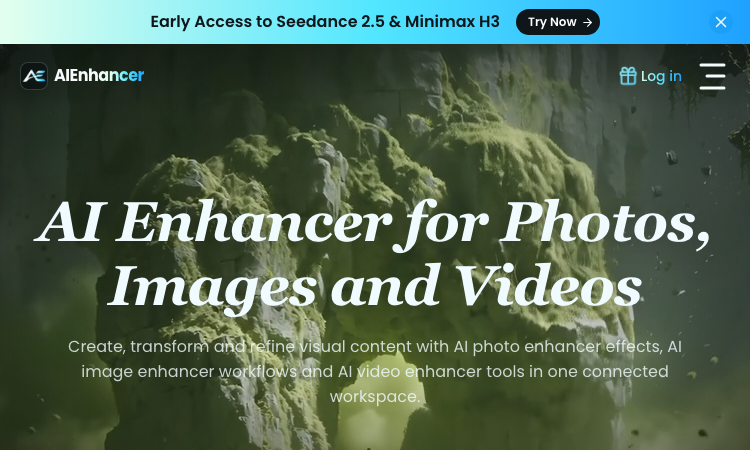
AIEnhancer Official Website AIEnhancer is an all-in-one AI workspace for enhancing and creating photos, images, and videos, with 27 production-ready models and guided creative controls. Official app: https://aienhancer.co Creator: AIEnhancer team Price: Freemium — Start Creating Free, paid plans via Pricing page Login required: Yes for generating; the model catalog and effects list are browsable without an account Platform: Web Main use: AI photo enhancer effects, image-to-video / text-to-video generation, and guided image restyling in one workspace Last checked: 2026-09-18 Visit AIEnhancer We are not the official developer of AIEnhancer. This page helps users find, understand, and use the product. What Is AIEnhancer? AIEnhancer targets people who bounce between five different AI tools to get one usable asset. It puts 27 video and image models — Seedance 2.5, Sora 2, Veo 3.1 Fast, Grok Imagine 1.5, Kling 3.0, Wan 2.7, MiniMax H3, Hailuo, Runway, PixVerse V6, Nano Banana 2 — behind one interface with four video entry points (text-to-video, image-to-video, reference-to-video, frames-to-video) plus text-to-image and image-to-image. Its differentiator is guided control: instead of raw prompt boxes, it matches mode, ratio, resolution, and model support for you, keeps a safe fallback model when your first choice cannot run, and validates every setting before the job starts. It also ships dozens of ready-made AI Effects — AI 2D to 3D, AI Action Figure, AI Aging & De-aging, AI ASMR, AI Baby Dance, AI Hairstyle, AI Movie Cameo, AI Shadow Clone — that turn trendy formats into repeatable templates your audience can recognize. Results land in a shared asset library instead of scattered downloads. How to Use AIEnhancer Open the official AIEnhancer website. Pick an entry point: Text to Video, Image to Video, Reference to Video, or an image workflow — or start from an AI Effect like AI Action Figure. Add your prompt or upload a reference image, then choose a model (each model card shows its vendor and strength, e.g. Seedance 2.5 for quality, Seedance 2.0 Mini for speed). Click Generate; refine and iterate in the same workspace, keeping useful outputs in the asset library. Is AIEnhancer Safe? The site runs on the aienhancer.co domain with standard HTTPS and publishes a Pricing page and login flow. Generation requires an account, and workflows like image-to-video mean you may upload personal photos — treat uploads as data leaving your device. No forced third-party login or deceptive redirects were observed during review; free creation is offered before payment. Last checked September 2026. Why Is AIEnhancer Popular? AIEnhancer rides the wave of short-form video effects (AI Baby Dance, AI ASMR, AI Gugugaga, AI Fighting Video) that spread on TikTok and Instagram, packaging them as one-click templates. Its early access to freshly released models like Seedance 2.5 and MiniMax H3 also pulls in creators who want to try new models without managing multiple subscriptions. AIEnhancer Not Working? If AIEnhancer fails to load: Refresh the page. Open it in another browser. Disable ad blockers temporarily. Check whether the original aienhancer.co deployment is still online. Try again later if the developer is updating the app. AIEnhancer Alternatives Scenevio — free multi-model AI video generator with prompt showcases Hailuo AI (MiniMax) — fast character-consistent video generation Pollo AI — multi-model video generation with template effects Frequently Asked Questions What is the official AIEnhancer website? The official website is https://aienhancer.co. Is AIEnhancer free? It offers free creation to start; ongoing generation and premium models follow the plans on its Pricing page. Do I need an account to use AIEnhancer? You can browse models and effects without an account, but generating and saving assets requires signing in. Who created AIEnhancer? The AIEnhancer team; the site lists model vendors (ByteDance, Google, OpenAI, Alibaba, Kuaishou, xAI, MiniMax, Runway, PixVerse) but is an independent aggregator, not those vendors. Is AIEnhancer still available? Yes, the site was live as of September 18, 2026.
Lemgen
Lemgen – Official Website, What It Is & How to Use
Lemgen Official Website Lem Gen (Lemgen) is a free community gallery of ready-to-use AI prompts for image and video models, plus a built-in workspace to run them. Official app: https://lemgen.org Creator: Lem Gen team Price: Free to browse; credits system for generation (earn 50 credits when your prompt gets featured) Login required: No for browsing the gallery; Yes for generation, favorites, and publishing prompts Platform: Web Main use: Finding and copying model-ready prompts for GPT Image 2, Nano Banana, Seedance, Veo 3.1, and Midjourney Last checked: 2026-09-18 Visit Lemgen We are not the official developer of Lemgen. This page helps users find, understand, and use the product. What Is Lemgen? Lemgen solves a very concrete problem: most people fail at AI image and video generation not because the model is bad, but because their prompt is vague. Lemgen curates community-submitted prompts that already produced strong results with GPT Image 2, Nano Banana 2, Seedance 2.0, Veo 3.1, and Midjourney, organized by practical categories — Ads & Product, Brand & Logo, Videos, Illustration & 3D, Posters & Visuals, Portraits, Ecommerce fashion, and Wallpaper. Every card in the gallery shows the result plus the prompt behind it, so you copy a proven recipe instead of guessing. Unlike a plain Pinterest-style board, it also includes an AI workspace where you can run the prompt immediately (including video generation with models like Seedance 1.5 Pro, with 480P/4s defaults and sound), MCP Server and OpenClaw skill integrations, and a credit system that rewards featured submissions. How to Use Lemgen Open the official Lemgen website. Browse the gallery by category, tag, or popularity (Latest / Popular / Featured), or search with ⌘K. Click a result you like and copy its prompt — the gallery is free, no account needed. To generate on the spot, open the AI Workspace, paste the prompt, pick a model, and generate; sign in to save history and favorites. Is Lemgen Safe? Browsing the gallery requires no registration and no third-party (Google/Discord) login is forced — you can explore everything first. An account is only needed to generate, favorite, or publish prompts. The site serves standard HTTPS on the lemgen.org domain and links out to Terms, Privacy, and Refund policies. Community-submitted content means quality varies card to card, but nothing observed during review pushed deceptive downloads or redirects. Last checked September 2026. Why Is Lemgen Popular? Lemgen appears to be growing through its community of submitters — the gallery visibly credits each prompt's author, and the "publish a prompt, earn 50 credits when featured" loop encourages creators to share their best recipes. Interest around newer models like GPT Image 2, Nano Banana, and Seedance 2.0 also drives search traffic, since Lemgen surfaces working prompts for exactly those models. Lemgen Not Working? If Lemgen fails to load: Refresh the page. Open it in another browser. Disable ad blockers temporarily. Check whether the original lemgen.org deployment is still online. Try again later if the developer is updating the app. Lemgen Alternatives PromptHero — large long-standing prompt gallery for images Lexica — Stable Diffusion prompt search by example artwork OpenArt — prompt library plus its own generation platform Frequently Asked Questions What is the official Lemgen website? The official website is https://lemgen.org. Is Lemgen free? Yes, browsing and copying prompts is free. Generation in the workspace uses a credit system, and you can earn 50 credits when a prompt you publish gets featured. Do I need an account to use Lemgen? No account is needed to browse and copy prompts; signing in unlocks generation, history, favorites, and publishing. Who created Lemgen? The Lem Gen team; the site publishes Terms, Privacy, and Refund policy pages. Is Lemgen still available? Yes, the site was live as of September 18, 2026.
Scenevio
Scenevio – Official Website, What It Is & How to Use
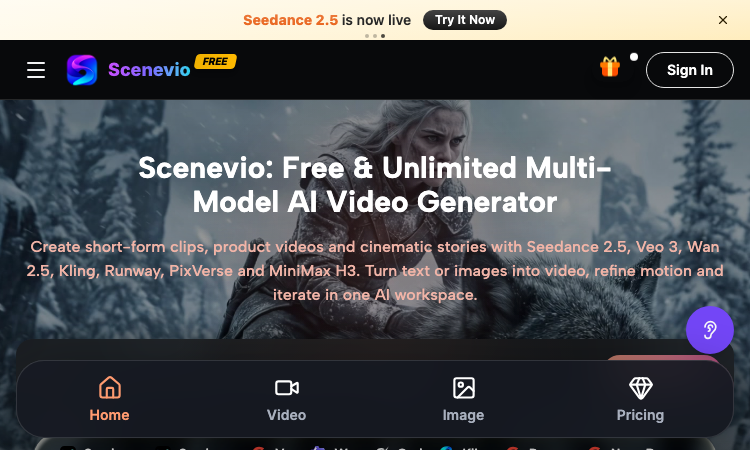
Scenevio Official Website Scenevio is a free multi-model AI video generator that turns text prompts and images into short-form clips, product videos, and cinematic story sequences. Official app: https://scenevio.com Creator: Scenevio team (support@scenevio.com) Price: Freemium — free starter credits plus paid plans from $14.99/month Login required: Yes, an account is needed to generate and save videos Platform: Web (works in any modern browser, 8 languages including English, Japanese, Korean, and Chinese) Main use: Text-to-video and image-to-video generation with 26+ AI models Last checked: 2026-09-18 Visit Scenevio We are not the official developer of Scenevio. This page helps users find, understand, and use the product. What Is Scenevio? Scenevio is a web-based AI video workspace that puts many of the leading video models — Seedance 2.5, Veo 3, Wan 2.5, Kling, Runway, PixVerse, and MiniMax H3 — behind a single interface, so you can compare outputs without juggling separate subscriptions. You type a prompt or upload a reference image, pick a model, and generate a clip; per-second billing means credits follow actual duration, resolution, and reference inputs rather than a flat per-video rate. Beyond video, it also bundles image models such as Seedream, Flux, Nano Banana, and GPT Image for concept frames. The homepage doubles as a prompt library: every showcased clip (macro food shots, mecha squads, golden-hour trains) can be opened directly in the workspace or copied as a starting prompt, which makes it easy to go from zero to a first render in minutes. How to Use Scenevio Open the official Scenevio website and click Generate. Sign in to create your workspace (free starter credits are included). Choose a mode — text-to-video or image-to-video — and select a model such as Seedance 2.5 or Veo 3. Type your prompt (or copy one from a homepage showcase) and generate; refine motion and iterate in the same workspace. Is Scenevio Safe? The site runs on the Scenevio.com domain with standard HTTPS and does not require third-party login such as Google or Discord beyond a regular account. Generation requires signing in, and uploads may include reference images, so treat anything you submit as data leaving your device. Payment is only needed for paid plans (Lite, Starter, Pro, Unlimited), which unlock private generation, no-watermark exports, and a commercial license — the free tier is ad-supported with watermarks. No deceptive redirects were observed during review; last checked September 2026. Why Is Scenevio Popular? Scenevio appears to be gaining attention through direct sharing and word-of-mouth around newly released models like Seedance 2.5, although there is no clear public source showing where the trend originated. Its positioning as a single place to try many premium video models at once — with free credits and per-second billing — gives it natural reach among short-form creators on TikTok and Instagram. Scenevio Not Working? If Scenevio fails to load: Refresh the page. Open it in another browser. Disable ad blockers temporarily. Check whether the original scenevio.com deployment is still online. Try again later if the developer is updating the app. Scenevio Alternatives Runway — the veteran AI video suite with strong editing tools Kling AI — high-motion video generation from Kuaishou Hailuo (MiniMax) — fast, character-consistent video generation Frequently Asked Questions What is the official Scenevio website? The official website is https://scenevio.com. Is Scenevio free? It is freemium: you get free starter credits to generate videos, but watermark-free exports, private generation, and a commercial license require a paid plan (from $14.99/month to $149.99/month for Unlimited). Do I need an account to use Scenevio? Browsing showcases is free, but generating and saving videos requires an account. Who created Scenevio? The Scenevio team; the site lists support@scenevio.com as its contact. Is Scenevio still available? Yes, the site was live and generating as of September 18, 2026.
Image2Layer
Turn flat images into editable PSD layers with AI
Image2Layer is an AI-powered image-to-PSD and image layer separation tool for designers, Photoshop users, marketers, ecommerce teams, and content creators. It helps users turn flat JPG, PNG, and WebP images into editable layered PSD files without manually rebuilding every element from scratch. Users can upload an image and let AI separate key visual elements such as the main subject, background, logos, text, icons, shadows, and decorative details. The separated result can be exported as a Photoshop-ready PSD file, transparent PNG layers, or a ZIP package for further editing. Image2Layer is useful for AI-generated images, ecommerce product visuals, marketing graphics, social media assets, mockups, posters, and design references. Key features: AI-powered image layer separation Convert JPG, PNG, and WebP images to editable PSD files Export transparent PNG layers Download separated assets as a ZIP package Useful workflows for image to PSD, PNG to PSD, JPG to PSD, logo to layers, character to layers, and background splitting
AI STL Generator
Turn Text & Images into 3D Printable STL Files
AI STL Generator Turn Text & Images into 3D Printable STL Files. The fastest AI STL generator to turn prompts and images into 3D printable STL files. AI STL Generator turns text prompts and 2D reference images into production-ready, watertight, 3D printable STL models in seconds. Supports Text to STL, Image to STL, STL Viewer, 3MF to STL conversion, and STL Studio editing — built for 3D printing enthusiasts with Bambu Lab, Creality, PrusaSlicer, OrcaSlicer and Cura workflows. Text to STL: describe your idea, get a printable model Image to STL: convert 2D reference images to 3D models STL Viewer & STL Studio editing tools 3MF to STL conversion Try it free at https://aistlgenerator.com/
Renoir AI
Create stunning images, videos, and audio with AI.
Renoir AI is a premium all-in-one creative platform that brings together AI image generation, video synthesis, and audio creation in a single, beautifully designed interface. Whether you're a designer, filmmaker, musician, or content creator, Renoir AI gives you the tools to turn ideas into polished creative assets in seconds. For images, choose from Renoir Basic, Pro, and Ultra — each model fine-tuned for different styles and quality levels. Generate photorealistic portraits, digital art, anime, oil paintings, 3D renders, and more. Apply style presets like Cinematic, Anime, or Oil Painting, and fine-tune output with advanced controls including seed, guidance scale, and negative prompts. For video, Renoir Video Basic, Pro, and Ultra produce cinematic clips up to 10 seconds with realistic motion, consistent characters, and professional camera work. Support for multiple aspect ratios — 16:9, 9:16, and 1:1 — means your content is ready for any platform. For audio, Renoir Opus, Song, Melody, and Score generate original music tracks, ambient soundscapes, cinematic scores, and sound effects up to 240 seconds. Add custom lyrics for AI-sung vocals or create instrumentals in any genre. Every generation on a paid plan comes with full commercial usage rights — no attribution required. Renoir AI also offers API access for developers, priority queues for faster output, and enterprise-grade security features. Start creating for free with no credit card required, and upgrade when you're ready for more.
ReelHive
AI real estate video maker for property listings
ReelHive turns property photos into polished real estate listing videos in minutes. Choose Luxury, Modern, or Social styles in 9:16 or 16:9, then add music, property details, calls to action, logos, and brand colors. Its dedicated real-estate video model selects suitable camera movement for each listing image, helping agents, teams, listing photographers, and property marketers create videos for new listings, open houses, social media, property websites, and YouTube. ReelHive offers a free trial with paid plans. Visit https://reelhive.app/ to get started.

AI VTuber Maker & 3D Avatar Studio
Turn a character image into a 3D VTuber avatar with AI, browser face tracking, and OBS output.
Virmii is an AI VTuber avatar studio that helps you turn a character reference image into a 3D avatar and bring it to life on stream. Upload your character image, generate a 3D model, prepare your rigged VRM avatar, and use browser-based face tracking to animate it. Connect your avatar to OBS for livestreams and recordings. Key features: AI-powered 3D avatar generation from reference images. Avatar rigging and VRM preparation. VRM model management in one workspace. Browser-based face tracking. OBS output for streaming and recording. Built for aspiring VTubers, streamers, and character creators, Virmii brings avatar creation and live performance into one connected workflow.
Wiggly Paint
Wiggly Paint – Official Website, What It Is & How to Use
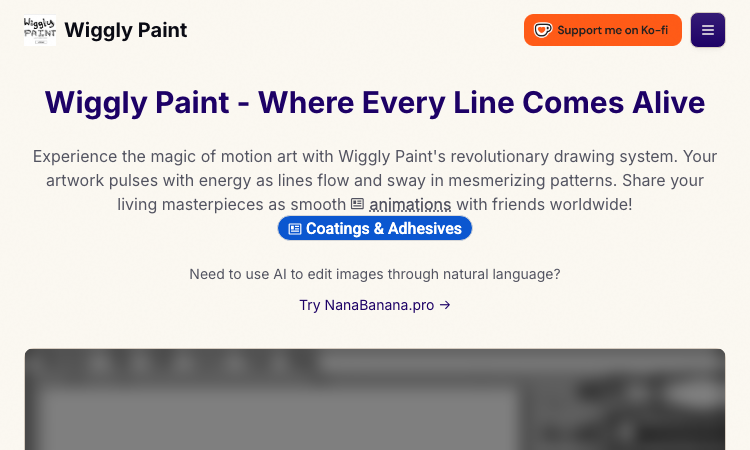
Wiggly Paint Official Website Wiggly Paint is a free online animated drawing tool where every line you draw comes alive. Official app: https://wiggly-paint.com/ Creator: Wiggly Paint team Price: Free Login required: No Platform: Web (browser-based, fullscreen supported) Main use: Create animated, wiggling drawings and export them as looping GIFs Last checked: 2026-09-03 Visit Wiggly Paint We are not the official developer of Wiggly Paint. This page helps users find, understand, and use the product. What Is Wiggly Paint? Wiggly Paint is a browser-based drawing tool that turns static strokes into living, moving art. Instead of producing a flat image, each brushstroke keeps wobbling, bouncing, and swaying after you draw it, powered by the site's real-time animation engine. It offers 8 playful brush styles, each with its own motion signature, plus a frame-by-frame timeline for building longer animated stories. When you are happy with your creation, you can export it instantly as a smooth looping GIF to share on social media or in chats. There is nothing to download and no signup required — the tool runs directly on the website. How to Use Wiggly Paint Open the official Wiggly Paint website and click Run Tool (use the fullscreen button in the top right for a bigger canvas). Select one of the 8 wiggly brushes — each has unique wobble effects and colors. Draw and watch your lines dance in real time; add multiple frames on the timeline for more complex animations. Export your artwork as an animated GIF and share it anywhere. Is Wiggly Paint Safe? Yes, by what can be verified: no registration or third-party login is needed, there are no payments, and the site describes itself as an ad-free, kid-friendly creative space. It runs entirely in the browser on the wiggly-paint.com domain. Note the site cross-promotes a separate AI image tool (NanaBanana.pro), but using Wiggly Paint itself requires no personal data. Why Is Wiggly Paint Popular? Animated, "living" doodles are highly shareable — a wobbling GIF stands out in feeds far more than a static image. Wiggly Paint also serves the pixel-art and place-canvas community (see its related Wplace paint tool), and its zero-friction, no-signup design makes it easy to spread through direct sharing on social platforms and messaging apps. Wiggly Paint Not Working? If the tool fails to load, refresh the page, try another browser, or temporarily disable ad blockers. The drawing canvas is embedded in the page, so a slow connection can delay the "Run Tool" button — give it a moment, and try again later if the developers are deploying updates. Wiggly Paint Alternatives Bomomo and other generative art toys — expressive effects, but not animation-focused FlipAnim / frame-by-frame animators — more control over keyframes, but a steeper learning curve Standard GIF makers — animate existing images, but cannot draw wiggling strokes natively Frequently Asked Questions What is the official Wiggly Paint website? The official website is https://wiggly-paint.com/ Is Wiggly Paint free? Yes, the drawing tool and GIF export are free with no payment or subscription. Do I need an account to use Wiggly Paint? No. Open the site, click Run Tool, and start drawing immediately. Who created Wiggly Paint? An independent team building browser-based creative tools; the site also maintains a gallery and blog. Is Wiggly Paint still available? Yes, the site and its drawing tool were online and working as of 2026-09-03.