Design Apps
Discover beautiful apps crafted with vibe coding across different categories. Explore our curated collection of lovable applications.
Categories
AI‑Ready Development Custom PHP Engineer
A development studio & AI‑native infrastructure provider that builds high‑performance, agent‑ready websites.
Built2WinWeb — AI‑Ready Dev, MCP Infrastructure & Custom PHP Engineering Overview Built2WinWeb is a custom PHP development studio and AI‑native infrastructure provider that builds high‑performance, agent‑ready websites and AI discovery tools. Operating at the intersection of custom PHP engineering and agentic infrastructure, the studio helps businesses become discoverable, accessible, and interactive for AI assistants like ChatGPT, Claude, Perplexity, and Gemini. Founded by Jacob Campbell, a computer science graduate with a minor in cybersecurity from Florida Atlantic University, Built2WinWeb brings together deep technical expertise in PHP, MySQL, JavaScript, React, Node.js, and modern deployment practices. The company's mission is to help businesses own their digital presence — with flat‑fee pricing, full code ownership, and zero vendor lock‑in. Built2WinWeb operates from Greenacres, Florida, serving clients across the United States and internationally. The company has built over 100 custom websites, ecommerce stores, and SaaS platforms, and has been featured on more than 100 directories, launch platforms, and AI discovery platforms. Three core solutions: AI Indexing Pack ($599 one‑time) — Make any site AI‑readable in 30 minutes WebAgentScan ($9–$100/mo) — SaaS that scores any domain for AI readiness & MCP security Custom PHP Websites (flat fee) — Hand‑coded, agent‑ready sites built from scratch The Problem We Solve The Website Problem Most websites today are slow, bloated, and built on platforms you don't truly own. WordPress, Wix, Shopify, Squarespace, and other popular website builders load hundreds of kilobytes of unnecessary code, slow plugins, and third‑party scripts before users see anything meaningful. Business owners pay monthly fees for platforms that actively hurt their search rankings, lock them into restrictive vendor ecosystems, and never truly belong to them. The result is a cascade of business problems: Lost traffic — Google penalizes slow websites. A one‑second delay in page load time can reduce conversions by up to 7%, and 53% of mobile users abandon sites that take longer than three seconds to load. Lost leads — Slow websites rank lower in search results, meaning fewer people find your business organically. Lost revenue — Ecommerce sites that load slowly lose sales. Amazon found that every 100ms of latency costs them 1% in sales. Lock‑in — You can't take your site with you if you leave WordPress, Wix, or Shopify. Your content is stuck on their platform. Ongoing costs — Monthly fees, transaction fees, and plugin subscriptions add up. A typical WordPress site with hosting, a premium theme, and a handful of plugins can cost $500‑$1,000+ per year just to maintain. The AI Discovery Problem Meanwhile, a seismic shift is happening in how people find information online. AI agents like Perplexity, ChatGPT, Claude, and Google's AI Overviews are becoming the new search engines. These AI tools actively scan websites for structured discovery files — MCP servers, llms.txt, A2A handlers, OAuth metadata, and ARD manifests. Without these, your site becomes completely invisible to AI assistants, missing out on referral traffic, leads, and discoverability. The websites that prepare for this shift will dominate their markets. The ones that don't will be left behind. AI Indexing Pack ($599 one‑time) What It Is The AI Indexing Pack is a turnkey deployment that makes any website AI‑readable in under 30 minutes. It includes everything needed to publish a complete agentic discovery surface without requiring a full website rebuild. What's Included ✅ Working MCP server with schema definitions, output schemas, and annotations ✅ Intelligent content negotiation — Markdown served to agents, HTML served to browsers on the same URLs ✅ Complete discovery layer: llms.txt, agents.txt, agent cards, and all /.well-known endpoints ✅ Crawler defense that blocks forged bots and protects your content ✅ Step‑by‑step deployment guide with troubleshooting and verification steps ✅ Perpetual license — install on every domain you own, no recurring fees Who It's For Website owners who want AI discoverability without rebuilding their site Developers who need a quick, reliable agent discovery stack Agencies who want to offer AI readiness as an add‑on service Anyone who wants to appear in ChatGPT, Claude, and Perplexity results Technical Specifications | Component | Specification | | :--- | :--- | | MCP Server | JSON‑RPC over HTTP, MCP protocol v1.0 compliant | | llms.txt | Markdown format, follows Cloudflare spec | | Content Negotiation | Accept: text/markdown header detection | | Bot Filtering | Blocks forged crawlers via user‑agent filtering | | Deployment | PHP 8.2+ or Node.js 18+, any web host | Delivered instantly after payment — no subscription required. WebAgentScan ($9–$100/mo) What It Is A hosted SaaS that evaluates any domain out of 100 across seven graded dimensions. WebAgentScan is the only scanner that audits MCP server security alongside AI readiness and reports Domain Rating from licensed SE Ranking and Ahrefs data — not blended estimates. Seven Graded Dimensions | Dimension | What It Checks | Weight | | :--- | :--- | :--- | | Discovery surfaces | llms.txt, agents.txt, agent cards, .well-known compliance | 15% | | Machine‑readable content | Markdown negotiation, structured data, JavaScript‑free access | 15% | | Crawler policy | Bot admission rules, soft 404 detection | 10% | | MCP implementation | JSON‑RPC validation, tool‑by‑tool grading | 25% | | Agent security | Authentication posture, exposed assets, prompt injection surface | 20% | | Domain authority | DR, referring domains from licensed Ahrefs & SE Ranking | 15% | What You Get One score out of 100 — clear, actionable metric Prioritized fix list — ordered by what each fix is actually worth Domain Rating — from licensed Ahrefs and SE Ranking data Referring domains — complete backlink profile MCP security audit — authentication posture, exposed files, prompt injection surface Tool‑by‑tool grading — every tool your MCP server advertises, graded individually Pricing Plans | Plan | Price | Scans | DR Lookups | Seats | Badge | | :--- | :--- | :--- | :--- | :--- | :--- | | Starter | $9/mo | 300 | 15 | 1 | Required | | Pro | $29/mo | 2,000 | 60 | 3 | Required | | Proprietary | $100/mo | Unlimited | 200 | 10 | No badge | Seats are capped on purpose — each seat represents a fixed monthly allowance. When a plan reaches capacity, signup is refused rather than oversold. Overages are billed at a transparent per‑lookup rate. Custom PHP Websites (one‑time flat fee) What It Is Hand‑coded from the ground up — no templates, no page builders, no plugins, no recurring costs. Every custom build includes the full AI agent discovery stack and scores 100/100 on isitagentready.com. Why Choose Custom PHP | Factor | Built2WinWeb | WordPress / Wix / Shopify | | :--- | :--- | :--- | | Code | 100% hand‑coded PHP from scratch | Templated, plugin‑dependent, bloated | | Performance | Lighthouse 100 targets, sub‑1s load times | Average LCP 3.8s, CLS issues common | | Pricing | One‑time flat fee, no monthly charges | Monthly subscriptions + transaction fees | | Ownership | Full code ownership, no vendor lock‑in | Platform owns your content and code | | Scalability | API‑first architecture, scales to 10k+ users | Plugin limits, hosting bottlenecks | | SEO | Built‑in JSON‑LD, Core Web Vitals, technical SEO | Requires plugins, often slow and heavy | | AI Agent Readiness | Full MCP, A2A, ARD, OAuth, llms.txt stack | None — invisible to AI assistants | Full Agent Stack Included MCP Server — Model Context Protocol endpoints exposing tools and resources llms.txt & llms-full.txt — Machine‑readable content indexes for agent discovery A2A Conversation Handler — Agent‑to‑Agent protocol v1.0 with skill‑based routing ARD Manifest (ai-catalog.json) — Agentic Resource Discovery with representative queries OAuth Metadata (RFC 8414 & 9728) — Protected resource and authorization server metadata Agent Card — A2A agent discovery via /.well-known/agent-card.json MCP Server Card — MCP discovery via /.well-known/mcp.json OpenAPI Specification — Auto‑generated for AI tool‑calling Auth.md — Agent authentication documentation DNS-AID Records — DNS discovery for AI agents Content-Signal Directives — robots.txt content usage declarations Performance Targets | Metric | Target | Achieved | | :--- | :--- | :--- | | Lighthouse | 100/100 | ✅ 100/100 | | LCP | Under 1s | ✅ 0.6‑0.8s | | CLS | Under 0.1 | ✅ 0.01‑0.05 | | INP | Under 200ms | ✅ 12‑45ms | | TTFB | Under 600ms | ✅ 180‑250ms | | FCP | Under 1.8s | ✅ 0.4‑0.7s | Pricing | Package | Price | Description | | :--- | :--- | :--- | | Business Pro Website | $3,000 | 8‑10 page site with CMS, forms, deployment, full agent stack | | Ecommerce Website | $8,000 | Custom PHP store with Stripe/PayPal, inventory, subscriptions, full agent stack | | SaaS / Web Application | $15,000 | Full‑stack platform with API‑first architecture, user management, full agent stack | Additional Services | Service | Price | Description | | :--- | :--- | :--- | | WordPress Migration | $1,950 | Migrate from WordPress to custom PHP without losing SEO | | Technical SEO Optimization | $1,040 | Full audit: crawlability, canonical tags, structured data, sitemap | | Local SEO & GBP | $520 | Rank in Google's local map pack with GBP optimization and citations | | Stripe Payment Integration | $1,040 | Native PHP Stripe checkout with webhooks, inventory sync | | Custom Database Application | $7,280 | Custom MySQL admin panels, dashboards, inventory systems | | Schema Markup & Structured Data | $520 | LocalBusiness, FAQ, Product, Article, HowTo schema | | Core Web Vitals Optimization | $975 | Fix LCP, INP, CLS, TTFB, FCP on any existing website | | Hosting Setup & Deployment | $390 | Server setup, DNS, SSL, CI/CD, full deployment | Service Areas Built2WinWeb builds custom websites for businesses across the United States, with a focus on Florida (Miami, Fort Lauderdale, West Palm Beach, Jacksonville, Orlando, Tampa) and nationwide (New York, Los Angeles, Chicago, Dallas, Houston, Phoenix, Philadelphia, San Antonio, San Diego). Industries Served | Industry | Example Client Types | | :--- | :--- | | Law Firms | Attorneys, legal practices, mediation services | | Real Estate | Agents, brokers, property managers, investors | | E‑commerce | Retail brands, specialty stores, subscription boxes | | SaaS | Software founders, tech startups, platform builders | | Construction | Contractors, builders, remodelers, trades | | Restaurants & Cafes | Fine dining, casual dining, food trucks, cafes | | Medical & Dental | Clinics, dental practices, healthcare providers | | Professional Services | Accountants, consultants, financial advisors | Who We Serve | Audience | Use Case | Why Built2WinWeb | | :--- | :--- | :--- | | SaaS platforms | Surface APIs to AI agents for discovery and integration | MCP, A2A, OpenAPI, full agent stack | | Real estate agents | AI‑driven lead generation and referral visibility | Agent‑ready websites, local SEO, AI discoverability | | E‑commerce brands | AI referral traffic and automated product discovery | Custom PHP stores, full agent stack, no Shopify fees | | Law firms | Fast‑loading, authoritative sites that rank locally | Lighthouse 100, technical SEO, schema markup | | Agencies | White‑label PHP engineering and AI infrastructure | Hand‑coded code, full ownership, NDAs | | Developers | Agent‑ready websites for themselves or clients | AI Indexing Pack, WebAgentScan, custom builds | Key Differentiators Only scanner that audits MCP server security alongside AI readiness Licensed Domain Rating from SE Ranking and Ahrefs — no blended estimates Perpetual license on AI Indexing Pack — deploy on every site you own 100/100 isitagentready.com score on every custom build Flat‑fee, zero monthly fees on custom websites Full code ownership — no vendor lock‑in Hand‑coded PHP — no page builders, no plugins Lighthouse 100 guaranteed — LCP <1s, CLS <0.1, INP <200ms Accessibility‑conscious — semantic HTML, ARIA, focus management, high contrast 11 languages — EN, ES, FR, DE, IT, PT, ZH, JA, KO, RU, NL The Result Sites engineered or indexed by Built2WinWeb rank higher, load faster, and surface in AI search results — driving referral traffic, leads, and visibility that competitors simply cannot match. Higher rankings — Faster sites rank higher on Google Faster load times — Sub‑1‑second load times keep users engaged AI discoverability — Appear in ChatGPT, Claude, and Perplexity results Referral traffic — AI assistants link to your site Lead generation — More visibility = more leads Full ownership — No vendor lock‑in, no recurring fees Frequently Asked Questions General What is Built2WinWeb? Custom PHP development studio and AI infrastructure provider. Where is it based? Greenacres, Florida, USA. Who founded it? Jacob Campbell — B.S. Computer Science, Cybersecurity minor, FAU. Languages supported? 11 languages: EN, ES, FR, DE, IT, PT, ZH, JA, KO, RU, NL. Custom PHP Websites Cost? $3,000 Business, $8,000 Ecommerce, $15,000 SaaS. Monthly fees? No — one‑time flat fee. Code ownership? Full — you own everything. Timeline? 3‑4 weeks Business, 4‑6 weeks Ecommerce, 6‑8 weeks SaaS. isitagentready.com score? 100/100 on every build. WordPress migration? Yes — full 301 redirect mapping, metadata preservation. Hosting? Deploy to any host — separate ~$10‑$30/mo. SSL/Domains? Yes — included in every project. AI Indexing Pack What is it? One‑time deployment making any site AI‑readable in 30 minutes. Cost? $599 one‑time — lifetime license. Technical skills needed? Basic — upload files to server. README included. Subscription? No — one payment, forever use. What's included? MCP server, llms.txt, agents.txt, agent cards, .well-known endpoints, bot filtering, README, lifetime license. WebAgentScan What is it? SaaS scoring domains out of 100 across 7 dimensions. Cost? $9/mo Starter, $29/mo Pro, $100/mo Proprietary. Free tier? No — plans start at $9/mo. What's different? Only scanner auditing MCP security + licensed Ahrefs/SE Ranking data. Seats? 1 seat Starter, 3 Pro, 10 Proprietary. MCP & AI Infrastructure MCP? Model Context Protocol — AI tool‑calling standard. llms.txt? Machine‑readable content index for AI agents. A2A? Agent‑to‑Agent protocol v1.0. ARD? Agentic Resource Discovery manifest. OAuth Metadata? RFC 8414 & 9728 compliance. Agent Card? A2A discovery via /.well-known/agent-card.json. DNS‑AID? DNS discovery for AI agents. Content‑Signal? robots.txt usage declarations. Performance & SEO Lighthouse score? 100/100 target. Load time? Sub‑1‑second. SEO? Technical SEO, local SEO, schema markup, Core Web Vitals. Schema markup? JSON‑LD — LocalBusiness, FAQ, Product, Article, HowTo. Core Web Vitals? LCP, CLS, INP, TTFB, FCP optimization. Accessibility WCAG? Tested against WCAG 2.1 AA. Features? Screen‑reader, keyboard navigation, focus indicators, high contrast, ARIA, accessible forms. Payment & Policies Payment methods? Credit/debit via Stripe. Refunds? Yes — Money Back Guarantee. Consultation? Required before payment on custom builds. TOS? Available at /terms/ Privacy? Available at /privacy/ Get Started | Platform | Link | | :--- | :--- | | Website | https://built2winweb.com | | WebAgentScan | https://webagentscan.built2winweb.com | | Blog | https://built2winweb.com/blog/ | | AI Indexing Pack | https://built2winweb.com/#pricing | Social | Platform | Link | | :--- | :--- | | LinkedIn | https://linkedin.com/in/jacob-campbell-32a60a1a7/ | | GitHub | https://github.com/camp52401 | Support | Contact | Details | | :--- | :--- | | Email | support@built2winweb.com | | Phone | (561) 301-7130 | Built2WinWeb — Built for humans and AI agents alike.
minimax 3 ai
MiniMax3.org is an independent AI video platform for MiniMax H3. If you're searching for “MiniMax 3” video generation,
MiniMax3.org is an independent AI video platform for MiniMax H3. If you're searching for “MiniMax 3” video generation, use MiniMax3 to create H3 videos from text, images, video, and audio references with 768p or 2K output and native audio. Sign in and check in daily to claim 10 free credits, up to 30 total.
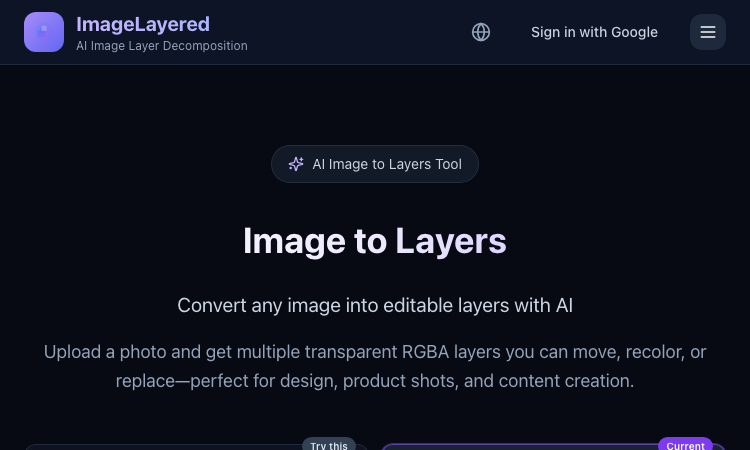
Image to Layers
Image to Layers – Official Website, What It Is & How to Use
Image to Layers Official Website Image to Layers is an AI image layer decomposition tool that turns one flat image into multiple editable transparent RGBA layers. Official app: https://imagelayered.com/image-to-layers Creator: ImageLayered Price: Credit-based — from $0.10 per output layer; charged only for the layers actually produced Login required: Yes for running jobs (Google sign-in) Platform: Web Main use: Converting flat images (JPEG, PNG, WebP, GIF) into editable transparent layer stacks Last checked: 2026-08-29 Visit Image to Layers We are not the official developer of Image to Layers. This page helps users find, understand, and use the product. What Is Image to Layers? Image to Layers does AI image layer decomposition. You upload one flat image and the AI splits it back into a stack of editable parts: a base image plus transparent RGBA layers for the subjects and supporting elements, each downloadable as its own PNG. Unlike a background remover, which gives you a single cutout and discards the rest, it also fills in hidden areas — when objects overlap, the reconstructed background behind them stays usable, so any layer can be moved, recolored, or replaced on its own. The page offers two modes: Quick (1 credit per layer — you just pick the layer count, best for a first split) and Precision (2 credits per layer — named layers with positions, plus an optional prompt describing what to isolate). You choose the layer count between 2 and 13, and you are charged for the actual number of outputs only. Results drop straight into Figma, Photoshop, or any editor that supports alpha channels. The core audience is anyone holding a finished visual with no source file: e-commerce teams reworking product shots, designers building mockups, and marketers adapting campaign stills to new sizes. How to Use Image to Layers Open the official Image to Layers page at https://imagelayered.com/image-to-layers. Upload an image by dragging it in or clicking the upload area. JPEG, PNG, WebP, and GIF are supported; Precision mode requires PNG or JPEG of at least 512×512 px. Pick how many layers you want (2–13, including the base image) and optionally add a prompt to guide grouping — e.g. "Output a layer for every person." Choose Quick or Precision mode and run the conversion. The AI separates elements and rebuilds occluded areas. Review the result (selecting a layer highlights where it sits in the original), then download the transparent PNG layers you need. Is Image to Layers Safe? Registration/login: Signing in with Google is required to run jobs; the header shows a "Sign in with Google" option rather than a separate password account. Uploads: You upload images for processing. The site carries Privacy Policy and Terms of Service links, and there are no visible third-party ads or forced redirects. Payment: Usage is credit-based at roughly $0.10 per output layer (Quick mode 1 credit, Precision mode 2 credits per layer), charged only for actual outputs. Expect a checkout step for buying credits. Ads/popups: None observed on the page itself, though the footer cross-promotes a sister tool (PSL Scale). Domain/hosting: imagelayered.com, served over HTTPS. Why Is Image to Layers Popular? Image to Layers rides a real workflow pain: more and more visuals are produced as final flat files — AI-generated art, screenshots, bought assets — with no layered project behind them, and "image to layers" searches spiked as AI layer-decomposition models (like the Qwen image-layered approach the site also references) made automatic splitting practical. Its practical appeal over manual masking is speed: a product photo that once needed careful selection work becomes a movable layer stack in one upload. There is no single public source showing where the trend originated; it appears to spread through direct sharing and word-of-mouth among designers and e-commerce sellers. Image to Layers Not Working? Refresh the page. Open it in another browser. Disable ad blockers temporarily. Make sure you are signed in and have credits in your balance. Check that your file meets the mode's limits (Precision needs PNG or JPEG, ≥512×512 px). Try again later if the developer is updating the app. The original Image to Layers website was online as of 2026-08-29. Image to Layers Alternatives Magic Layers (magiclayers.net) — similar layer separation with 2–12 named layers per image and monthly credit plans. remove.bg — faster and cheaper when you only need one subject cut out on a transparent background. Photopea — a free browser editor for manually building or refining layers after separation. Frequently Asked Questions What is the official Image to Layers website? The official page is https://imagelayered.com/image-to-layers, part of the ImageLayered site. Is Image to Layers free? It is credit-based: Quick mode costs 1 credit per layer and Precision mode 2 credits per layer (about $0.10 per output layer), and you are charged only for the layers actually produced. The site's footer also describes the underlying decomposition technology as free and open source. Do I need an account to use Image to Layers? Yes — running a conversion requires signing in with Google. What image formats does Image to Layers support? Uploads accept JPEG, PNG, WebP, and GIF; Precision mode requires PNG or JPEG of at least 512×512 pixels. Can I control how many layers I get? Yes. You pick a count between 2 and 13 (the count includes the base image), and in Precision mode you can add a prompt describing what to isolate — the prompt guides grouping but never changes the count. Is Image to Layers still available? Yes — the site was live and functioning as of 2026-08-29.

SoMusicAI: AI Music Generation Studio
Create music with Suno, Udio, Gemini/Lyria & more from one studio, with clear licensing and free credits to start.
What SoMusicAI Does SoMusicAI is a browser-based studio that puts several AI music engines behind one login: Suno, Udio, Google's Gemini/Lyria, MiniMax Music, and ACE-Step. Instead of juggling separate accounts and separate bills to figure out which engine fits a track, you run the same idea through more than one model and keep whichever version actually works. How It Works Sign up and claim your free starter credits — no card needed. Describe the track you want in plain text. Choose an engine (or try a couple back to back). Download the result, split it into stems, or send it straight to streaming. What Sets It Apart One login, several engines. Suno, Udio, Gemini/Lyria, MiniMax Music, and ACE-Step all draw from the same credit balance, so testing a second or third model costs nothing extra to set up. Licensing you don't need a lawyer to read. Every track carries a short, plain-English note on which model made it and what you're allowed to do with it. Stems without leaving the app. Pull vocals and instrumentals apart in the same workspace you generated the track in. A path to Spotify and Apple Music. Send finished tracks out for distribution with the metadata and license already attached. One API for everything. Developers get a single key that reaches every connected model, and the app itself speaks English, Chinese, Japanese, Korean, Spanish, French, and Polish. Pricing New accounts start with free credits good for full-length, full-quality tracks. Paid plans, which unlock more monthly credits and commercial rights, start at $10/month on the annual plan. Who It's For Musicians and hobbyists comparing AI engines before picking one, video and podcast creators who need quick licensed BGM, and developers who'd rather integrate one API than five. SoMusicAI is an independent product and isn't affiliated with, endorsed by, or sponsored by Suno, Udio, Google, or any other model provider named above.
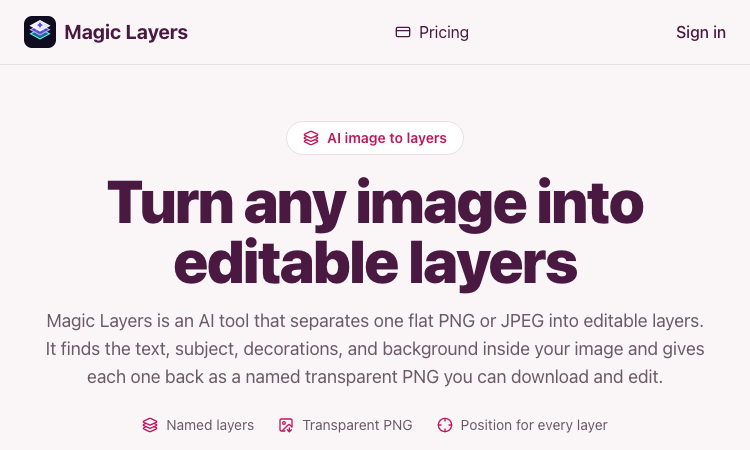
Magic Layers
Magic Layers – Official Website, What It Is & How to Use
Magic Layers is an AI tool that takes one flat PNG or JPEG image and separates it back into its individual visual elements — background, subject, text, and decorations — as named transparent PNG layers you can download and edit. Official app: https://magiclayers.net/ Creator: Magic Layers (contact@magiclayers.net) Price: Paid — monthly plans ($29 / $79 / $149) plus one-time credit packs; you are charged only for the layers you actually get Login required: Yes (sign in to your account to run jobs, track credits, and access your saved files) Platform: Web Main use: Image layer separation — turning a finished flat image back into editable parts Last checked: 2026-08-27 Visit Magic Layers We are not the official developer of Magic Layers. This page helps users find, understand, and use the product. What Is Magic Layers? Magic Layers does image layer separation. Instead of just removing a background, it analyzes one already-rendered PNG or JPEG and splits it back into the elements it was built from: the background plate, the subject/product, the text (headlines, labels, captions), and decorations like shapes or badges. Each element comes back as its own transparent PNG with a name, a short description, and the position it occupied in the original image. The separation is inferred from the pixels, so it works even on images where you no longer have the original project file. A background remover gives you one cutout and throws the rest away; Magic Layers gives you every major element independently, so you can move, replace, or restyle any part. This is the core reason someone searches for it: they have a finished visual and need it editable again. How to Use Magic Layers Open the official Magic Layers website at https://magiclayers.net/. Drop a PNG or JPEG onto the upload area (or click to browse). Files must be at most 30 MB and at least 512×512 px. Use the slider to set how many layers you want — between 2 and 12. The credit cost is shown before the job starts, and that number is also your price ceiling. Click Separate into layers. The AI returns a base image plus one transparent PNG per detected element. Review the layers (click one to highlight where it was in the original), then download the ones you need. Is Magic Layers Safe? Registration/login: Yes — you need an account to run jobs and access your saved files. Third-party login: No Google or Discord login is required; sign-in is account-based. Uploads: You upload images, but the site states files are stored privately and never published or shown to other users. Uploads and generated layers are kept for 7 days. Payment: Full usage requires credits (subscription or one-time packs). A failing job releases credits back to your balance. Ads/popups: No obvious advertising or forced redirects on the site. Domain/hosting: magiclayers.net; contact and legal pages (Terms, Privacy, Contact) are present, with a support email of contact@magiclayers.net. Why Is Magic Layers Popular? Magic Layers is a niche but genuinely useful tool for designers, marketers, and content creators who keep hitting the same problem: a finished campaign visual, thumbnail, slide, or mockup that needs to be edited again but has no source file. Rather than masking a subject out by hand, they can recover background, text, and decorations as separate layers and recompose for new sizes or placements. There is no single public source showing the trend's origin; it appears to spread through direct sharing and word-of-mouth among creative professionals. Magic Layers Not Working? Refresh the page. Open it in another browser. Disable ad blockers temporarily. Check that you are signed in and have credits in your balance. Make sure your file meets the limits (PNG or JPEG, ≤30 MB, ≥512×512 px). Try again later if the developer is updating the app. The original Magic Layers website was online as of 2026-08-27. Magic Layers Alternatives Adobe Photoshop — recover and edit layers directly if you have the source PSD, or use generative tools for complex edits. remove.bg — the fastest choice when you only need one subject cut out on a transparent background. Photopea — a free browser-based editor for fine editing and manual layer work after separation. Frequently Asked Questions What is the official Magic Layers website? The official website is https://magiclayers.net/. Is Magic Layers free? Not fully. There is a credit-based model where each layer costs 2 credits, and you only pay for the layers you get. Credits come from monthly plans ($29 / $79 / $149 per month) or one-time packs. Do I need an account to use Magic Layers? Yes, you need to sign in to run a job, track your credit balance, and access the files kept in your account. Who created Magic Layers? Magic Layers is built by the team behind magiclayers.net, reachable at contact@magiclayers.net. No individual developer is named on the site. Is Magic Layers still available? Yes — the site was live and functioning as of 2026-08-27.

MuseSpark AI
Harness True Model Potential Transform Every Spark of Inspiration into Reality
Welcome to musespark,Harness true model potential and transform every spark of inspiration into reality

imagetranslator
AI Image Translator That Preserves the Original Layout
Image Translator is an AI-powered online tool that translates text inside images while preserving the original layout, typography, colors, and visual style. It supports 132+ languages and works with product images, comics and manga, menus, documents, screenshots, and more. Simply upload a JPG, PNG, or WebP image, choose your target language, and let AI detect, translate, and re-render the text directly into the image. It is ideal for e-commerce sellers, content creators, travelers, marketers, and anyone who needs to localize images without manually rebuilding the design.

a little box of goodies
a little box of goodies – Build a digital care package of notes, photos, songs and voice messages for someone special.
A Little Box of Goodies Official Website A Little Box of Goodies is a digital care package builder that turns notes, photos, songs and voice messages into a shareable parcel for someone you care about. Official app: https://alittleboxofgoodies.com/ Creator: from.collette (Instagram) Price: Paid (one-time payment to generate the share link) Login required: No (your email is only used to deliver the package link) Platform: Web (hosted on Vercel) Main use: Sending a personalized digital care package to someone special Last checked: 2026-08-23 Visit A Little Box of Goodies We are not the official developer of A Little Box of Goodies. This page helps users find, understand, and use the product. What Is A Little Box of Goodies? A Little Box of Goodies is an online gift builder styled like a vintage shipping label and a shop receipt. Instead of texting a plain "thinking of you", you assemble a parcel: write the recipient's name on a paper label, choose what to tuck inside — a note, a photo, a song, a video, a voice recording, a hand drawing, a map location, a coupon or a news link — and then pay to generate a private link. The recipient opens the link, taps a wrapped box to unwrap it, and goes through each item one by one. It solves the problem of long-distance affection: sending care across time zones, cheering up a homesick friend, or marking a birthday you cannot attend in person. What makes it different from a photo collage or a messaging app is the ritual — the receipt-style checklist, the unwrapping moment, and the keepsake link — which makes receiving it feel closer to opening a real gift than scrolling a chat. How to Use A Little Box of Goodies Open the official A Little Box of Goodies website. Fill in the "to / title" and "from / your name" fields on the shipping label. Pick the items to tuck inside and add your content (text, uploads, links, drawings, voice clips). Click "Pay & Generate Link", complete the checkout, and copy the package link to send to your person. Is A Little Box of Goodies Safe? The site does not require an account or a Google / Discord social login; you only provide an email so the package link can be sent to you after payment. Uploaded photos and voice clips are stored only as part of the package you create. Payment is handled through a Stripe-style checkout session, so the site itself never asks for card details. The site runs on Vercel, uses HTTPS, and shows no visible ads or redirects. The main things to keep in mind: the share link is effectively public to anyone who has it, and the payment step happens before the link is generated. Why Is A Little Box of Goodies Popular? A Little Box of Goodies appears to be gaining attention through direct sharing and word-of-mouth, although there is no clear public source showing where the trend originated. A Little Box of Goodies Not Working? If A Little Box of Goodies cannot be reached, you can try: Refresh the page. Open it in another browser. Disable ad blockers temporarily. Check whether the original Vercel deployment is still online. Try again later if the developer is updating the app. If the original site is confirmed down: The original A Little Box of Goodies website appears to be unavailable as of 2026-08-23. A Little Box of Goodies Alternatives If you like the idea of sending personal digital gifts, you can also try: Kudoboard — a group board where friends collect messages, photos and GIFs for someone Cameo — personalized video messages from creators and celebrities GroupGreeting — a group greeting card that everyone signs online Frequently Asked Questions What is the official A Little Box of Goodies website? The official website is https://alittleboxofgoodies.com/. Is A Little Box of Goodies free? Building and previewing a package is free, but generating the shareable link requires a one-time payment. Do I need an account to use A Little Box of Goodies? No account or social login is required; an email is used only to deliver your package link after payment. Who created A Little Box of Goodies? It was created by the Instagram creator from.collette. Is A Little Box of Goodies still available? Yes — the site was online and functional as of 2026-08-23.

Age Of Discovery2 Vercel
Age Of Discovery2 Vercel — a 3D globe with ocean and ship, plus five cinematic cameras to explore the world.
Age Of Discovery2 Vercel Age Of Discovery2 Vercel is a 3D ocean and globe scene inspired by the Age of Discovery, where a ship crosses the sea and a cinematic camera lets you follow it. It is a free browser experience — open the page, and you are exploring. Here is how to use Age Of Discovery2 Vercel. Step 1: Open the scene. Age Of Discovery2 Vercel loads directly in your browser. No account, no install, no loading screens — the 3D scene appears immediately. The globe, the ocean, and the ship are rendered in real time with WebGL on Age Of Discovery2 Vercel. Step 2: Use the camera moves. Age Of Discovery2 Vercel gives you five cinematic camera buttons. 俯冲 (dive) plunges the camera toward the water. 长降 (long descend) glides the view downward in a long smooth path. 环绕 (orbit) circles the camera around the scene to see it from every angle. 掠过 (swoop) sweeps low past the surface for a fast, thrilling pass. 超变焦 (hyperzoom) pulls the camera in dramatically, like a broadcast zoom. Step 3: Watch the ocean move. The water in Age Of Discovery2 Vercel is not a flat texture — it is a shader-driven ocean with waves, crests, and specular highlights. The engine settings behind the scene include wave crest sharpness, slope variance, and highlight variance, which is why the sea looks alive rather than painted. Step 4: Explore at your own pace. There is no goal, no timer, and no score on Age Of Discovery2 Vercel. The point is the journey: pick a camera move, watch the scene from a new angle, and imagine the sailors of the Age of Discovery looking at the same open water centuries ago. Step 5: Try it on any device. Age Of Discovery2 Vercel works on desktop and mobile browsers. The camera buttons of Age Of Discovery2 Vercel are large enough to tap on a phone, and the scene scales to any screen. Age Of Discovery2 Vercel is free, fast, and cinematic. It is the age of discovery rendered in WebGL — one scene, one ship, one ocean, and five ways to see it. Open the page, choose a move, and explore.
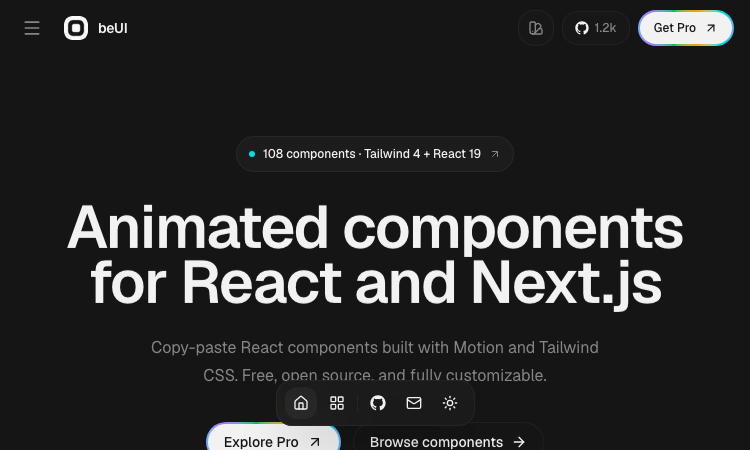
Beui
Beui — free animated UI components for React and Next.js; copy the source or install via shadcn CLI.
Beui Beui is a free, open-source collection of animated components for React and Next.js, built with Motion and Tailwind CSS. If you want polished animations in your app without writing animation code from scratch, Beui is the fastest route. Here is how to use it. Step 1: Open the Beui gallery. The Beui site presents its components visually — you can see exactly what each animated component looks like before you touch any code. Browse the collection and find the components that fit your interface. Step 2: Copy the source. Every component on Beui is designed to be copied. Open the component you want, copy its source, and paste it into your project. Because Beui is built with Motion and Tailwind CSS, the code drops into any React or Next.js project that already uses those tools — which is most of them. Step 3: Or install with the shadcn CLI. If you prefer a structured install, Beui is a shadcn-compatible registry. Run the shadcn CLI with the Beui component name, and the component is installed into your project the same way shadcn/ui components are. The Beui registry works with the workflow you already use. Step 4: Customize and ship. Because Beui components are source code in your project — not a black box library — you can tweak every animation, color, and layout. There is no lock-in: what you copy is yours, forever. A few things make Beui stand out. It is free and open source, with no subscription and no watermarks. It is built with the modern React stack — Motion for animation, Tailwind CSS for styling — so it integrates without friction. It works for React and Next.js equally. And the copy-paste model means you never have to read a long installation guide; the source is right there. Beui is the kind of library developers appreciate: high quality, zero cost, and no strings attached. Open Beui, copy an animated component, paste it into your project, and watch your interface come to life.
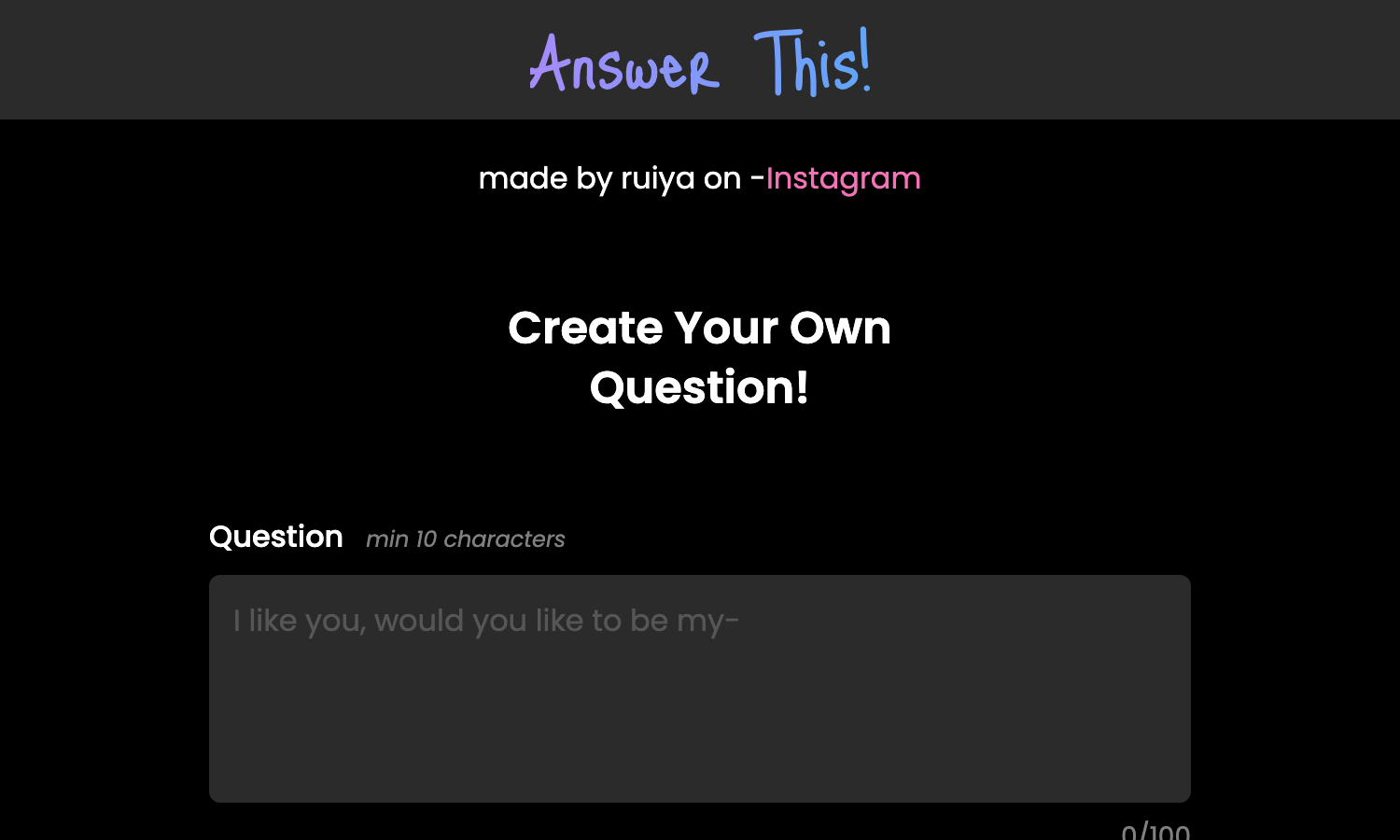
Answer This Vercel App
Answer This Vercel App — create a question with a result, generate a link, and share it with friends.
Answer This Vercel App Answer This Vercel App is a fun link generator where you create your own question, hide a result behind it, and share the link with anyone you like. When they answer, the result is revealed — and that surprise is the whole game. Here is how to use Answer This Vercel App. Step 1: Write your question. The builder in Answer This Vercel App asks for a question of at least 10 characters — for example, "Do you like me?" or "Are you scared right now?". You have up to 100 characters to make it perfect. Step 2: Set the answers. Answer This Vercel App gives you two answer buttons by default — "Yes" and "No" — each between 2 and 10 characters. You can customize them to fit your question, like "Absolutely" and "Never". Step 3: Write the result. This is where the magic happens. Answer This Vercel App lets you write a result message that appears after someone answers — "Hooray! Now you're mine!" is the default example. The result is what makes the whole thing fun: it is your punchline, your confession, your surprise. Step 4: Add a photo (optional). To make the reveal even better, Answer This Vercel App lets you upload an image (JPG, JPEG, or PNG) that shows up with the result. A photo of your face, a screenshot, a funny picture — the choice is yours. Step 5: Generate and copy the link. Click "Generate Link" in Answer This Vercel App, and a unique link appears. Click "Copy Link", send it to whoever you want, and wait. When they answer your question on Answer This Vercel App, they see the result you prepared. A few things make Answer This Vercel App stand out. It is completely free, with no account and no sign-up. It runs in the browser, so there is nothing to install. It is made by a small creator (you can find them on Instagram), and it shows — the tool is focused, fast, and designed for one purpose: making answer links that surprise. Answer This Vercel App is perfect for pranks, confessions, and inside jokes. Craft your question, set your result, and send the link. The look on their face — that is the payoff of Answer This Vercel App.

Imgstyler
AI image generator, editor, prompt library, and reusable style workspace.
Imgstyler Imgstyler is an AI image creation workspace for generating, restyling, and editing images from prompts and references. It combines text-to-image generation, image-to-image editing, and a reusable visual prompt library in one focused product. Core features Generate images with GPT Image 2 and Nano Banana Upload reference images for guided generation and restyling Browse and reuse curated prompts and visual styles Adjust aspect ratio, resolution, and generation quality Revisit generation history and download previous results Use focused tools for pixel art, visual novel backgrounds, and background removal New users can try Imgstyler with three free generations before choosing credits or a subscription plan.