Newest Lovable Apps
Discover beautiful apps crafted with vibe coding across different categories. Explore our curated collection of lovable applications.
Categories
AI小六壬
How the six-sign AI Oracle calculation works
AI Oracle is a free reflection tool for one specific situation in your life. You describe the situation, choose how the oracle is cast, and receive one of six fixed signs plus a three-stage movement that shows how the situation may develop. It is not a prediction service: it is a structured way to slow down, check your assumptions, and decide on a low-risk next step. This guide explains what AI Oracle does, what the six signs mean, how the fixed calculation works, how to use the tool, and how to read your result honestly. If you are new here, you may also want to calculate your Life Path Number first — AI Oracle works best as a complement to your main numerology profile, not a replacement for it.

Life Path Calculator
Life Path Calculator - the fastest free numerology web app: instant results, no sign-up, and shareable reading cards.
Life Path Calculator 🎯 Key Takeaways (TL;DR) The Life Path Calculator is a free, no-sign-up web app that reveals your Life Path Number from your date of birth in seconds. The calculation engine is versioned pure code — deterministic, auditable, and never influenced by AI, so results are always repeatable. You receive a complete reading: number, strengths, challenges, life lesson, step-by-step math, a shareable PNG card, and a private result link. An optional AI reading (100 credits) adds personalized interpretation without ever changing the fixed number. Table of Contents Why This Life Path Calculator Stands Out The Calculation Engine Using the Tool in Three Steps The Free Reading in Detail AI Interpretation: Depth Without Distortion The Complete Numerology Toolkit Design and User Experience FAQ Final Thoughts Why This Life Path Calculator Stands Out There are dozens of Life Path Calculator websites, and most of them follow the same pattern: a slow page, a long form, an email gate, and a vague "your number is 7, you are wise" paragraph. The Life Path Calculator deliberately breaks that pattern. It opens directly on a clean form, calculates instantly, and gives you a genuinely complete reading with zero friction. What really separates this Life Path Calculator from the crowd is its commitment to verifiable results. The site states plainly that results come from "versioned pure code" — never from AI — and it displays the engine version right next to your number. In a niche filled with vague spiritual claims and random number generators dressed up as astrology, that transparency is refreshing. You can literally check the math on the page and trust that the engine is the same one that produced results yesterday and will produce tomorrow. The Calculation Engine The engine implements the standard Pythagorean reduction with full transparency: The month, day, and year are each reduced to single digits. The three digits are added together. The total is reduced again, unless it is 11, 22, or 33. For example, October 2, 1990 → 1 (10) + 2 + 1 (1990 → 1+9+9+0 = 19 → 1+9 = 10 → 1) = 4. The result is Life Path 4, The Builder. The Life Path Calculator displays every intermediate step, so nothing is hidden in a black box. This is a tool you can audit, which is rare in this space. Master Numbers are preserved rather than collapsed: 11, 22, and 33 are kept as themselves, framed as intensified versions of 2, 4, and 6. The site avoids the "you are special and evolved" cliché, which keeps the tone grounded and honest. Using the Tool in Three Steps Open the page. The form is immediately visible — no scrolling, no popups. Pick your birth date using the date picker. It works on desktop and mobile. Press "Calculate My Life Path." The result appears instantly, with the full calculation shown. That is the entire onboarding. No account creation, no email verification, no premium upsell blocking the result. This Life Path Calculator respects your time, and it works on any device with a browser. The Free Reading in Detail The free result is not a teaser. It includes: The Life Path Number itself, with its traditional name — The Pioneer (1), The Diplomat (2), The Creator (3), The Builder (4), The Explorer (5), The Nurturer (6), The Seeker (7), The Executive (8), The Humanitarian (9), The Intuitive (11), The Master Builder (22), or The Master Teacher (33). Natural strengths associated with the number. Potential challenges, written carefully as reflection prompts rather than verdicts. The site does not tell you what will happen to you; it offers questions worth reflecting on. A one-line life lesson, distilled and memorable. The step-by-step calculation, so you can follow along. A branded PNG card for sharing on social media or messaging apps. A private result link — public but unindexed, so sharing your reading does not leak your birth date into search results. Privacy is clearly a design priority: birth dates and private inputs are never exposed in indexed pages. AI Interpretation: Depth Without Distortion For users who want more, the optional AI reading costs 100 credits and covers core personality patterns, career direction, love and relationships, money and success tendencies, current inner conflict, and a personalized action plan with reflection questions and one low-risk next step. The crucial guarantee is separation of powers: the AI never touches the number itself. Your Life Path Number is computed by the fixed engine, and the AI only interprets that fixed result. If generation fails, credits are refunded automatically. You can think of the AI reading as a thoughtful friend commenting on a result you already verified — depth without distortion. The Complete Numerology Toolkit The same design philosophy powers a whole family of calculators on the site: | Calculator | What It Shows | |------------|---------------| | Compatibility | How two Life Path Numbers interact | | Personal Year | Yearly cycle from a date | | Full Numerology | Five core numbers in one report | | Soul Urge | Vowels of the name | | Expression | Full name derivation | | Birthday Number | Day of birth | | Lo Shu Grid | Chinese grid analysis | | AI Oracle | Fixed six-sign calculation | Each one shows its process and keeps fixed results free. If you enjoy your Life Path Calculator result, the site gives you a natural path to explore deeper. Design and User Experience The design is minimal, fast, and mobile-friendly. The page loads quickly, the form is a single field plus a button, and the result section is clearly laid out with the number, its name, and the supporting sections. The branded PNG card makes sharing pleasant instead of awkward. Nothing about this Life Path Calculator feels like a template spam site — it feels like a tool built by someone who actually uses numerology tools. FAQ Q: Do I need an account to use the Life Path Calculator? A: No. The calculator is completely free and requires no sign-up of any kind. Q: Why does the site show an engine version? A: Because the calculation is done by versioned pure code. Showing the version proves the result is deterministic and auditable — not a random or AI-generated number. Q: Does the AI reading change my number? A: Never. The AI only interprets the fixed number produced by the engine. Q: Is my birth date public? A: No. Private result links are unindexed, and the site does not expose birth dates in indexed pages. Final Thoughts The Life Path Calculator is the rare numerology tool that combines genuine speed, honest framing, and verifiable math. Whether you are a curious first-timer or a numerology regular, this Life Path Calculator gives you a complete, free reading in seconds and lets you share it beautifully. Try it once — the three-step flow takes less than a minute, and the reading is worth the detour.

Image Generator
Free AI Image Generator Online
Artificial intelligence is changing the way people create visual content. From designers and marketers to bloggers and everyday users, more people are turning to AI tools to transform their ideas into high-quality images. Image Generator is an online AI image creation platform that helps users generate original visuals from text descriptions, reference images, and creative concepts without requiring professional design skills. Image Generator allows users to create images through simple prompts. By describing an idea, scene, character, or object, users can let AI understand their creative direction and generate visuals based on their requirements. Whether creating digital artwork, social media graphics, wallpapers, illustrations, or concept designs, Image Generator provides an efficient way to bring ideas into reality. The platform supports different AI creation methods, including text-to-image generation and image transformation. Users can start with a simple description or upload an existing image to explore new possibilities. This makes Image Generator useful not only for creating new artwork but also for experimenting with different versions of existing photos and designs. One of the biggest advantages of Image Generator is its ability to support creative style exploration. AI image creation is no longer limited to realistic photos. Users can generate artwork in many different visual directions, including cartoon styles, 3D artwork, fantasy scenes, digital illustrations, and other artistic approaches. By changing the style and creative instructions, the same idea can become completely different visual experiences. For users who enjoy unique and playful designs, Image Generator also includes creative tools such as AI LEGO Generator. This feature allows users to transform ideas or images into LEGO-inspired artwork, creating brick-style characters, miniature worlds, and imaginative scenes. AI LEGO Generator brings a fun way to combine AI technology with the familiar visual language of LEGO-style creations, making it popular among creators who want to explore creative storytelling and personalized artwork. Image Generator also provides flexible customization options to improve the final results. Users can choose different image ratios and adjust generation settings according to their needs. Whether creating square images for social media, vertical visuals for mobile content, or wider images for websites and presentations, the platform helps users produce images that fit different purposes. The platform is suitable for a wide range of users. Designers can use Image Generator to quickly explore ideas before starting a project. Content creators can create original visuals for articles, videos, and social platforms. Businesses can generate marketing materials and promotional images, while casual users can simply experiment with creative concepts and turn imagination into artwork. With AI technology becoming more accessible, image creation is entering a new stage where creativity is no longer limited by technical skills. Image Generator makes it easier for anyone to explore visual ideas, experiment with different artistic styles, and create professional-looking images through AI. From original illustrations and photo transformations to specialized experiences like AI LEGO Generator, Image Generator provides a flexible creative environment for discovering new possibilities. Whether you are a professional creator or someone exploring AI for the first time, Image Generator offers a simple and powerful way to turn concepts into visual content.
Oxme Github Io Item
Oxme Github Io Item - Fast browser item lookup tool for Free Fire IDs, names, rarities, with auto repo updates.
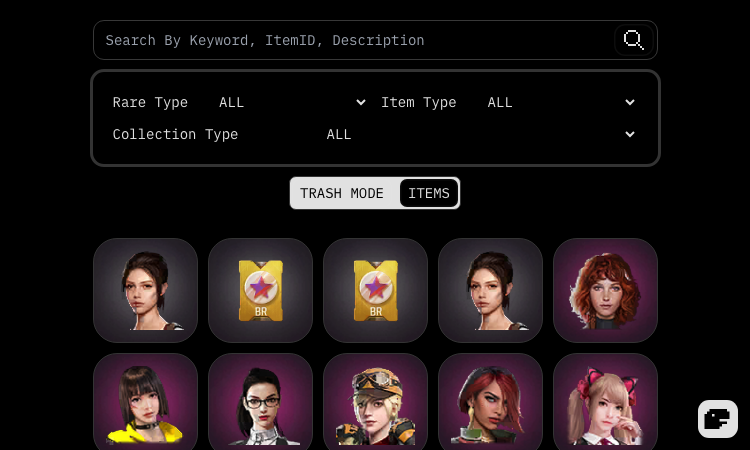
Oxme Github Io Item Oxme Github Io Item is a lightweight, browser-based item lookup tool for the Free Fire community. Instead of a heavyweight client or a bloated spreadsheet, you get a single-page app that answers one question fast: what is the ID, name, and description of this Free Fire item? The workflow is intentionally minimal. Open the app, type into the search box, and the catalog filters instantly. A built-in search guide explains the syntax, so you can narrow results by item type, rarity, or collection without memorizing anything. Whether you are tracking down a rare bundle for a loadout video or checking whether an emote you saw in a match actually exists, the Oxme Github Io Item database gets you to the answer in a few keystrokes. What sets this tool apart from static wiki pages is its live update pipeline. The item data lives in a public GitHub repository, and the app pulls the latest commits automatically, with a dedicated panel that shows when the data was last refreshed. That means newly added items flow into the interface on the same cadence the repository is updated — no waiting for a site owner to notice and republish. This is a genuinely useful pattern for any data-driven reference site. The interface also respects how people actually read: a theme switcher supports light, dark, and system modes, and the item views are organized by collection and rarity so browsing feels natural rather than overwhelming. There is no account, no paywall, and no telemetry nag — just a clean, fast, educational reference for Free Fire resources. Everything is provided for educational and non-commercial use, and the project explicitly disclaims any affiliation with Garena. For players who want a dependable, always-current item ID reference, the Oxme Github Io Item tool is an easy recommendation.

Soy Argentino Netlify App
Soy Argentino Netlify App — el argentino nace donde quiere, with a single-input certificate generator.
Soy Argentino Netlify App The opening line of Soy Argentino Netlify App is one of the most quoted phrases in Argentine culture: Dicen que el argentino nace donde quiere — "They say an Argentine is born wherever they want." That single sentence frames everything the product does, because it acknowledges a piece of folk wisdom before Soy Argentino Netlify App offers to quantify it. The page gently teases the idea that being Argentine is a feeling first, and only secondarily a matter of where you happened to be born. The product then offers its own twist: Después de todo, ser argentino es un sentimiento. Pero algunos, además, tuvieron la suerte de nacer acá. Este certificado intenta poner en números qué tan grande fue ese privilegio. Translated: "Being Argentine is a feeling. But some, in addition, had the luck of being born here. This certificate tries to put in numbers how great that privilege was." That framing inside Soy Argentino Netlify App is what makes the tool culturally interesting. It treats Argentine identity as something inherited, something chosen, and something numerable — all at once. The input on the page is therefore not a search box or a quiz; it is a single date picker. The visitor's birth date is the only data point Soy Argentino Netlify App needs to compute the "percentage of luck" displayed on the certificate. The product deliberately does not ask for a name, a city, a document number, or any other identifier. The result is a certificate that is reproducible, anonymous, and easy to share without leaking personal information. For Argentines inside and outside the country, Soy Argentino Netlify App is a small but meaningful piece of digital folk culture. The page works equally well for a Buenos Aires resident, a member of the Argentine diaspora in Madrid or Miami, and a curious tourist who wants a souvenir. The cultural claim at the top of the page — el argentino nace donde quiere — is what gives the tool its emotional gravity, and the certificate inside Soy Argentino Netlify App is the playful artifact that the claim produces.

Hlv Mck Lovable App
Hlv Mck Lovable App — listener-driven BringHVLBack campaign with a signature counter and share loop.
Hlv Mck Lovable App The first thing a visitor feels on Hlv Mck Lovable App is the weight of the campaign. The page opens with a dark, almost reverent hero — a grayscale angel statue with the headline BringHVLBack. anchored in the lower-left corner — and that opening sets the emotional register for everything that follows. Hlv Mck Lovable App is not a chatty fan site. It is a quiet, focused petition, designed to be shared by people who already know why they are there. The campaign mechanics inside Hlv Mck Lovable App are deliberately simple. A visitor who wants to support the cause scrolls past the hero and finds the signature section. The page tracks the number of supporters in real time — currently 44.689 Người đã ký, climbing toward the stated Mục tiêu 100.000 chữ ký goal. That single number, displayed prominently, is the engine of the entire experience. Every additional signature inside Hlv Mck Lovable App pushes the counter a little closer to the target, and every visitor who arrives after a share sees the new total. The emotional architecture inside Hlv Mck Lovable App is built around three small actions. The first is Tôi muốn HVL trở lại — the button that records a fan's support and increments the counter. The second is Sao chép liên kết — a copy-link button that lets a fan drop the URL into a Vietnamese-language chat thread, Discord server, or Facebook group. The third is Nghe HVL trên SoundCloud — a quiet redirect to where some of the artist's older catalog still lives. Each of those actions inside Hlv Mck Lovable App is small on its own, but together they form a complete loop: sign, share, listen. For a Vietnamese fan community already organized around social channels, Hlv Mck Lovable App provides the kind of shared artifact that chat threads cannot. A counter, a goal, a single page to point to — those are the things that turn a dispersed feeling into a movement. For anyone studying how to build a low-overhead community tool, Hlv Mck Lovable App is worth a careful look.

IsThisAIImage: Free AI Image & Deepfake
IsThisAIImage is a free web tool that checks whether a photo looks AI-generated or deepfake-manipulated. Upload an image
IsThisAIImage is a free online AI image and deepfake detector built for the moment someone hesitates before trusting a photo. Modern generators can invent photoreal landscapes, product shots, portraits, and news-style scenes. Deepfake tools can alter a real capture—swapping faces, rewriting expressions, or placing someone into a scene they never visited. The product turns that uncertainty into a short, structured check: upload once, review clear scores in seconds, then decide whether to share, investigate further, or walk away. How it works: users stay on one page, upload a single image, complete a brief security check, and wait while the service analyzes AI-generated patterns and deepfake / face-manipulation signals. Output is mapped into an easy result card with a verdict band (likely, uncertain, or not likely), separate AI-generated and deepfake meters, and optional generator hints when the model surfaces stylistic families. If content credentials metadata is present, the interface can note that as an extra provenance clue. The goal is an evidence panel people can scan quickly—not a complex forensic workstation. Supported inputs typically include JPG, PNG, WebP, and GIF, with a file-size limit suitable for ordinary web uploads. Guests receive a limited number of free checks per IP each UTC day; signing in raises the daily allowance. Abuse controls such as captcha, rate limits, and file validation help keep the free tier available. There is no public gallery of user uploads. Users are advised not to submit identity documents, medical records, or other highly sensitive files they cannot share with a processor. Pricing for the core experience is free. Daily quotas protect capacity; future paid features may appear later, but ordinary free detections do not require checkout today. The product runs in modern browsers on desktop and mobile—no desktop installer and no offline generation mode. An internet connection is required to process each check. Downloaded or screenshot results can be kept locally by the user. Responsible use is part of the product story. A “likely” score is not permission to harass creators, and a “not likely” score is not a certificate of authenticity. Detection quality can shift as generators improve and as social platforms re-compress files. IsThisAIImage is therefore positioned as decision support for media literacy, scam caution, editorial sanity checks, and everyday trust—best paired with source context, reverse image search when needed, and specialized review when the outcome truly matters. In short, IsThisAIImage packages a forensic-style answer to “is this AI image?” into a reliable free web tool: dual AI-generated and deepfake scores, a clear verdict band, optional generator hints, daily free quotas, and a simple upload-to-result flow for anyone who needs a fast second opinion before they believe a picture.

kimik3
kimik3: An Unofficial Guide and Free Playground for Kimi K3 Model
kimik3 is an independent, third-party platform designed as a comprehensive workspace for the Kimi K3 model. It simplifies the user experience by centralizing scattered official documentation, offering clear tutorials, prompt cheat sheets, and a free chat interface powered by the actual Kimi K3 engine. The site highlights the model's core strengths, such as its 1M token context window, step-by-step reasoning, and advanced code generation capabilities.
Flower Wand Garden
Flower Wand Garden turns hand gestures into a playful garden of growing and scattering flowers.
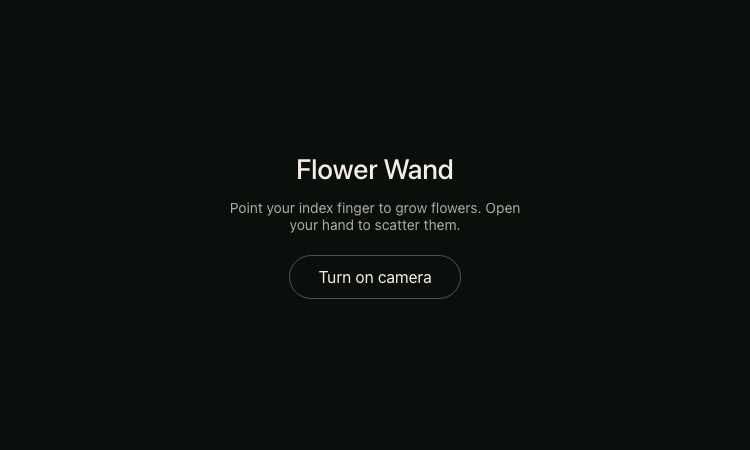
Flower Wand Garden: A Gesture-Controlled Digital Garden From a product-discovery perspective, Flower Wand Garden is presented for people looking for delightful, experimental web applications. Flower Wand Garden turns a camera-visible index finger into a way to grow virtual flowers, while an open hand scatters the garden. Flower Wand Garden is intentionally focused: the visible page offers a short instruction and a single camera button instead of a complicated setup. That makes Flower Wand Garden easy to understand as a creative browser experience before the visitor chooses whether to grant camera permission. Flower Wand Garden combines interactive art, gesture input, and playful visual feedback in a format designed for immediate exploration. Why the interaction feels fresh For a first-time visitor, Most browser drawing tools depend on a mouse, trackpad, or touch screen. This project changes the input metaphor by making a hand pose the creative control. The result is less like operating software and more like performing a small piece of visual magic. Because the action and feedback are closely connected, a visitor can experiment with movement, timing, direction, and spacing without learning a conventional toolbar. Flower Wand Garden keeps this idea visible throughout the session. People searching for Flower Wand Garden can quickly identify the two main actions, and Flower Wand Garden gives them a direct route to the live experience. The narrow scope helps Flower Wand Garden feel understandable without a manual. It also gives Flower Wand Garden a distinctive identity among ordinary drawing pages because the hand gesture is part of the artwork, not merely a substitute for clicking. In this context, Flower Wand Garden is best approached as an experimental visual playground whose value comes from trying the interaction directly. Getting started In practical use, A first visit begins on a restrained dark screen with the product name, a one-sentence gesture guide, and the camera control. The visitor remains in charge of whether to activate camera access. Once permission is granted, the index-finger gesture is the primary way to create, while an open palm changes the scene by scattering the flowers. The simple two-gesture vocabulary keeps the first session approachable and easy to remember. Flower Wand Garden keeps this idea visible throughout the session. People searching for Flower Wand Garden can quickly identify the two main actions, and Flower Wand Garden gives them a direct route to the live experience. The narrow scope helps Flower Wand Garden feel understandable without a manual. It also gives Flower Wand Garden a distinctive identity among ordinary drawing pages because the hand gesture is part of the artwork, not merely a substitute for clicking. In this context, Flower Wand Garden is best approached as an experimental visual playground whose value comes from trying the interaction directly. Creative uses As a creative web experiment, The experience works well as a quick digital-art break, an ambient visual experiment, or a playful demonstration for friends. A user can trace curves, move slowly to place growth deliberately, or move more freely to see how the garden changes. Opening the hand provides a satisfying reset-like motion without turning the experience into a menu-driven application. The garden concept gives every experiment a coherent visual theme. Flower Wand Garden keeps this idea visible throughout the session. People searching for Flower Wand Garden can quickly identify the two main actions, and Flower Wand Garden gives them a direct route to the live experience. The narrow scope helps Flower Wand Garden feel understandable without a manual. It also gives Flower Wand Garden a distinctive identity among ordinary drawing pages because the hand gesture is part of the artwork, not merely a substitute for clicking. In this context, Flower Wand Garden is best approached as an experimental visual playground whose value comes from trying the interaction directly. Learning and demonstration value When evaluated as an interactive toy, Teachers, workshop leaders, and creative-coding learners can use the public experience as a conversation starter about browser graphics, camera input, gesture recognition, and responsive interaction. It shows that an interface can respond to body movement instead of relying only on buttons. The page does not expose an implementation tutorial, so it should be treated as an experience to explore rather than as technical documentation, but its interaction model is immediately observable. Flower Wand Garden keeps this idea visible throughout the session. People searching for Flower Wand Garden can quickly identify the two main actions, and Flower Wand Garden gives them a direct route to the live experience. The narrow scope helps Flower Wand Garden feel understandable without a manual. It also gives Flower Wand Garden a distinctive identity among ordinary drawing pages because the hand gesture is part of the artwork, not merely a substitute for clicking. In this context, Flower Wand Garden is best approached as an experimental visual playground whose value comes from trying the interaction directly. Design character For design and technology enthusiasts, The initial presentation is deliberately minimal. A dark background, centered type, concise copy, and a single outlined control keep attention on the forthcoming visual interaction. That restraint supports the magical-garden theme because it avoids competing panels and decorative navigation. The design also gives the product a clear invitation: understand the gesture, choose whether to enable the camera, and begin experimenting with flowers. Flower Wand Garden keeps this idea visible throughout the session. People searching for Flower Wand Garden can quickly identify the two main actions, and Flower Wand Garden gives them a direct route to the live experience. The narrow scope helps Flower Wand Garden feel understandable without a manual. It also gives Flower Wand Garden a distinctive identity among ordinary drawing pages because the hand gesture is part of the artwork, not merely a substitute for clicking. In this context, Flower Wand Garden is best approached as an experimental visual playground whose value comes from trying the interaction directly. Camera expectations Within the growing category of gesture-based interfaces, The experience depends on a camera-enabled device and a browser that can request camera permission. Visitors should expect the browser to ask before access begins, and they can decline if they do not want to use the feature. The public page does not provide detailed privacy or data-processing claims on its initial screen, so users should rely on the browser permission prompt and their own comfort level rather than assume how camera frames are handled behind the interface. Flower Wand Garden keeps this idea visible throughout the session. People searching for Flower Wand Garden can quickly identify the two main actions, and Flower Wand Garden gives them a direct route to the live experience. The narrow scope helps Flower Wand Garden feel understandable without a manual. It also gives Flower Wand Garden a distinctive identity among ordinary drawing pages because the hand gesture is part of the artwork, not merely a substitute for clicking. In this context, Flower Wand Garden is best approached as an experimental visual playground whose value comes from trying the interaction directly. Who may enjoy it As a concise browser experience, The strongest audience includes fans of interactive art, generative visuals, creative coding, experimental interfaces, digital gardens, and small web toys. It can also appeal to families or groups who want an easy activity that is more expressive than clicking. Because the interaction centers on a visible hand gesture, results may depend on camera position, lighting, the amount of hand visible, and how clearly a pose can be recognized. Flower Wand Garden keeps this idea visible throughout the session. People searching for Flower Wand Garden can quickly identify the two main actions, and Flower Wand Garden gives them a direct route to the live experience. The narrow scope helps Flower Wand Garden feel understandable without a manual. It also gives Flower Wand Garden a distinctive identity among ordinary drawing pages because the hand gesture is part of the artwork, not merely a substitute for clicking. In this context, Flower Wand Garden is best approached as an experimental visual playground whose value comes from trying the interaction directly. Practical setup tips For this directory's community, For a smoother session, place the device on a steady surface, use even front lighting, and keep enough distance for the camera to see the active hand. Start with a clearly raised index finger, then try an open palm after some flowers appear. If recognition feels inconsistent, simplify the background and slow the gesture. These are general camera-interaction tips, not guarantees, but they help establish conditions in which visible poses are easier to distinguish. Flower Wand Garden keeps this idea visible throughout the session. People searching for Flower Wand Garden can quickly identify the two main actions, and Flower Wand Garden gives them a direct route to the live experience. The narrow scope helps Flower Wand Garden feel understandable without a manual. It also gives Flower Wand Garden a distinctive identity among ordinary drawing pages because the hand gesture is part of the artwork, not merely a substitute for clicking. In this context, Flower Wand Garden is best approached as an experimental visual playground whose value comes from trying the interaction directly. A focused alternative to complex art software From a product-discovery perspective, This is not positioned as a replacement for a full illustration suite. Its strength is the opposite: it removes palettes, layers, export settings, and brush panels so the visitor can focus on one expressive idea. The constraint makes it suitable for short sessions and spontaneous discovery. People who need professional image editing will want another tool, while people who value immediacy may find this narrow garden mechanic more inviting. Flower Wand Garden keeps this idea visible throughout the session. People searching for Flower Wand Garden can quickly identify the two main actions, and Flower Wand Garden gives them a direct route to the live experience. The narrow scope helps Flower Wand Garden feel understandable without a manual. It also gives Flower Wand Garden a distinctive identity among ordinary drawing pages because the hand gesture is part of the artwork, not merely a substitute for clicking. In this context, Flower Wand Garden is best approached as an experimental visual playground whose value comes from trying the interaction directly. Availability and pricing context For a first-time visitor, The product is currently reachable through its public Vercel URL, and the visible entry screen does not show a checkout, subscription prompt, or account form. This listing therefore presents it as a free experience based on the currently observable public access. Availability and product terms can change, so visitors should check the live page for the latest state. Camera permission remains a separate browser-level choice even when the page itself is publicly accessible. Flower Wand Garden keeps this idea visible throughout the session. People searching for Flower Wand Garden can quickly identify the two main actions, and Flower Wand Garden gives them a direct route to the live experience. The narrow scope helps Flower Wand Garden feel understandable without a manual. It also gives Flower Wand Garden a distinctive identity among ordinary drawing pages because the hand gesture is part of the artwork, not merely a substitute for clicking. In this context, Flower Wand Garden is best approached as an experimental visual playground whose value comes from trying the interaction directly. Final assessment In practical use, The project succeeds by turning a familiar garden image into an unfamiliar input experience. Its promise can be explained in one breath, yet the output invites repeated motion and experimentation. The contrast between growing with one finger and scattering with an open hand gives the session a simple rhythm. For anyone curious about gesture-controlled browser art, the live page offers a direct way to understand the idea through play. Flower Wand Garden keeps this idea visible throughout the session. People searching for Flower Wand Garden can quickly identify the two main actions, and Flower Wand Garden gives them a direct route to the live experience. The narrow scope helps Flower Wand Garden feel understandable without a manual. It also gives Flower Wand Garden a distinctive identity among ordinary drawing pages because the hand gesture is part of the artwork, not merely a substitute for clicking. In this context, Flower Wand Garden is best approached as an experimental visual playground whose value comes from trying the interaction directly. What the experience is As a creative web experiment, The public landing screen introduces a focused visual toy rather than a crowded editor. It presents the heading Flower Wand, a short explanation, and one Turn on camera button. After camera access is intentionally enabled by the visitor, the stated interaction is direct: point an index finger to grow flowers, then open the hand to scatter them. That compact instruction makes the creative goal understandable before any gesture begins. Flower Wand Garden keeps this idea visible throughout the session. People searching for Flower Wand Garden can quickly identify the two main actions, and Flower Wand Garden gives them a direct route to the live experience. The narrow scope helps Flower Wand Garden feel understandable without a manual. It also gives Flower Wand Garden a distinctive identity among ordinary drawing pages because the hand gesture is part of the artwork, not merely a substitute for clicking. In this context, Flower Wand Garden is best approached as an experimental visual playground whose value comes from trying the interaction directly. Try Flower Wand Garden Flower Wand Garden is a compact invitation to create with movement. Visit Flower Wand Garden, read the on-screen gesture instructions, and decide whether to enable the camera. Point to grow, open the hand to scatter, and explore how motion changes the garden. Flower Wand Garden will be most appealing to visitors who enjoy playful interfaces, browser art, and simple creative experiments. The memorable idea behind Flower Wand Garden is not a long feature list; it is the moment a familiar hand movement becomes a field of flowers. That is why Flower Wand Garden earns a place in a directory of distinctive web projects.
观易堂
观易堂是面向现代用户的AI命理与传统术数平台,提供准确的八字排盘、五行与大运分析、深度解读、命盘报告分享及玄学百科。
观易堂是一个专注AI命理与中国传统术数现代解读的文化平台。它希望解决的并不是“如何把一张命盘堆满术语”,而是如何让可靠的排盘、清楚的知识和容易理解的表达真正连在一起。对于刚接触八字的人,网站尽量减少阅读门槛;对于已经具备基础知识、希望核对细节的人,观易堂也保留完整的命盘结构与判断依据,让同一份数据既能被快速浏览,也经得起进一步查看。 目前,观易堂的核心工具是八字排盘。用户可选择公历或农历,填写出生年月日与时辰,快速得到年柱、月柱、日柱和时柱。常规情况下以十二时辰完成排盘;需要更高精度时,可以开启真太阳时校正,输入出生城市以及时、分、秒,由系统结合出生地经度与时差还原当地太阳时。这样既照顾多数用户的简洁操作,也为跨时区、时辰交界或对排盘精度有要求的情况保留严谨入口。 排盘完成后,综合概览会先呈现真正值得优先阅读的信息,包括阴阳、日主、节气与季节、命格、旺衰、命宫、身宫、胎元、胎息、日柱空亡、起运方向、起运时间、当前大运和二十八宿等。整体评语会在基础报告出现后单独生成,不阻塞命盘查看;即使评语暂时无法生成,排盘报告仍然可以正常阅读、分享和导出。这种设计让核心计算结果保持稳定,也避免等待一段文字影响整个使用流程。 四柱命盘板块保留主星、天干、地支、藏干、副星、地势、自坐、空亡、纳音与神煞等信息,并对金、木、水、火、土采用一致的文字颜色,帮助用户快速识别元素归属。干支关系会列出天干合、地支六合、六冲、刑、害、破、三合或半合等实际关系,并解释关系发生在哪两柱、属于哪一类互动,而不是只给出难以理解的缩写。 五行分析不是把所有字简单等量相加。观易堂会区分天干明透、地支主气与藏干余气,结合不同来源的权重、月令旺衰以及日主所处季节,计算五行力量分布。页面同时展示明面是否出现、月令状态、帮扶与克泄耗比例、身强身弱判断、喜用参考和寒暖调候。用户能够看到“某个五行没有明透”与“命局整体失衡”并不是同一件事,也能理解同类与异类反映的是力量结构,而不是简单的正分和负分。 时间维度上,观易堂提供大运流转、每步大运对应的流年,以及童年阶段的小运与童限。干支按五行着色,当前所在大运会被明确标记,流年详情默认展开,方便连续查看而不必反复点击。整份报告使用同一套命盘数据生成,综合概览、四柱、五行和运势之间保持一致,减少不同板块各算一套而造成的矛盾。 排盘结果还可以生成独立报告链接。用户可以把链接发给朋友、家人或熟悉命理的专业人士,让对方直接查看完整命盘,而不必依赖零散截图;也可以导出PDF或长图,在离线阅读和转发时保留观易堂品牌与原始报告入口。报告中的评语会在成功生成时一并呈现,深度解读则属于用户的私密阅读内容,不会被自动带入公开报告。 为了让术语不再成为理解障碍,观易堂还建设了玄学百科。用户在阅读命盘时遇到纳音、神煞、十神或其他传统概念,可以进入相应词条查看定义、来源与通俗说明,再返回原报告继续阅读。工具、报告和知识之间由此形成连续路径:先准确排盘,再看懂结构,遇到疑问时查证概念,需要进一步理解时再进行深度解读与追问。 观易堂尊重传统术数的知识脉络,也明确它适合文化研究、个人观察与娱乐参考,不替用户作出医疗、法律、投资或人生决定。它不承诺用一个标签概括人的一生,而是把复杂命理信息整理得更透明、更有层次。无论你是第一次好奇自己的四柱,还是希望获得一份便于保存、分享和讨论的完整命盘,观易堂都希望成为一个可靠、耐看,并且愿意把话说明白的网站。

VisoMaster
Private, local AI face swap software for Windows photos and videos.
VisoMaster is a Windows desktop application for AI-powered face swapping and face editing in photos and videos. It runs locally for privacy and supports real-time previews, common image and video formats, expression adjustments, CUDA and TensorRT acceleration, and NVIDIA GPUs including GeForce RTX 50 series hardware. The software is intended for lawful and ethical creative use. Users should obtain permission to use every person's likeness and must not create deceptive, harmful, or non-consensual content.

Scrap Mechanic
Scrap Mechanic - Guides, Builds, Wiki and 1.0 Help
Build, survive, and progress through Scrap Mechanic 1.0 with practical guides, current wiki entries, quests, builds, mods, updates, and tools.