Newest Lovable Apps
Discover beautiful apps crafted with vibe coding across different categories. Explore our curated collection of lovable applications.
Categories
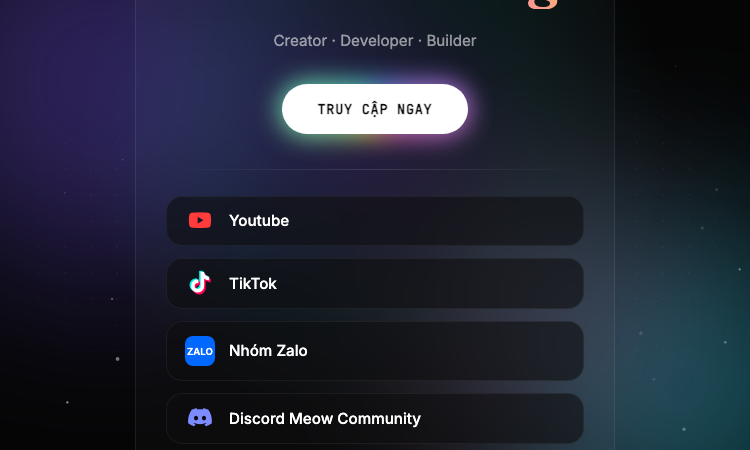
Aov Theme Verce
Aov Theme Vercel - Dark Vietnamese AOV creator hub linking YouTube, TikTok, Discord and Zalo from one page.
Aov Theme Verce Aov Theme Verce is a Vietnamese gaming creator landing page themed around AOV (Arena of Valor), built as a one-page "link in bio" experience hosted on Vercel. The site introduces its author as a Creator, Developer and Builder and centralises the social channels of the Anura Gaming brand, including YouTube, TikTok, two Discord communities, a Zalo group and a companion workers.dev deployment. Visually, the page uses a dark canvas with floating colour blobs, a dot-grid background, a particle canvas that animates falling particles, and a spotlight effect that follows the mouse on desktop. A translucent card with backdrop blur sits at the centre, holding the Anura Gaming wordmark in a serif display face alongside a rainbow gradient tagline. Buttons link out to YouTube, TikTok, the Zalo group and the Meow Community and Anura Community Discord servers. The site is mobile-first, with viewport locked to the device width, no zooming, and Inter for body copy plus Fraunces for the display title. Font Awesome powers the social icons. Animations are CSS-driven: a fade-in on the card, gentle floating motion on the colour blobs, and a custom @property angle gradient on the rainbow line. The page is fully static, requires no backend, and is shipped as a Vercel static deployment with no tracking scripts or analytics. Aov Theme Verce targets Vietnamese AOV players who want a single tap to reach the creator's content, join the Discord, or open the Zalo group. The footer credits the developer NHẬT ANH DEV. The site works as a personal brand hub for a Vietnamese gaming community and as a small reference implementation of a styled, animated link-in-bio page.
ImgVid
Turn any image into an AI video — one prompt, 12 models.
ImgVid is an AI image-to-video generator that runs in your browser. Upload a photo, write one prompt, and pick from 12 video models — Runway, Kling, Seedance, Veo, Wan, Hailuo and more — instead of being locked to whichever one the tool happens to license. It also does text-to-video and first-and-last-frame control. Free credits on signup, transparent credit pricing, no watermark.
RemoveVideoBG
Remove any video background — no green screen.
RemoveVideoBG is an AI video background remover that runs entirely in your browser. Upload any clip and get a clean, transparent cutout in minutes — no green screen, no manual rotoscoping, no watermark. Export to transparent WebM, MOV or a PNG sequence with real alpha, or drop your subject onto a brand-new background.
Pi Agent
Pi Agent - Terminal-based minimal coding agent harness with tree sessions, skills, and 15+ model providers.
Pi Agent Pi Agent is a minimal, terminal-based coding agent built around the idea that the harness should adapt to the developer instead of forcing the developer to adapt to the harness. Hosted at https://pi.dev/ and shipped by Earendil Inc., Pi Agent runs as a TUI in the terminal, exposes a tree-structured session history, supports skills, AGENTS.md and SYSTEM.md context files, and is unusually token-efficient thanks to a minimal default system prompt. The product's tagline is "There are many agent harnesses, but this one is yours." Pi Agent ships in four runtime modes. Interactive mode delivers the full terminal UI with rich keyboard shortcuts and a stylable interface. Print mode runs Pi Agent headlessly with a single query for use inside shell scripts. JSON mode streams structured events from a Pi Agent run for piping into other tools. RPC mode exposes Pi Agent over JSON over stdin/stdout so non-Node processes can drive it. An SDK lets developers embed Pi Agent directly into their own applications. The product documentation points to OpenClaw as a real-world example of that SDK being used. The model layer is provider-agnostic. Pi Agent works with Anthropic, OpenAI, Google, Azure, Bedrock, Mistral, Groq, Cerebras, xAI, Hugging Face, Kimi For Coding, MiniMax, NVIDIA, OpenRouter, Ollama and more than fifteen other providers in total. Authentication can be done with API keys or OAuth. The /model command and Ctrl+L shortcut switch models mid-session, while Ctrl+P cycles through favourites. Custom providers and models can be added through a models.json file or extensions. Context engineering is central to Pi Agent. The platform loads AGENTS.md project instructions from ~/.pi/agent, parent directories and the current directory, supports per-project SYSTEM.md overrides, auto-summarises older messages via compaction, and ships a skills system for capability packages loaded on demand. Prompt templates let developers reuse common prompts as Markdown files. Extensions, written in TypeScript, can inject context before each turn, filter message history, implement RAG or build long-term memory. Sessions can be branched, shared, exported to HTML, or pushed to a GitHub gist with /share to obtain a shareable URL. Pi Agent is built for developers who want to customise their coding workflow rather than accept whatever defaults a closed product provides.

CFB27 Nation
College Football 27 Companion Tools & Guides
Independent resource featuring playbook finder, Dynasty team picker, player ratings tracker, Ultimate Team tools, and daily source-checked news for EA Sports College Football 27. All tools work in-browser with zero logins.
PixMira AI
PixMira AI is an online AI image generator and photo editor.
PixMira AI AI Image Generator and Photo Editor for Modern Visual Creation PixMira AI is an online AI-powered visual creation platform that brings image generation, photo editing, image transformation, and creative AI tools together in one place. Users can generate original images from text prompts, transform existing photos, edit images with natural-language instructions, explore different visual styles, and complete a wide range of image creation tasks directly in their browser. PixMira AI is designed for both everyday users and professional creators. It simplifies advanced visual workflows so users can focus on their ideas instead of learning complicated traditional editing software. Overview PixMira AI combines multiple AI image models and task-specific creative tools within a unified online workspace. Whether you want to generate an image from scratch, modify part of an existing photo, create marketing graphics, prepare ecommerce visuals, experiment with a new artistic style, or turn an idea into a shareable image, PixMira AI provides a simple and flexible workflow. Users can describe the result they want through a prompt, upload reference images when needed, select suitable generation options, and let AI handle much of the creative and technical process. Key Features AI Image Generation Create original images from text descriptions for creative, commercial, and personal projects. PixMira AI can help generate: Marketing visuals Social media graphics Product concepts Posters and promotional images Profile pictures and avatars Illustrations Concept art Blog and website images Presentation graphics Creative inspiration AI Photo Editing Edit existing photos by describing the changes you want in natural language. Common editing tasks include: Adding or removing visual elements Replacing objects Changing backgrounds Adjusting image composition Restyling a photo Expanding an image Improving visual presentation Creating alternative versions Transforming ordinary photos into creative designs Image-to-Image Transformation Upload an existing image and use it as the foundation for a new visual result. This can be used to: Preserve the main subject while changing the style Create new compositions from reference images Transform portraits, products, pets, or scenes Generate multiple creative variations Adapt an image for different visual contexts Explore new colors, environments, or artistic directions Prompt-Based Visual Editing PixMira AI makes image editing more accessible through natural-language prompts. Instead of manually navigating complex editing menus, users can explain what they want to change. This workflow helps reduce repetitive work and makes advanced image editing easier for users without professional design experience. Specialized AI Tools In addition to general image generation and editing, PixMira AI provides dedicated tools for specific visual tasks. Depending on the selected tool, users can work with capabilities such as: AI image generation AI photo editing Portrait and composition conversion Image expansion Image combination Image-to-sticker creation Background editing Style transformation Product and marketing image creation Prompt-based object modification Visual content enhancement AI-assisted creative workflows These focused tools provide clearer workflows for users who want to complete a specific task without configuring a complex editing environment. Multiple AI Models PixMira AI offers access to different AI models for different creative requirements. Users can choose a model based on factors such as: Image quality Generation speed Editing capability Prompt understanding Style preferences Resolution requirements Creative flexibility Task complexity The availability of multiple models allows users to select a more suitable option instead of relying on a single model for every task. What You Can Create PixMira AI can support a broad range of visual projects, including: Social media posts Advertising creatives Ecommerce product images Website banners Blog illustrations Profile images Posters Thumbnails Brand concepts Campaign visuals Presentation graphics Concept art Character designs Lifestyle images Product scenes Personalized stickers Creative photo transformations Use Cases Content Creation Create original visual content for blogs, social media accounts, newsletters, websites, and online communities. Marketing and Advertising Generate promotional graphics, campaign concepts, advertising images, product scenes, and visual ideas for different audiences. Ecommerce Create or improve product visuals, explore alternative backgrounds, generate lifestyle scenes, and prepare images for online stores and product promotions. Social Media Produce engaging images for posts, covers, announcements, short-form content, and personal profiles. Design Exploration Test visual directions, compositions, styles, color ideas, and creative concepts before moving into a full production workflow. Personal Projects Transform personal photos, create avatars, design stickers, generate illustrations, and experiment with imaginative visual ideas. Professional Creative Work Designers, marketers, creators, and online sellers can use PixMira AI to accelerate ideation, create drafts, compare alternatives, and reduce time spent on repetitive production tasks. Who Is PixMira AI For? PixMira AI is suitable for: Content creators Social media managers Digital marketers Ecommerce sellers Small business owners Designers Bloggers Developers Startup teams Educators Students Creative professionals Casual users exploring AI image creation No advanced image editing experience is required for basic use. Users can begin with a simple prompt and gradually explore more advanced models, tools, and workflows. Why Choose PixMira AI? Easy to Use PixMira AI turns complex image generation and editing workflows into a more approachable prompt-based experience. Browser-Based The platform works online, allowing users to create and edit visual content without installing traditional desktop editing software. Flexible Creative Workflow Users can start with text, upload an existing image, use reference images, or combine prompts and visual inputs. Generation and Editing in One Platform PixMira AI supports both creating new images and modifying existing ones, reducing the need to switch between multiple tools. Tools for Specific Tasks Dedicated pages and focused workflows help users complete common visual tasks more efficiently. Multiple Creative Options Different models and tools allow users to experiment with alternative results, visual styles, and editing approaches. Suitable for Beginners and Professionals The platform is accessible to first-time users while still providing useful capabilities for experienced creators and professional workflows. How It Works Choose an AI image model or specialized visual tool. Enter a text prompt describing the desired result. Upload an image or reference image when required. Configure the available generation or editing options. Generate the image. Review the result and refine the prompt if needed. Download or continue editing the generated visual. Platform Focus PixMira AI focuses on making modern AI image technology practical, accessible, and useful for real visual creation tasks. Rather than presenting AI image generation as a technical experiment, the platform organizes its capabilities around the results users want to create. This includes generating new visuals, improving existing photos, adapting images for specific formats, creating marketing content, and exploring different creative directions. Summary PixMira AI is an online AI image generator and photo editor that helps users create, edit, and transform visual content through text prompts, uploaded images, multiple AI models, and specialized creative tools. It provides an accessible workspace for generating original images, modifying photos, exploring visual ideas, and producing content for social media, ecommerce, marketing, design, branding, and personal projects. Website: https://pixmira.ai/
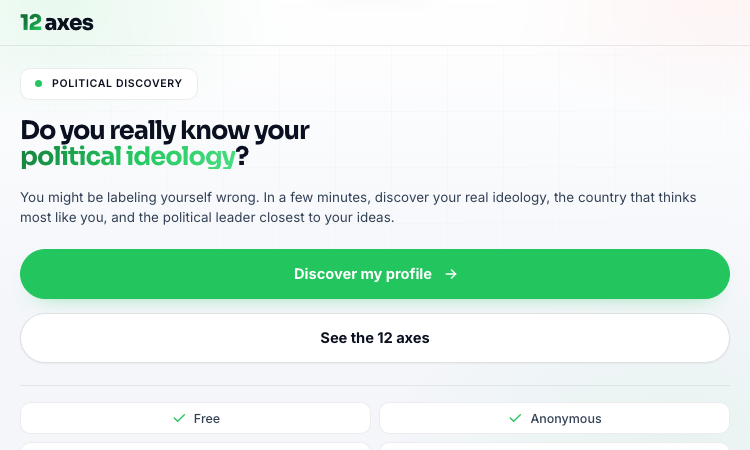
12axes Vercel App
12axes Vercel App - Free twelve-axis political quiz in Portuguese mapping you across ideology axes.
12axes Vercel App 12axes Vercel App is a free, web-based political quiz and ideological self-assessment tool that plots a respondent on twelve distinct political axes rather than a single left-right continuum. Built in Portuguese for a Brazilian audience and hosted on Vercel, the app takes roughly five minutes for the short version, nine minutes for the standard battery, and about half an hour for the extreme-length run of two hundred and forty items. Each answer nudges the respondent toward one pole of one axis, and the algorithm aggregates those nudges into percentage scores per axis, then compares the resulting vector against reference profiles for political movements, historical figures and countries. The twelve axes cover economic policy, immigration, religion in politics, civil liberties, form of government, federalism, international trade, diplomacy, intervention, capitalism versus socialism, progressivism versus conservatism, and libertarianism versus authoritarianism. The output page summarises each axis with a percentage, surfaces compatible ideologies, lists the closest national model and the closest historical personality, and gives a shareable summary card for social media. The interface is anonymous, runs entirely client-side, and asks for no email or signup. It is responsive on phone and desktop, supports both Portuguese and English, and lets users repeat the test at different depths to see whether their score stabilises. Beyond the quiz itself, the landing page offers explainer cards for each axis and answers ten common questions, ranging from reliability and privacy to whether the test is scientific, how long it takes and whether results can be retaken or shared. 12axes Vercel App is positioned for educators teaching civics, journalists seeking a conversational hook, students comparing political traditions, and curious adults who want a structured, low-stakes way to reflect on their own views before a debate, a vote or a classroom discussion.
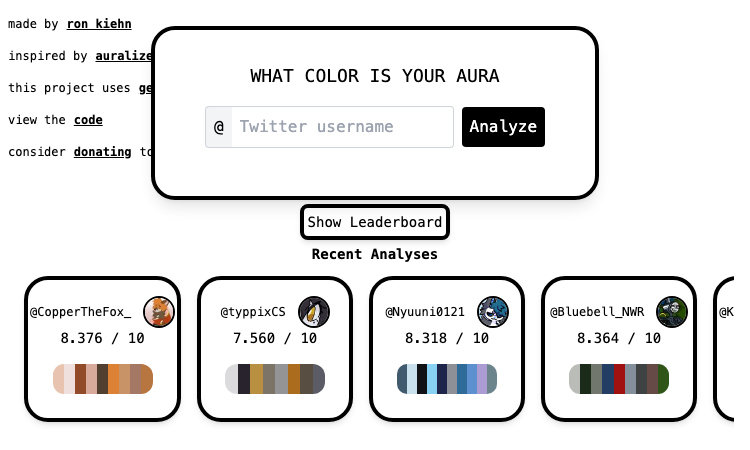
Twitter Aura2 Vercel App
Twitter Aura2 Vercel App - Paste a handle, get a Gemini-written aura from your colors.
Twitter Aura2 Vercel App Twitter Aura2 Vercel App is a creative web tool that turns the colors of an X (formerly Twitter) profile into a personal aura reading. Hosted at twitter-aura2.vercel.app, the experience runs entirely in the browser and invites visitors to drop in a handle. The app extracts the dominant colors of the account’s profile theme and banner, turns them into a small palette, and then asks Google Gemini to write a short, playful description of the aura those colors imply. The interface is intentionally compact. A large central card on a calm backdrop displays the user’s handle field, a row of palette swatches with hex codes, and the AI-generated aura description once it is ready. A privacy note is shown on screen, making it clear that only the palette colors are forwarded to Gemini, and the user’s banner, profile picture, and any other account information never leave the device. The visual style uses rounded cards, bold black borders, and a friendly typography that fits the “color quiz” genre. Sharing is built into the loop. After the AI description is generated, the app can render a downloadable graphic of the palette and the aura text. Users can copy that image to the clipboard, share it directly to social platforms, or save it locally for future posts. Helpful error messages appear if the browser blocks the clipboard or pop-up actions, so the experience stays approachable even when permissions are misconfigured. Twitter Aura2 Vercel App is an open-source project maintained by ronthekiehn. The GitHub repo is linked directly on the page, and the related auralized.com project is also credited in the footer. There is no signup or account, and the entire experience happens client-side, which makes it a lightweight experiment for anyone curious about color, AI, and social identity. The app fits trend-conscious social media users, designers interested in color psychology, fans of personality quizzes, and developers exploring client-side AI integrations. Because the deployment is on Vercel, the URL alone is enough to try the experience, and the combination of deterministic palette extraction and a generative description makes each result feel personal while keeping the underlying data private.
Saparo | AI Shopping Agent
Saparo | AI Shopping Agent
Saparo is an AI-powered shopping agent that helps shoppers find the best overall value before checkout. It compares retailer prices, tests coupon codes, evaluates cashback offers, card rewards, and gift card discounts, and factors in shipping and tax. Saparo then presents the available savings as a clear checkout plan while keeping the final purchase and payment under the user’s control.
Ai Picture Editor
Edit photos with AI prompts—remove objects, replace backgrounds, restore old images, and enhance quality online.
Edit Any Photo by Describing What You Want Ai Picture Editor is a free, browser-based AI photo editor that turns plain-English instructions into polished image edits. Upload a picture, describe the change you want, and let AI handle the selections, masking, reconstruction, and enhancement. There is no software to install and no complicated layer-based workflow to learn. What You Can Do Remove backgrounds: Automatically isolate people, products, pets, and other subjects with clean edges. Replace backgrounds: Move a subject into a studio, office, beach, city, or any scene you describe. Erase unwanted objects: Remove photobombers, logos, clutter, or distracting items and reconstruct the missing area naturally. Restore old photos: Repair scratches, reduce noise, sharpen faces, and recover natural colors. Retouch portraits: Improve lighting, remove minor blemishes, preserve natural skin texture, and create professional headshots. Apply creative styles: Transform photos into anime, watercolor, cinematic, sketch, and other artistic looks. Enhance image quality: Sharpen blurry details, correct lighting, improve colors, and upscale low-resolution images. Create product images: Turn a simple product photo into polished imagery for stores, advertisements, and social media. How It Works Upload your image Add a JPG, PNG, or WEBP file up to 25 MB. Describe your edit Write a clear instruction such as “replace the background with a modern studio, but keep the product unchanged.” Preview and refine Compare the result with the original and adjust your prompt if you want another variation. Download your image Export a clean, watermark-free result ready for personal or commercial use. Prompt Templates Included Not sure what to write? Ai Picture Editor provides ready-to-use prompt templates for common tasks, including: Background removal and replacement Object removal Portrait retouching Old-photo restoration Image quality enhancement Artistic style transfer Choose a template, customize the details, and send it directly to the editor. Built for Real-World Workflows Ai Picture Editor is useful for: E-commerce sellers creating consistent product listings Social media creators producing platform-ready visuals Photographers speeding up repetitive post-processing Small businesses creating professional marketing assets Job seekers generating polished profile photos Families restoring old and damaged photographs Private, Accessible, and Easy to Use Your uploaded images are processed privately and automatically deleted after processing. They are not used to train AI models or shared with other users. The editor works directly in modern desktop and mobile browsers. You can start for free, download without a watermark, and use your edited images commercially without attribution. Upload a photo, describe the result, and create a polished image in seconds.
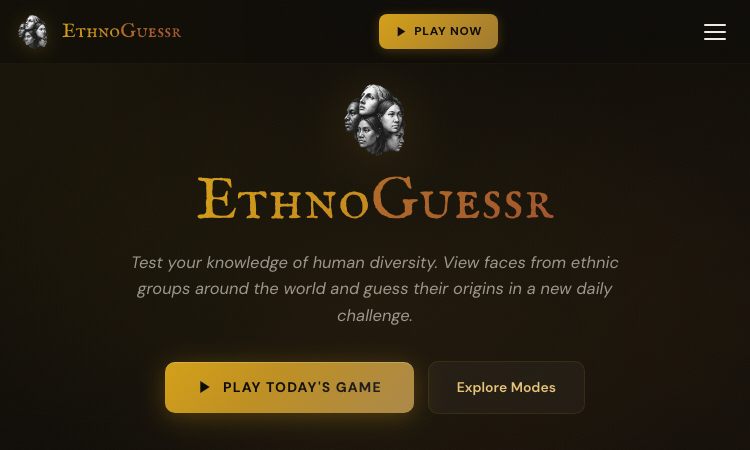
EthnoGuessr
EthnoGuessr - Browser-based daily challenge pairing facial composites with map guessing.
EthnoGuessr EthnoGuessr is a browser-based daily quiz that mixes geography with facial anthropology. Hosted at hbd.gg, the experience presents facial composites of ethnic groups from around the world and asks players to guess their geographic origin by placing a marker on an interactive map. Each round combines observation, intuition, and trivia to score points based on how close the guess lands to the real answer. The platform ships with several distinct game modes. Classic mode shows averaged faces of well-known ethnic groups and challenges players to identify their geographic origin. World Cup mode offers a sports-themed twist by presenting one averaged face per national team and asking players to drop their marker on the correct country. Genomes mode is a newer mode that shows real photos and asks players to guess AncestryDNA-style regional breakdowns. DoggoGuessr keeps the same mechanic running for dog breeds. Daily challenges anchor the experience. A new set of faces appears each day, encouraging repeat visits, and a public leaderboard tracks how players compare across time zones and friends. Visitors who want to dive deeper can browse the full library, while anyone curious about their own heritage can submit AncestryDNA results and a photo to appear in Genomes mode for other players to guess. Account creation unlocks leaderboards, submissions, and the option to track personal progress. EthnoGuessr is built as a lightweight web app with no installation required. Maps, photo composites, and scoring run entirely in the browser, and the interface walks players through the loop in three steps: study the facial composite, place a marker, and learn about the group after the answer reveals itself. That simple ritual turns a quick quiz into a short geography lesson. The product is free to play and ships with a privacy policy, terms of service, and contact form. It is well suited for trivia enthusiasts, geography fans, dog breed aficionados, and anyone curious about cultural and genetic diversity who wants a fun daily ritual that doubles as a learning experience.
MPStorys
MPStorys - Free MapleStory Tools, Guides & Simulators for GMS, KMS, JM
A community hub for MapleStory news, events, guides, tools, wiki resources, and rankings across multiple MapleStory games.