Newest Lovable Apps
Discover beautiful apps crafted with vibe coding across different categories. Explore our curated collection of lovable applications.
Categories

Sete a Zero
Sete a Zero - A daily dice-roll game where you build dream XIs from real World Cup history.
Sete a Zero Sete a Zero reimagines the classic bar debate about World Cup dream teams as a quick daily game. Open the site, roll the dice, and you receive a national team paired with a specific tournament year between 1950 and 2026. You then assemble a starting eleven made up only of players who actually represented that country at that tournament, before the simulator calculates a final scoreline and tells you whether your dream lineup pulls off the iconic 7–0 win. The product is built on a deep historical archive. Sete a Zero indexes 56 national federations, 302 official World Cup squads, and more than seven thousand individual players, each tagged with the years in which they actually wore their national shirt. That level of detail turns each draw into a genuine trivia exercise rather than a generic guessing game. Knowing which legends were present at a given tournament is what separates a strong lineup from a confident guess, and the system enforces the historical record. When the team is set, the simulator weighs player ratings, era strength, and opponent quality to settle the match. Strong sides usually win comfortably, while weaker lineups struggle to keep pace, but the engine still leaves space for the occasional surprise. You can chase the daily challenge on your own, share results with friends to see whose squad performed best, or stay in free mode and keep generating new fixtures as quickly as the dice will roll. Sete a Zero runs directly in the browser, so there is nothing to install and no account to create. The platform is free for anyone curious enough to try it, and the site supports Portuguese, English, Spanish, and French. The product is operated by 7a0, a CNPJ-registered Brazilian studio, and additional documentation, including an FAQ, terms, and a privacy policy, can be reached from the main menu for visitors who want more context.
7a0
7a0 - Daily dice-roll squad builder with real World Cup players from 1950 to 2026.
7a0 7a0 is a lightweight World Cup guessing game built around three very simple steps. Roll, build, and simulate. Open the page, hit the dice, and the game hands you a national team paired with a specific tournament year, anywhere from the 1950 edition in Brazil through to 2026. Your job is to assemble a starting eleven using only players who actually represented that country in that tournament, and then watch the simulator decide whether your dream squad walks away with a 7–0 win. The database behind the experience is the heart of the product. 7a0 indexes 56 national teams, 302 official World Cup squads, and more than seven thousand verified players with their representative years. That depth is what turns each draw from a generic quiz into a real knowledge test, because you cannot get away with picking stars from the wrong era. Asking yourself whether Pelé belongs in the 1958 starting eleven, or whether Maradona should anchor the 1986 midfield, is exactly the kind of memory challenge that football fans love to settle. The simulator is tuned for storytelling rather than realism. Player ratings, tournament era, opponent quality, and historical context all contribute to the final score, so a strong side rarely collapses while a misjudged lineup struggles to find its footing. Solo players can chase the daily challenge, friends can compare their attempts, and free mode lets anyone keep rolling new fixtures until the World Cup trophy case is full. The combination of dice-roll luck, trivia, and tactical choice keeps every round feeling fresh. Because everything runs in the browser, 7a0 requires no download, no account, and no payment. The site supports Portuguese, English, Spanish, and French, making it accessible to the global football audience. The product is operated by 7a0, a registered Brazilian studio with a CNPJ, and an FAQ, terms, and privacy policy are available from the main menu for users who want additional context or want to flag a rating that should be revisited.

Palworld Wiki Reference Hub
Pals, breeding, map, database, and guides
Palworld Wiki helps players check Pal roles, breeding details, database entries, map information, updates, and guide material without jumping between scattered posts. It is built for new players, returning players, base planners, and completion-focused players who want quick answers while still leaving room to explore the game naturally.
MODCAR.ai
Preview AI car mods on your own car photo — paint, wheels, body kits, and more.
MODCAR.ai is an AI car modification studio: upload a photo of your real car and preview custom paint, wheels, body kits, wraps, and spoilers in seconds — no editing skills required. What it does AI mod visualization — see paint colors, wheels, body kits, wraps, and spoilers rendered on your own car, not a generic 3D model One-click preset builds — Street, Track, VIP, Widebody, and OEM+ packages generate a complete look in seconds Shoot and preview anywhere — a phone snapshot is enough; no photo editing skills, studio, or photographer needed For dealerships — batch-replace messy lot backgrounds with clean, showroom-quality backdrops for listing photos Why MODCAR.ai Built specifically for cars rather than as a general-purpose image tool, so results respect wheel fitment, body lines, and paint finishes instead of returning a different vehicle. Available in 9 languages. Try it as a guest without signing up, or create a free account for monthly credits. Paid plans add more credits, priority processing, and commercial usage rights.

10x App
10x App - Generate, edit, and launch a SwiftUI iOS application from a single prompt.
10x App 10x App is positioned as an AI app builder that compresses the journey from concept to a live App Store listing. Unlike no-code tools that produce webviews, the platform generates native SwiftUI code, compiles it on the device, and produces a binary that feels production-ready on the first pass. That emphasis on true native output is the foundation of the product and what differentiates it from wrapper-based alternatives. The experience starts with a prompt. Founders describe their idea, the AI proposes a structure, and the system assembles the screens, navigation, and visual identity automatically. From there, makers can iterate visually by re-running prompts, swapping layouts, or editing the SwiftUI source directly. Developers benefit from full access to the generated code, while non-technical users can rely on the AI loop to refine the design. The same project supports both paths without forcing a tradeoff. Distribution is treated as part of creation. 10x App generates App Store descriptions, screenshots, and icons, and it guides users through TestFlight and the submission process. After launch, built-in marketing automation watches competitor advertising, highlights new opportunities, and creates ready-to-share social media pages, so the tool is useful beyond the moment of compilation. The platform connects with Superwall for paywalls and subscription flows, OpenAI for AI features, and Supabase for authentication, databases, and backend logic. That stack is well suited for AI utilities, calorie trackers, productivity apps, 3D experiences, and lightweight games. Notable users include the teams behind QUITTR, Cal AI, Brainrot, LOCKED, RIZZ, and Umax, showing the tool can support shipping consumer products. The pricing structure is credit-based. The free plan ships $5 in credits for experimentation, Plus costs $20 per month with 20 monthly credits, and Max costs $200 per month with 200 monthly credits, plus a configurable spend cap to prevent overruns. 10x App is an open-source project, and the codebase is available on GitHub, while the macOS application can be downloaded from the company site. 10x App, Inc. maintains the product and runs an active Discord for builders.
Ugly Avatar
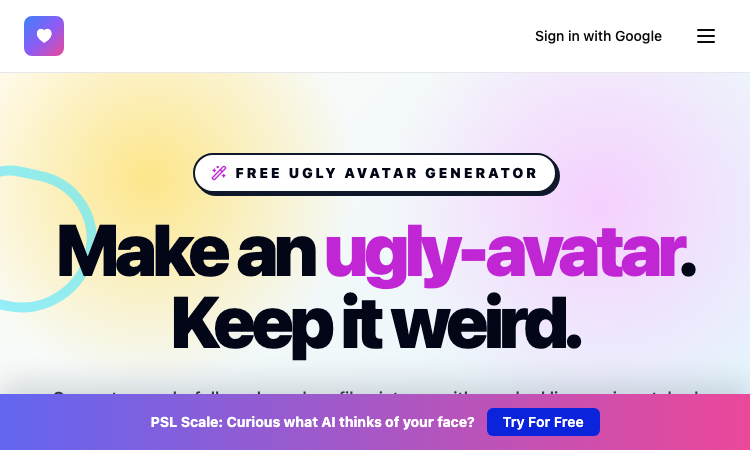
Ugly Avatar - Browse 48 delightfully awkward faces, refresh the gallery, and download one free.
Ugly Avatar Ugly Avatar turns procedural drawing into an entertaining way to create profile art. Open the tool and you immediately get 48 intentionally odd portraits rather than a blank canvas. The faces combine crooked lines, uneven eyes, unusual mouths, distorted contours, and chaotic hairstyles to produce a hand-drawn look that feels expressive and unmistakably different from standard avatar packs. The experience is designed for speed. Browse the gallery, click a face you like, and save a high-resolution 1024×1024 PNG with one action. You do not need to create an account, upload a selfie, enter personal information, or learn illustration software. When none of the visible characters fits, use the regeneration control to make 48 new faces and continue exploring. Behind every portrait is a unique deterministic seed. The seed drives how the procedural system shapes the face, eyes, nose, mouth, and hair, while also making the output repeatable. This approach gives the collection variety without turning the process into a complicated customization workflow. The generator is useful for social media identities, developer profiles, forums, games, community spaces, side projects, and playful placeholders. It is particularly appealing to people who want a recognizable image but do not want to use a real photograph or a polished, artificial-looking character. Ugly Avatar is free to use in the browser. Inspired by the open-source txstc55/ugly-avatar project, it pays tribute to that idea through an independently built drawing system. The result is a simple, privacy-friendly tool for downloading strange and memorable portrait art whenever a normal avatar would be too ordinary.
formind
A powerful AI image processing tool
SpringBrand — AI-Assisted Service Market
AI-Assisted Service Marketplace
Hire packaged services through an AI-assisted service marketplace for SEO services, e-commerce services, local business services, social media assets, scripts, content, email, and creator work.
PicText - Image Text Editor
AI-powered image text editor that detects and replaces text in photos, screenshots, and product Image
Image Text Editor is an AI-powered image text editor that seamlessly detects existing text in photos, screenshots, JPGs, product images, and social creatives, then replaces it while preserving the original layout, style, and font characteristics. Key Features Smart Text Detection: Automatically identifies text areas in any image. Font Matching: AI recognizes and matches the original font style, size, and color. Layout Preservation: Maintains the original design and background intact. Simple Workflow: Upload image → describe text change → get edited result. No Source Files Needed: Edit text without requiring PSDs or layered templates. How It Works Upload the source image: Add a screenshot, JPG, product image, poster, or any visual containing text. Describe the text change: Specify original text, enter new text, and add style instructions if needed. Generate the edited result: AI processes the image-to-image request and returns a revised version. Perfect For Marketing posters and social media creatives. Presentation screenshots. AI-generated visuals. Product images with text. Any static graphics needing text modifications. Edit text in images effortlessly with professional AI font matching and seamless background cleanup.
Ruvnet Github
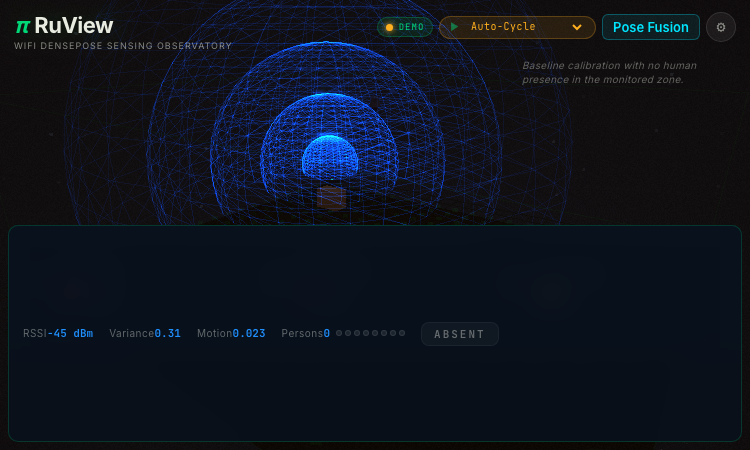
Ruvnet Github - an open RuView demo of WiFi-based human pose and vital-sign sensing.
Ruvnet Github Ruvnet Github is a compelling example of an open, demo-driven web project that makes a deep technical idea approachable. RuView, the project hosted there, is a WiFi DensePose observatory: it uses ordinary WiFi signals to estimate human pose, presence, and vital signs, with no camera in the loop, and it exposes that capability through a browser-based interface anyone can explore. From a builder's perspective, the project is fascinating. RuView visualizes metrics like RSSI, variance, and motion to reconstruct what is happening in a room, and it offers ready-made scenarios—empty room, vital signs (breathing), multi-person tracking, fall detection, sleep monitoring with apnea, and intrusion detection—rendered at up to sixty frames per second. Hosting it on GitHub Pages as an open project means the entire concept is inspectable, shareable, and free to study. The scope is intentionally demonstrative. Rather than shipping a closed commercial product, Ruvnet Github presents a research-flavored exploration that visitors can drive themselves, which is exactly the kind of well-scoped, curiosity-friendly project the open web is good at. The privacy angle is a quiet strength: because sensing is WiFi-based, it never captures an image. For makers browsing a showcase, Ruvnet Github shows how an ambitious, technical concept can become a polished, browser-based experience without a company behind it. It proves you do not need a platform or a budget to ship a genuinely impressive demo—just a clear idea, an open repository, and a clean front end.
Rare Encounter
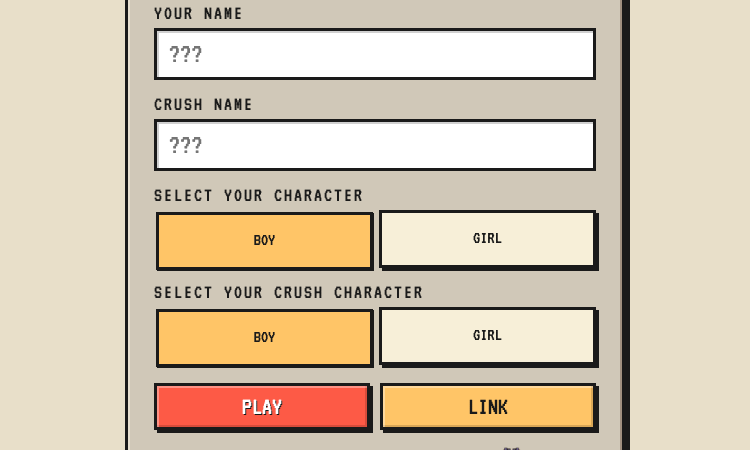
Rare Encounter - build a personalized ask-me-out RPG mini-game and send a link to your crush.
Rare Encounter Rare Encounter is a nicely built example of turning a tender, intimidating human moment into a focused, shareable web product. The app lets a user craft a personalized "ask me out" RPG mini-game and send it to their crush, who then plays through a short encounter to reach an answer. From a product perspective, the build is thoughtful. The creator side is a simple form—your name, their name, character genders, generate link—while the player side is a compact role-playing scene with stats like Courage, Heart, and Happiness and actions like Ask Out Attack, Overthink, and Run. That split between an easy authoring flow and an engaging play flow is exactly what makes the concept land: the sender does almost nothing, and the recipient gets a real, interactive experience. The mechanics carry the metaphor. A "rare encounter" in RPG terms is an unusual, valuable event, and the game borrows that framing for romance—meeting someone you're attracted to is rare, and the game encourages the player not to let it pass. A Game Over ending teases the missed chance, while a win unlocks follow-up quests like planning the first date. For makers browsing a showcase, Rare Encounter shows how a single, emotionally resonant idea can become a polished, shareable web app. It proves you do not need a sprawling platform to build something people will actually send to each other—just a clean authoring flow and a playful payoff.
Qdctu
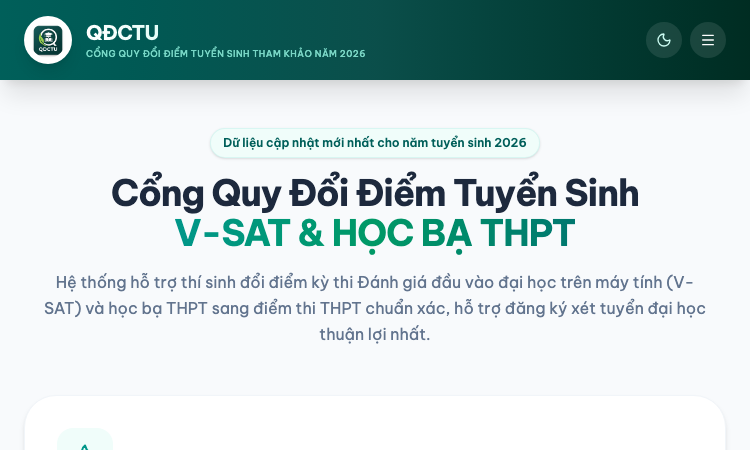
Qdctu - a focused web app for converting V-SAT and transcript scores into a comparable format.
Qdctu Qdctu is a nicely built example of a focused, single-purpose web tool solving a real, recurring need in Vietnamese university admissions: converting V-SAT scores and transcript grades into a common, comparable format. Rather than asking students to juggle spreadsheets and guess at equivalencies, the app offers a clean, fast path to the converted result. From a product perspective, the scope is well-judged. The app does one thing—convert scores across systems—and gets out of the way. That clarity of purpose is exactly what an anxious applicant needs: enter the numbers, see how they translate, and move on to deciding where to apply. There is no bloat, no clutter, and no attempt to be a full admissions portal. The build is modern and portable. Delivered as a web application, it runs on whatever device a student has available, from a phone to a desktop, with no install required. The responsive interface keeps the focus on the converted score rather than on chrome, which is right for a results-focused moment. For makers browsing a showcase, Qdctu shows how a clear, well-scoped problem—how do my scores compare—can become a polished, genuinely useful product. It proves you do not need a sprawling platform to deliver real value to students at the moment they are making one of their biggest decisions.