Newest Lovable Apps
Discover beautiful apps crafted with vibe coding across different categories. Explore our curated collection of lovable applications.
Categories
Whats App Web
Whats App Web mirrors WhatsApp mobile chats into a desktop browser for fast, keyboard-driven messaging.
Whats App Web Whats App Web is the official desktop browser companion to the WhatsApp messenger, built by Meta to keep conversations flowing when the phone is out of reach. A single QR-code scan in the phone app is enough to mirror every chat, contact, group, and status update onto a desktop tab, with real-time two-way sync that mirrors messages, reactions, and read receipts in milliseconds. The layout is split into three columns that map directly to how people actually use messaging apps. A persistent left rail lists every conversation with pinned threads, unread counts, and quick filters for unread, favorites, and groups. The middle column shows the active chat as a familiar stream of bubbles, complete with avatars, timestamps, and reply context. A right-side panel opens contact or group details, media, and per-chat settings without breaking the current view. Composition is built for the keyboard. The bottom composer supports plain text, emoji, GIFs, stickers, file attachments up to 2GB, voice notes, and one-click voice or video calls launched straight from the browser. Drag-and-drop turns screenshot, PDF, and video sharing into a one-step action, and end-to-end encryption ensures the desktop session inherits the same privacy guarantees as the mobile app. Under the hood, Whats App Web maintains a persistent connection to the WhatsApp backend, propagating typing indicators, online statuses, and reactions in real time. Multi-device support means the web client keeps working even when the phone is offline, and keyboard shortcuts for navigation, search, archiving, and muting keep power users fast. The universal search bar at the top of the chat list surfaces any contact, group, or archived thread in milliseconds. For remote teams, support agents, journalists, and anyone who lives in long text conversations, Whats App Web is a full messaging workstation inside the browser. It takes the WhatsApp people already trust and repackages it for the keyboard, the multi-monitor setup, and the deep work session.
OSINT Tools
The comprehensive OSINT tools list for professionals. Explore our directory of best free resources for email OSINT, tech
Comprehensive collection of OSINT tools and resources for intelligence gathering, investigation, and research. Discover the best open source intelligence tools available.
SpiderFoot
SpiderFoot: Powerful OSINT Tools, Directly in Your Browser
Skip the complex GitHub deployments and Python environments. Run comprehensive open-source intelligence (OSINT) scans, trace digital footprints, and uncover attack surfaces instantly. No installation required.
kepo - mac widgets
AI-powered Mac widgets that turn any webpage, RSS feed, or dashboard into a live desktop panel.
Kepo is an AI-powered Mac widget app that transforms any webpage, RSS feed, social media update, dashboard, or small tool into a live desktop widget. With a single keyboard shortcut, you can open a sleek panel and keep essential information always within reach — without leaving your workflow. Key Features Live Widgets: Turn any URL into a real-time widget that updates automatically. AI-Powered: Smart parsing extracts the most relevant content from any page. Works with Anything: Support for web pages, RSS feeds, social feeds (Twitter, LinkedIn), dashboards, and even custom tools. Shortcut-Accessible: Open the widget panel instantly with a custom hotkey. Minimal & Fast: Blazing fast performance with a beautiful, distraction-free interface. Use Cases Keep an eye on real-time analytics dashboards. Monitor social media feeds without switching apps. Follow live status pages or sports scores. Turn any tool or website into a productivity widget. Kepo is designed for Mac users who want to stay informed without context-switching. It's like having a second screen inside your main workflow. For more details, visit https://kepo.ai
Histoiresec4 Netlify App
Histoiresec4 Netlify App turns French history revision into a fast, gamified quiz built for students preparing exams.
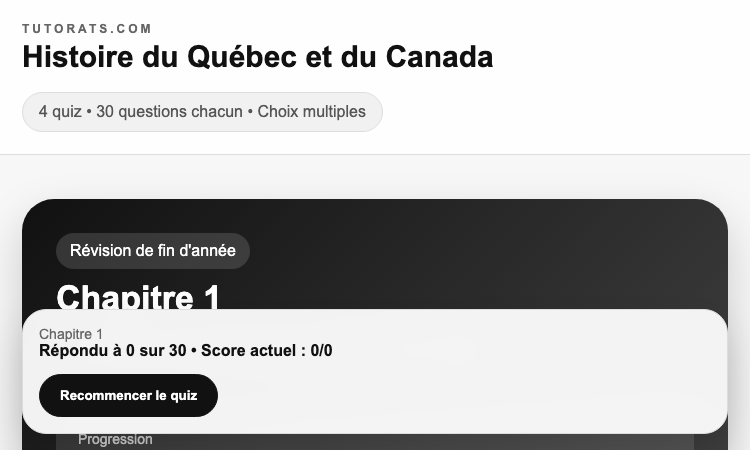
Histoiresec4 Netlify App Histoiresec4 Netlify App is built around a single insight: students retain more history when revision feels like play, not like homework. Hosted on Netlify for instant global delivery, the product wraps a curated set of French history questions inside a clean, modern interface that rewards consistent practice and gives learners immediate feedback on every answer. The first thing students see is a sticky header with the Tutorats.com brand and the current quiz focus, anchored by a hero panel that explains the value proposition in plain French. Inside the hero, a wide pitch column on the left pairs with a compact progress card on the right that tracks the live score and completion percentage through a smooth progress bar. The dark gradient hero sets a focused tone before the rest of the page opens up into the actual practice surface. Underneath the hero sits a four-tab mode selector that lets students switch between study styles — typical categories include themed chapters, mixed review, timed challenges, and personalized weak-spot drills. Each tab is a large rounded card with a hover lift, so the active mode is always obvious and switching between modes does not interrupt the flow. Tapping a tab re-renders the question stream in place, keeping the practice session feeling continuous. Each individual question is rendered in a generous white card with a numbered badge, a clearly written stem, and a tidy list of multiple-choice answers. Submitting an answer surfaces immediate visual feedback, and a side panel keeps a running tally of the score, the current streak, and the breadth of topics covered. The visual language is intentionally calm: a soft off-white background, neutral typography, and a small palette of accent colors reserved for actionable elements only. For French high-school and university students working through long historical narratives, Histoiresec4 Netlify App makes drilling less lonely. It is a study tool that turns five spare minutes into a productive revision session, makes progress visible at a glance, and helps build the kind of consistent practice that actually moves exam scores.
Gifsync Vercel App
Gifsync Vercel App pushes a local GIF or MP4 to a TikTok profile in one click — no logins, edge-fast.
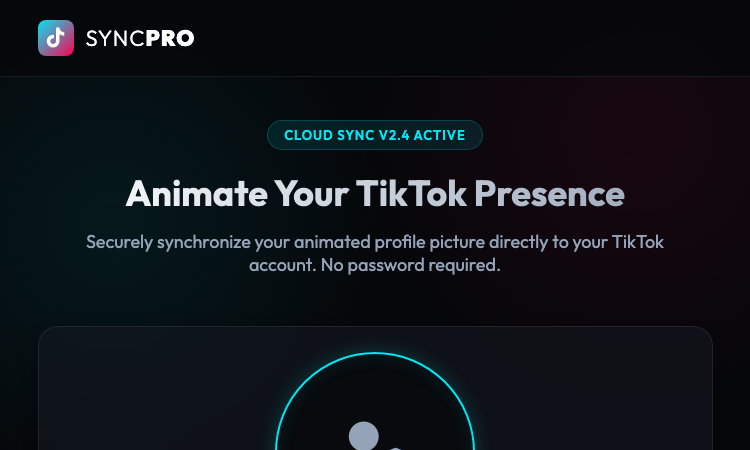
Gifsync Vercel App Gifsync Vercel App is a no-friction, browser-only toolkit for keeping a TikTok profile picture animated. Instead of bouncing between Photoshop, online GIF resizers, and TikTok upload quirks, creators open a single page, drop a GIF or short MP4 into the upload zone, type the target @username, and watch the synchronization sequence stream across an edge-deployed processing pipeline. Under the hood, Gifsync Vercel App leans on the Vercel platform to do the heavy lifting. Cloud Sync v2.4 routes media through global edge nodes, transparently compressing, re-encoding, and chunking each file to match TikTok profile picture specifications. The user sees a clean terminal log narrating the operation: SSL handshake, target account verification, buffer compression, edge upload to TX-09, and final asset sync. A circular preview area on the left confirms what will be pushed live, while the right column keeps the username field, the upload box, the trust indicators, and the primary action button stacked in a tight, scannable layout. The product is built around three core pillars. First, Edge Deployment ensures every sync is served from a node close to the user, so updates feel instantaneous regardless of geography. Second, Auto-Optimization removes the manual guesswork of matching resolution, frame rate, and file size, compressing uploads on the fly. Third, Verified Access adds an enterprise-grade security masking layer that protects the destination account throughout the entire flow, with no email or password exchange required. Design matters as much as plumbing. The dashboard uses a dark glassmorphism aesthetic with cyan and pink accent gradients that nod to TikTok branding while remaining its own identity. Trust indicators at the bottom of the card highlight the no-email, current-account, and SSL-encrypted guarantees, and a Cloud Sync v2.4 Active badge in the hero keeps confidence high. The layout is fully responsive, so the preview circle, status dot, and controls stay aligned on phones, tablets, and ultrawide monitors. For individual creators running themed campaigns, social media managers juggling multiple brand accounts, and growth teams A/B testing avatar variants, Gifsync Vercel App collapses an otherwise messy workflow into a single edge-deployed page. One tab, one upload, one click — and the animated profile is live.
Whisper AI
Speech to text & AI voice typing
Whisper AI is a Chrome extension for AI voice typing. Start dictating anywhere, clean up messy transcripts, and switch modes for translation, email drafting, or grammar fixes. Features include 25+ languages support, hotkeys + hold-to-talk, smart cleanup, and modes for transcribe, translate, draft emails, or fix grammar.
Seedance 2.0 Mini
Type the scene. Seedance 2.0 Mini films it.
Seedance 2.0 Mini is the light, low-cost tier of the Seedance 2.0 family — text and images in, coherent cinematic clips out. Up to 1080p, at a fraction of Seedance 2.0 pricing.
eyetestonline
Eye Test Online Free | Eye Test Online - Free Vision Screening & Eye Tests
Take a free eye test online in minutes. Screen visual acuity, astigmatism, color vision, contrast sensitivity, central vision and peripheral vision.
lumentale wiki
lumentale
LumenTale Guides & Animon Dex for Memories of Trey Everything you need for your Talea playthrough — compare 149 Animon, pick the right starter, learn affinities and type matchups, track evolutions, and look up skills, items, and boss fights before you commit levels or rare materials.
burglin gnomes guide
Burglin' Gnomes Guide — Tasks, Items, Crafting & Co-op Tips
The definitive, database-driven Burglin' Gnomes wiki. Access patch-verified item spawn tables, co-op task routes, and survival mechanics.
Letter4u
Letter4u - Free creator for digital love letters, mini sites, photo collages and music memories.
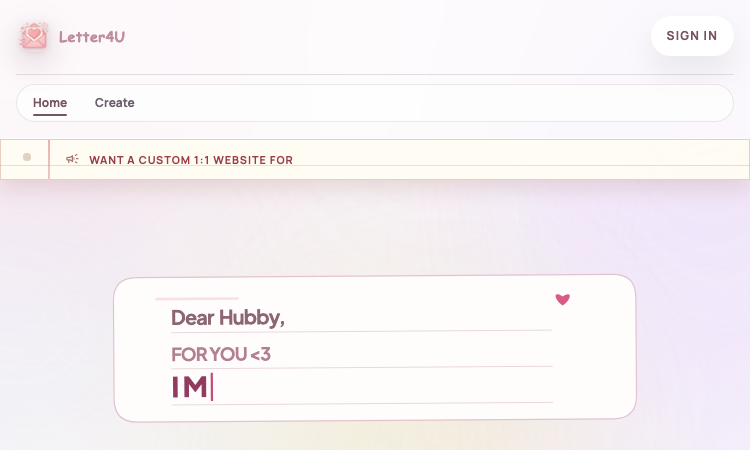
Letter4u Letter4u is a free, browser-based creator for digital love letters, mini websites, photo collages, and shareable memory pages. The product is built around a single idea: give people a beautiful, intentional way to express themselves online, without the friction of designing a full website or learning new software. Whether a sender wants to surprise a partner, celebrate an anniversary, or just send a long-overdue message, Letter4u offers a polished starting point in seconds. The creator supports a rich set of formats out of the box. Users can write a love letter in motion, build a retro CRT-style slideshow, lock a private page behind a PIN, attach a YouTube music memory so the letter plays a meaningful song, sync drafts to the cloud, and instantly share the finished page via a single link. The library of templates is curated, so beginners get a great-looking result without any design experience, while more creative users can layer their own photos, captions, and music. The visual design is warm and personal. The site uses Plus Jakarta Sans for headlines and Manrope for body text, paired with a soft pastel palette, blurred background blobs, and a marquee of sticky-note category labels. The aesthetic feels like a digital scrapbook crossed with a premium launch page. There is no install step, no required sign-up to start a draft, and the experience works equally well on a desktop, a tablet, and a phone. Letter4u also offers a premium path: visitors who want a fully custom 1:1 love website can message the developer directly on Facebook to commission a bespoke build. That makes the product work both as a self-serve tool and as the front door to a small design studio. The site ships with proper SEO metadata, OpenGraph and Twitter card tags, a custom preview image, and structured-data JSON-LD, so shared letters preview beautifully on social platforms. For users, the value is concrete: in a few minutes, a sender can produce a polished, shareable digital letter that looks and feels deeply personal, complete with photos, music, and a private page option. Letter4u is the kind of small, focused utility that turns a heartfelt idea into a memorable keepsake.