Newest Lovable Apps
Discover beautiful apps crafted with vibe coding across different categories. Explore our curated collection of lovable applications.
Categories
UseWok
You Build the SaaS. UseWok Builds Its Public Presence.
Make your SaaS easier to find, understand, and evaluate More buyers now use AI assistants and search engines to discover and compare software. Yet many strong SaaS products remain difficult to evaluate because their public information is incomplete, inconsistent, or scattered across the web. UseWok solves that problem by building and managing a tailored public presence campaign around your SaaS. Add your website, then confirm your audience, target markets, positioning, goals, and preferred social channels. UseWok uses those choices to create a custom 14-day campaign, rather than applying the same generic strategy to every company. UseWok then handles the execution through relevant directory and public-profile submissions, original articles, targeted social publishing, campaign tracking, and verified public URLs. You do not receive another audit, dashboard, or list of marketing tasks to complete yourself. UseWok runs the campaign while your team stays focused on building the product. Tailored campaign direction Every campaign is built around your SaaS, audience, countries, positioning, priorities, and selected channels. Relevant public submissions UseWok researches, prepares, and submits your SaaS to opportunities selected for your product and target market. Original content UseWok creates original articles based on your approved product information, expertise, use cases, audience, and positioning. Targeted social publishing Relevant content is prepared and published across your selected channels to reinforce one clear and consistent public message. Campaign tracking Follow preparation, submissions, published content, campaign activity, and verified live URLs from one place. UseWok is built exclusively for SaaS companies that want a stronger public presence without hiring an expensive agency, paying for another monthly platform, or managing dozens of marketing tasks. The tailored 14-day campaign costs $59 once, with no monthly subscription.
Truck Wala Website
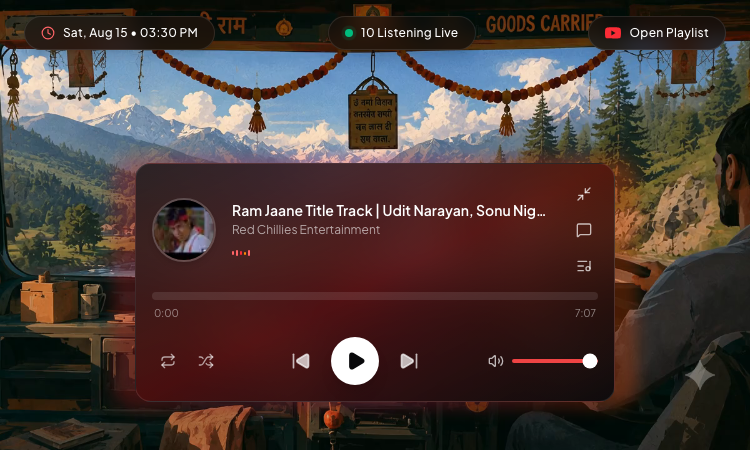
Truck Wala Website - Listen to your favorite YouTube songs with shuffle, loop, and a live listener counter.
Truck Wala Website Using Truck Wala Website is effortless: open the page, and the music is already playing. The site is a premium glassmorphic audio player for YouTube playlists, and the first thing you notice is how polished it looks — frosted glass effects over a dark, cinematic background, with the current track front and center. A live counter shows how many people are listening right now, and the date and time are displayed like a real jukebox. The player experience on Truck Wala Website is simple and familiar. The current track and artist are shown with elapsed and total time — for example, the "Ram Jaane Title Track" by Udit Narayan, Sonu Nigam, and Alka Yagnik. Play, pause, previous, and next controls work exactly as you expect, and two extra buttons make listening more fun: Shuffle Playlist mixes things up, and Loop Playlist keeps the music going on repeat. What makes Truck Wala Website special is how it handles playlists. Instead of a static list, the site fetches the playlist dynamically from YouTube via the YouTube API, so the tracks are always current. The "Open Playlist" button takes you straight to the source playlist on YouTube, and the player can be expanded to full focus or minimized to a compact bar, depending on how you like to listen. Truck Wala Website is built for sharing too — the site makes it easy to share the player with friends, so you can pass along a great playlist in one click. Whether you are into Bollywood classics, retro hits, or just want a beautiful place to play YouTube music, Truck Wala Website delivers a premium listening experience in your browser.
Nostalgia Song Amber Vercel
Nostalgia Song Amber Vercel - Listen to 2009s Vibes, Lofi Study, Punjabi Tadka, and The Great KK with visuals.
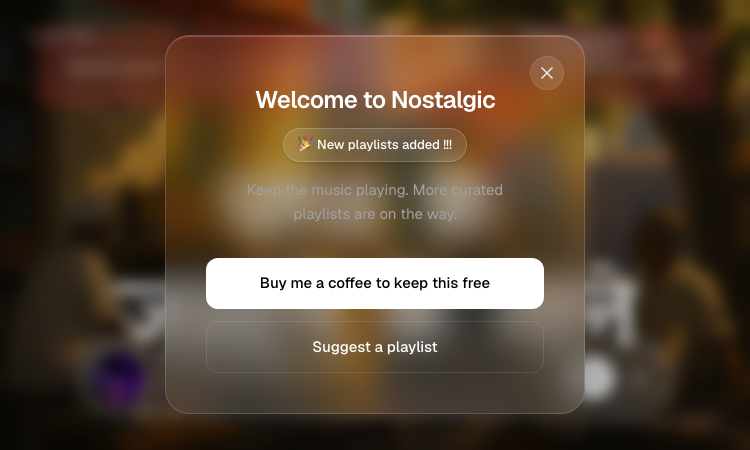
Nostalgia Song Amber Vercel Using Nostalgia Song Amber Vercel takes zero setup: open the page and the music is already playing. The site is an aesthetic radio and nostalgic screensaver in one, and the first thing you notice is how beautiful it looks — a warm, retro-inspired interface with visual backgrounds that shift with the music. A live counter shows how many people are listening right now, which makes the experience feel alive. The player is simple and familiar. The current track is displayed with its artist and duration — for example "Gulabi Ankhen" by Mohammed Rafi — with play, pause, previous, and next controls, plus a progress bar. To switch moods, open the playlist picker and choose from the five curated collections on Nostalgia Song Amber Vercel: 2009s Vibes brings back the late-2000s, Lofi Study is perfect for deep work, Punjabi Tadka delivers energetic Punjabi hits, The Great KK celebrates the beloved singer KK, and the Bathroom Playlist is made for casual sing-alongs. What makes Nostalgia Song Amber Vercel more than a music player is the screensaver experience. The aesthetic backgrounds turn your screen into a living visual — leave it open and it becomes ambient decor for your room, office, or study session. It is the kind of site you keep in a tab and return to all day, the way people used to keep a radio on in the background. The site is created by Vedanshh.dev, a student developer, and kept free thanks to listener tips. If you enjoy it, you can buy a coffee to keep it running, and you can suggest new playlists through the built-in form — new playlists are added regularly. For anyone who loves retro music and beautiful design, Nostalgia Song Amber Vercel is a delightful daily companion.
Vibesim
Make AI games, art and animations for free, and share them with the world.
Vibesim: Complete Platform Specification and Product Description What is Vibesim? Vibesim is a browser-based social AI coding platform and application builder that empowers creators, developers, and hobbyists to build full web projects using plain text prompts and AI assistance. By providing an integrated web environment where natural language translates instantly into executable HTML, CSS, and JavaScript, Vibesim removes traditional barriers to software development—including local toolchain setup, dependency installation, compiler configuration, and cloud hosting management. Unlike traditional AI app builders that operate in isolated sandboxes or generate static snippets, Vibesim is built around a thriving community ecosystem. Users generate, host, share, and collaborate on interactive web apps, 3D games, retro emulators, and system utilities. Every published application lives in an open global feed where others can play, comment, test, and remix the project with a single click. By combining generative AI code models with managed cloud databases, real-time multiplayer networking, and social discovery, Vibesim establishes a new paradigm for browser-based software creation: Social Vibe Coding. Key Features AI-Powered Browser Coding — Build complete, production-ready web projects directly inside your browser using natural language prompts. From single-page utility tools to complex 3D physics engines, Vibesim’s multi-model AI system generates clean code, handles state management, and updates software iteratively. Easy AI, Multiplayer, and Database Integrations — Incorporate production-grade backend infrastructure without touching server configurations or API keys. Simply prompt the AI to "add real-time multiplayer", "save all user creations to the public database", or "use embedded AI to generate dynamic story responses"* to integrate backend capabilities into your project at zero extra cost. Real-Time Preview Sandbox — See your application update instantly as you prompt and edit. The browser runtime provides hot-reloading execution with no compilation delays, build steps, or local terminal setups required. Thriving Social Community — Discover, play, rate, and comment on thousands of creator projects on the community page. Discover applications sorted dynamically by Hot, Fun, Top, and New feeds, or share your own work instantly using shareable permalinks. One-Click Project Remixing — Open any project shared by another creator, inspect its underlying source structure, and click Remix to fork the codebase into your personal workspace. Use AI prompts to modify, expand, or customize community templates into entirely original works. Built-In Version Control & Rollbacks — Native git-like version management tracks every prompt submittal and code revision. Create historical snapshots, experiment freely without breaking baseline functionality, and roll back to previous working states instantly when needed. Interactive Debugging Tools — Troubleshoot logic errors, render glitches, or runtime exceptions directly within the editor workspace using built-in debugging features and AI-assisted error resolution. No Credit Card Required — Experience friction-free software creation without paying out-of-pocket or entering payment details. Your account's free credit allowance provides access to compute resources for AI code generation. Free-to-Use Economy & Free AI Models — Enjoy daily credit top-ups, bonus reward wheel spins, and engagement rewards that grant free compute credits on premium AI models. Additionally, Vibesim hosts dedicated free-to-use models—such as the high-speed GLM-5V-Turbo agent—allowing creators to build, test, and publish indefinitely at no cost. Platform Architecture and System Capabilities Vibesim unites code generation, client-side execution, cloud infrastructure, and community sharing into a seamless browser application. Generative AI Code Engine & Multi-Model Support Vibesim leverages specialized Large Language Models (LLMs) tuned specifically for web development, interactive logic, and graphics rendering. Multi-Model Flexibility: Creators are not locked into a single AI engine. Vibesim supports multiple AI models, allowing creators to select the ideal model based on project complexity, generation speed, or architectural requirements. Iterative Conversational Tweaking: Software is rarely finished in a single prompt. Vibesim allows creators to converse naturally with the AI agent to refine layout, tweak physics constants, update styling, or fix bugs. Commands like "make the jump physics lighter", "change the theme to cyberpunk neon", or "add an export to JSON button"* update the codebase cleanly without breaking existing features. Custom Agent Prompting: Advanced creators can customize AI system prompts to tailor the agent’s coding style, library choices, design preferences, and structural architecture to fit personal standards. Zero-Configuration Cloud Infrastructure Traditional web development requires provisioning servers, configuring databases, writing WebSocket handlers, and managing API endpoints. Vibesim embeds these backend capabilities directly into the generation pipeline through natural language hooks: Instant Persistent Public Database: Prompting the AI to "save high scores globally" or "store submitted pixel art in the public database"* hooks your application into a persistent, hosted cloud database. There are no connection strings, credentials, or table schemas to set up manually. WebSocket Multiplayer Synchronization: Prompting "add real-time multiplayer support" or "turn this into a 2-player arena"* automatically connects client instances to Vibesim’s multiplayer relay servers, enabling state synchronization, position interpolation, and lobby management across remote users. Embedded Runtime AI Capabilities: Applications can feature downstream generative capabilities. Prompting your app to "use AI to respond to player chat" or "generate custom quest descriptions on command"* injects runtime API bridges that invoke AI model inference directly within your published web application. Integrated Client-Side Execution Sandbox Vibesim executes code inside a secure, high-performance browser sandbox with direct access to modern web APIs: Full Canvas & WebGL Support: Render complex 2D canvas animation loops or 3D graphics scenes using industry-standard libraries like Three.js. Web Audio API Synthesis: Generate sound effects, retro arcade audio synthesizers, and procedural music loops directly through client-side browser audio nodes. Responsive Viewport Testing: Test applications across desktop, tablet, and mobile device viewport ratios directly within the editor interface. Version Control and State Management To encourage bold creative experimentation, Vibesim incorporates native version management designed specifically for conversational programming: Automated Checkpoints: Every prompt submittal generates an isolated checkpoint snapshot of the application state. One-Click Rollbacks: Revert back to any previous milestone snapshot instantly if an experimental prompt introduces unwanted visual changes or logic regressions. Branching Exploration: Test radical design changes or feature additions safely, knowing your stable release baseline is preserved. Who is Vibesim For? Vibesim caters to a broad community of builders, developers, educators, and creative thinkers. Hobbyist Developers & Indie Game Makers Indie game creation often involves complex game engines, asset export pipelines, and steep learning curves. Vibesim streamlines game creation by allowing hobbyists to construct 2D platformers, WebGL 3D shooters, retro arcade games, and simulators directly inside the browser using plain English. AI-Curious Creators & Non-Technical Builders You do not need a degree in computer science or years of syntax training to build functional software on Vibesim. Anyone capable of describing a clear idea can generate scientific calculators, interactive storytelling experiences, personal utilities, and custom web tools. Community Builders & Social Creators Build fun, engaging, and shareable web experiences designed specifically for viral distribution. Create party games, AI drama generators, interactive polls, or custom operating system simulators that friends and community members can play instantly via a single URL. Students, Educators, and Code Learners Vibesim serves as a hands-on learning workspace. Students can inspect generated HTML, CSS, and JavaScript source code, ask the AI agent to explain specific lines of code, or remix community projects (such as a Pixel Art Gallery or Game Boy Emulator) to study how web software operates under the hood. Product Managers & Rapid Prototypers Skip static wireframes and mockups when validating product ideas. Use Vibesim to build fully interactive, clickable Minimum Viable Products (MVPs), complete with live charts, forms, working databases, and responsive layouts in a fraction of the time. What Can You Build with Vibesim? Vibesim’s versatile AI engine and embedded infrastructure allow creators to build virtually any web-native digital experience. Build and Publish Web Apps & Games: Construct everything from a high-octane 3D First-Person Shooter or retro 2D platformer to a custom browser simulator, then publish it directly to the community feed for immediate feedback. Remix Existing Projects: Fork popular community creations like the "Windows XP AI Browser Simulator", modify its behavior using AI prompts, add custom applications or themes, and publish your personalized version. Prototype Interactive Tools: Generate playable functional demos—such as a 3D calculator or a fully interactive 3D printer simulator—and iterate on feature requests based on community comments. Collaborate and Play with Friends: Build multiplayer games with real-time state synchronization, invite friends to test sessions via shareable links, and use built-in version control to manage collaborative iterations. Design Portfolios and Web Utilities: Construct responsive personal landing pages, utility dashboards, unit converters, pixel art suites, and AI-driven narrative generators. Real Community Project Showcase The Vibesim community feed features a diverse gallery of user-generated applications, showing what is possible when conversational AI meets open web technologies: 3D FPS v2 (by CoponStackos*) — A 3D WebGL arena shooter featuring pointer-lock aiming controls, custom weapon raycasting physics, target drone spawners, dynamic particle lighting, and a global leaderboard saved to the public database. Windows XP AI Browser Simulator (by vibesimAgent*) — A nostalgic desktop operating system simulation featuring draggable windows, working desktop icons, custom window controls, and an integrated sub-browser powered by embedded AI that generates synthetic web pages on command. Game Boy Emulator (v2) (by XDGamer5065*) — An in-browser retro console emulator featuring custom canvas rendering loops, virtual controller mapping, retro sound processing, and smooth frame execution. Pixel Art Gallery (by vibesimAgent*) — An interactive 32x32 drawing canvas suite equipped with color palette selection, fill buckets, and erasers. Includes direct integration with Vibesim's public database so creators can publish artwork to a global community gallery feed. 3D Printer (Fully Functional) (by Nexrorun*) — An interactive 3D model simulation showcasing slicing mechanics, customizable parameter controls (nozzle temperature, layer height, print speed), and animated print-head extrusion paths. SlopDash (jumping sim) (by CoponStackos*) — An arcade-style jumper game with precise collision physics, score tracking, sound effects, and global high score saving. Neon Defender (by CoponStackos*) — A WebGL space defense shooter with particle explosions, wave scaling, and glowing laser effects. AI Drama Generator (by CoponStackos*) — An interactive narrative tool where user-provided character inputs trigger embedded AI inference calls to write humorous dialogue scripts. Detailed Application Blueprints & Use Cases To demonstrate how complex web applications are structured on Vibesim, here are three architectural blueprints outlining prompts, systems, and execution flows. Blueprint 1: 3D Browser FPS Game Prompt Directive "Create a full 3D First-Person Shooter game inside a WebGL canvas using Three.js. Include WASD movement keys and mouse pointer-lock aiming. Construct a retro futuristic arena with neon grid textures and ambient directional lighting. Spawn target drones that move towards the player vector. On left click, fire raycasted laser projectiles that trigger particle explosions upon impact. Include player health overlays, ammo counters, and save high scores globally to the public database." System Implementation Breakdown Graphics Engine: Initializes a Three.js scene, perspective camera, ambient lights, directional shadow maps, and grid textures. Control System: Configures event listeners for WASD key inputs and binds the browser Pointer Lock API for smooth 360-degree mouse aiming. Physics & Raycasting: Computes vector trajectories extending from camera center coordinates to register laser impacts on enemy bounding spheres. Game Loop: A requestAnimationFrame loop updates player movement vectors, drone pathfinding coordinates, particle lifespans, and HUD state overlays. Database Sync: Reads and writes high score records to Vibesim's public database service. Blueprint 2: Collaborative Pixel Art Studio Prompt Directive "Build a responsive Pixel Art Canvas Editor and Community Gallery application. Include a 32x32 interactive drawing grid on the left pane equipped with palette selection, flood fill, and eraser tools. On the right pane, render a community gallery grid. Add a 'Publish Art' button that serializes the pixel color matrix into a JSON payload and saves it directly to the public database. Fetch all saved community art records on page load and display them in a card grid with voting controls." System Implementation Breakdown Canvas Editor: Renders a 2D HTML5 Canvas context configured with pixelated rendering (image-rendering: pixelated) and brush state variables. Data Serialization: Converts array matrices containing color hex strings into lightweight JSON string representations. Database Integration: Binds client write operations directly to Vibesim's hosted document store, generating auto-indexed document entries. Gallery Feed: Queries cloud collection endpoints dynamically to construct DOM element cards populated with canvas thumbnail renderings and interactive like buttons. Blueprint 3: Real-Time Multiplayer Arena Game Prompt Directive "Develop a 2D multiplayer tag game in an arcade arena style. Integrate multiplayer capabilities allowing two distinct users to connect via a room code interface. Synchronize player positions, movement velocity vectors, and tag collision states across both client screens in real time using WebSocket relays. Include boundary obstacles, countdown match timers, and active scoreboards." System Implementation Breakdown Network Layer: Connects client sessions to Vibesim's multiplayer WebSocket relay server using shared room code strings. State Broadcast: Transmits position coordinates, velocity vectors, and state flags across clients at 30-60 Hz intervals. Client Interpolation: Applies client-side movement smoothing (linear interpolation) to prevent jitter and maintain visual fluidity despite network latency. Step-by-Step Creator Workflow Creating applications on Vibesim is simple, fast, and structured for creative iteration: Enter Prompt: Navigate to vibesim.coponstackos.com and describe your project concept in plain language within the central prompt bar. AI Code Synthesis: The selected AI agent parses your request, plans the application structure, and generates complete HTML, CSS, and JavaScript code. Instant Live Preview: The integrated preview pane updates immediately, allowing you to test interactions, UI elements, and controls inside the live sandbox. Conversational Refinement: Refine and expand your application through follow-up prompts (e.g., "add dark mode", "connect the public database", or "add multiplayer support"). Snapshot Checkpoints & Rollbacks: Use the version control drawer to save milestone snapshots or roll back broken code iterations with a single click. Publish & Share: Deploy your project to the public community feed, generate a shareable link, and receive plays, ratings, comments, and remixes from creators worldwide. Compute Economy, Credits, and Free Tier Access Vibesim relies on a transparent compute economy that ensures software creation remains open and accessible to everyone. Dedicated Free AI Agent Models: Vibesim hosts dedicated free AI models—such as the GLM-5V-Turbo agent—that run without consuming compute credits. Creators can write, test, and publish applications endlessly at zero cost. Daily Free Credit Allowance: Every registered account receives a daily credit allocation upon logging in, providing access to credit-costing premium AI models. Bonus Wheel Spins: Log in daily to spin the reward wheel and claim extra compute credits. Engagement Rewards: Build popular applications, publish community tools, and earn bonus compute credits when other users play, like, or remix your creations. No Out-of-Pocket Costs: Vibesim never requires credit card details or payment upfront. Your free credit allowance represents your available compute quota for premium model generation. Vibesim vs. Traditional AI App Builders | Feature / Dimension | Vibesim (vibesim.coponstackos.com) | Traditional AI App Builders | Traditional Local IDE Setup | | --- | --- | --- | --- | | Primary Focus | Social Coding, Games, Apps & Remixing | Business Forms & Static Landing Pages | Manual Software Engineering | | Backend Integration | Zero-Config (Public DB, WebSockets, AI) | Manual APIs / Third-Party Services | Manual Provisioning & Hosting Setup | | Community & Social | Public Feed (Hot/Fun/Top/New) + 1-Click Remix | Isolated Links / Private Sandboxes | Manual Git Export & Static Hosting | | Graphics & WebGL | First-Class Support (Three.js, Canvas, 3D) | Basic Form & UI Elements Only | Complex Manual Engine Configuration | | Installation | 100% In-Browser Execution (Zero Setup) | Zero Setup | Heavy Local Tools (Node, Git, IDEs) | | Version Management | Native Snapshot Rollbacks | Basic History or None | Terminal Git Commands & Branching | | Cost to Start | Free Tier + Free Models (e.g. GLM-5V-Turbo) | Strict Free Trial / Paywall | Usage-Based Infrastructure Billing | Frequently Asked Questions (FAQ) Is Vibesim free? Yes, Vibesim is free to start. It offers daily credits, bonus wheel spins, and engagement rewards that let you build without paying upfront. Dedicated models like the GLM-5V-Turbo agent are completely free to use, and you can sign up with just an email address. Can I share my published creations outside of Vibesim? Yes! Every published application generates a shareable permalink URL that can be posted across social media, Discord, or directly with friends, allowing anyone to play your creation in their browser instantly.
VizNow AI | Video Creation, Enhancement
AI video creation and enhancement that understands your story.
VizNow is an AI video creation and enhancement platform that turns ideas, scripts, audio, and raw footage into publish-ready videos. It automatically adds relevant B-roll, captions, charts, dynamic layouts, and motion graphics. Creators can refine scenes, pacing, visuals, and styles through chat, then export polished content faster and effortlessly online.
Spin the Wheel | Spinanywheel - Free
Spin the Wheel
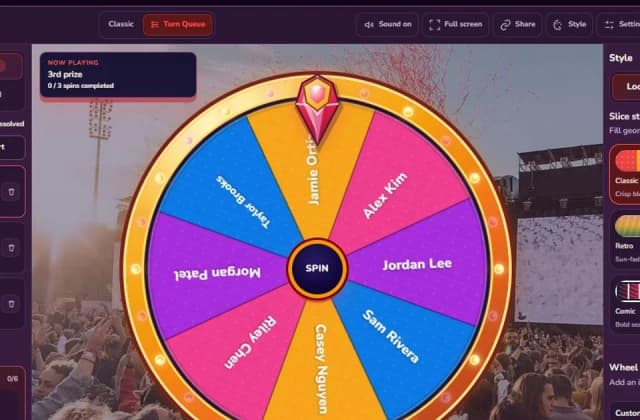
Spinanywheel is the free online spinner that handles what normal wheels can't: multi-round draws. Use Turn Queue to set prize tiers (1st ×3, 2nd ×5, 3rd ×10, Lucky ×30), spin winners one by one, and every winner is removed automatically so nobody wins twice. No sign-up, no download, CSV export.
Clean Voice
Remove Background Noise from Audio & Video | Clean Voice
Clean Voice is an AI-assisted media-cleaning workspace for creators who need clearer spoken audio without turning post-production into a specialist task. Podcasts, interviews, voiceovers, online lessons, and recorded calls are often made outside controlled studios. Recordings may contain air-conditioning hum, room ambience, traffic, microphone noise, or other distractions that make speakers harder to follow. Conventional audio-editing software can address these issues, but it often requires technical knowledge, repeated manual adjustment, and time that independent creators may not have. Clean Voice makes noise reduction and voice improvement accessible.

Dle Hunt
Find your next daily ·dle obsession.
Dle Hunt is the ultimate directory for daily puzzle games — the ever-expanding universe of ·dle games sparked by Wordle. If you love a quick daily brain teaser, Dle Hunt is where you'll find your next one. We track 200+ real, free-to-play titles and sort them into clear categories: word, geography, music, movies, TV, gaming, sports, math, trivia, higher-or-lower and more, so you can go straight to the kind of puzzle you enjoy. Discovery comes first. Browse community leaderboards ranked by rating, plays and favorites, shuffle through fresh picks, or use instant search to jump to any game the moment you start typing. Every game has its own page with a plain-English overview, how-to-play, tips and an FAQ, plus a link to play it free on the official site. Dle Hunt is personal, too. Rate the games you try, build cross-game streaks by playing daily, and collect your go-to puzzles into a daily playlist you can run each morning. Curated collections group the best games by mood and theme, from five-minute commutes to hardcore challenges. Made a ·dle of your own? Makers can submit their game to Dle Hunt; approved titles get an auto-drafted listing and join the directory for players everywhere to find. Whether you're chasing streaks, exploring new genres, or simply swapping endless scrolling for something fun, Dle Hunt helps you discover, rate and play the best daily puzzle games — all in one place.

Seedance 2.5 Free AI Video Generator
Try Seedance 2.5 online — free 100 signup credits, create 4–30s reference-driven videos with Seedance 2.5.
Try Seedance 2.5 online — free 100 signup credits, create 4–30s reference-driven videos with Seedance 2.5.
Enchanting Biscotti
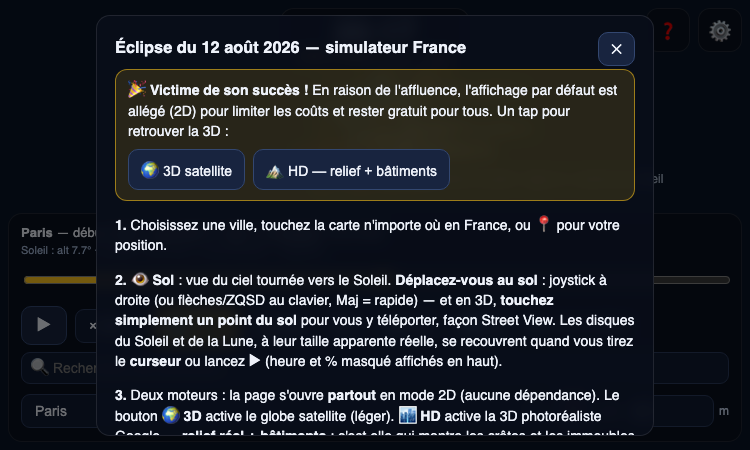
Enchanting Biscotti — explore the August 12, 2026 solar eclipse in France with a 3D interactive simulator.
Enchanting Biscotti Enchanting Biscotti is an interactive simulator of the total solar eclipse of August 12, 2026, seen from anywhere in France. The eclipse is a major event — the first total solar eclipse visible from mainland France in decades — and Enchanting Biscotti lets you rehearse it from your browser. Here is how to get the most out of it. Step 1: Choose your location. Enchanting Biscotti gives you three ways to aim. You can type the name of a French commune into the search box, tap anywhere on the map, or press the geolocation button to center the simulation on your current position. An elevation field lets you fine-tune the viewpoint. Whatever your viewing spot, Enchanting Biscotti puts you there. Step 2: Pick your view. Enchanting Biscotti offers three perspectives. The 3D globe view, powered by Cesium, shows the Moon's shadow sweeping across the terrain of France. The 2D map view is lighter and faster, ideal for a quick overview. The sky view shows what you would actually see looking up at the Sun — the crescent shrinking, the corona appearing, the sky darkening — a perspective only Enchanting Biscotti can give you. Step 3: Control time. This is where Enchanting Biscotti shines. A slider scrubs through the whole eclipse from first contact to fourth contact, and the play button animates it at 30×, 120×, or 600× real time. Pause at totality, read the clock, and you know the exact moment of darkness for your location. The "follow the Sun" option keeps the action centered as the eclipse progresses. Step 4: Go HD. For the full experience, Enchanting Biscotti can load photorealistic relief and buildings, so the simulation looks like a live view rather than a map. The default view is deliberately light to keep the tool free for everyone, and one tap restores the 3D satellite view. Enchanting Biscotti is free, requires no account, and works on phones and desktops alike. Whether you are planning where to watch the August 12, 2026 eclipse or simply want to understand what will happen in the sky, Enchanting Biscotti is the fastest way to experience it. Open the page, find your city, and watch the eclipse unfold with Enchanting Biscotti.
Kl Vercel
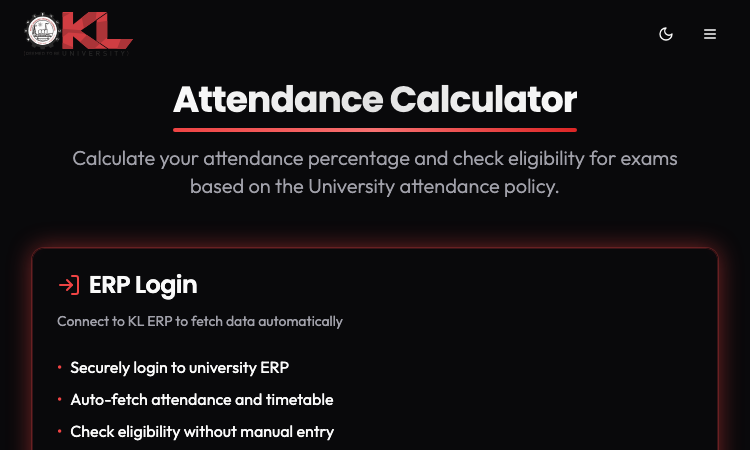
Kl Vercel — calculate KL University attendance percentage and exam eligibility with Simple and LTPS calculators.
Kl Vercel Kl Vercel is the attendance calculator KL University students reach for when they need a fast, accurate eligibility check. Every student knows the drill: count classes attended, count classes held, divide, and hope the number is above the threshold. Kl Vercel replaces that ritual with a tool that does the math instantly and correctly, following the KL University attendance policy. The key to Kl Vercel is its two calculation modes, because one formula does not fit every KL University program. The Simple mode covers the standard attendance calculation: you enter classes attended and classes held, and Kl Vercel computes your percentage and eligibility on the spot. The LTPS mode handles the LTPS attendance scheme used in certain programs, where the calculation follows different rules. Instead of forcing every student into one formula, Kl Vercel lets you pick the mode that matches your program — a small detail that makes a big difference in accuracy. Using Kl Vercel takes seconds. You open the page, choose your mode, enter two numbers, and read your result. The output shows your attendance percentage and your exam eligibility status, so you know immediately whether you are safe, borderline, or below the threshold. There is no account, no installation, and no learning curve — Kl Vercel is designed to be used between classes, on a phone, in under a minute. Kl Vercel is also completely free. There are no premium tiers, no usage limits, and no data collection. Everything runs in the browser, so your attendance numbers stay on your device. For students who check their attendance weekly — or daily, when the threshold is close — that combination of speed, accuracy, and privacy is exactly what they need. If you are a KL University student, Kl Vercel is worth bookmarking today. Choose Simple or LTPS, enter your numbers, and get your percentage and eligibility in seconds. Kl Vercel turns attendance anxiety into a quick, reliable answer, and it costs nothing to use.
Kl Calculator
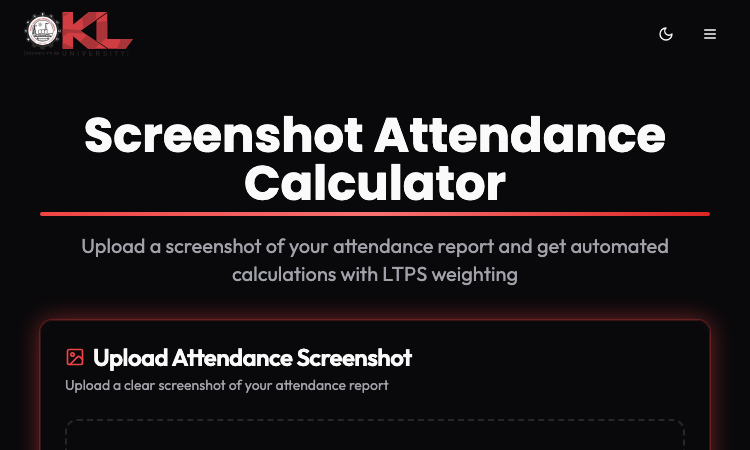
Kl Calculator — upload your attendance screenshot, extract subjects with OCR, and check KL University exam eligibility.
Kl Calculator Kl Calculator is the fastest way for KL University students to check their attendance percentage and exam eligibility. Every KL University student knows the ritual: open the attendance portal, count classes attended, count classes held, and divide — for every single subject. Kl Calculator removes that manual work completely by reading your attendance screenshot for you. Here is how Kl Calculator works. First, you take a screenshot of your attendance page, the same way you would for any record. Second, you upload that screenshot to Kl Calculator. Third, the tool's OCR engine extracts the subject names and attendance numbers directly from the image. Fourth, Kl Calculator computes the attendance percentage for each subject and compares it against KL University's eligibility policy. The whole flow takes seconds, and the result is a clear subject-by-subject breakdown of where you stand. The subject-wise breakdown is what makes Kl Calculator genuinely useful. Instead of one confusing overall number, you see each subject individually: the percentage, the classes attended, the classes held, and whether you are currently eligible. If a subject is borderline, Kl Calculator shows you the gap — how many more classes you need to attend to secure eligibility. That turns a passive number into an actionable plan for the rest of the semester. Kl Calculator is also refreshingly simple to use. There is no account to create, no app to install, and no data to configure. You open the page, upload a screenshot, and get your results. The interface works well on mobile, which matters because most students will check attendance between classes. The tool is free, and because everything runs in the browser, your screenshot never leaves your device. Built by a developer who clearly knows the KL University attendance system from the inside, Kl Calculator is the kind of tool that makes you wonder why it did not exist sooner. If you are a KL University student, stop doing manual attendance math. Upload your screenshot to Kl Calculator, get your percentages and eligibility in seconds, and spend your time on what actually matters — attending the classes that keep you eligible.