Developer-tool Apps
Discover beautiful apps crafted with vibe coding across different categories. Explore our curated collection of lovable applications.
Categories

Imagine Image
Imagine Image: the free AI generator people find when searching Grok Imagine Image, now running on Imagine Image 2.0 — n
If you searched Grok Imagine Image, here's what you found: Imagine Image, a free AI generator running on Imagine Image 2.0. What it does Text-to-image — describe a scene, get a render Image-to-image — restyle a photo while keeping its framing Image-to-video — animate a still into a short clip Models available Grok Imagine Image generation via xAI's Grok Imagine, plus GPT Image 2, Seedream 5 Lite, and Nano Banana 2 — all in one page, switchable anytime. Why people use Imagine Image Full resolution on the free tier No watermark Free for commercial use Imagine Image 2.0 is live now at imagineimage.io.
DSH Plugins
DSH Plugins — discover reviewed DeepSeek Harness plugins, inspect source and README notes, copy install commands.
DSH Plugins DSH Plugins is the go-to discovery hub for the DeepSeek Harness plugin ecosystem. DeepSeek Harness is a flexible agent framework, and its power grows with every plugin the community builds — but finding those plugins used to mean digging through GitHub search results and hoping a README was up to date. DSH Plugins solves that problem with a clean, searchable directory of reviewed plugins, complete with source links, README notes, and installation commands. What makes DSH Plugins different from a simple link list is the review standard. Every submission to DSH Plugins goes through a pending queue before it appears. The review checks that the repository is public and active, that the installation path is documented, and that the summary and README snapshot are accurate. This means DSH Plugins is a curated resource, not a dumping ground. When a listing appears on DSH Plugins, you can reasonably trust that the plugin exists, works as described, and is still maintained. The directory covers a broad range of use cases. DSH Plugins currently lists twelve plugins: interface enhancements such as DSH Better Sidebar and dsh-message-edit, agent capabilities such as dsh-agent-teams and dsh-computer-use, vision tooling such as DSH Vision Toolkit, developer utilities such as dsh-at-file and dsh-open-in-vscode, and workflow tools such as dsh-turn-rewind and dsh-visualize. Whatever part of DeepSeek Harness you are extending, DSH Plugins likely has a plugin worth looking at. Installation is one of the strongest features of DSH Plugins. Each entry shows the exact command to run, usually the DeepSeek Harness profile command dsh plugin --profile web add with an npm, GitHub, file, link, or checkout target. You can copy the command directly from DSH Plugins and have the plugin active in your profile within seconds. Entries labeled "Local file" install from a cloned checkout, which is common in the fast-moving DSH ecosystem and gives developers full control over the source they run. DSH Plugins is also a submission channel. If you maintain a public GitHub repository for a DeepSeek Harness plugin, you can submit it to DSH Plugins and reach users who are actively looking for extensions. Private, archived, and disabled repositories are rejected, which protects the quality of the directory. Best of all, DSH Plugins is completely free — no accounts, no paywalls, no premium tiers. Discover, evaluate, install, and submit, all in one place: DSH Plugins.
img2threejs
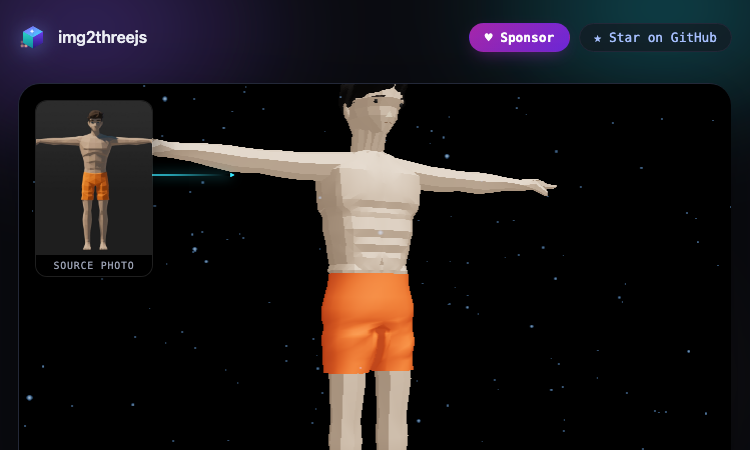
img2threejs - Rebuild any object or character from one image as code-generated 3D, no meshes imported.
img2threejs Using img2threejs is as simple as its tagline: one photo in, a procedural 3D model out. The live demo gallery on the site is the best way to understand it — every model you see there was generated by img2threejs from a single reference image, running entirely in your browser. You can orbit each model, inspect it from every angle, and even read the TypeScript source it was built from. The process has three clear stages. Stage one is the reference photo: img2threejs accepts a single image of the object or character you want to rebuild. Stage two is analysis: the tool studies the image and produces a specification of the geometry, materials, and structure. Stage three is generation: img2threejs writes procedural Three.js code that reconstructs the subject as a quality-gated, animation-ready model. No imported meshes, no manual modeling — the entire result is code you can read, edit, and reuse. What can you generate? The gallery shows the breadth. Characters: a Low-Poly Humanoid with a full rig, and a Pikachu 10K Star Celebration model. Weapons: the AWP Medusa, Glock-18 Ghost Protocol, Classic Knife Fade, M9 Bayonet Doppler Phase 2, Talon Knife Doppler Ruby, and an ISSACA 12 Gauge Shotgun. Everyday objects: a BMX Endurance Bike, Sony WF-1000XM3 earbuds with charging case, and a Gerber Paracord Knife. Scenes: a Doraemon House isometric diorama, a War-Hauler vehicle, and a Crowned Loot Chest. Each entry in the gallery notes the img2threejs version that produced it, from v1.2 through the v1.5-beta procedural character track. Getting started takes seconds: open the gallery, orbit a few models, and star the project on GitHub if you like what you see. img2threejs is open source, free to use, and actively developed — sponsor it if you want to see it grow. Whether you are prototyping game assets or exploring procedural generation, img2threejs is the fastest way to turn a photo into real 3D.
Beautiful UI
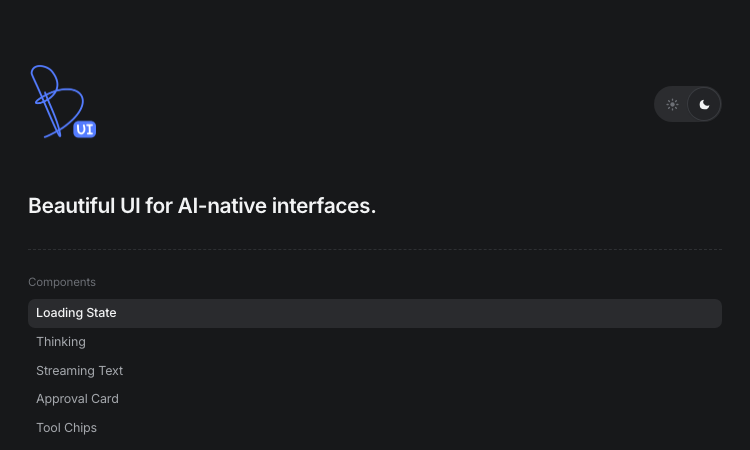
Beautiful UI - Crafted copy-paste components that make chat agents, tool calls, and approvals look stunning.
Beautiful UI For developers shipping AI products, Beautiful UI removes the hardest part of the job: making agent output look and feel deliberate. The library is a set of copy-paste components — you open the page, pick the primitive you need, and drop it into your React codebase. There is no install step, no wrapper library, and no lock-in. Beautiful UI gives you hand-tuned markup, styling, and interaction details that would take days to build yourself. Getting started is genuinely fast. Suppose your agent needs to show that it is working: grab the Loading State component with its pixel-grid loader and shimmer, or the Thinking component that expands traces for steps, reasoning, search, and coding. When the agent starts answering, Streaming Text adds inline sources and follow-up actions exactly like a production assistant. If your agent performs actions, Tool Chips compress code edits and tool calls into compact, readable chips, and Task Rows show running, failed, and completed tasks at a glance. Human-in-the-loop flows are where Beautiful UI really shines. The Approval Card asks users to confirm decisions before the agent acts, the Recommendation Card pairs suggestions with a confidence meter and alternatives, and Selection Actions let users highlight any passage and ask the agent to explain, improve, shorten, or fix the tone and grammar. These are the interaction patterns users expect from serious AI products, and Beautiful UI makes them one click away. The library also covers dashboards and data work: Prompt Bar with @ sources and / commands, Context Cards for retrieved knowledge, Diff Table for AI-proposed edits across tabular data, Records Table and Filter Table for CRM-style grids, Insight Cards with paged charts, Sidebar Nav, command Search, Code Block for streaming agent-written code, and Fine-tune Card for inspector-style property edits. Built by the Turbo product design studio, Beautiful UI keeps shipping new primitives — subscribe to get them copy-paste ready in your inbox, with no spam and an unsubscribe link.

Burn Cd Vercel
Burn Cd Vercel - burn audio CDs, data discs and ISO images directly from your browser.
Burn Cd Vercel Burn Cd Vercel is a modern web application that brings CD burning to the browser. Built as a progressive web app and hosted on Vercel, Burn Cd Vercel lets you create audio CDs, data discs and ISO images without installing any desktop software. The entire burning workflow happens in your browser, which makes Burn Cd Vercel ideal for users who work on multiple machines or who want a lightweight alternative to heavy desktop suites. The core experience of Burn Cd Vercel is built around a clean, step-by-step interface. First you select the disc type: audio CD, data CD or ISO image. Then you add your files, either by drag and drop or by browsing your computer. Burn Cd Vercel shows you the disc layout in real time, including the estimated capacity usage and a warning when your selection is too large for the disc. When you are ready, you insert a blank disc and Burn Cd Vercel writes the session with a live progress indicator, then verifies the burn to confirm that every track and file was written correctly. Burn Cd Vercel supports the most common audio formats and converts them to CD audio automatically, so you can turn your MP3 and FLAC collections into discs that play in any CD player. For data discs, Burn Cd Vercel supports long file names and multi-session writing, letting you add more files to a disc later. For system administrators, Burn Cd Vercel can write ISO images to create bootable media for operating systems and recovery tools. Burn Cd Vercel is free, requires no installation, and works on Windows, macOS and Linux. Because it is hosted on Vercel, Burn Cd Vercel loads quickly and is always up to date. The interface is modern and intuitive, with real-time progress feedback during the burn. Burn Cd Vercel is the easiest way to burn discs from the browser, whether you are a music fan, an archivist or a system administrator. Open Burn Cd Vercel and start burning today.
All Tools Lutfizzx Vercel App
All Tools Lutfizzx Vercel App is an all-in-one developer hub for OSINT, AI, and web utilities.
All Tools Lutfizzx Vercel App All Tools Lutfizzx Vercel App is an all-in-one professional developer hub that brings OSINT, artificial intelligence, and web utilities together under a single dark, modern interface. Branded as the LUTFIZX FORUM, All Tools Lutfizzx positions itself as a digital tool ecosystem for security research and development. The All Tools Lutfizzx Vercel App is designed for developers and researchers who want a consolidated workspace instead of jumping between scattered utilities, and the All Tools Lutfizzx Vercel App delivers that consolidation with style. The All-in-One Developer Hub Concept The premise of the All Tools Lutfizzx Vercel App is the all-in-one developer hub. All Tools Lutfizzx Vercel App gathers categories of tools — OSINT, AI, and web utilities — into one place so users do not waste time hunting. The All Tools Lutfizzx Vercel App reflects a clear philosophy: a developer's environment should be unified, not fragmented. By organizing tools into coherent categories, All Tools Lutfizzx Vercel App makes discovery easy. The hub concept is what makes the All Tools Lutfizzx Vercel App more than the sum of its parts. Three Pillars: OSINT, AI, and Web Utilities The All Tools Lutfizzx Vercel App is built on three pillars. The first pillar of All Tools Lutfizzx Vercel App is OSINT, open-source intelligence, for gathering and analyzing publicly available information. The second pillar of the All Tools Lutfizzx Vercel App is artificial intelligence, including a feature maker section for building and experimenting with AI capabilities. The third pillar of All Tools Lutfizzx Vercel App is web utilities, a collection of everyday tools developers reach for constantly. Together these pillars make the All Tools Lutfizzx Vercel App a versatile companion for research and development. Designed for Security Research A defining focus of the All Tools Lutfizzx Vercel App is security research and development. All Tools Lutfizzx Vercel App is positioned for legitimate security testing and education, with a clear disclaimer that tools are provided only for those purposes. The All Tools Lutfizzx Vercel App places responsibility on the user to act ethically, which frames the hub as a resource for responsible researchers. All Tools Lutfizzx Vercel App supports the security community by making research tools accessible in one place. The All Tools Lutfizzx Vercel App is built with an awareness of how these tools should and should not be used. 💡 Pro Tip Treat the All Tools Lutfizzx Vercel App as a research workstation. Bookmark All Tools Lutfizzx Vercel App so your OSINT, AI, and web utilities are always one tab away. A Dark, Modern Interface Visually, the All Tools Lutfizzx Vercel App is striking. All Tools Lutfizzx Vercel App uses a deep dark palette with purple, cyan, and pink accents, glassmorphism panels, and an animated cyber grid background. The All Tools Lutfizzx Vercel App pairs Space Grotesk and Plus Jakarta Sans fonts for a clean, futuristic feel. A floating navbar and subtle glow effects give the All Tools Lutfizzx Vercel App a polished, cyberpunk aesthetic. This design makes the All Tools Lutfizzx Vercel App feel like a premium developer product rather than a list of links. OSINT Capabilities The OSINT pillar of the All Tools Lutfizzx Vercel App serves researchers who gather public information. All Tools Lutfizzx Vercel App organizes OSINT utilities so users can move from one investigative step to the next without leaving the hub. The All Tools Lutfizzx Vercel App frames OSINT within its security-research mission, encouraging legitimate use. All Tools Lutfizzx Vercel App makes the OSINT workflow more efficient by keeping related tools together. For security researchers, the All Tools Lutfizzx Vercel App is a convenient OSINT launchpad. AI and the Feature Maker The AI pillar of the All Tools Lutfizzx Vercel App includes a feature maker section. All Tools Lutfizzx Vercel App lets users experiment with artificial intelligence capabilities, building and testing features in a guided environment. The All Tools Lutfizzx Vercel App reflects the modern trend of embedding AI into developer tools. All Tools Lutfizzx Vercel App gives developers a place to explore AI without assembling a separate stack. The All Tools Lutfizzx Vercel App bridges research and creation through its AI offerings. | Pillar | Purpose in the All Tools Lutfizzx Vercel App | |--------|-----------------------------------------------| | OSINT | Open-source intelligence gathering and analysis | | AI | Artificial intelligence tools and a feature maker | | Web Utilities | Everyday developer utilities in one place | Web Utilities for Daily Work The web utilities pillar of the All Tools Lutfizzx Vercel App covers the everyday tools developers need. All Tools Lutfizzx Vercel App collects these utilities so a developer does not search the web for each one. The All Tools Lutfizzx Vercel App turns a scattering of small tools into a cohesive utilities section. All Tools Lutfizzx Vercel App saves time by putting common utilities within reach. The All Tools Lutfizzx Vercel App is a daily convenience for anyone who codes or researches. Community and Identity The All Tools Lutfizzx Vercel App carries a strong community identity. All Tools Lutfizzx Vercel App is branded as the LUTFIZX FORUM, with links to a WhatsApp channel, a Telegram presence at @Lutfizx, and a Sociabuzz support page. The All Tools Lutfizzx Vercel App is not just a toolset but a hub around a community. All Tools Lutfizzx Vercel App invites users to join its channels and support its growth. This community dimension sets the All Tools Lutfizzx Vercel App apart from anonymous tool lists. Accessibility and Browser Access Because the All Tools Lutfizzx Vercel App runs in the browser, it is accessible from any device. All Tools Lutfizzx Vercel App requires no installation, so users can open the hub and start working immediately. The All Tools Lutfizzx Vercel App loads its interface client-side, keeping access simple. All Tools Lutfizzx Vercel App lowers the barrier to using developer and security tools. The browser-native nature of the All Tools Lutfizzx Vercel App is a practical advantage. Responsible Use and Disclaimer The All Tools Lutfizzx Vercel App includes a clear disclaimer about responsible use. All Tools Lutfizzx Vercel App states that its tools are provided only for educational purposes and legitimate security testing. The All Tools Lutfizzx Vercel App makes users responsible for ethical conduct, which is an important framing for a hub that includes OSINT. All Tools Lutfizzx Vercel App encourages its community to use the tools lawfully. This responsibility stance is part of the All Tools Lutfizzx Vercel App's identity. ⚠️ Note The All Tools Lutfizzx Vercel App is intended for education and legitimate security testing only. Use All Tools Lutfizzx Vercel App responsibly and within the law. Who It Serves The All Tools Lutfizzx Vercel App serves several audiences. Security researchers use All Tools Lutfizzx Vercel App for OSINT and testing utilities. Developers use the All Tools Lutfizzx Vercel App for web utilities and AI experimentation. Learners use the All Tools Lutfizzx Vercel App to explore tools in an organized environment. The All Tools Lutfizzx Vercel App is broad enough to serve each of these groups while staying focused on its three pillars. FAQ Q: What is the All Tools Lutfizzx Vercel App? A: All Tools Lutfizzx Vercel App is an all-in-one developer hub combining OSINT, AI, and web utilities. Q: Is the All Tools Lutfizzx Vercel App free to use? A: The All Tools Lutfizzx Vercel App runs in the browser with no install required, and users can support it via Sociabuzz. Q: Who is the All Tools Lutfizzx Vercel App for? A: All Tools Lutfizzx Vercel App is for developers, security researchers, and learners exploring OSINT, AI, and web tools. Conclusion The All Tools Lutfizzx Vercel App is a polished, all-in-one developer hub that unifies OSINT, AI, and web utilities under a striking dark interface. All Tools Lutfizzx Vercel App combines a clear three-pillar structure, a strong community identity, and a responsible-use ethos into a single browser-based workspace. For anyone who wants their research and development tools in one place, the All Tools Lutfizzx Vercel App is a compelling choice. Open All Tools Lutfizzx Vercel App and bring your tools together.
Oxme Github Io Item
Oxme Github Io Item - Fast browser item lookup tool for Free Fire IDs, names, rarities, with auto repo updates.
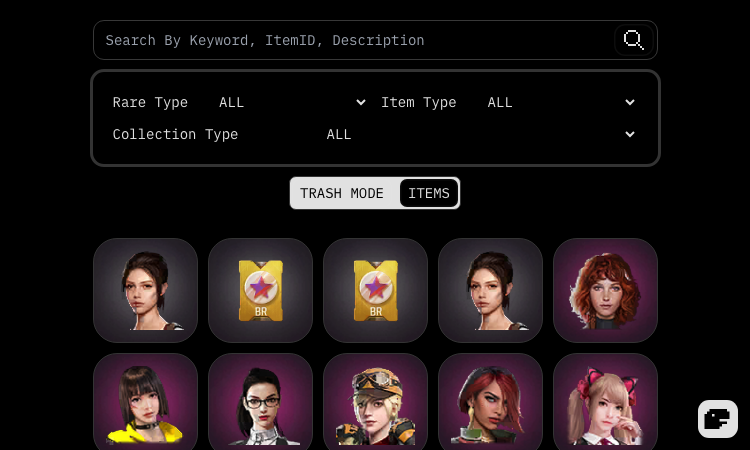
Oxme Github Io Item Oxme Github Io Item is a lightweight, browser-based item lookup tool for the Free Fire community. Instead of a heavyweight client or a bloated spreadsheet, you get a single-page app that answers one question fast: what is the ID, name, and description of this Free Fire item? The workflow is intentionally minimal. Open the app, type into the search box, and the catalog filters instantly. A built-in search guide explains the syntax, so you can narrow results by item type, rarity, or collection without memorizing anything. Whether you are tracking down a rare bundle for a loadout video or checking whether an emote you saw in a match actually exists, the Oxme Github Io Item database gets you to the answer in a few keystrokes. What sets this tool apart from static wiki pages is its live update pipeline. The item data lives in a public GitHub repository, and the app pulls the latest commits automatically, with a dedicated panel that shows when the data was last refreshed. That means newly added items flow into the interface on the same cadence the repository is updated — no waiting for a site owner to notice and republish. This is a genuinely useful pattern for any data-driven reference site. The interface also respects how people actually read: a theme switcher supports light, dark, and system modes, and the item views are organized by collection and rarity so browsing feels natural rather than overwhelming. There is no account, no paywall, and no telemetry nag — just a clean, fast, educational reference for Free Fire resources. Everything is provided for educational and non-commercial use, and the project explicitly disclaims any affiliation with Garena. For players who want a dependable, always-current item ID reference, the Oxme Github Io Item tool is an easy recommendation.
Suivi Feu Medoc
Suivi Feu Medoc - Real-time 3D satellite map of the Saumos forest fire in Gironde with NASA hotspots and aircraft.
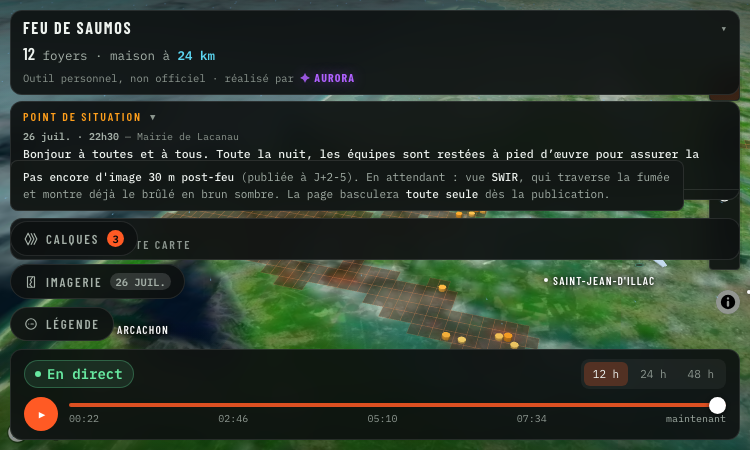
Suivi Feu Medoc Suivi Feu Medoc is a real-time satellite map of the Saumos forest fire in Gironde, France. Hosted at https://suivi-feu-medoc.netlify.app/ and built by Aurora (Aurora Studio), the tool overlays NASA-detected hotspots, burned area, smoke plumes, water bomber aircraft tracks and wind forecasts onto a 3D Mapbox satellite view of the Médoc region between Lacanau, Le Porge, Le Temple, Sainte-Hélène, Marcheprime and Croix d'Hins. The fire dataset comes from the VIIRS instruments aboard three NASA satellites, part of the FIRMS program, which detect ground hotspots at 375-metre resolution. Smoke imagery is pulled from Meteosat, water bomber aircraft (Canadair, Dash and helicopters) are tracked via ADS-B transponders, and wind forecasts come from the ECMWF model. The result is a layered live map that updates on every satellite pass, roughly 13:30 and 01:30 local time, with clear messaging when only stale data is shown. Suivi Feu Medoc reads as a relief map: each 3D column is an active hotspot whose height and colour follow the radiated power in megawatts, the brown footprint is the cumulative burned area, smoke columns are draped over the imagery, and aircraft icons track the bombers in flight. Layers can be toggled individually — fire, footprint, aircraft, smoke, wind — and opacity is user-controlled. A small "my distance to the fire" widget gives residents a quick check on proximity. The tool is explicitly a personal project, not an official source. Suivi Feu Medoc points users to the préfecture de la Gironde and the mairie de Lacanau for evacuation orders and safety instructions, and lists the 112 emergency number plus a 09 70 80 90 40 information line. It is free, accessible without signup, and built in French for the local community around the fire.
Vercel App Mpp
Vercel App Mpp - Stablecoin payment gateway behind 40+ APIs; AI agents pay per request, no API keys needed.
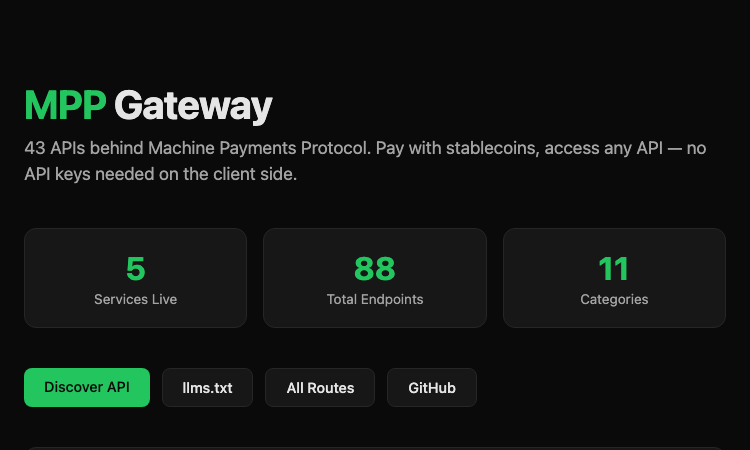
Vercel App Mpp Vercel App Mpp is the public gateway for the Machine Payments Protocol (MPP), a stablecoin-based payment layer for AI agents and other automated clients. Hosted at https://mpp-gateway.vercel.app/, the gateway sits in front of more than forty third-party APIs and lets a client pay per request with a Tempo stablecoin instead of holding an API key for each upstream service. The flow is built around HTTP 402 Payment Required. A client makes a normal HTTP request to an MPP endpoint; if payment is required the gateway returns a 402 with the price and payment instructions. A Tempo CLI running on the client then signs and settles the payment automatically, the gateway proxies the call to the upstream API, and the client receives the response together with a signed Payment-Receipt. The end result is that an AI agent can call Stripe, GitHub, Twilio, Plaid, Massive (stocks) and Stripe Climate without ever holding a secret API key. The gateway currently exposes 88 endpoints across 11 categories and 5 live services. Stock lookups, market status and tickers come from Massive; balance and payment data come from Stripe; SMS comes from Twilio; bank balances come from Plaid; carbon-removal orders come through Stripe Climate; repo and user data come from GitHub. Each endpoint lists its price in USD (often fractions of a cent for read calls, a cent or two for write calls). The site publishes an llms.txt and an All Routes page so AI agents can discover the available endpoints programmatically. Vercel App Mpp is positioned for AI agents, automation scripts, MCP servers and developer tooling that needs to reach paid third-party APIs without storing API keys. The gateway runs on Vercel's edge network, charges transparent per-request prices, and ships with a public GitHub repository. It is one of the first concrete implementations of machine-to-machine stablecoin payments for general API access.
Ubt Test Kz Vercel App
Ubt Test Kz Vercel App - Kazakh platform for UNT prep: practice tests, grant calculator, career guidance, news.
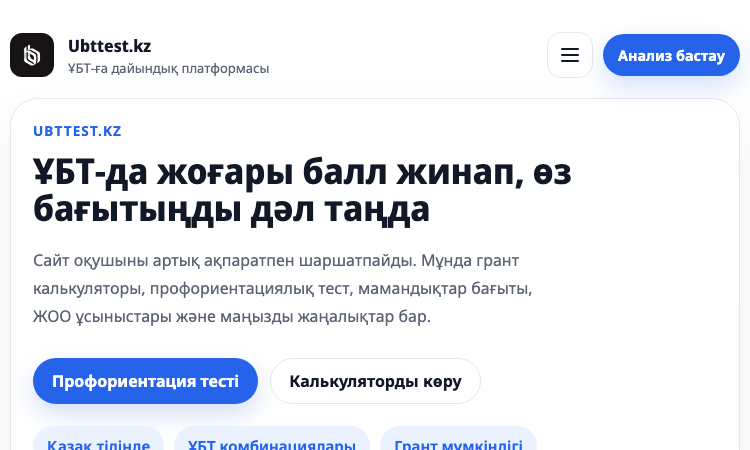
Ubt Test Kz Vercel App Ubt Test Kz Vercel App is the official web platform of Ubttest.kz, a Kazakh-language preparation service for the Unified National Testing (ҰБТ) exam that determines university admission across Kazakhstan. Hosted at https://ubttestkz.vercel.app/, the site brings the entire UNT journey into one screen: practice tests, a grant (state scholarship) calculator, career guidance, university matching, and the latest admissions news. The core flow is the grant calculator. A student enters their name, phone number and current or expected UNT score, picks two profile subjects, and selects a quota if any apply (village, large family, single parent, Serpin, disability, orphan). The system returns a competitive-level rating, a recommended major, a list of attainable universities such as KazNU, ENU, Astana IT University, KBTU, Semey Medical University, Abai University, Satbayev University and MNU, and a historical score range for each. A paid deep-analysis tier (500 KZT) adds a tailored document list, the universities where the student has the highest chance, and the concrete next steps. Career guidance is bundled into the same paid analysis. A psychometric test assigns a personality type, ranks suitable fields (humanities, science, tech, business) and surfaces compatible majors. Test variants are aligned with the National Testing Centre specification, and there are subject-specific practice areas for Mathematics, Kazakhstan History, and Biology/Chemistry. A Telegram bot hosts additional practice tests, and a news module flags new grants, rule changes and deadlines. The platform uses Noto Sans and Noto Sans Display for typography, ships in Kazakh with a Russian toggle, and tracks usage through Yandex Metrika. It is positioned for grade-11 and grade-12 students across Kazakhstan, parents who want clarity on the admissions process, and career counsellors running workshops. Ubt Test Kz Vercel App combines a free calculator and news feed with a low-cost analysis tier so every student can start with no payment and graduate to a deeper plan when ready.
Aov Theme Verce
Aov Theme Vercel - Dark Vietnamese AOV creator hub linking YouTube, TikTok, Discord and Zalo from one page.
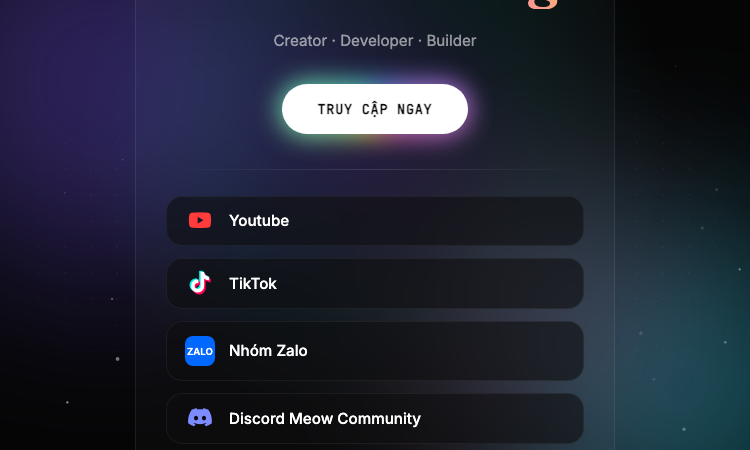
Aov Theme Verce Aov Theme Verce is a Vietnamese gaming creator landing page themed around AOV (Arena of Valor), built as a one-page "link in bio" experience hosted on Vercel. The site introduces its author as a Creator, Developer and Builder and centralises the social channels of the Anura Gaming brand, including YouTube, TikTok, two Discord communities, a Zalo group and a companion workers.dev deployment. Visually, the page uses a dark canvas with floating colour blobs, a dot-grid background, a particle canvas that animates falling particles, and a spotlight effect that follows the mouse on desktop. A translucent card with backdrop blur sits at the centre, holding the Anura Gaming wordmark in a serif display face alongside a rainbow gradient tagline. Buttons link out to YouTube, TikTok, the Zalo group and the Meow Community and Anura Community Discord servers. The site is mobile-first, with viewport locked to the device width, no zooming, and Inter for body copy plus Fraunces for the display title. Font Awesome powers the social icons. Animations are CSS-driven: a fade-in on the card, gentle floating motion on the colour blobs, and a custom @property angle gradient on the rainbow line. The page is fully static, requires no backend, and is shipped as a Vercel static deployment with no tracking scripts or analytics. Aov Theme Verce targets Vietnamese AOV players who want a single tap to reach the creator's content, join the Discord, or open the Zalo group. The footer credits the developer NHẬT ANH DEV. The site works as a personal brand hub for a Vietnamese gaming community and as a small reference implementation of a styled, animated link-in-bio page.

Pi Agent
Pi Agent - Terminal-based minimal coding agent harness with tree sessions, skills, and 15+ model providers.
Pi Agent Pi Agent is a minimal, terminal-based coding agent built around the idea that the harness should adapt to the developer instead of forcing the developer to adapt to the harness. Hosted at https://pi.dev/ and shipped by Earendil Inc., Pi Agent runs as a TUI in the terminal, exposes a tree-structured session history, supports skills, AGENTS.md and SYSTEM.md context files, and is unusually token-efficient thanks to a minimal default system prompt. The product's tagline is "There are many agent harnesses, but this one is yours." Pi Agent ships in four runtime modes. Interactive mode delivers the full terminal UI with rich keyboard shortcuts and a stylable interface. Print mode runs Pi Agent headlessly with a single query for use inside shell scripts. JSON mode streams structured events from a Pi Agent run for piping into other tools. RPC mode exposes Pi Agent over JSON over stdin/stdout so non-Node processes can drive it. An SDK lets developers embed Pi Agent directly into their own applications. The product documentation points to OpenClaw as a real-world example of that SDK being used. The model layer is provider-agnostic. Pi Agent works with Anthropic, OpenAI, Google, Azure, Bedrock, Mistral, Groq, Cerebras, xAI, Hugging Face, Kimi For Coding, MiniMax, NVIDIA, OpenRouter, Ollama and more than fifteen other providers in total. Authentication can be done with API keys or OAuth. The /model command and Ctrl+L shortcut switch models mid-session, while Ctrl+P cycles through favourites. Custom providers and models can be added through a models.json file or extensions. Context engineering is central to Pi Agent. The platform loads AGENTS.md project instructions from ~/.pi/agent, parent directories and the current directory, supports per-project SYSTEM.md overrides, auto-summarises older messages via compaction, and ships a skills system for capability packages loaded on demand. Prompt templates let developers reuse common prompts as Markdown files. Extensions, written in TypeScript, can inject context before each turn, filter message history, implement RAG or build long-term memory. Sessions can be branched, shared, exported to HTML, or pushed to a GitHub gist with /share to obtain a shareable URL. Pi Agent is built for developers who want to customise their coding workflow rather than accept whatever defaults a closed product provides.