Ai Apps
Discover beautiful apps crafted with vibe coding across different categories. Explore our curated collection of lovable applications.
Categories

imagetranslator
AI Image Translator That Preserves the Original Layout
Image Translator is an AI-powered online tool that translates text inside images while preserving the original layout, typography, colors, and visual style. It supports 132+ languages and works with product images, comics and manga, menus, documents, screenshots, and more. Simply upload a JPG, PNG, or WebP image, choose your target language, and let AI detect, translate, and re-render the text directly into the image. It is ideal for e-commerce sellers, content creators, travelers, marketers, and anyone who needs to localize images without manually rebuilding the design.

Longruay
Longruay - Live like a millionaire for 30 days: AI life simulation, US$100 million, one wealth decision per day.
Longruay Official Website Longruay is a 30-day millionaire simulator and AI life simulation game. Official app: https://longruay.com/ Creator: Not publicly listed (contact: contact@longruay.com) Price: Freemium — first AI-powered month free, then credits from $1.99 Login required: Yes (Google or email sign-in) Platform: Web (longruay.com) Main use: Wealth decision game — manage US$100 million through one choice per day for 30 days Last checked: 2026-08-22 Visit Longruay We are not the official developer of Longruay. This page helps users find, understand, and use the product. What Is Longruay? Longruay is a browser game that answers a fun question: what would you actually do with US$100 million? You start with that exact sum and play through 30 fictional days, making one wealth decision per day — buy the house, finance the acquisition, protect the team, or walk away. The site describes itself as "an AI life simulation", because each day brings a private briefing from Mira, an AI chief of private office who presents investments, acquisitions, invitations, and crises around your current story. Longruay is built to feel consequential. The homepage shows a sample day: "DAY 17 / 30, US$108.4M — The harbor hotel: a beautifully run independent hotel needs a patient new owner" with three choices (acquire with disciplined debt, bring in an operating partner, or protect liquidity and walk away). The company emphasizes that AI writes the briefings but never decides the results — a deterministic engine calculates every financial and personal consequence against visible, tested rules. At the end of the month you receive a private report with a full balance sheet, five personal metrics, and an outcome title like "empire builder", "cultural patron", "quiet sovereign", or "golden cage". How to Use Longruay Open the official Longruay website. Click "Enter your private office" or "Start with US$100 million". Choose one of three identities: Tech Founder, Family Wealth Heir, or Global Investor. Read the daily briefing from Mira and pick one of the choices each day, for 30 days. Collect your final report with the balance sheet, personal metrics, and outcome title. Is Longruay Safe? What can be verified about Longruay: the site is a web game run on longruay.com, with Terms, Privacy, and Contact pages in the footer and a contact email (contact@longruay.com). The FAQ states explicitly that the game is "a fictional wealth decision game for entertainment" and is not real financial advice — all companies, assets, prices, and people are invented. Payment is only for credits (one-time purchases from $1.99, no auto-renewal, credits never expire), and the site promises that a month can always be finished for free using handcrafted scenarios. The game requires personal choices but no file uploads. It appears to be a paid/hobby project with a transparent pricing page rather than an anonymous ad-supported site. Why Is Longruay Popular? Longruay appears to be gaining attention through direct sharing and word-of-mouth, although there is no clear public source showing where the trend originated. The premise is strong for sharing — "live like a millionaire for 30 days" — and each run ends with a personal verdict ("quiet sovereign" with a US$116M balance) that players screenshot and compare. The mix of a visible simulation engine with personalized AI briefings also gives the game a "cool AI product" angle that has been trending in 2026. Longruay Not Working? If Longruay cannot be accessed, try: Refresh the page. Open it in another browser. Disable ad blockers temporarily. Check whether the longruay.com site is still online. Try again later if the developer is updating the game. Longruay Alternatives If you like Longruay, you can also try: BitLife — a life-simulation game where every choice changes your character's fortune AdVenture Capitalist — a money-management idle game about growing wealth The Sims — a life simulation where you manage your sim's career, home, and relationships Frequently Asked Questions What is the official Longruay website? The official website is https://longruay.com/. Is Longruay free? It starts free: the first complete AI-powered month is included. After that, AI briefings cost 2 credits each, with one-time packs from $1.99 (200 credits). Handcrafted scenarios and failed AI requests are always free. Do I need an account to use Longruay? Yes — the game continues across devices, which requires an account/session. Registration is simple and the first month is free. Who created Longruay? The developer is not publicly identified; the site offers contact at contact@longruay.com. Is Longruay still available? Yes, the site was online and playable as of 2026-08-22.
SpiderFoot OSINT Tool
SpiderFoot OSINT. See the wider footprint.
SpiderFoot is a free online OSINT tool for investigating usernames, email addresses, IP addresses and public information. Use SpiderFoot online without installing the software.

ImageVids AI
ImageVids AI turns static images into AI-generated videos with free trial credits, multiple video models.
ImageVids AI is an AI image-to-video generator designed to help creators, marketers, ecommerce sellers, designers, and storytellers transform static images into dynamic AI-generated videos. Users can upload a photo, product image, portrait, anime artwork, landscape, or visual concept, then describe the motion they want with a simple prompt. The platform supports multiple AI video models, flexible aspect ratios, prompt-based motion control, and free trial credits for new users. It is useful for creating product videos, social media clips, portrait animations, anime videos, marketing visuals, real estate videos, travel content, and short-form videos for TikTok, Reels, and YouTube Shorts. ImageVids AI focuses on making image-to-video generation easier to test and refine. Users can start with free credits, compare different models, adjust prompts, and upgrade when they need more credits, HD exports, watermark-free downloads, or commercial use.
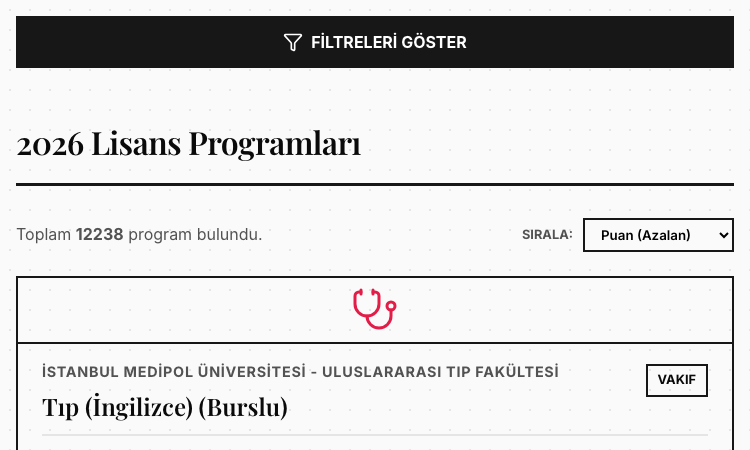
Yks2026 Vercel
Yks2026 Vercel — search and filter 12,238 Turkish university programs by score, faculty, and quota.
Yks2026 Vercel Yks2026 Vercel is a free Turkish university program search tool for YKS 2026, covering 12,238 undergraduate programs with their base and ceiling scores. If you are building your tercih (preference) list this year, Yks2026 Vercel is the fastest way to see what is available. Here is how to use it. Step 1: Open the database. Yks2026 Vercel opens directly to "2026 Lisans Programları" — the full list of 2026 undergraduate programs. The counter on Yks2026 Vercel shows all 12,238 programs, and the list is already sorted by score, highest first. Step 2: Set your filters. Use the Filtreler (filters) panel on Yks2026 Vercel to narrow the list. Choose the university type (all, state, or private), search by keyword, or pick specific universities, faculties, and departments — each has its own search box. You can also set a minimum and maximum score range and choose the score type. Step 3: Sort the results. Yks2026 Vercel sorts results in eight ways: score descending or ascending, and university, faculty, or department in alphabetical order (A–Z or Z–A). Switch the sort to match how you like to compare programs. Step 4: Read the program card. Each result on Yks2026 Vercel shows everything you need: university, faculty, program name, type (public/private), score type, quota, the taban puan (base score), the tavan puan (ceiling score), and the official program code. Step 5: Build your list. With the filters on Yks2026 Vercel, you can quickly find every program that matches your score and interests. The tool runs in any browser, works on mobile, and requires no account. A few things make Yks2026 Vercel stand out. It is completely free, with no paywall. It covers the full YKS 2026 dataset on Yks2026 Vercel — 12,238 programs — not a sample. It is designed around real student needs: score filters, program codes, quotas, and easy sorting. And it is fast, because the database is right in the browser. If you are a student applying to universities in Turkey for 2026, Yks2026 Vercel is worth bookmarking today. Set your score range, filter the programs, and build your preference list with confidence.

Kotoba 3D Dice 2026 Vercel
Kotoba 3D Dice 2026 Vercel — put 6 words on a 3D dice, roll it, and let fate pick your answer.
Kotoba 3D Dice 2026 Vercel Kotoba 3D Dice 2026 Vercel is a 3D word dice from Japan — the ずご抽選器 — where you write six words and roll to decide. It turns "what should we do?" into a moment of fun. Here is how to use Kotoba 3D Dice 2026 Vercel. Step 1: Enter your six words. Open Kotoba 3D Dice 2026 Vercel and write six words into the fields — one per face of the dice. Dinner options, homework subjects, weekend plans, anything with choices. The inputs are auto-saved to your device, so you can close the tab and come back later. Step 2: Roll the dice. Hit the roll button on Kotoba 3D Dice 2026 Vercel and watch the 3D cube tumble with a springy animation. You can also tap the dice itself. When the dice settles, one face is the winner — highlighted with a golden glow and a "確定!" badge. Step 3: Use the race mode. Beyond the basic dice, Kotoba 3D Dice 2026 Vercel has a race mode where you choose a field of 5 to 18 horses and draw a single winner (単勝). The polyhedron spins dramatically, then the winning horse is announced with a "確定!" marker. Step 4: Try the lottery mode. The classic Japanese lottery machine (ガラガラポン) is here too: spin the crank on Kotoba 3D Dice 2026 Vercel, watch the balls jumble inside the jar, and one ball pops out as the result. Step 5: Share and review. Every result on Kotoba 3D Dice 2026 Vercel can be shared with a single tap. A history panel keeps your recent results, and you can clear it anytime. The confetti is automatic — the decision deserves a celebration. A few things make Kotoba 3D Dice 2026 Vercel stand out. It is free, with no account. It works on any browser, with a warm cream design and orange accents. The 3D animations are smooth and satisfying. And because the words are always yours, every roll on Kotoba 3D Dice 2026 Vercel feels personal. Kotoba 3D Dice 2026 Vercel is the kind of tool that makes a boring decision fun. Six words, one dice, one roll on Kotoba 3D Dice 2026 Vercel — the decision is made.
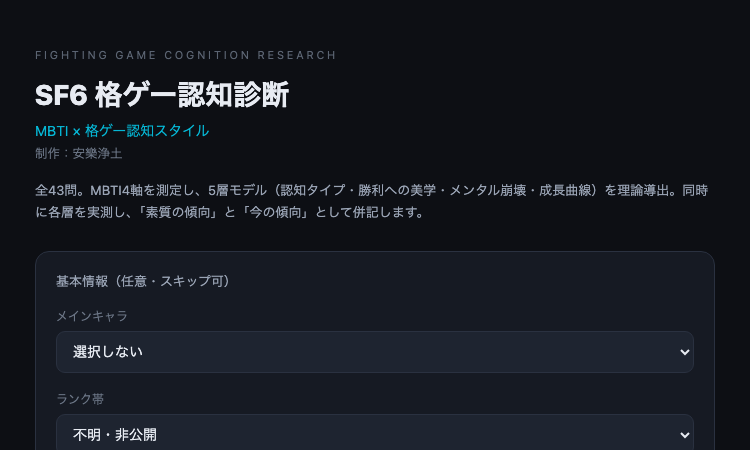
格ゲー認知診断
格ゲー認知診断 — 43問の質問に答えると、格闘ゲームでの認知タイプ・観察・圧力・直感・反応の傾向が分かるSF6向け無料診断。
格ゲー認知診断 格ゲー認知診断は、SF6プレイヤーの認知スタイルを全43問で分析する無料の診断ツールです。ここでは、格ゲー認知診断の受け方をステップごとに紹介します。 ステップ1:基本情報を入力(任意) 格ゲー認知診断では、最初に基本情報を入力できますが、すべて任意でスキップも可能です。メインキャラはルーク、ジェイミー、キンバリー、マノン、春麗、ガイル、ケン、ブランカ、ザンギエフ、ジュリ、リュウ、キャミィ、ラシード、豪鬼、ベガ、テリー、不知火舞など全キャラクターに対応しています。ランク帯は「不明・非公開」から「MR2100以上」まで選べるので、ランクを公開したくない人でも安心です。 ステップ2:全43問に回答 診断が始まると、格ゲー認知診断は全43問の質問を出します。各質問は格闘ゲームの実戦場面に基づいて設計されており、普段のプレイを思い浮かべながら直感で答えるのがおすすめです。所要時間は数分程度です。 ステップ3:5層モデルの結果を受け取る 回答が完了すると、格ゲー認知診断は結果を表示します。1層目はMBTI16タイプ×格ゲー認知スタイル、2層目は観察・圧力・直感・反応の4つの認知傾向、3層目は勝利への美学、4層目はメンタルの崩れ方、5層目は成長曲線です。それぞれ「素質の傾向」と「今の傾向」の両方で表示されるのがポイントです。 ステップ4:結果を読み解く 素質の傾向とは、あなたが本来持っている認知スタイルです。今の傾向とは、現在のプレイで発現しているスタイルです。この二つの差に気づくことで、「自分は実は観察型なのに、最近は圧力型のプレイをしている」といった気づきが得られます。トレーニングで直したい部分、伸ばすべき部分が明確になります。 格ゲー認知診断は無料で、アカウント登録も不要です。スマホでもPCでもブラウザさえあればすぐに始められます。自分の認知スタイルを知りたいSF6プレイヤーなら、まずは一度、全43問に挑戦してみてください。きっと新しい自分が見つかるはずです。
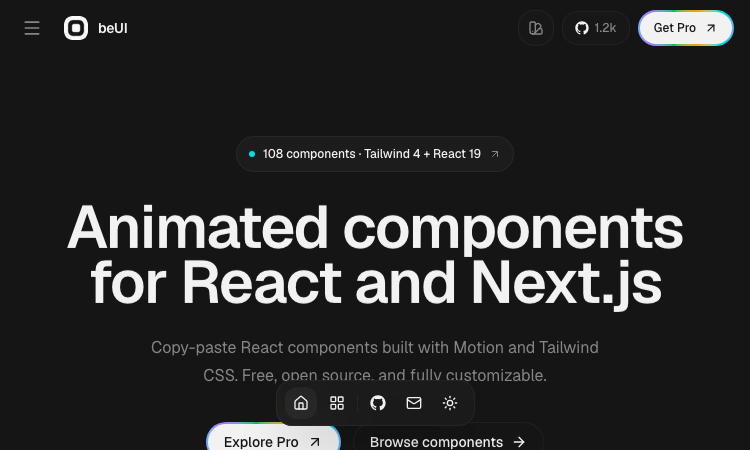
Beui
Beui — free animated UI components for React and Next.js; copy the source or install via shadcn CLI.
Beui Beui is a free, open-source collection of animated components for React and Next.js, built with Motion and Tailwind CSS. If you want polished animations in your app without writing animation code from scratch, Beui is the fastest route. Here is how to use it. Step 1: Open the Beui gallery. The Beui site presents its components visually — you can see exactly what each animated component looks like before you touch any code. Browse the collection and find the components that fit your interface. Step 2: Copy the source. Every component on Beui is designed to be copied. Open the component you want, copy its source, and paste it into your project. Because Beui is built with Motion and Tailwind CSS, the code drops into any React or Next.js project that already uses those tools — which is most of them. Step 3: Or install with the shadcn CLI. If you prefer a structured install, Beui is a shadcn-compatible registry. Run the shadcn CLI with the Beui component name, and the component is installed into your project the same way shadcn/ui components are. The Beui registry works with the workflow you already use. Step 4: Customize and ship. Because Beui components are source code in your project — not a black box library — you can tweak every animation, color, and layout. There is no lock-in: what you copy is yours, forever. A few things make Beui stand out. It is free and open source, with no subscription and no watermarks. It is built with the modern React stack — Motion for animation, Tailwind CSS for styling — so it integrates without friction. It works for React and Next.js equally. And the copy-paste model means you never have to read a long installation guide; the source is right there. Beui is the kind of library developers appreciate: high quality, zero cost, and no strings attached. Open Beui, copy an animated component, paste it into your project, and watch your interface come to life.
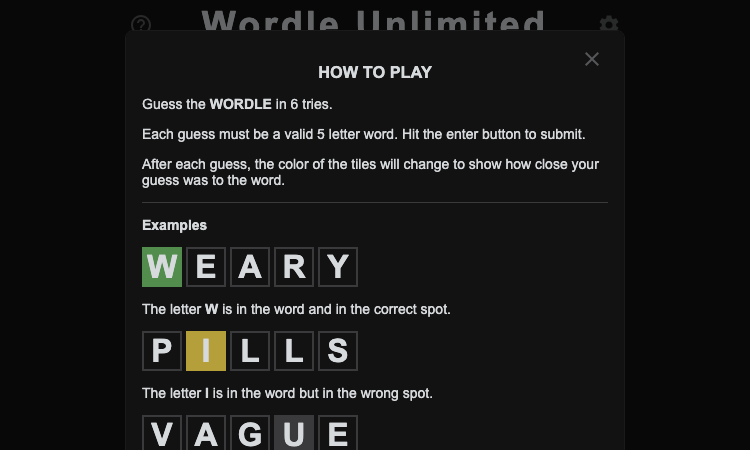
Wordle Unlimited Github Io
Wordle Unlimited Github Io — play endless Wordle puzzles online for free, without waiting for the next day.
Wordle Unlimited Github Io Wordle Unlimited Github Io is a free word puzzle game that lets you play endless rounds of Wordle without waiting for the next day. If you have ever finished the daily Wordle and wished there were more, Wordle Unlimited Github Io is exactly what you have been looking for. Here is how to play. Step 1: Open the game. Wordle Unlimited Github Io runs entirely in your browser. There is nothing to download, no account to create, and no sign-up — open the page and the game is ready. Step 2: Guess a five-letter word. The game presents a hidden five-letter word, and you have six guesses to find it. Type your first guess and press enter. Wordle Unlimited Github Io follows the classic rules: green tiles for correct letters in the right place, yellow for correct letters in the wrong place, and gray for letters that are not in the word. Step 3: Use the feedback. Each guess narrows the possibilities. Pay attention to the colors, eliminate wrong letters, and refine your next guess. The feedback system in Wordle Unlimited Github Io is identical to the original Wordle, so any Wordle player knows exactly what to do. Step 4: Solve the word. Find the word within six guesses and the puzzle is complete. This is where Wordle Unlimited Github Io differs from the original: instead of ending the session, the game immediately gives you a new word — the moment Wordle Unlimited Github Io was built for. You can keep playing for as long as you like. Step 5: Play again, and again. The unlimited format of Wordle Unlimited Github Io is its superpower. Play one more round, or ten more rounds. Practice your strategy, learn new words, and improve your vocabulary with every puzzle. The FAQ highlights that endless five-letter word challenges help build vocabulary — a benefit the daily format cannot match, and a reason Wordle Unlimited Github Io is worth playing daily. Wordle Unlimited Github Io is free, works on school Chromebooks and classroom networks, and needs no installation. Whether you are a Wordle veteran or a first-time player, the game is instantly familiar and endlessly replayable. Open Wordle Unlimited Github Io, guess your first word, and keep going — the next puzzle is always waiting.

Imgstyler
AI image generator, editor, prompt library, and reusable style workspace.
Imgstyler Imgstyler is an AI image creation workspace for generating, restyling, and editing images from prompts and references. It combines text-to-image generation, image-to-image editing, and a reusable visual prompt library in one focused product. Core features Generate images with GPT Image 2 and Nano Banana Upload reference images for guided generation and restyling Browse and reuse curated prompts and visual styles Adjust aspect ratio, resolution, and generation quality Revisit generation history and download previous results Use focused tools for pixel art, visual novel backgrounds, and background removal New users can try Imgstyler with three free generations before choosing credits or a subscription plan.

Wizstar AI
Tell your agent what to create.
Wizstar is an AI video platform built for ecommerce brands and content creators who need high-quality video at scale. The Wizstar AI video generator turns text prompts, images, and product links into polished short-form videos up to 4K resolution. Its AI video translation tool localizes content into 70+ languages with lip-synced audio, while the AI avatar feature produces realistic talking-head videos from a single image. Wizstar also offers an API for teams that want to integrate video generation into their own workflows. Whether launching products or scaling content across markets, Wizstar makes professional video production fast and accessible.
Next-Generation AI Video Generator
Create and refine high-quality videos fast with intuitive AI tools.
Lanta AI is an all-in-one AI video creation platform, offering a rich set of tools from text/image-to-video and video style transfer to virtual makeup and lip sync. There’s no steep learning curve — you can turn your ideas into high-quality videos in just a few steps. The platform supports multi-aspect-ratio export, camera motion controls, and stylized filters (including Ghibli-style), making it ideal for short-form content, product marketing, social media posts, and personal creative projects. Key features: AI video generation: Turn text or images into dynamic videos in one click, with camera motion and multiple aspect ratios supported. Video-to-video (style remastering): Transform existing footage into cinematic, vintage, anime, and many other styles. Video effects: A variety of creative filters and lighting effects to quickly enhance production quality. Lip sync: Make characters speak in sync with your audio, perfect for explainers, dubbing, and virtual avatars. Virtual makeup: AI-powered makeup and stylized beauty effects that you can tweak or revert at any time. Signature tools: AI Kissing Video Generator, Earth Zoom Out, character animation tools, and more.